

Page 1
17.06.2015
PCE Americas Inc.
Industrial Scales
711 Commerce Way
Suite 8
Jupiter
FL-33458
USA
From outside US: +1
Tel: (561) 320-9162
Fax: (561) 320-9176
[email protected]
www.pce-instruments.com/english
www.pce-instruments.com
PCE Instruments UK Ltd.
Units 12/13
Southpoint Business Park
Ensign way
Hampshire / Southampton
United Kingdom, SO31 4RF
From outside UK: +44
Tel: (0) 2380 98703 0
Fax: (0) 2380 98703 9
Manual
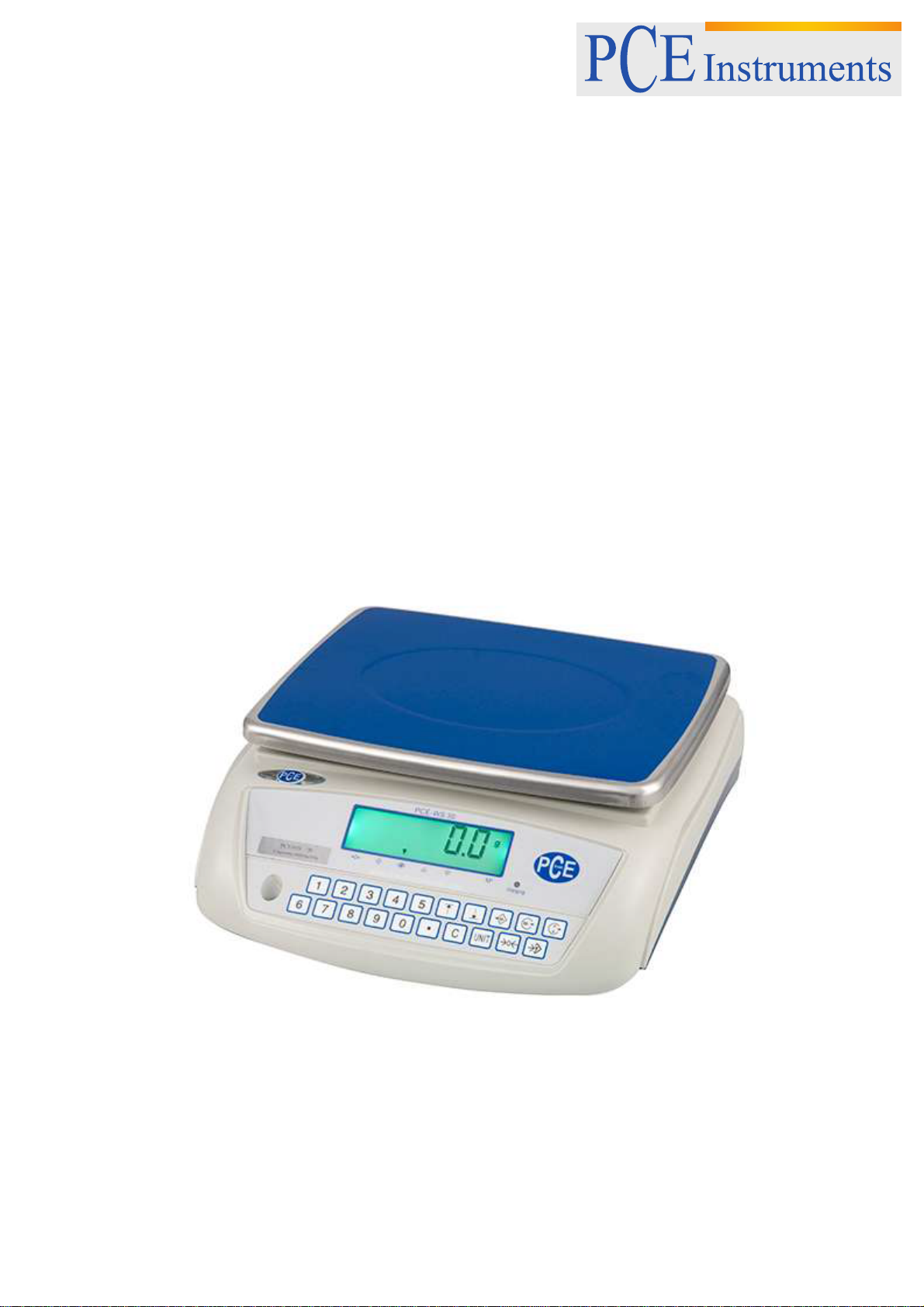
PCE-WS 30
Version 1.2
Page 2

Manual
Inhaltsverzeichnis
1 Introduction ............................................................................................................. 3
2 Safety instructions .................................................................................................. 3
3 Specifications .......................................................................................................... 4
4 Keypad functions ................................ .................................................................... 4
5 Operation ................................................................................................................. 5
5.1 Turn the scale ON/OFF .......................................................................................................... 5
5.2 Zero the scale ........................................................................................................................ 5
5.3 Tare function ......................................................................................................................... 5
5.4 Set weight limits ..................................................................................................................... 5
5.5 Select the measuring unit....................................................................................................... 6
5.6 Memory ................................................................................................ ................................. 6
5.7 Adjust the settling time ................................ ................................................................ ........... 6
5.8 Adjust the readability ............................................................................................................. 6
5.9 Adjust the backlight ................................................................................................................ 6
5.10 Adjust the data transfer settings (RS-232) .............................................................................. 7
5.11 Calibration ............................................................................................................................. 7
5.12 Recharge the battery ............................................................................................................. 7
5.13 Interface protocol ................................................................................................................... 8
6 Contact ..................................................................................................................... 9
6.1 PCE Instruments UK .............................................................................................................. 9
6.2 PCE Americas ....................................................................................................................... 9
2
Page 3

Manual
1 Introduction
Thank you for purchasing a compact scale from PCE Instruments.
The compact scale PCE-WS 30 is designed for professional weighing and has a memory function. This
compact scale is an ideal device when you need to determine weights up to 30 kg. The scale has
adjusting feet and fixation for the levelling as well as a water-level inside the housing. Previous taring can
be entered via keyboard. With the integrated RS-232 interface and the optional software kit you will be
able to transfer the weight data to a computer or portable. This compact scale has a power supply of 240
V or it can be powered by means of a rechargeable internal accumulator which gives you a chance to
move the scale everywhere.
2 Safety instructions
Please follow the safety instructions below to avoid damaging the device:
Do not let the scale get wet or place it in an environment with extreme temperature or humidity
Do not shock the scale and do not exceed its capacity. *This can cause permanent damage*
Only use the scale with the included AC power supply or the internal battery.
If you don’t use the scale over a longer period, please remove the battery.
Do not expose the scale to direct sunlight.
Before using the scale, please put it on a stable platform and adjust its feet to level it out.
Please, read this user's handbook carefully and completely, before you put it into service for the first time.
The usage of the device may take place only through carefully trained staff.
- The device may only be used in approved temperature range
- The opening of the case should only be done by qualified personnel of the PCE Instruments.
- The instrument should never be placed with the user interface (e.g. keyboard side on a table)
- You should not make technical changes on the device
- The appliance should only be cleaned with a damp cloth / use only pH-neutral cleaner
This user's handbook is published from PCE Instruments without any guarantee.
We expressly point to our general guarantee terms, they can be found in our general terms of business.
If you have any questions please contact PCE Instruments.
3
Page 4

Technical specifications
Scale model
PCE-WS 30
Weighing range [max.]
30 kg
Readability [d]
0.5 g
Minimum weight
0.5 g
Memory
99 readings
Taring range
100 %
Measuring units
g / kg / lb
Display
Large LC display with 6 digits
Calibration
Via external calibration weight
Weighing pan
230 x 310 mm
Operating temperature
0 … +40 °C
Power supply
Adapter 230 V / 50 Hz or internal battery
(both included)
Housing
ABS plastic
Interface
RS-232
Software kit
Optional
Dimensions
Aprox. 320 x 320 x 125 mm
Weight
Aprox. 2.8 kg
3 Specifications
Manual
Delivery contents
1 x compact scale PCE-WS 30
1 x mains adapter
1x instruction manual
4 Keypad functions
to Numeric keys used for entering weight limits
Decimal point key
Zero key. This key will reset the zero.
Tare key. Press this key to subtract the weight of containers.
Press this key to save the indicated value.
Press this key to clear the memory.
Press this key to delete the entered values from the display.
4
Page 5
Manual
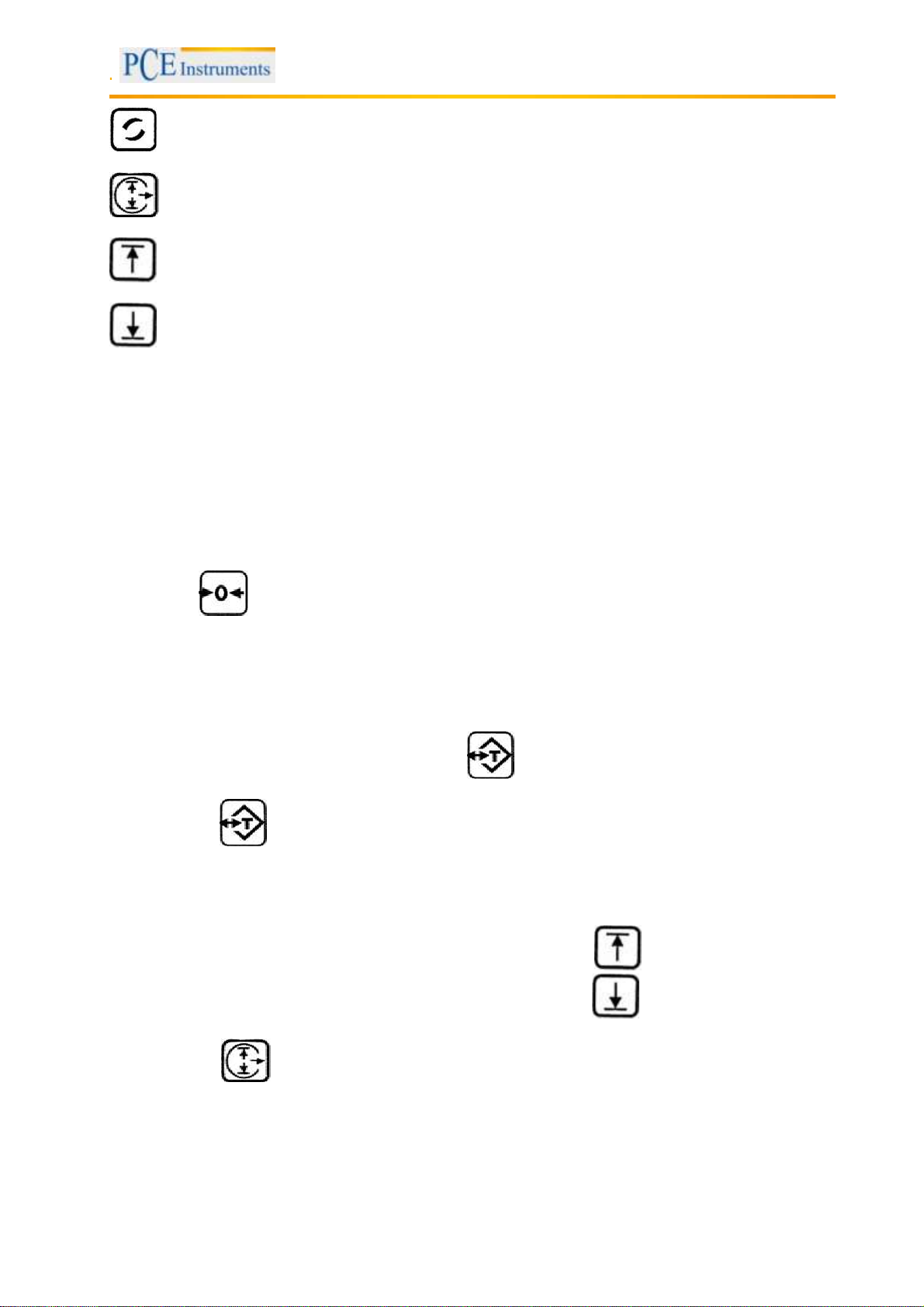
Press this key to switch between the different measuring units.
Pressing this key deletes set weight limits.
With this key, you can set the upper weight limit.
With this key, you can set the lower weight limit.
5 Operation
5.1 Turn the scale ON/OFF
Remove all objects from the tray and turn the scale on by pushing the power switch to the “ON” position.
The scale will perform a self-test and zero. After that, the it will switch to the weighing mode.
To turn the scale off, push the power switch to the “OFF” position.
5.2 Zero the scale
When there are no objects on the tray and the scale doesn’t indicate “0”, you can manually zero it by
pressing the key.
The zeroing function is only available if the deviation is within ±2 % of the measuring range.
5.3 Tare function
By using the tare function, you can determine the net weight by subtracting the weight of an object, like a
container for example.
To do so, place the object on the tray and press the key. The tare function is now activated. If you
now remove the object from the tray, its weight is indicated as a negative value on the display.
If you press the key again, you cancel the tare mode.
5.4 Set weight limits
You can set weight limits which trigger an alarm signal, when exceeded.
To set up the upper weight limit, enter the desired value and press the key to confirm the input.
To set up the lower weight limit, enter the desired value and press the key to confirm the input.
By pressing the key, you can eliminate the existing weight limits.
Note: All weight limits have to be entered in kg.
5
Page 6
Manual
5.5 Select the measuring unit
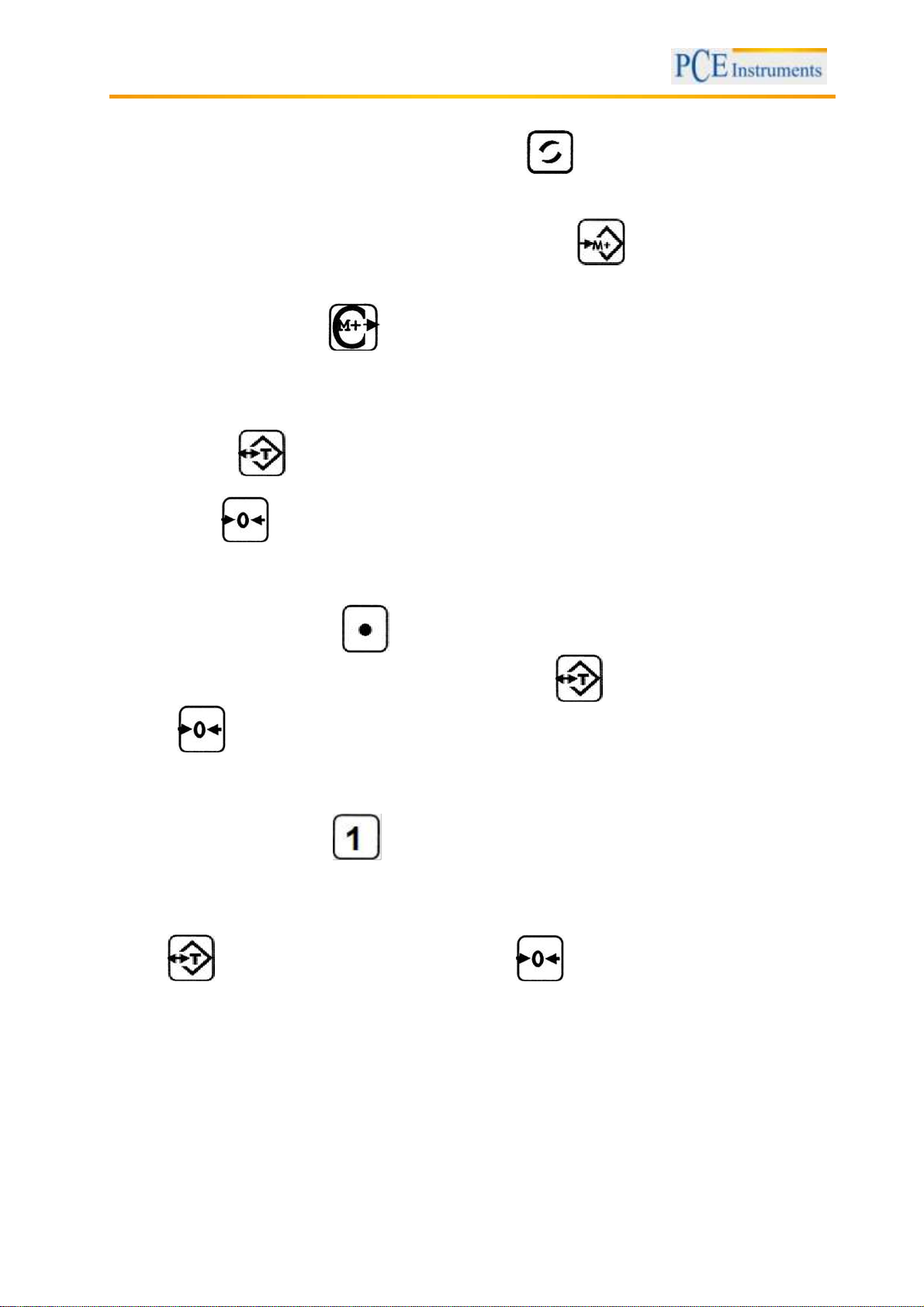
To switch between the measuring units kg, g and lb, use the key.
5.6 Memory
You can save the indicated value, after it stabilized, by pressing the key. The display now shows
the number of saved values (max. 99).
If “OL” is indicated on the display, this means that the internal memory is full.
To clear the memory, press the key.
5.7 Adjust the settling time
You can adjust the settling time of the scale, if necessary.
To do so, hold the key when turning the scale on, until the current settling time appears on the
display. Πb0 is the slowest and Πb6 is the fastest value.
By pressing the key, you can confirm the selected value.
5.8 Adjust the readability
To adjust the readability, hold the key when turning the scale on, until the current readability
appears on the display. Now you can select a value by using the key. To confirm your selection,
press the key.
5.9 Adjust the backlight
To adjust the backlight, hold the key when turning on the scale, until it has finished the self-test.
The display now shows the current setting.
“AUTO” The backlight is turned on/off automatically
“ON” The backlight is always on
“OFF” The backlight is always off
Use the key to select a setting. After that, press the key to confirm.
6
Page 7
Manual
5.10 Adjust the data transfer settings (RS-232)
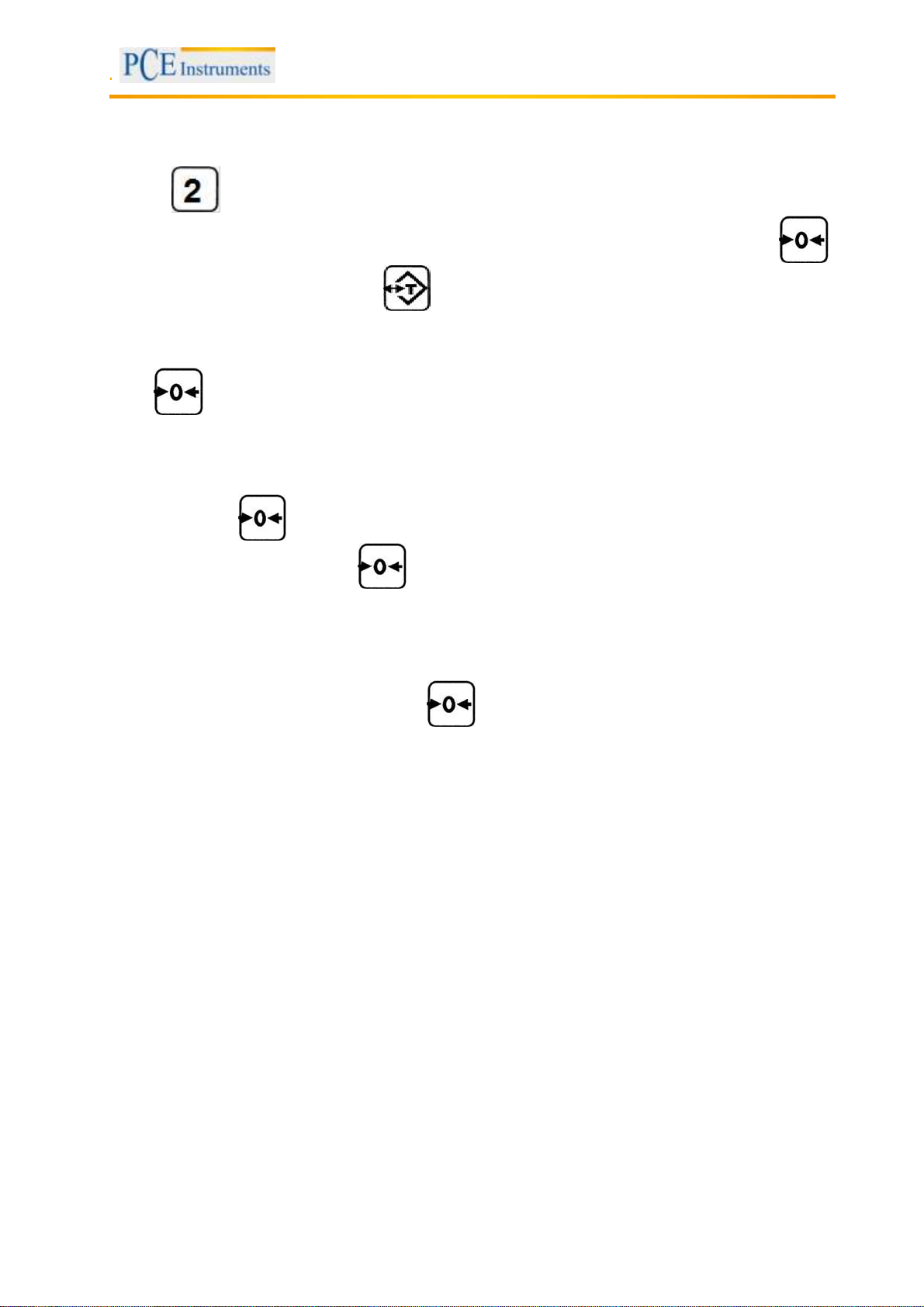
Hold the key when you turn on the scale, until the self-test is finished. Now the display should
show the “Baud Rate” settings. Here you can choose between 2400, 4800 and 9600 by using the
key. To confirm the selection, press the key.
Next you can choose between “ST” and “Co”.
“ST” (stable) The data is only transferred if the value is stabilised
“Co” (continue) The data is transferred continuously
Press to confirm the selection.
5.11 Calibration
You can calibrate the scale by using an external calibration weight.
To do so, hold the key when you turn on the scale until the self-test is finished. You should now
see “CAL” on the display. Press the key again. The display should now show “0“.
Now you can enter the weight of the external calibration weight which you want to use for the calibration
by using the numeric keys.
Note: The weight has to be entered in kg. We recommend a calibration weight which covers ca. 2/3 of the
measuring range of the scale.
Next, put the weight on the tray and press the key to start the calibration. The calibration is now
finished.
5.12 Recharge the battery
If the battery voltage is low an indication appears on the display.
If this is the case, please turn off the scale and start charging the battery. While the battery is charged a
yellow LED is glowing. When the battery is fully charged this LED turns red.
It takes about 12 hours until the battery is fully charged.
7
Page 8

Manual
5.13 Interface protocol
DATA FORMAT
HEAD1 , HEAD2 , DATA UNIT CR
1 2 3 4 5 6 78910 11 12 13 14 15 16 17 18 19 20
HEAD1 (2BYTES) HEAD2 (2BYTES)
OL - overload
NT – net weight mode
ST – stable
US - unstable
DATA(8BYTE)
2D (HEX) = “ – ” (negative sign)20 (HEX) = “ ” (blank)
2E (HEX) = “ . ” (decimal point)
UNIT (4 byte)
g= 20 (HEX) ; 20 (HEX) ; 20 (HEX) ; 67 (HEX)
kg= 20 (HEX) ; 20 (HEX) ; 6B (HEX) ; 67 (HEX)
ct= 20 (HEX) ; 20 (HEX) ; 63 (HEX) ; 74 (HEX)
ozt= 20 (HEX) ; 6F (HEX) ; 7A (HEX) ; 74 (HEX)
CR= OA (HEX) ; OD (HEX) ;
Transmission example
1. Ex. : stable net + 0.168 g
HEAD , HEAD , DATA UNIT CR
ST , NT , + 0.168 g OA, OD
8
Page 9

Manual
6 Contact
If you have any questions about our range of products or measuring instruments please contact PCE
Instruments.
6.1 PCE Instruments UK
By post:
PCE Instruments UK Ltd.
Units 12/13 Southpoint Business Park
Ensign Way, Southampton
Hampshire
United Kingdom, SO31 4RF
By phone:
02380 987 035
6.2 PCE Americas
By post:
PCE Americas Inc.
711 Commerce Way
Suite 8
Jupiter
33458 FL
USA
By phone:
561 320 9162
9
 Loading...