

Page 1
Enter sale amount, press OK
Press OK again and pass terminal to customer
Customer confirms sale amount
TIP: Customer chooses %, AMT or OK to skip, inputs tip and confirms total and
Customer inserts/swipes card, confirms amount again and enters PIN #
Terminal will process transaction
Merchant presses OK to print receipt and down arrow for customer copy
Press the DOWN ARROW to access Transaction Menu
Press 5 for Refund function
Enter Merchant Password, press OK
Enter Invoice # of the transaction to be refunded, press OK
Enter refund amount, press OK
Press OK again and pass terminal to customer
Customer confirms sale amount and inserts/swipes card
Terminal will process refund and prints receipt
Merchant presses down arrow to print customer copy
Press the DOWN ARROW to access Transaction Menu
Press 2 for Pre-authorization function
Enter amount of pre-authorization, press OK
Press OK again and pass terminal to customer
Customer confirms sale amount inserts/swipes credit card (only)
Customer enters PIN #
Terminal will process transaction
Merchant presses OK to print receipt and customer copy
Press the DOWN ARROW to access Transaction Menu
Press 3 for (pre-authorization) Completion function, press OK
Enter Invoice # press OK
Enter final amount of sale, press OK
Continue to next completion if necessary
Press the DOWN ARROW to access Transaction Menu
Press 4 for Force Post, press OK
Enter manually obtained authorization number, press OK
Customer swipes/inserts card
Enter amount of forced (manual) transaction, press OK
Customer enters PIN #
Terminal will process transaction
Merchant presses OK to print receipt and down arrow for customer copy
FORCED CREDIT CARD TRANSACTION
Power button is used to switch terminal
ON/OFF
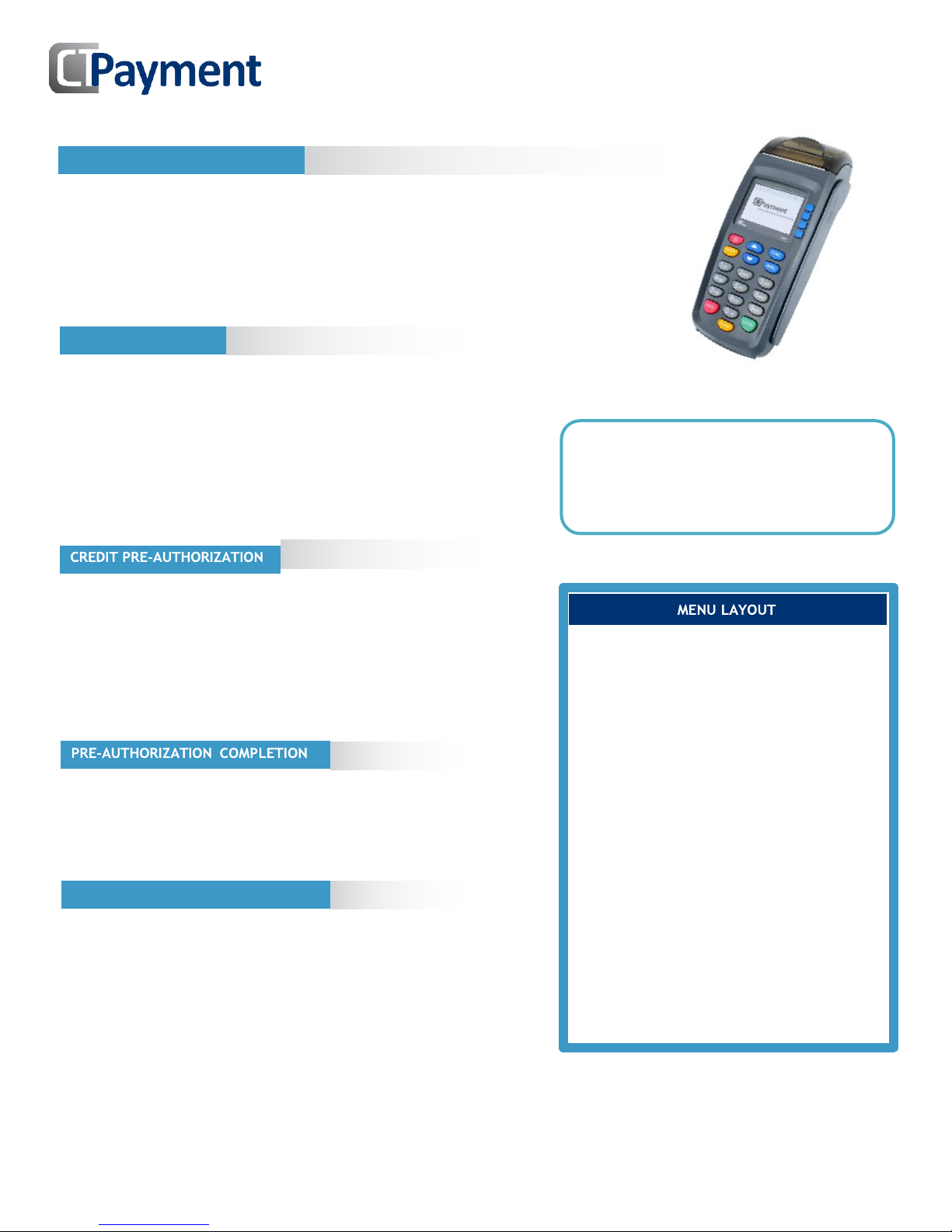
The PAX S90 menu functions are arranged in
two menus: Transaction and Administration
Scroll buttons are used to scroll through to
display menu options
To access letters on the numeric keypad,
press the key quickly until the desired letter
appears
Press 0 (zero) twice for space,
Press Up button for [*] and
Press Down button twice for [•]
Use yellow Corr button to go back one step
CREDIT REFUND
CREDIT PURCHASE/SALE
PAX S90 Quick Reference Guide
The PAX S90 is a 3G wireless terminal
compatible with Rogers, TELUS and Bell
networks. It does not support WIFI
connectivity. Contact your Payment Service
Provider for SIM card and data plan.
Page 2
CREDIT OR DEBIT CARD VOID
Enter sale amount, then press OK
Press OK again and pass terminal to customer
Customer confirms sale amount
TIP: Customer chooses % or AMT, inputs tip and confirms total amount
Customer inserts debit card
CASHBACK: Customer chooses cashback amount, confirms total amount
Customer chooses F3 Checking or F4 Savings account
Customer enters PIN #
Terminal will process transaction
Merchant presses OK to print receipt and down arrow for customer copy
Press the DOWN ARROW to access Transaction Menu
Press 5 for Refund function
Enter Merchant Password, press OK
Enter Invoice # of the transaction to be refunded, press OK
Enter refund amount (excluding any surcharge amount), press OK
Press OK again and pass terminal to customer
Customer inserts/swipes card and confirms refund amount
Customer chooses Checking or Savings account
Customer enters PIN #
Terminal will process transaction
Merchant presses OK to print receipt and down arrow for customer copy
Press the DOWN ARROW to access Transaction Menu
Press 6 for Void function
Enter merchant password then press OK
To Void the last transaction press Down scroll key
To Void another transaction press Up scroll key,
Enter Invoice #, press OK to confirm
Customer inserts/swipes card and confirms void amount
Customer enters PIN #
Terminal will process transaction
Merchant presses OK to print receipt and down arrow for customer copy
Press the DOWN ARROW to access Transaction Menu
Press 7 for Reprint function
To Reprint receipt for last transaction press Down scroll key
To Reprint other transaction press Up scroll key
Enter Invoice #, press OK to confirm
Terminal will print receipt
Press the UP ARROW to access Admin Menu
Press 1 for Settlement, enter Merchant Password, press OK
Confirm total Sales
Confirm total Refunds
Confirm that totals Match
Print Summary Report
Confirmation will print
SETTLEMENT
REPRINT RECEIPT
DEBIT REFUND
DEBIT CARD SALE
Press MENU to access ADMIN MENU
Select 3 - SETUP then 1 - OPTIONS
Enter ADMIN password, press OK
Merchant Language option appears
Choose Language
Press Cancel twice to return to main screen
CHANGING THE LANGUAGE
IMPORTANT NOTE: When terminal is in training
mode any Sale transactions will not be
processed. Please ensure you turn Training OFF
to begin accepting payments.
Batch must be closed (complete settlement) to
be in training mode
Press Menu to access admin menu
Press/scroll to 8 for TRAINING mode
Enter merchant password, press OK
Select TRAINING YES/NO, press OK
TRAINING MODE
PAX S90 Quick Reference Guide
06 2017
 Loading...