

Page 1
USER MANUAL
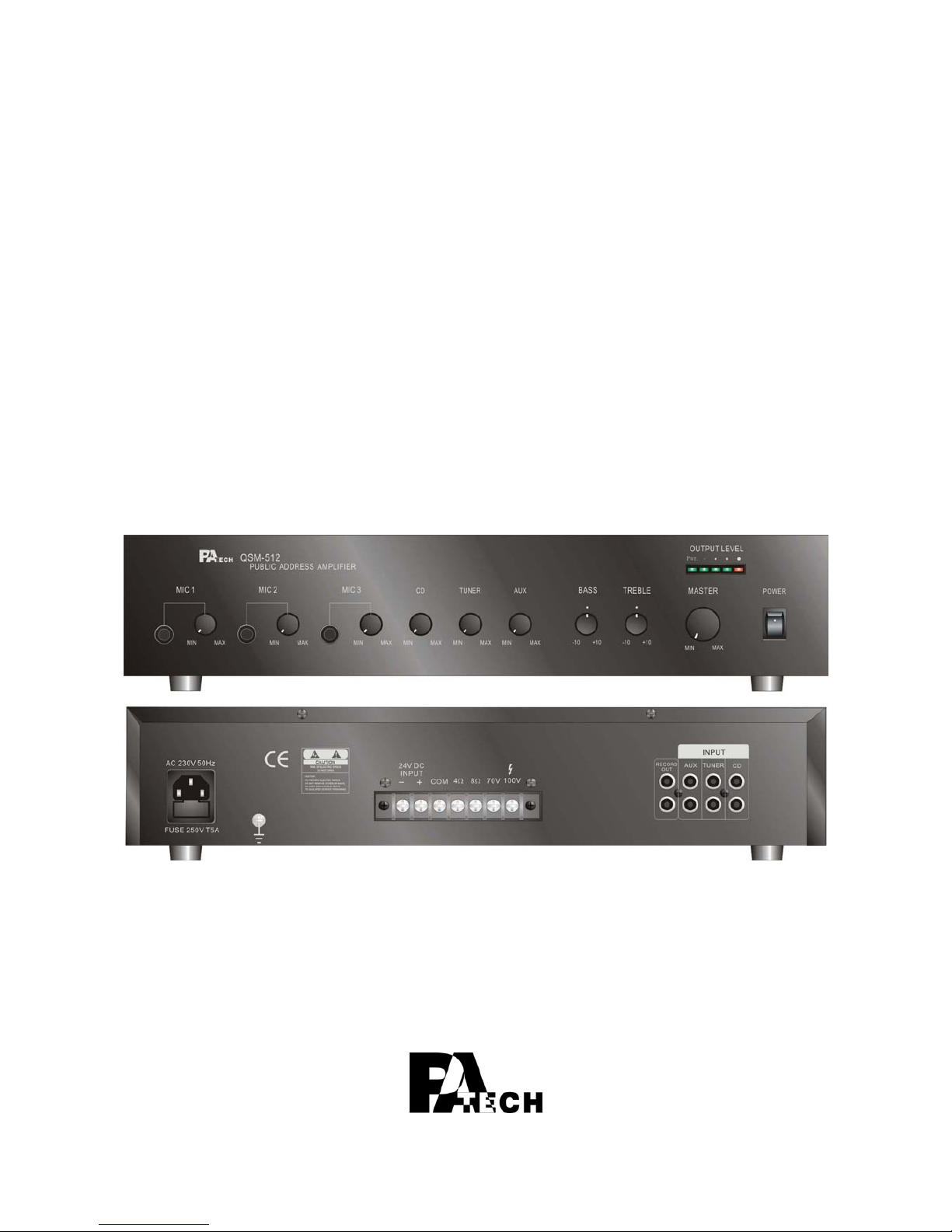
QSM-503/QSM-506/QSM-5 12
Mixer Amplifier
QSM-512
Page 2
2
1. Security Precautions
◎ Carefully to READ the instruction in this manual before use.
◎ Certainly to OBSERVE the INSTRUCTION in this manual regard convention of safety
symbols and messages
◎ Please KEEP this user MANUAL nearby for anytime reference.
Safety symbol and Message Conventions
Below-described safety symbol and messages are to prevent bodily injury and property
damage. Before operating the amplifier, read this manual first so you completely knowing
the potential safety hazard and understanding the meaning of the safety symbols and
messages.
WARNING
Indicates a potentially hazardous situation, which, if
mishandled, could result in death or serious body
injury, and/or property damage.
CAUTION
Indicates a potentially hazardous situation, which, if
mishandled, could result in moderate or minor body
injury, and/or property damage.
PANEL DESCRIPTION
WARNING
■ When Installing the Amplifier
z DO NOT installing or mounting the amplifier in unstable locations, such as on the
rickety table or the slanted surface. It may result in the amplifier falling down
and causing body injury and/or property damage.
z Be sure to ground to the safety ground (earth) terminal to avoid electric shock.
Never to ground to a gas pipe for tragic disaster may occur.
z Use the amplifier only with the voltage specified on the amplifier. Using the voltage
higher than specified may cause fire or electric shock.
z DO NOT cut, twist, damage, nor modify the power supply cord. In addition, avoid
using the power cord close to heaters, and don’t place heavy object, including
the amplifier itself, on the power cord, for it may cause fire or electric shock.
z DO NOT expose the amplifier to rain or the environment where it may be splashed by
water or other liquids, for doing so, it may cause fire or electric shock.
Page 3

- 3 -
When using the Amplifier
z When found following irregular situation during amplifier is in use, immediately switch off
the power, disconnect the power supply plug from the AC outlet. Don’t try to operate
the amplifier again. Contact your local dealer to check the amplifier.
9 The amplifier falls.
9 Amplifier is malfunction.
9 Water or any metallic object gets into the amplifier.
9 The smoke or strange smell coming from the amplifier.
9 The power supply cord is damaged, such as exposure of the core, disconnection etc..
z DO NOT put cups, bowls, or other containers with liquid or metallic object in it on the
top of the amplifier. If they spill accidentally into the amplifier, it may result in
fire or electric shock.
z DO NOT touch the power supply plug during thundering and lightning, for it may result
in electric shock.
z DO NOT insert or drop the metallic objects or flammable materials into the ventilation
slots of the amplifier, for it may result in fire or electric shock.
z DO NOT open nor remove the amplifier cover to prevent fire or electric shock, for there
are high voltage components inside the amplifier.
PANEL DESCRIPTION
CAUTION
■ When Installing the Amplifier
z DO NOT remove nor plug in the power supply plug with wet hands, for it may cause
electric shock.
z When unplug the power supply cord, be sure to grasp the power supply plug. DO
NOT pull on the cord itself. Operating the amplifier with damaged power
supply cord may cause fire or electric shock.
z Avoid installing the amplifier in humid or dusty places, the area exposed to the direct
sunlight, locations generating smoke or steam, or the spot near the heaters.
It may result in fire or electric shock.
z When moving the amplifier, be sure to remove its power supply cord from the wall
outlet. Moving the amplifier with the power cord connected to the outlet may
cause damage to the power cord, and resulting in fire or electric shock.
When removing the power cord, be sure to grasp its plug to pull.
z DO NOT block the ventilation slots of the amplifier chassis. It will cause the
temperature rising and result in fire.
Page 4

4
■ When Using the Amplifier
z Make sure that the volume control is turned to minimum position before power is
switched on. Loud sound produced at high volume when power is switched
on may impair hearing.
z DO NOT place heavy objects on the amplifier, for it may cause it fall and may result in
body injury and/or property damage. Besides, the object itself may cause
damaged or body injury.
z DO NOT operate the amplifier for the extended period of time with the sound distorting.
It is an indication of malfunction, which can cause heat and result in fire.
z Switch the power off, and unplug the power supply plug from the AC outlet for safety
purposes, when cleaning or leaving the amplifier unused for 7 days or more.
Fire or electric shock may occur.
z If the dust accumulates on the power supply plug or in the wall AC outlet, fire may
result in. Clean it periodically. In addition, make sure the plug is inserted in
the wall outlet securely.
z Contact your local dealer to clean the dust, it the dust has accumulated in the amplifier
for a long period of time. Dust accumulation may result in fire or damage.
2. Description
QSM-5xx series, including QSM-503, QSM-506, and QSM-512, are economical mixer
amplifiers designed for up to 3 microphones plus 3 line-in (CD, AUX, and Tuner), total 6
inputs application.
Each microphone input and line-in input has its own volume control. The microphone
inputs are at the front panel. It is convenient for the user to use. Besides, there are 1
Master control of output volume, and 2 tone controls: Bass and Treble.
The output connection covers low impedance 4 ohm and 8 ohm, and high level 70V and
100V screw terminal. Choose only one of these output connections to match the speaker.
Furthermore, the amplifier also has one record output for the demand of recording.
To ensure the amplifier safety, it has speaker short, over temperature, and over load
protection.
Besides AC power source, QSM-5xx series mixer amplifier also accept DC 24V input power
source from the battery.
QSM-5xx series mixer amplifier is ideal and economic model for the application of
multi-input.
Page 5
- 5 -
3. Panel Description
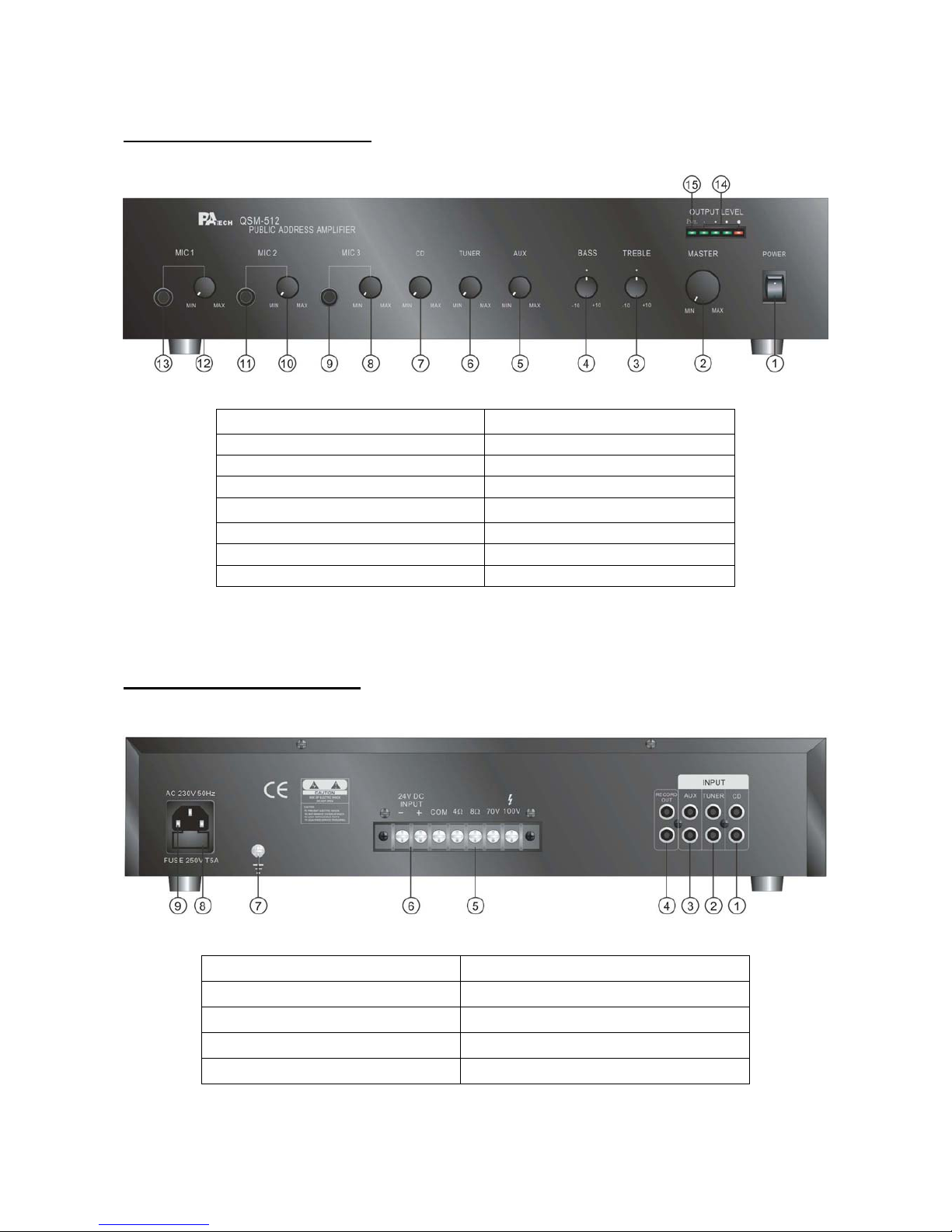
FRONT PANEL DESCRIPTION
1. Power Switch 9. Mic. 3 Input
2. Master Volume Control 10. Mic. 2 Volume Control
3. Treble Control 11. Mic. 2 Input
4. Bass Control 12. Mic. 1 Volume Control
5. Aux Volume Control 13. Mic. 1 Input
6. Tuner Volume Control 14. Output Level Indicator
7. CD Volume Control 15. Power Indicator - LED.
8. Mic. 3 Volume Control
REAR PANEL DESCRIPTION
1. CD Input (RCA Jack) 6. DC Power Supply Terminals
2. Tuner Input (RCA Jack) 7. Grounding Connection Screw
3. Aux Input (RCA Jack) 8. AC Fuse
4. Record Output 9. AC Power Input Socket
5. Speaker Output Terminal
Page 6

4. Features
z Multi-input Mixer Amplifier
z Up to 3 microphones
z 3 line-in input sources: CD, AUX, and Tuner
z Individual volume control of each input
z Master volume, Bass, and Treble control for the output.
z Over load, over temperature, and speaker short protection.
z 4 ohm, 8 ohm, 70V and 100V output
z Record output
z AC or DC power in
z 2U height
z 19” rack or table mounted
5. Power Source
z AC Power Source
The supply transformer has been designed for use AC 230V(±10%) 50 Hz.
z DC Power Source
Battery Connection (24Vdc)
When using external batteries, ground the amplifier via the screw terminal. (Electrical
stability of the system will be improved by providing a good earth ground.) When
connecting batteries, please ensure correct polarity.
6. Connection
z Microphone Connection
Mic1~3 inputs are RCA jack..
z CD, Aux, and Tuner Connection (Input)
The equipment provides 3 auxiliary inputs, which are CD source, auxiliary input, and tuner
source. All are dual RCA jack and has a stereo to mono converter.
SLEEVEPIN
RCA plug connector
6
Page 7

- 7 -
z Output Connection
The output terminal is on the rear panel. The terminal connection can connect low
impedance 4 ohm or 8 ohm, or high-level 70V or 100V speaker. Use only one of these
output connections for corresponding speaker.
z Record Output Connection
If there is the demand of recording, connect the input of the recorder to the record output on
the rear panel of the amplifier.
7. Operation
After all connections are completed, and turn master volume control at proper position (not
at maximum position). And then turn all line-in input volume controls at proper position.
Then, switch on the power switch. If necessary, turn the bass, treble, and volume control
to what you desire.
Before using the microphone, make sure the corresponding volume control of MIC is at
proper position (not at maximum position). If necessary, adjust the volume further.
Page 8
8
8. Technical Specification
Type Mixer Amplifier
Model QSM-503 QSM-506 QSM-512
Output Power: 30W 60W 120W
Main Voltage AC 115V or 230V 50/60Hz Supply
Battery Voltage DC 24V
Outputs 4Ω, 8Ω, 70V, 100V
Record Output 1V@100Ω
Frequency Response 50Hz ~ 15KHz ± 3dB
Inputs Impedance Mic 1~3: 1.5mV, 600Ω unbalanced.
CD/Aux/Tuner: 200mV @ 10K Hz unbalanced
Input Sensitivity Mic 1~3: 1.5mV
CD/Aux/Tuner: 200mV
Mute Priority Mic 1
Tone Controls Bass : 100Hz ± 10dB
Treble : 10KHz ± 10dB
Total Harmonic Distortion < 0.1% @ 1KHz, rated power
Signal to Noise Ratio > 80dB
AC Power Consumption 80W 160W 320W
DC Power Consumption 2.5A 5A 10A
Dimensions ( HxWxD) mm 88 (H) x 425 (W) x 275 (D) mm
Weight 6 Kgs 8 Kgs 10 Kgs
Mounting options Table top or 19” rack mountable
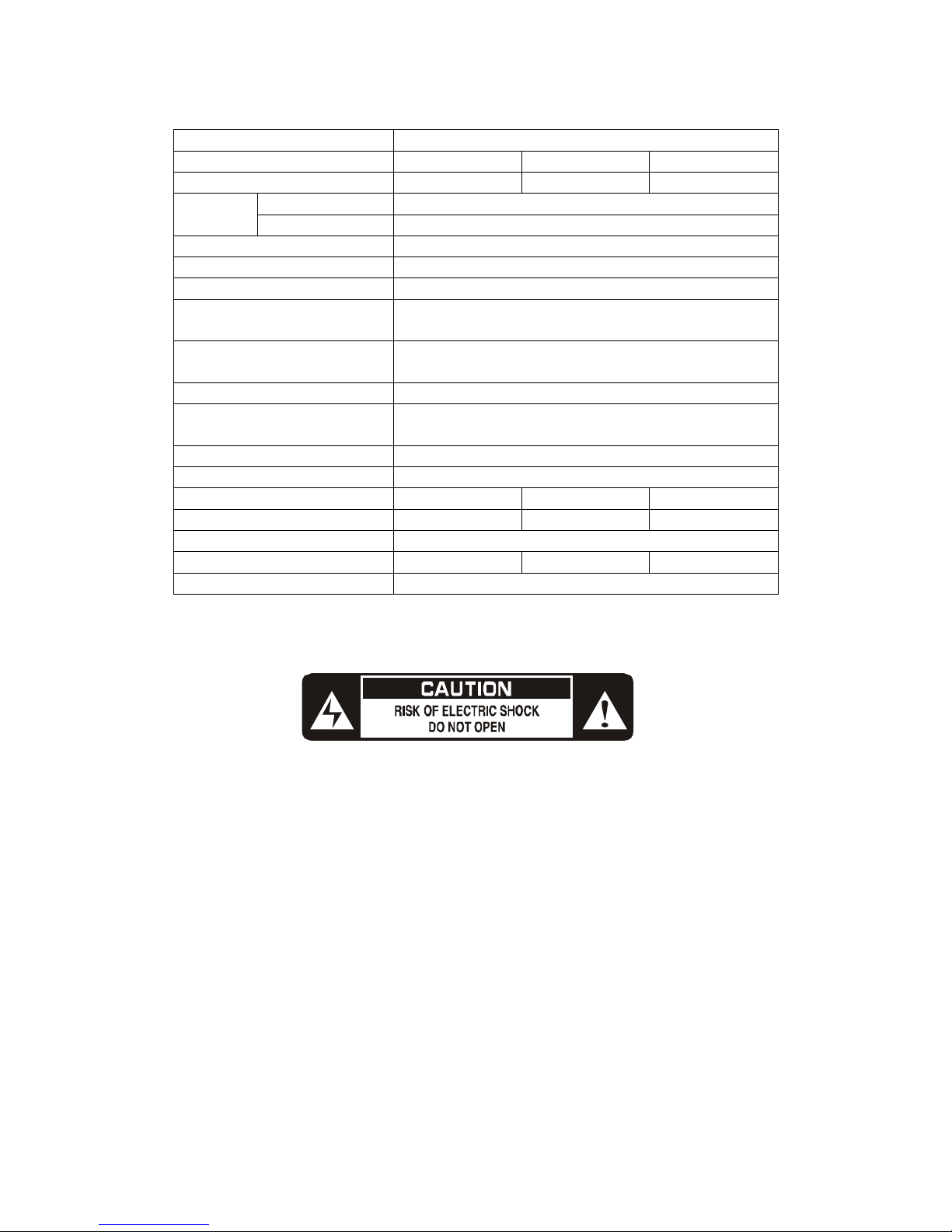
WARNING: THIS APPLIANCE MUST BE EARTHED
 Loading...