

Page 1
COPYRIGHT-Partners IT Limited
Setup Guide
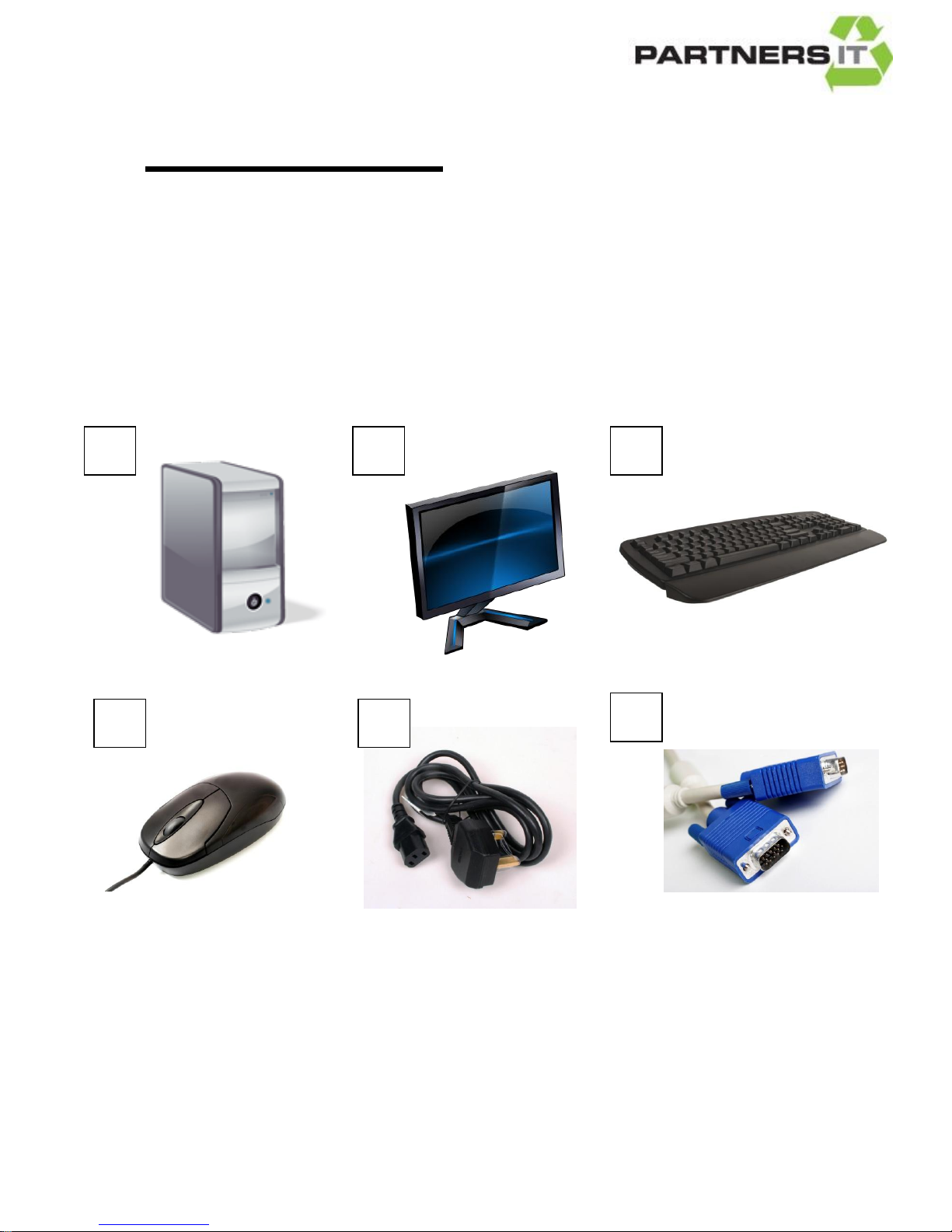
The following items are included in your box:
PC (Base Unit) (Picture A)
Flat Screen Monitor (TFT) (Picture B)
Keyboard (Picture C)
Mouse (Picture D)
2 x Power Cables (Picture E)
1 x Monitor Cable (VGA Cable) (Picture F)
Pictures are for illustration purposes only- The items you receive may visually differ from those above.
A B C D E
F
Page 2
COPYRIGHT-Partners IT Limited
Before you turn on your computer, please follow the steps below.
HOW TO CONNECT YOUR MONITOR
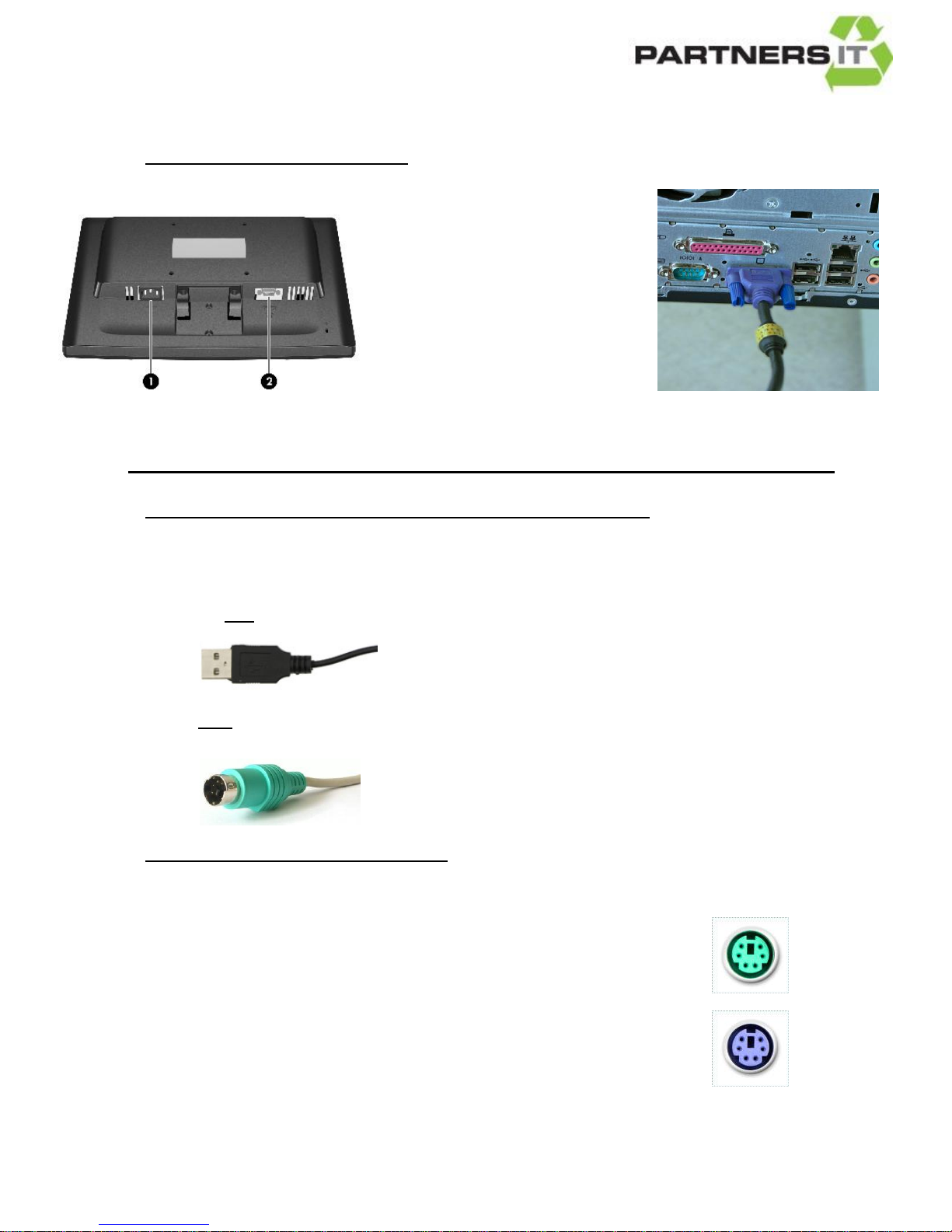
1. Connect the monitor cable (Picture F on page 1) to back of
the screen, into port 2 (see picture
below) located on the back of the
screen
2. Connect the other end of the cable
in to the back of the computer as
shown in the picture to the right.
3. You then need to connect your
power cable (Picture E on page 1) to the back of your screen (See port 1 in the
picture above) and plug the other end into a mains plug socket.
HOW TO CONNECT YOUR MOUSE & KEYBOARD TO YOUR COMPUTER
Your keyboard and mouse will connect to your computer, either by USB, or PS/2. See
images below:
USB connection
PS/2 connection
Connecting Mice and Keyboards via PS/2:
A PS/2 connector is colour coded green (for mice) and purple (for keyboards).
1. Connect the mouse to the GREEN socket on the back of the computer.
2. Connect the keyboard to the PURPLE socket on the back of the computer.
If you do not have this type of connection, connect your mouse and keyboard as follows;
Page 3
COPYRIGHT-Partners IT Limited
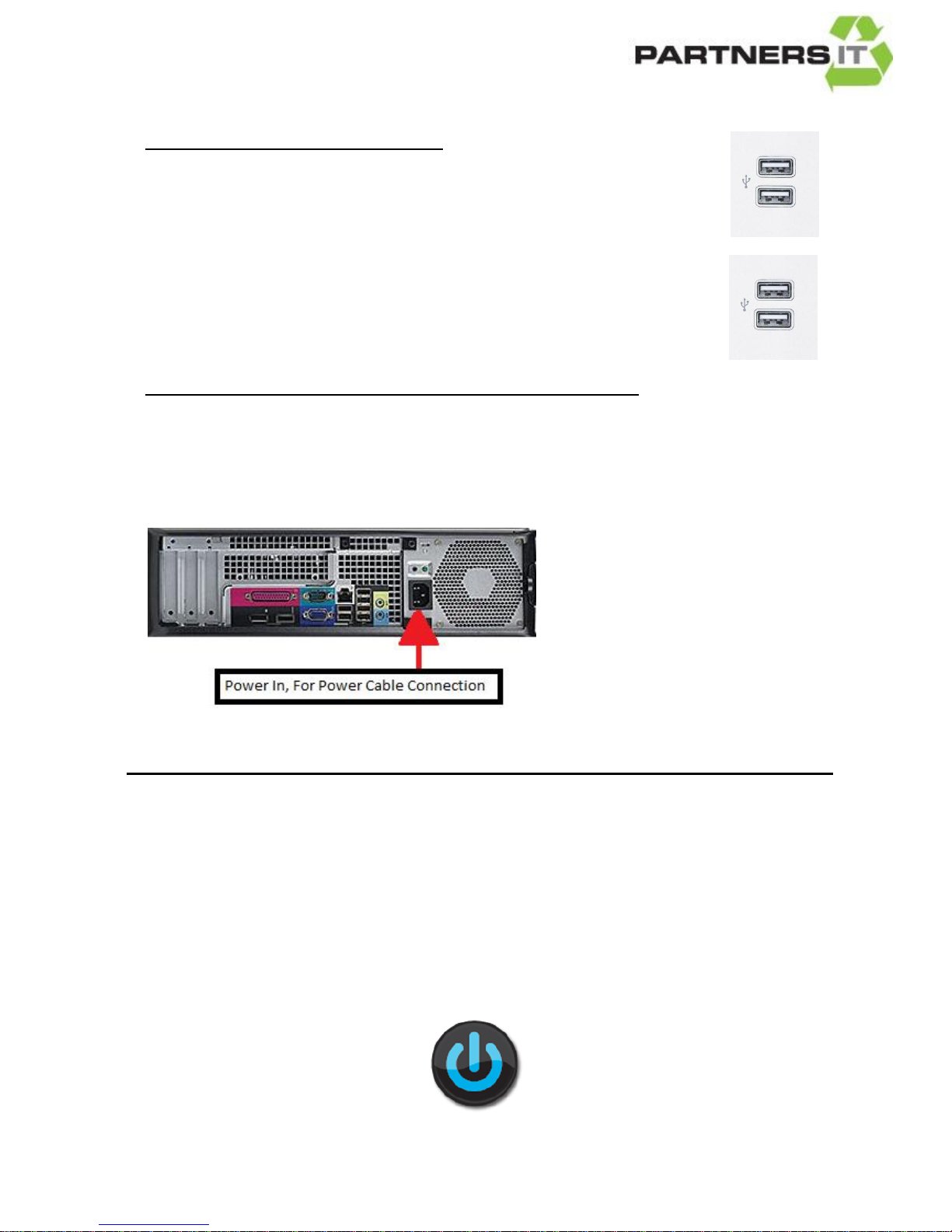
Connecting Mice and Keyboards via USB:
1. Connect the mouse to one of the USB ports on the back of your computer.
2. Connect the keyboard to one of USB ports on the back of your computer.
HOW TO CONNECT YOUR COMPUTER TO THE MAINS PLUG SOCKET:
Connect the Power Cable (Picture E above) into the power socket on the back of the
computer (see picture below) plug the other end into a mains plug socket.
You are now ready to use your computer.
Turn on your plug socket and press the power button
on your computer and your screen.
 Loading...