

Partner KB18LD2-E1-K, KB18LD2-E2-R, KB18LD2-E2-K, KB18LD2-E3-R, KB18LD2-E3-K User Manual
...Page 1

KB18LD2-xx
Pin-pad Terminal
User’s manual
FEATURES
l Programmable 4 columns x 5 rows key matrix.
A maximum of 12 codes can be defined for each key.
l Data can be displayed on 16 columns x 2 rows.
l Included manual swipe MSR (Magnetic Stripe Reader.)
ISO standard.
l Include manual swipe barcode reader.
For code 39 only.
l Provides the RS-232 interface.
Baud rate from 2400 to 19200 bps.
l Provides the AT keyboard interface.
Version: 1.21 (2002.04.19)
Page 2

ORDERING INFORMATION
Model LCD Keypad MSR
Barcode
(Code39)
Interface
KB18LD2-X0-R RS232
KB18LD2-X0-K AT KB
KB18LD2-E1-R Track 1 RS232
KB18LD2-E1-K Track 1 AT KB
KB18LD2-E2-R Track 2 RS232
KB18LD2-E2-K Track 2 AT KB
KB18LD2-E3-R Track 3 RS232
KB18LD2-E3-K Track 3 AT KB
KB18LD2-E5-R Track 12 RS232
KB18LD2-E5-K Track 12 AT KB
KB18LD2-E6-R Track 23 RS232
KB18LD2-E6-K Track 23 AT KB
KB18LD2-E7-R Track 123 RS232
KB18LD2-E7-K Track 123 AT KB
KB18LD2-B39-R RS232
KB18LD2-B39-K AT KB
Page 3
GENERAL SPECIFICATIONS
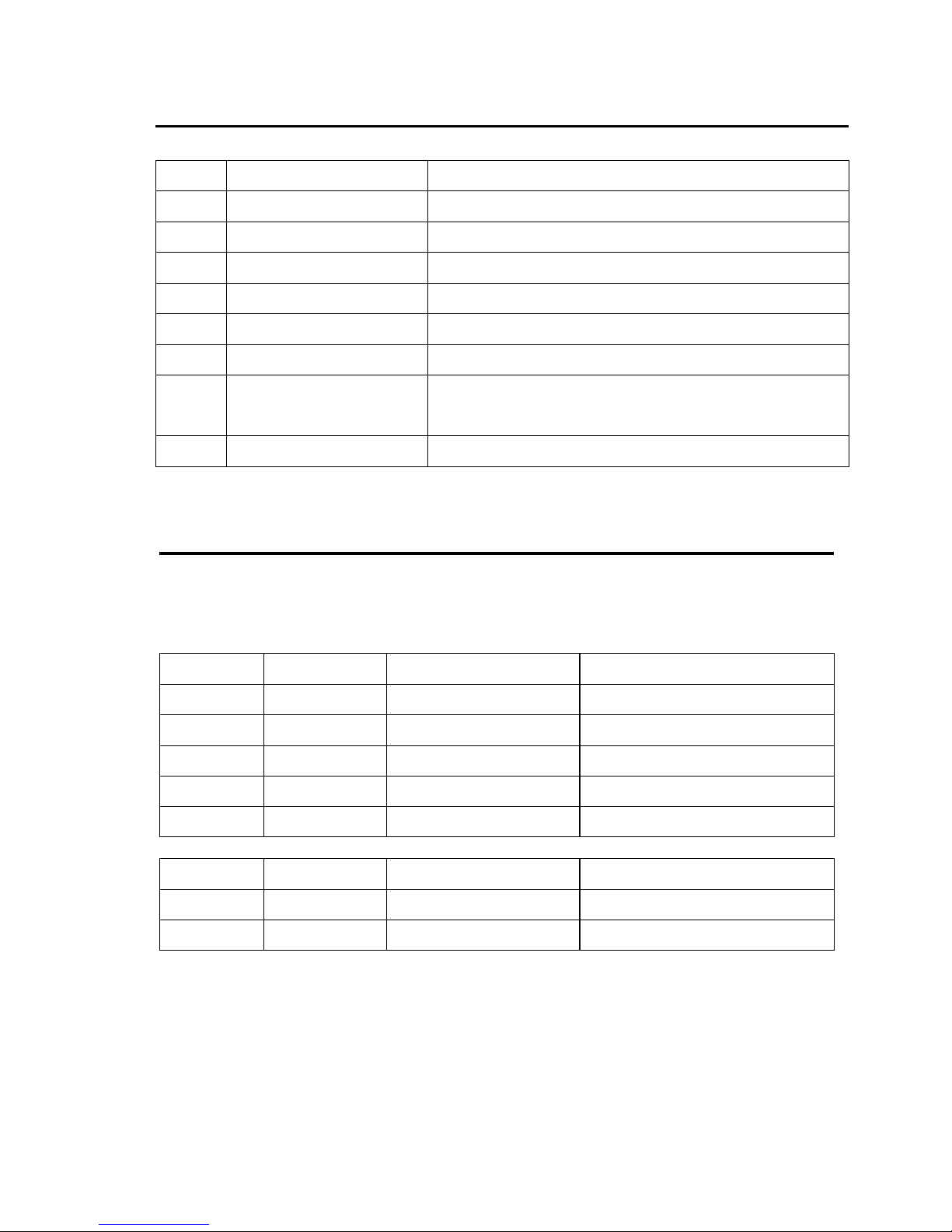
NO ITEM Description
1 Key contact tech Gold cross point, linear feel
2 Number of keys 19 (18keys of 1x1, 1key of 1x2)
3 Display method Liquid Crystal display
4 Number of char 32 characters (16 columns x 2 lines)
5 Character 5 x7 dot matrix, 96 alphanumeric
6 Card standard ISO 7811/2
7 Interface
RS232C
AT keyboard
8 Power supply 9-12Vdc External (RS232)
INTERFACE SPECIFICATIONS
1. RS232
Connector type: D-sub 9 pin (Female)
NO Signal Direction Function description
2 TXD To PC/Host Transmit data
3 RXD From PC/Host Receive data
4 DSR From PC/Host PC/Host ready signal
5 GND Signal ground
6 DTR To PC/Host Pin pad ready signal
Connector type: DC-jack
NO Signal Direction Function description
+ VPP From adapter 9-12Vdc, 250mA
- GND From adapter
2. AT Keyboard
Connector type: PS/2, male for PC, female for standard keyboard
Page 4

COMMAND
HOM /Move cursor to home position/
Dec. Format 〔011〕
Hex. Format 〔0Bh〕
Description Moves the cursor to the left-most position of the upper line
CLR /Clear display screen, and cursor to home/
Dec. Format 〔012〕
Hex. Format 〔0CH〕
Description Clear display screen, and cursor to home
CR /Move cursor to lower line left-most position/
Dec. Format 〔013〕
Hex. Format 〔0DH〕
Description Moves the cursor to the left-most position on the lower line
CURB Cursor on and bottom bar
Dec. Format 〔017〕
Hex. Format 〔11h〕
Description Cursor on and bottom bar
CURH Cursor on and block all
Dec. Format 〔018〕
Hex. Format 〔12h〕
Description Cursor on and block all
ESC x n /Set transmit MSR/Barcode data package
Dec. Format 〔027〕〔 120〕n 30h<=n<=33
Hex. Format 〔1Bh〕〔 78h〕n
Description Set transmit MSR data package
n=30h, normal n=31h, data +CR
n=32h, “〔”data”〕” n=33h, “〔”data”〕”+CR refer ※ 3
DEC”%” n s /Set key code status/ ※ 5 (except KB18LD-X0)
Dec. Format 〔030〕〔 037〕n s
Hex. Format 〔1Eh〕〔 25h〕n s
Description Set key code status
n =key position, refer Table key map
s =”0”, Null key
s =”1”, use user define key code
Page 5

DCE”@” /Clear EEPROM and reset/ ※ 6 (except KB18LD-X0)
Dec. Format 〔030〕〔 064〕
Hex. Format 〔1Eh〕〔 40h〕
Description Clear EEPROM and wait 15 sec
DCE “&” n I 〔
DATA
〕* I / Set user defined key code /※ 4
Dec. Format 〔030〕〔 038〕n I {data}* I (except KB18LD-X0)
Hex. Format 〔1Eh〕〔 26h〕n I {data}* I
Description Set user defined key code and change key status is use
User defined key code
n is key position (31h<=n<=45h)
Refer ※ 1
I is key string length (31h<=I<=3Ch)
01h<={data}<=FFh
DCD”!” /transmit setting data/
Dec. Format 〔030〕〔 033〕
Hex. Format 〔1Eh〕〔 21h〕
Description Transmit setting data to PC.
US n /Move cursor to specified position/
Dec. Format 〔031〕n {0<=n<31 or 48<=n<=67}
Hex. Format 〔1Fh〕n refer ※ 2
Description Moves the cursor to the n position
CURC Cursor off
Dec. Format 〔019〕
Hex. Format 〔13h〕
Description Cursor off
DC4 /Sounds a short beep/
Dec. Format 〔020〕
Hex. Format 〔14h〕
Description Sounds a short beep, 0.2 sec
DC5 /SOUND 4 TIMES SHORT BEEP/
Dec. Format 〔021〕
Hex. Format 〔15h〕
Description Sounds 4 times short beep and pulse interval is 0.2sec ON
And 0.1 sec break
Page 6

DC6 /Enable keyboard beep echo/
Dec. Format 〔022〕
Hex. Format 〔16h〕
Description Enable beep echo to valid key press
DC7 /Disable keyboard beep echo/
Dec. Format 〔023〕
Hex. Format 〔17h〕
Description Disable beep echo to valid key press
DC8 Valid key press echo to LCD/
Dec. Format 〔024〕
Hex. Format 〔18h〕
Description Valid key press is transmit to Host and show to display
DC9 /Valid key press not echo to LCD/
Dec. Format 〔025〕
Hex. Format 〔19h〕
Description Valid key press only transmit to Host
ESC b n /Baud rate setting/ (except KB18LD-X0)
Dec. Format 〔027〕〔 098〕n 30h<=n<=33h
Hex. Format 〔1Bh〕〔 62h〕n
Description Setting baud rate and save to EEPROM
n =30h/31h/32h/33h→baud rate=9600/4800/2400/19200 bps
ESC m n /MSR type setting/
Dec. Format 〔027〕〔 109〕n 30h<=n<=33h
Hex. Format 〔1Bh〕〔 6Dh〕n
Description Setting MSR type rate and save to EEPROM
n = 31h : Track 1
n = 32h : Track 2
n = 33h : Track 1 and 2
n = 34h : Track 3
n = 36h : Track 2 and 3
n = 37h : Track 1, 2 and 3
Page 7
※
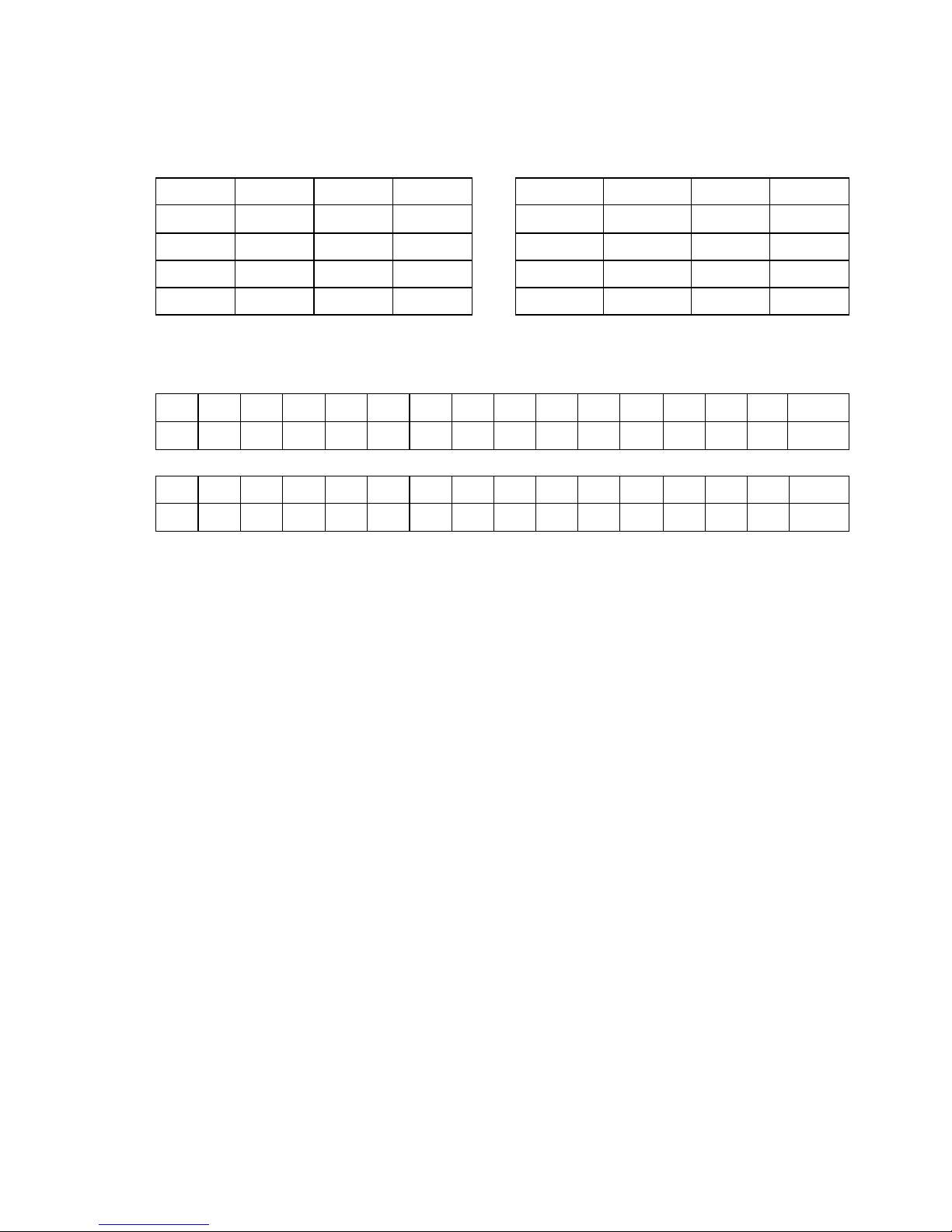
1. Key position n and default key code
40h 41h 42h 43h “A” “B” “C” “D”
3Ch 3Dh 3Eh 3Fh “7” “8” “9” “-”
38h 39h 3Ah 3Bh “4” “5” “6” “+”
35h 36h 37h “1” “2” “3”
32H 31H 33h 34h “0” “00” “.” CR
※
2. LCD display position n is
00 01 02 03 04 05 06 07 08 09 10 11 12 13 14 15
16 17 18 19 20 21 22 23 24 25 26 27 28 29 30 31
Or
48 49 50 51 52 53 54 55 56 57 58 59 60 61 62 63
64 65 66 67 68 69 70 71 72 73 74 75 76 77 78 79
※
3. Example for MSR/Barcode data format
n =30h____Not send [ ] and CR DATA
n =31h____Not send [] and send CR DATA +CR
n =32h____Send [] and no CR 〔DATA〕
n =33h____Send [] AND CR 〔DATA〕+CR”
n =34h____Send start/end sentinel of card track data
n =35h____No send start/end sentinel of card track data
n =36h____Barcode is with checksum
n =37h____Barcode is not with checksum
n =38h____Barcode is full ASCII format
n =39h____Barcode is not full ASCII format
n =3Ah____Not send barcode checksum character
n =3Bh____Send barcode checksum character
Note: the checksum character is not shown in the LCD.
※
4. Example for defined key code
Host send to pin-pad: DCE “&”〔31h〕〔 36h〕”123456” and pin pad echo to
Host; “OK”
Valid key position〔31h〕press and the pin pad send to Host;”123456”
Page 8

※
5. Example for Set key code status
Host send to pin-pad: DCE “%” [31h][30h] and pin-pad echo to Host;
“OK”
Valid key position [31h] is defined to be Null key.
※
6. Example for Clear EEPROM and reset
Host send to pin-pad: DCE “@”
Pin-pad will be clear EEPROM echo to Host; “OK” and Reset like power on
 Loading...