

Page 1

QUICK START: BORON
The Particle Boron is a mesh and Bluetooth development kit designed for
building connected projects and products. To set up the device you'll need an
Android or iOS mobile phone and a connection to the internet.
SET UP YOUR BORON
The Boron Kit comes with the following things:
• Boron development kit
• Starter Project
o One micro-USB cable
o One mini breadboard
• Electronic components
o Two resistors (220 ohm)
o One light-emitting diode (LED)
o One phototransistor
1. Set up your Boron
Page 2
Use the online setup application to configure your new Boron. The process
includes the followi ng .
• Registration of your device with your Particle account
• Connection of your device to the Particle Device Cloud
• Particle Mesh network configuration
Once you've completed the setup you will be able to program your device and
send over-the-air (OTA) updates to it.
To begin setting up your Boron, click the button below and follow the
onscreen instructions. When you've completed set up, continue to Step #2.
SET UP YOUR XENON
NOTES:
1.) If you have already set up your Boron, skip to Step #2.
2.) During set up you may skip setting up a Particle Mesh network and use the
Xenon in a standalone mode.
2. Open the Web IDE
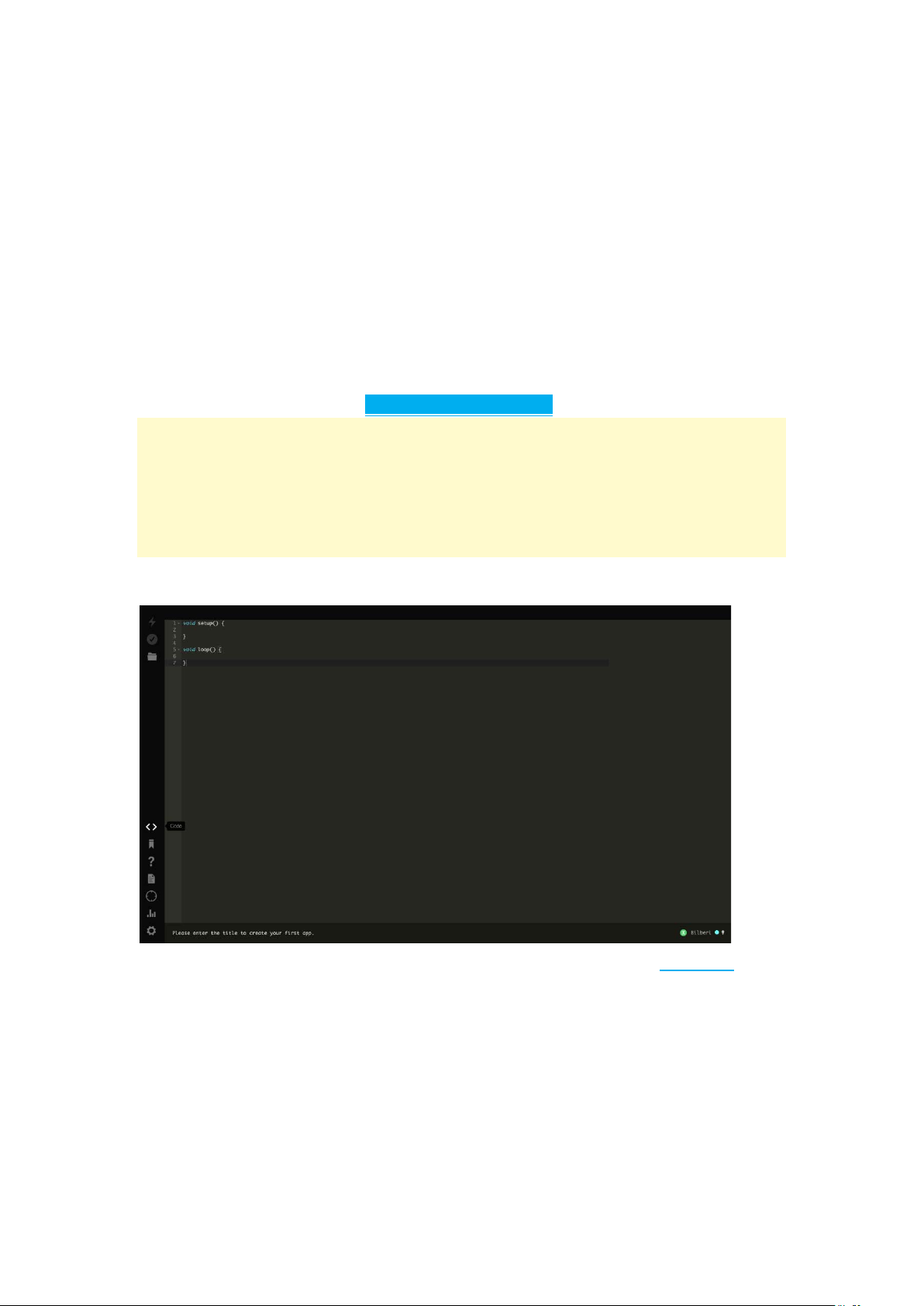
To program your Boron, open a new browser tab and go to the Web IDE.
NOTE:
The Web IDE is one of the ways you can write, compile, and deploy code to
your Particle devices.
If you're looking for a more tradit ional embedded develop men t experience, be
sure to learn about [Particle Workbench], a full toolchain integration with
Microsoft Visual Studio Code.
3. Load the Blink examp le
Page 3
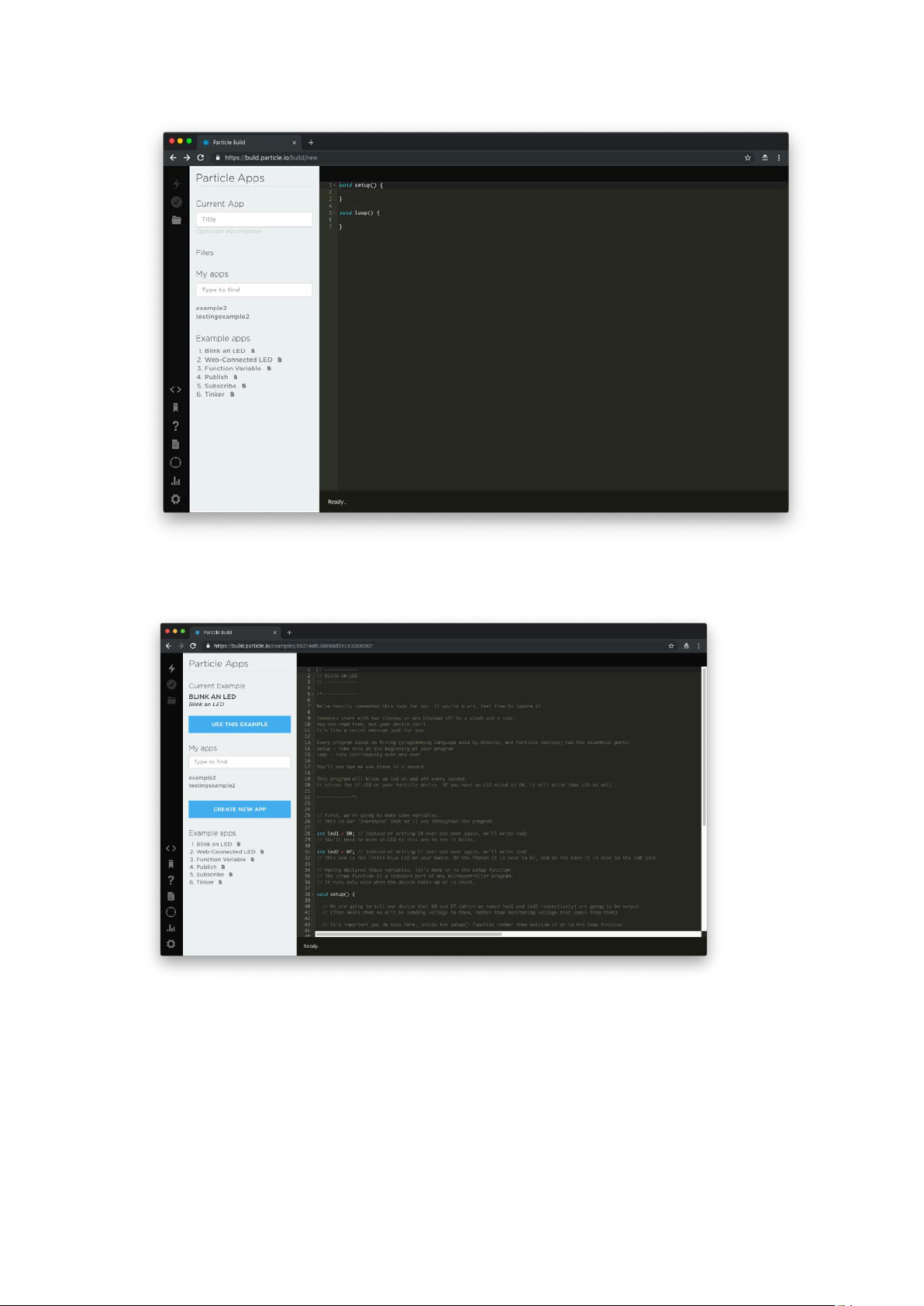
Click on Blink an LED on the left side of the page. As soon as you click
the Blink and LED code will load and fill the screen as shown below.
The code is heavily comment ed to hel p you understand the general s tr uct ur e
of the sketch: the first part of the code declares two variables, the setup()
function configures two pins as outputs, and finally the loop() which turns the
onboard LED on, then off, then loops continuously.
4. Target your device
Page 4

The Web IDE can be used with multiple devices. As such, when you go to
compile source code, it's a good idea to verify that the board you
Before you compile the source code and flash your device with its binary
output, make sure that the correct Particle device is selected.
NOTE:
If you don't see your Boron listed, click on the device name. A sidebar will
appear on the left with a list of all of your devices. Click on start to the left of
the Boron you wish to deploy code to.
5. Compile your co de & flash
Click the lightning bolt icon on the top left of your screen to flash your code to
your device.
As soon as you click, the Particle Device cloud will compile the program
source code to a binary file and send it over-the-air (OTA) to your Argon.
NOTE:
You'll often see words like flashing and deploying used interchangeably.
FCC Statement
This device complies w ith Part 15 of the FCC Rules. Operation is subject to
the following two conditions: (1) This device may not cause harmful
interference, and (2) this device must accept any interference received,
including interference that may cause undesired operation.
NOTE: This equipment has been tested and found to comply with the limits for
a Class B digital device, pursuant to Part 15 of the FCC Rules. These limits
are designed to provide reasonable protection against harmful interference in
a residential installation. This equipment generates uses and can radiate radio
frequency energy and, if not installed and used in accordance with the
instructions, may cause harmful interference to radio communications.
However, there is no guarantee that interference will not occur in a particular
installation. If this equipment does cause harmful interference to radio or
television reception, which can be determined by turning the equipment off
and on, the user is encouraged to try to correct the interference by one of the
following measures:
- Reorient or relocate the receiving antenna.
- Increase the separation between the equipment and receiver.
- Connect the equipment into an outlet on a circuit different from that to
which the receiver is connected.
- Consult the dealer or an experienced radio/TV technician for help.
Page 5

WARNING: Any changes or modifications not expressly approved by the
party responsible for compliance could void the user's authority to operate
this equipment.
Co-location of this module with other transmitters that operate simultaneously
are required to be evaluated using the FCC multi-transmitter procedures.
Radiation Exposure Statement:
This equipment complies with FCC radiation exposure limits set forth for an
uncontrolled environment. This equipment should be installed and operated
with minimum distance 20cm between the radiator & your body.
Industry Canada statement
This device complies with Industry Canada license-exempt RSS standard(s).
Operation is subject to the following two conditions:
1) this device may not cause interference, and
2) this device must accept any interference, including interference that
may cause undesired operation of the device.
Le pr ésent appareil est conforme aux CNR d'Industrie Canada
applicables aux appareils radio exempts de licence. L'exploitation
est autorisée aux deux conditions suivantes:
1) l'appareil ne doit pas produire de brouillage, et
2) l'utilisateur de l'appareil doit accepter tout brouillage radioélectrique
subi, même si le brouillage est susceptible d'en compromettre le
fonctionnement.
Co-location of this module with other transmitters that operate
simultaneously are required to be evaluated using the FCC multi-transmitter
procedures.
La lo calisation synergie du module avec d’autres émetteurs
fonctionnant simultanément nécessite une évaluation par le biais d’un
programme multiémetteur de la FCC.
The County Code Selection feature is disabled for products marketed
in the US/ Canada.
La fonction de sélection de l'indicatif du pays est désactivée pour les
produits commercialisés aux États-Unis et au Canada.
Radiation Exposure Statement:
This equipment complies with IC radiation exposure limits set forth for an
uncontrolled environment. This equipment should be installed and operated
Page 6

with minimum distance 20cm between the radiator & your body.
Déclaration d'exposition aux radiations:
Cet équipement est conforme aux limites d'exposition aux rayonnements IC
établies pour un environnement non contrôlé. Cet équipement doit être
installé et utilisé avec un minimum de 20 cm de distance entre la source de
rayonnement et votre corps.
 Loading...