

Page 1
QUICK
START
GUIDE
Page 2
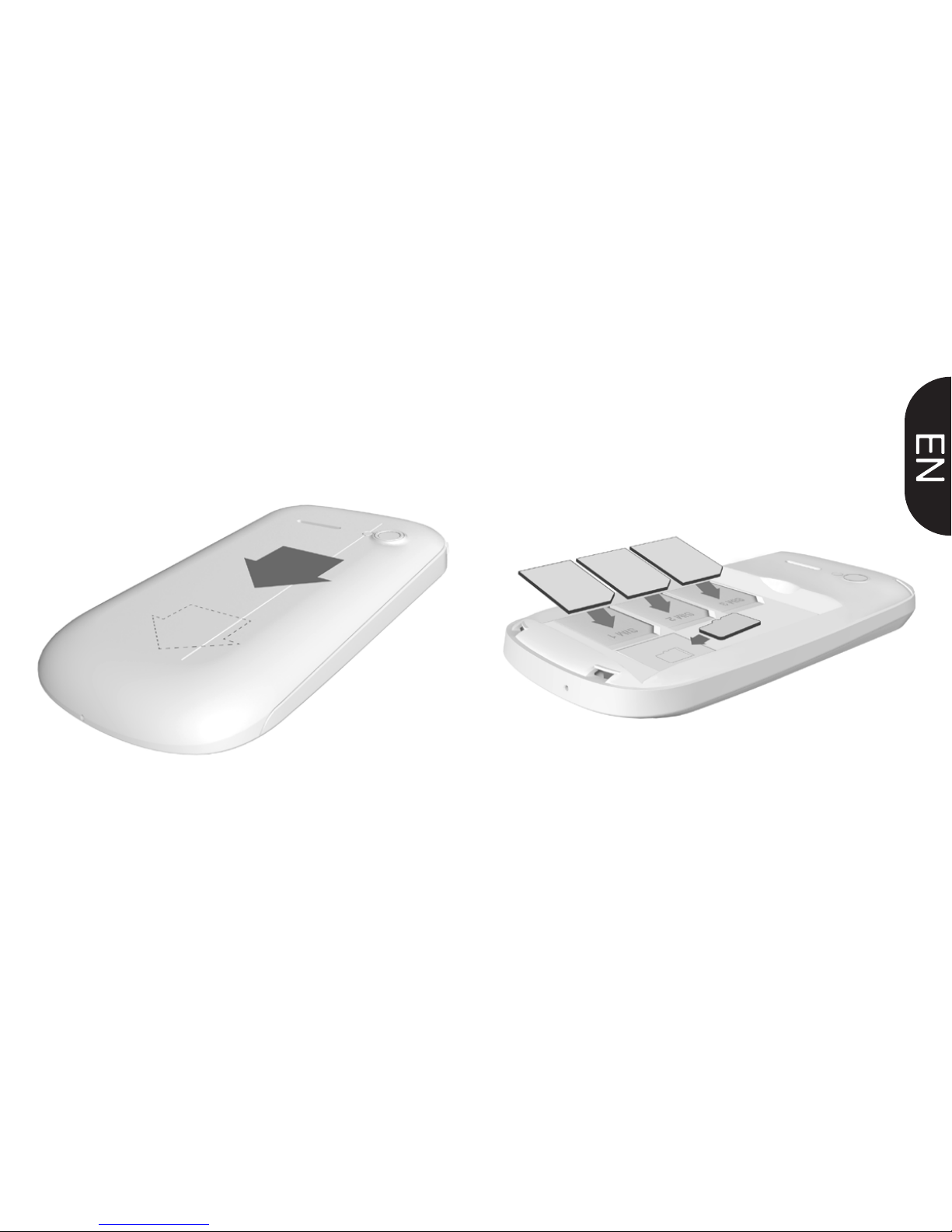
2. INSERT SIM CARDS AND
MEMORY CARD
1. REMOVE BACK COVER
Page 3
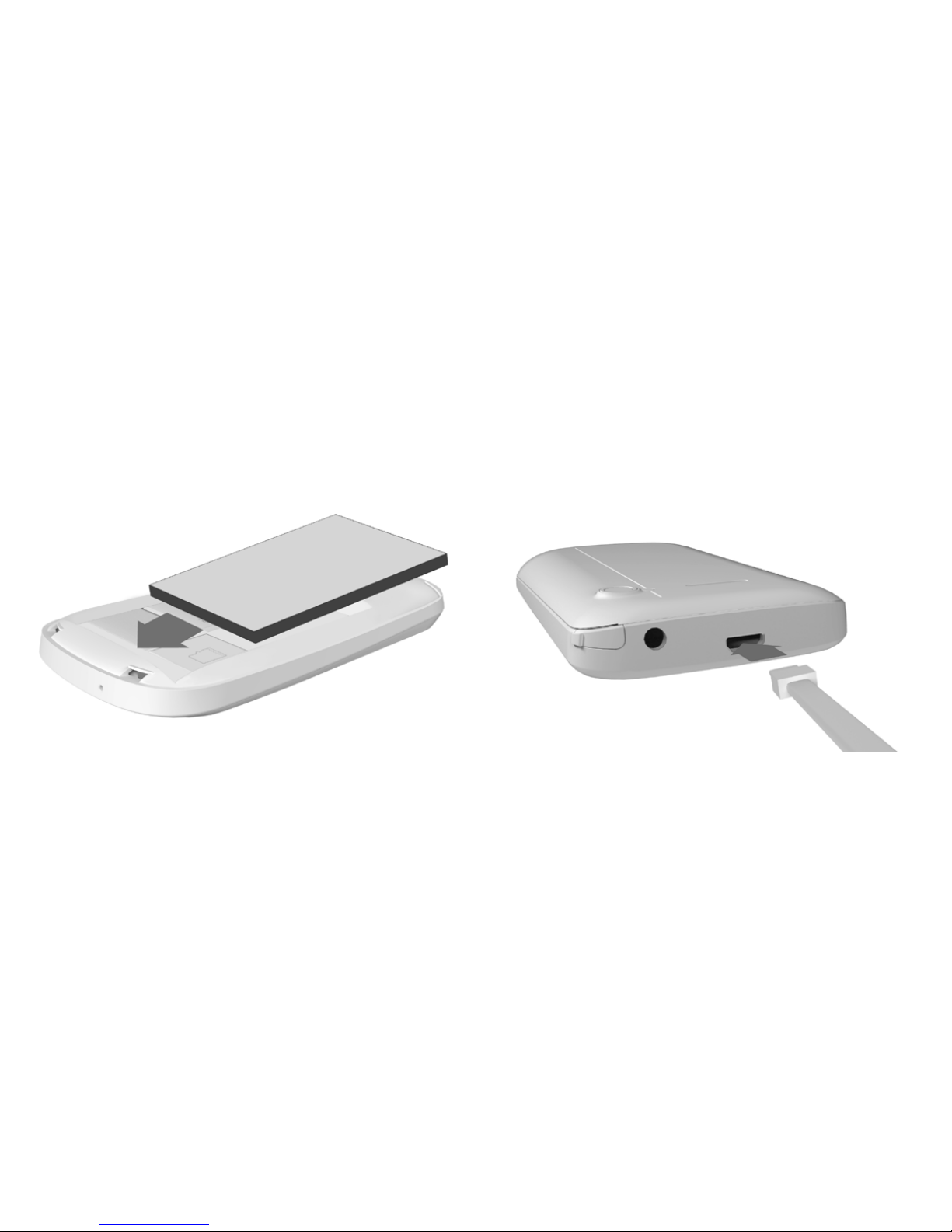
3. INSERT BATTERY 4. CHARGE FOR 8 HOURS BEFORE
TURNING ON.
Page 4
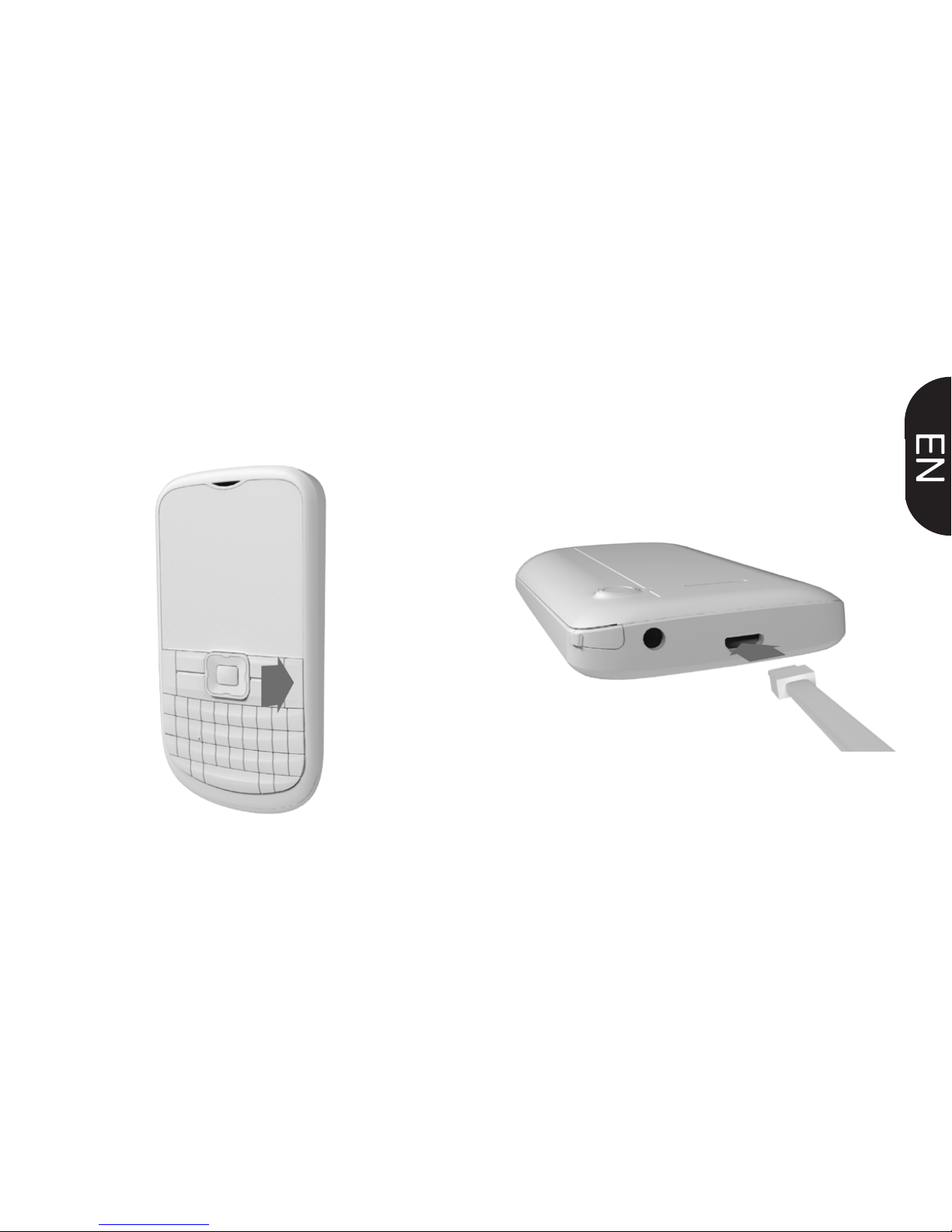
5. TURN CELL PHONE ON AND
WAIT FOR INITIAL SETUP
6. MULTIMEDIA PLAYER
CONNECT PHONE TO COMPUTER VIA USB
CABLE TO TRANSFER MUSIC
Page 5
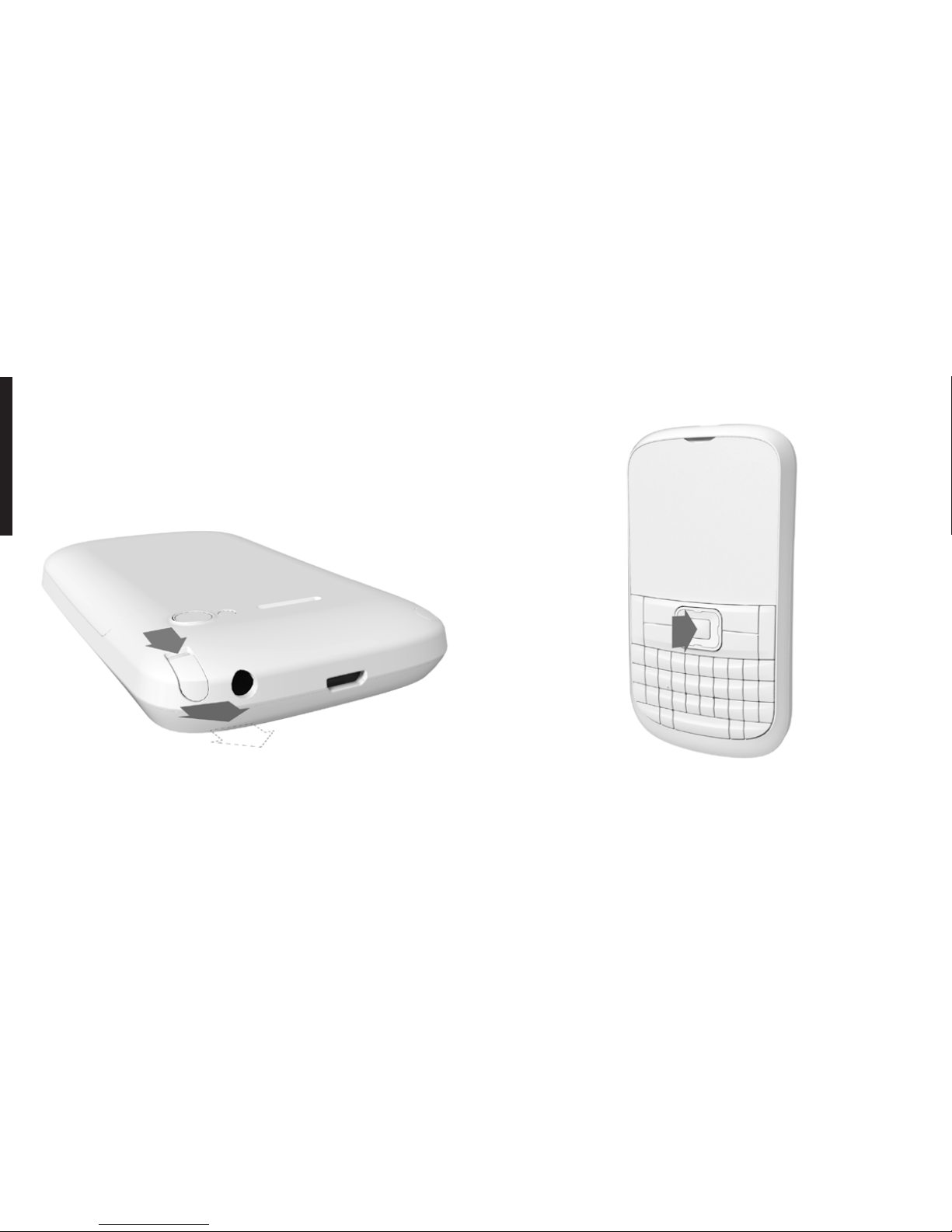
PRESS AND HOLD THE CENTER BUTTON
TO TURN ON AND OFF THE LED LIGHT
EXTEND THE ANTENNA FOR TV AND
FM RADIO USAGE.
7. LED LIGHT
Page 6
USER
MANUAL
P730
Page 7

INTRODUCING
YOUR MOBILE
PHONE
Learn about your mobile
phone’s layout, and keys.
UNPACKING
Check the product box for the following
items:
Mobile phone
Battery
Travel adapter (charger)
User manual
The supplied accessories perform best for your phone.
Page 8
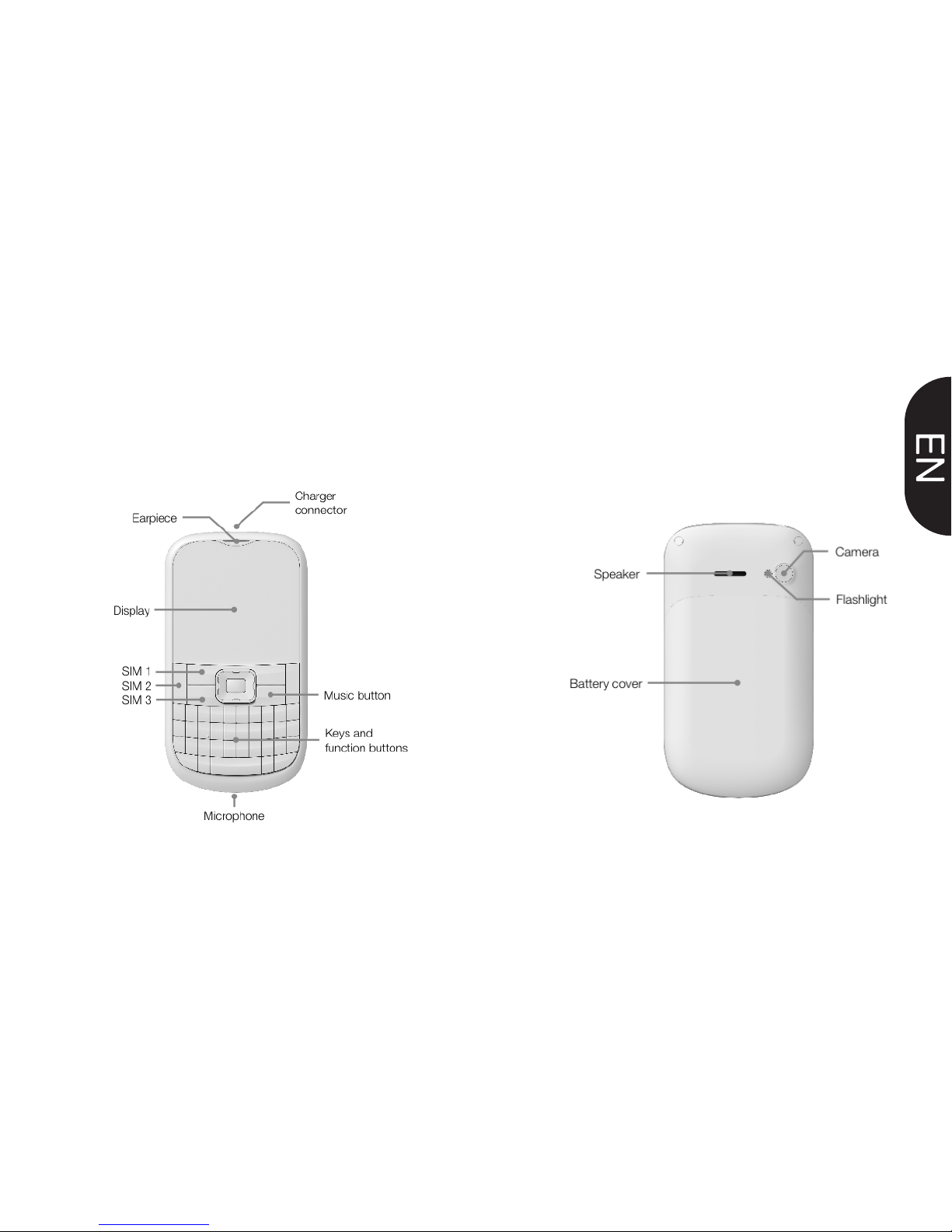
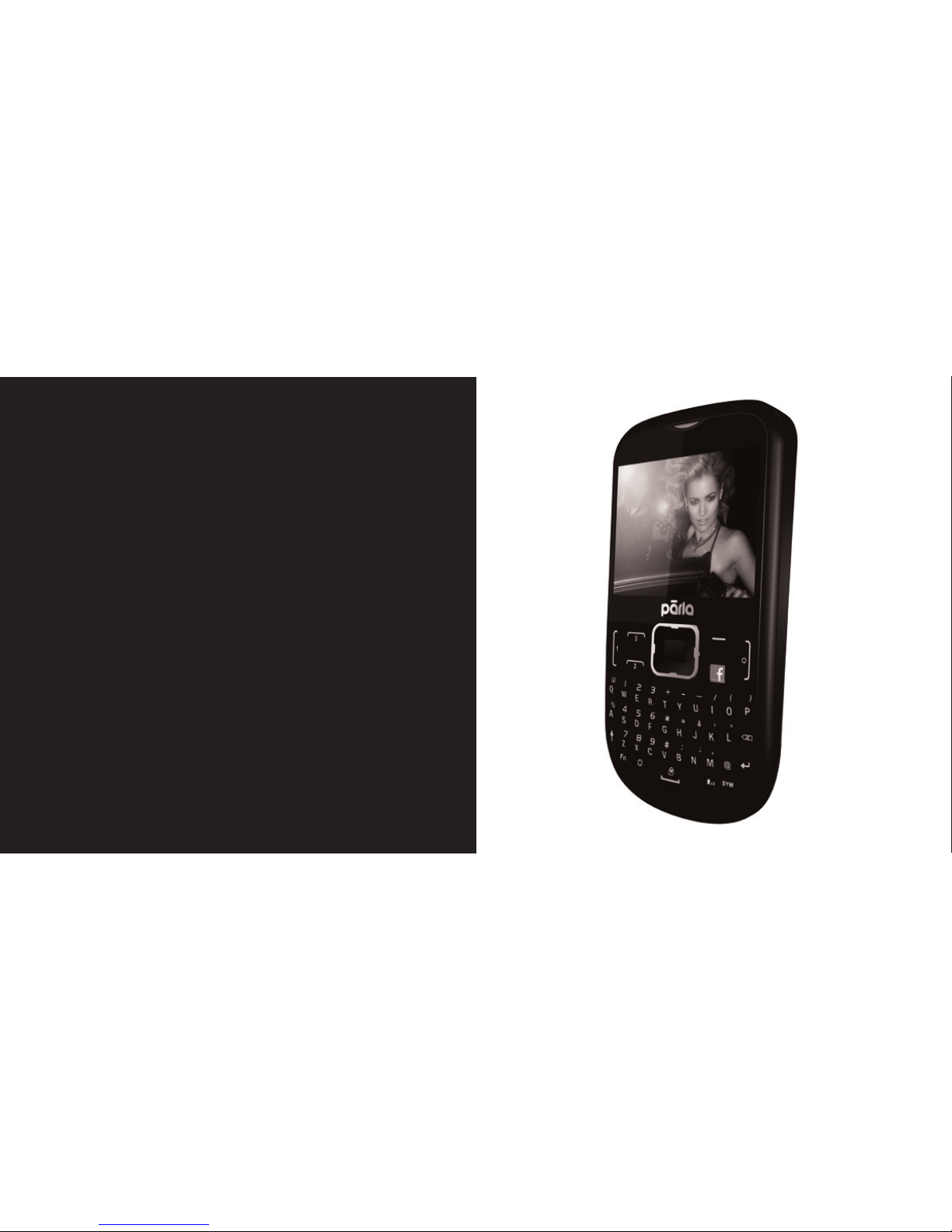
PHONE LAYOUT
From the front view of your phone you
will observe the following elements:
From the back view of your phone you
will observe the following elements:
Page 9

KEYS
The following table offers you a quick
description about the phone’s keys:
KEY
Function
Perform the action indicated in the
bottom of the screen.
In standby mode, you can access the
user-defined functions, In Menu mode,
scroll through menu options.
In standby mode, press and hold the
button to turn on the flashlight, In Menu
mode, select the highlighted menu
option or confirm an action.
Open the list of recent calls or make a
call to the displayed number. You can
answer an incoming call.
Open the list of recent calls or make a
call to the displayed number. You can
answer an incoming call.
Open the list of recent calls or make a
call to the displayed number. You can
answer an incoming call.
Ends a call or reject an incoming call.
Hold down for 3 seconds to turn on /
off the phone.
Enter numbers, text and / or special
characters.
Hold down 3 seconds to change the
sound profile to vibrate.
NAVEGATION
CENTRAL
BUTTON
FUNCTION
CALL SIM 1
CALL SIM 2
CALL SIM 3
HANG UP
0123.......9
#
Open the list of recent calls or make a
call to the displayed number. You can
answer an incoming call.
Open the list of recent calls or make a
call to the displayed number. You can
answer an incoming call.
Ends a call or reject an incoming call.
Hold down for 3 seconds to turn on /
off the phone.
Enter numbers, text and / or special
characters.
Hold down 3 seconds to change the
sound profile to vibrate.
CALL SIM 2
CALL SIM 3
HANG UP
0123.......9
#
Page 10

Page 11

PREPARING
YOUR MOBILE
PHONE
Get started setting up your
mobile phone for its rst use.
INSTERT SIM AND BATTERY
When you subscribe to a cellular service,
you will receive a Subscriber Identity
Module (SIM) card, with subscription
details, such as your personal identication
number (PIN) and optional servies.
To install the SIM cards and battery,
1. Remove the battery cover.
Page 12
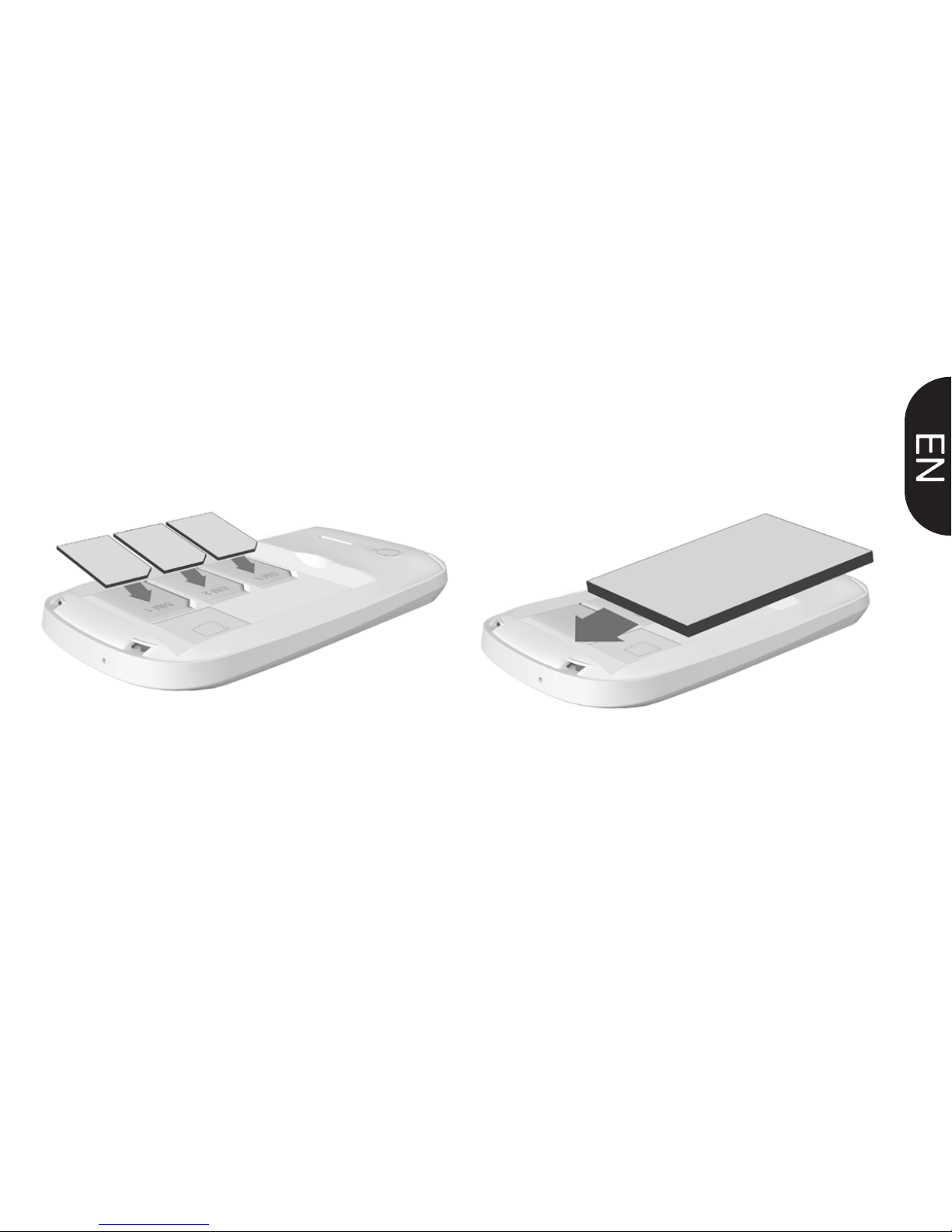
• Place the SIM card in the phone with
the gold- colored contacts facing down.
• Without inserting a SIM card, you can
use your phone’s non-network services
and some menus.
3. Insert the battery.
4. Replace the battery cover.
2. Insert SIM cards.
Your phone has 3 SIM card slots to allow
you use 3 SIM cards and switch between
them.
Page 13
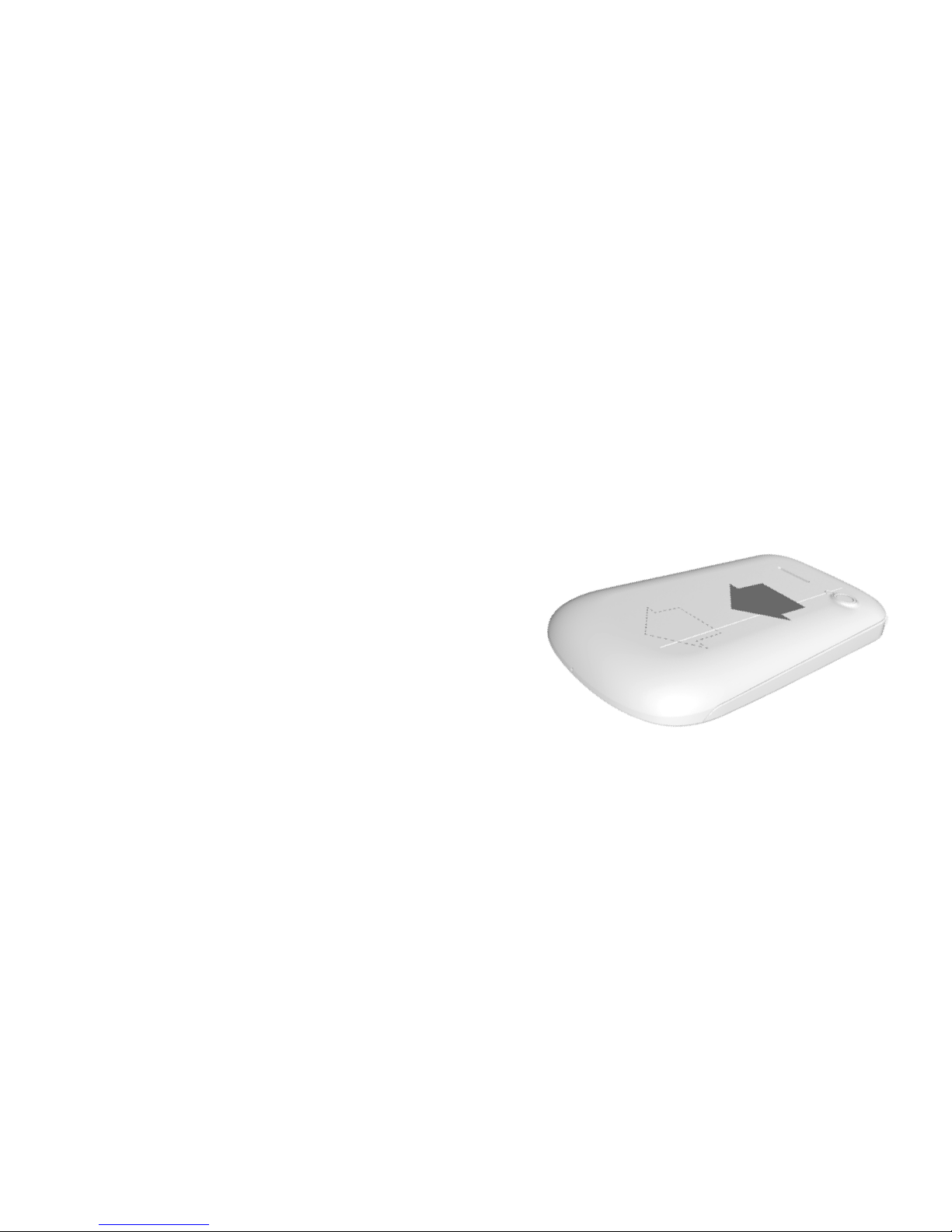
INSERT A MEMORY
CARD(OPTIONAL)
To store additional multimedia les, you
must insert a memory card. Your phone
accepts microSD™ or microSDHC™
memory cards up to 32 GB (depending on
memory card manufacturer and type).
Formatting the memory card on a
PC may cause incompatibility with your
phone. Format the memory card only on
the phone.
1. Remove the battery cover.
2. Unlock the memory card holder
Page 14
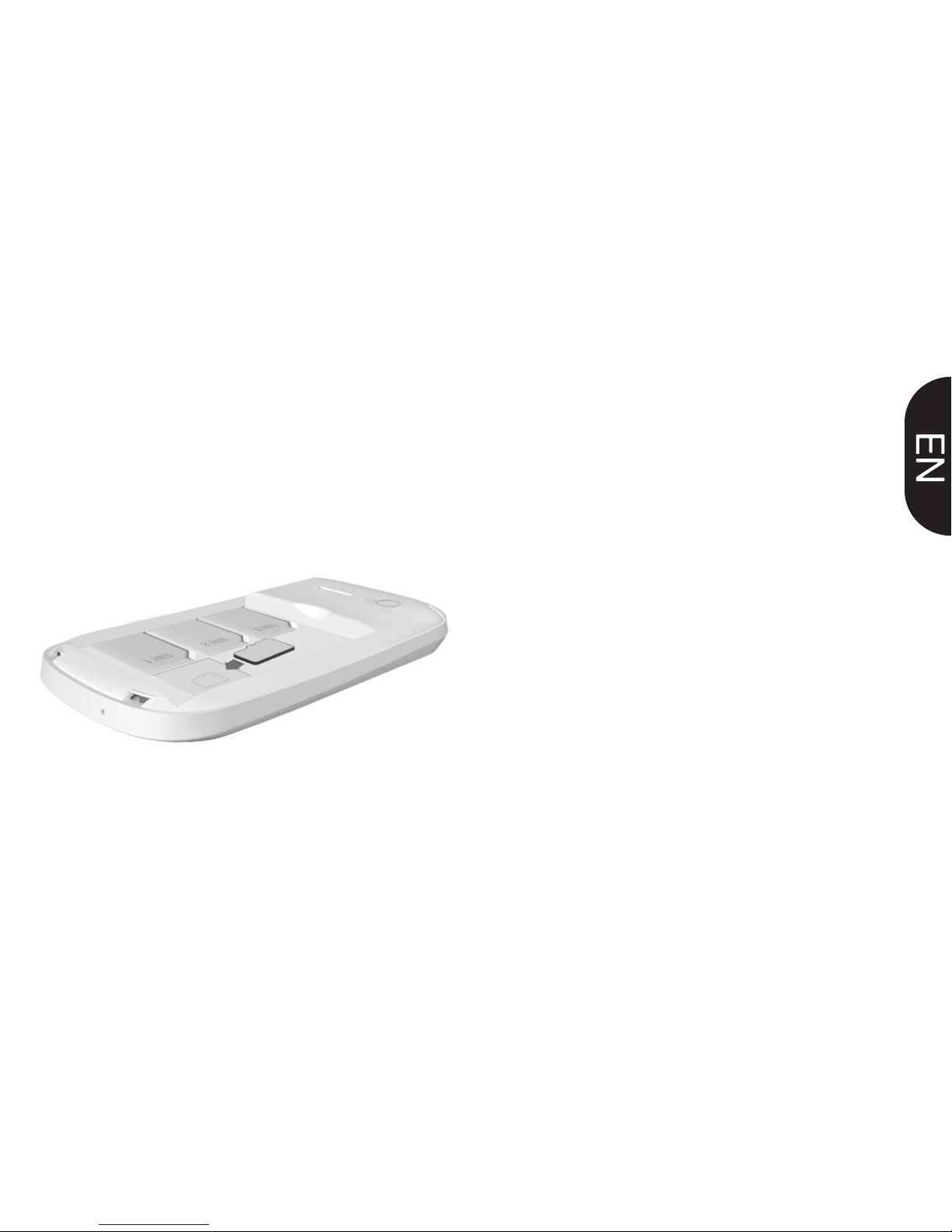
4. Close the memory card holder
5. Lock the memory card holder.
6. Replace the battery cover.
To remove the memory card, remove the battery cover,
unlock and lift the memory card holder, and remove the
memory card.
3. Lift the memory card holder and insert
a memory holder with the label side facing
up.
Page 15

USING BASIC
FUNCTIONS
Learn how to perform basic
operations of your mobile
phone.
ON AND OFF
To turn your phone on,
1. Press and hold [ ].
2. Enter your PIN and press < OK >
(if necessary).
ACCESS MENUS
To access your phone’s menus,
1. In Idle mode, press the left soft key <
Menu > to access Menu mode.
2. Use the Navigation key to scroll to a
menu or option.
3. Press < Select>, < OK>, or the Conrm
Page 16

key to conrm the highlighted option.
4. Press <Back> to move up one level;
Press [ ] to return to Idle mode.
USE BASIC CALL FUNCTIONS
Learn to make or answer calls in this
section
Make a call:
1. In Idle mode, enter an area code and a
phone number.
2. Press [ ] to dial the number.
3. To end the call, press [ ].
Answer a call:
1. When a call comes in, press [ ].
2. To end the call, press [ ].
SEND AND VIEW MESSAGES
In this section, learn to send and view text
(SMS), multimedia (MMS).
To send a text or multimedia message:
1. In Menu mode, select Messages –>
Create new message –> Message.
2. Enter a destination number and scroll
down.
Page 17

3. Enter your message text.
For sending as a text message, skip to
step 5. For attaching multimedia, continue
with step 4.
4. Press < Options> –> Add multimedia
and add an item.
5. Press < Options> –> Send to send the
message.
Add contacts
Learn the basics of using the phonebook
feature.
Add a new contact:
1. In Idle mode, enter a phone number and
press <Options>.
2. Select Save –> a memory location
(phone, SIM1, or SIM2) –> New.
3. Select a number type (if necessary).
4. Enter contact information.
5. Press < Options > –> Save to add the
contact to memory.
Find a contact
1. In Menu mode, select Phonebook.
2. Enter the rst few letters of the name
you want to nd.
Page 18
4. Control the FM radio using the following
keys:
Listen to music les:
After transferring music les to the “My
Music” folder of your phone or memory
card,
1. In Menu mode, select Multimedia
–>Audio Player.
2. Select a music category –> a music le.
KEY
NAVEGATION
Controls the FM radio functions, turning
on or off, change channels, channel
scanning.”
FUNCTIONS
3. Select the contact’s name from the
search list.
Once you have found a contact, you can
call the contact by pressing [ ]
LISTEN TO MUSIC
Learn how to listen to music via the music
player or FM radio.
Listen to the FM radio:
1. Plug the supplied headset into the
phone’s multifunction jack.
2. In Menu mode, select FM radio.
3. Press the Conrm key to start the radio.
Page 19

Browse web pages:
1. In Menu mode, select Browser –>
Home –> a SIM card (if necessary) to
launch your service provider’s homepage.
2. Navigate web pages using the following
keys:
3. Control playback using the following
keys:
Using the ashlight
To turn on or off the ashlight, press and
keep pressing the center button for about
3 seconds.
Browse the web
Learn to access your favorite web pages.
KEY
NAVEGATION
Controls audio player functions, turning on
or off, change Music, search music.
FUNCTIONS
Page 20

Page 21

USING THE CAMERA
Learn the basics to capture
and view photos.
Capture photos
1. In Menu mode, select Camera to turn
on the camera.
2. Aim the lens at the subject and make
any adjustments.
3. Press the Conrm key to take a photo.
The photo is saved automatically.
4. Press < Back> to take another photo
(step 2).
View taken photos
Press the left soft key then choose Photos
to access to the photos gallery quickly.
Camera options
Entering in the Camera options you will be
able to congure the following options:
Page 22

Camera settings:
Select a shutter sound every time you take
a picture.
Change the exposure value to adjust the
photo brightness.
Change the Anti-icker value to eliminate
the uorescent effect on the photos.
Adjust the contrast to differentiate dark
and light areas.
Modify the delay timer to take self-photos.
Change the continuous shot number to
take a series of photos.
Image settings:
You can change the image size.
You can adjust the image quality.
White balance:
Chose a color scheme according to the
ambient.
Scene mode:
Allow you to select the night mode (extra
light) or let the phone to choose the best
mode.
Effect settings:
Add a color effect to the photos taken.
Storage:
Let you choose where to store the photos
taken.
Restore default:
Restore the camera setting to the factory
values.
Page 23
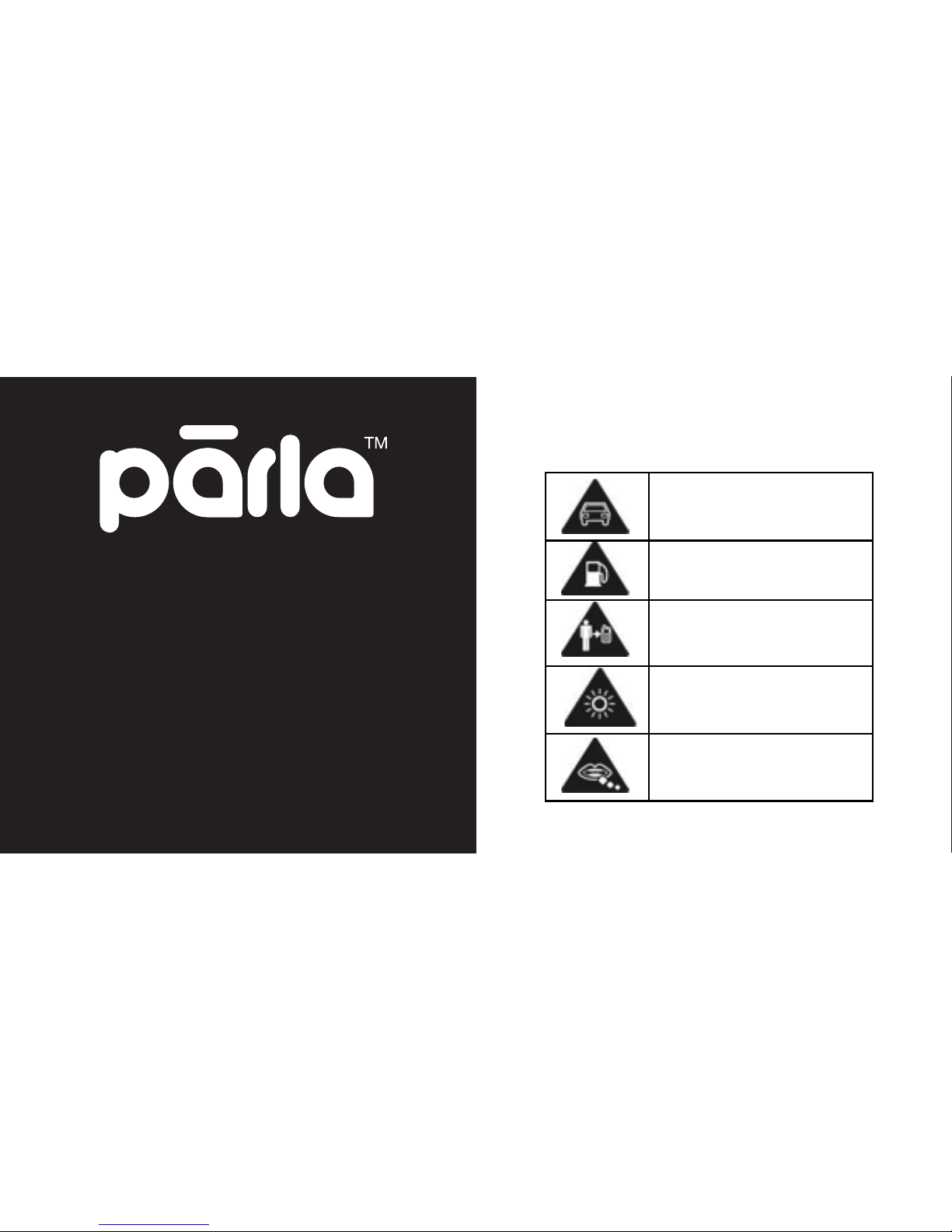
Don’t make or receive
handheld calls while driving.
And never text while driving.
Don’t use at petrol stations.
Keep your phone at least 15
mm away from your ear or
body while making calls.
Your phone may produce a
bright or flashing light.
Small parts may cause a
choking.
SECURITY
INFORMATION
Please remember to obey
relevant rules and regulations
whenever use your phone. This
will prevent bad effect from you
and the environment.
GENERAL SECURITY
Page 24
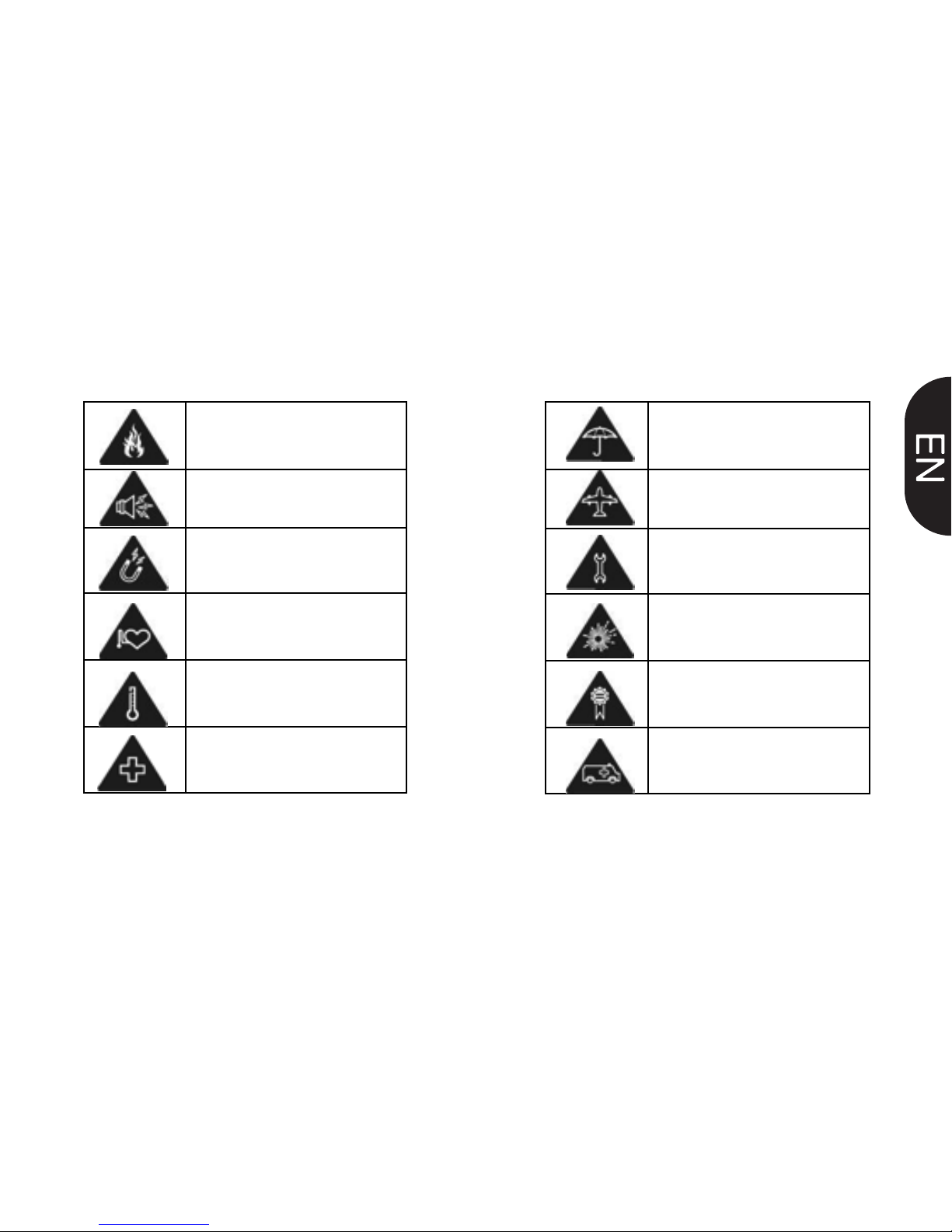
Avoid contact with liquids.
Keep your phone dry.
Switch off when told to in
aircrafts and airports.
Don’t take your phone apart.
Switch off when near
explosive materials or
liquids.
Only use approved
accessories.
Don’t rely on your phone for
emergency communications.
Don’t dispose of your phone
in fire.
Your phone can produce a
loud sound.
Avoid contact with anything
magnetic.
Keep away from pacemakers
and other electronic medical
devices.
Avoid extreme temperatures.
Switch off when asked to in
hospitals and medical
facilities.
 Loading...