

Page 1
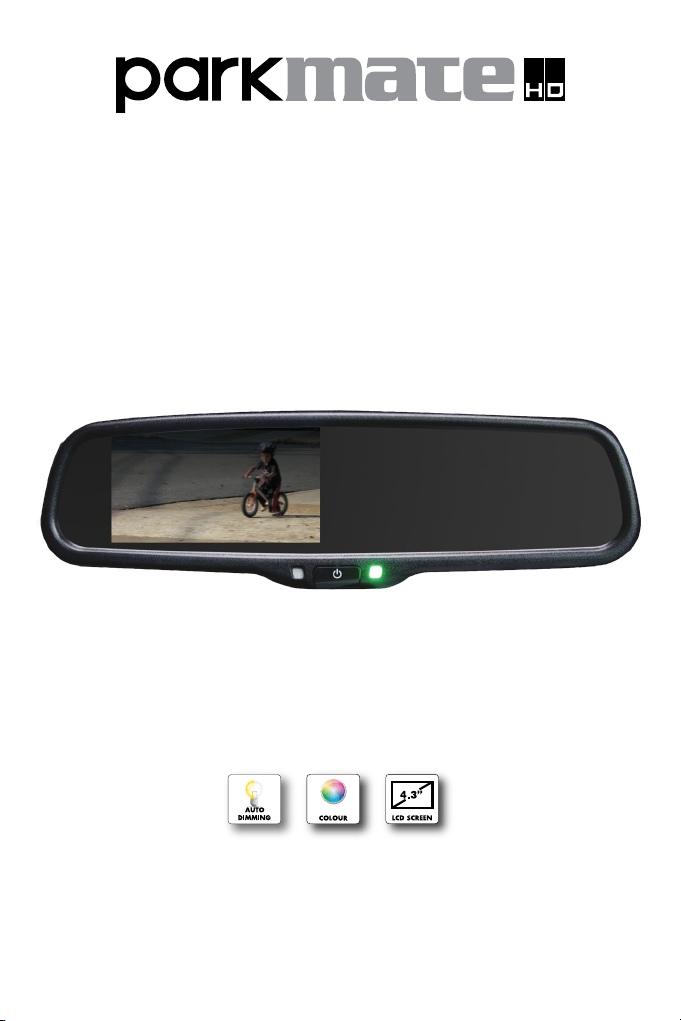
Premium OEM Style 4.3” Replacement
Mirror Monitor with Auto Dimming
RVM-043ATD User Manual
Page 2
Thank you for purchasing Parkmate’s RVM-043ATD Premium OEM Style 4.3” Replacement
Rear View Mirror Monitor with Auto Dimming. This state of the art Parkmate product is packed
with features including a monitor embedded into the rear view mirror that automatically displays
images from the optional rear-view camera upon selecting reverse gear. Auto Dimming is a
state of the art feature that includes a sensor that gauges the amount of ambient light being
reflected in the mirror and automatically adjusts the mirror to reduce the glare from the mirror
to your eyes.
This product uses the most advanced technology and components to provide you with a long
service life and integrates perfectly with the factory look of your vehicle to add a high level of
safety and security to your driving experience.
Please note: Although this product will allow you to view blind spots, it does not remove the
responsibility of driving the vehicle from the driver. The legal responsibility and safe driving
practice remains with the driver at all times.
You have purchased this Parkmate product with the understanding that its use is as an aid
only. We highly recommend that you have this product professionally installed to ensure that it
will provide the functions it is set out to perform.
Designed to replace the original rear view mirror of your vehicle, Parkmate’s Auto Dimming
RVM-043ATD Mirror Monitor features a high resolution 4.3” LCD panel embedded into the
mirror that captures the area not visible to standard rear-view mirrors when fitted with an
optional Parkmate rear view camera.
WIRING OPTIONS
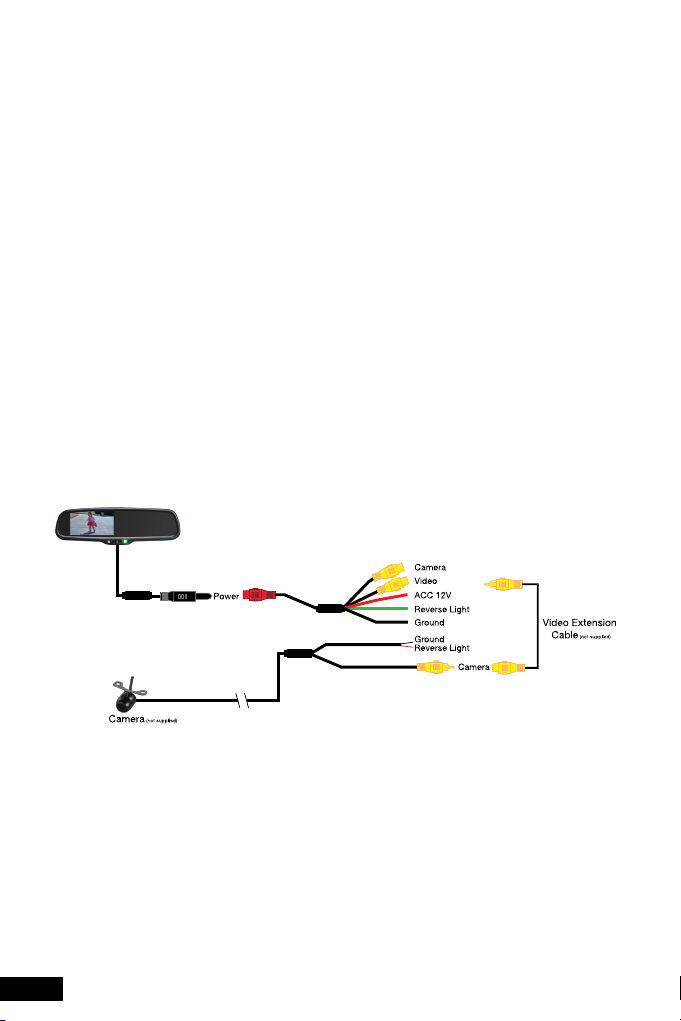
Connect the Rear View Mirror Monitor to the supplied harness and the supplied harness to the
wiring of the car as instructed in the below image:
PLEASE NOTE: CAMERA IS NOT SUPPLIED. IF YOU HAVE PURCHASED A REVERSE
CAMERA PLEASE FOLLOW THE INSTALLATION INSTRUCTIONS THAT WERE SUPPLIED
WITH THE CAMERA AS THE ABOVE IMAGE IS ONLY A GUIDE.
1. When the rear view mirror is “Powered-On” and the reverse gear is engaged, the system
automatically switches from video source (i.e. if there are 2 video sources in use) to reverse
camera video. When reverse gear is disengaged the system switches back automatically.
2. When the rear view mirror is “Powered-Off” and the reverse gear is engaged, the system
automatically switches to the camera signal and displays reverse camera video. When
reverse gear is disengaged the system switches off automatically.
2
Page 3

3. The button in the middle of the rear view mirror is the POWER button.
a) When reverse is engaged or when in camera mode press the POWER button to adjust
the back-light of the monitor.
b) When the monitor is in video mode, the POWER button is used to turn the monitor on
and off.
PRECAUTIONS FOR USE OF MIRROR MONITOR
1. The Mirror monitor is made of glass. Do not subject it to a mechanical shock by dropping it
from a high place, etc.
2. Do not apply excessive force to the monitor surface or to the adjoining areas as this may
cause the colour tone to vary.
3. Do not attempt to disassemble the mirror monitor. Doing so will void all warranties.
4. When cleaning the mirror monitor, spray glass cleaner directly onto a paper towel or similar
material. Do not spray glass cleaner directly onto the mirror monitor as this can result in
damage to circuitry. Clean residue with a soft dry cloth.
SAFETY
1. A rear view camera display is only a visual assistance device when reversing the vehicle.
Images displayed on the screen may be different from actual conditions. Always physically
inspect conditions and drive carefully.
2. Reverse your vehicle as slow as possible. High speeds can limit your reaction time to stop
your vehicle.
3. The displayable range of input devices including cameras can vary depending on vehicle
loads and road conditions.
4. Do not use a rear view camera system with the tailgate open.
5. Objects under or around the bumper cannot be displayed when the system is used with a
rear view camera.
SPECIFICATIONS
Screen Size
Display Screen
Display Resolution
Aspect Ratio
Power consumption
Working Voltage
Video Input
Signal System
4.3”
TFT-LCD
400(h) x 234(v)
16:9
8W
DC 12V
Video-In (e.g. GPS / DVD (default) + Reverse Camera-In
PAL / Auto / NSTC
3
Page 4

Australian Residents - Warranty Terms & Conditions:
Our goods come with guarantees that cannot be excluded under the Australian Consumer
Law. You are entitled to a replacement or refund for a major failure and for compensation for
any other reasonably foreseeable loss or damage. You are also entitled to have the goods
repaired or replaced if the goods fail to be of acceptable quality and the failure does not
amount to a major failure.
This warranty is provided in addition to your rights under the Australian Consumer Law.
Directed Electronics warrants that this product is free from defects in material and
workmanship for a period of 12 months from the date of purchase or for the period stated on
the packaging. This warranty is only valid where you have used the product in accordance
with any recommendations or instructions provided by Directed Electronics.
This warranty excludes defects resulting from alterations of the product, accident, misuse,
abuse or neglect.
In order to claim the warranty, you must return the product to the retailer from which it was
purchased or if that retailer is part of a National network, a store within that chain, along with
satisfactory proof of purchase. The retailer will then return the goods to Directed Electronics.
Directed Electronics will repair, replace or refurbish the product at its discretion. The retailer
will contact you when the product is ready for collection. All costs involved in claiming this
warranty, including the cost of the retailer sending the product to Directed Electronics, will be
borne by you.
Directed Electronics Address: 44 Translink Drive, Keilor Park Victoria Australia 3042
Ph: +61 03 8331 4800
Email: [email protected]
To view the complete Parkmate range or for details on how to contact us, please visit our website at
www.parkmate.com.au
www.parkmate.com.au
4
www.directed.com.au
© Parkmate 2014
 Loading...