

Page 1

One of the biggest obstacles in filming under water is that the water
absorbs sunlight and color. This loss happens both vertically and horizontally, so the deeper you go, or the further you are from what you are
filming, the less color and contrast you get. The effect can be seen in
this illustration.
~5m
~10m
~20m
~30m
~60m
PARALENZ® DIVE CAMERA
DCC™
(DEPTH COLOR CORRECTION)
Here you see at which depth the different colors gets absorbed – red is the first
color to disappear.
WHAT IS DCC™
DCC stands for Depth Color Correction and is an intelligent version of a
color filter, which are normally made from plastic and placed in front of
your camera lens, to remove the green or blue taint in your videos.
DCC™ is controlled by the pressure sensor. Every second it adjusts the
strength of the color correction to match the depth you are at. It can not
add colors that are not present, but it can make better use of the colors
that are present.
Page 2
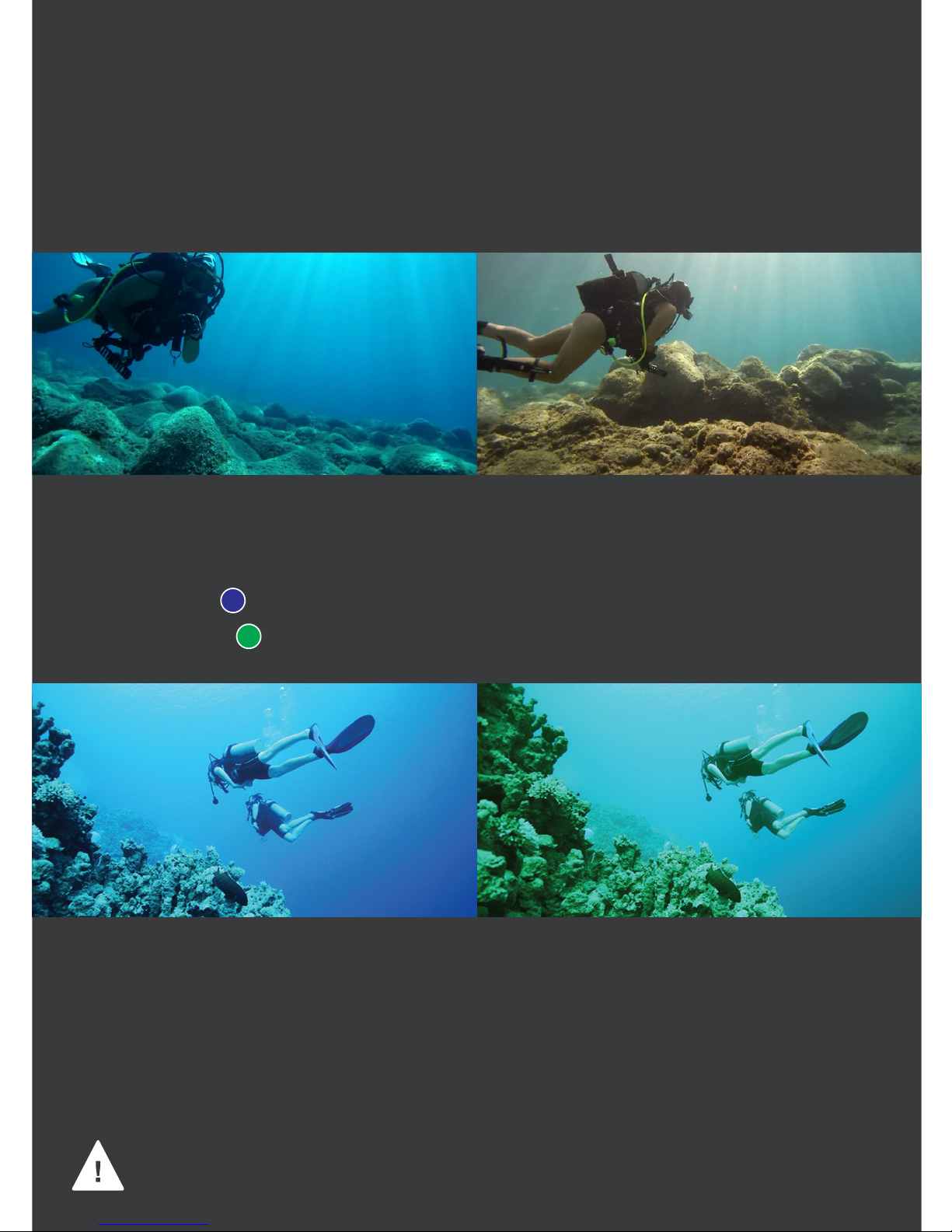
DCC™ has two settings – blue or green.
· Use blue for blue water
· Use green for green water
Use blue for blue water Use green for green water
HOW TO USE DCC™
When using DCC™ instead of a plastic color filter, the footage will have
better colors and be sharper and brighter.
Toggle DCC™ on/off by clicking three times on the activation switch
while in power- or video-mode. Choose blue or green in DCC settings.
Video recorded with DCC off (WB 5000K) Video recorded with DCC on
HOW TO ACTIVATE DCC™
IMPORTANT: Do not use dive lights together with the DCC™
– this will discolor the image.
 Loading...