

Page 1
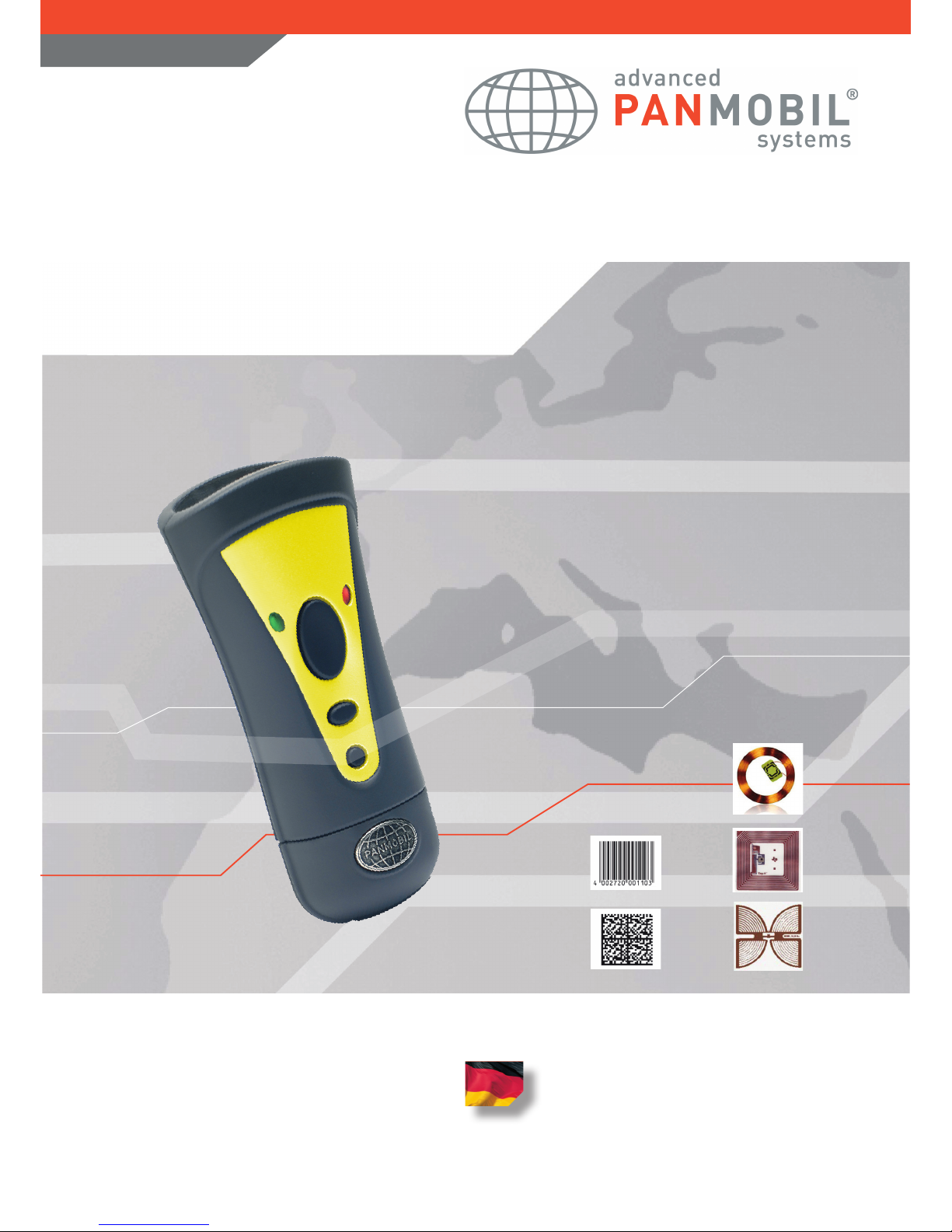
smartSCANNDY
Quick Reference Guide
AutoID Made in Germany
LF
HF
UHF
RFID
1D
2D
Barcode
Page 2

Copyright Information
This Handbook contains copyrighted information from advanced PANMOBIL systems GmbH & Co. KG. You
are only allowed access to the information and utilization as stated by those who are responsible for the
described devices.
This copyrighted information may not be changed for any purposes, duplicated, or shared with others
without written authorization from advanced PANMOBIL systems GmbH & Co. KG.
Bettering Our Products
The continuing efforts to better our products is an underlining corporate principle at advanced PANMOBIL
systems GmbH & Co. KG. Advanced PANMOBIL systems GmbH & Co. KG reserves the right to change any
or all of the technical data and labels without any advanced notice.
These devices do generate and use high frequency energy and can disturb radio trafc and other radiations
when they are not installed or operated according to instructions. The appearance of disturbance in particular installations is not excluded. In the case that these devices should disturb your surroundings by their
powering on and off, please inform us immediately.
“The user is warned, that all changes and modications not authorized by advanced PANMOBIL systems
GmbH & Co. KG render the user’s permission to utilize the device null and void.”
Consumer Electronics
These devices have been coded and are appropriate according to the limitations for Class B digital devices
from the CE EMC directive.
For more information, please contact us at:
advanced PANMOBIL systems GmbH & Co. KG
Hansestrasse 91
51149 Cologne
Germany
Tel.: +49(0)2203-10334 777
Fax.: +49(0)2203-10334 720
Web: www.PANMOBIL.com
Email: [email protected]
smartSCANNDY USER GUIDE
- 2 -
Page 3
No. Description Function
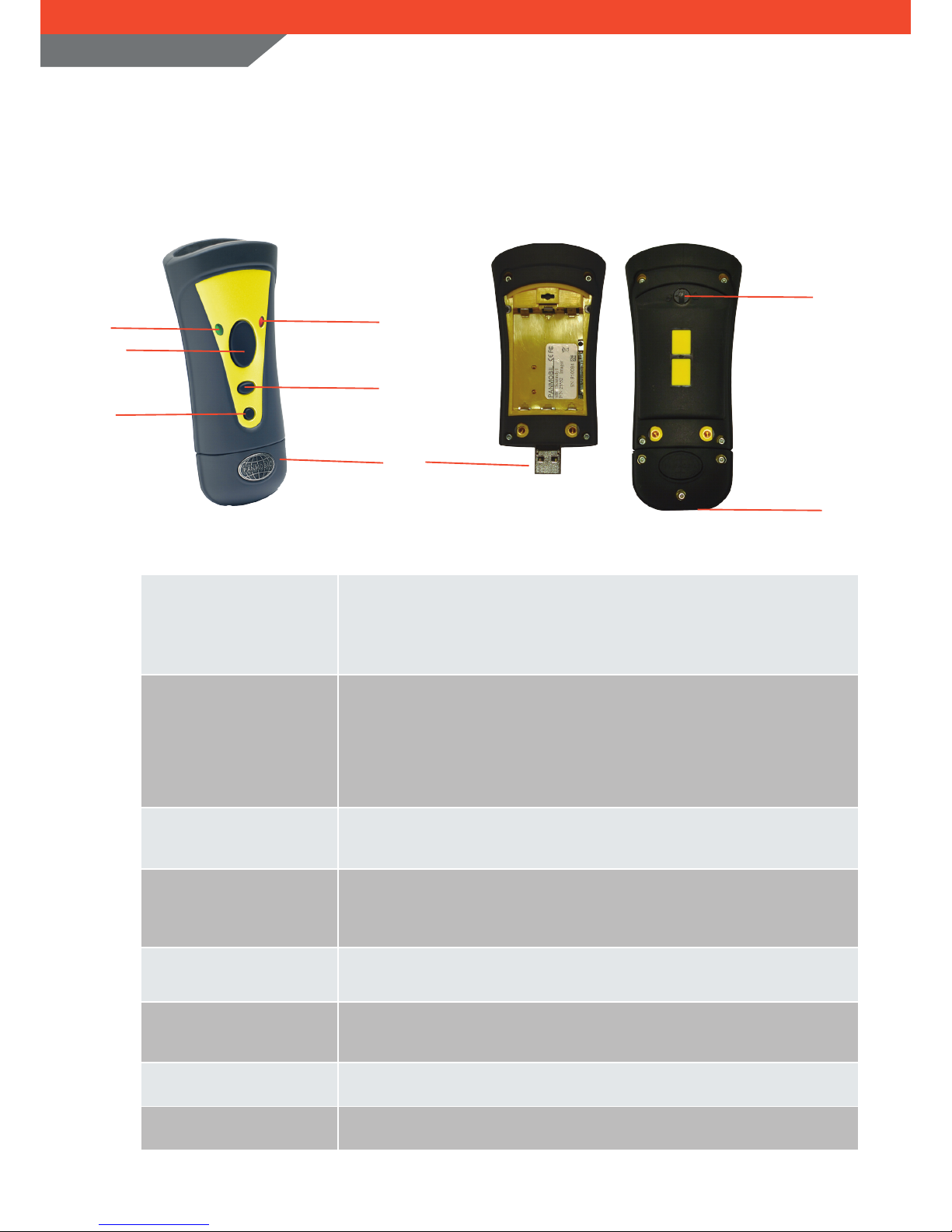
1
Left LED (green)
Left LED (red)
Lights up green when smartSCANNDY is powered ON.
Is ashing green (2 sec.) if battery is low (other function can be dened by API)
Lights up red if connect to ext. power (USB or power adapter)
2
Right LED (yellow)
Right LED (blue)
Lights up yellow if a barcode or RFID Tags was read successfully
Is ashing yellow (500ms) when connected to USB
(Other function can be dened by API)
Lights up blue if Bluetooth connection is established
(Other function can be dened by API)
3
Key 1 (Trigger Barcode or
RFID reader)
Triggers the barcode and/or the RFID reader
(Other function can be dened by the Smart Congurator or the API)
4
Key 2 (Delete function)
Triggers the barcode and/or RFID reader
The captured data will be deleted from the memory
(Other function can be dened by the Smart Congurator or the API)
5
Power ON/OFF
Power key to power the unit ON and OFF
Pressing this key for 3 sec. powers the unit OFF
6
USB interface protect cap
and stylus cap
Protects the USB interface for damage
The USB cap contains a stylus for touch panels.
7
Battery cover
Turn the button 90° to open and access the battery
8
Build in stylus
Stylus for touch panel
7
8
smartSCANNDY USER GUIDE
- 3 -
PRODUCT DESCRIPTION
smartSCANNDY
Front view Back view
2
4
6
1
3
5
Page 4
smartSCANNDY USER GUIDE
- 4 -
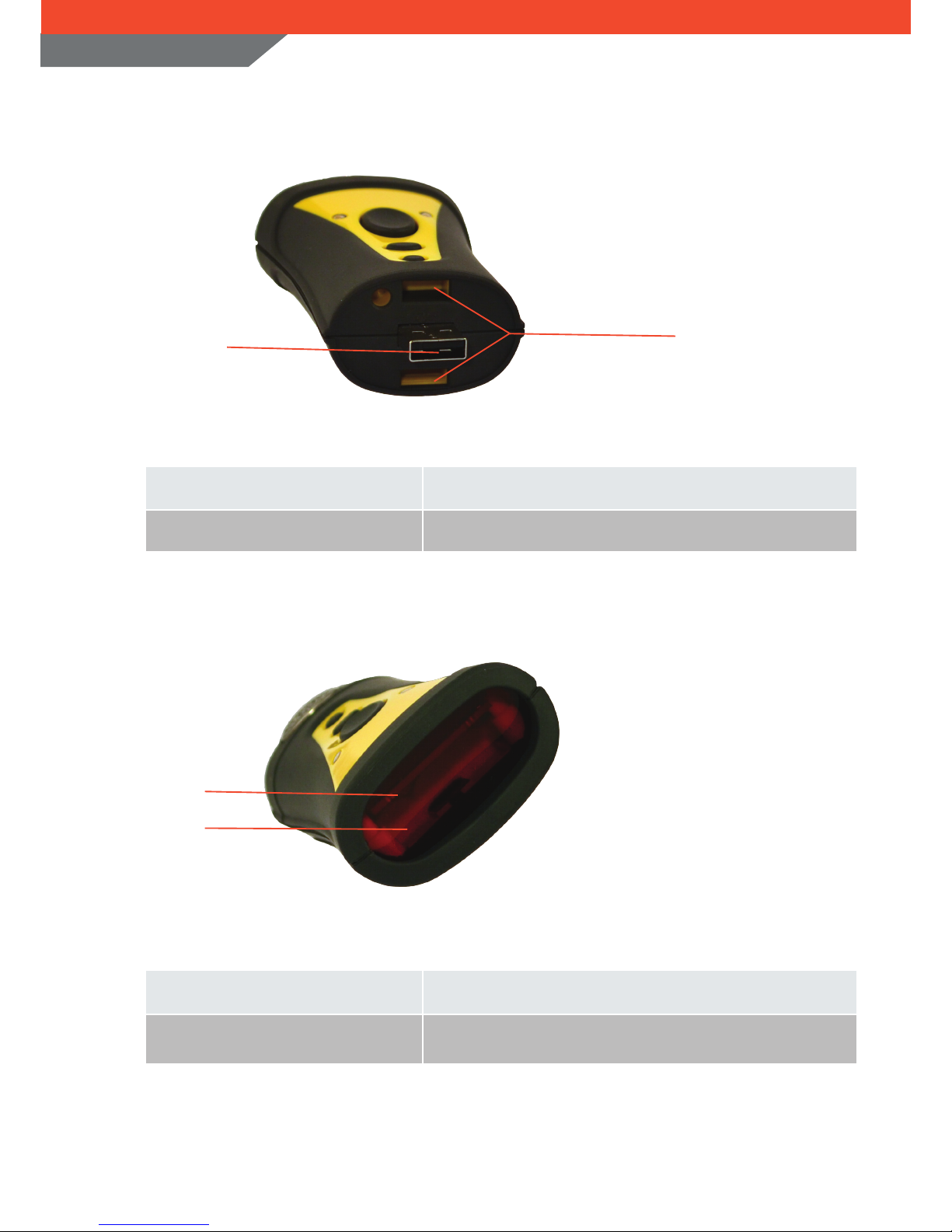
No. Description Function
1
USB (device) interface
USB interface for communication and battery charging
2
USB Cap lock
Locks the USB cap when mounted
1
2
No. Description Function
1
RFID Antenna
RFID Reader/Writer Antenna
2
Protection glass for RFID reader
Keep this glass free of dirt and scratch to have the best reader
performance
1
2
USB
RFID
Page 5
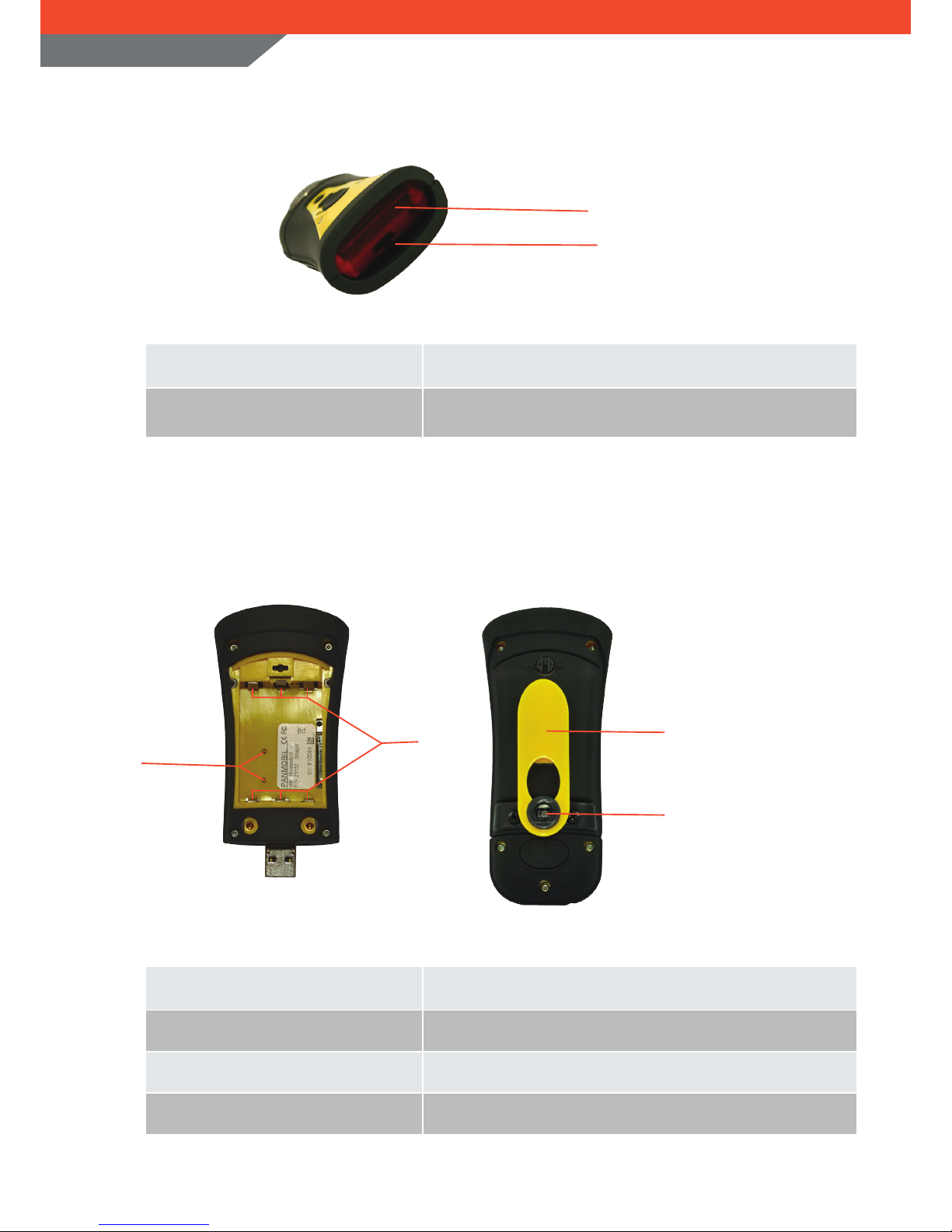
smartSCANNDY can be operated by either 3xAAA batteries (1.5 Volts each) or by a rechargeable Li-Ion
battery (PANMOBIL).
No. Description Function
1
Contacts for charging the Li-Ion battery
Battery contacts for charging the Li-Ion battery
2
Contacts AAA batteries
Battery contacts for standard AAA batteries
3
Clip
Shirt clip
4
Clip holder (accessory)
Holder for xing the shirt clip, belt clip or neck belt (accessory)
1
3
2
smartSCANNDY USER GUIDE
- 5 -
BATTERY
4
BARCODE
1
2
No. Description Function
1
Barcode reader
1D/2D Imager and 1D Laser
2
Protection glass for Barcode reader
Keep this glass free of dirt and scratch to have the best reader
performance
Page 6
smartSCANNDY USER GUIDE
- 6 -
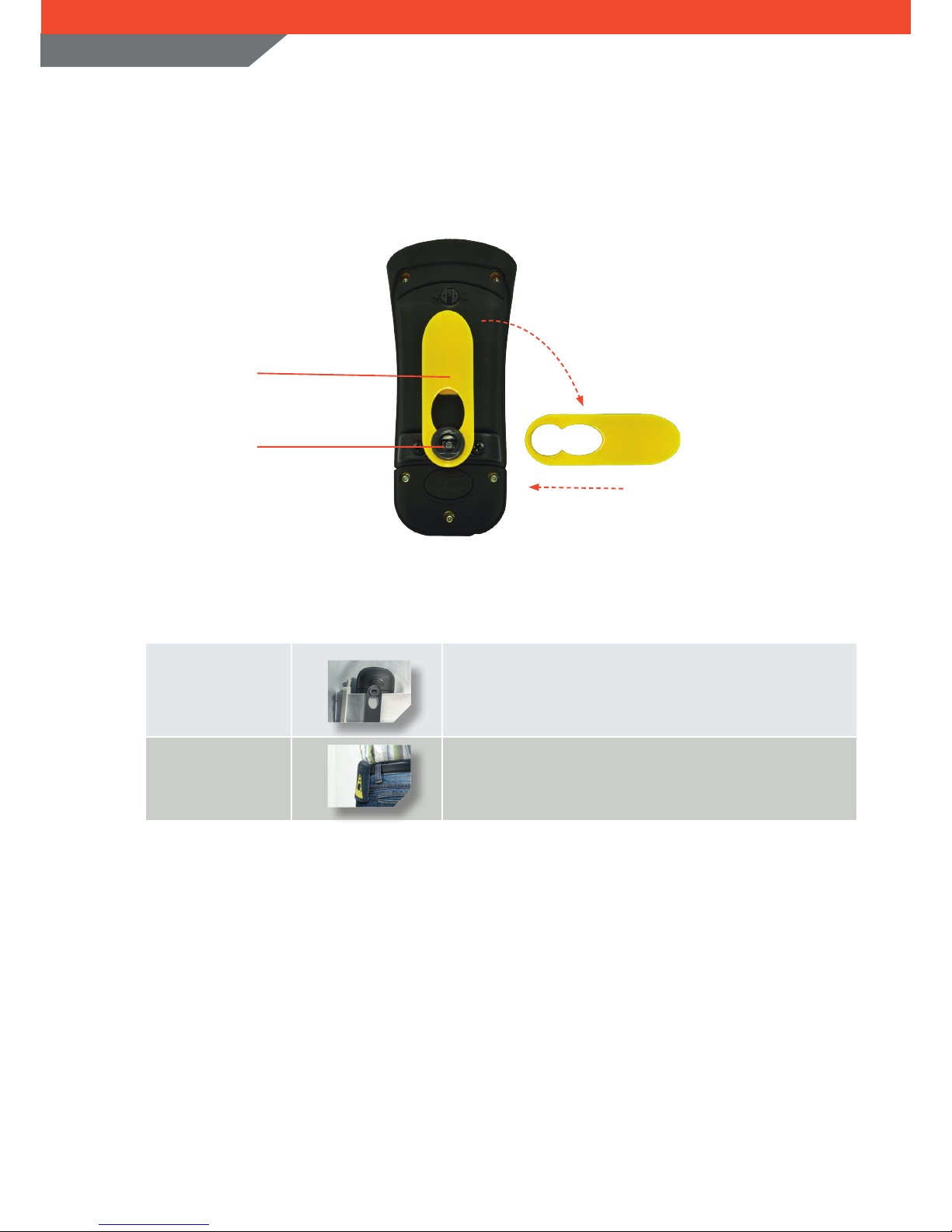
No. Description Function
1
Shirt clip
Used to carry the smartSCANNDY fastened at a shirt pocket
2
Belt clip
Used to x the smartSCANNDY at a belt
1
2
ACCESSORIES
smartSCANNDY
turn
push
Page 7
smartSCANNDY USER GUIDE
- 7 -
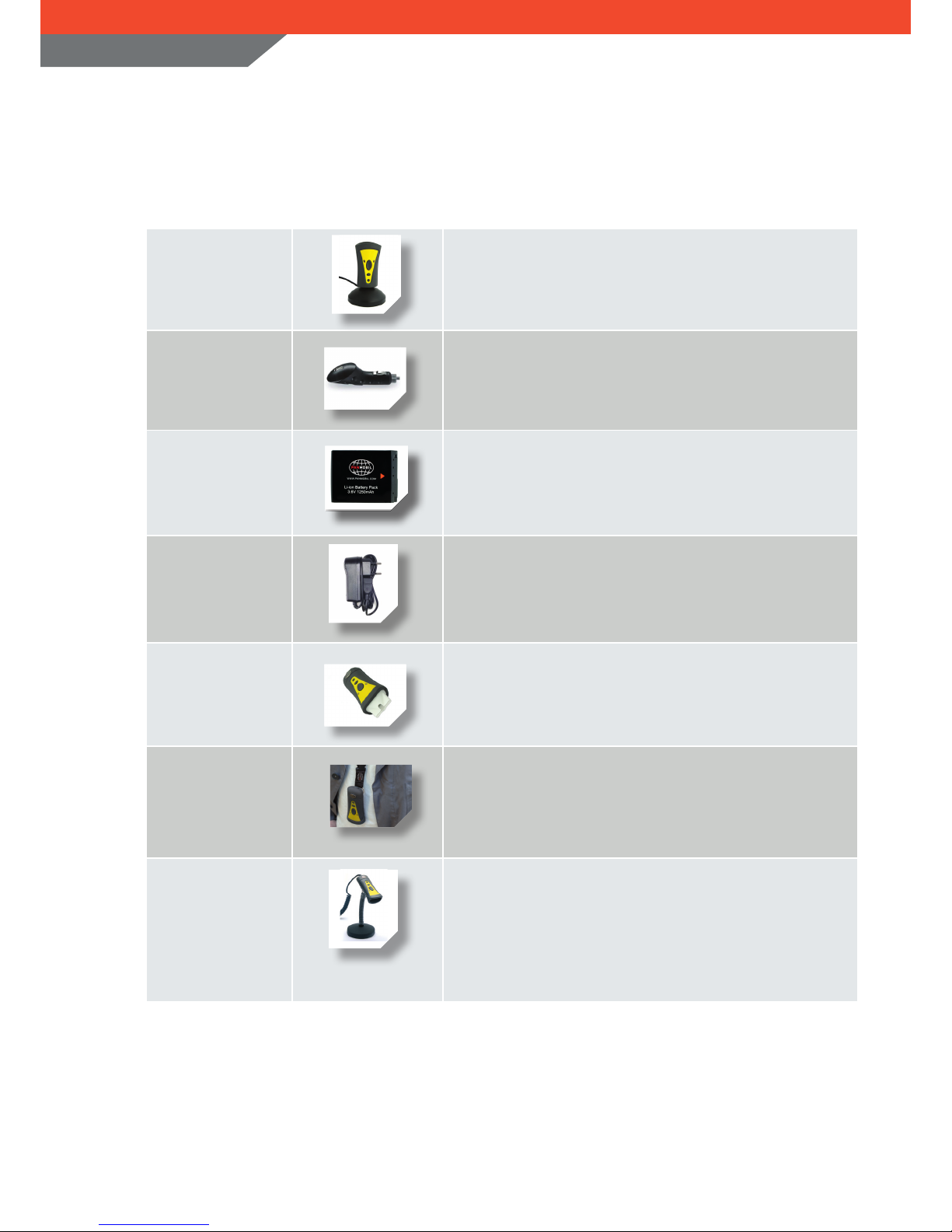
Docking station/
USB cradle
To be used for data transfer to the computer and for
recharging the battery from the PC USB port power
USB car charging
adapter
The car charging adaptor allows recharging of the
smartSCANNDY Li-Ion batteries via your cigarette lighter in
your car.
Spare Li-Ion battery
Li-Ion rechargeable battery with 1050mAh, which can be
recharged via the USB interface of the PC or with an external
power adapter for quick recharge.
Power adapter
The convenient power adapter can be used for quick
recharging the battery of your smartSCANNDY without being
connected to a computer.
Easy Direct Pointer
smartSCANNDY equipped with the Easy Direct Pointer, the
scanning of miniature 2D codes is very easy and fast
Barcodes printed in catalogs or barcodes printed tightly next
to each other can be pointed and captured very easy and fast.
Safety Lanyard
A comfortable lanyard with one nger click lock
With a snap of your ngers, the lock can be released to enable
immediate operation
The safety unlock system opens the lanyard automatically if it
gets stuck
USB cap with cable
and Table stand
USB cap with cable for smartSCANNDY stationary (USB
connector)
The smartSCANNDY xed in the table stand can read
Barcodes and/or RFID Tags as soon as they are placed in the
reader eld. Data can be either stored in the device memory
or directly send to the PC trough the direct connect cable.
ACCESSORIES
smartSCANNDY
Page 8

smartSCANNDY USER GUIDE
- 8 -
SPECIFICATION
smartSCANNDY
CPU
ARM9
Memory
64 MB RAM/ 1 GB
Proof of Data
Non volatile memory
Date/ Time
Realtime clock
Interface
RS232 / USB mass storage / USB HID / USB Ethernet / USB Serial
Programming
SDK / C++ / Java
Configuration
Smart Congurator
Wireless
Bluetooth Class 1/2, WiFi 802.11b/g
Audio
Speaker
Display
No Display
LED
Red/Green/Yellow/Blue
Keyboard
3 Keys
Barcode
1D Imager
EAN-8, EAN-13, UPC-A, UPC-E, Code128, Code39, Interleaved 2of5
2D Imager
DataMatrix , QR Code, Optional PDF417, MicroPDF, MicroQR
1D Laser
EAN-8, EAN-13, UPC-A, UPC-E, Code128, Code39, Code93, Interleaved 2of5,
Chinese 2of5, Codabar, Codablock_F
RFID
125 KHz (Unique, Q5, Hitag1, Hitag2, HitagS, EM4100, EM4102)
13,56 MHz (Mifare 1K, Mifare 4K, Mifare UltraLight, ISO14443A)
13,56 MHz (I-Code II, I-Code-SLI, TagIt HF1, MyD, ISO15693 mandatory)
UHF 860-960 MHz, EPC GEN 2 ISO 18000-6C
Size
116x50x31 mm
Weight
80 g
Battery
1050 mAh Li-lon
3x AAA Battery
Housing
Inside: double wall ABS
Outside: stressable rubber
Protection Class
IP 54
Temperature Range
-10 °C to +50 °C operating temperature
-20 °C to +70 °C storage temperature
Page 9

smartSCANNDY USER GUIDE
- 9 -
advanced PANMOBIL systems
GmbH & Co. KG
Hansestr. 91
51149 Cologne
Germany
Tel : +49 (0) 2203-10 334 777
Fax: +49 (0) 2203-10 334 720
[email protected]
www.PANMOBIL.com
FUNCTION CONFIGURATION
For information about how to congure the device functions, please refer to the document
SmartUniversalConfigurator_en.
This document describes how you can congure the function for buttons, buzzer, Data record, ect. Using
the smartCongurator, you can dene the device function according to the application.
DEVICE SOFTWARE CONFIGURATION
For information about how to congure the device software, please refer to the document
Config_ini .
This document describes how to congure device options like Bluetooth, RFID, Interface proles, Barcode
symbologies, ect.
 Loading...