

Page 1
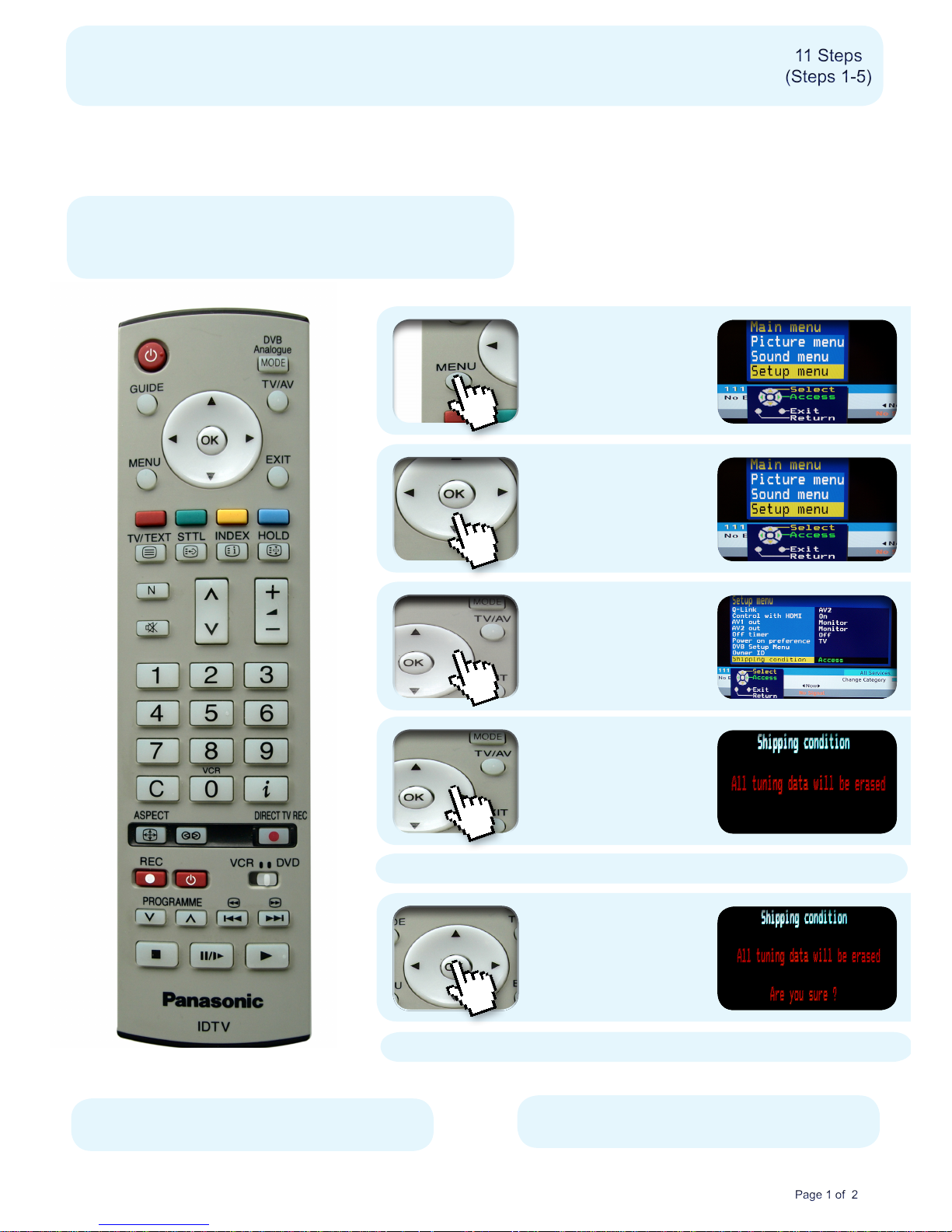
Re-tuning: PANASONIC Freeview TVs
This guide can be used to help you re-tune any of the following products with the remote control below:
1) Press the Menu
button
Make sure your box is on and press 80
for the BBC News channel
2) Use the Down
Arrow button to
select Setup Menu
on the third line of
the main menu
3) Press the Right
Arrow button and
select Shipping
Condition on the
ninth line of the
menu
4) Press the Right
Arrow button and
then press the OK
button
5) Don’t worry!
Press the OK
button
11 Steps
(Steps 1-5)
11 Steps
(Steps 1-5)
Page 1 of 2Page 1 of 2
Manufacturer Helpline: 0844 844 3852
email: [email protected]
TX*LXD6 series, TX*LXD60 series, TX*LXD65 series,
TH*PX60 series, TH*PX600 series
* Your model size appears here
The message ‘all tuning data will be erased’ will appear
* This process may affect any saved information stored on your product, including your favourites list.
Please consult your instruction manual or contact the manufacturer using the details above.
The message ‘are you sure’ will appear
Page 2
Re-tuning: PANASONIC Freeview TVs
11 Steps
(Steps 6-11)
11 Steps
(Steps 6-11)
Page 2 of 2Page 2 of 2
Manufacturer Helpline: 0844 844 3852
email: [email protected]
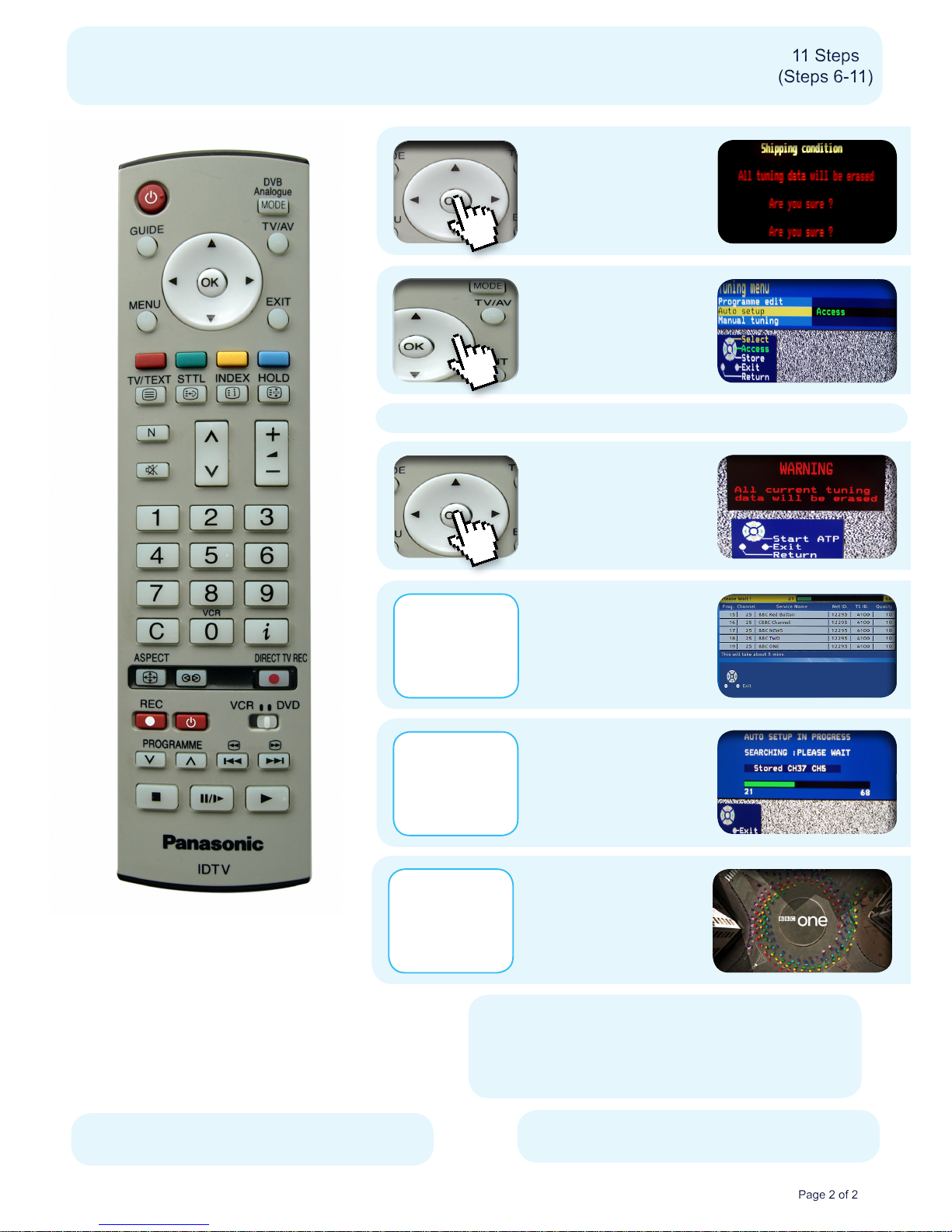
7) A tuning menu screen
will appear. Use the
Down Arrow button to
select Auto Setup and
press the Right Arrow
button
9) A re-tune screen
will appear
No action required
6) Don’t worry!
Press the OK
button
8) Don’t worry!
Press the OK
button
10) An ‘Auto Setup in
Progress’ screen will
appear.
No action required
The message ‘All current tuning data will be erased’ will appear
11) BBC1 will
automatically play out
when the re-tune
has completed.
No action required
12) Press the OK button
to save the list
You have completed the
procedure and can continue
viewing digital channels.
* This process may affect any saved information stored on your product, including your favourites list.
Please consult your instruction manual or contact the manufacturer using the details above.
 Loading...