

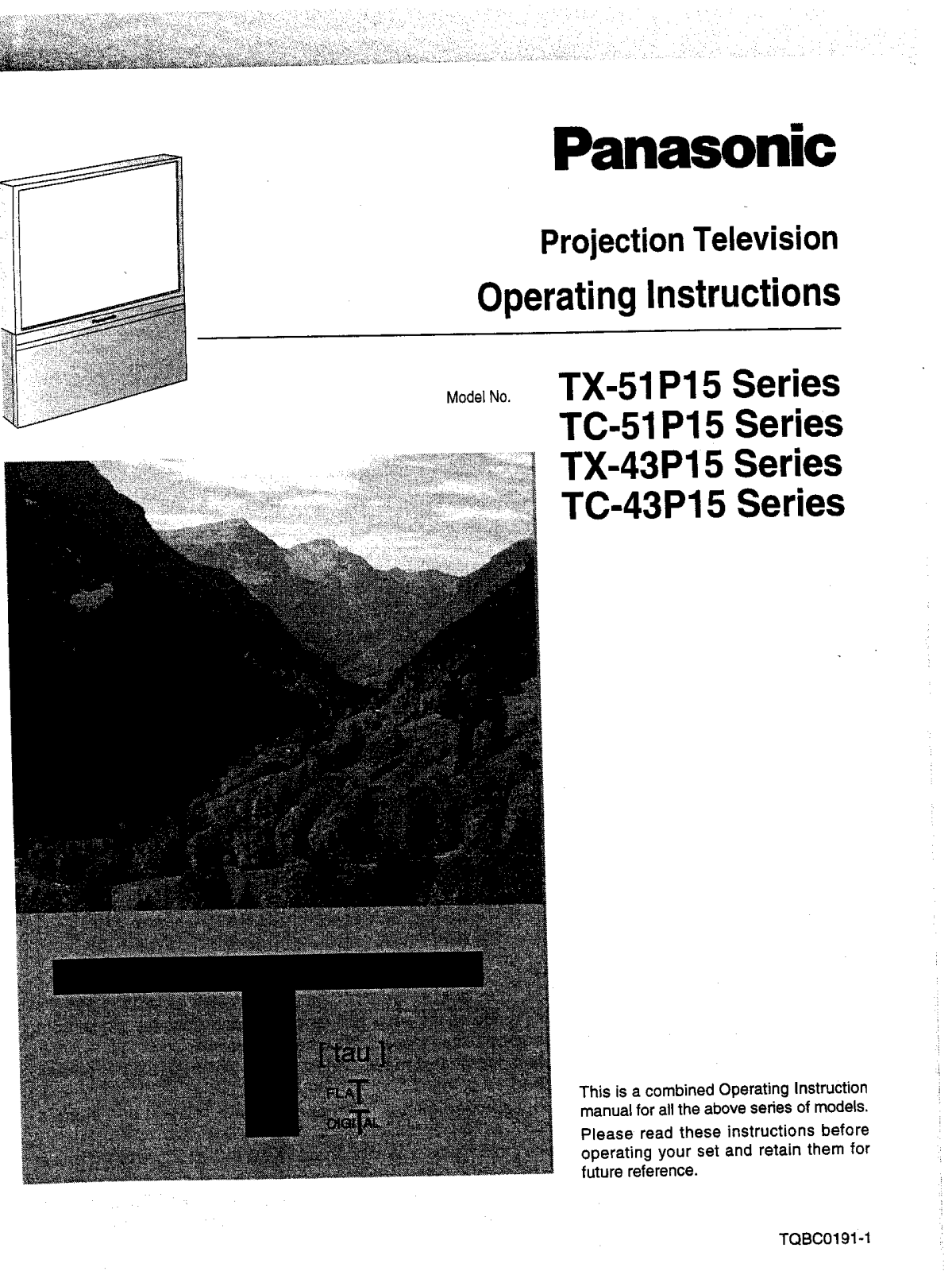
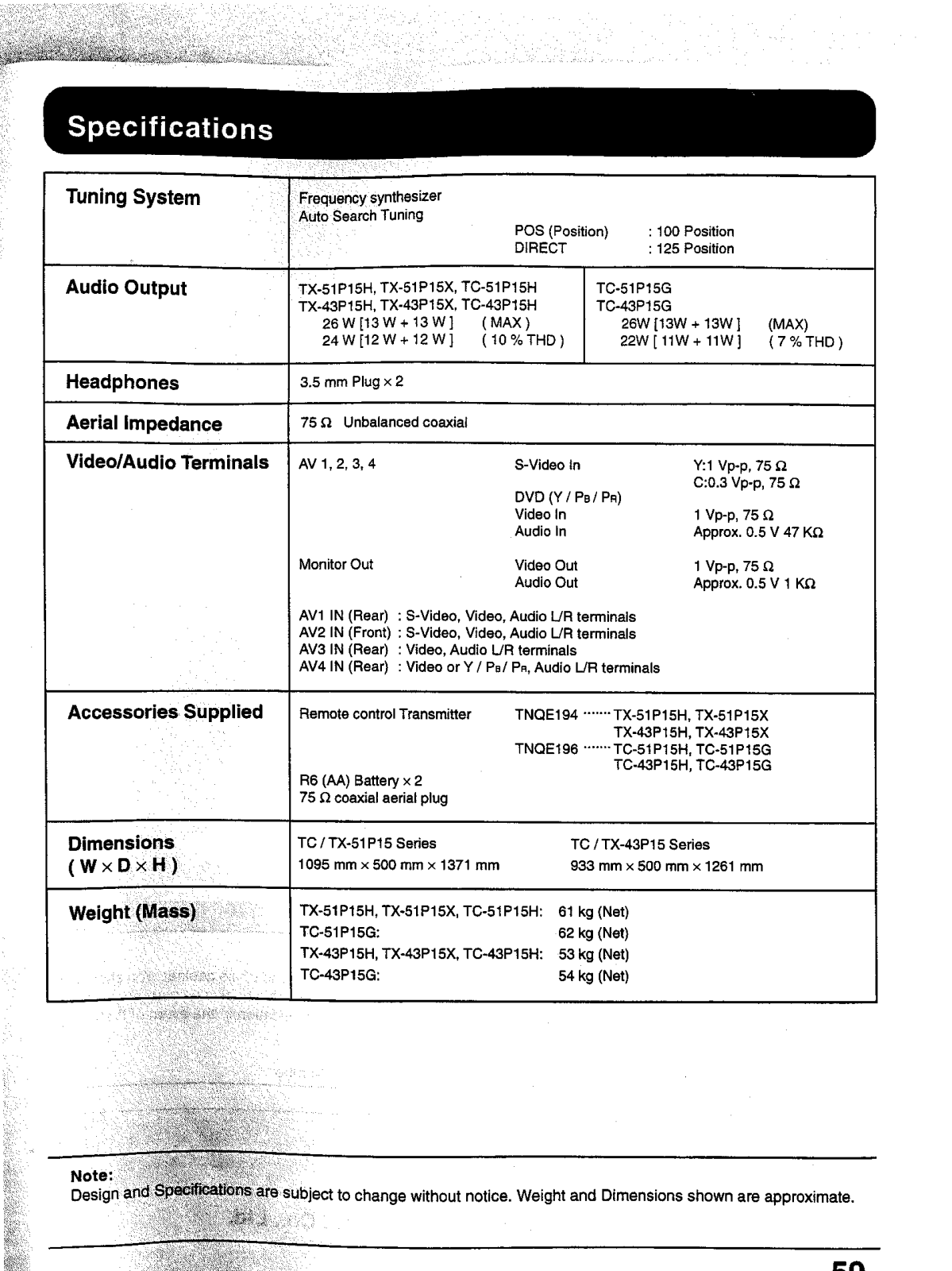
- Model Series: Model Series: TC-51P15, TC-43P15, TX-43P15, TX-51P15
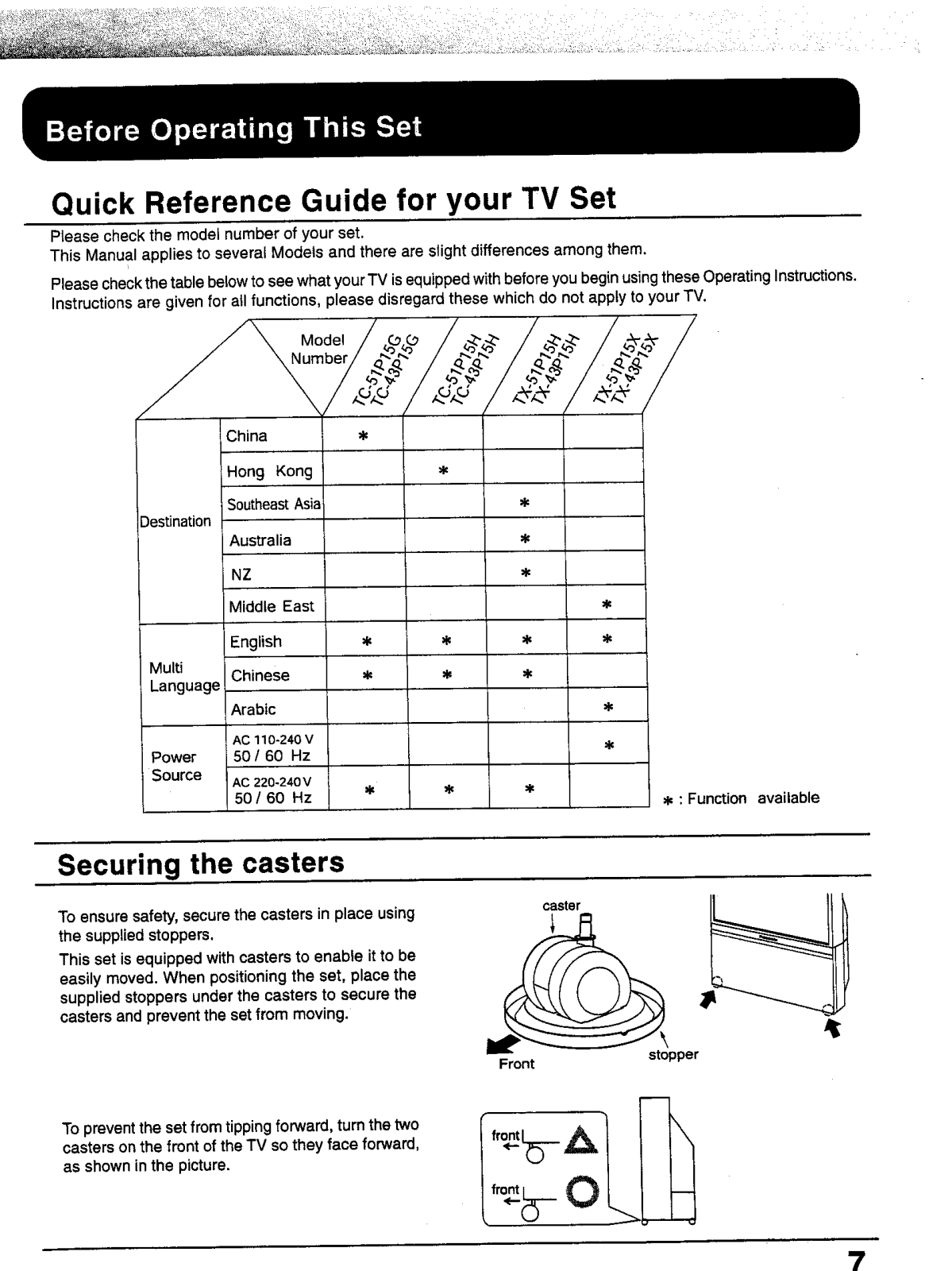
- Power Supply: Power Supply: 110-240 V, 50/60 Hz
- Screen Size: 51 inches (TC-51P15), 43 inches (TC-43P15)
- Picture Projection Technology: Color Projection Technology: Tele Vision
- Power Consumption: Varies with the model
- Television Standards: PAL NTSC
- Speaker System: Two Channel stereo/Bilingual audio
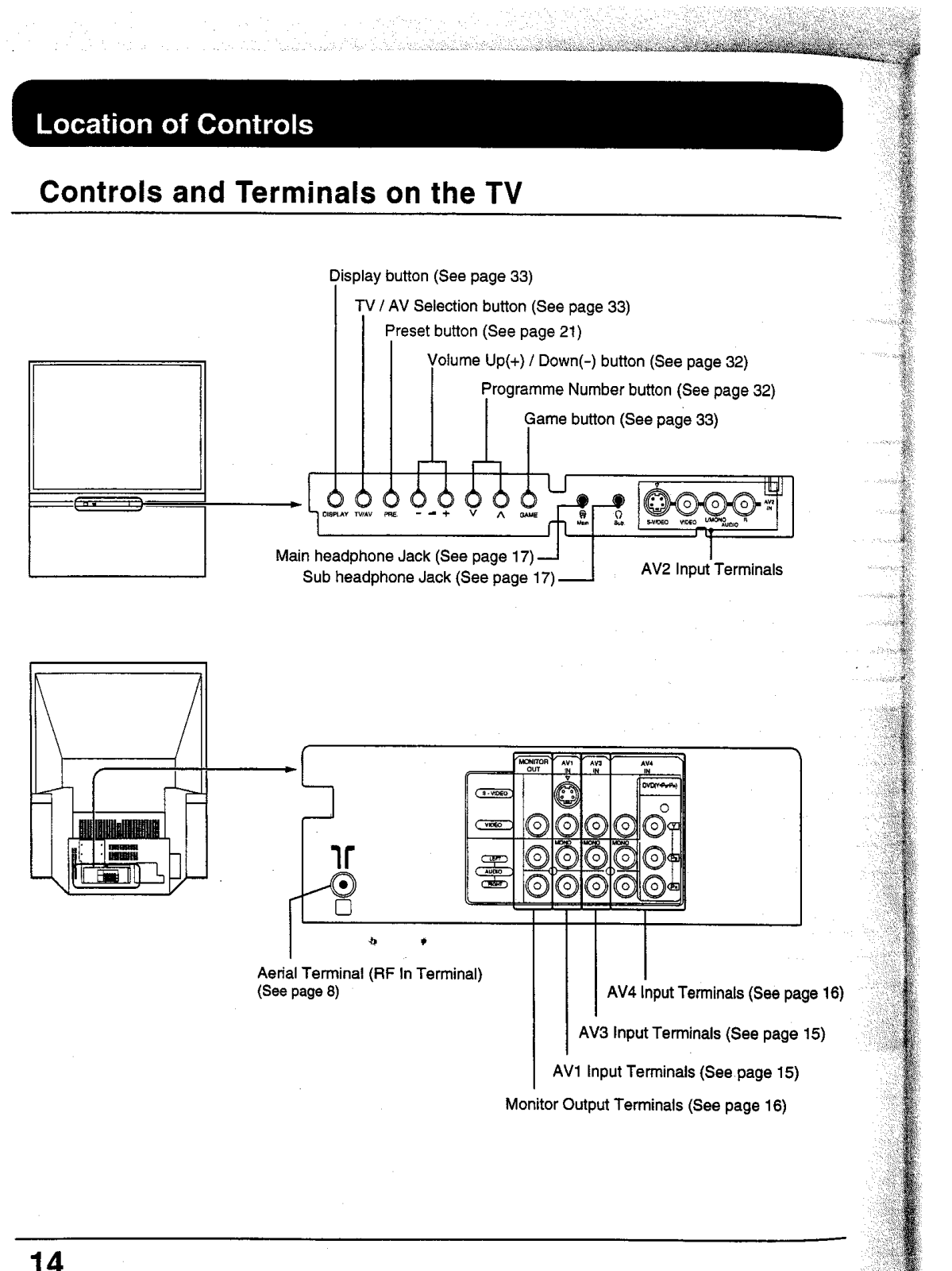
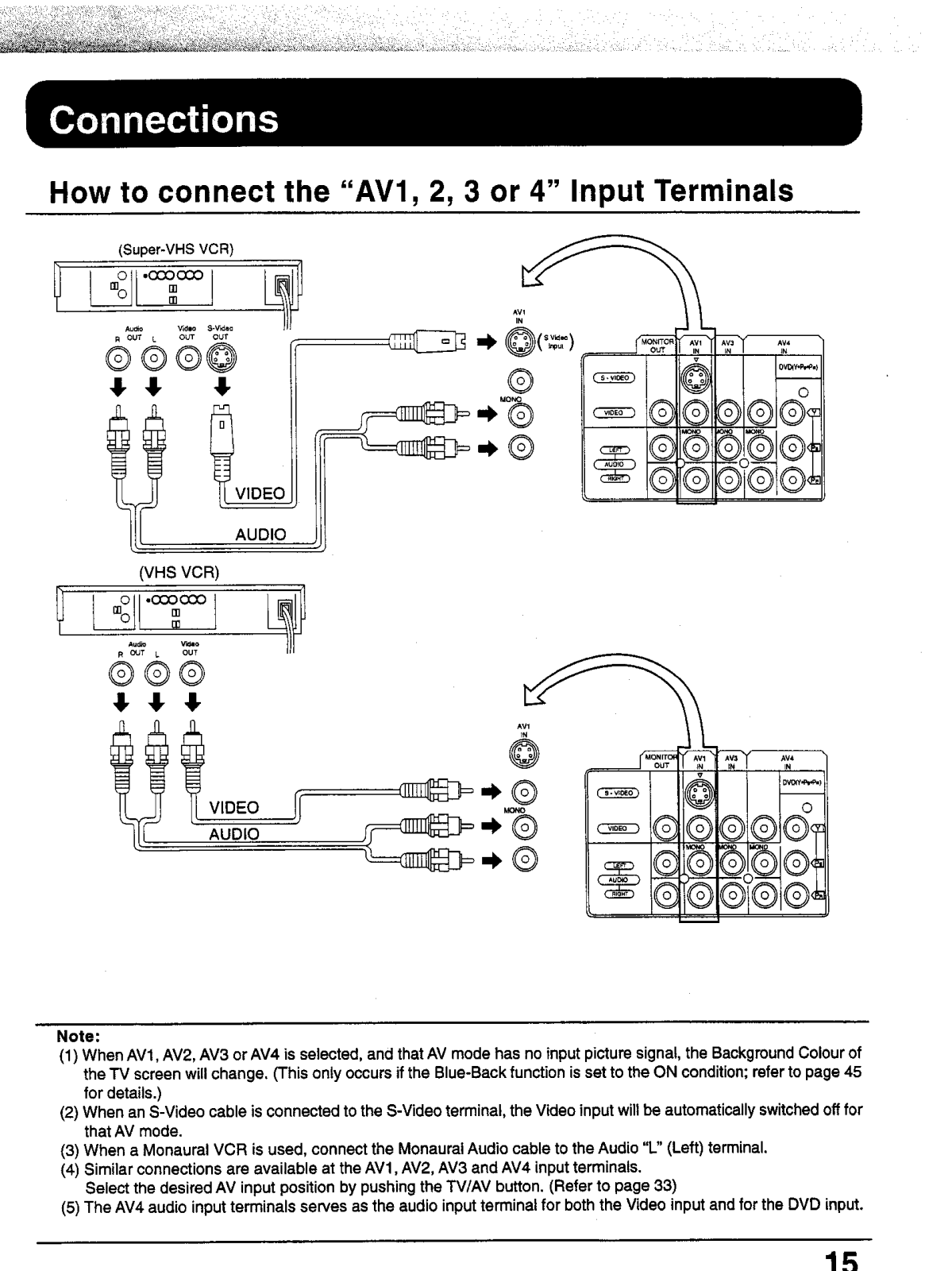
- AV Input Terminals: AV1 AV2 AV3 AV4
- Video Inputs: Composite Video, S-Video
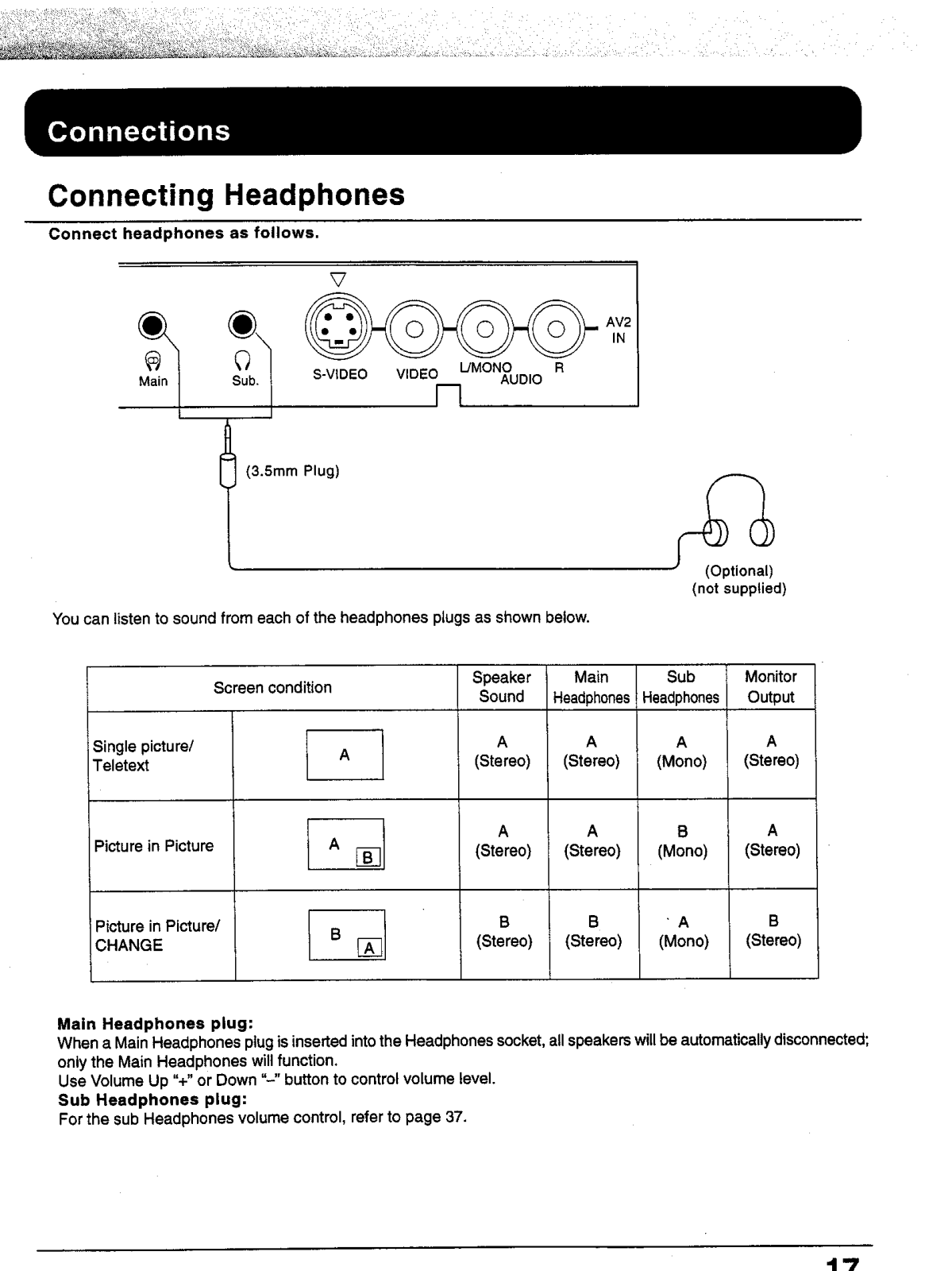
- Headphone Jacks: Main and Sub headphone sockets
- Controls: Remote control with front panel controls
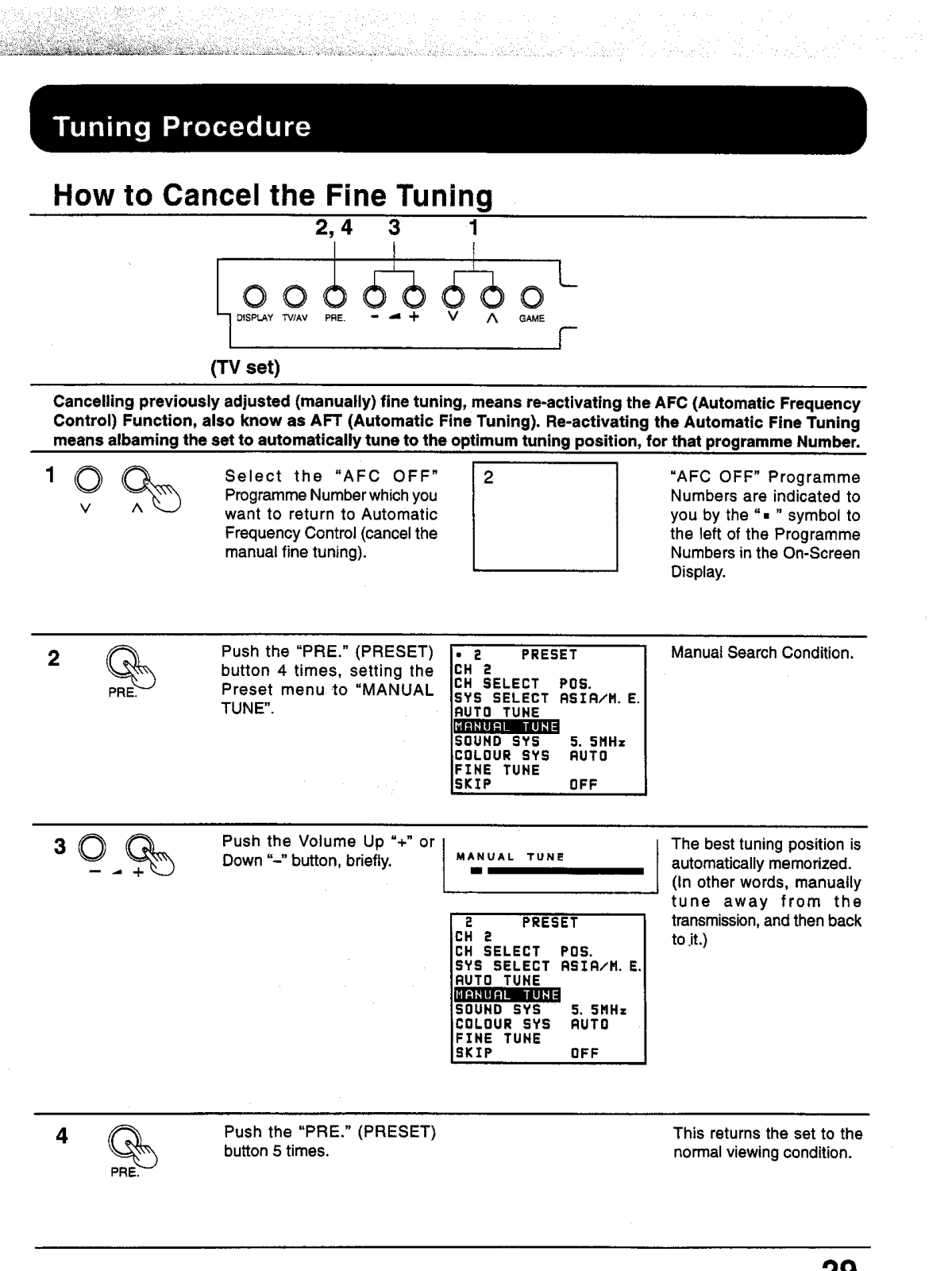
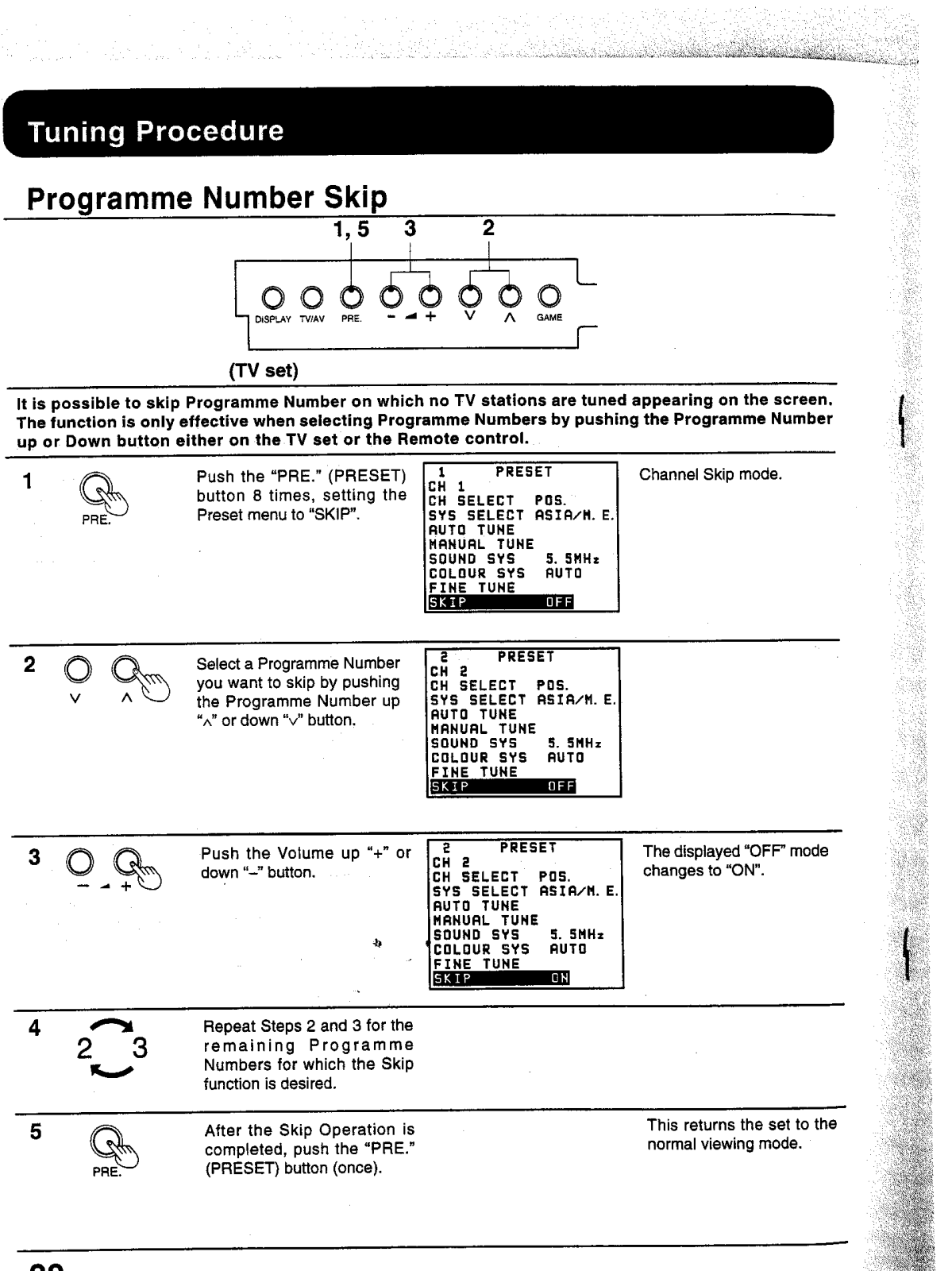
- Tuning Method: Automatic and Manual Tuning
- PIP (Picture-in-Picture): Stereo TV with PIP Function
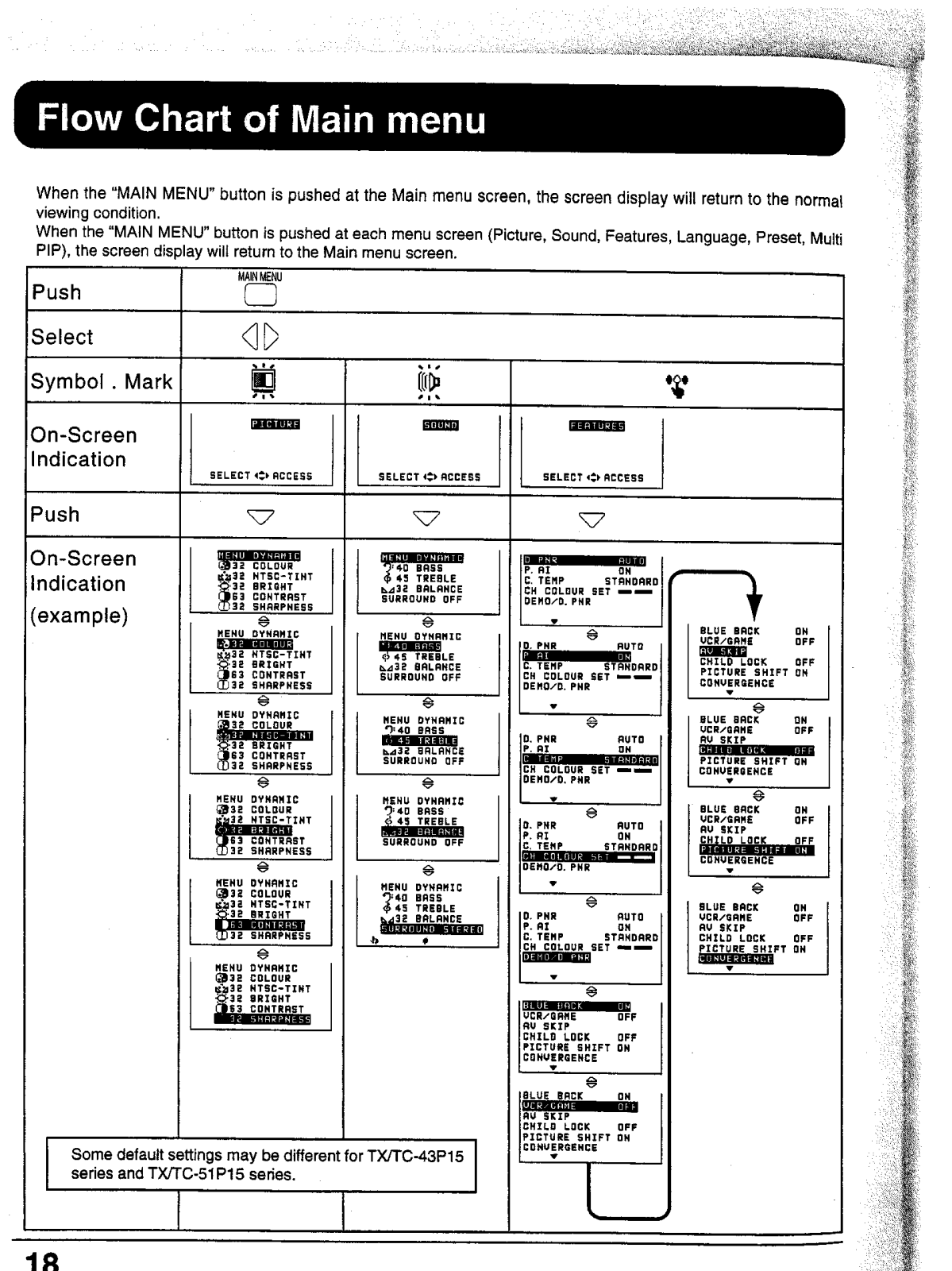
- Picture Adjustments: Brightness, Contrast, Color, Sharpness
- Sound Adjustments: Bass Treble Balance
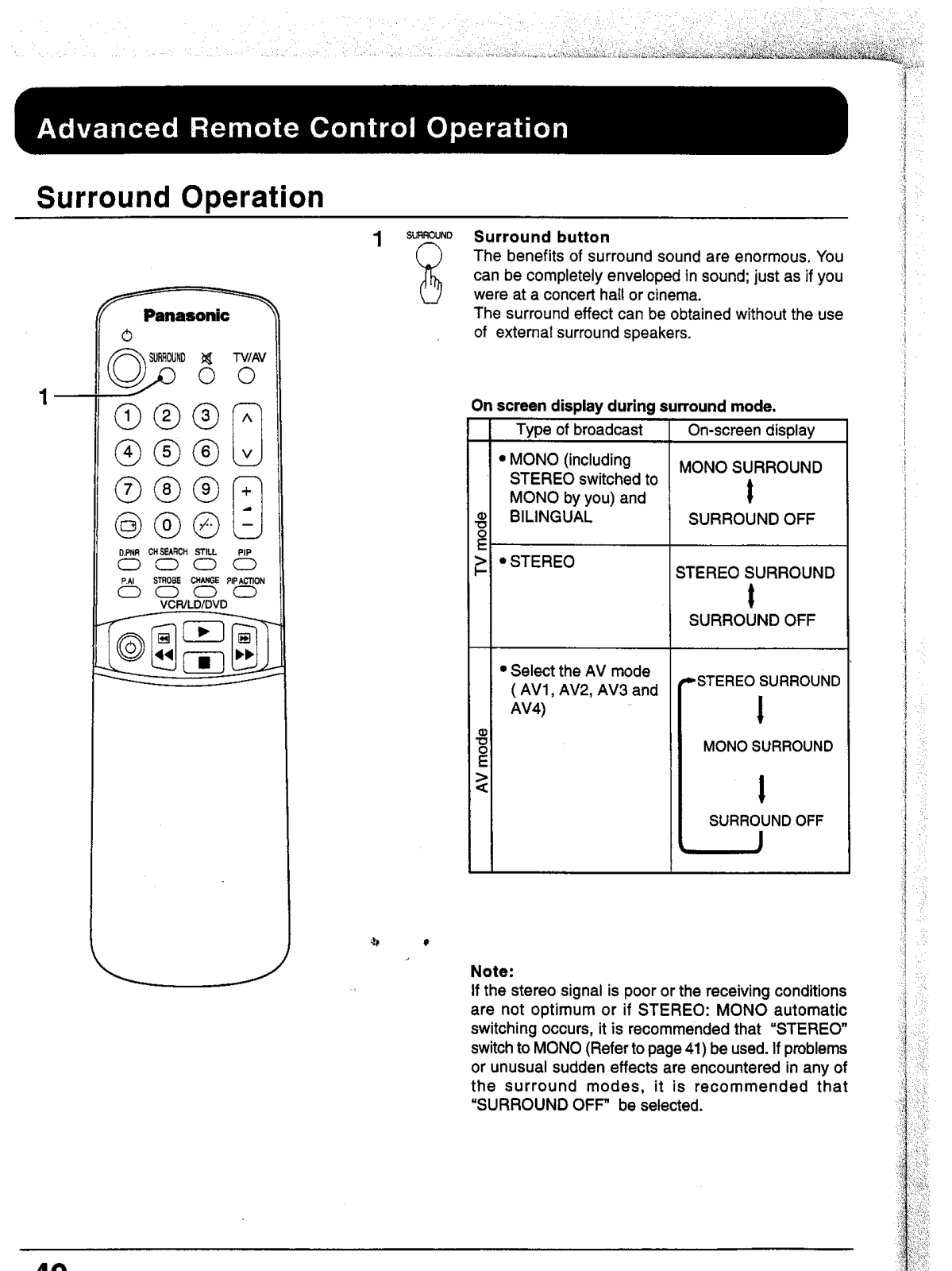
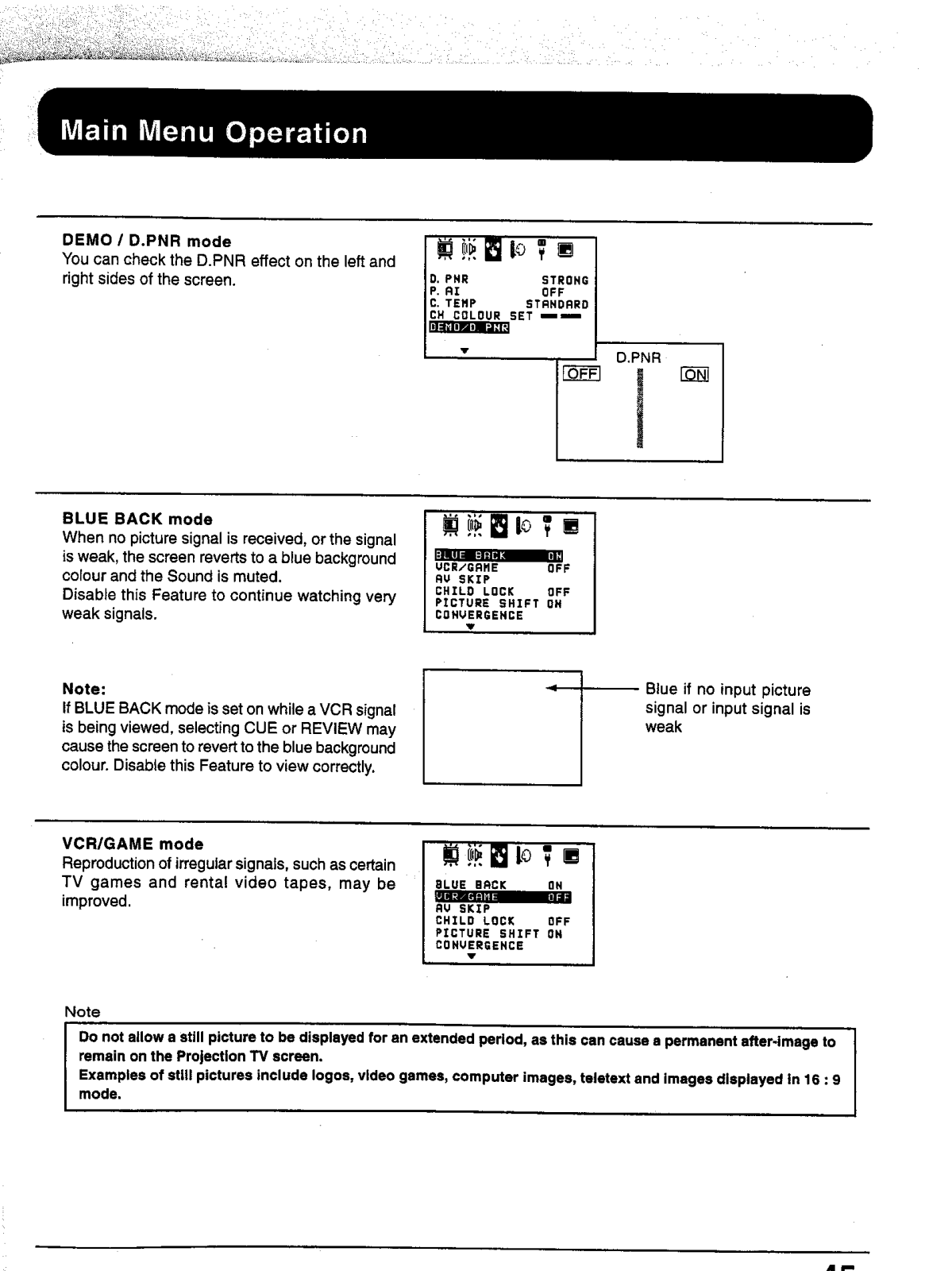
- Features: Surround Sound with noise reduction D.PNR Game mode Blue Back
- Language Selection: Multi language supported
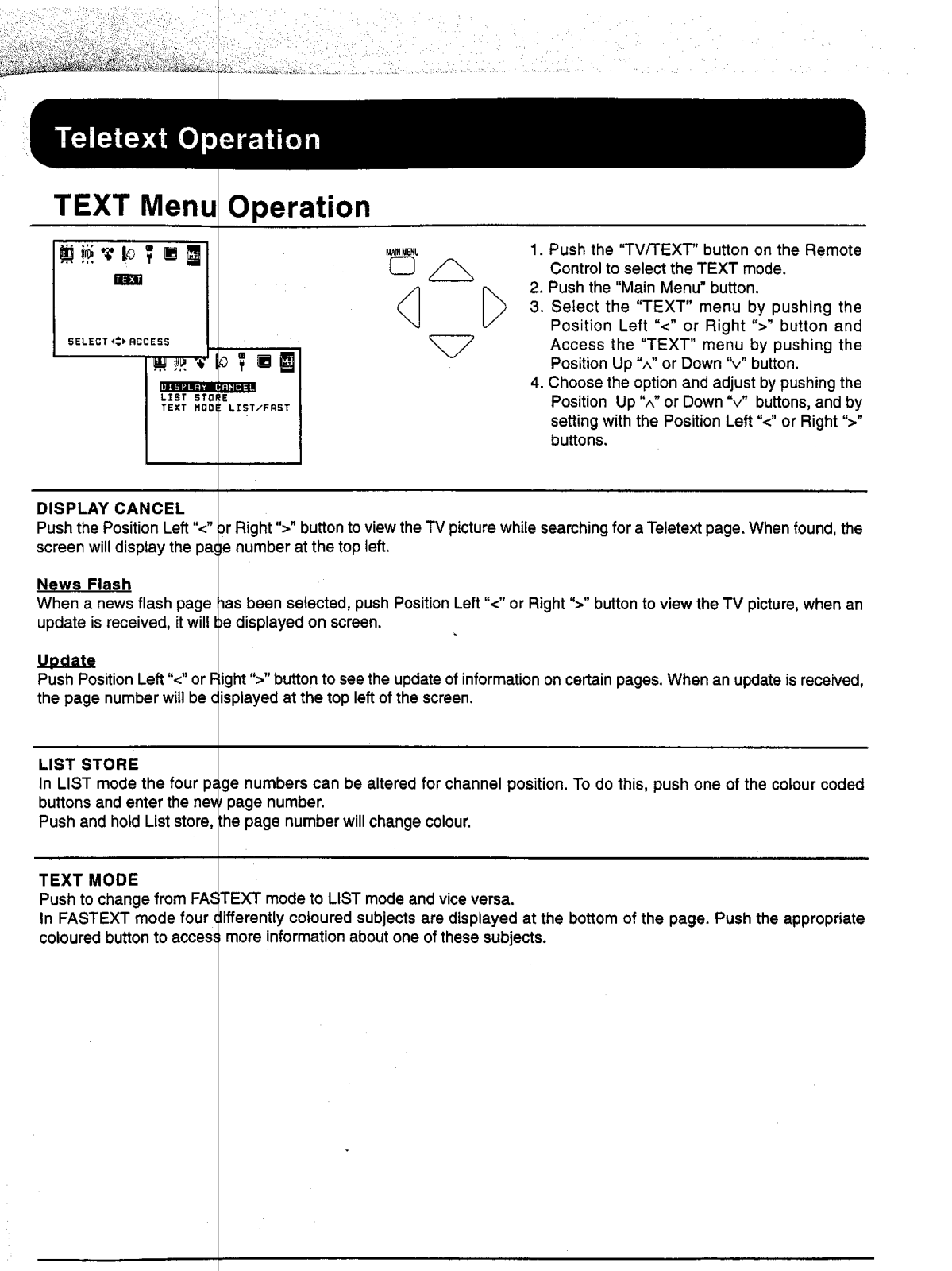
- Teletext Function (for certain models): LIST and FASTEXT modes supported
- Dimensions: depends upon the model
- Weight: depends upon the model
Q: TC 51P15 serIes maximum screen size?
Answer: Answer: The TC 51P15 has a screen size of 51 inches
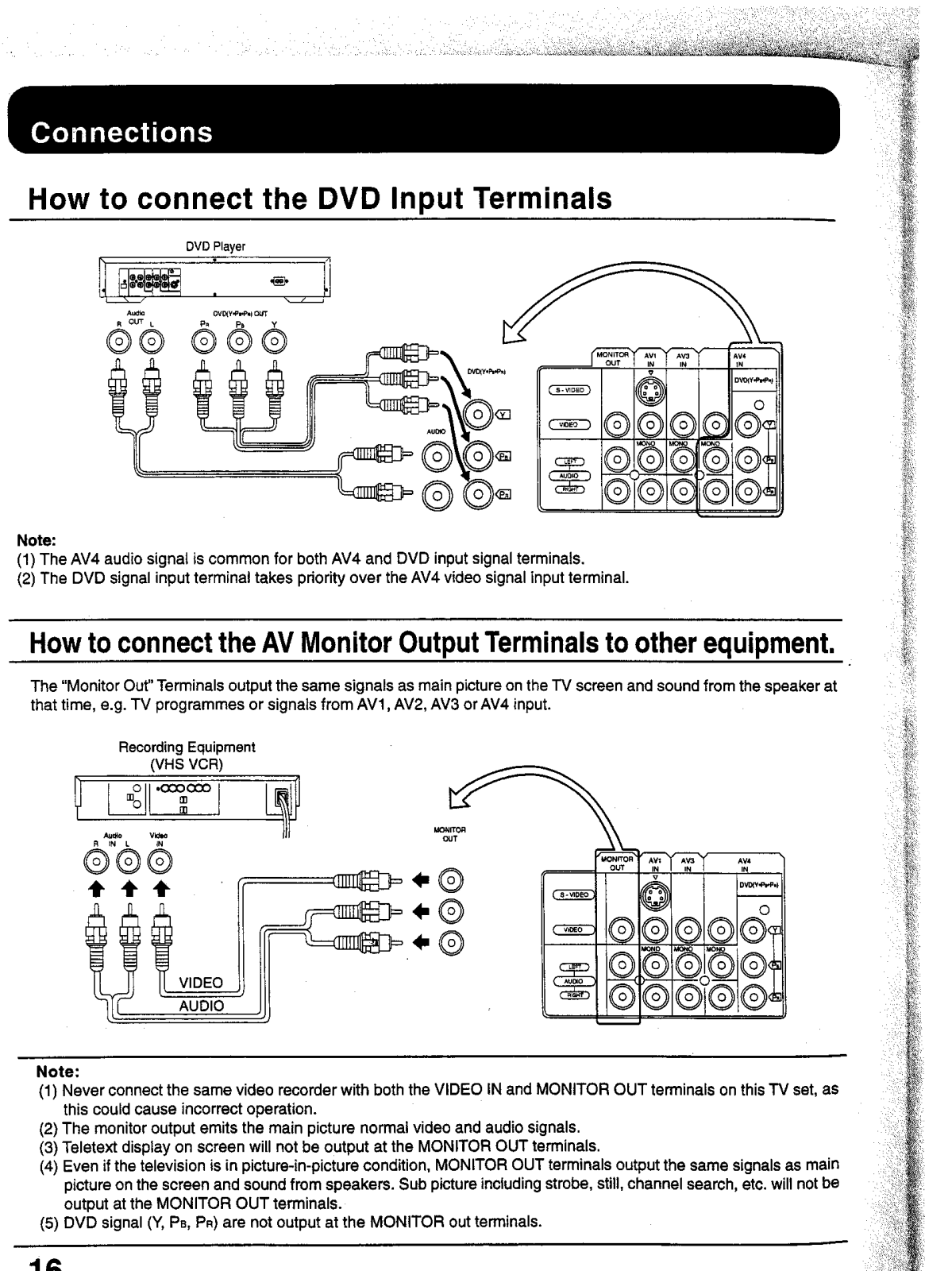
Q: Is it possible to connect a DVD player to my TV?
A: There are several AV input ports on the TV which include AV1 to AV4 and so this allows room for the connection of a DVD player to the television.
Q: The picture quality on my television set needs adjustment, how can I do this?
A: The picture options enable you to adjust settings such as color, contrast, and brightness, all of which can be accessed through the remote or the front panel controls through the picture sub menu.
Q: Is my television capable of eliminating after-images on the screen?
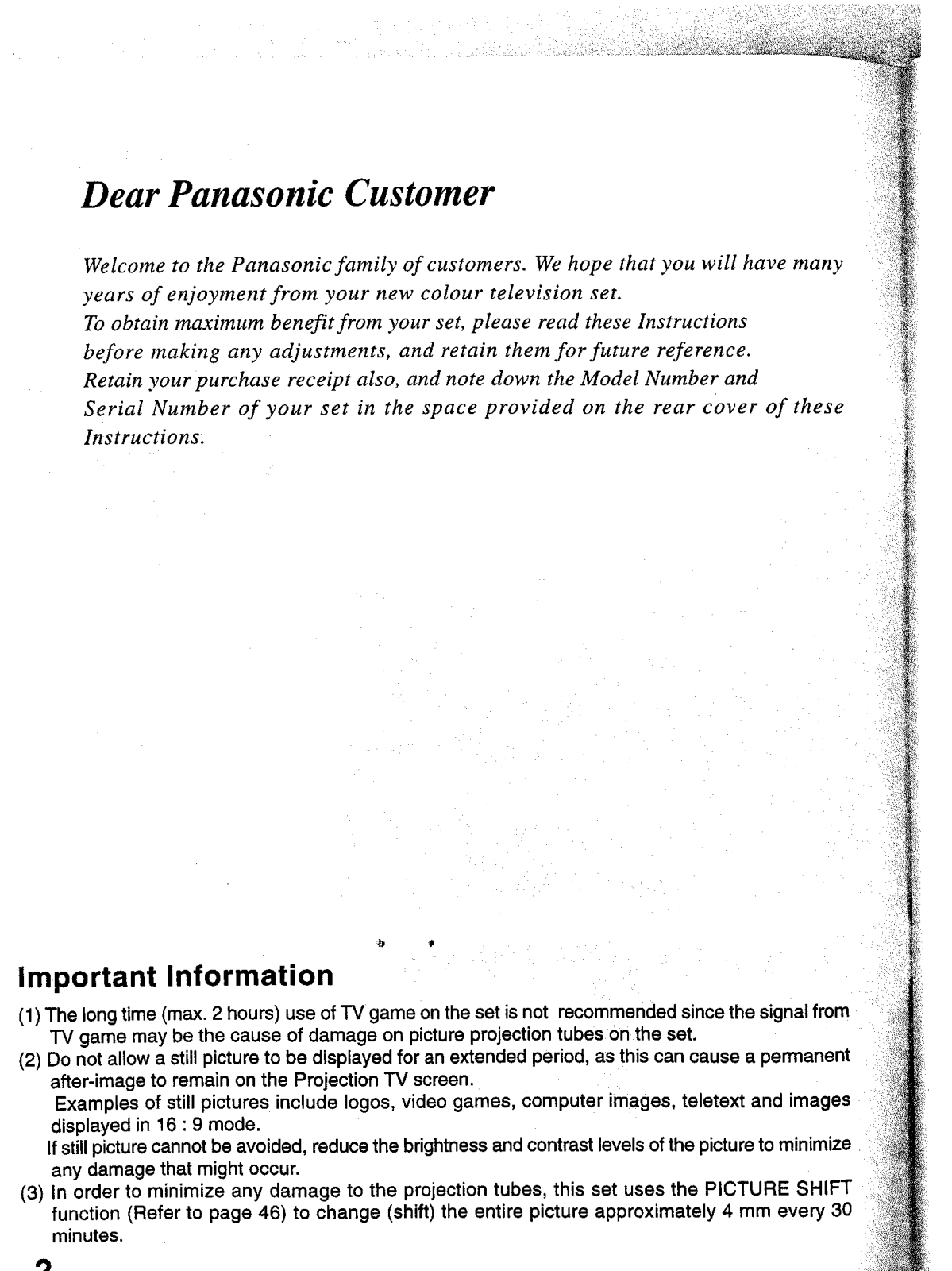
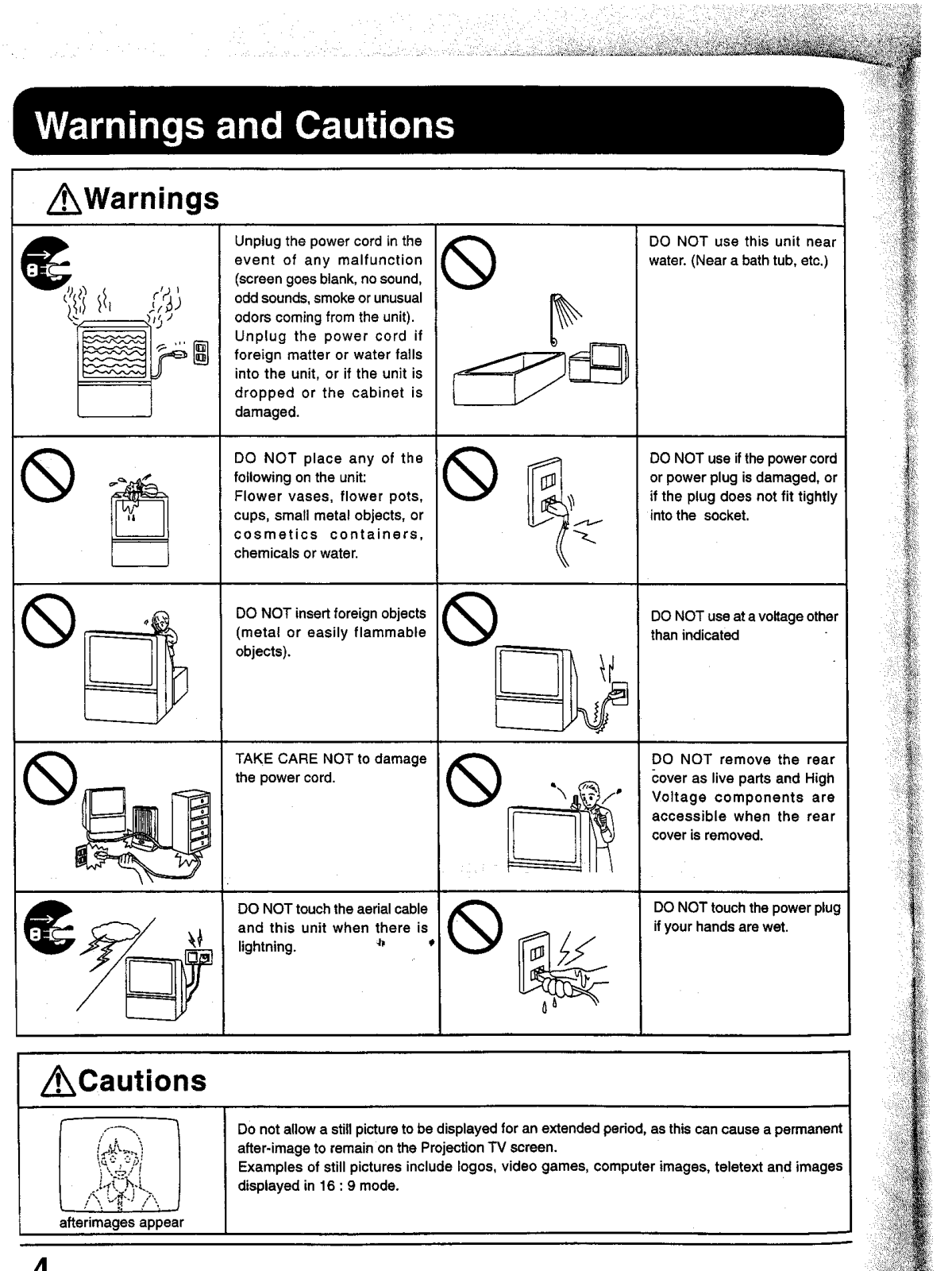
A: Use the Picture Shift function to help reduce the chance of the TV being hurt when after images appear but do not leave stationary pictures on the screen for too long to prevent after images in the first place.
Q: Are there technologies on the television that boost sound especially when the reception is not good?
A: During bad reception conditions, television set's D.PNR (Picture Noise Reduction) function comes in handy as it helps reduce picutre noise.
Q: How can I turn on the game mode on the television?
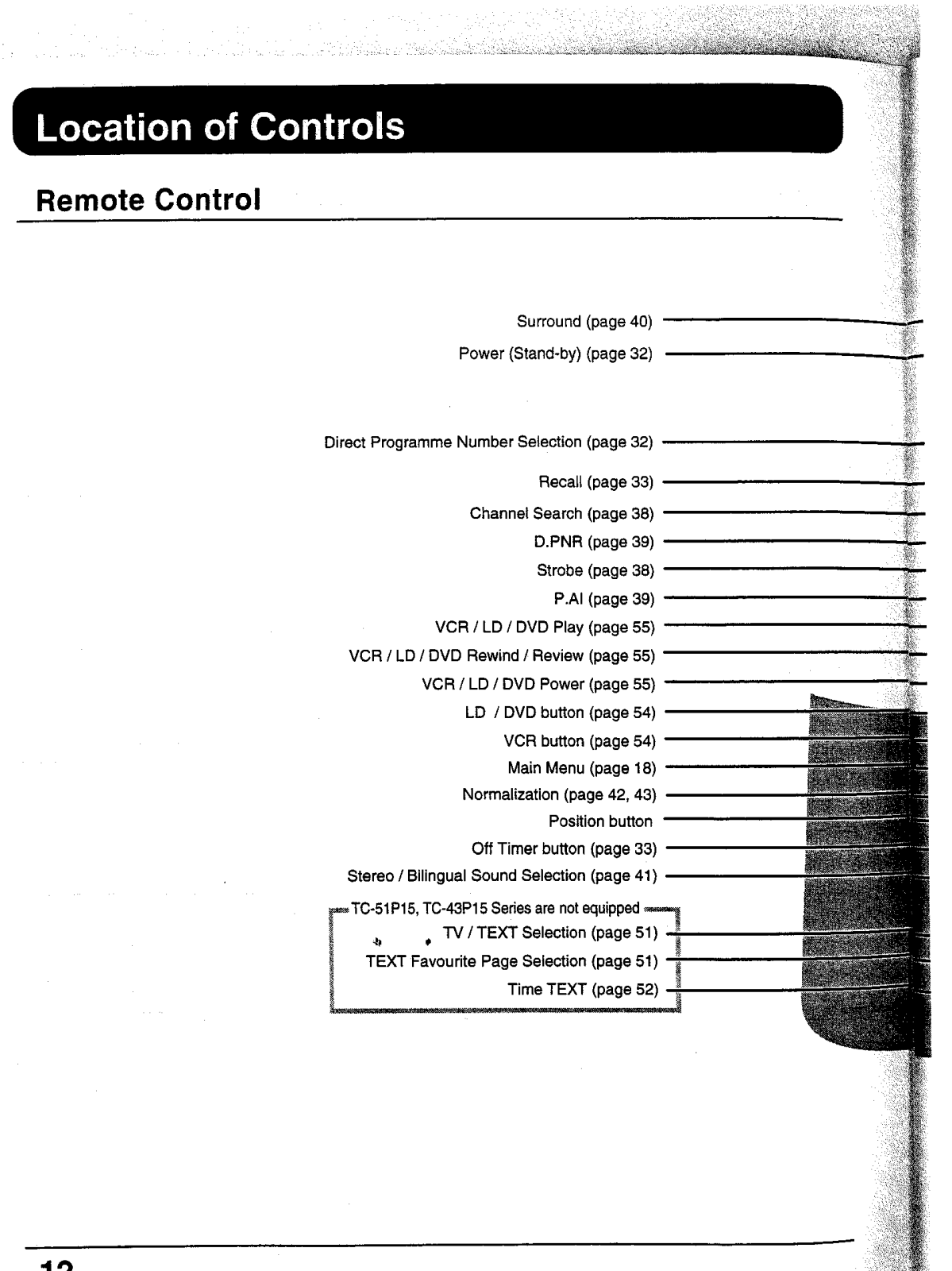
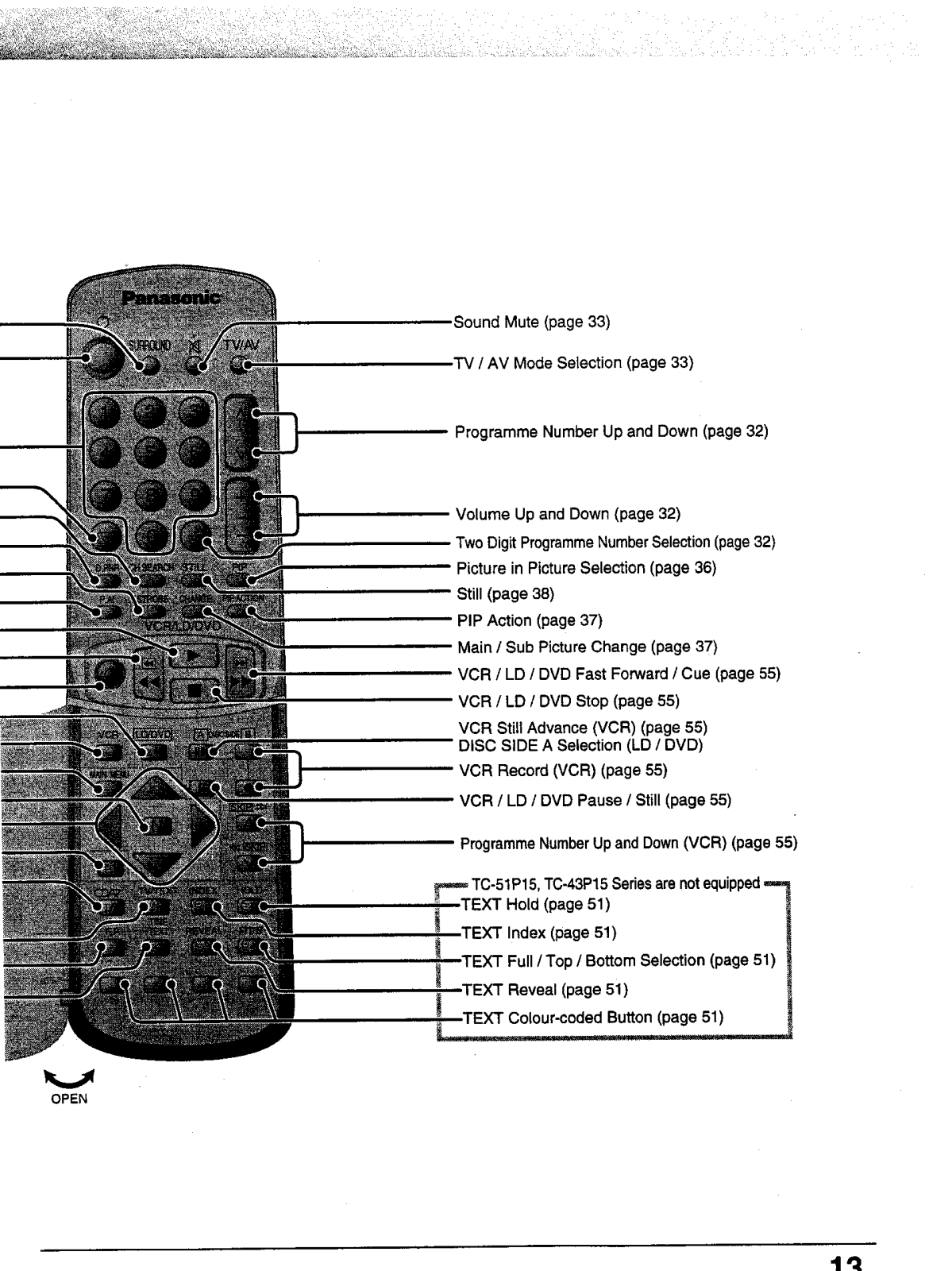
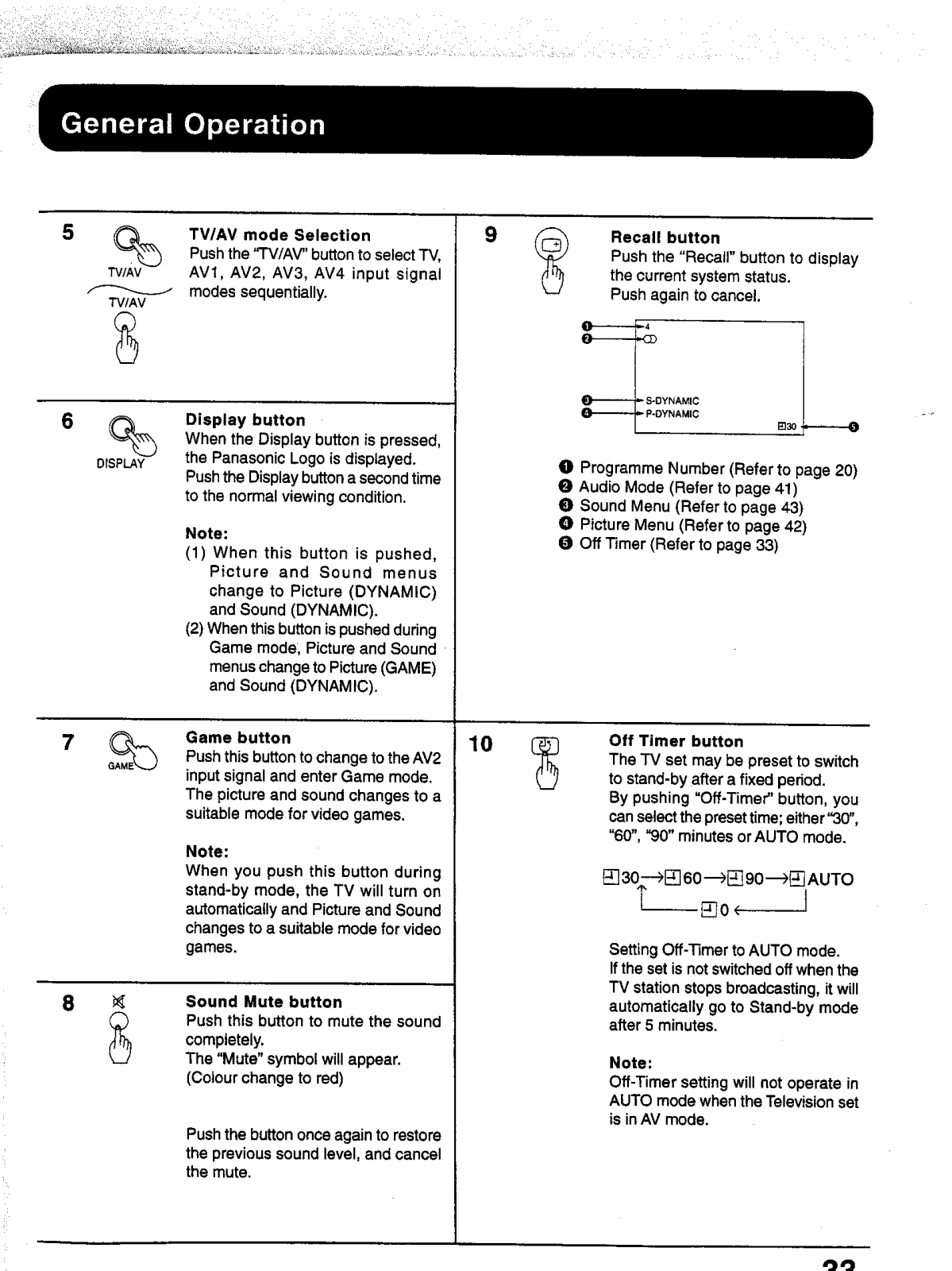
A: On the remote, there is a Game button that can be pressed to switch to game mode.
Q: My television does not get switched on, what’s wrong with it?
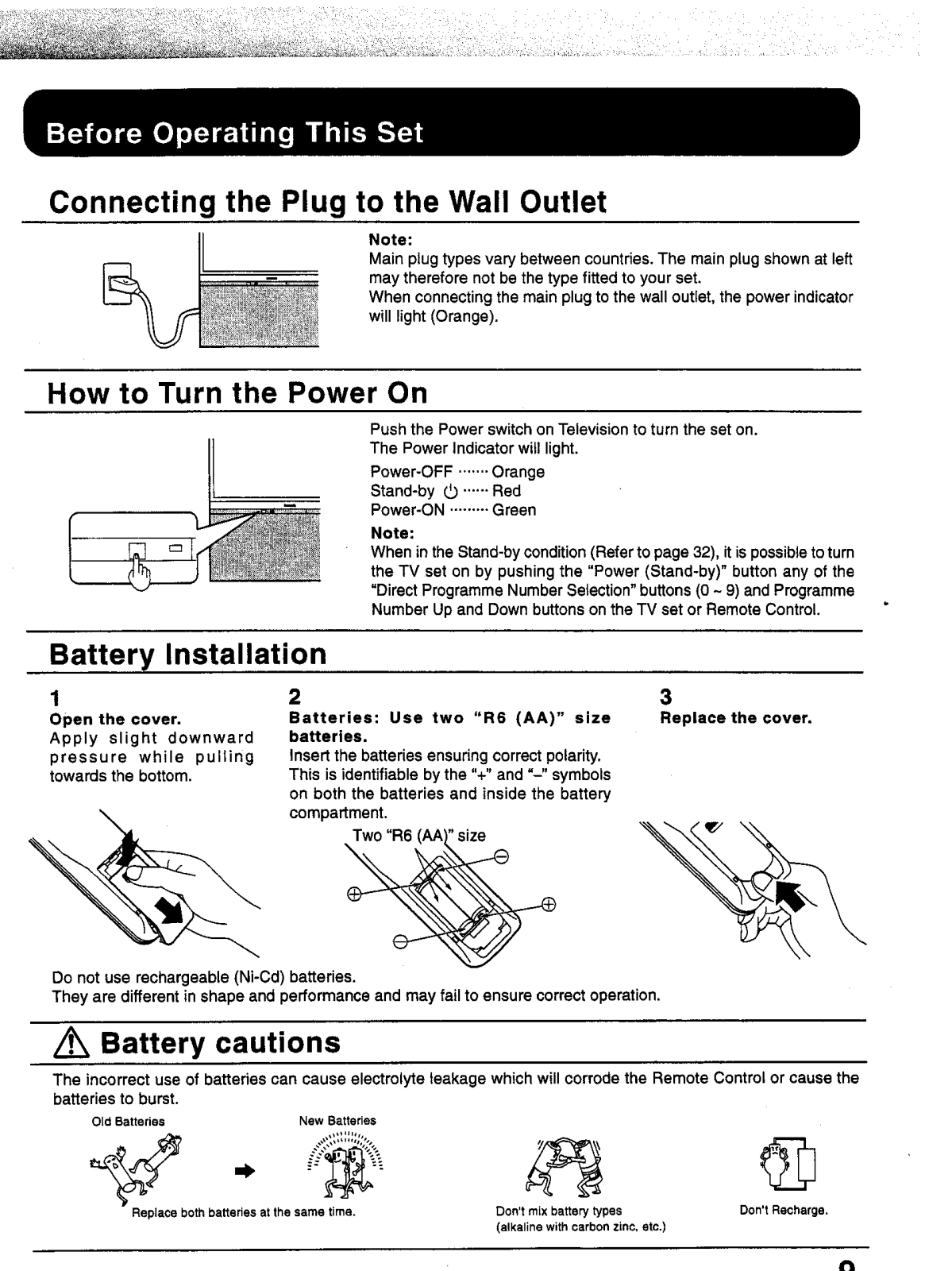
A: The unit is 110-240 V powered and 50/60 Hz supplied.
Q: How do I set up the channels on this TV?*
A: The channels can be configured by either choosing the Automatic Tuning function or utilizing the manual tuning function incorporated in the preset menu.












 Loading...