

Page 1
Safety Information
Panasonic
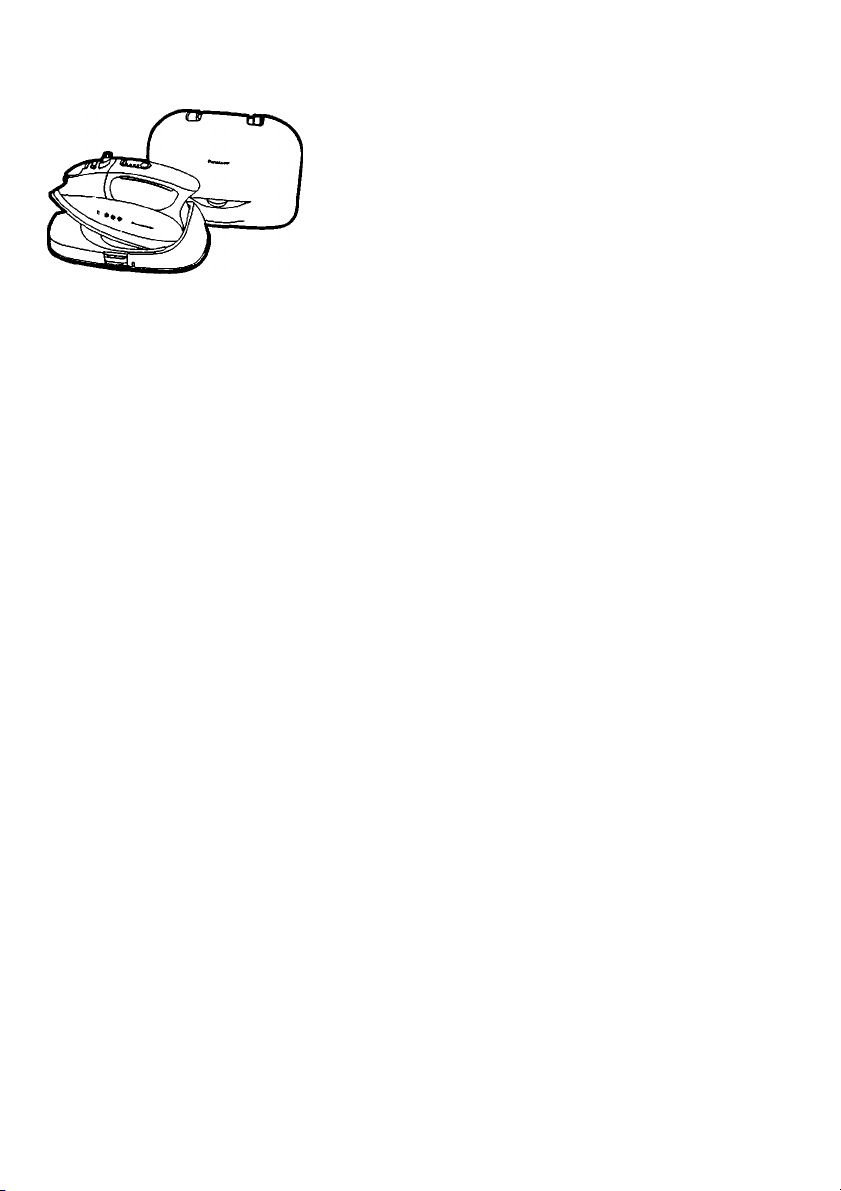
Electric Cordless Steam Iron
Operating Instructions
Moderno. NI-L70SR/L71SR
SAFE USE OF THE IRON
IMPORTANT SAFETY INSTRUCTIONS ■
.................
.
-- 2
-2-3
Operation
COMPONENTS IDENTIFICATION BECOMING FAMILIAR WITH YOUR...............................................4
CORDLESS IRON.....................................................................................................................................5
TIPS AND HINTS BEFORE USING YOUR IRON
HOW TO REMOVE THE COVER CASE................................................................................................-6
HOW TO FILL WITH WATER................................................................................................................6-7
HOW TO SUPPLY ELECTRICITY...........................................................................................................7
HOWTO CONTROL TEMPERATURE.....................................................................................................7
HOW TO USE AS A STEAM IRON.......................................................................................................7-8
HOW TO USE AS A DRY IRON...............................................................................................................8
SPECIAL FUNCTIONS........................................................................................................................8-10
....................................................................................
Maintenance
HOW TO CARE FOR YOUR IRON..........................................................................................................10
General Information
SPECIFICATIONS....................................................................................................................................11
FABRIC IRONING CHART..................................................................................................................... 12
5
READ ALL INSTRUCTIONS CAREFULLY BEFORE USING THE IRON
For assistance, please call: 1-800-211-PANA(7262)
or contact us at http://www.panasonic.com/contactinfo
or visit us at http://www.panasonic.com/consumersupport (U.S.A)
For assistance, please call: 787-750-4300
or visit us at http://www.panasonic.com/consumersupport (Puerto Rico)
Ì8200U-ÒN29B
Page 2

SAFE USE OF THE IRON
Your safety and the safety of others is very important
We have provided important safety messages in this manual and on your appliance.
Always read and obey all safety messages.
This is the safety alert symbol. It is used to alert you to potential hazards
that can kill or injure you and others. The safety messages will follow the
safety alert symbol and either the word " WARNING " or" CAUTION ".
A
AWARNING
A CAUTION
The safety messages will tell you what the potential hazard is, how to reduce
the chance of injury, and what can happen if the instructions are not followed.
Your Iron is an appliance to be used only for ironing fabrics.
These words mean:
You can be killed or seriously
injured if you don't follow these
instructions.
You can be exposed to a potentially
hazardous situation which, if not
avoided, may result in minor or
moderate injury.
Thank you for purchasing a Panasonic Iron
IMPORTANT SAFETY INSTRUCTIONS
To reduce the risk of burns, electric
shock, fire, or injury during the usage
AWARNING
READ ALL INSTRUCTIONS BEFORE USING THE IRON
1. Use the iron only for its intended purpose, for ironing fabrics on board.
To protect against burns or injury to persons, do not iron or steam fabrics while
being worn on the body.
2. To protect against the risk of electric shock, do not immerse the iron or cord in
water or other liquids.
3. The iron should always be turned to " OFF " before plugging or unplugging AC
Power Cord from outlet. Never yank Cord to disconnect from outlet; instead,
grasp Plug and pull to disconnect.
4. Do not allow Cord to touch hot surfaces. Let iron cool completely before putting
away. Bundle up AC Power Cord band when storing.
5. Always disconnect AC Power Cord from electrical outlet when filling iron with
water and when not in use. Be careful to avoid spilling water over iron when filling.
6. Do not operate iron with a damaged Cord or if the iron or Power Base has been
dropped or damaged. To avoid a risk of electric shock, do not disassemble the iron
or Power Base, take it to an authorized service depot for examination and repair.
Incorrect reassembly can cause a risk of electric shock when the iron is used.
of this iron, basic safety precautions
should always be followed, including
the following:
-2-
Page 3
7. Close supervision is necessary for any appliance being used by or near children.
Do not leave iron unattended while connected to an electrical outlet or on an
ironing board. Always position iron carefully to prevent it from falling if ironing
board is accidentally bumped or if Cord is pulled. When not in use, always place
iron securely into Power Base.
8. Burns can occur from touching hot metal parts, the hot surface of the Power Base,
hot water, or steam. Use caution when you turn a steam iron upside down-there
may be hot water in the Water Tank.
9. To protect against burns or injury to persons, do not direct steam toward the
body when ironing or self-cleaning.
10. The iron must be used and rested on a stable surface. When placing the iron into
Power Base, ensure that the surface on which the Power Base is placed is stable.
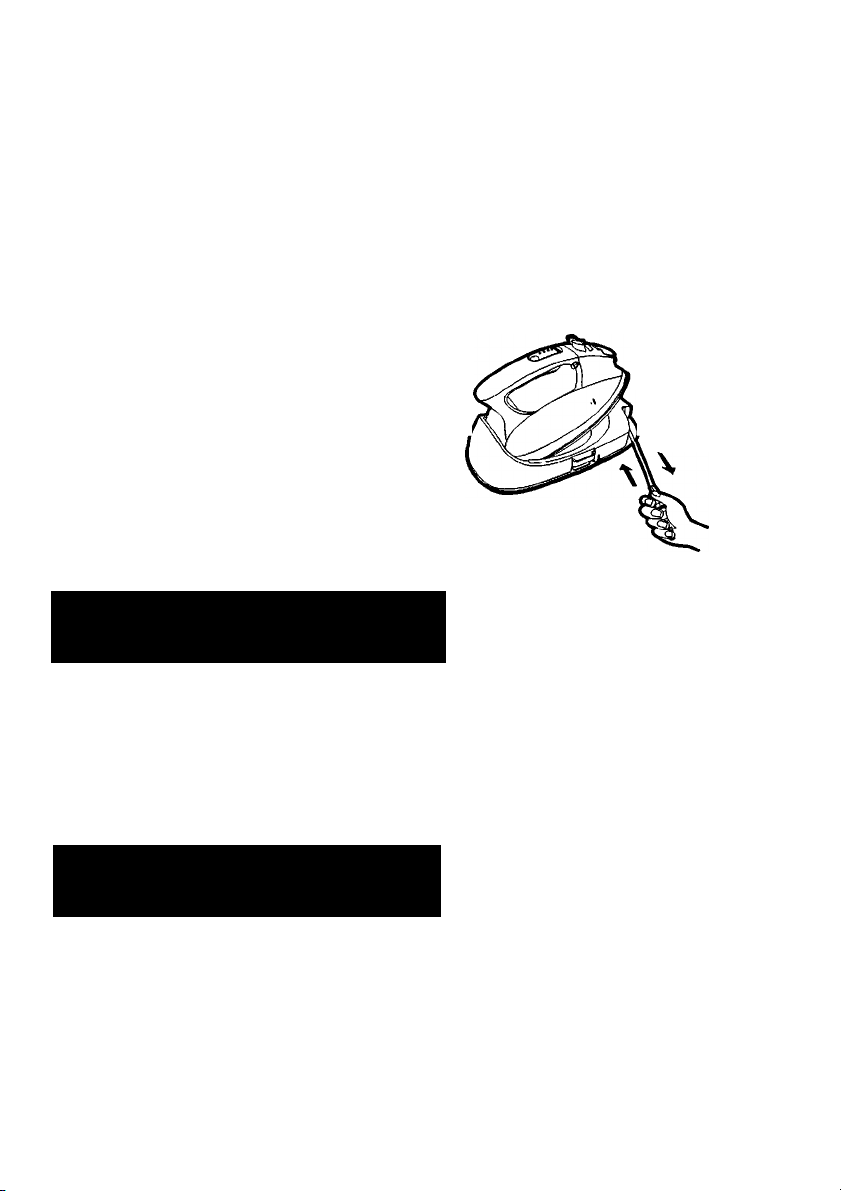
11. The AC Power Cord and Plug may present
a risk of personal injury when the cord is
allowed to retract freely. Always hold the
plug and cord with one hand while it is q puH o,j, s_io cm
retracting, and retract the cord slowly to
reduce the risk of the cord "WHIPPING",
which has the potential risk of causing
injury to the face, eyes, etc.. ® retract slowly
SPECIAL INSTRUCTIONS
To reduce the risk of electric
AWARNING
shock or fire:
1. Do not operate another high wattage appliance in the same circuit, to avoid a
circuit overload.
2. If an extension cord is absolutely necessary, use a cord rated a minimum of 13
amperes.
Cords rated for less amperage may overheat, and should not be used.
Care should be taken to arrange the cord so that it cannot be accidentally
pulled or tripped over.
To reduce the risk of personai
A CAUTION
1. Never use steam iron cleaning products in the iron, as they may damage working
parts of the iron.
2. Do not use water additives or substitute water such as linen or scented water in
the steam iron. They can stain fabrics.
3. If the Steam/Dry Selector is not at Dry position after using, remaining water will
move into the Soleplate and can result in burns when you next use the iron.
4. Don't use the Steam or Jet of Steam, while AC Power Cord is unplugged. Water
will remain inside the soleplate which will cause staining.
Please do not use Steam or Jet of Steam while Temperature Control Pad is set
to "OFF".
injury and damage to your iron:
Page 4

SAVE THESE INSTRUCTIONS
For proper use of your iron, read remaining safety cautions and operating instructions.
COMPONENTS IDENTIFICATION
Spray Mist Button
Steam/Dry Selector
Cord Reel Unit
(not visible)
Red Mark
(Doni pull out the AC
Power Cord exceed
the Red Mark.)
AC Power Cord
Page 5

READ THIS INSTRUCTION BOOK THOROUGHLY BEFORE USING YOUR
Panasonic IRON TO BECOME FAMILIAR WITH THE IRON FEATURES
BECOMING FAMILIAR WITH YOUR CORDLESS IRON
How does it work?
A cordless iron has no electrical cord directly attached to itself, therefore, you might
wonder how the heat will be maintained.
If you think back on how you've been ironing, you'll remember that you've always placed the
iron somewhere that enables you to have two hands free, so that you can move the garment
on your ironing board.
Since the remaining heat of the Soleplate is used for ironing with a cordless iron, the iron must
be placed on its Power Base and nowhere else.
The iron will re-heat quickly every time it is placed on the Power Base and maintains its tem
perature.
NOTE:
A cordless iron is NOT a rechargeable device. You cannot continuously use this iron without
placing it on the Power Base.
TIPS AND HINTS BEFORE USING YOUR IRON
1. Most ordinary tap water can be used in this iron. However, in extremely hard water areas,
distilled or demineralized water should be used. Do not use water processed through home
water softening systems, since this water contains minerals that may be harmful to the iron.
2. it is best to start ironing with garments which require lower temperature settings. Wrong
temperature setting may damage the fabric. If you are not sure of the fabric content, try the
temperature of the iron on a hidden area of the garment.
3. Before ironing, sort the garments according to the different heat settings required.
Do not touch plastic buttons with a hot iron, as this may damage the buttons.
Caution is also required when ironing around zippers and similar items which might scratch
the Soleplate.
As a guide to the international Textile Care Labeling code,the following symbols are noted for
your information.
INTERNATIONAL TEXTILE CARE & LABELING CODES
\=I A
y/ashino Bleaching Ironing Dry Cleaning
A symbol crossed out indicates that the article of clothing
must not be subjected to the particular treatment.
EXAMPLE;(DO NOT BLEACH) ^
-5-
O
Page 6

HOW TO REMOVE THE COVER CASE
1. Place the unit on a firm and stable surface.
2. While pressing the Case Lock Button, lift the Cover Case to open.
Shock
NOTE:
1. The Cover Case cannot be unlocked when you
lift the Cover Case with the Power Base.
2. Please detach the Shock Absorber and Film
before ironing.
--------
Absorber(D)
Shock
Absorber(G)
Shock
Absorber(B)
Film
Shock
Absorber(F)
Shock
Absorber(A)
Power Base
HOW TO FILL WITH WATER
Make sure the iron is turned off and the AC Power Cord is unplugged from the electrical outlet.
The iron can be filled with the Water Tank in place or removed. Confirm that the Steam/Dry
Selector is moved to the Dry ironing position when installing or removing the Tank.
1. Remove the Water Tank by pressing the Release Button.
2. Open the Water Fill Cover.
3. Fill the Water Tank up to the" MAX " line.
DO NOT OVERFILL. Check the water level with the Water Tank held in its vertical position.
4. Close the Water Fill Cover.
5. Re-install the Water Tank into the main unit. Push it until a click sound is heard.
Page 7

NOTE: Most tap water can be used in this iron. If water is very hard, distilled or demineralized
water should be used. Do not use water processed through home water softening
systems because this water contains minerals that may be harmful to the iron. Do
not use water additives or substitute water such as linen or scented water in the
steam iron. They can stain fabrics or damage the iron.
HOW TO SUPPLY ELECTRICITY
The iron must be set securely on the Power Base in order to supply electricity. Electricity will
only be provided while the iron is placed on the Power Base. If you desire to set the iron down
while moving a garment on your ironing board, the iron must only be placed on the Power
Base. The Power Base will keep the temperature of the iron at the selected level.
HOWTO CONTROL TEMPERATURE
How to operate the Temperature Control PadC'SET “ Pad)
NOTE: All the lights will turn off once the iron leaves the Power Base. They will turn on again
when the iron is re-placed.
HOW TO USE AS A STEAM IRON
1. Fill iron with water. See section " HOW TO FILL WITH WATER ".
2. Plug the cord into a standard 120V- 60Hz electrical outlet.
3. Set the iron on the Power Base securely. The green " OFF " light will turn on.
NOTE: If the green light does not turn on, replace the iron on the Power Base
again, otherwise the Temperature Control Pad cannot function.
4. Push the '' SET " Pad to the corresponding temperature level. The red light starts blinking.
-7-
Page 8

See section " HOW TO CONTROL TEMPERATURE " and the following charts:
Temperature Level
LOW
MED
HIGH
5. Hold the iron horizontally and move the Steam/Dry Selector into the desired steam position
after the Temperature Control light turns on continuously. You can then start ironing.
Steam/Dry Selector Position
Dry
(Non-Steam)
Regular
Steam
Note: Anti-Drip System will activate when the temperature of the Soleplate's surface
drops. At the same time, the steam will stop; it is not a sign of malfunction when
you hear a clicking sound. In this situation, you have to put your iron back on
the Power Base to reheat.
HOW TO USE AS A DRY IRON
1. Move the Steam/Dry Selector to the Dry position.
2. Plug the cord into a standard 120V-60Hz electrical outlet.
3. Set the iron on the Power Base securely. The green “ OFF '' light will turn on.
NOTE: If the green light does not turn on, replace the iron on the Power Base again, or
the Temperature Control Pad cannot function.
4. Push the " SET " Pad until the red blinking light reaches your desired temperature level.
Wait until the Temperature Control light turns on continuously. You can then start ironing.
SPECIAL FUNCTIONS
1. Jet of Steam
The"Jet of Steam''feature provides extra steam which goes deep into the garment and
is helpful for removing stubborn wrinkles. The "Jet of Steam" feature operates properly
only in the "HIGH" indication area of the "SET" Pad when steam or dry ironing (If used
at lower setting, water spotting will occur because the iron is not hot enough to change
water to steam ). If you have not used the " Jet of Steam “ feature for a long time, it is
necessary to clean the inside of the iron before using this feature on any clothes to be
ironed. Simply test the "Jet of Steam" feature several times away from the ironing board
and clothes to be ironed. This will prevent brown spotting or water spotting on the clothes.
1. Fill iron with water. See section " HOW TO FILL WITH WATER ".
2. Plug the cord into a standard 120V- 60Hz electrical outlet.
3. Set the iron on the Power Base securely. The green " OFF" light will turn on.
4. Push the" SET" Pad to the " HIGH" temperature level. The red light starts blinking.
5. Preheat the iron until the light turns on continuously, usually about 1-2 minutes.
6. Simply pump the " Jet of Steam Button " when steam is desired. Pump the " Jet of Steam
Button " several times at the beginning of each ironing session.
7. Allow at least 5 seconds between uses of "Jet of Steam Button " to prevent water spotting.
Use a press cloth if necessary.
-8-
Page 9

NOTE: Do not touch the fabric with the iron. Keep the iron slightly over the fabric to
prevent burns or disfiguring.
Jet of Steam can be provided by pumping the " Jet of Steam Button ".
Set temperature at'' HIGH “ level.
To avoid hot water from dripping out of the Soleplate, please give 5 seconds
of interval time before re-pumping
2. Vertical Steam
To get better results when using vertical steam, hang the garment on a clothes hanger. Curtains
and drapes may also be steamed once they're hung. Hold the iron away from your body, close
to but not touching the fabric. Pull the fabric tight with your free hand and pump the Vertical
Steam Button (Jet of Steam Button) at 5 seconds intervals as you pass the iron over the
wrinkled fabric.
AWARNING
Never iron clothes on the body or point your iron at anyone when steaming.
Keep hands and body away from steam areas while using vertical steam feature.
3. Anti-Drip System (Automatic Water Seal)
This model has an Anti-Drip System. When the temperature of the Soleplate's surface drops
below 250T(121 °C), the valve for the vaporizing chamber in the iron automatically closes
and stops the water from going in further. This prevents hot unvaporized water from spitting
out from the soleplate when the iron has cooled down. With this System, it is unnecessary
for you to wait until the inside of the vaporizing chamber dries completely when you store
the iron.
NOTE: It is not a sign of malfunction when you hear a clicking sound.
This sound can be heard whenever this System is activated.
4. Automatic Shut-Off
The Automatic Shut-Off System provides you with a visible warning signal before the iron
automatically shuts off. The iron will automatically shut itself off if the iron has been left on
the Power Base longer than 10 minutes. 10 seconds before the actual shut-off, the
" OFF " indicator will start blinking rapidly.
If the iron is not moved during the warning, the heater in the iron's Soleplate will automatically
shut off.
The Automatic Shut-Off System activates only after the temperature reaches its selected level.
To reheat your iron after it automatically shuts off, simply push " SET" Pad until the red light
appears at the desired temperature indicator.
" OFF" light(green) remains on after your iron automatically shuts off.
This light indicates that the iron is still plugged into the electrical outlet and voltage is being
supplied to the Power Base.
5. Spray
Note: Before using the spray feature, check the fabric label for ironing instructions because
some fabrics may be spotted or stained with moisture.
The spray feature is particularly helpful for removing stubborn wrinkles and where extra
dampening is needed.
Page 10

The spray may be used with steam or dry ironing.
1. Simply pump the Spray Mist Button whenever spray is desired.
If the spray doesn't come out immediately, keep pumping until it does.
2. To get a finer spray, pump the Button vigorously.
To get a more powerful spray, pump the Button more slowly. ,,,
For best results, use a quick, full stroke.
t_i
HOW TO CARE FOR YOUR IRON
AFTER EACH USE
1. Press the " SET" Pad until the " OFF" light turns on.
2. Move the Steam/Dry Selector to Dry Position.
3. Unplug the iron, retract the cord slowly. Always hold the plug and cord with one hand while
it is retracting.
4. Empty the water from the Water Tank. DO NOT store the iron with water inside.
5. Push the Cover Case until it clicks to lock.
O pull out 5-10 cm
Push the Cover
Case until you
hear a click.
MAIN BODY
1. When cleaning the main body of the iron , make sure that iron has cooled down.
2. Wipe the iron with a damp cloth If necessary, use a mild detergent.
NEVER USE ANY HARSH CLEANERS.
SOLEPLATE
* Starch and other residue can be easily removed from the Soleplate with a damp cloth.
* To avoid scratching the finish, never use a metallic pad to clean the Soleplate, and
never place the iron on a rough surface.
* If synthetics are being ironed on a higher temperature level than instructed, not only
will the fabric be ruined, but the Soleplate will often be covered with the melted remains
of the synthetic fabric.
* The best way to remove synthetic residue from the Soleplate is to iron over an old
cotton rag after heating the iron.
A CAUTION
Never use steam iron cleaners in the iron since it may cause damage to the inside of the iron.
If the Power Cord is damaged, it must only be replaced by a special cord.
The iron must only be used with the Power Base provided.
-10-
Page 11

SPECIFICATIONS
Model
Power Source
Power Consumption
Net Weight
NI-L70SR NI-L71SR
120V~ 60 Hz 120V~ 60 Hz
12.5 A, 1500W 12.5 A, 1500W
5.1 lb (2.3kg) 5.1 lb (2.3kg)
-11 -
Page 12

FABRIC IRONING CHART
NOTES: 1. Check garment for specific ironing instructions. Always follow manufacturer's
instructions.
2. Iron blended fabrics at setting for lower-temperature fiber.
3. Use caution, some synthetics may melt at high temperature.
Temperature
Control Pad Setting
LOW
MED
HIGH
Fabric
ACRYLIC
* ACRILAN
* CRESLAN
* ORLON
ACETATE
METALLI CS
SUEDE
NYLON
* ANTORON
* CAPROLAN
SILK
PERM.PRESS
RAYONS
POLYESTER
* DACRON
* FORTREL
* KODEL
TRIACETATE
* ARNEL
W'n W COTTON
WOOL
VELVET
COTTON
LINEN
Ironing Recommendations
Dry iron on reverse side, or use a press cloth on
top of fabric. Don't sprinkle water directly on
fabric to avoid spots.
To iron suede, cover ironing board with brown
paper and use it as a press cloth.
Dry iron on reverse side.
Dry iron on reverse side. To touch-up collars,
cuffs, pockets, etc..., lightly iron the surface.
Steam ironing is suggested. Never iron until completely dry,
but leave it with a little moisture. To iron velvet, use steam
but do not let the iron touch the fabric. Hold it slightly above
the surface.
Steam ironing is suggested. Sprinkle water on the fabric,
depending on its thickness. Iron dark fabrics on reverse
side to avoid unwanted sheen.
Steam ironing is suggested. Iron dark fabrics on reverse
side to avoid unwanted sheen.
Trademarks of Fiber Manufacturers.
Panasonic Consumer Electronics
Company, Division of Panasonic
Corporation of North America
One Panasonic Way, Secaucus,
New Jersey 07094
http://www.panasonic.com/contactinfo
© 2007 Matsushita Electric Industrial Co., Ltd. All rights reserved.
Panasonic Puerto Rico, Inc.
Ave.65 de Infanteria. Km. 9.5
San Gabriel Industrial Park, Carolina,
Puerto Rico 00985
http://www.panasonic.com/consumersupport
-12-
PWHAEIG 07 05-01
Printed in China
 Loading...