

Page 1
CONTENTS
Before use
: FEATURES....................................................................... 3
:
: SAFETY PRECAUTIONS........................................... 4 – 6
● Installation Precautions
● Operation Precautions
:
●
●
: NAME OF EACH PART ........................................... 7 – 10
● Indoor Unit
■ When the front panel is opened
● Outdoor Unit
● Accessories
● Remote Control
■ When the remote control is opened
■ How to use the remote control
■ When the back cover is opened
:
●
■
●
●
●
■
■
■
How to use
: PREPARATION BEFORE OPERATION ............... 11 – 12
● Indoor Unit
● Remote Control
■ Inserting batteries
■ Setting the clock
■ About the batteries
:
●
●
■
■
■
: HOW TO OPERATE............................................... 13 – 14
● Automatic • Cooling • Soft Dry • Fan
■ Operation details
● Adjusting Airflow Direction and Fan Speed
■ Operation details
:
● • • •
■
●
■
: SETTING THE TIMER ............................................ 15 – 16
● Recommended Setting of Timer
:
●
1
Page 2
If necessary
ENGLISH
: CONVENIENCE OPERATION ............................... 17 – 18
● Sleep Mode
■ Operation details
● Economy or Powerful Mode
■ Operation details
:
●
■
●
■
: CARE AND MAINTENANCE ................................. 19 – 22
● Cleaning the Indoor Unit and Remote Control
● Cleaning the Air Filter
● Cleaning the Front Panel
■ Removing the front panel
■ Fixing the front panel
■ Cleaning the front panel
● Replacing the Air Purifying Filters
■ Removing the air purifying filters
■ Reinstalling the air purifying filters
● Pre-season Inspection
● When the Air Conditioner is Not Used for an Extended
Period of Time
● Recommended Inspection
:
●
●
●
■
■
■
●
■
■
●
●
●
: TROUBLESHOOTING ........................................... 23 – 24
● Normal Operation
● Abnormal Operation
● Call the Dealer Immediately
:
●
●
●
: HELPFUL INFORMATIONS........................................... 25
:
: ENERGY SAVING AND OPERATION HINTS............... 26
:
2
Page 3
FEATURES
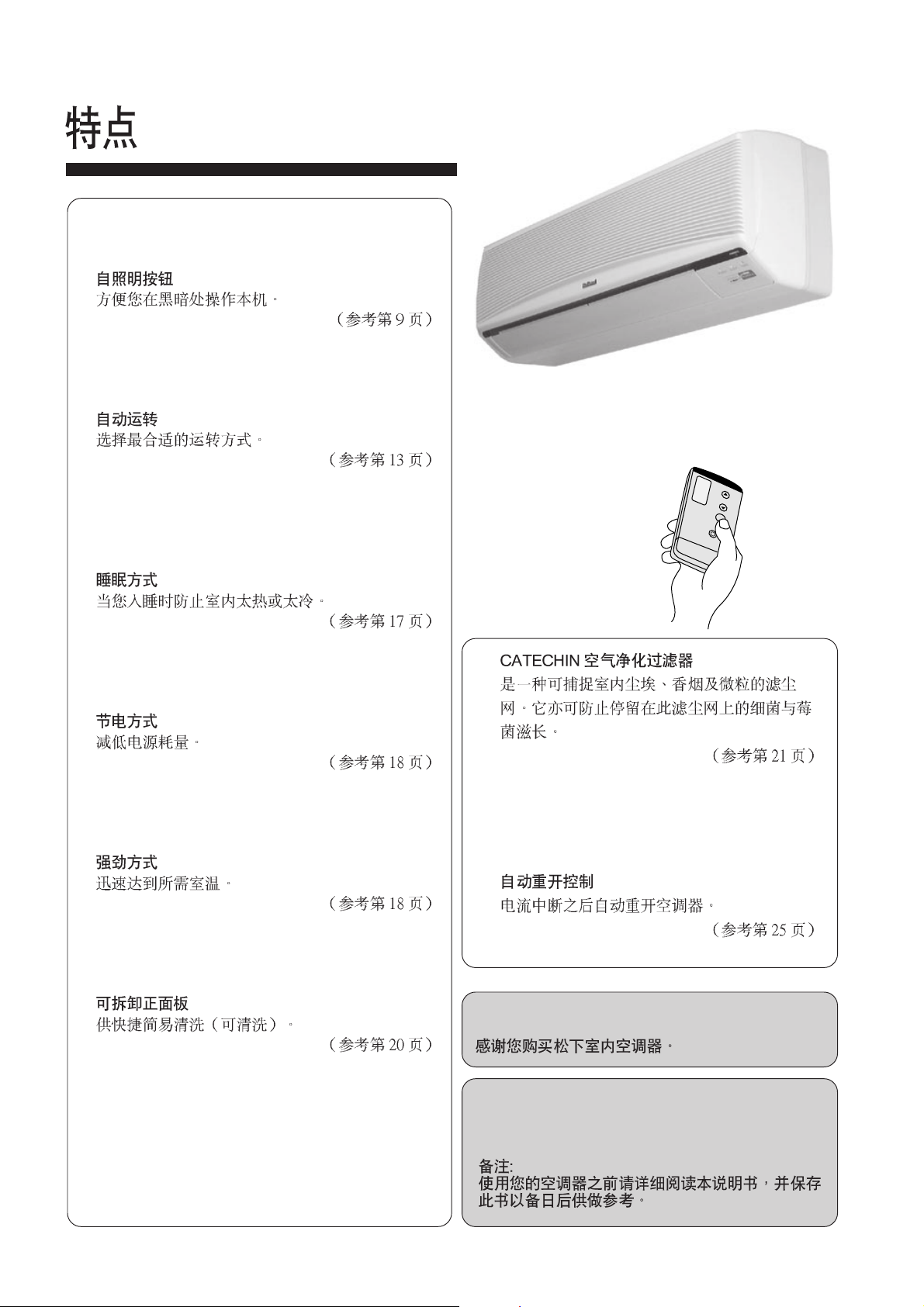
● SELF-ILLUMINATING BUTTON
For your convenience to operate in the dark.
(Refer page 9)
●
● AUTOMATIC OPERATION
Select the optimum mode.
(Refer page 13)
●
● SLEEP MODE
Prevent the room from getting too hot or too cold
while you are sleeping.
(Refer page 17)
●
● ECONOMY MODE
To reduce electrical power consumption.
(Refer page 18)
●
● POWERFUL MODE
Reaches the desired room temperature quickly.
(Refer page 18)
●
● REMOVABLE FRONT PANEL
For quick and easy cleaning (washable).
(Refer page 20)
●
● CATECHIN AIR PURIFYING FILTER
Filter that can trap dust, tabacco smoke and tiny
particles in the room. It can also prevent the
growth of bacteria and viruses trapped in this
filter.
(Refer page 21)
●
● AUTO RESTART CONTROL
Automatically restart the unit after power
failure.
(Refer page 25)
●
Thank you for purchasing a National Room Air
Conditioner.
Note:
Before using your air-conditioner, please read
this operating instructions carefully and keep
it for future reference.
3
Page 4
SAFETY PRECAUTIONS
Before operating, please read the following “Safety Precautions” carefully.
To prevent personal injury, injury to others and property damage, the following instructions must be followed.
■ Incorrect operation due to failure to follow instructions will cause harm or damage, the seriousness of which is classified
as follows :
ENGLISH
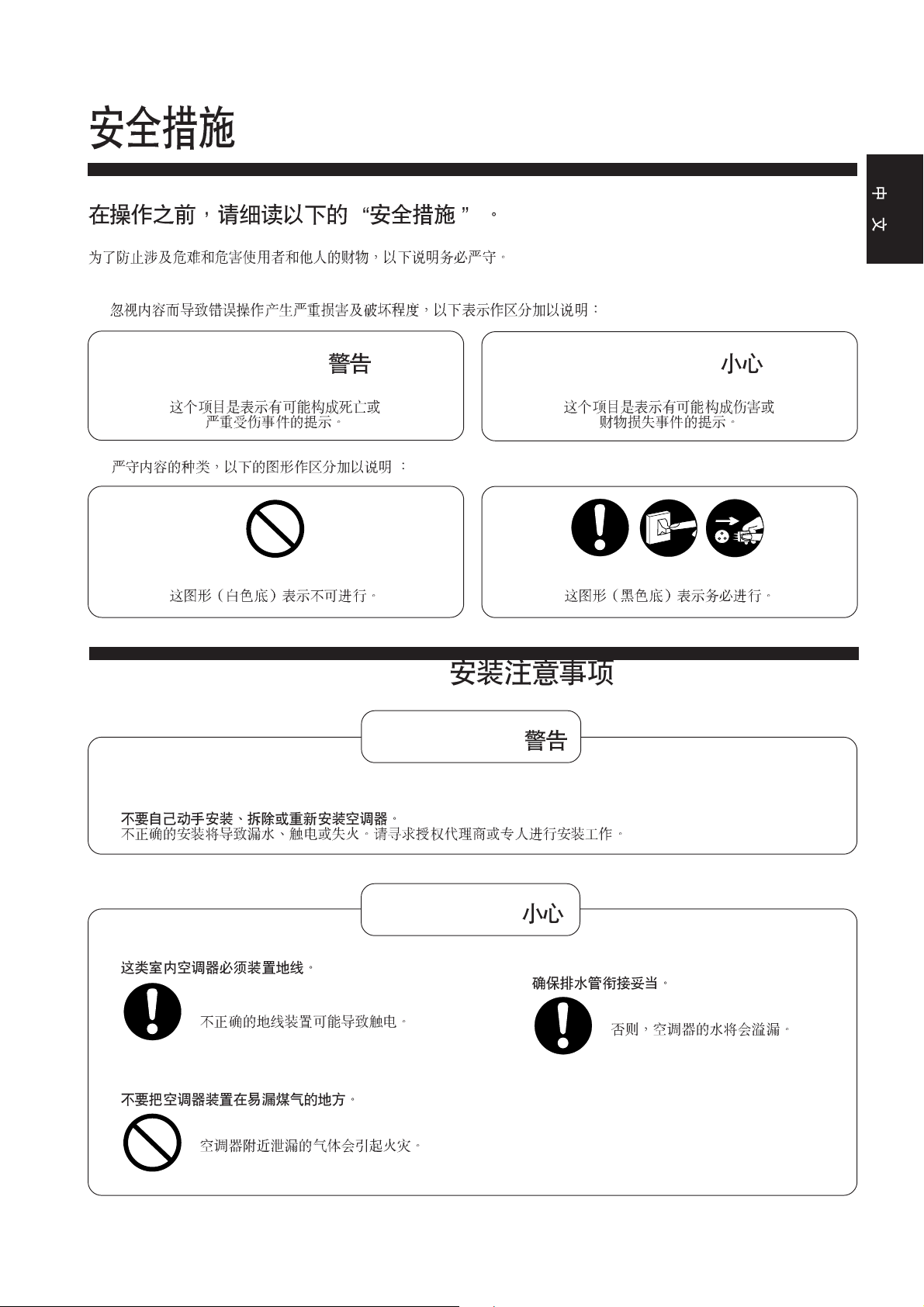
! Warning /
This sign warns of death or serious injury.
■ The instructions to be followed are classified by the following symbols :
This symbol (with a white background) denotes
an action that is PROHIBITED.
! Caution /
This sign warns of damage to property.
OFF
These symbols (with a black background)
denote actions that are COMPULSORY.
● Installation Precautions /
! Warning /
■ Do not install, remove and reinstall the unit yourself.
Improper installation will cause leakage, electric shock or fire. Please consult an authorized dealer or specialist for
the installation work.
■
! Caution /
■ This room air conditioner must be earthed.
Improper grounding could cause electric
shock.
■ Do not install the unit in a place where there may
be explosive gas leaks.
Gas leaks near the unit could cause fires.
■ Ensure that the drainage piping is connected
properly.
Otherwise, water will leak out.
4
Page 5
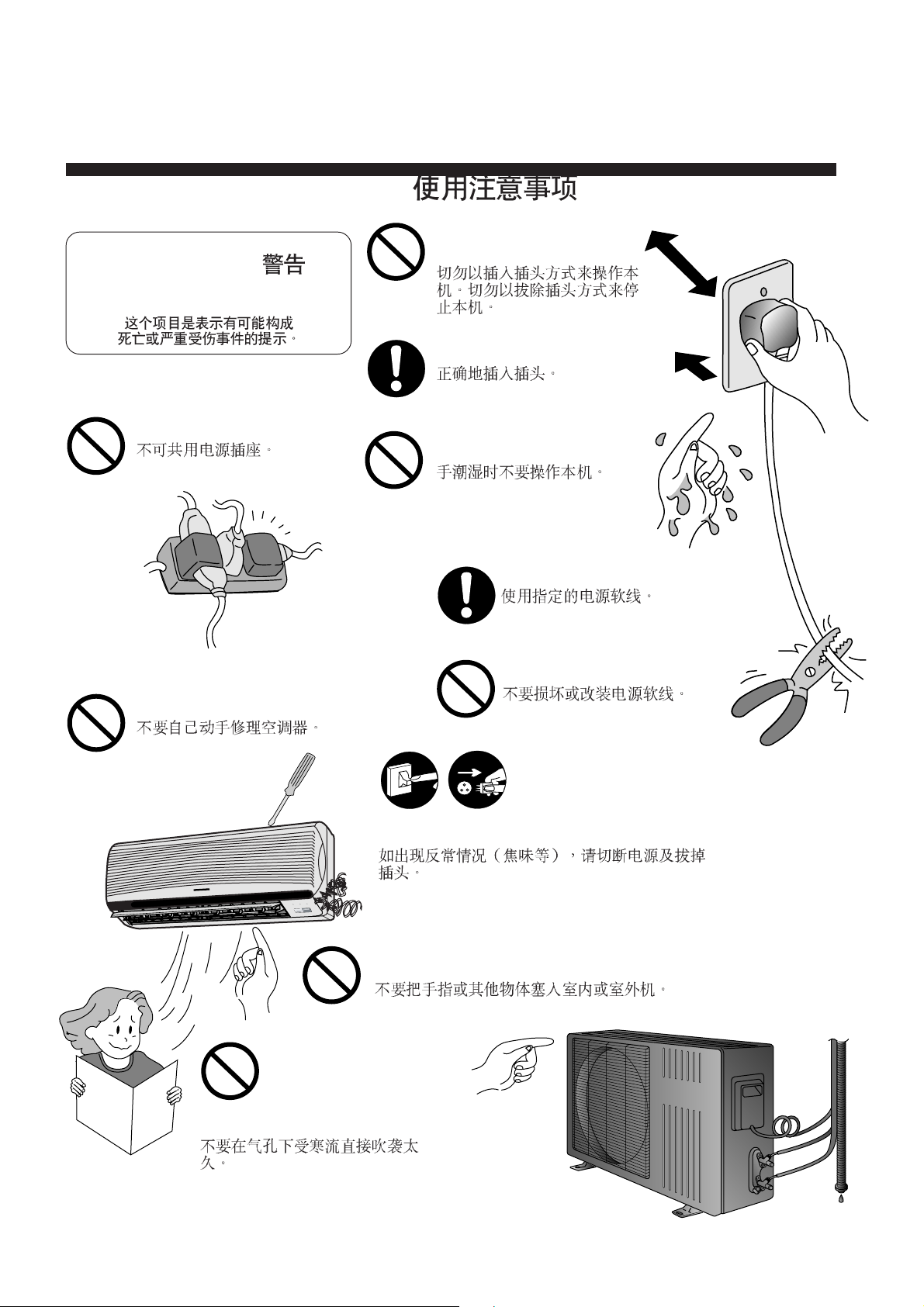
● Operation Precautions /
! Warning /
This sign warns of death or
serious injury.
Do not insert plug to operate
the unit. Do not pull out plug
to stop the unit.
Plug in properly.
Do not share outlet.
Do not repair by yourself.
Do not operate with wet
hands.
Use specified power cord.
Do not damage or modify
the power cord.
OFF
If abnormal condition (burnt smell, etc) occurs, switch off
and unplug the power supply.
TIMER
SLEEP
POWER
ECONOMY
POWERFUL
Do not insert finger or other objects into the indoor or
outdoor units.
Do not expose directly to cool air
for a long period.
5
Page 6
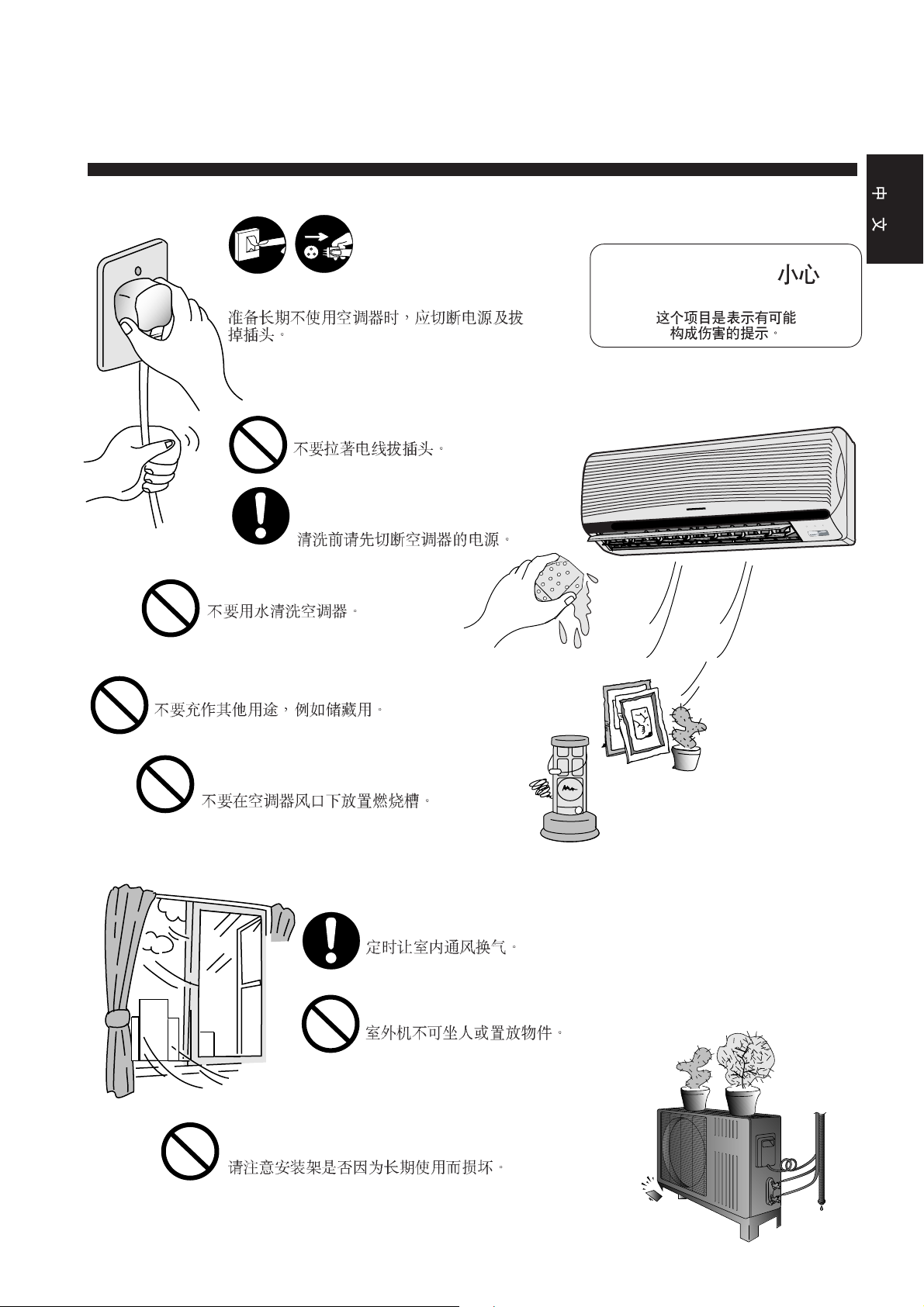
ENGLISH
OFF
Switch off the power supply if the unit is not
used for a long period.
Do not pull the cord to disconnect the plug.
Switch off the power supply before
cleaning it.
Do not wash the unit with water.
Do not use for other purpose such as preservation or etc.
! Caution /
This sign warns of injury.
TIMER
SLEEP
POWER
ECONOMY
POWERFUL
Do not use any combustible equipment at
airflow direction.
Ventilate the room regularly.
Do not sit or place anything on the outdoor unit.
Pay attention as to whether the installation rack is
damaged due to long period of usage.
6
Page 7
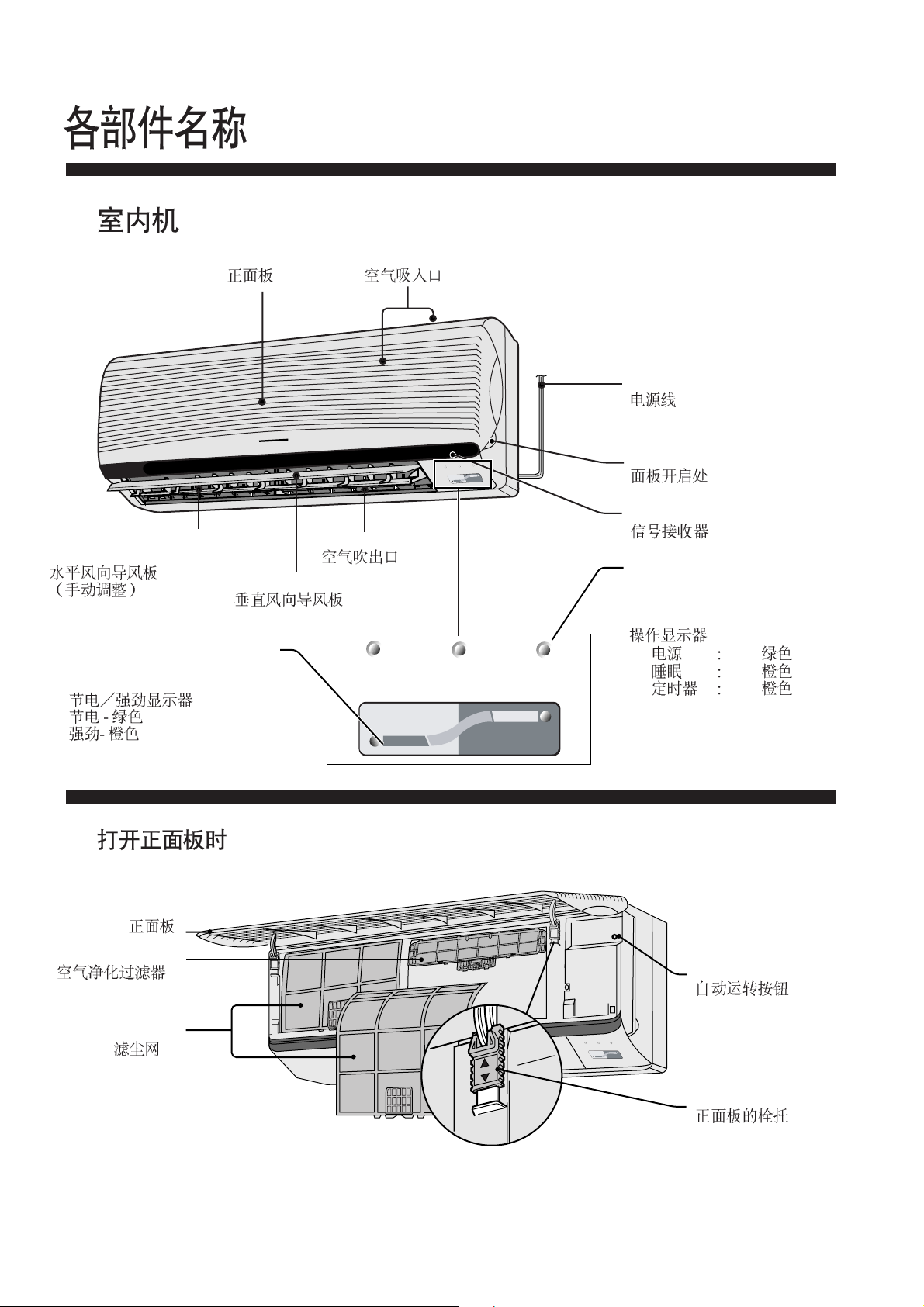
NAME OF EACH PART
● Indoor Unit
Horizontal Airflow Direction
Louver (Manually adjusted)
Economy/Powerful Indicators
Economy - Green
Powerful - Orange
Front Panel
Air Intake Vent
Air Outlet Vent
Vertical Airflow Direction Louver
POWER
TIMER
SLEEP
POWER
ECONOMY
POWERFUL
SLEEP
TIMER
Power Supply Cord
Panel Opener
Signal Receptor
Operation Indicators
● POWER : Green
● SLEEP : Orange
● TIMER : Orange
●
●
●
ECONOMY
■ When the front panel is opened
Front Panel
Air Purifying Filter
Air Filters
POWERFUL
Auto Operation Button
TIMER
POWER
SLEEP
ECONOMY
POWERFUL
Tab for Front Panel
7
Page 8
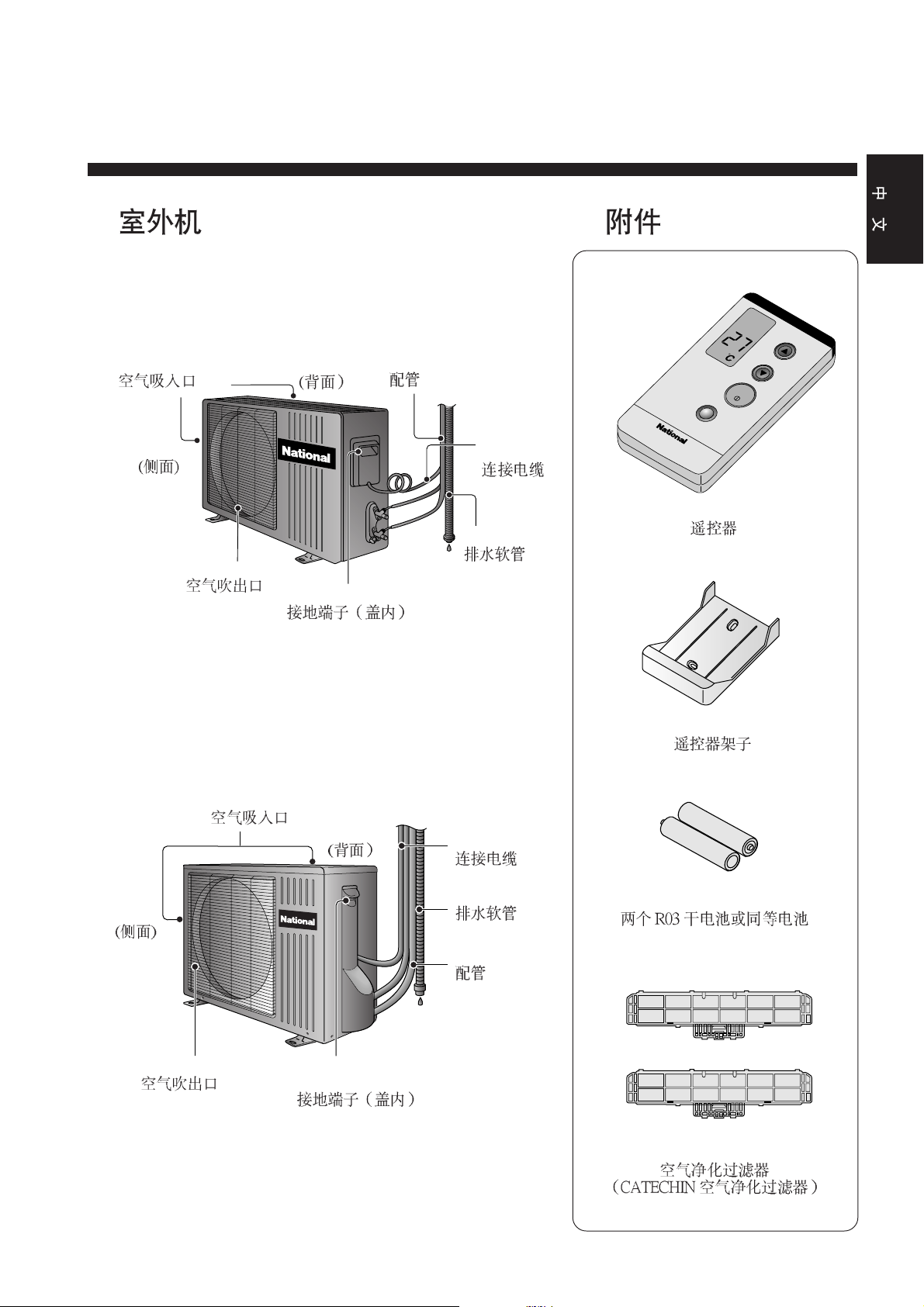
● Outdoor Unit ● Accessories
CU-C75KH
ENGLISH
CU-C95KH
Air Intake Vents
(Side)
Air Outlet Vents
CU-C125KH
(Rear)
Ground Terminal (Inside Cover)
Piping
Connecting
cable
Drain Hose
AUTO
COOL
TEMP
POWERFUL
Remote Control
Remote Control Holder
OFF/ON
(Side)
Air Outlet Vents
Air Intake Vents
Ground Terminal
(Inside Cover)
(Rear)
Connecting
cable
Drain Hose
Piping
Two RO3 dry-cell batteries or
equivalent
Air Purifying Filters
(Catechin Air Purifying Filter)
8
Page 9
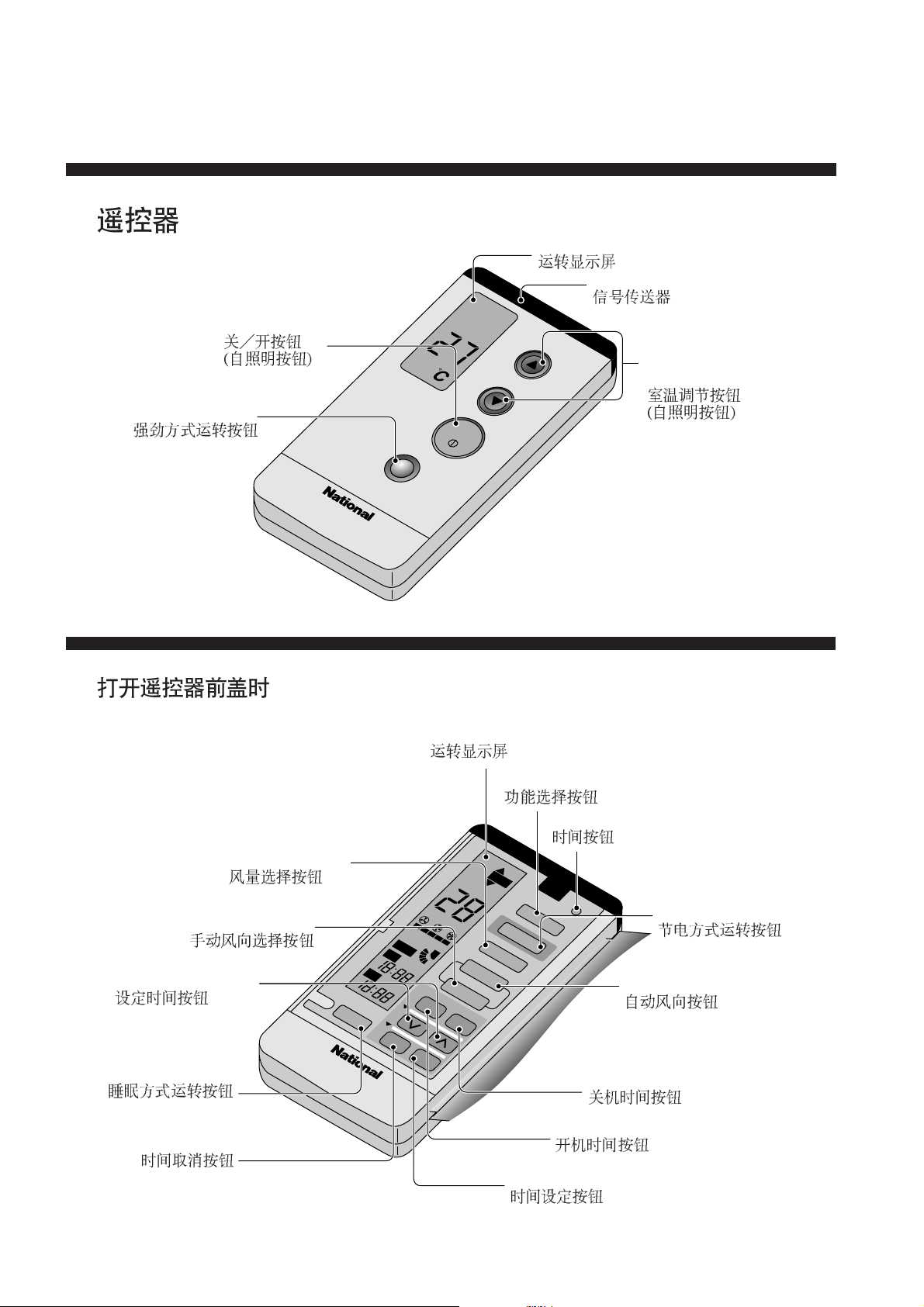
● Remote Control
Operation Display
Signal Transmitter
OFF/ON Button
(Self-illuminating Button)
COOL
AUTO
TEMP
Powerful Mode
Operation Button
POWERFUL
OFF/ON
■ When the remote control cover is opened
Operation Display
Room Temperature
Setting Button
(Self-illuminating Button)
Fan Speed
Selection Button
Manual Airflow Direction
Selection Button
Time-Setting Button
Sleep Mode
Operation Button
Timer Cancellation Button
OFF
SLEEP
ON
AM PM
3
CANCEL
SWING
AUTO
AM PM
2
AUTO FAN
AIR
1
ON OFF
SET
COOL
AUTO
AIR SWING
MANUAL
TIMER
Operation Mode Selection Button
Clock Button
FAN
HI
AUTO
LO
DRY
MODE
ECONOMY
FAN SPEED
CLOCK
Auto Airflow
Direction Button
OFF-TIMER Button
ON-TIMER Button
Timer Set Button
Economy Mode
Operation Button
9
Page 10
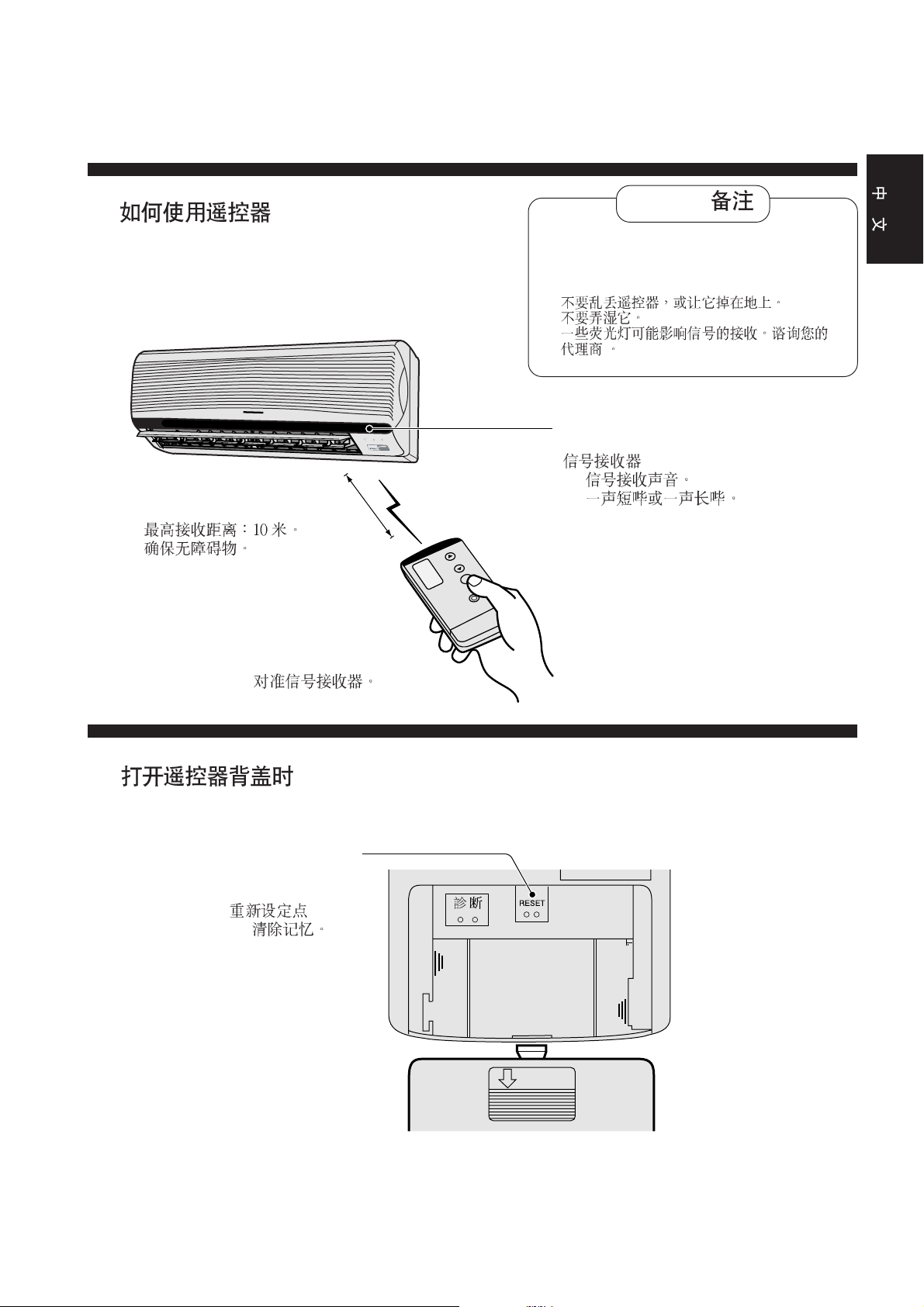
■ How to use the remote control
POWER
SLEEP
TIMER
ECONOMY
POWERFUL
ENGLISH
Notes /
• Do not throw or drop
• Do not get it wet
• Certain type of fluorescent lamps may affect
signal reception. Consult your dealer.
•
•
•
Signal receptor
• Signal received sound.
One short beep or one long beep.
• Maximum distance : 10 m
• Make sure it is not obstructed.
•
•
• Aim at the signal receptor.
•
■ When the back cover is opened
Reset points
• short to clear the
memory
•
•
OPEN
10
 Loading...