

Page 1

Bio-logic® NavPRO ONE
ABR screening
Bio-logic
®
Quick start guide
Doc. No.7-26-1388-EN/00
Part No.7-26-13808-EN
Natus Medical Denmark ApS. +45 45 75 55 55. [email protected]
Natus Medical Incorporated. 1-800-289-2150. [email protected]
www.otometrics.com
Page 2
Quick Guide:
Bio-logic® NavPRO ONE® ABR screening
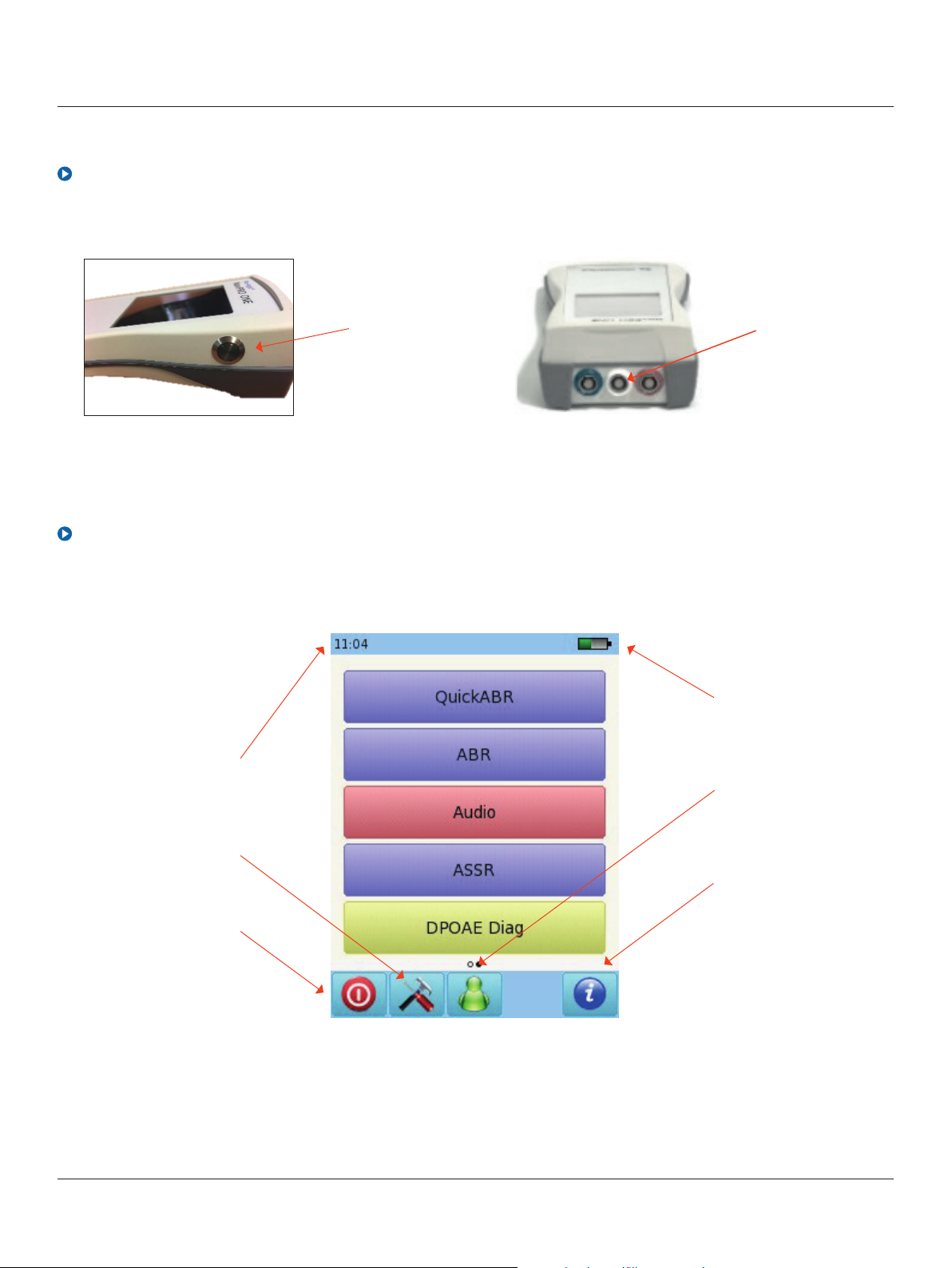
Turning On/Off, and charging the device
Bio-logic
®
Start menu
Note: this screen (test options)
can vary depending on your set up
Current time
On/off button on
right side
Power supply
connector
Battery indicator
Battery status
Select patient
Customize
Additional
information
Turn off device
2
Otometrics - Next generation Bio-logic products
about options for
current screen
Page 3
Quick Guide:
Bio-logic® NavPRO ONE® ABR screening
Bio-logic
Auditory brainstem response (abr) screening
Please note that single ear testing is shown for ABR screening. For binaural testing instructions,
please refer to the ABR diagnostic Quick Start Guide
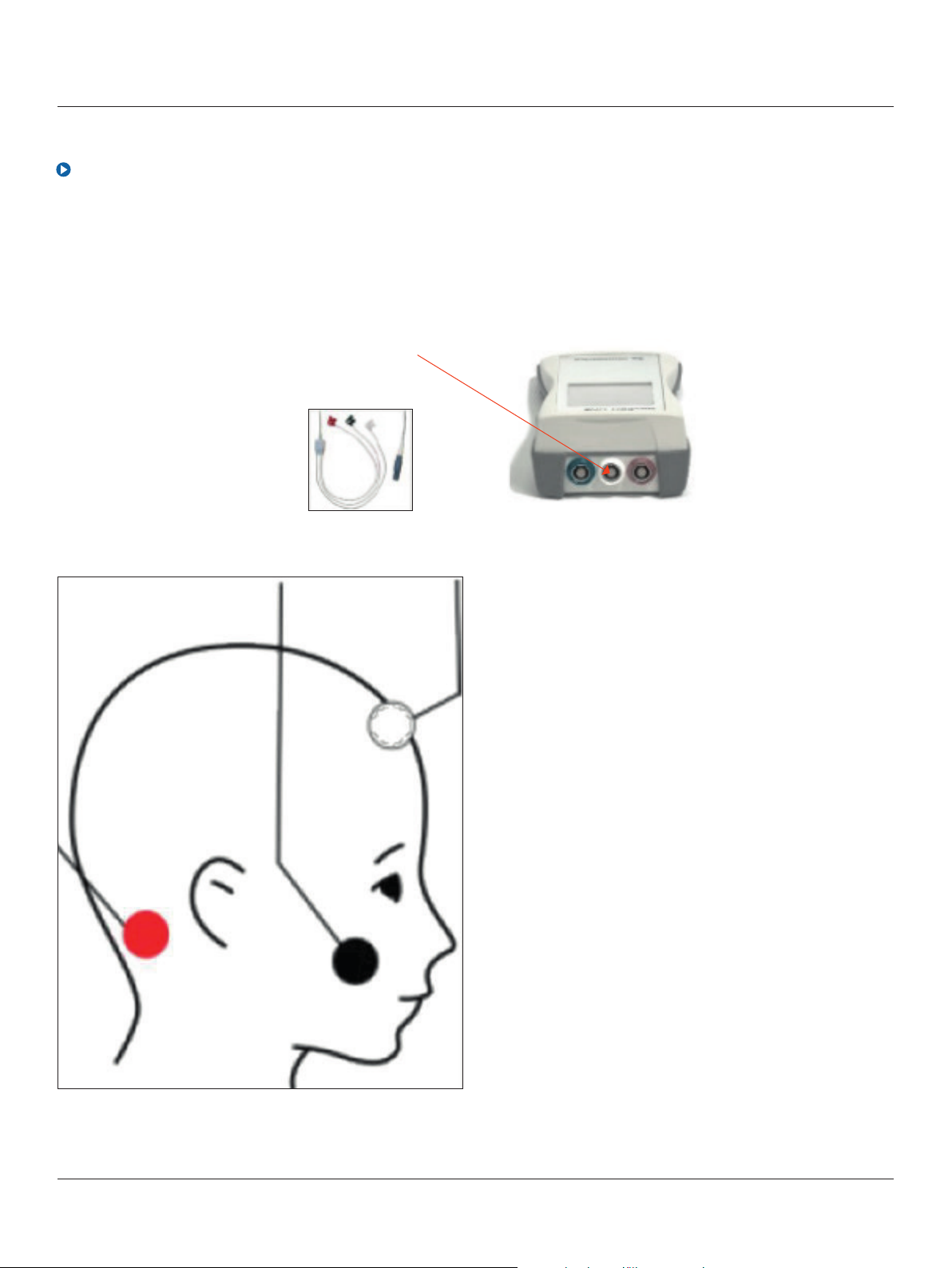
Connect the electrode cable
to the white and the probe
to the red connector.
®
Clean the patient’s skin and
place the electrode pads.
Connect the clips to the
corresponding sites.
White: high forehead
Black: cheek
Red: mastoid
3
Otometrics - Next generation Bio-logic products
Page 4
Quick Guide:
Bio-logic® NavPRO ONE® ABR screening
Select the appropriate ear tip size and place it on the probe tip. Insert the probe in the ear making
sure that the ear tip fits tightly into the ear canal.
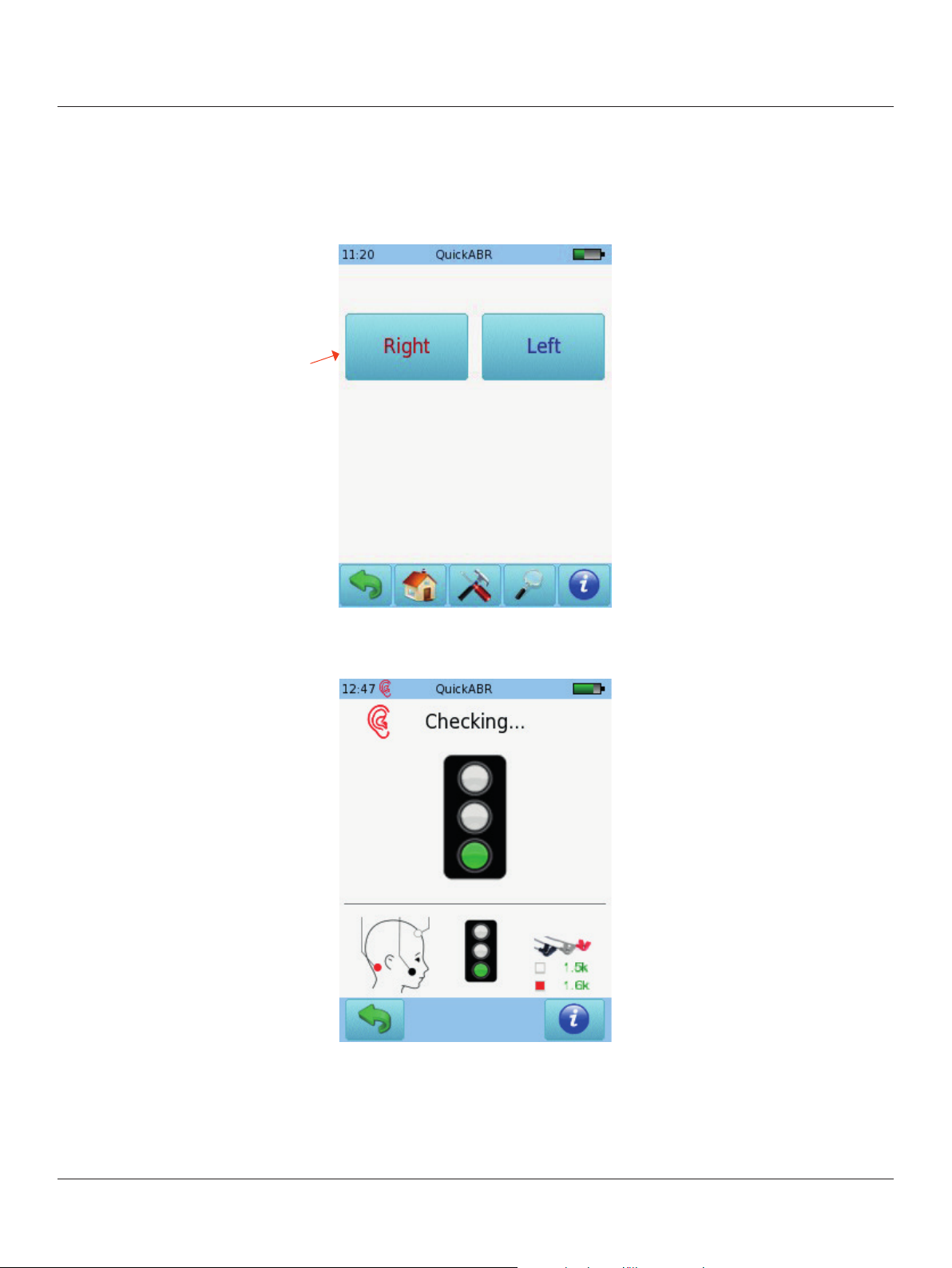
Select QuickABR button
Select the test ear by pressing
either the Right or Left button
Bio-logic
®
A calibration will be performed
prior to measurement.
A green light indicates
successful calibration.
An impedance check
will be performed prior to
measurement. An impedance
below 6 k ohm is recommended
for best test results.
After successful ear probe
calibration and impedance
check, the test will start
automatically. If yellow or
red lights are displayed, check
to make sure you are using the
correct probe tip and ear tip
size, that the eartip is inserted
correctly, and that there is no
excessive ambient noise.
4
Otometrics - Next generation Bio-logic products
Page 5
Quick Guide:
Bio-logic® NavPRO ONE® ABR screening
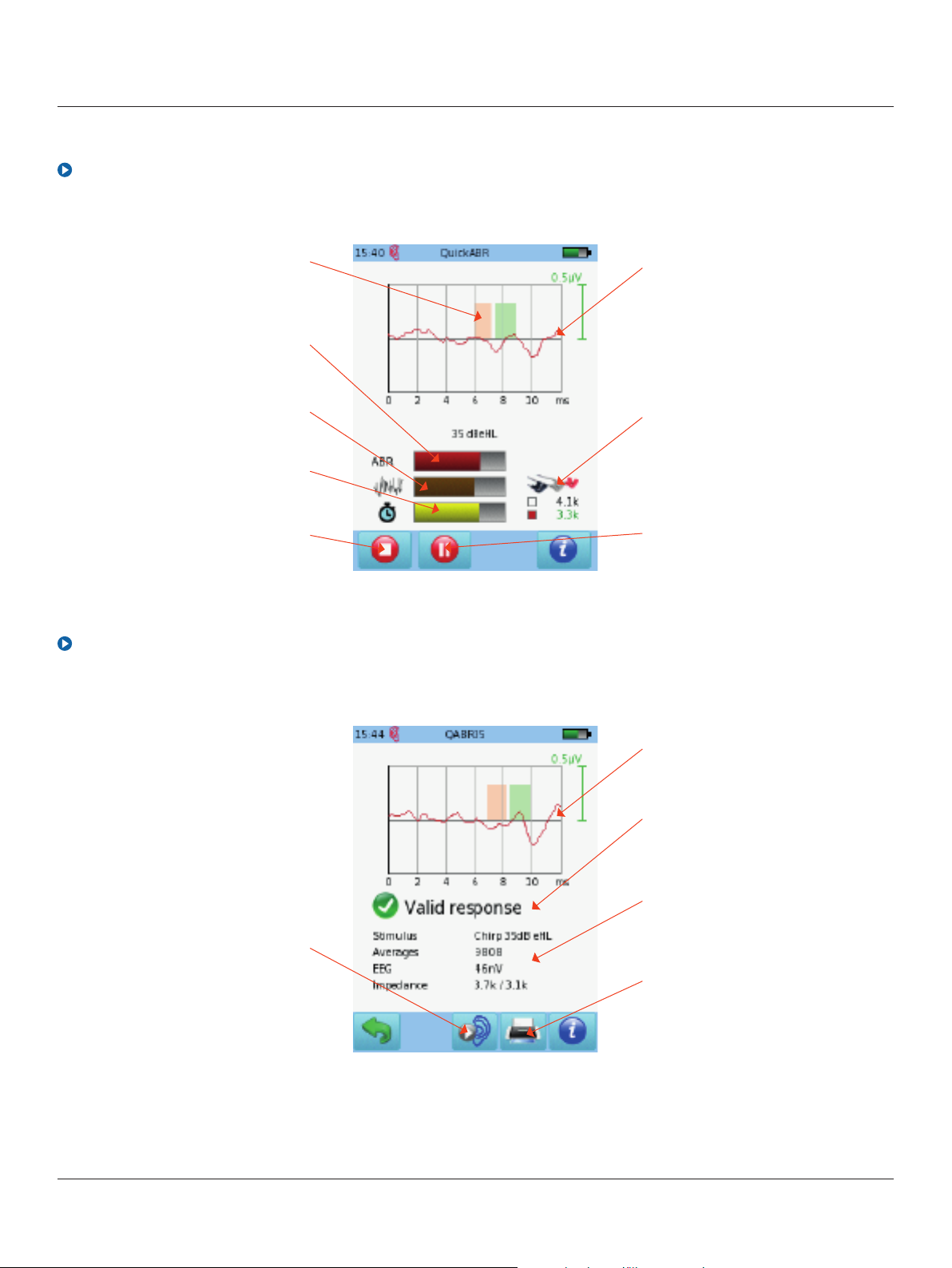
ABR sreening test screen
Bio-logic
®
Normative data for selected age:
red – wave III, green – wave V
Response detection bar
Ongoing EEG – value should
remain in the lower third
Test progress
Stop test
ABR sreening test results
Swipe screen up and down to
change display scale
Impedance monitor
– impedance should be
below 6 kOhm for best results
Pause/resume test
Test other ear
Swipe screen up and down
to change display scale
Overall screening test result
Test parameters and conditions
Print results to a label
or to a pdf file
5
Otometrics - Next generation Bio-logic products
Page 6

Quick Guide:
Bio-logic® NavPRO ONE® ABR screening
Bio-logic
Quick Guide Information
Release date: 2016-12-22
Revision: 01
Valid from: Firmware Rev. 2.1, Mira PC Software Rev. 1.6.4
Applies to: Model: SOH100360, web descriptions SO H06, SOH07, SOH08 and SOH09
All mentioned items, products, brands and trademarks are registered or owned by the mentioned companies.
All information, illustrations, and specifications provided within this manual are based on the latest product
information available at the time of publication. PATH medical reserves the right to make changes at any time
without notice.
Please note that not all products displayed on our webpage or advertising materials are available in all
territories.
Please contact your local distributor or PATH medical for further information.
®
The latest revision of the Quick Start Guide is available online at www.pathme.de/download.
Errors and omissions excepted.
Copyright Notice
No part of this manual may be reproduced, translated, stored, or transmitted, in any form or by any
means, electronic, mechanical, photocopying, recording, or otherwise, without the prior written consent
of PATH medical GmbH.
Copyright © 2016 PATH medical GmbH
PATH medical GmbH
Landsberger Straße 65
82110 Germering
Germany
Tel: +49 89 800 76 502
Fax: +49 89 800 76 503
Internet: www.pathme.de
6
Otometrics - Next generation Bio-logic products
 Loading...