

Page 1

burn
Quick Start Guide
Page 2
1. Getting Started
2. Downloading the Orangetheory App
3. Charging Device
4. Proper Placement
5. Pairing Device
6. LED Guide
7. Caring for Device
8. Technical Specifications
OTbeat Burn Quick Start Guide
Instructions for:
Downloading the Orangetheory App:
Orangetheory App
*Using your mobile device, download the Orangetheory App.
Note: Fully charge device before attempting to pair for the first time.
Page 2
1. Included in packaging: OTbeat Burn, SM band, LG band, & USB cord
2. Remove OTbeat Burn from packaging
3. Connect USB cord into charging port of device
4. LED light will appear after a few seconds
Getting Started:
Page 3
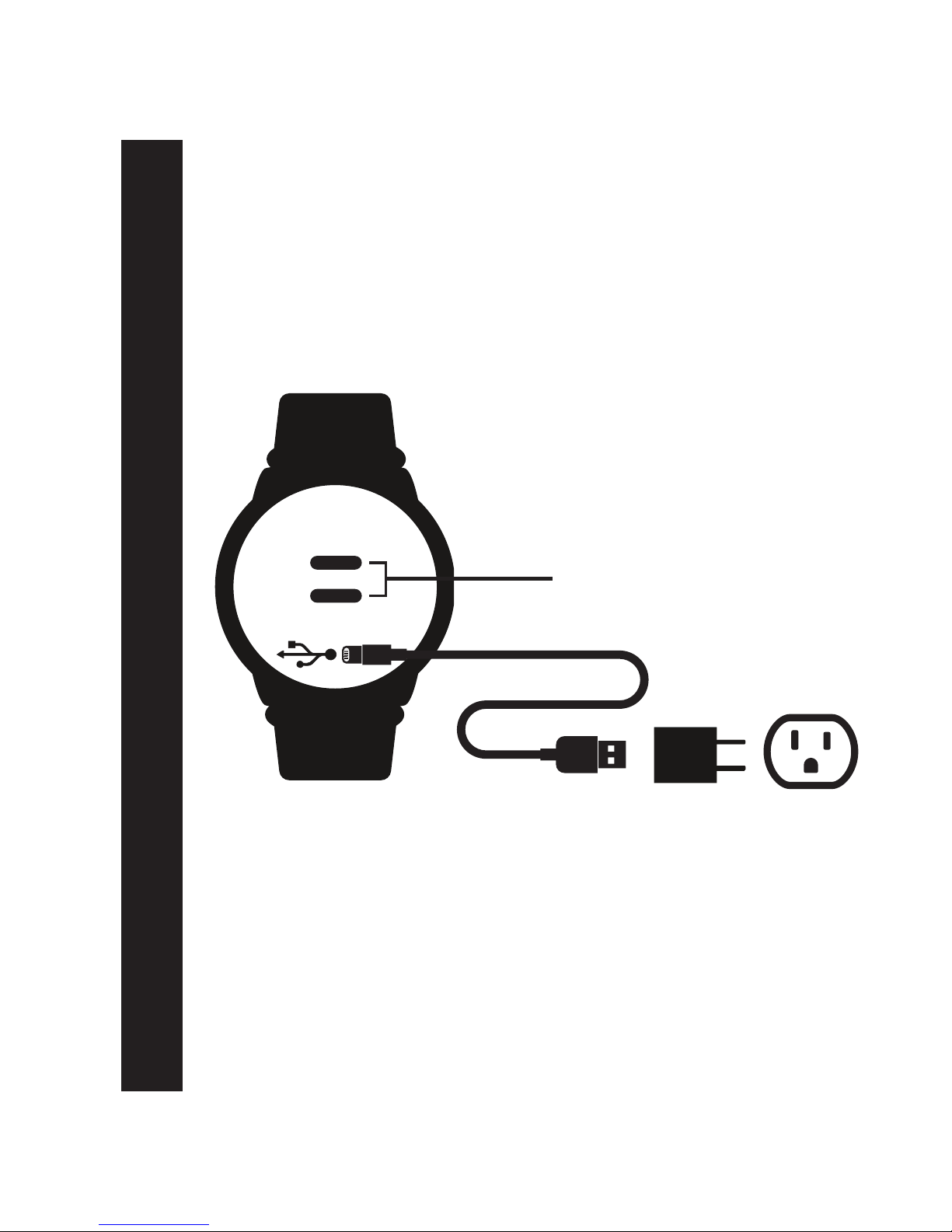
(BACK OF OTBEAT BURN)
OTbeat Burn - Charging Device
Device can be connected directly to a computer USB port.
Note: The voltage differs from wall outlet to computer.
Battery is fully charged when Green LED is continuously on
During charging: Red LED light will blink slowly
LED indication for charging is in front of device
Charging Device:
1. Open rubber port cover on back of device
2. Plug in mini-USB connector into device port
3. Plug in regular USB connector into charging block
4. Plug in charging block into wall outlet
Optical heart rate sensor
LED lights
Page 3
Page 4
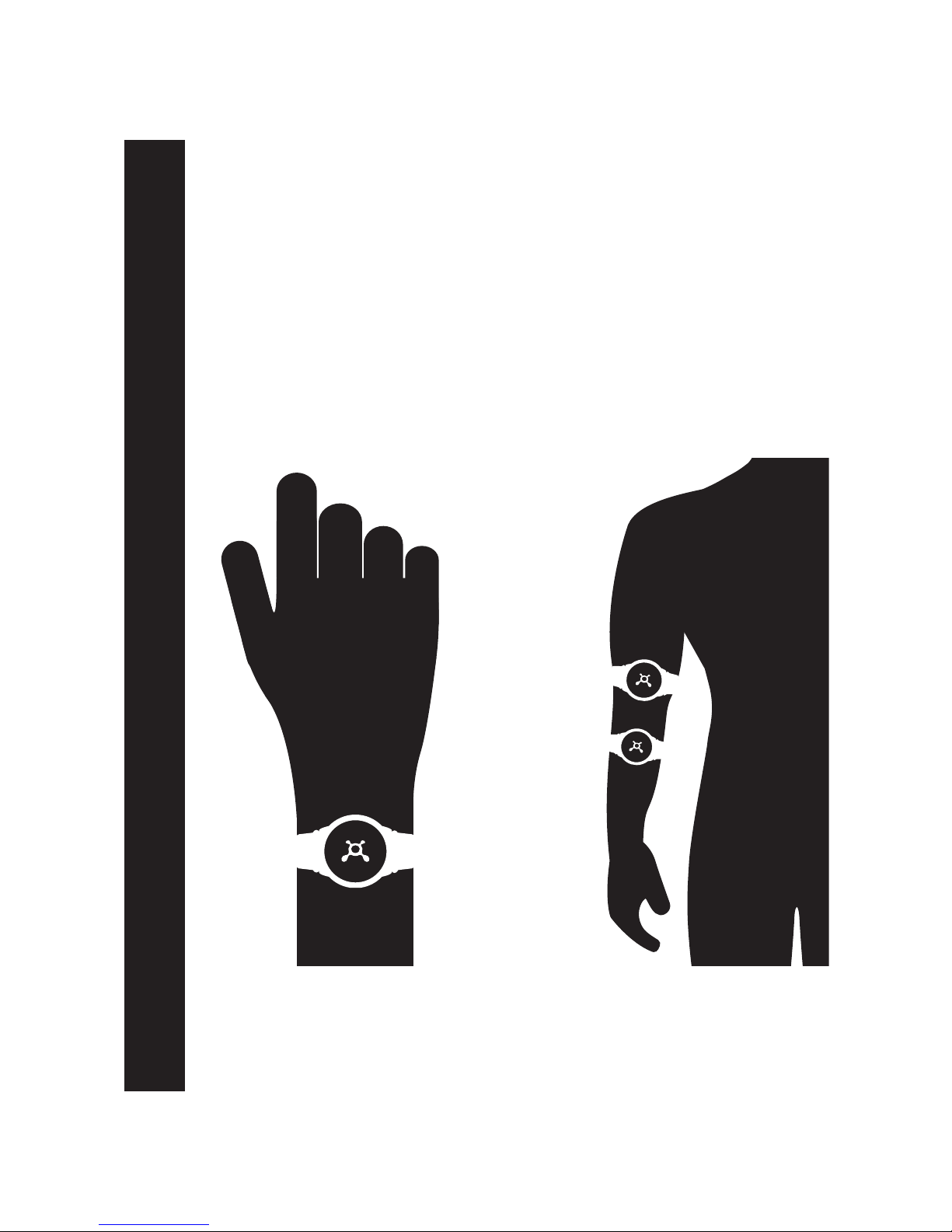
OTbeat Burn - Proper Placement
To transmit accurate data from your device:
1. Fasten device snugly in one of the below placement options
2. Wear device below, and not directly on top, of wrist bone* or elbow
3. The optical sensor on the back should make good contact with skin
*For placement on wrist, measure two fingers above wrist bone
Wrist bone
--------------------
--------------------
Elbow
--------------------
--------------------
Page 4
Proper Placement:
Page 5
OTbeat Burn - Pairing Device
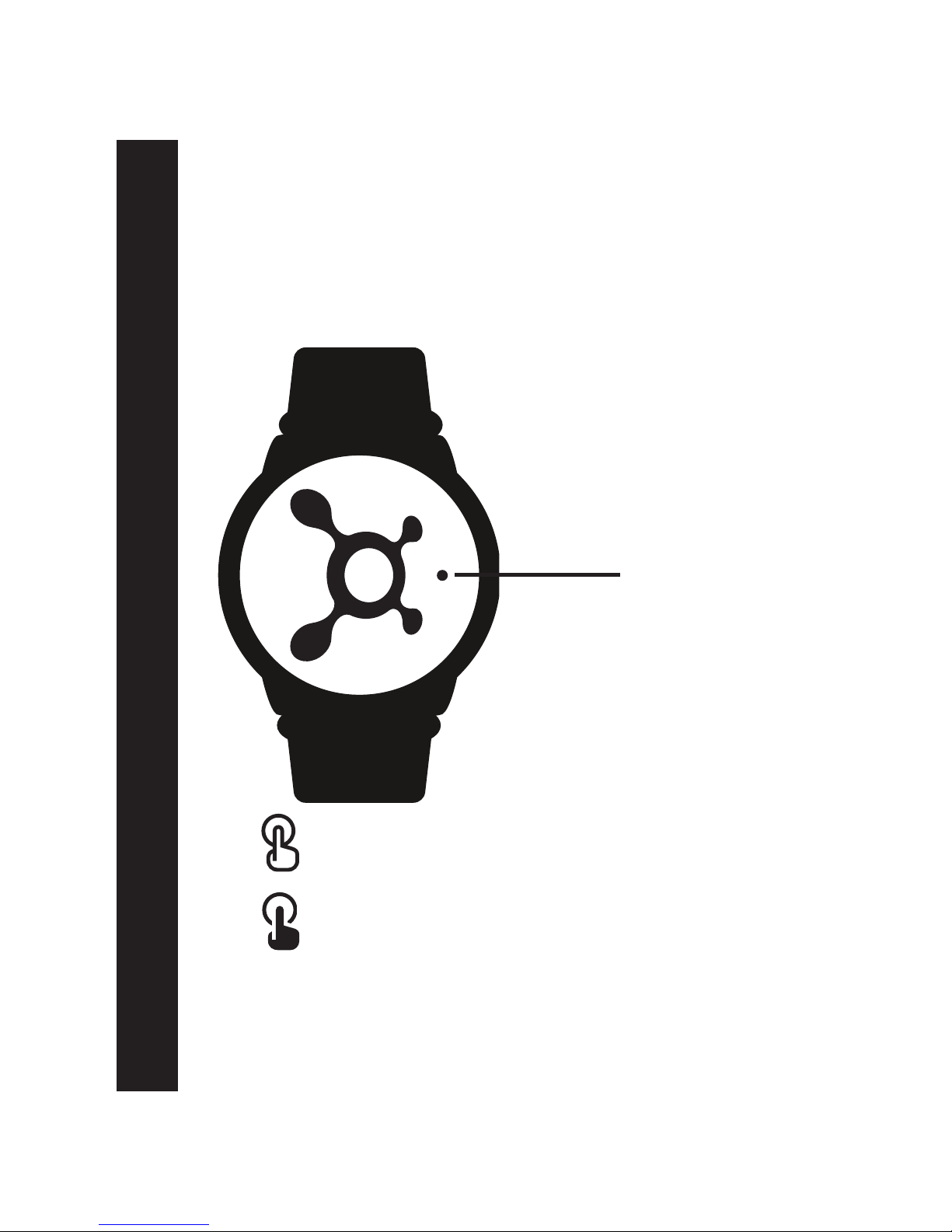
Set power OFF: Long button press
(Red LED light continuously on for 2 seconds then turns off)
Set power ON: Short button press
(Blue LED blinks for 5 seconds)
Pairing Device:
1. Once OTbeat Burn is fully charged, press center of splat to
power ON the device
Event LED light
Page 5
Page 6
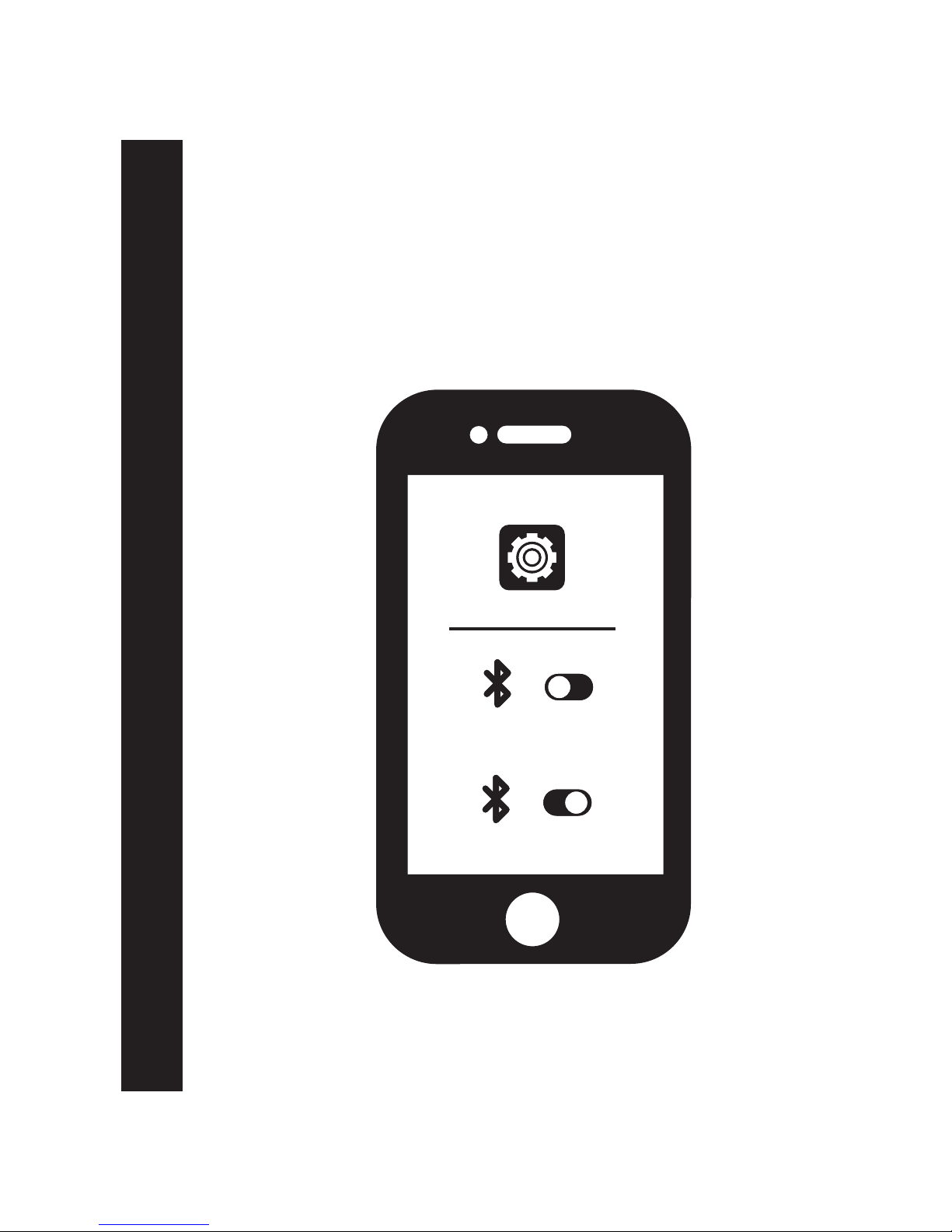
Pairing Device (Cont.):
2. Launch the settings app on your mobile device
3. Ensure your bluetooth settings are on
OTbeat Burn - Pairing Device
OFF
ON
Page 6
Page 7
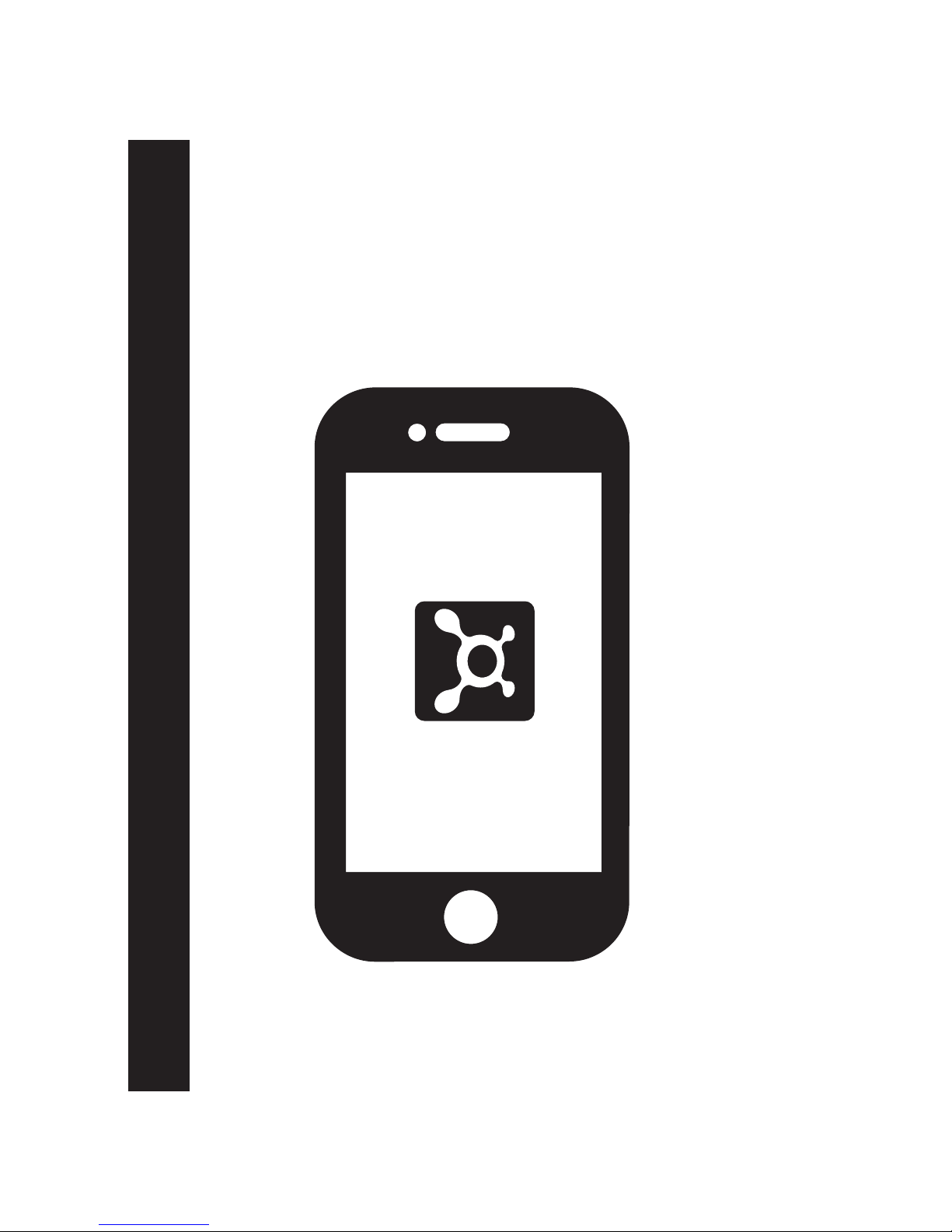
Pairing Device (Cont):
4. Open Orangetheory app on mobile phone.
OTbeat Burn - Pairing Device
Page 7
Page 8
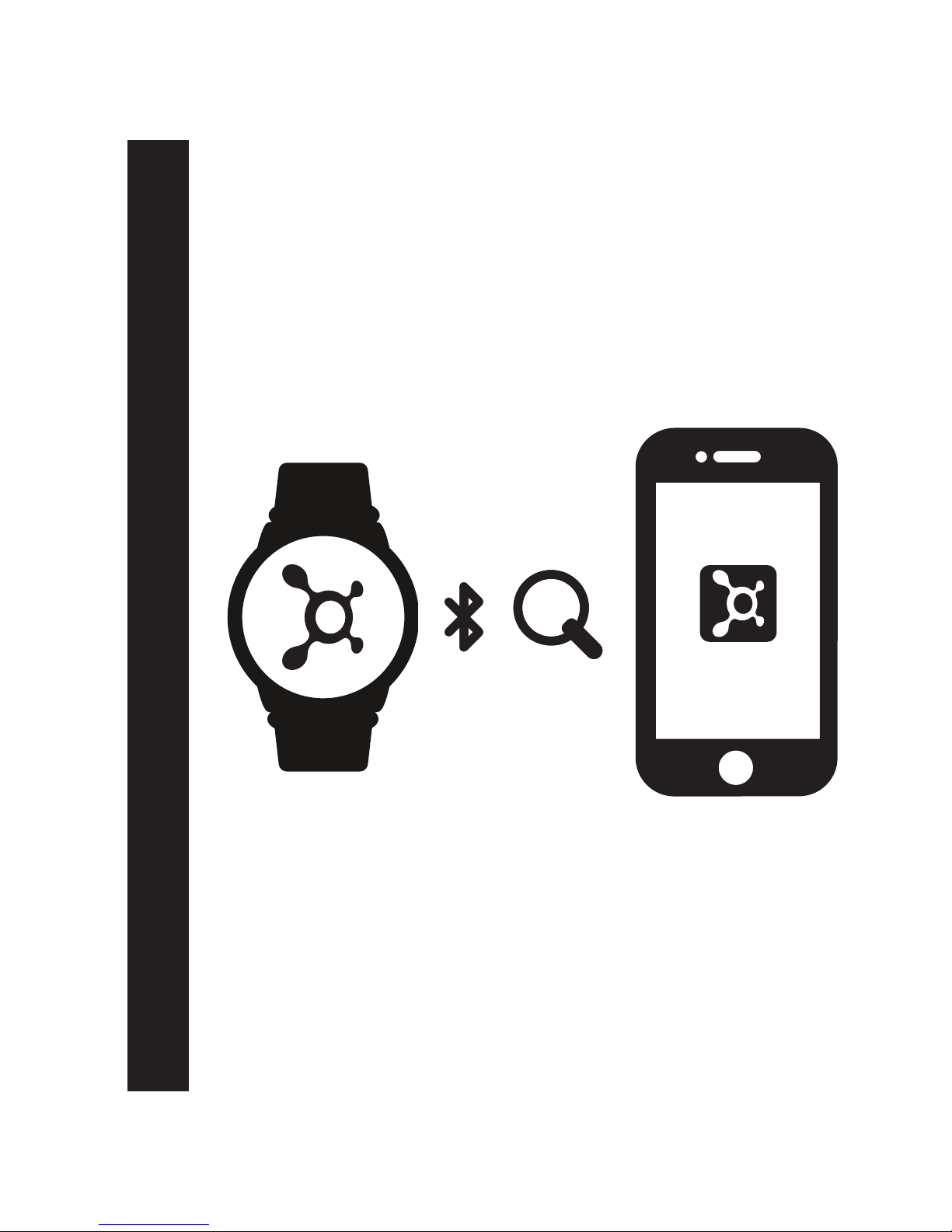
Pairing Device (Cont.):
5. Use the Orangetheory app to search for device
*Once device appears, OTbeat Burn is successfully connected to app
OTbeat Burn - Pairing Device
Page 8
Page 9

OTbeat Burn - LED Guide
LED Guide:
Heart Rate Detection LED Indication:
Alternating BLUE and GREEN: Detecting heart rate
Alternating BLUE and RED: No heart rate detected
Blinking GREEN: Heart rate detected
Blinking ORANGE: Heart rate zones are changing
Bluetooth Connection State:
Blue LED blinks for 5 seconds: After turning on the unit
Blue LED continuously on for 5 second: Connected
Green LED on for 2 seconds: Connected (HR not detected)
Green LED continuously on: Updating firmware
Page 9
Battery LED Light
During Charging:
Red LED blinks slowly: Charging
Green LED continuously on: Battery full
Battery State:
Red LED blinks three times: Low battery at <15% (repeat every
5 min. until reach critical level)
Red LED continuously on for 2 sec: Device powering off
Page 10

OTbeat Burn - Caring for Device
Caring for Device:
1. To ensure accurate readings, clean the sensor lens
with a soft cloth
2. OTbeat Burn unit and strap are waterproof to IP67
specifications and can be easily cleaned with mild soap and
cool water
3. Use a cotton swab and only rubbing alcohol to clean the
USB charging contacts when necessary: do not contact USB
charging port
4. Do not use any abrasive chemicals to clean the Otbeat Burn
unit, sensor, or strap. This will cause permanent damage
Page 10
Page 11

OTbeat Burn - Technical Specifications
Technical Specifications:
Description Feature
heart rate detection and transmission
(ANT+ or Bluetooth 4.0), battery low alert
Functions
30 to 220 BPM in 1 BPM resolution
Heart Rate Range
+/-5 BPM
Heart Rate Accuracy
ANT+ /BLE
Transmission
3.8V Li-ion Polymer rechargeable battery
Power Supply
IP67
Water Resistance Level
-20 to +60◦C
Storage Temperature
6 hours detection
Memory capacity
0 to +40C
Operating Temperature
15 Meters
ANT+ or BLE
Transmission Distance
Up to 24 hours of continuous
detection
Battery Life time
(PPG&BLE always on)
Page 11
Page 12

burn
For more information visit
orangetheoryfitness.com/otbeat
Page 13
规格尺寸
材质要求
印刷要求
2018-5-8
说明书
A0
SIZE
MATERIAL
PRINT
70g哑粉纸
OT
(brand)
(software engineer)
(electronics engineer)
(date)
(version)
(Designers)
(Review)
(Customer model)
(structural engineer)
(project manager)
(approve)
(standardization)
(Sales)
(order number)
(Part No)
(Company Model)
(design content)
单黑印刷
工艺要求
Process requirements
展开尺寸:172*86mm,成型尺寸:86*86mm
骑马钉装订
GM18167
FD063 OTbeat
17.03.09.00130
 Loading...