

Page 1
Quick InstallationGuide
Version 1.0
Quick Installation Guide
Introduction
PRINTED ON RECYCLED PAPER
QIG
IGCS-E131GP
1907-2-29-IGCSE131GP-1.0
The is aPCI-Express unmanaged GigabitEthernet switch
card with three 10/100/1000Base-T(X)Ethernet ports andone
100/1000Base-X SFPport. Thecard could beinstalled on anyIPC
motherboards withPCIe sockets toallow the IPC/embeddedsystem to
communicate withother Ethernet devices.
IGCS-E131GP
Preparation
Before youbegin installing thedevice, make sureyou have allof the package
contents availableand a PCwith Microsoft InternetExplorer 6.0 orlater, for
using web-basedsystem management tools.
PCI Expresscards, like allcomputer equipment, canbe severely damagedby
static electricity.Be surethat you areproperly grounded beforeopening your
computer caseor touching yourPCI Express card.It is recommendedthat you
wear ananti-static strap wheninstalling any computercomponent. If anantistatic strapis unavailable, dischargeyourself of anystatic electricity build-upby
touching alarge grounded metalsurface (such asthe computer case)for several
seconds.
Be carefulto handle thePCI Express cardby its edgesand not theconnectors or
other componentson the cards.Avoid rockingthe card fromside to sideand or
forcing thecard into theslot. When thecard is installed,pull on itgently to check
it isproperly connected.
Always shutdown the computerbefore opening itto avoid damagingits internal
components orthe components youare installing. Donot open thecomputer or
attempt toinstall items insideit while itis on.
Do notturn on thecomputer unless allof its internaland external partsare in
place andit is closed.Operating the computerwhen it isopen or missingparts
can damageit or causeinjury
Safety & Warnings
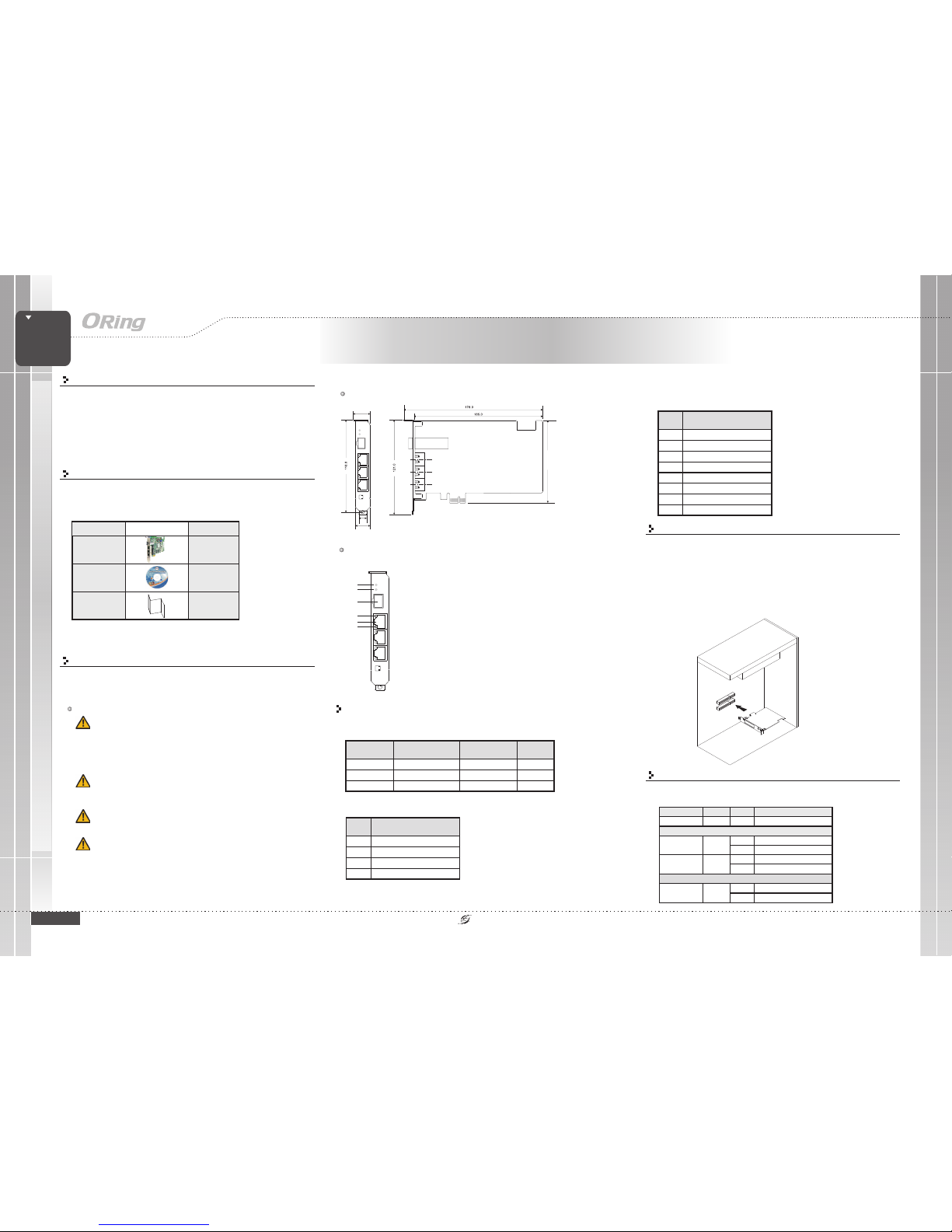
Dimension
Panel Layouts
1
1. Systempower LED
2. LINK/ACTLED for SFPport
3. SFPport
4. LNK/ACTLED for LANport
5. Ethernetports
6. SpeedLED for LANport
Package Contents
Contents
QIG
CD
IGCS-E131GP
Pictures Number
X1
X1
X1
Front View
Network Connection
The switchcard uses thestandard RJ45 connectorfor network connection.Please
refer tothe tablet belowfor cable typesand pin assignments.
10/100Base-T(X) RJ-45 ports
The card isshipped with the following items If any of these items is
missing or damaged, please contact your customerservice representative
for assistance.
.
SWITCH
CARD
SWITCH
CARD
IGCS-E131GP
Industrial Unmanaged Gigabit Switch
Card
GIGABIT
INDUSTRIAL
21.3
18.5
10.0
PCB
105.0
Link
/Act
100M
Power
SFP
Link/Act
Link
/Act
100M
Power
SFP
Link/Act
2
3
4
5
6
Cable Type Max. Length Conn ector
10Base-T Cat. 3, 4, 5100 -ohm UTP 100 m( 328f t) RJ45
100Base- TX Cat. 5 100-ohm UTP UT P100 m (328 ft) RJ45
1000Base- T Cat 5e, 6 UTP 100m (328 ft) RJ45
Pin No. Assignment
#1 TD+
#2 TD-
#3 RD+
#6 RD-
1000Base-T RJ-45 port
Pin No. Assignment
#1 BI_DA+
#2 BI_DA-
#3 BI_DB+
#4 BI_DC+
#5 BI_D C-
#6 BI_DB-
#7 BI_DD+
#8 BI_DD-
Installation
Follow thesteps below toinstall the cardto your PC.
1. Turn offyour computer,disconnect the powerand remove itscover.
2. Locatean open PCIslot and removethe metal coverplate on theback of the
PC cover.
3. Insertthe card intothe slot andfasten the bracketto secure itfirmly in place.
4. Placethe cover backonto the computercase.
5. Re-connectthe power.
6. Connectthe card tothe desired networkdevices.
Configurations
After installingthe switch card,the green powerLED should turnon.
Please referto the followingtablet for LEDindication.
LED Color Status Descripti on
Power Green On DC poweron
RJ-45
On Port isconnected
Link/Act Green
Blinking Transmitting data
On Link at 100Mbps
Speed Green
Off Link at1Gbps or10Mbps
SFP
On Port isconnected
Link/Act Green
Blinking Transmitting data
Page 2
QIG
Quick InstallationGuide
PRINTED ON RECYCLED PAPER
Version 1.0
Quick Installation Guide
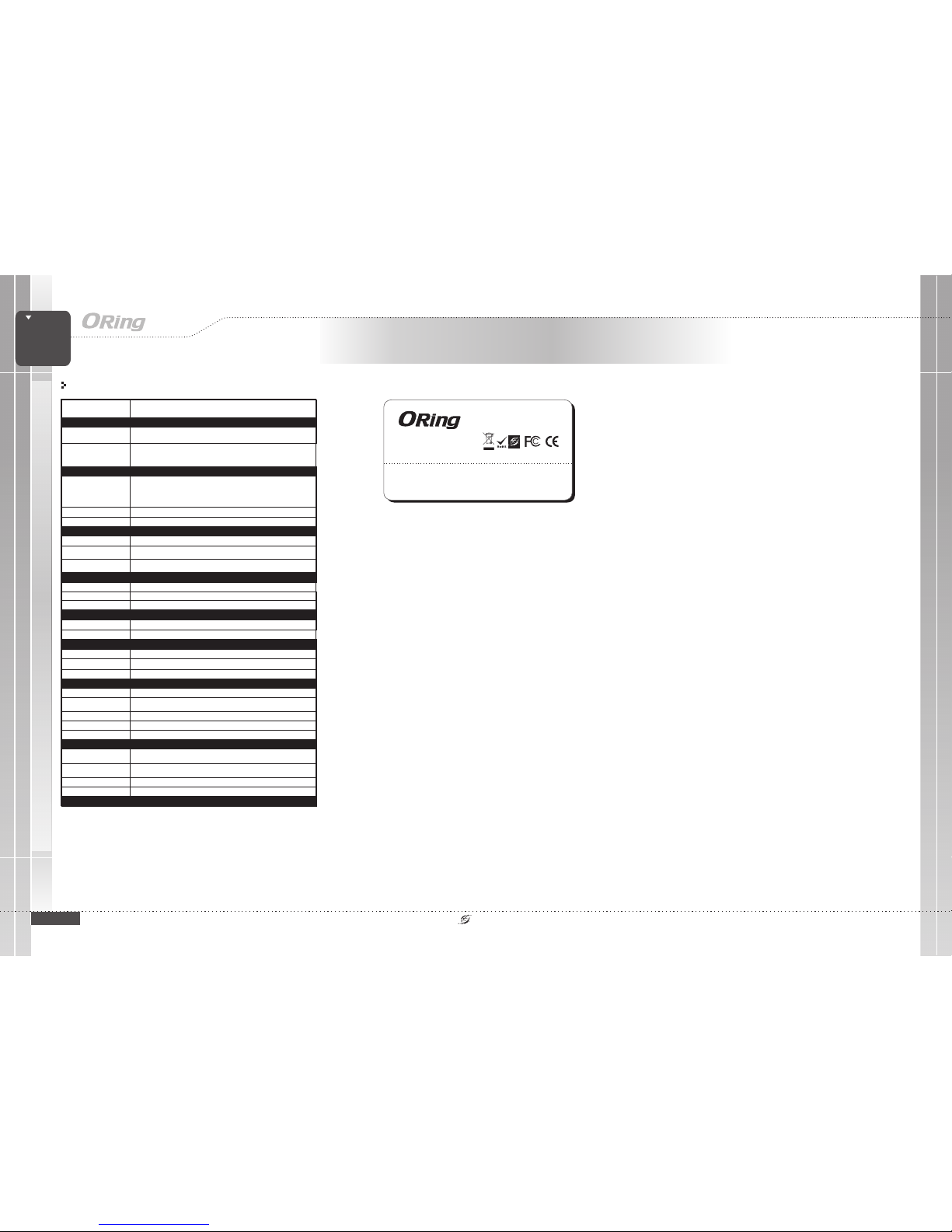
Specifications
ORing SwitchModel
Physical Ports
Technology
EthernetStandards
10/100/1000Base-T(X)Ports
AutoMDI/MDIX
IGCS-E131GP
3
IEEE802.3 for 10Base-T,
IEEE802.3u for 100Base-TXand 100Base-FX
IEEE802.3ab for 1000Base-T
IEEE802.z for 1000Base-X
IEEE802.3x for Flowcontrol
MACTable
8KMAC addresses
Powerindicator
Green:Power LED x1
PriorityQueues
Store-and-Forward
MicrosoftSystem
DOS/Win98/WinMe/WinXP/Win2000/WinServer2003/Vista/WinServer2008/Win7
/Win8
ORing IndustrialNetworking Corp.
Copyright© 2014 ORing
All rightsreserved.
TEL: +886-2-2218-1066
FAX:+886-2-2218-1014
Website: www.oring-networking.com
E-mail: [email protected]
IGCS-E131GP
SWITCH
CARD
SWITCH
CARD
IGCS-E131GP
Industrial Unmanaged Gigabit Switch
Card
GIGABIT
INDUSTRIAL
100/1000Base-XSFP port
S1 DIP-switchfor SFP speedsetting (ON :100Base-FXSFP,
OFF :1000Base-X SFP)
1
LED indicators
100/1000Base-XSFP port
indicator
Greenfor port Link/Act.
10/100/1000Base-T(X)RJ45
portindicator
Greenfor port Link/Act.Amber for 100Mbpsindication.
Environmental
-40to85C(-40to185F)
oo
StorageTemperature
OperatingTemperature
5%to 95% Non-condensingOperatingHumidity
-10to60C(14to140F)
oo
Power
PowerInput
PCIebus-powered
Overloadcurrent protection
Present
Physical Characteristic
Dimension(WxDxH)
Weight (g)
1080g
21.3(W)x136(D)x121(H)mm(0.83x5.35x4.76inch)
Regulatory Approvals
FCCPart 15, CISPR(EN55022) class A,EN50155 (EN50121-3-2, EN55011,EN50121-4)EMI
EN61000-4-2(ESD), EN61000-4-3 (RS),EN61000-4-4 (EFT), EN61000-4-5 (Surge),
EN61000-4-6(CS), EN61000-4-8, EN61000-4-11
EMS
IEC60068-2-27Shock
IEC60068-2-32
IEC60068-2-6Vibration
FreeFall
Warranty
5years
Warranty
5years
PowerConsumption (Typ.)
4.2Watt
Warranty
5years
Operating SystemSupports
Unix(Linux)
Linuxfor Kernel 3.x/ 2.6.x /2.4.x, FreeBSDfor 7.x /8.0, SCO OpenServerfor 6 /
UnixWare7.1.x
Novellclient for DOS(ODI driver) /Novell server driver(Support OS 5.xand 6.x)Novell
MacOS10.4/10.5/10.6/10.7Others
 Loading...