

Page 1
S-03 7A-1- 1
Bluetooth Headset ST-66
User Guide
Page 2
Page 3
Act ivate /in activ ate caller ID
16
17
18
18
19
20
22
24
24
24
25
25
26
27
28
28
29
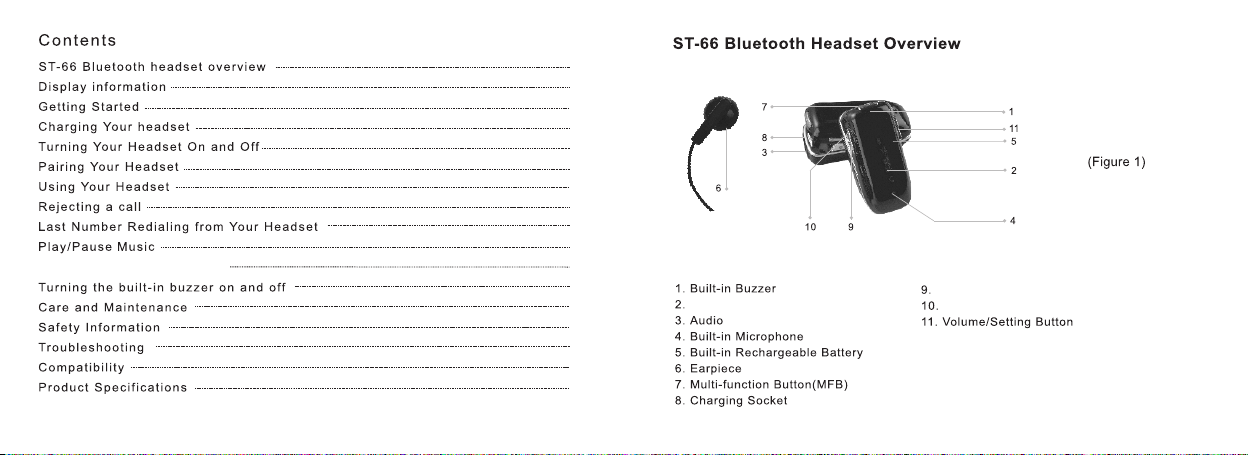
LCD
Jac k
Las t Page
Nex t Page
Page 4
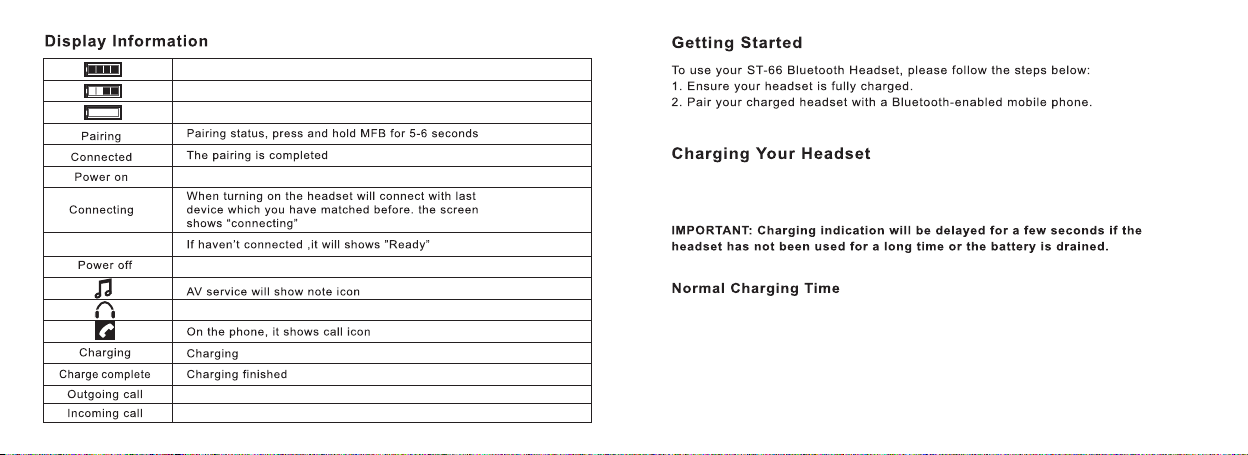
Bat ter y Pow er In dic ato r(F ull is f ull y cha rge d)
Bat ter y Pow er Indicator(ha lf fi lle d is ha lf ch arg ed)
Bat ter y Pow er In dic ato r(B lan k is con sum pti on up )
Rea dy
Dis pla yin g Pow er on
Dis pla yin g pow er off
Con nec tio n Sta tus I ndi cat or
LCD D isp lay ing t he Current Sta tus W hen D ial ing C all
LCD D isp lay ing t he Current Sta tus W hen a C all i s Comi ng
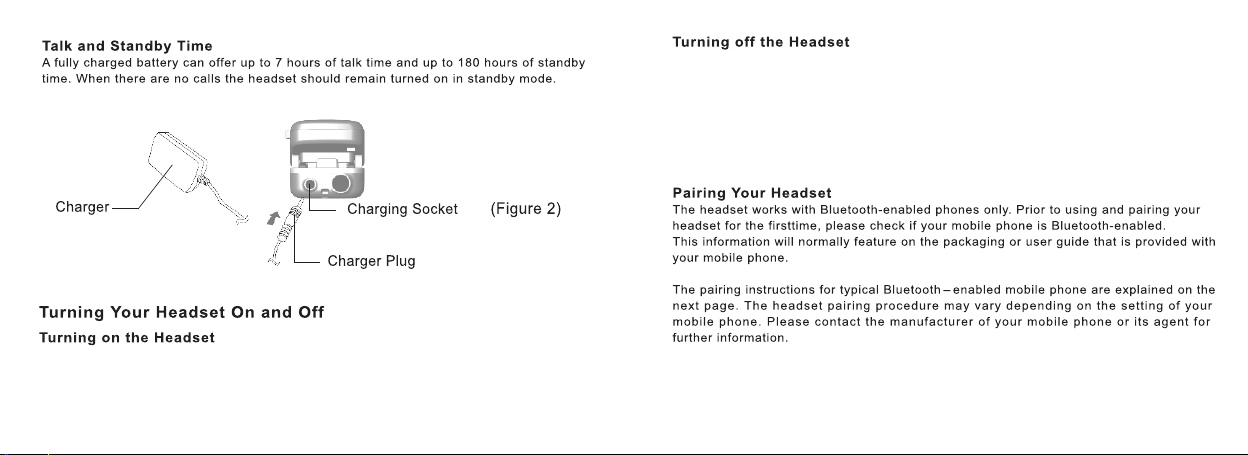
First p lu g the plu gg er i nto the r ec hargi ng h ole(f ig .2)Јt he n conne ct
the rec ha rger in to t he A/ C socke tЈ the LCD w il l displ ay o n the OLE D
Charg in g.... ..
Fully r ec hargi ng n ee ds 2h lon g. a fterw ar ds the ba tt ery LCD w il l displ ay in g
fully f il ledЈ LC D di sp lays Ch ar ging co mp lete af te rward s un pl ug th e
earph on e from th e A/C s oc ketЈ
Page 5
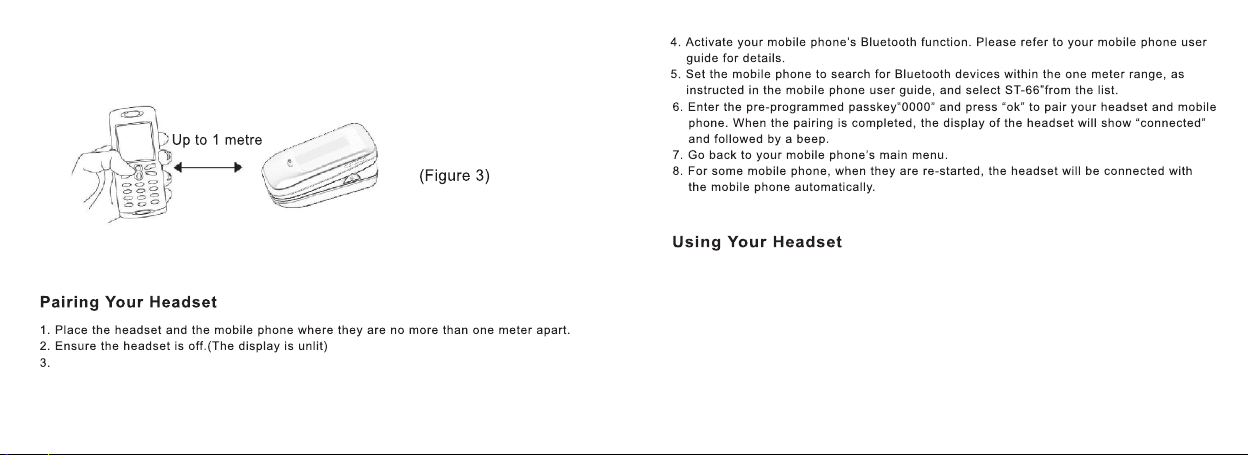
Short p res s MF B but to n (fi g. 1 )un ti l a bee p is hear dЈ when L CD wi ll d isp la y Pow er o n
Aft er war ds t he di sp lay w il l shi ft t o Con necti ng to con nec t wi th th e la st pa ir ed de vi ceЈ
after s ucc es sfu ll y pai re dЈL CD w ill d ispla y Conne cte d Јi f fai le d to pa ir Ј LCD w il l dis pl ay
Ready
In powe r on st at usЈ l on g pre ss M FB bu tt on fo r 5 secon ds un ti l a bee p is h ear dЈ aft er war ds
LCD wil l dis pl ay Po we r off
Attention
If th e ea rph on e is le ft u nus ed f or a ce rt ain p eriod Ј the ear pho ne w ill b e su ppo se d to in ac tiv at e
the Blu eto ot h fun ct ion
Page 6
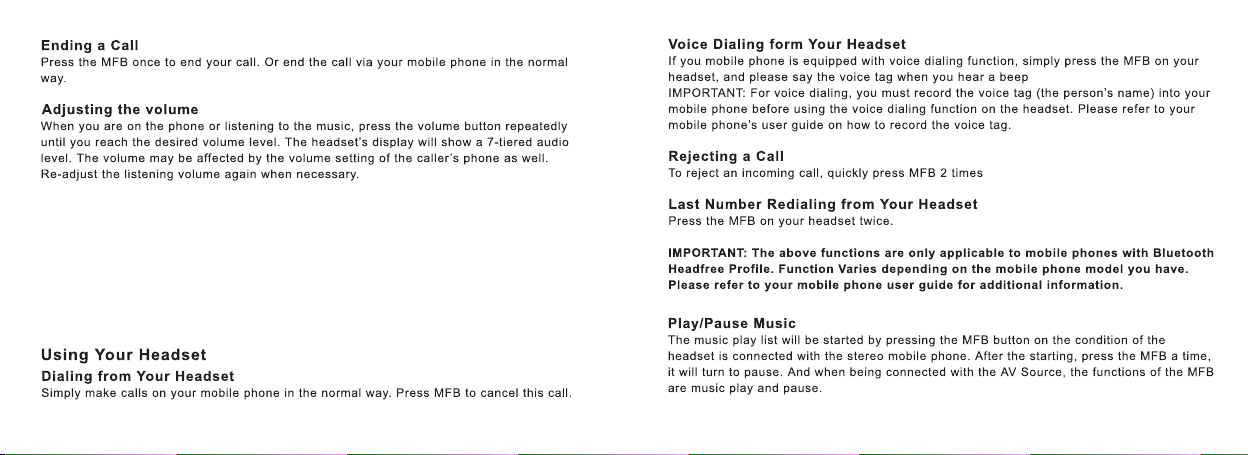
Long pr ess M FB b utt on f or 5 se co nd un ti l 2 bee ps is act iveЈw hen L CD d isp la ys pa ir ing
Atten tio nЈ In pa ir ing s ta tus Јi f u wan t to canc el th e co nne ct ing s ta tus Јl ong p re ss MF B
butto n for 5 s ec ond s to e xit
Answeri ng /R ejecting ca ll
When a call i s co mi ng Јthe ring to ne w il l be heard( if t he b uz zer is avai la bl eЈthe
continu ou s be ep s will be act iv e. If the earp ho ne a ct ivate the c al le d ID displa yi ng
functio nЈ th en the caller I D wi ll d isplay on t he L CD s cr eenЈif no tЈ th en LCD will
display o nl y In coming call )
Press MFB o nc e to a nswer the com in g ca ll.If you u se t he c el lphone to a ns we r the
coming ca ll ЈL CD c ould disp la y th e call time -l en gt hЈDuble p re ss M FB button t o
reject th e co mi ng callЈ
Page 7
Mute
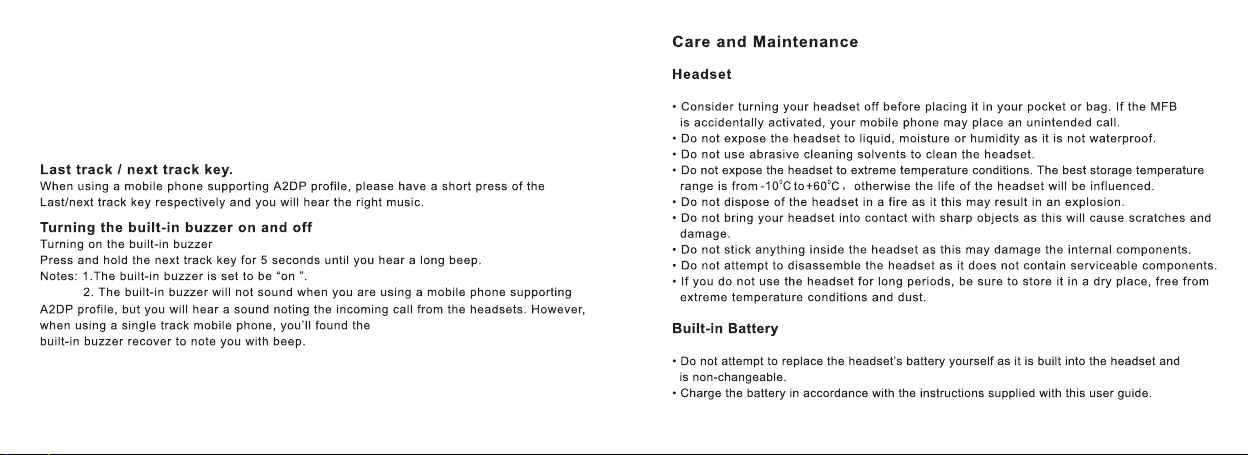
In co mm uni ca tio n mo de, do ubl e pr ess M FB butt on to mut e the m ic .In m ut e mod e, dou bl e
press M FB bu tt on to r ea cti va te th e mi c wit h synch ron iz ed tw o be eps f ro m the e ar pho ne .
Delete the Pa ir in g St at us
Synch ron iz edl y pr ess Vo lu me + an d Ne xt pa ge for 5 se conds u nti l Re set h ea dse t
displ ays o n th e OLE D sc ree n wi th tw o be eps , after wards t he ea rp hon e is p owe r off a nd d ele te
the pai rin g st atu s. Af ter p ow er on , th e ear phone w ill act iva te o nly a ft er re -p air in g.
Page 8
Activate/ in ac ti va te caller ID
Short p res s La st pa ge unt il a b eep i s ac tiv e,whe n ALL ID O n is di sp lay in g on th e OL ED
scree n.
In ca ll er ID d is pla yi ng mo de ,re pe at th e above p roced ure t o in act iv ate t he c all er I D dis playi ng
funct ion , th enC AL L ID OFF is di splay ing o n th e OLE D sc ree n.
In ca ll er ID a ct iva te m ode , wh en a ca ll i s com ing ,ca ller ID i s dis pl ayi ng o n the O LE D scr ee n.
In ca ll er ID i na cti ve m ode ,w hen a c al l is co ming , In comin g cal li s dis pl ayi ng o n the O LE D
scree n.
Turn o ff t he B ui lt -in Buzzer
Press t he Ne xt p age f or 5 s eco nd s unt il t he bu zzer be eps 2 tim es, t he n tur ns o ff th e buz ze r.
When a ca ll is c om ing , t he t one i s st ill h ea rd th rough e arpie ces .
Page 9
Page 10
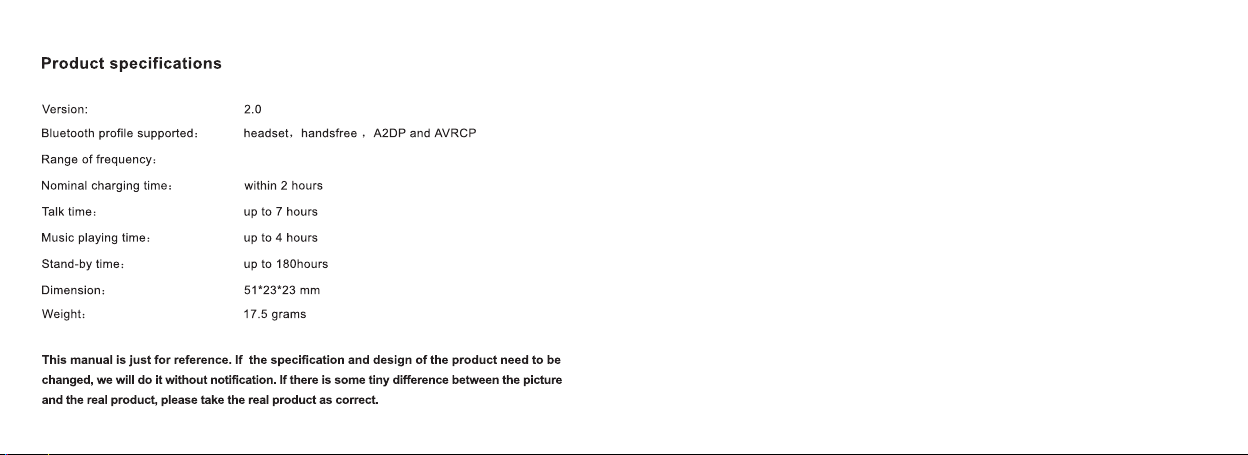
2400. 0-248 3.5MH z
 Loading...