

Page 1
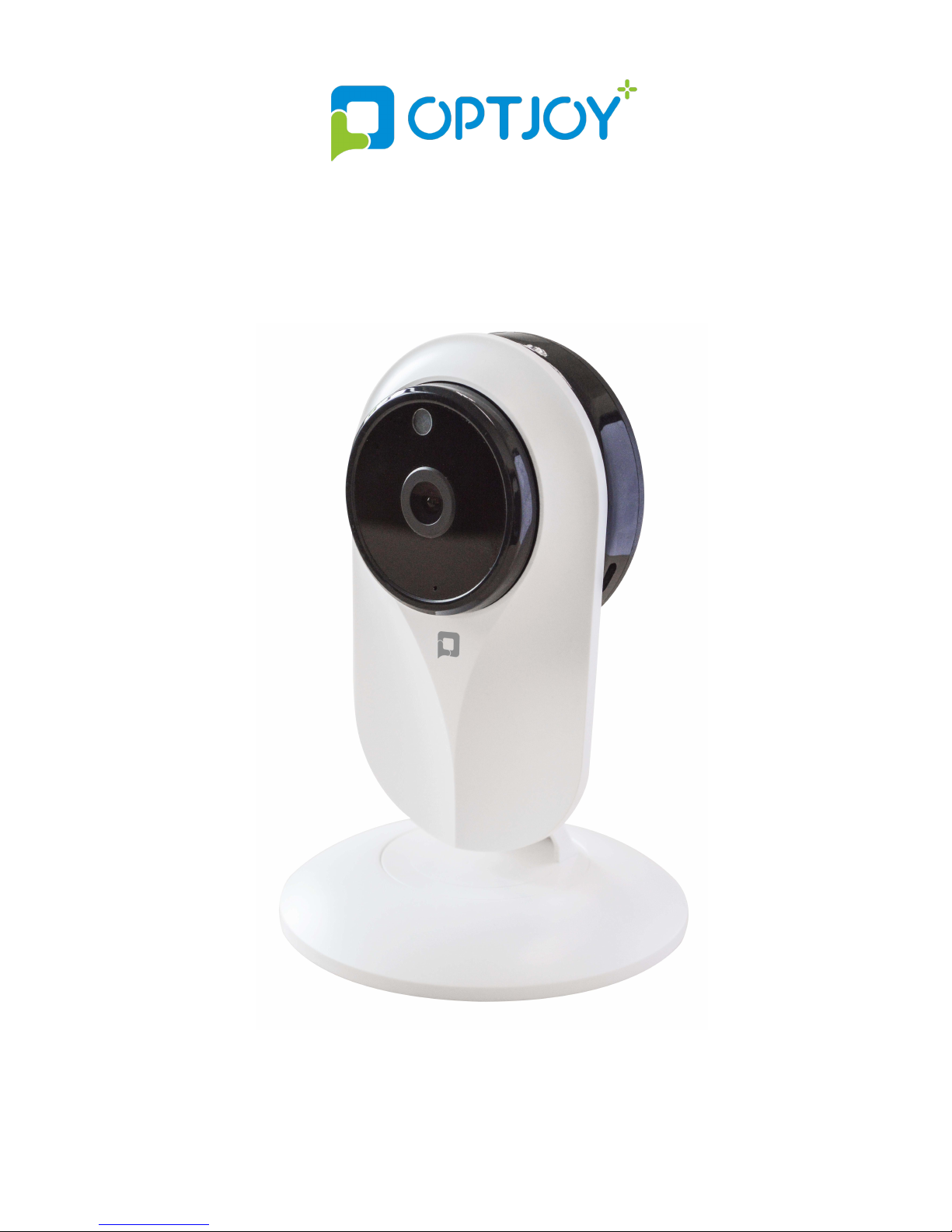
OPTJOY (C20)Smart HD Camera
User Manual
Page 2

Dear Customer
,
Thank you for choosing OPTJOY. With
OPTJOY, you can check remote real-time
video and CVR, talk and share moments with
your family and friends.
About this user manual:
The copyright of this instruction belongs to
Shenzhen YSX Electronics Co., Ltd.
Trademark and fonts mentioned in this
instruction belongs to their respective owners.
Any inconsistent between this instruction and
the device, please refer to the actual device.
If you are confused about the terms or clauses,
you are warmly welcomed to email us:
[email protected]
Thanks!
Page 3
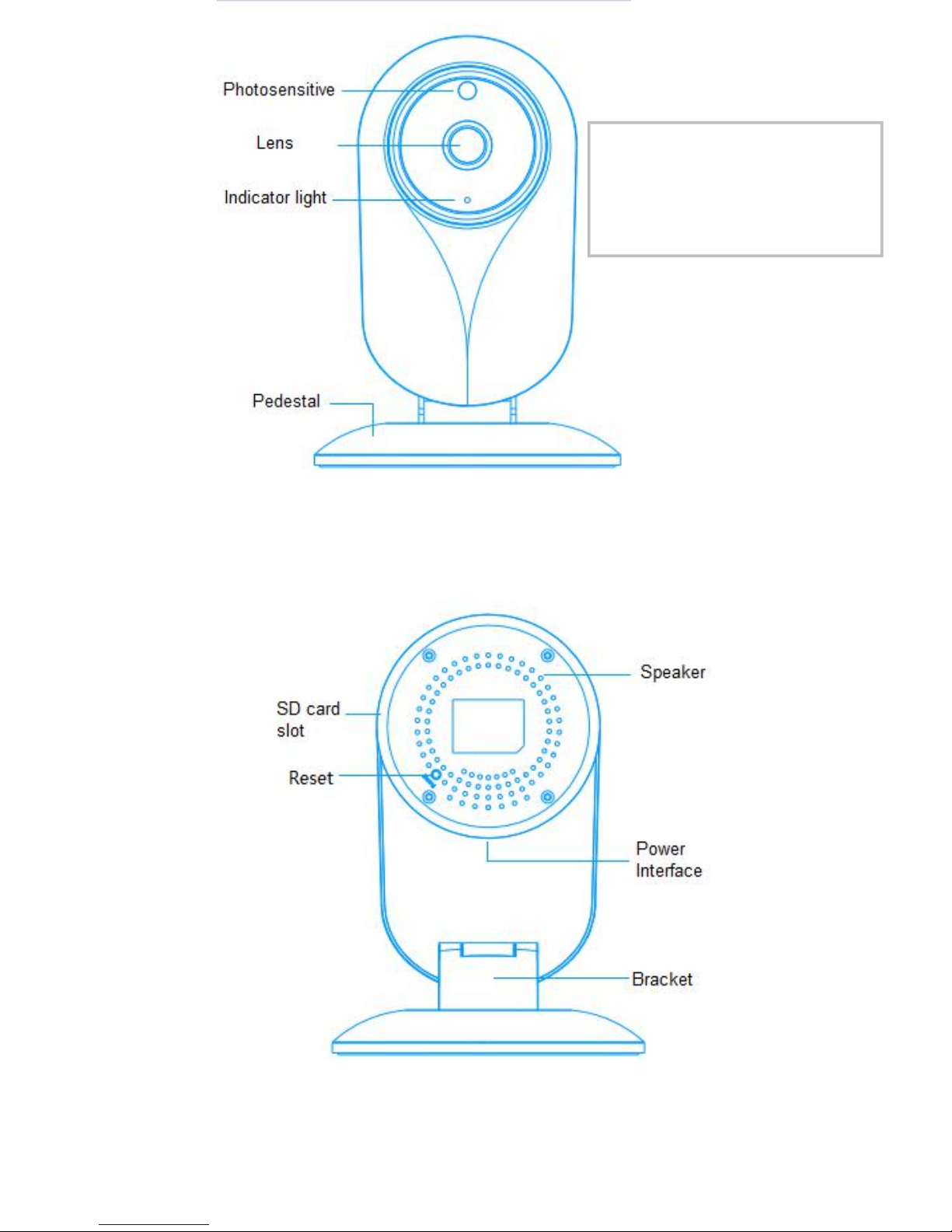
FOV-H 94°
FOV-D 115°
Page 4

Installation
1 Format your SD card and insert it into SD card slot.
2 Power Connection: Plug your camera in to keep it
powered at all times for continuous video streaming
and recording. Use the included USB cable and
power adapter to plug it into a power outlet
100~240V.
3 Use your smartphone/tablet to log in your OPTJOY
account and bind your camera.
4 Open OPTJOY.
Page 5
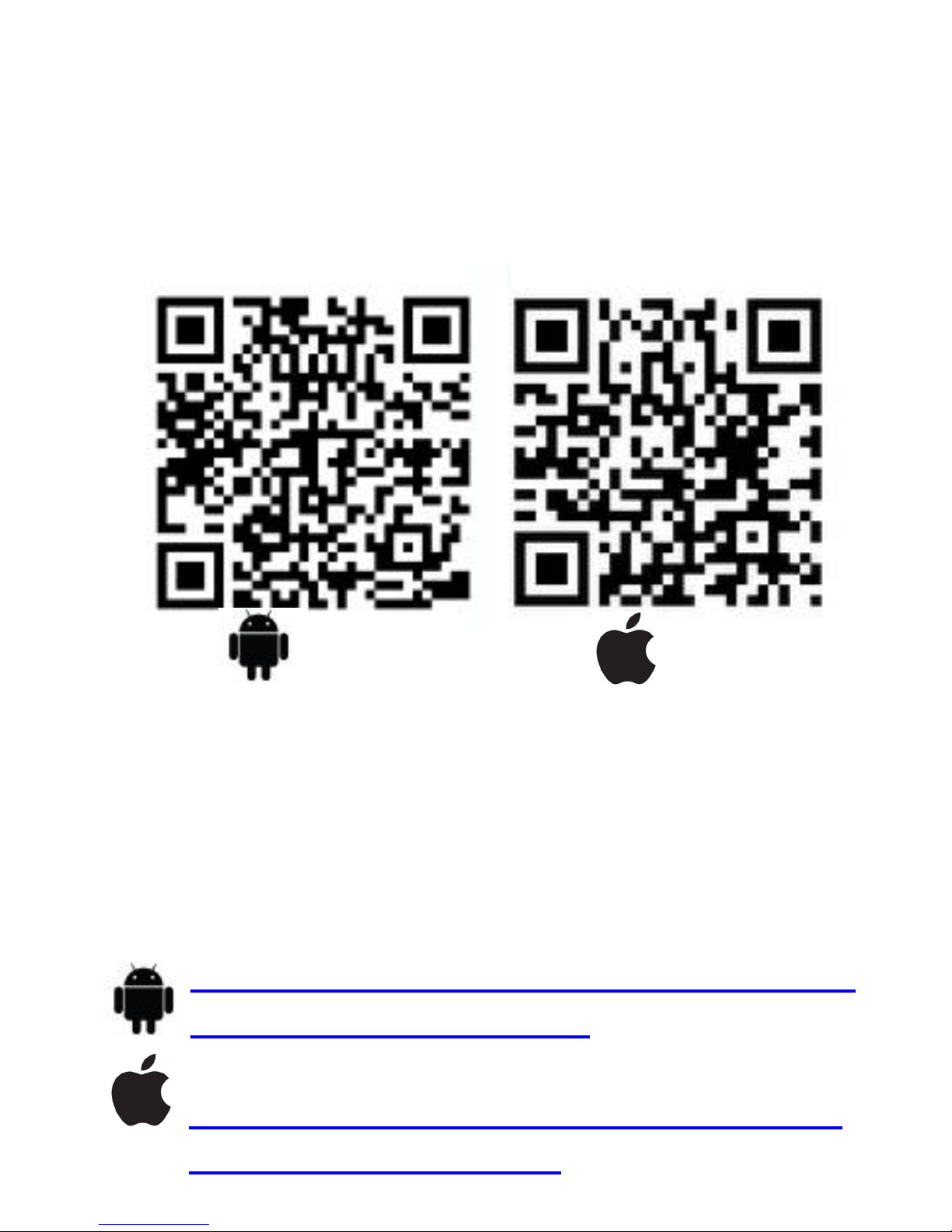
Download OPTJOY App
Option 1: Scan QR code on the
package.
Android IOS
Option 2: Download the latest version
of the OPTJOY app for free from the
Apple App Store® or Google Play™.
Option 3: Download from the link
below :
https://play.google.com/store/apps/det
ails?id=com.Cloud2Me
https://itunes.apple.com/app/cloud2m
e/id989081394?mt=8
Page 6
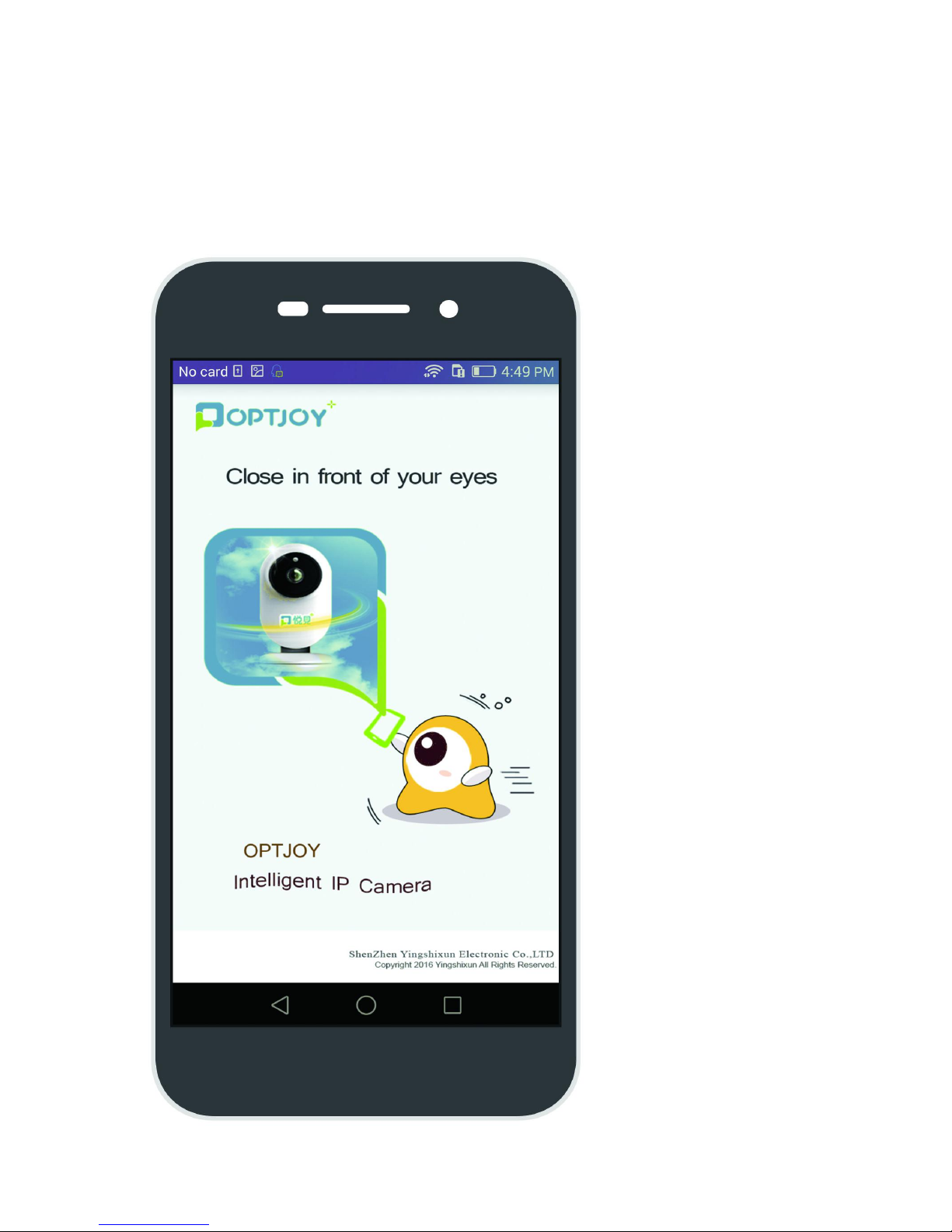
Step 1:Open OPTJOY
Page 7
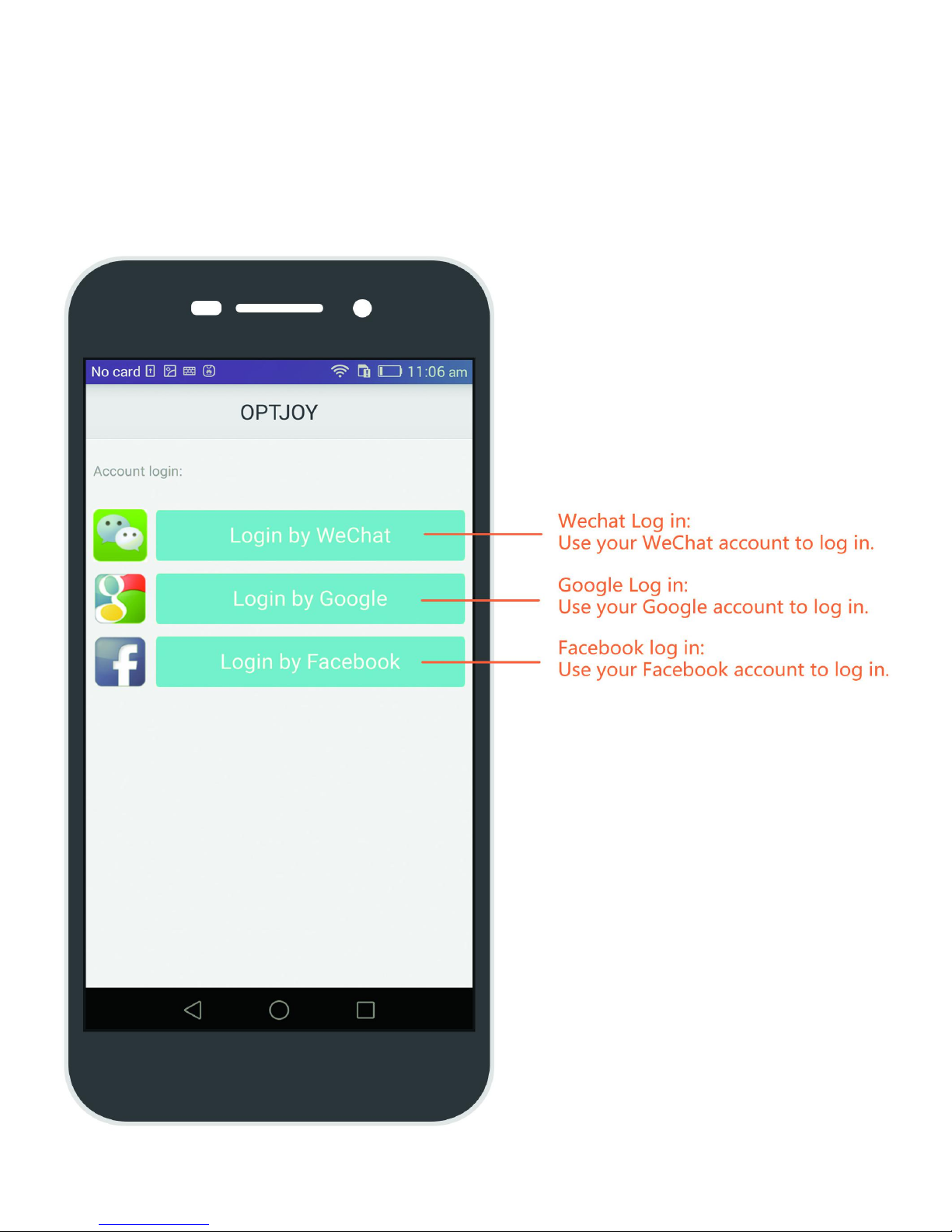
Step 2:Log into your OPTJOY account
with the app
Page 8
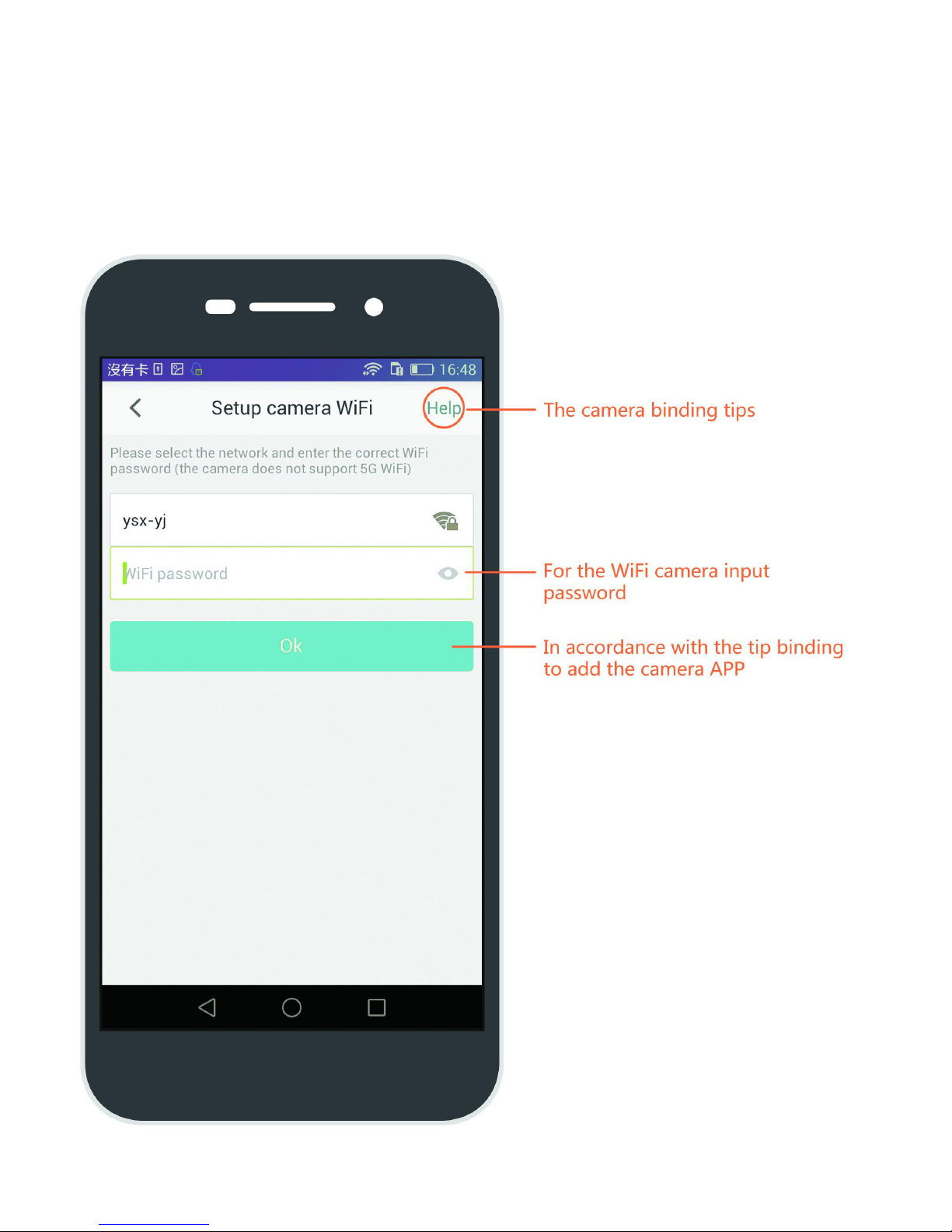
Step 3:Click the Add button,following
the APP binding the camera
Page 9
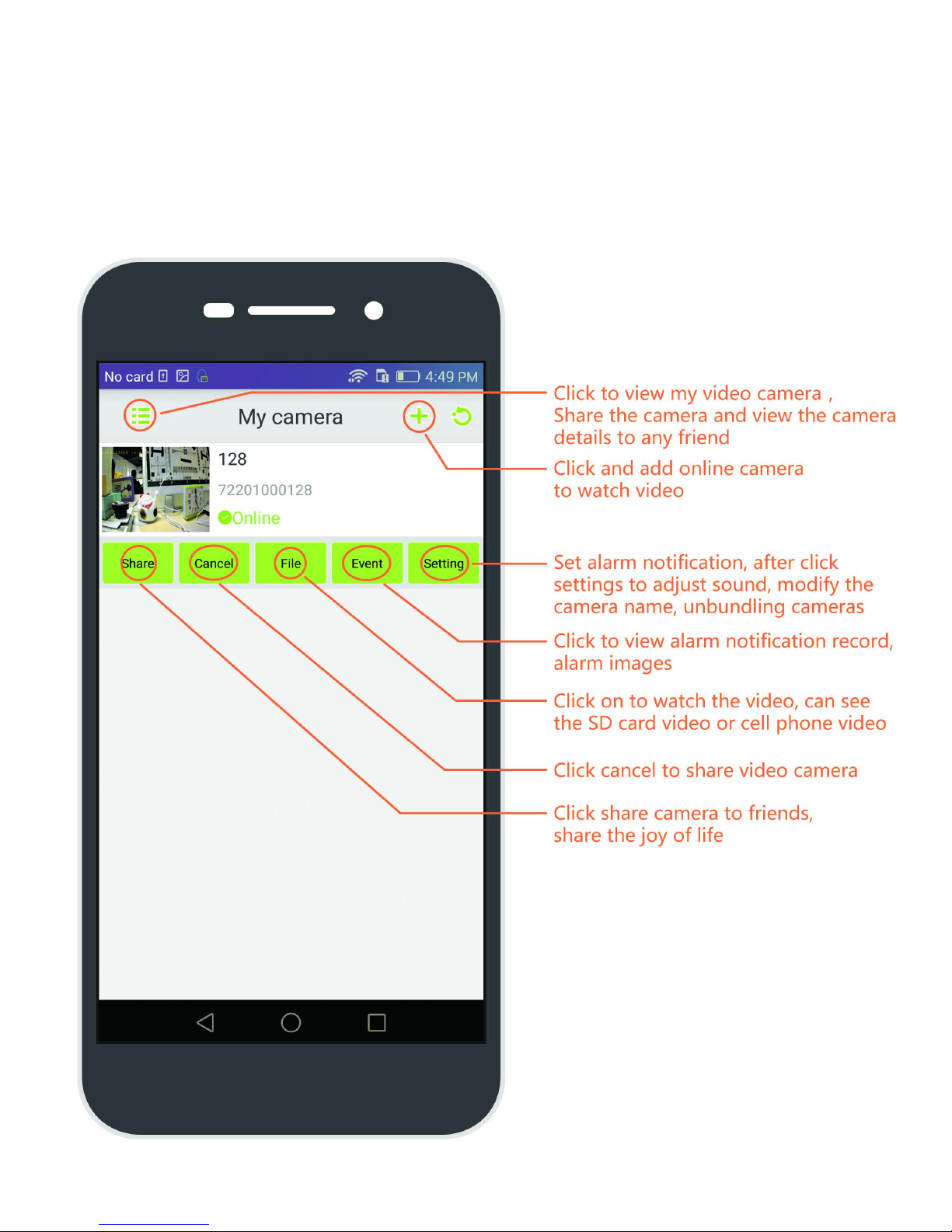
Step 4:You can sharing,viewing and
setting the camera
Page 10
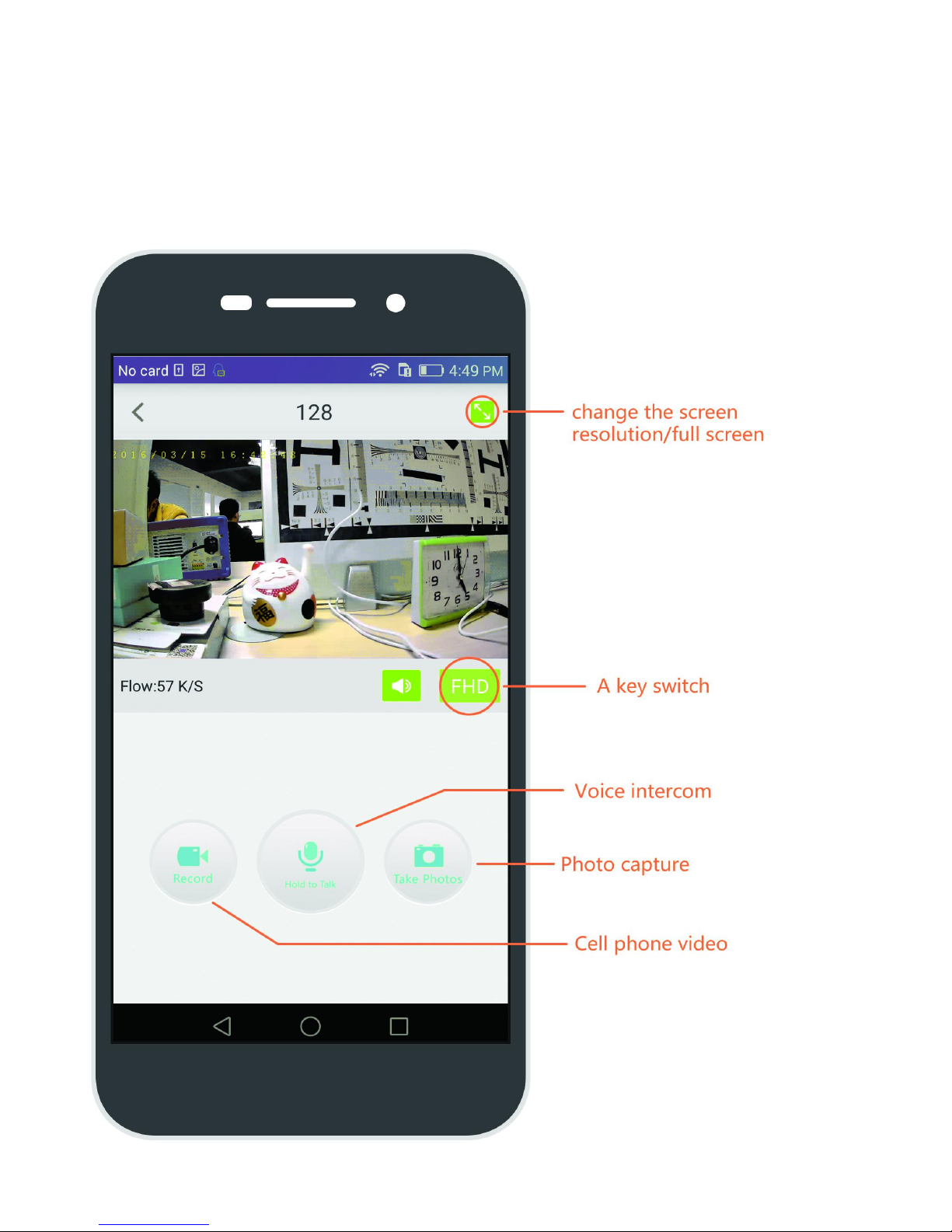
Step 5:You can checking remote real-
time video and CVR,talking and taking
photos
Page 11
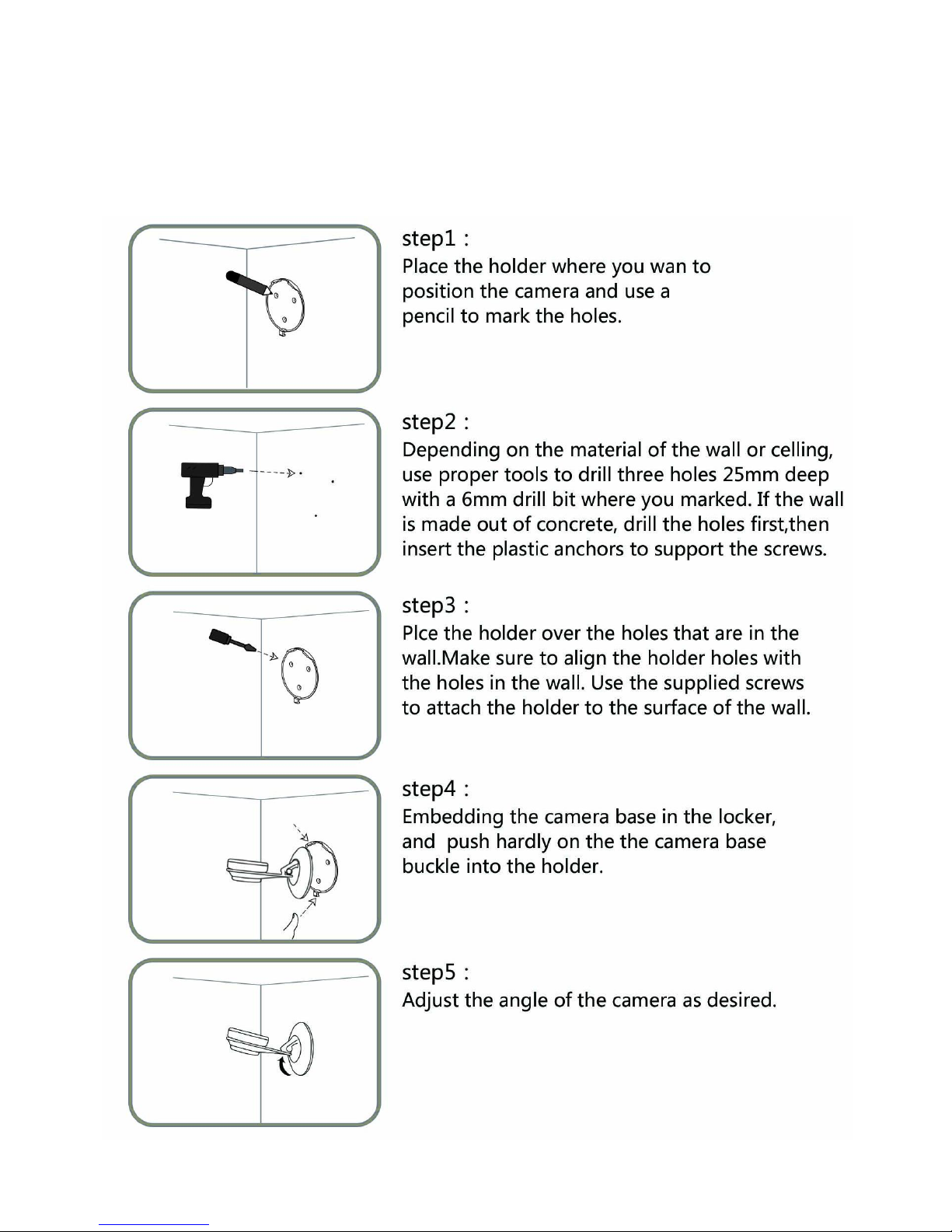
Please refer to the steps below to assist
you with mounting the camera
Page 12

Tips
1. The share function allows you to share
moments to friends and WeChat group. In
consideration of security, when the share link
idles over 30 minutes, it will automatically turn
invalid. (Considering your privacy, the device
you share can only listen, talk and watch,
guarantee your administrator authority.)
2. SD card records when camera working,
supporting apps remote access and local
playback. SD card’s video save in time axis
form, and you can move the time axis to find
the corresponding timing video to watch.
Page 13

Q & A
1. Q: QR code and acoustic identification
cannot pare?
A: Please turn off the power and reconfiguration. (Distance between camera and
QR code is around 10-15cm) Please adjust
your phone’s voice to 1/2 and put it near the
back of the camera.our camera only supports
2.4ghz wifi at this time.
2. Q: Fail to play the real-time video?
A: Please ensure your phone device have a
good network. Video checking requires a high
quality broadband, please try to refresh or
change your network.
3. Q: Cannot hear the voice from the camera
by phone?
A: Please maximum your phone’s voice.
4. Q: Real-time video is not smoothly?
A: Please check the WiFi or 3G/4G signal.
5. Q: OPTJOY app cannot access video in
smartphone or SD card.
A. Please check phone’s memory capacity
Page 14

Precautions
1. In order to avoid electromagnetic
interference, please turn off OPTJOY camera
in where explicitly prohibited the use of
electronic equipment, including but not limited
to aircraft, medical etc.
2. Keep OPTJOY camera out of direct sunlight,
wet dust, high temperature environment,
thunderstorm days, or near the fire source,
magnetic field, to avoid failure, overheating,
burn or explosion
3. Keep OPTJOY camera out of reach of
children and pets.
Page 15

Warranty Policy
1. If there is any performance fault within 7 days
since the date of sale, you could choose to refund,
replace or repair. If you choose to return the product,
please bring the device along with its accessories
and package to the seller shop. (Subject to the date
shown on the invoice) the seller would refund the
payment (Subject to the price shown on the invoice).
If you purchase online, please contact the Internet
distributor.
2. If there is any performance fault within 15 days
since the date of sale, you could choose to replace.
The seller would replace with a brand new same
model. If you purchase online, please contact the
Internet distributor.
3. If there is any performance fault within one year
since the date of sale, please send the defective
device to the seller for further process. The seller
would notify you to extract after the device is well
renovated. If you purchase online, please contact
the internet distributor.
Page 16

Non warranty policy
What does not cover in commitment of three
guarantee, Shenzhen YSX Electronics Co., Ltd. has
the right without follow commitment of three
guarantee to offer free maintenance service in the
situation below.
1. Without or beyond the expiration date of
commitment of three guarantee and free
maintenance service.
2. Performance default is caused by without
following instruction and maintenance policy and
repairing without its authorized staff.
3. Due to force majeure a result of failure or damage.
4. Due to normal use of decoloring and deterioration
is out of the scope of maintenance service.
Shenzhen YSX Electronics Co., Ltd. reserves the
right of interpretation of these regulations.
Page 17

Support and Service
Official Website:
Official Weibo:
Official WeChat:
Customer service email:
Customer service numbers:
+86 0755-28348580
Page 18

Three Guarantee Certificate
Dealer retained
Name: (MR/MRS)
Telephone number:
Address:
Sale Information
Model No:
Dealer name
Address
Date of Sale
Contact number:
Invoice number:
Seal of
Dealer
Page 19

Three Guarantee Certificate
Customer retained
Name: (MR/MRS)
Telephone number:
Address:
Sale Information
Model No:
Dealer name
Address
Date of Sale
Contact number:
Invoice number:
Seal of
Dealer
 Loading...