

Page 1
For managing, maintaining and deploying your Onyx Beacons please visit
connect.OnyxBeacon.com
Feel free to contact us with any feedback or help you need.
To make most of your beacons use the Onyx Beacon App from the iTunes App
Store or Google Play store and use our Onyx Beacon SDKs for iOS and
Android.
Onyx Beacon
Beacon Enterprise
User Manual
Page 2

Your Enterprise Beacon comes usually shipped with 2 AA or 4 AA batteries
and/or a USB-to-DC cable and/or USB charger in the package. In most cases
the batteries are shipped separately in the box. In some cases the batteries are
already inserted in the Enterprise Beacon enclosure, depending on your country
or order specifications.
The Enterprise Beacon can be powered in the following way(s):
-with 2 AA batteries, or-with 4 AA batteries, or-with only the USB-to-DC cable
connected to a USB port (supplied in package when ordered), or-with only the
USB-to-DC cable connected a USB charger (supplied in package when
ordered), or-with 2 or 4 AA batteries and USB-to-DC cable connected to USB
port, or-with 2 or 4 AA batteries and USB-to-DC cable connected to USB
charger.
The batteries can be inserted or replaced and the USB-to-DC cable can be
connected in the Enterprise Beacon by following a few simple steps.
1
Twist the top of the case in the indicated direction open (counterclockwise). To
separate the top from the bottom part of the enclosure.
Page 3
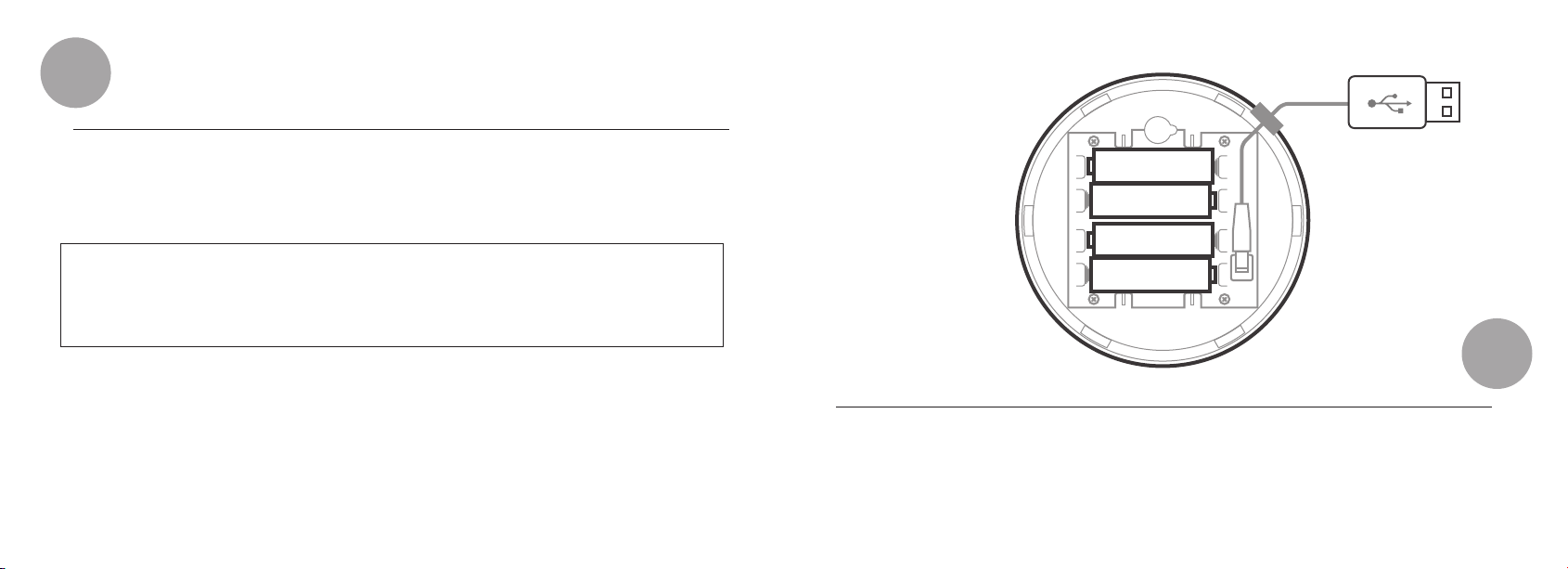
2
Insert or replace either 2 or 4 AA batteries as indicated.
Make sure you have the waterproof seal in place for the beacon housing when
using it outdoors.
Note: Please use always new AA batteries and do not mix new with used
batteries, or batteries of different types in one beacon.
To remove the battery, push it out of the metal frame with a thin non-metallic
object.
If operated with only a external USB charger or via a USB port please insert the
supplied USB-to-DC cable.
Make sure the supplied USB-to-DC cable and its waterproof seal is inserted
fully in the beacon housing to assure the beacon can operate in a waterproof
way.
AA Battery
AA Battery
AA Battery
AA Battery
3
Close the enclosure by twisting the top of the enclosure back on the bottom of
the enclosure in the indicated direction (clockwise). see step 1
Page 4
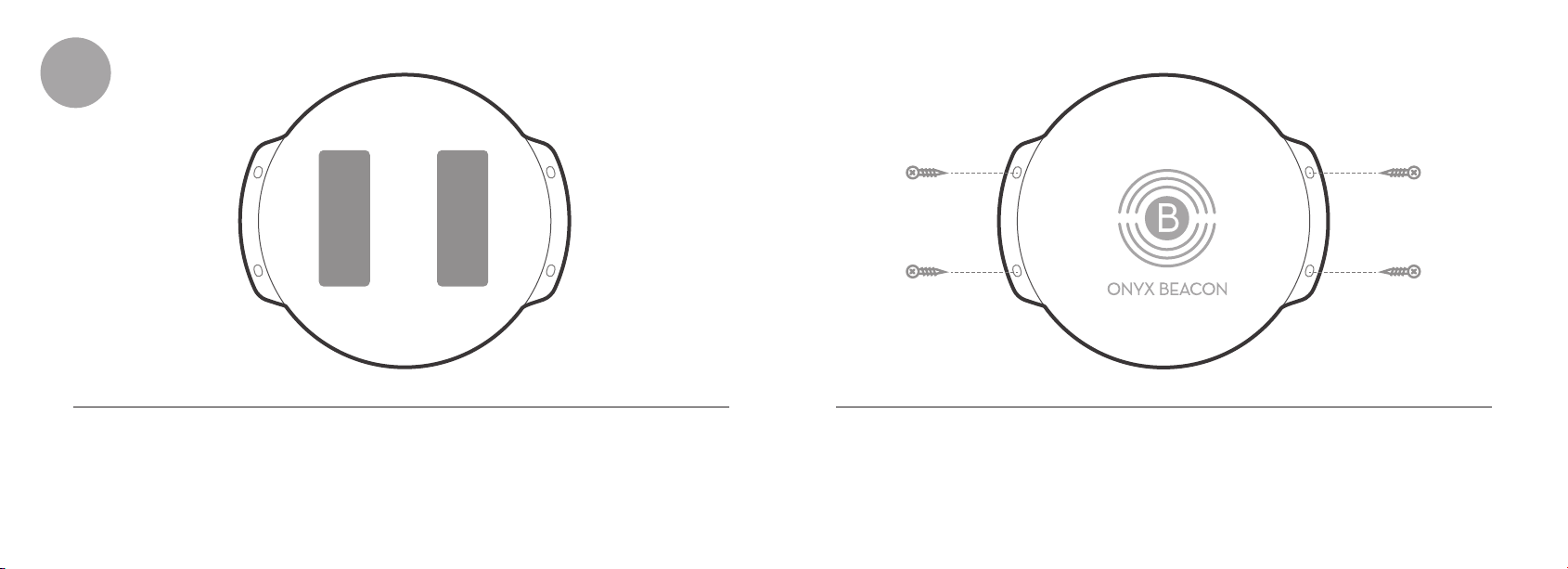
4
Mounting the Enterprise Beacon on the wall is simple. Just glue it to the wall
using the 3M® VHBTM Tape that you find in the back of the Enterprise Beacon.
The Enterprise Beacon can also be mounted to the surface with 4 screws.
Page 5

Federal Communications Commission (FCC) Interference
Statement
This equipment has been tested and found to comply with the limits for
a Class B digital device, pursuant to Part 15 of the FCC Rules.
These limits are designed to provide reasonable protection against
harmful interference in a residential installation. This equipment
generate, uses and can radiate radio frequency energy and, if not
installed and used in accordance with the instructions, may cause
harmful interference to radio communications.
However, there is no guarantee that interference will not occur in a
particular installation. If this equipment does cause harmful interference
to radio or television reception, which can be determined by turning the
equipment off and on, the user is encouraged to try to correct the
interference by one of the following measures:
Reorient or relocate the receiving antenna.
Increase the separation between the equipment and receiver.
Connect the equipment into an outlet on a circuit different from that
to which the receiver is connected.
Consult the dealer or an experienced radio/TV technician for help.
Page 6

This device complies with Part 15 of the FCC Rules. Operation is
subject to the following two conditions:
(1) This device may not cause harmful interference, and (2) this device
must accept any interference received, including interference that may
cause undesired operation.
FCC Caution: Any changes or modifications not expressly approved by
the party responsible for compliance could void the user’s authority to
operate this equipment.
RF exposure warning
This equipment complies with FCC radiation exposure limits set forth
for an uncontrolled environment.
This equipment must not be collocated or operating in conjunction with
any other antenna or transmitter.
 Loading...