

Page 1
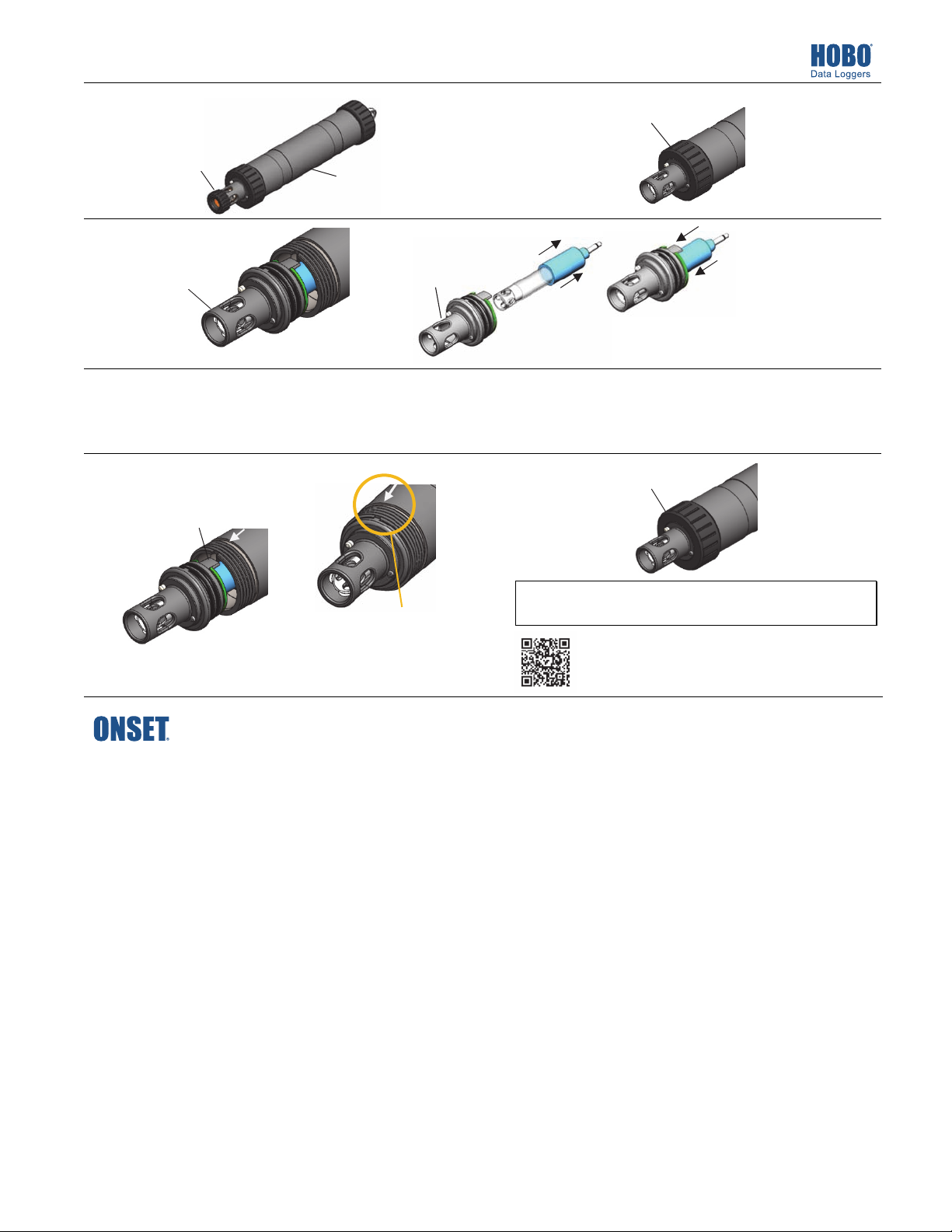
MX2500 Replacement Sensor End Cap (MX2500-END-CAP) Installation Instructions
1
Remove the copper
guard if installed.
Pull the sensor end
3
cap straight out from
the logger without
twisting it.
22670-B MAN-MX2500-END-CAP
Push the sensor end cap straight back
5
into the logger, without twisting it.
Use the large tab and the arrow on
the logger housing for alignment.
Wipe the logger clean
and dry it completely.
Gently and slowly pull
4
out the pH electrode
from the old end cap,
if installed.
Unscrew this closure cap.
2
Note: Removing or reinstalling the
electrode too quickly could result in
unseating the internal O-rings.
6
Screw the closure cap back on.
Wipe the outer plastic body
of the electrode dry with a
soft cloth or paper towel
(never touch the glass bulb).
Gently and slowly push the
electrode into the new end
cap. Gently twist it so the
holes in the sensor align with
the holes in the end cap.
IMPORTANT: The pH sensor must be kept in storage solution when
Make sure the small tab
in the end cap fits in the
small groove in the
logger housing.
© 2018 Onset Computer Corporation. All rights reserved. Onset, HOBO, and HOBOmobile are registered trademarks of
Onset Computer Corporation. All other trademarks are the property of their respective companies.
22670-B MAN-MX2500-END-CAP
not being calibrated or deployed in water.
Find Quality Products Online at: [email protected]
www.GlobalTestSupply.com
 Loading...