

Page 1
USER GUIDE
Page 2
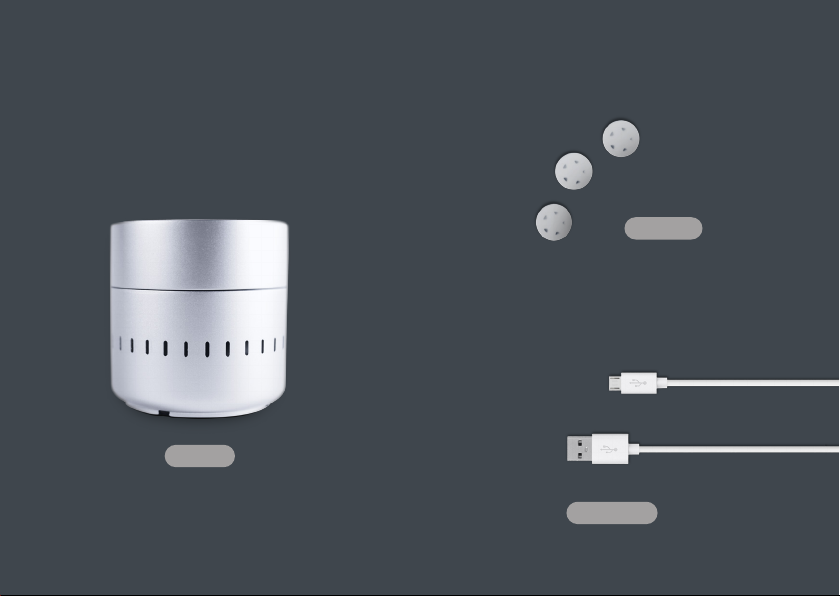
Cyrano
3 oChips
USB cable
Page 3
2
1
Download the oNotes application from iTunes to
your iPhone or iPad.
1
2
3
3
2
Set up your device
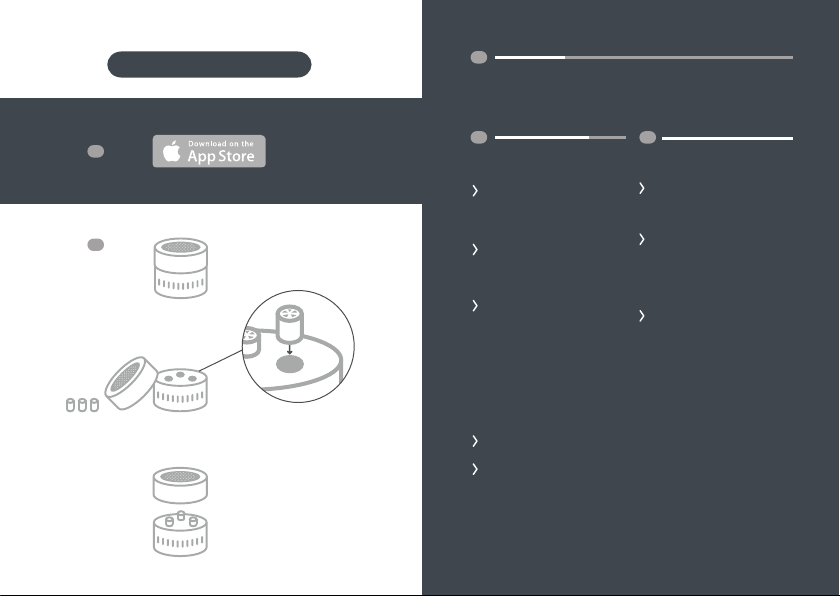
Unpack the device and
oChip scent cartridges
from the box.
Remove the lid from
your device and set it
aside.
Load the three oChip
cartridges into their
slots in the base, taking
care to match the numbers of the oChips to the
numbers on the base.
oChip 1 goes in slot 1,
oChip 2 goes in slot 2,
oChip 3 goes in slot 3.
3
Play a Scent Melody
Start the oNotes app
from your iPhone or
iPad.
The app should find
your Cyrano device
and display a library of
scent melodies for you
to enjoy.
Just tap one you like
and enjoy. Follow the
instructions on the
playback screen to
customize the scent
melody to your liking
or create one of your
own.
Replace the device lid.
Press the Cyrano power
button and notice that
its status light turns
green.
Page 4

PLAYING THE BUILT-IN SCENT MELODY
Sometimes you might want
to use your Cyrano device
without the oNotes app,
especially if you’re driving or
on the go.To play the built
in Scent Melody, just press
the Cyrano button while the
device is powered on.
LOADING OCHIPS
The car-
tridges for
your Cyrano
are called
oChips.
1, 2 or 3. Remove the oChips from
their packaging and insert each
chip into its corresponding slot in
the base. oChip 1 goes in slot 1.
oChip 2 in slot 2. oChip 3 in slot 3.
The oChips are designed to last
with regular use for up to a month. When you begin to notice that
scent is growing more faint, it is
time to change out your oChips.
The easiest way to get replacements is to order them online
at onotes.com
Your oChips arrive in
sealed packaging - keep
them wrapped until you
are ready to use them in
your device.
Each oChip is numbered
Page 5
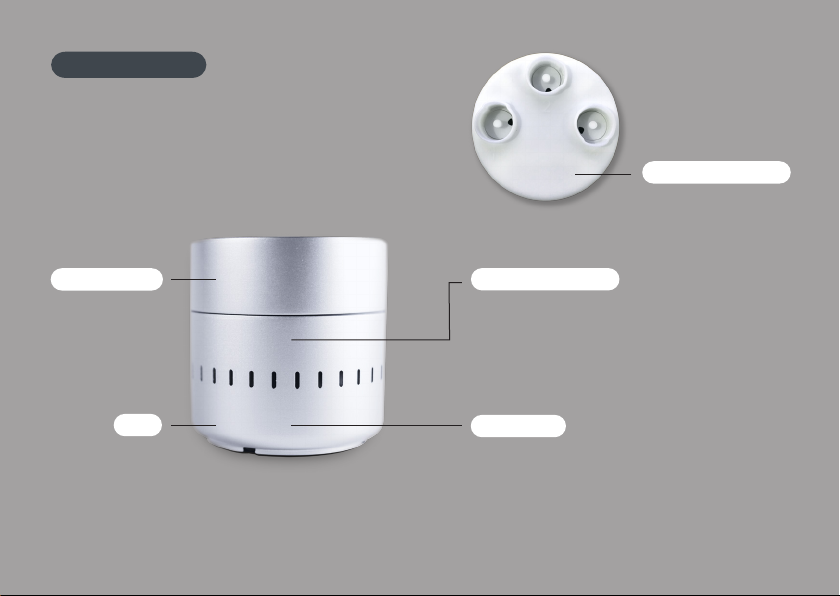
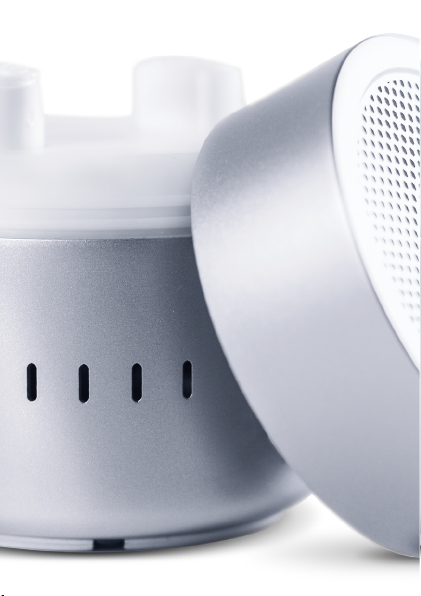
YOUR CYRANO
Location for oChips
Removable Lid
Base
Power / Play Button
• Press to Power On
• Press again when powered on to play
the built-in scent melody.
• Press and hold for 2 seconds to Power O
Status light
• Green when powered on and charged
• Flashing when playing a scent
• Yellow to red if the battery is running low
• Quick flash when plugged in, turned on and
charging
Page 6

FCC REGULATORY STATEMENT
This device complies with Part 15 of FCC
Rules. Operation is subject to the following
two conditions:
(1) this device may not cause harmful interference, and (2) this device must accept
any interference received, including interference that may cause undesired operation.
Changes or modifications not expressly
approved by Vapor Communications could
void the user’s authority to operate the
equipment.
To comply with FCC/IC RF exposure limits
for general population / uncontrolled exposure, the antenna(s) used for this transmitter must be installed to provide a separation
distance of at least 20 cm from all persons
and must not be co-located or operating
in conjunction with any other antenna or
transmitter.
GENERAL TIPS
To completely turn o your device, press and hold the button for
about 2 seconds. Otherwise, when
not in use for 5 minutes, your device will automatically power o.
If you notice residual scent after multiple uses, please wipe
o the device lid with a slightly
damp cloth (Dampening with rubbing alcohol is most eective).
QUESTIONS ?
If you have questions or concerns
about how to use this product,
please visit onotes.com
or send a message to support@
vaporcommunications.com
Page 7
 Loading...