

Page 1

OneMedia SMART WATCH
EVOLUTION 1.0
QUICK START
Page 2
Tankertanker Design
Tankertanker Design
Getting Start
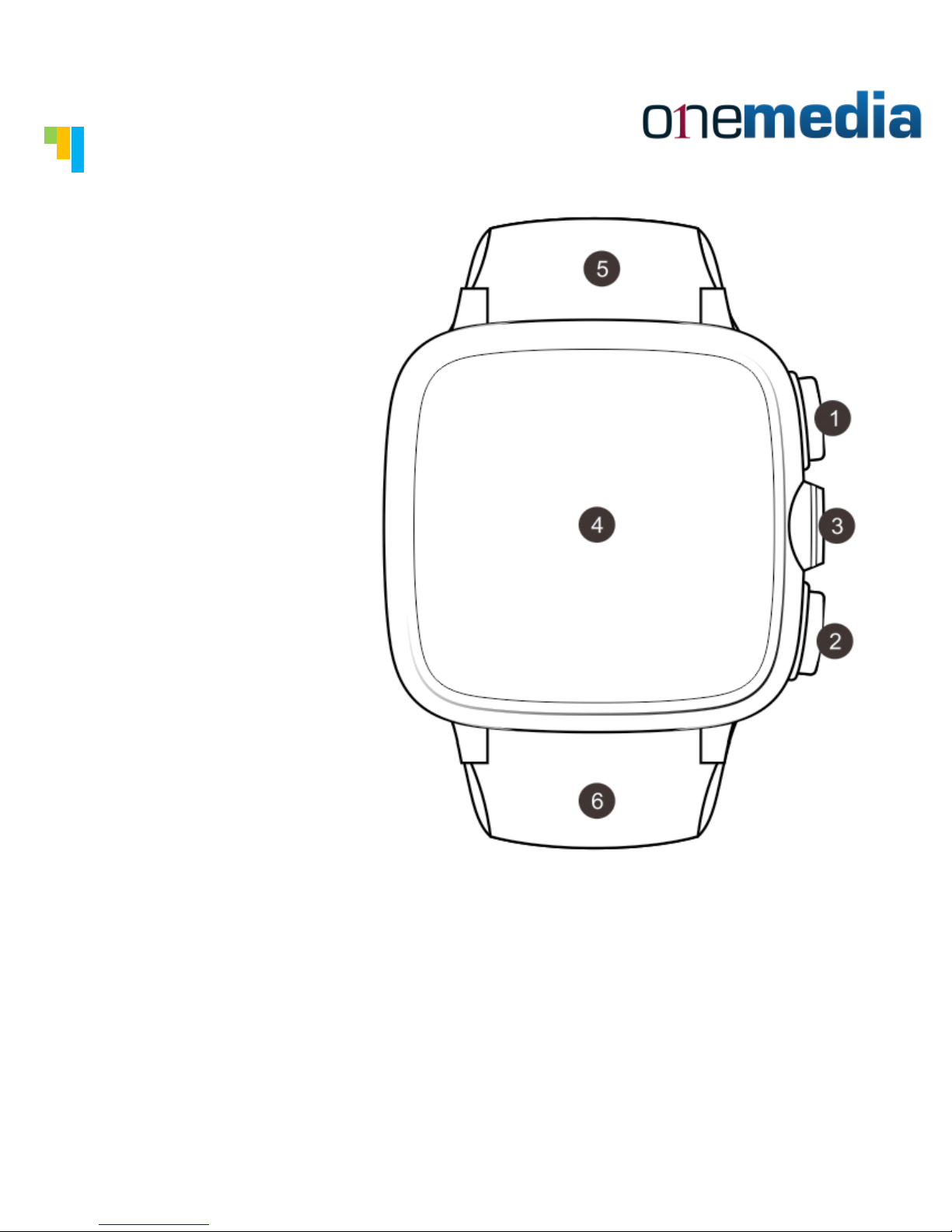
① Power Button
② Home Button
③ Camera
④ Display
⑤ Microphone
⑥ Antenna
Tips:You can turn the watch on or off by holding
the power button.
Page 3
Tankertanker Design
Tankertanker Design
Getting Start
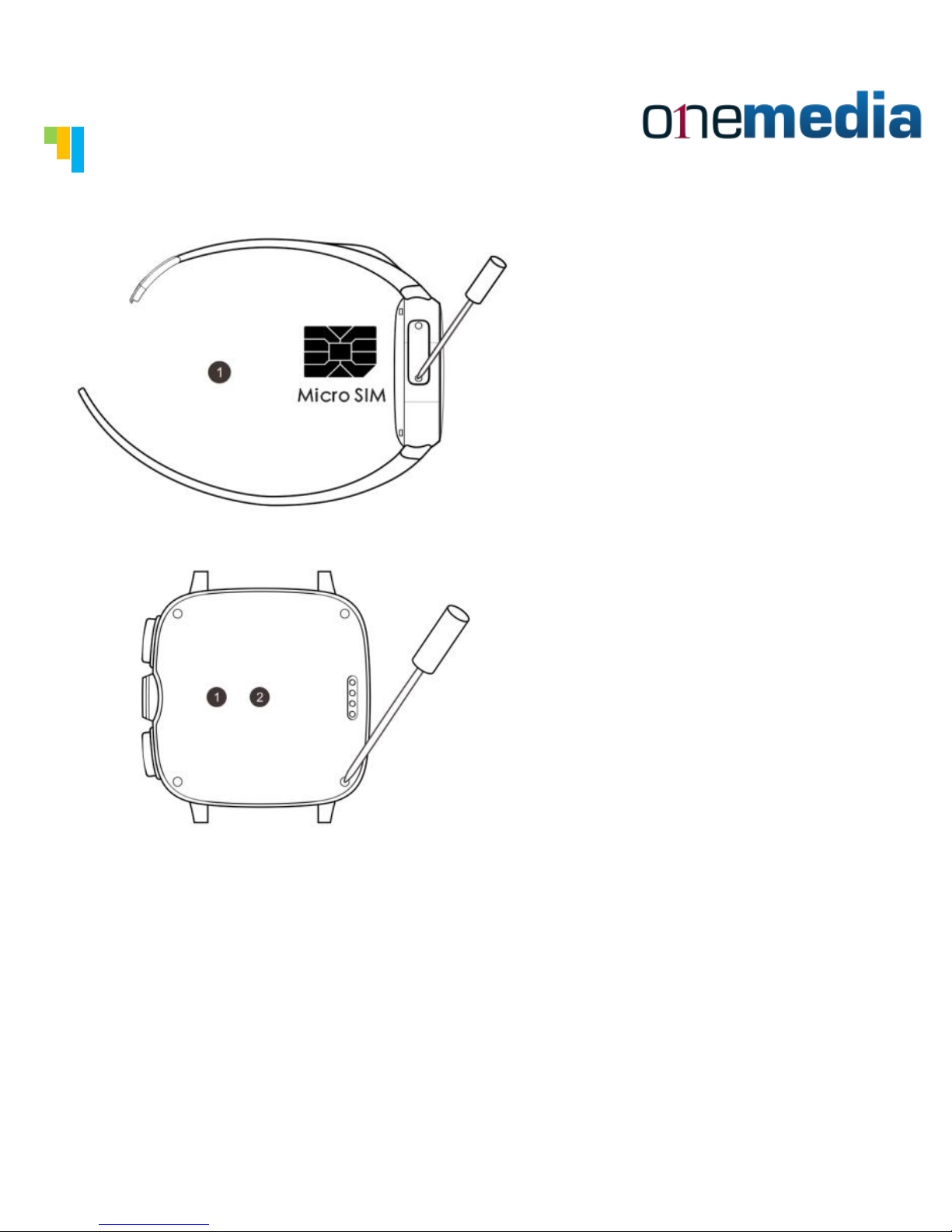
Insert SIM card
Insert SDcard
(Memory card).
First remove the battery. Then insert the
SDcard into the slot after having removed the
battery. Then replace the battery after having
inserted the SDcard.
Tips: You need to get the following things ready
when you use the watch first time: Micro SIM
card, screwdriver,and one smart phone.
Page 4
Tankertanker Design
Tankertanker Design
Getting Start
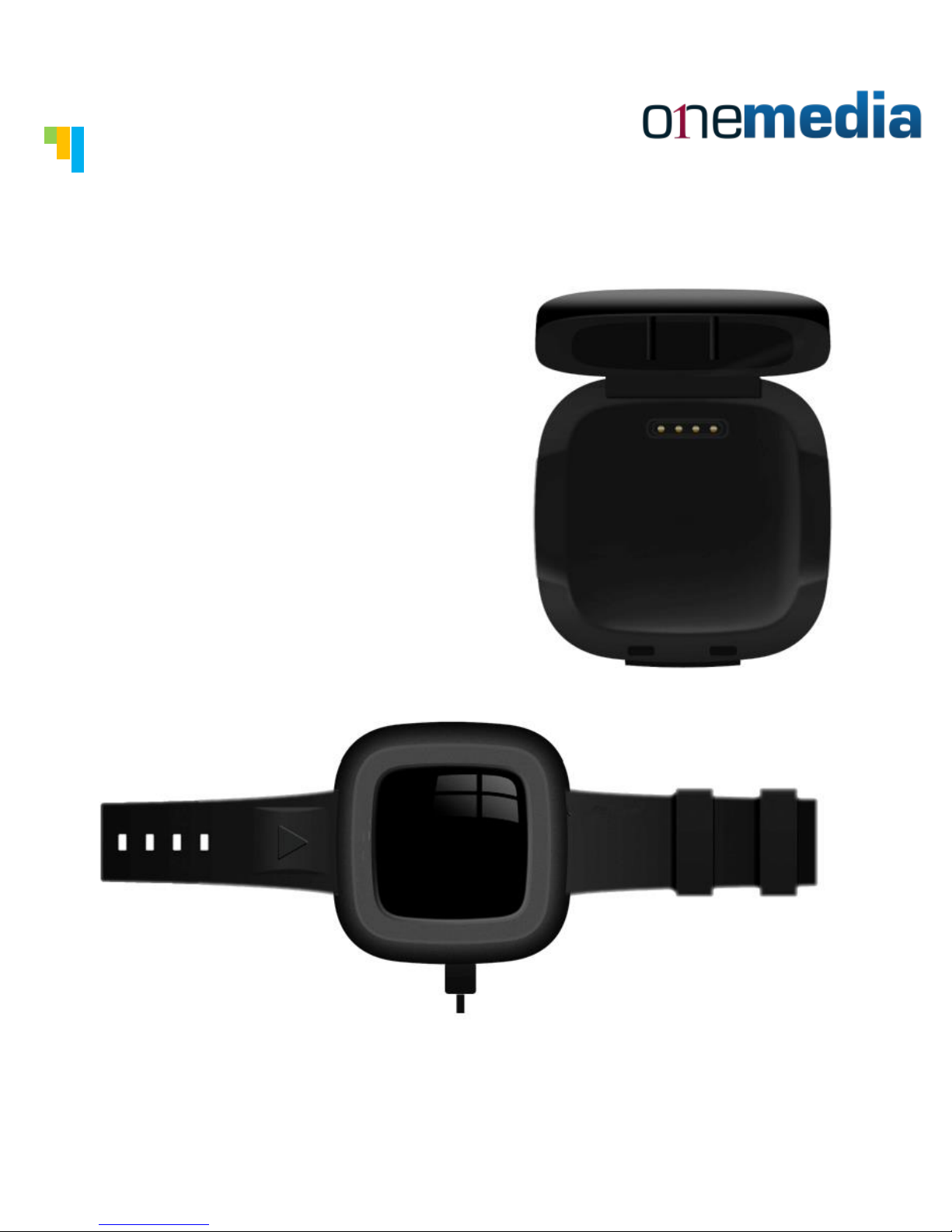
Charging the
battery:
Place the watch
into the charging
case and connect
the case to the
power cable.
Page 5
Tankertanker Design
Tankertanker Design
Hand Gestures
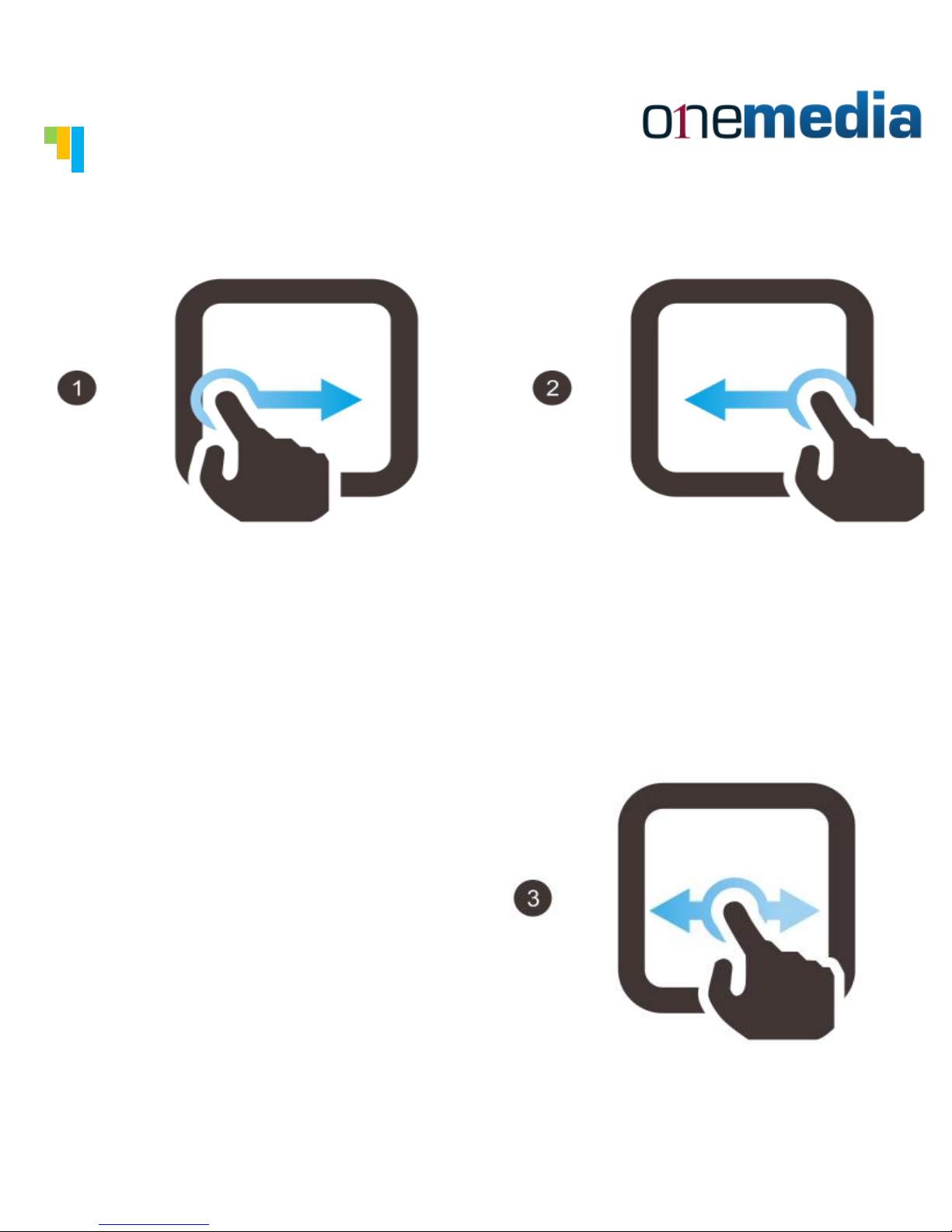
① Return to menu:Slide
your finger from the extreme
left of the window to the
right.
② Return to previous page:
Hit the return to previous
page icon or slide your
finger from right to left.
③ Change page: Slide your
finger to right or to left
to change the page.
Page 6
Tankertanker Design
Tankertanker Design
Lock / Unlock the Screen
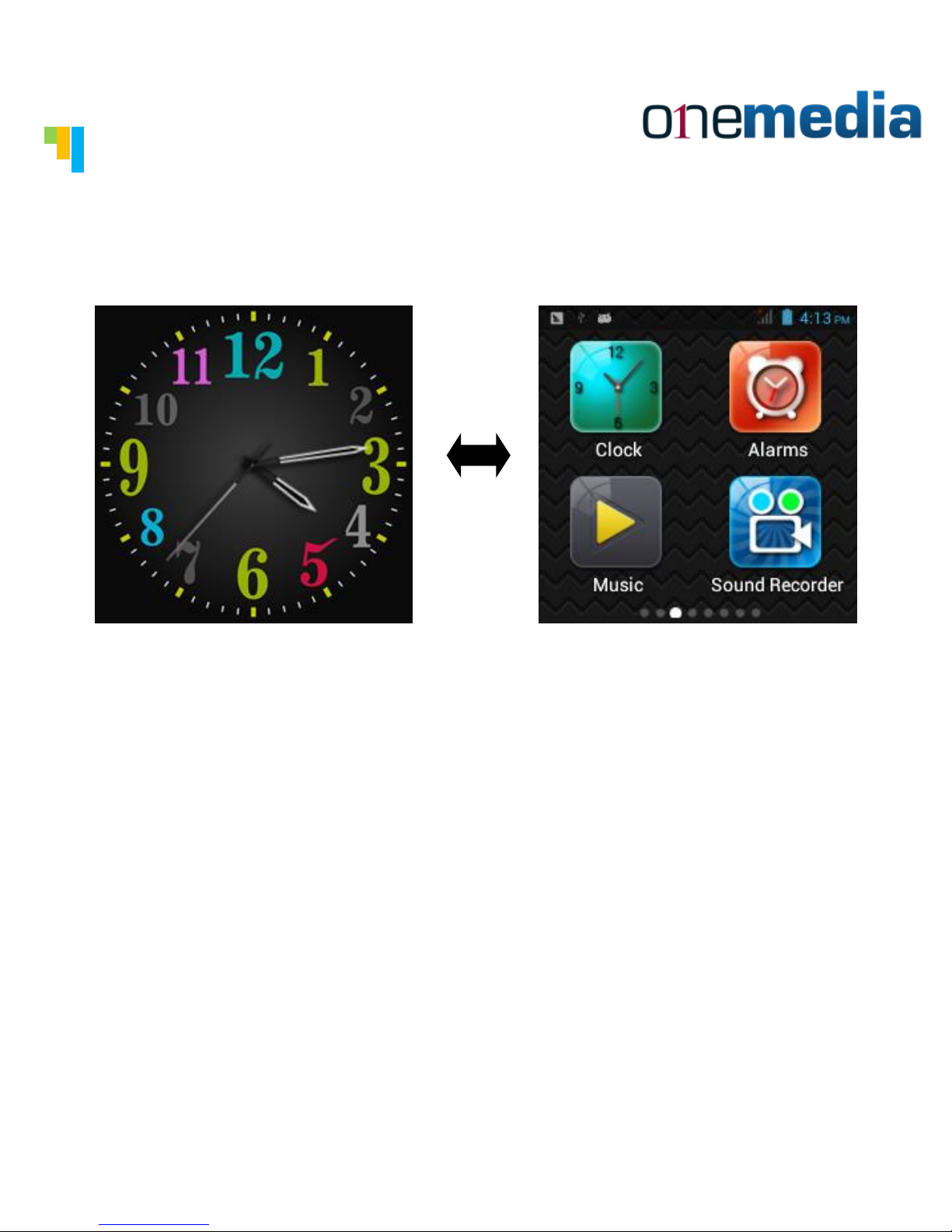
You can touch and slide the screen to either the right or to
the left in order to unlock the screen. You can press the
"power" button to lock the screen.
The time display can be changed to many styles by going to
the menu and click the style you desire..
Date and time setting:Go to the "Menu"- then click the
setting icon then go to -"date and time." Click "Calibrate
the time automatic". You can manually change the time or use
the GPS automatic function.
Page 7
Tankertanker Design
Tankertanker Design
Phone Book
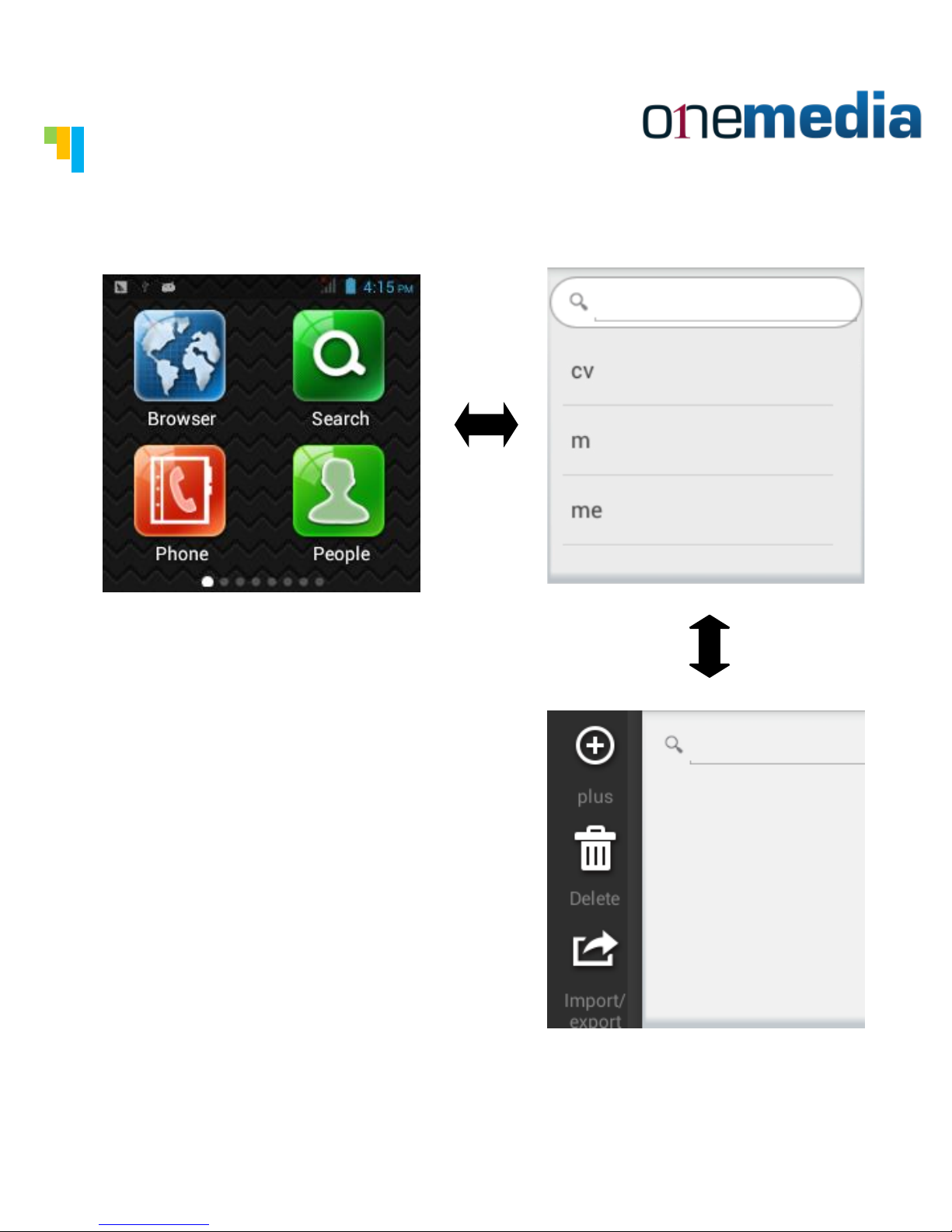
You can upload your
contact information in
many ways. You can load
the information into the
SIM card, SD card or you
can sychronize the contact
information with your
smartphone. You can also
input the contact
information manually.
Page 8
Tankertanker Design
Tankertanker Design
Making Call & Message
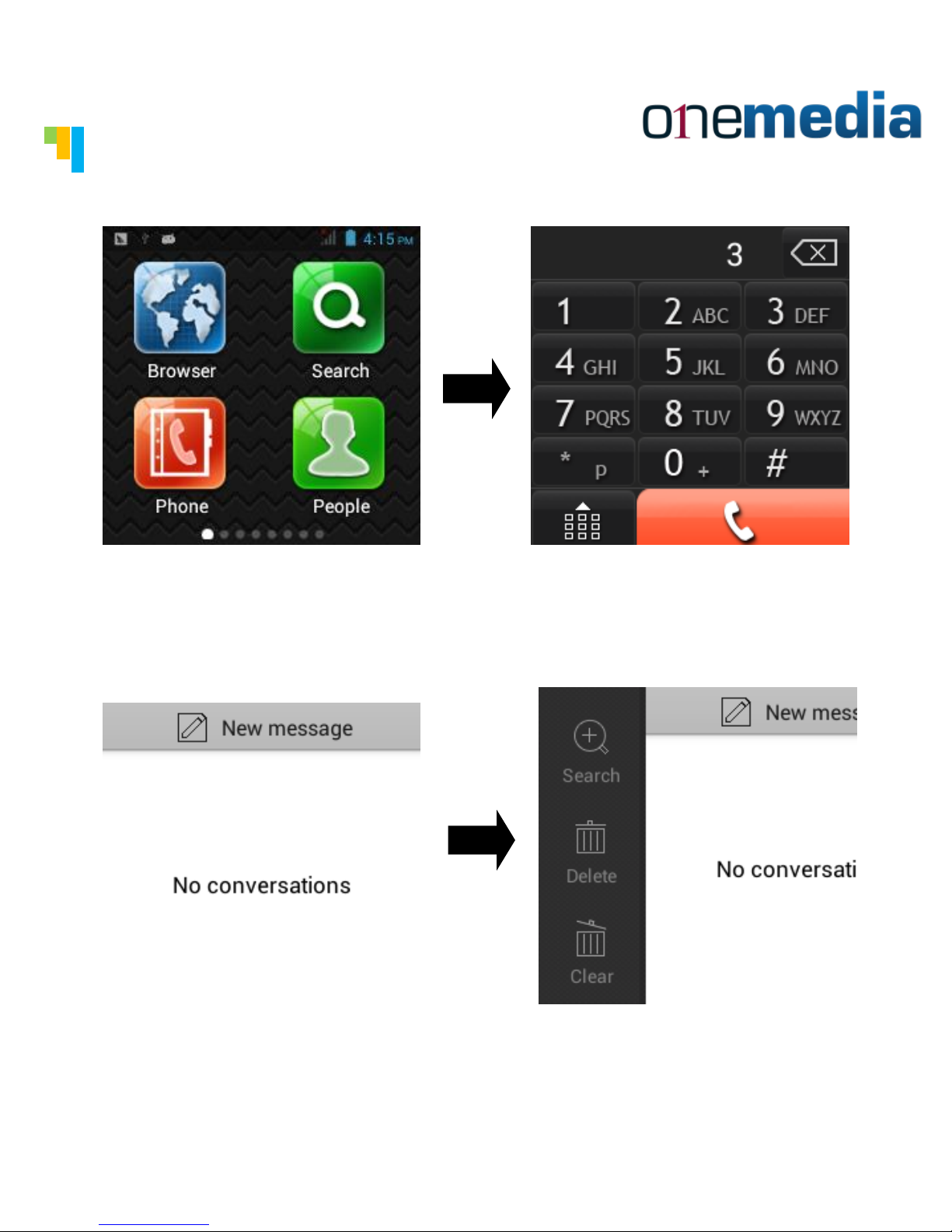
You can make calls by clicking the "Phone" button, or by
clicking the name in the phone book. The watch can search
the contact information by first name, last name or by
number.
You can send SMS or MMS to one or more than one contact
persons. You can also send voice or video messages on the
contact list. By pressing the SMS icon, you can send an SMS
message.
Page 9
Tankertanker Design
Tankertanker Design
Sending Email
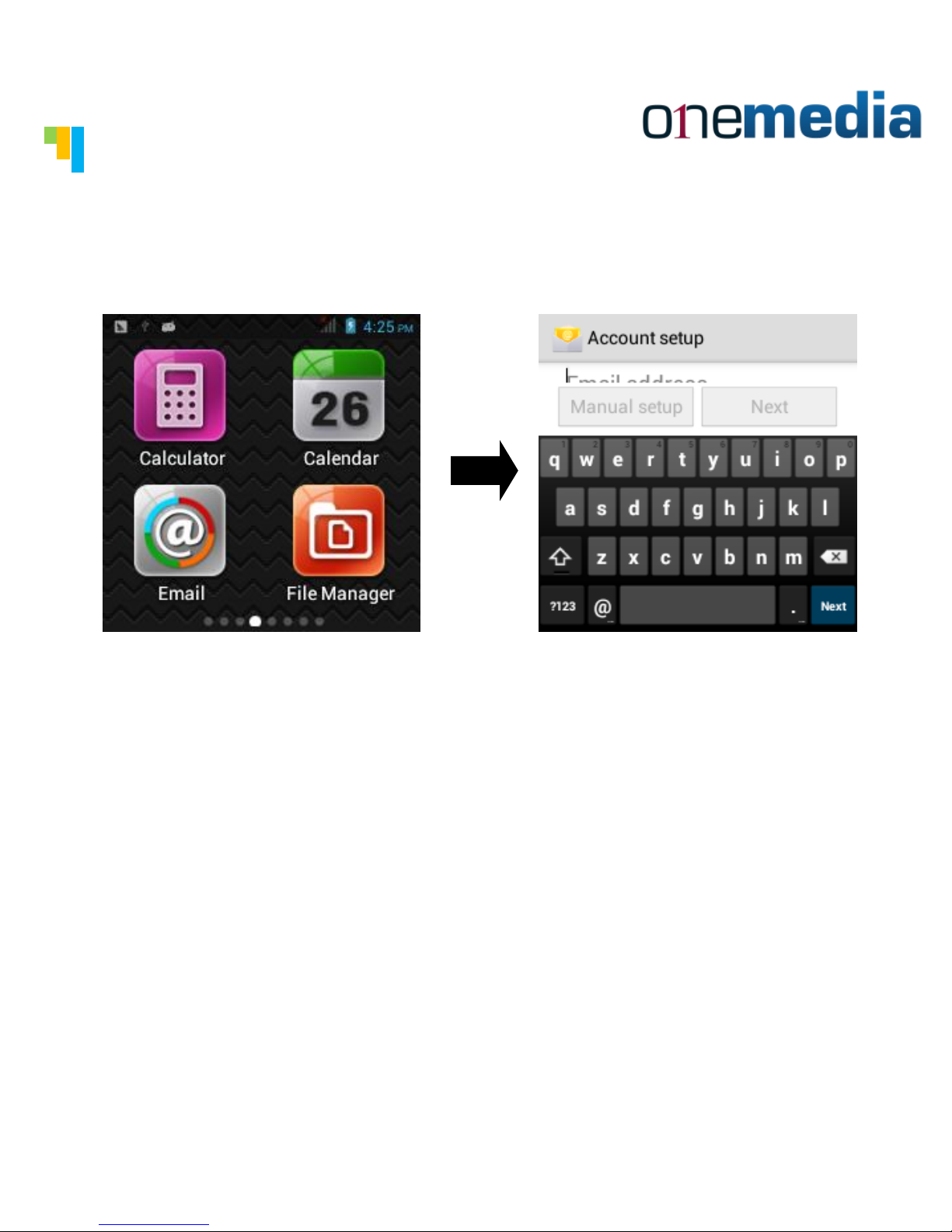
After you add your email account to the watch, you can send
emails. The watch will prompt you when you receive a new
email or SMS message.
Page 10
Tankertanker Design
Tankertanker Design
Taking Pictures and Videos
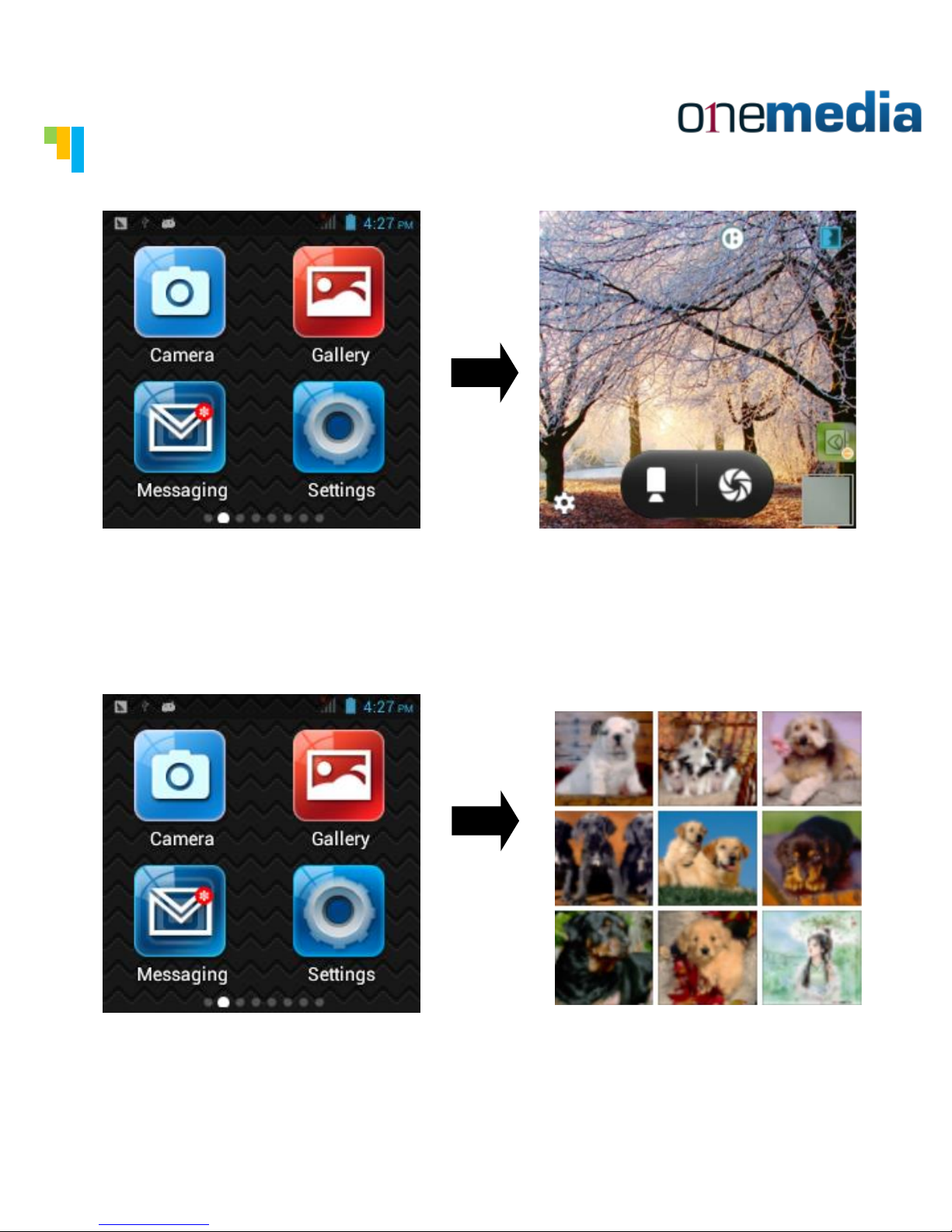
You can take pictures by click the Camera button on the menu.
The watch can support continuous shooting and can also shoot
a video. The camera can be set for a time delay as well to
shoot a photo.
You can click the gallery icon to view all the pictures and
videos you have made or downloaded into the watch photo
album.
Page 11
Tankertanker Design
Tankertanker Design
Music & Wallpaper
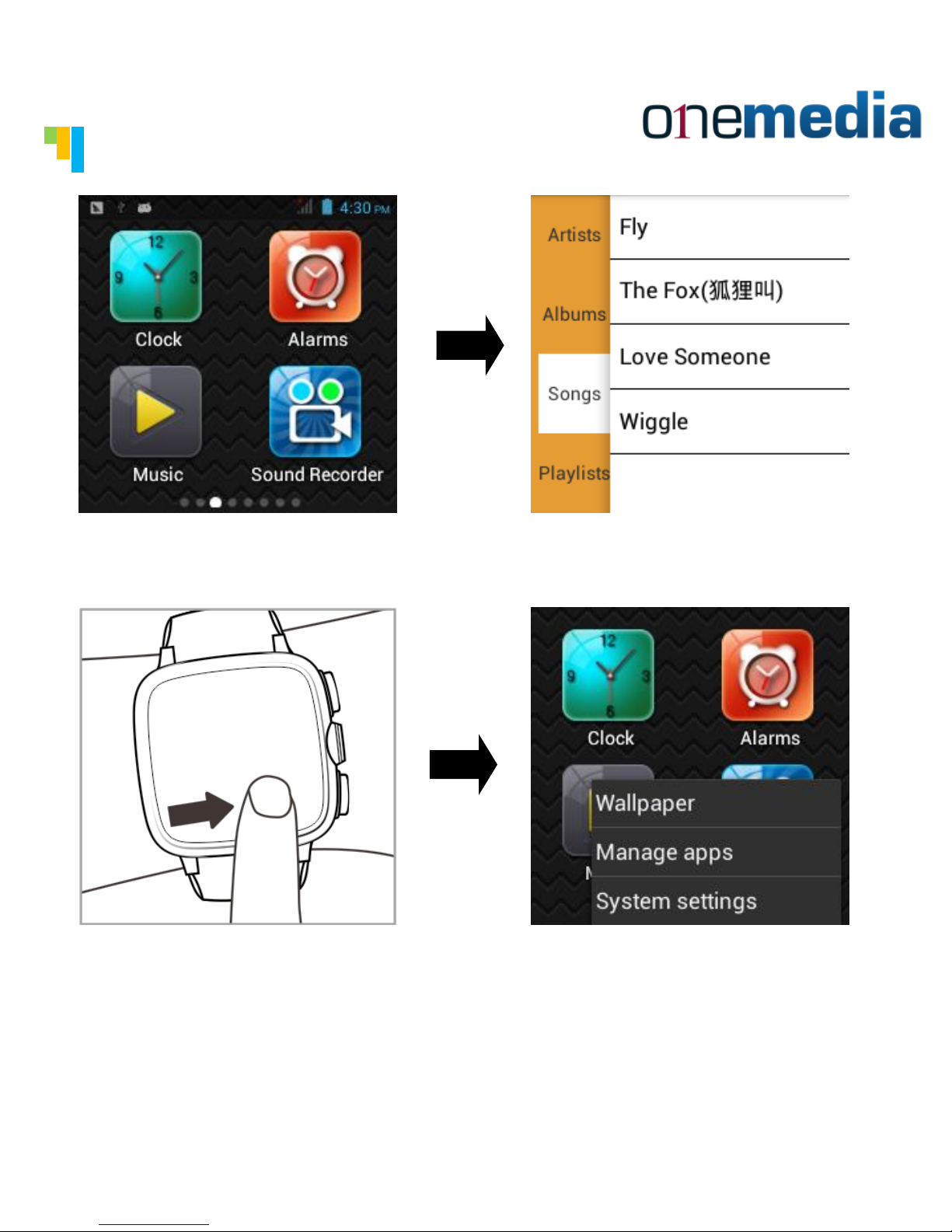
You can click the Music icon to play any music you have
downloaded. The watch can search your music by singer.
1、Press the menu screen for a few seconds. A setting window
will pop up to manage your watch.
2、Or you can go to
"Setting"→“Device”→“Display”→“Wallpaper”.
3、Select the wallpaper you desire in the settings.
Page 12
Tankertanker Design
Tankertanker Design
Internet & Notice
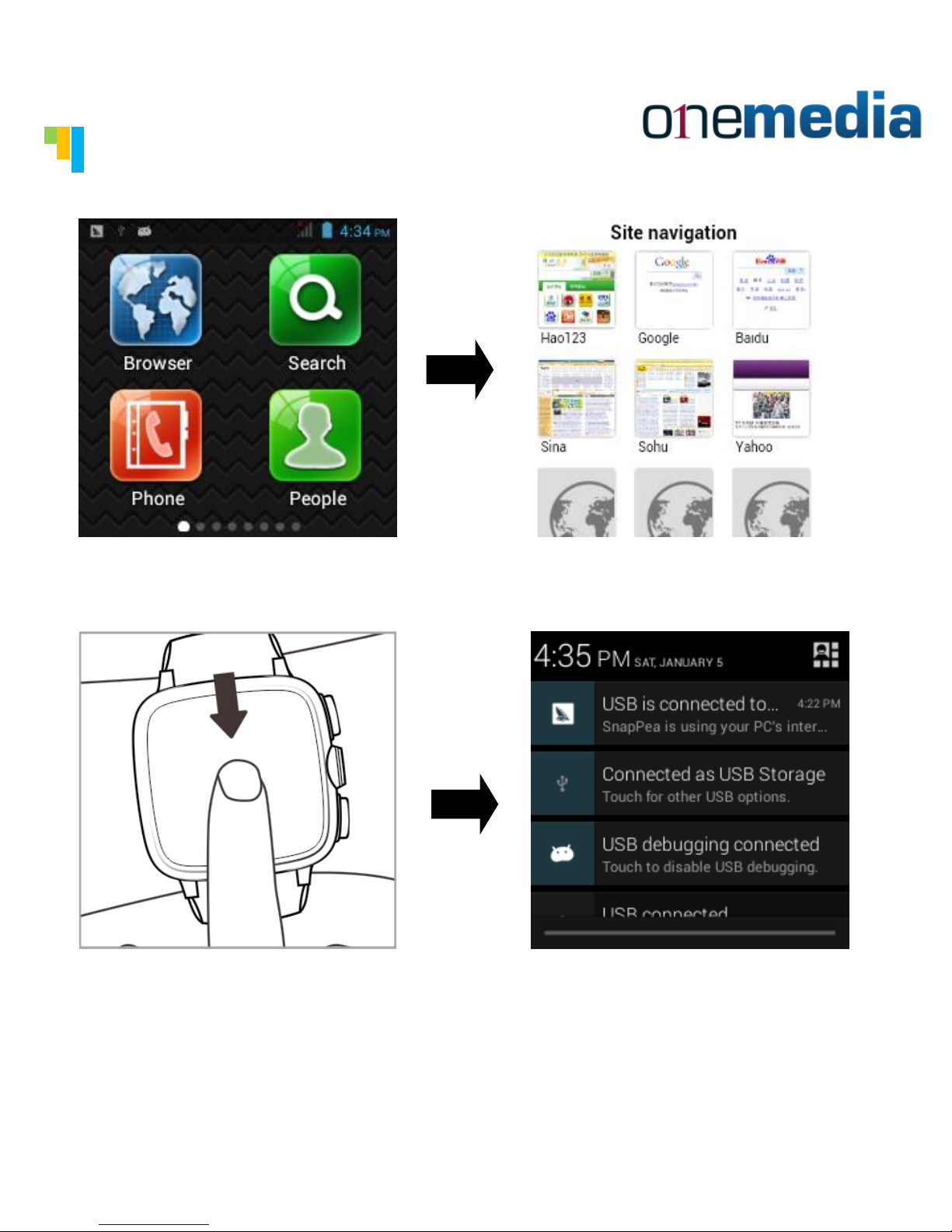
You can surf the internet by clicking the browser. You can
zoom in or out.
When you receive any incoming calls or new text or email
messages, you can slide the screen down to access.
Page 13
Tankertanker Design
Tankertanker Design
News & Sport
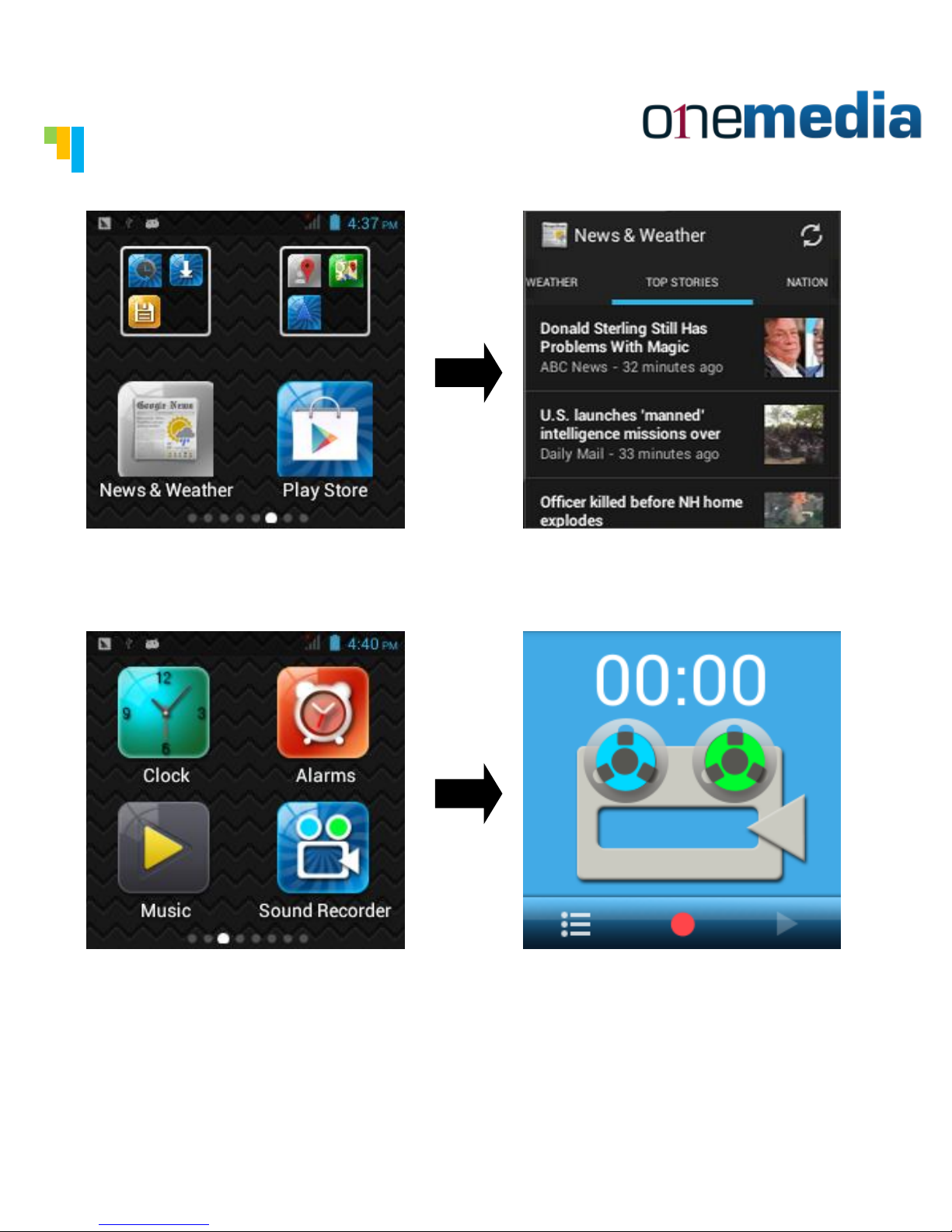
Click the News & Weather icon to check the news or weather.
Click the Sound Recorder to record a sound and save it as an
audio file in the watch.
Page 14
Tankertanker Design
Tankertanker Design
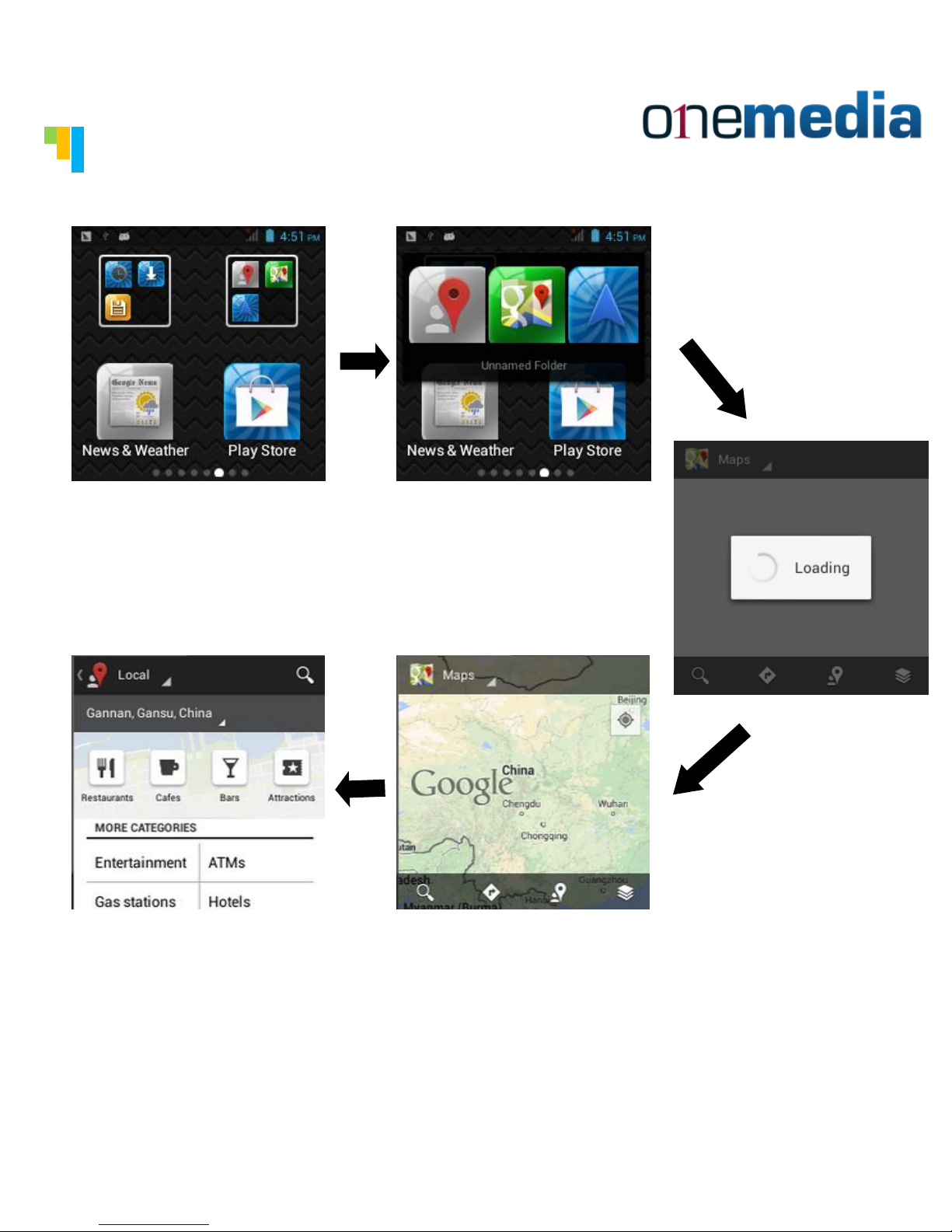
GPS
You can use GPS app (Google map or Baidu map) .
Page 15
Tankertanker Design
Tankertanker Design
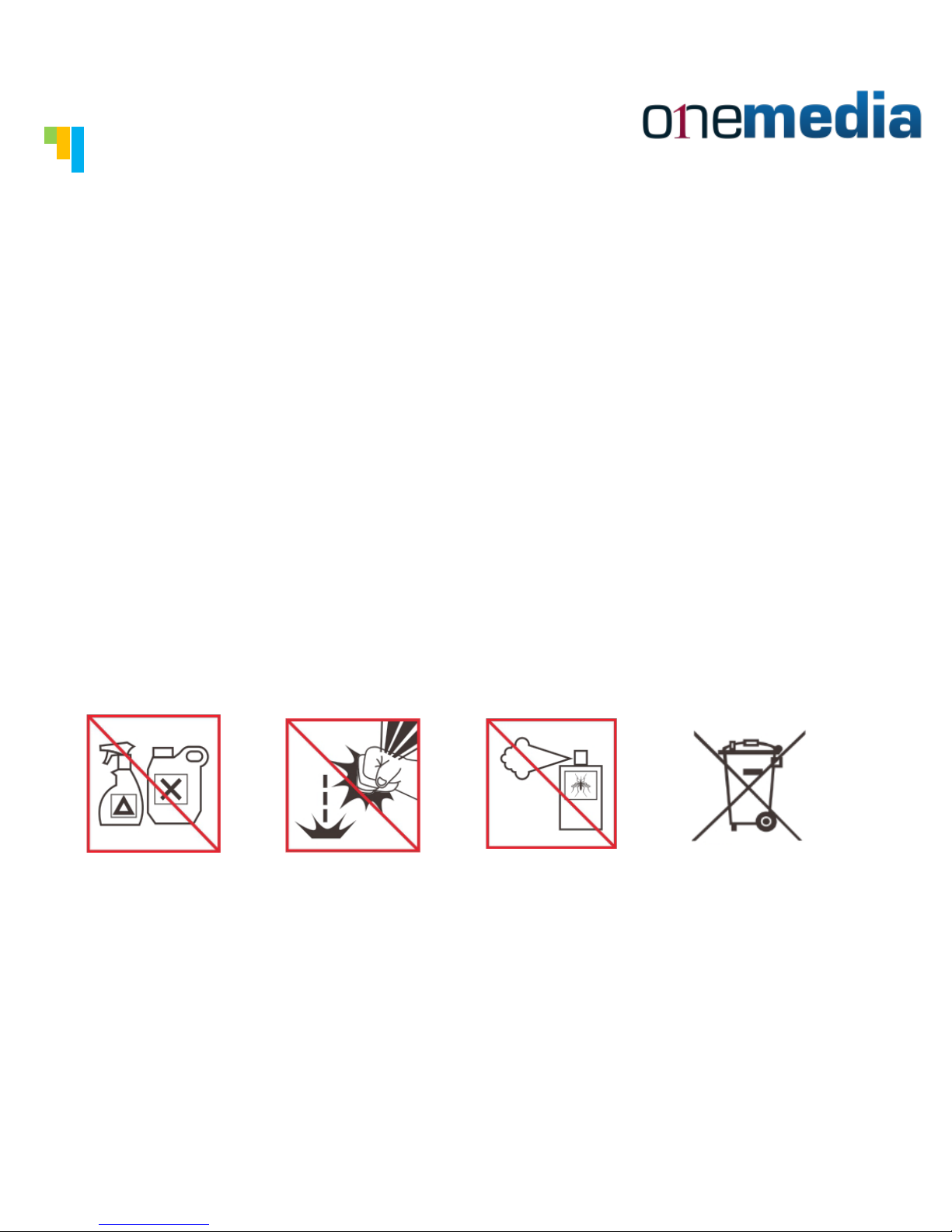
Specification
Tech Specs
• Operation temperature:-10°C...+50°C/+14°F...+122°F
• Water proof standard:IP-67
• Battery:600mAh
Page 16

www.onemediapartners.com
 Loading...