

Page 1
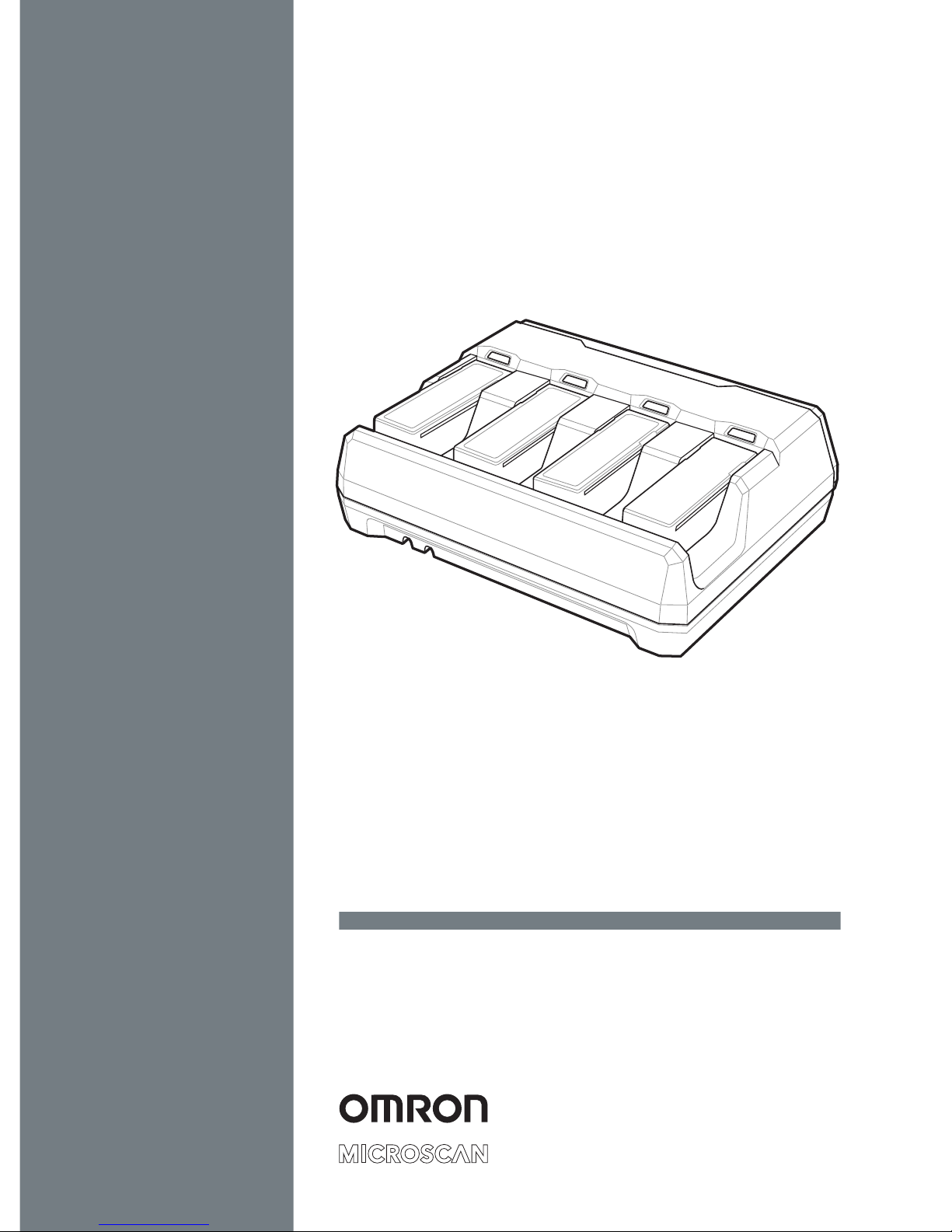
HS-360X Four-Slot Spare
Battery Charger
Quick Start Guide
Page 2

2 HS-360X Four-Slot Spare Battery Charger Quick Start Guide
Copyright ©2018
Omron Microscan Systems, Inc.
Tel: +1.425.226.5700 / 800.762.1149
Fax: +1.425.226.8250
All rights reserved. The information contained herein is proprietary and is provided
solely for the purpose of allowing customers to operate and/or service Omron
Microscan-manufactured equipment and is not to be released, reproduced, or
used for any other purpose without written permission of Omron Microscan.
Throughout this document, trademarked names might be used. We state herein
that we are using the names to the benefit of the trademark owner, with no intention
of infringement.
Disclaimer
The information and specifications described in this document are subject to
change without notice.
Latest Document Version
For the latest version of this document, see the Download Center on our web site
at: www.microscan.com.
Technical Support
For technical support, e-mail:
[email protected]
[email protected]
[email protected]
[email protected]
Warranty
For current warranty information, see: www.microscan.com/warranty.
Omron Microscan Systems, Inc.
United States Corporate Headquarters
+1.425.226.5700 / 800.762.1149
United States Northeast Technology Center
+1.603.598.8400 / 800.468.9503
European Headquarters
+31.172.423360
Asia Pacific Headquarters
+65.6846.1214
Page 3

HS-360X Four-Slot Spare Battery Charger Quick Start Guide 3
Introduction
The HS-360X Four-Slot Spare Battery Charger, P/N 98-9000185-01, charges up
to four single spare batteries. The charger can sit on a desktop or mount on a wall.
This document provides basic instructions for charger set up and use.
For best performance, fully charge the device battery before using the device for
the first time.
To charge the device battery, insert the battery in the charger. The battery begins
charging when the LED indicator on the battery charger LED is amber (blinking or
stays on). A complete charge of a fully discharged battery can take up to five
hours. Charge within the recommended temperature of 32° to 104° F
(0° to 40° C) nominal, 41° to 95° F (5° to 35° C) ideal.
Accessories
• Two screws (for wall mounting, if applicable; user-supplied).
• Power supply for desk/wall mounting configuration.
98-9000182-01 Kit, Power Supply for 4-Slot Battery Charger, HS-360X, A/C Power Cord Required
98-9000224-01 Battery, Spare, HS-360X Wireless
12-9000959-01 AC Power Cord, 2.5 M, U.S., C13 Conn.
12-9000960-01 AC Power Cord, 2.5 M, EU, C13 Conn.
12-9000961-01 AC Power Cord, 2.5 M, UK, C13 Conn.
12-9000962-01 AC Power Cord, 2.5 M, China, C13 Conn.
12-9001046-01 AC Power Cord, 1.8 M, Japan, C13 Conn.
Unpacking
Carefully remove all protective material from around the equipment and inspect it
for damage. If the equipment was damaged in transit, contact Omron Microscan
Support. KEEP THE PACKING. It is the approved shipping container and should
be used if the equipment ever needs to be returned for servicing.
Related Documentation
HS-360X User Manual, P/N 84-9000360-02
HS-360X (Wireless, HDS-3678) Quick Start Guide, P/N 83-9310014-02
All documentation is available at: www.microscan.com.
Page 4
4 HS-360X Four-Slot Spare Battery Charger Quick Start Guide
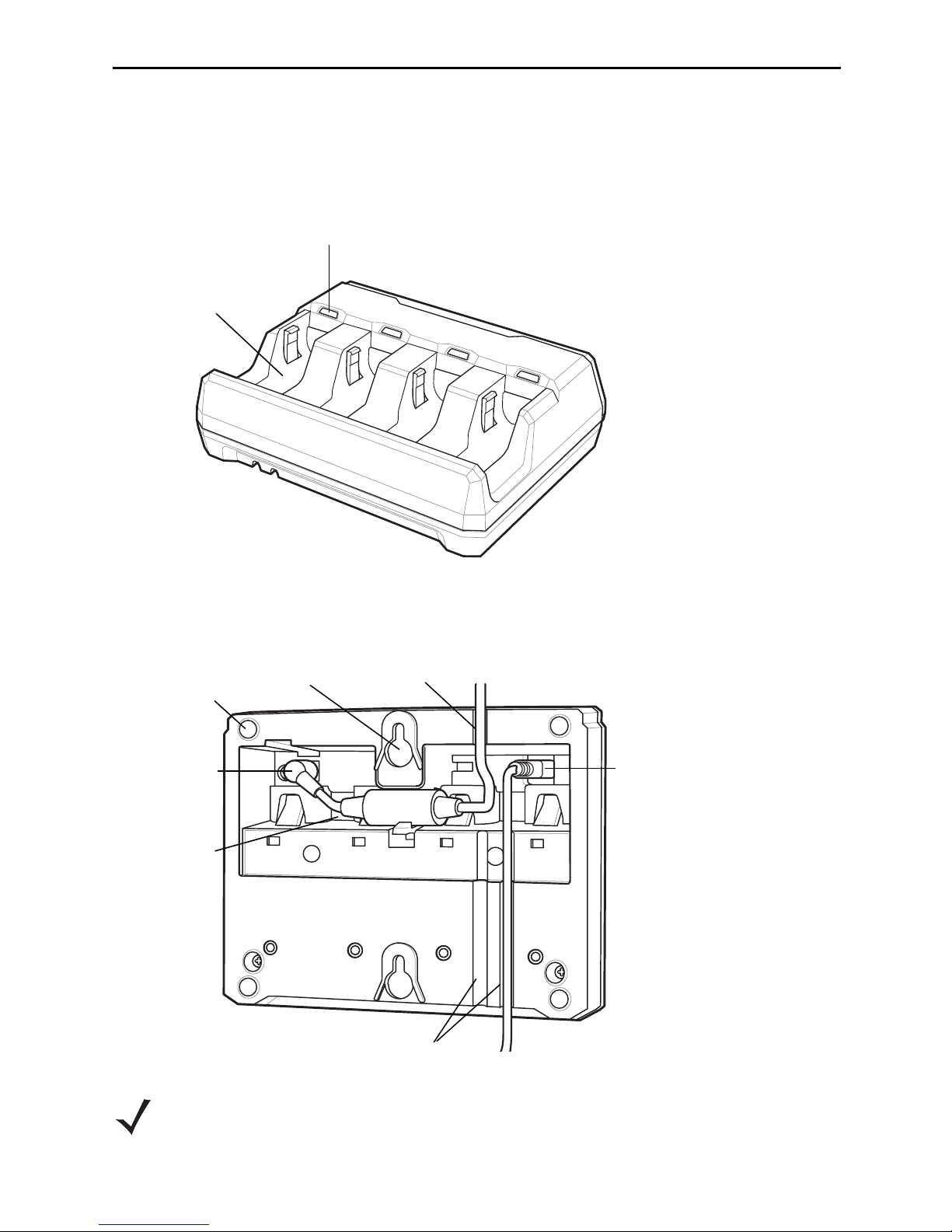
Battery
Charging LED
(four)
Battery Well
(four)
Rubber Feet
(four)
Power Port
Power
Cable Well
USB Port
Power Cable
Groove
Wall Mount
Key-Hole
(two)
Cable Grooves
Charger Parts
Four-Slot Spare Battery Charger Front View
Four Slot Spare Battery Charger Back View
NOTE The USB port connection is only required to update firmware. It is not
required for normal operation.
Page 5
HS-360X Four-Slot Spare Battery Charger Quick Start Guide 5
Mounting the Charger
To mount the charger on a vertical (wall) surface:
1. Connect the power cable to the power port and an AC power source. Insert
the power cable into the cable groove.
2. At the desired location, mark the location of the screws holes. The distance
between the two mounting screw holes is 103 mm. The gap between the wall
and the screw head is approximately 2.5 mm.
3. Pre-drill holes to accommodate two screws.
4. Attach the charger securely to the surface.
5. Insert up to four batteries to charge.
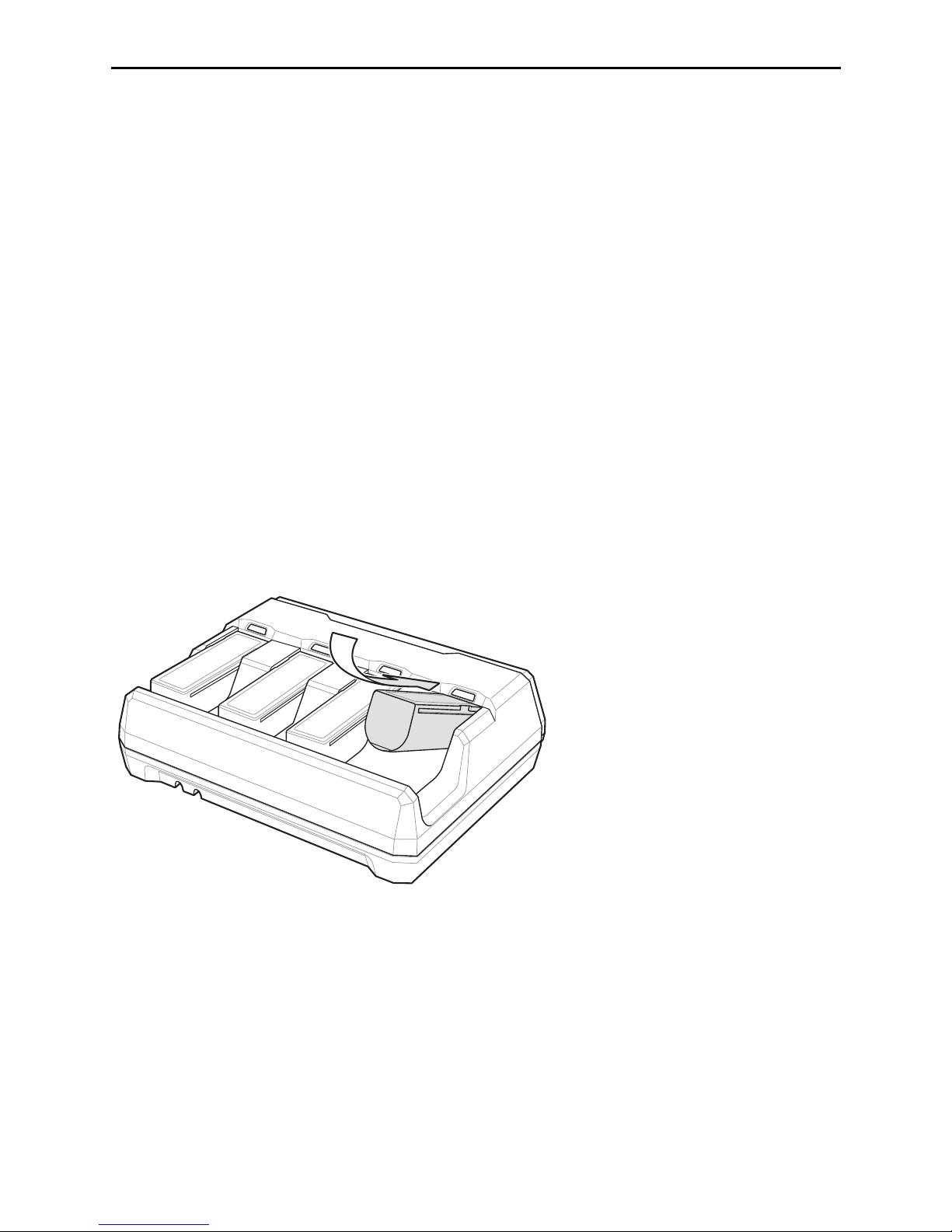
Inserting Batteries
To insert batteries in the battery charger, angle the battery with the contacts facing
up and slide the contact side of the battery under the LED indicator ledge as
shown below. Push down on the label surface of the battery until it clicks in place,
engaging the contacts in the battery charger.
Removing Batteries
To remove batteries from the charger, pull the battery out of the battery well from
the top of the battery.
Charging Batteries
To insert batteries in the battery charger, angle the battery with the contacts facing
up and slide the contact side of the battery under the LED indicator ledge as
shown below. Push down on the label surface of the battery until it clicks in place,
engaging the contacts in the battery charger.
Page 6
6 HS-360X Four-Slot Spare Battery Charger Quick Start Guide
LED Indicators
Power/Charging LED Sequence
Standard Use
Red, amber, green, off (all four LEDs) Power up
Off Idle
Battery Indications
Amber (blinking) Charging
Amber (stays on) Pre-charging
Green (stays on) Fully charged
Amber (fast blinking) Charging error
Battery End of Life Indications
Red (blinking) Charging
Red (stays on) Fully charged
Red (fast blinking) Charging error
Maintenance Indications
Red (stays on; all four LEDs) Enter bootloader
Red blinking (all four LEDs) Firmware installation
Troubleshooting
If the charger does not work after following the previous procedures:
• Check the system power.
• Check for loose cable connections.
• Check that batteries are inserted properly in the charger.
CAUTION Do not pour, spray, or spill any liquid on the charger.
Maintenance
• Protect the charger from temperature extremes.
• Do not store or use the charger in any location that is extremely dusty, damp,
or wet.
Use a soft cloth to clean the charger. If the surface of the charger becomes soiled,
clean it with a soft cloth moistened with a diluted window-cleaning solution.
Page 7
HS-360X Four-Slot Spare Battery Charger Quick Start Guide 7
Regulatory Information
This device is approved under Zebra Technologies Corporation.
This guide applies to Model Number: SAC3600. All Zebra devices are designed to be
compliant with rules and regulations in locations they are sold and will be labeled as required.
Local language translations can be requested at: http://www.microscan.com/support.
Any changes or modifications to Zebra equipment, not expressly approved by Zebra, could
void the user’s authority to operate the equipment.
For use only with Omron Microscan-approved and UL-listed/recognized battery packs.
CAUTION Only use Omron Microscan-approved and UL-Listed accessories,
battery packs, and battery chargers.
Do NOT attempt to charge damp/wet batteries.
All components must be dry before connecting
to an external power source.
Declared maximum operating temperature: 50°C.
Power Supply
Use only an Omron Microscan-approved UL-LISTED ITE (IEC/EN 60950-1) power supply
with electrical ratings: Output 12 Vdc, min 4.6A, with a maximum ambient temperature of at
least 50 degrees C. Use of alternative power supply will invalidate any approvals given to this
device and may be dangerous.
Batteries
Taiwan - Recycling
EPA (Environmental Protection Administration) requires dry battery producing or importing
firms in accordance with Article 15 of the Waste Disposal Act are required to indicate the
recycling marks on the batteries used in sales, giveaway, or promotion. Contact a qualified
Taiwanese recycler for proper battery disposal.
Battery Information
CAUTION Risk of explosion if battery is replaced by an incorrect type.
Dispose of batteries according to instructions.
Use only Omron Microscan-approved batteries. Accessories which have battery charging
capability are approved for use with the following battery models: Part Number
12-9000939-01 (3.6 Vdc, TYP. 3150 mAh, MIN. 3100 mAh).
Omron Microscan-approved rechargeable battery packs are designed and constructed to the
highest standards within the industry.
However, there are limitations as to how long a battery can operate or be stored before
needing replacement. Many factors affect the actual life cycle of a battery pack such as heat,
cold, harsh environmental conditions, and severe drops.
Page 8

8 HS-360X Four-Slot Spare Battery Charger Quick Start Guide
When batteries are stored over six months, some irreversible deterioration in overall battery
quality may occur. Store batteries at half of full charge in a dry, cool place, removed from the
equipment to prevent loss of capacity, rusting of metallic parts, and electrolyte leakage. When
storing batteries for one year or longer, the charge level should be verified at least once a year
and charged to half of full charge.
Replace the battery when a significant loss of run time is detected.
Standard warranty period for all Omron Microscan batteries is 30 days, regardless if the
battery was purchased separately or included as part of the barcode scanner.
Battery Safety Guidelines
The area in which the units are charged should be clear of debris and combustible materials
or chemicals. Particular care should be taken where the device is charged in a
non-commercial environment.
• Follow battery usage, storage, and charging guidelines found in the user's guide.
• Improper battery use may result in a fire, explosion, or other hazard.
• To charge the mobile device battery, the battery and charger temperatures must be
between +32 ºF and +104 ºF (0 ºC and
+40 ºC).
• Do not use incompatible batteries and chargers. Use of an incompatible battery or charger
may present a risk of fire, explosion, leakage, or other hazard. If you have any questions
about the compatibility of a battery or a charger, contact Omron Microscan support.
• Do not disassemble or open, crush, bend or deform, puncture, or shred.
• Severe impact from dropping any battery-operated device on a hard surface could cause
the battery to overheat.
• Do not short circuit a battery or allow metallic or conductive objects to contact the battery
terminals.
• Do not modify or remanufacture, attempt to insert foreign objects into the battery, immerse
or expose to water or other liquids, or expose to fire, explosion, or other hazard.
• Do not leave or store the equipment in or near areas that might get very hot, such as in a
parked vehicle or near a radiator or other heat source. Do not place battery into a
microwave oven or dryer.
• Battery usage by children should be supervised.
• Please follow local regulations to promptly dispose of used re-chargeable batteries.
• Do not dispose of batteries in fire.
• Seek medical advice immediately if a battery has been swallowed.
• In the event of a battery leak, do not allow the liquid to come in contact with the skin or
eyes. If contact has been made, wash the affected area with large amounts of water and
seek medical advice.
• If you suspect damage to your equipment or battery, contact Omron Microscan support to
arrange for inspection.
Radio Frequency Interference Requirements - FCC
accordance with the instructions, may cause harmful interference to radio communications.
However there is no guarantee that interference will not occur in a particular installation. If this
Note: This equipment has been tested and found to comply
with the limits for a Class B digital device, pursuant to Part 15
of the FCC rules. These limits are designed to provide
reasonable protection against harmful interference in a
residential installation.
This equipment generates, uses and can radiate radio
frequency energy and, if not installed and used in
Page 9
HS-360X Four-Slot Spare Battery Charger Quick Start Guide 9
equipment does cause harmful interference to radio or television reception, which can be
determined by turning the equipment off and on, the user is encouraged to try to correct the
interference by one or more of the following measures:
• Reorient or relocate the receiving antenna
• Increase the separation between the equipment and receiver
• Connect the equipment into an outlet on a circuit different from that to which the
receiver is connected
• Consult the dealer or an experienced radio/TV technician for help.
Radio Frequency Interference Requirements- Canada
CAN ICES-3 (B)/NMB-3(B)
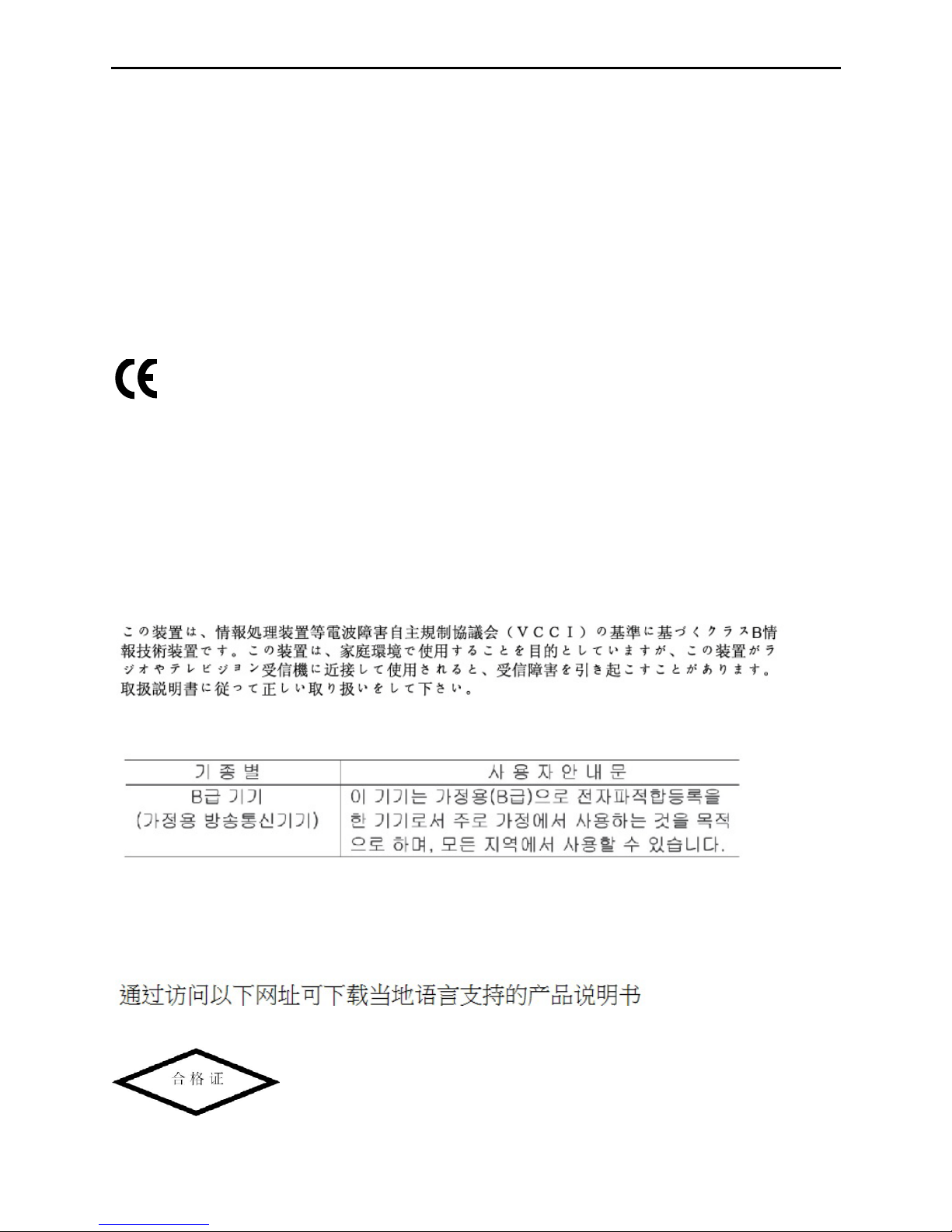
Marking and European Economic Area (EEA)
Statement of Compliance
Omron Microscan hereby declares that this device is in compliance with all applicable
Directives, 2014/30/EU, 2014/35/EU and 2011/65/EU. The full text of the EU Declaration of
Conformity is available at the following internet address: http://www.microscan.com/support.
Other Countries
Japan (VCCI) - Voluntary Control Council for Interference
Class B ITE
Korea Warning Statement for Class B ITE
Chile
Este equipo cumple con la Resolución No 403 de 2008, de la Subsecretaria de
telecomunicaciones, relativa a radiaciones electromagnéticas.
China
http://www.microscan.com/support
Page 10
10 HS-360X Four-Slot Spare Battery Charger Quick Start Guide
Ukraine
Thailand
.
Waste Electrical and Electronic Equipment (WEEE)
Bulgarish: За клиенти от ЕС: След края на полезния им живот всички продукти трябва да се
връщ ат на Omron Microscan за рециклиране. За информация относно връщането на продукти,
моля отидете на адрес http://www.microscan.com/support.
Čeština: Pro zákazníky z EU: Všechny produkty je nutné po skončení jejich životnosti vrátit
společnosti Omron Microscan k recyklaci. Informace o způsobu vrácení produktu najdete na webové
stránce: http://www.microscan.com/support.
Dansk: Til kunder i EU: Alle produkter skal returneres til Omron Microscan til recirkulering, når de er
udtjent. Læs oplysningerne om returnering af produkter på: http://www.microscan.com/support.
Deutsch: Für Kunden innerhalb der EU: Alle Produkte müssen am Ende ihrer Lebensdauer zum
Recycling an Omron Microscan zurückgesandt werden. Informationen zur Rücksendung von
Produkten finden Sie unter http://www.microscan.com/support.
Ελληνικά:
έφονται στην Omron Microscan για ανακύκλωση. Για περισσότερες πληροφορίες σχετικά με την
επιστροφή ενός προϊόντος, επισκεφθείτε τη διεύθυνση http://www.microscan.com/support στο Διαδίκτυο.
English: For EU Customers: All products at the end of their life must be returned to Omron
Microscan for recycling. For information on how to return product, please go to:
http://www.microscan.com/support.
Español: Para clientes en la Unión Europea: todos los productos deberán entregarse a Omron
Microscan al final de su ciclo de vida para que sean reciclados. Si desea más información sobre
cómo devolver un producto, visite: http://www.microscan.com/support.
Eesti: EL klientidele: kõik tooted tuleb nende eluea lõppedes tagastada taaskasutamise eesmärgil
Omron Microscan'ile. Lisainformatsiooni saamiseks toote tagastamise kohta külastage palun
aadressi: http://www.microscan.com/support.
Suomi: Asiakkaat Euroopan unionin alueella: Kaikki tuotteet on palautettava kierrätettäväksi Omron
Microscan-yhtiöön, kun tuotetta ei enää käytetä. Lisätietoja tuotteen palauttamisesta on osoitteessa
http://www.microscan.com/support.
Français : Clients de l'Union Européenne : Tous les produits en fin de cycle de vie doivent être
retournés à Omron Microscan pour recyclage. Pour de plus amples informations sur le retour de
produits, consultez : http://www.microscan.com/support.
Magyar: Az EU-ban vásárlóknak: Minden tönkrement terméket a Omron Microscan vállalathoz kell
eljuttatni újrahasznosítás céljából. A termék visszajuttatásának módjával kapcsolatos tudnivalókért
látogasson el a http://www.microscan.com/support.
Italiano: per i clienti dell'UE: tutti i prodotti che sono giunti al termine del rispettivo ciclo di vita devono
essere restituiti a Omron Microscan al fine di consentirne il riciclaggio. Per informazioni sulle modalità
di restituzione, visitare il seguente sito Web:
http://www.microscan.com/support.
Lietuvių: ES vartotojams: visi gaminiai, pasibaigus jų eksploatacijos laikui, turi būti grąžinti utilizuoti į
kompaniją „Omron Microscan“. Daugiau informacijos, kaip grąžinti gaminį, rasite:
http://www.microscan.com/support.
Latviešu: ES klientiem: visi produkti pēc to kalpošanas mūža beigām ir jānogādā atpakaļ Omron
Microscan otrreizējai pārstrādei. Lai iegūtu informāciju par produktu nogādāšanu Omron Microscan,
lūdzu, skatiet: http://www.microscan.com/support.
Για πελάτες στην Ε.Ε.: Όλα τα προϊόντα, στο τέλος της διάρκειας ζωής τους, πρέπει να επιστρ
Page 11
HS-360X Four-Slot Spare Battery Charger Quick Start Guide 11
Malti: Għal klijenti fl-UE: il-prodotti kollha li jkunu waslu fl-aħħar tal-ħajja ta' l-użu tagħhom, iridu jiġu
rritornati għand Omron Microscan għar-riċiklaġġ. Għal aktar tagħrif dwar kif għandek tirritorna
l-prodott, jekk jogħġbok żur:http://www.microscan.com/support.
Nederlands: Voor klanten in de EU: alle producten dienen aan het einde van hun levensduur naar
Omron Microscan te worden teruggezonden voor recycling. Raadpleeg
http://www.microscan.com/support voor meer informatie over het terugzenden van producten.
Polski: Klienci z obszaru Unii Europejskiej: Produkty wycofane z eksploatacji naleźy zwrócić do firmy
Omron Microscan w celu ich utylizacji. Informacje na temat zwrotu produktów znajdują się na stronie
internetowej http://www.microscan.com/support.
Português: Para clientes da UE: todos os produtos no fim de vida devem ser devolvidos à Omron
Microscan para reciclagem. Para obter informações sobre como devolver o produto, visite:
http://www.microscan.com/support.
Românesc: Pentru clienţii din UE: Toate produsele, la sfârşitul duratei lor de funcţionare, trebuie
returnate la Omron Microscan pentru reciclare. Pentru informaţii despre returnarea produsului,
accesaţi: http://www.microscan.com/support.
Slovenčina: Pre zákazníkov z krajín EU: Všetky výrobky musia byť po uplynutí doby ich životnosti
vrátené spoločnosti Omron Microscan na recykláciu. Bližšie informácie o vrátení výrobkov nájdete
na: http://www.microscan.com/support.
Slovenski: Za kupce v EU: vsi izdelki se morajo po poteku življenjske dobe vrniti podjetju Omron
Microscan za reciklažo. Za informacije o vračilu izdelka obiščite:http://www.microscan.com/support.
Svenska: För kunder inom EU: Alla produkter som uppnått sin livslängd måste returneras till Omron
Microscan för återvinning. Information om hur du returnerar produkten finns på
http://www.microscan.com/support.
Türkçe: AB Müşterileri için: Kullanım süresi dolan tüm ürünler geri dönüştürme için Omron
Microscan'ya iade edilmelidir. Ürünlerin nasıl iade edileceği hakkında bilgi için lütfen şu adresi ziyaret
edin: http://www.microscan.com/support.
TURKISH WEEE Statement of Compliance
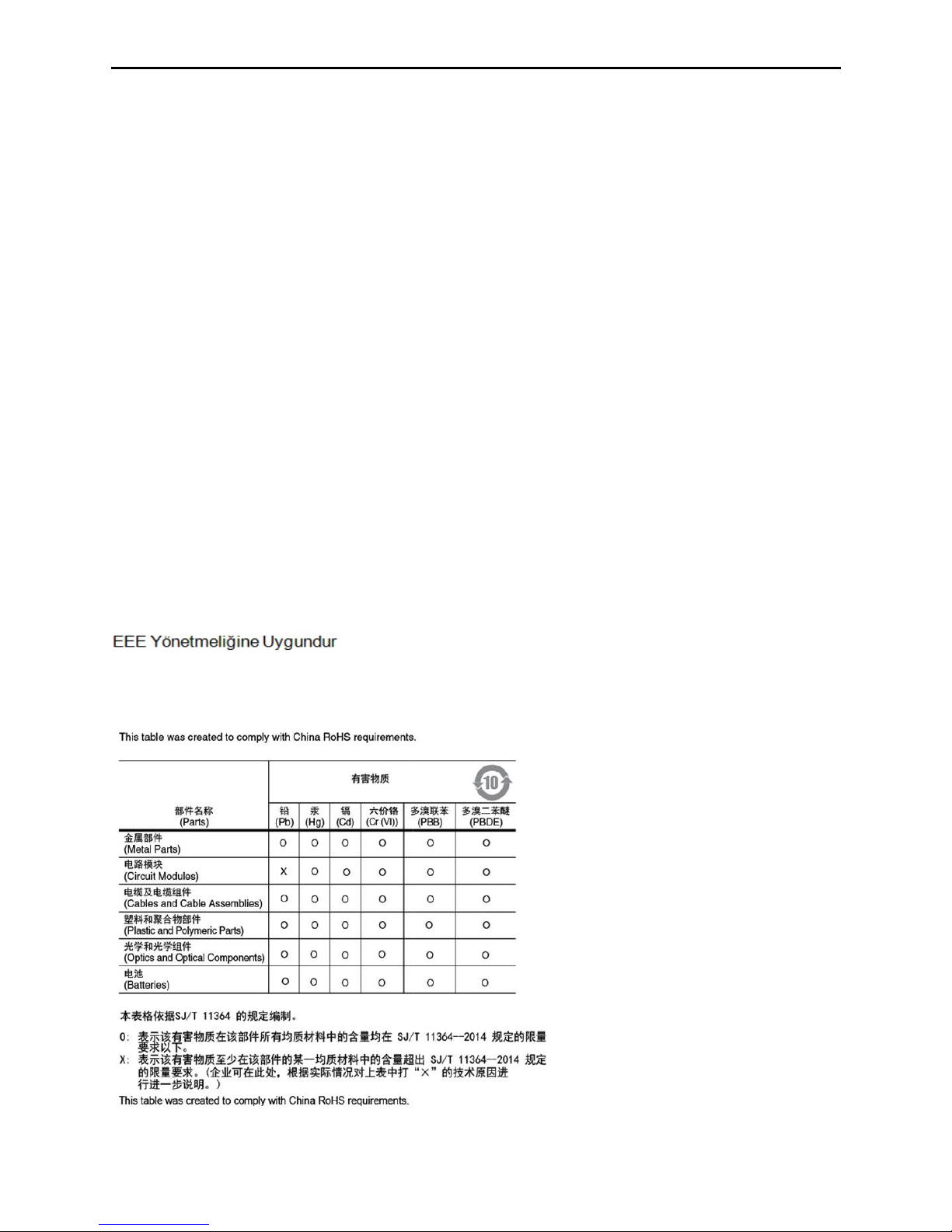
China RoHS
Page 12
Omron Microscan Systems, Inc.
Tel: +1.425.226.5700 / 800.762.1149
Fax: +1.425.226.8250
All rights reserved. The information
contained herein is proprietary and is
provided solely for the purpose of allowing
customers to operate and/or service Omron
Microscan-manufactured equipment and is
not to be released, reproduced, or used for
any other purpose without written
permission of Omron Microscan.
©2018 Omron Microscan Systems, Inc.
P/N 83-9310017-02 Rev C
 Loading...