

Page 1
Instruction Sheet
Security Laptop Stand #350306
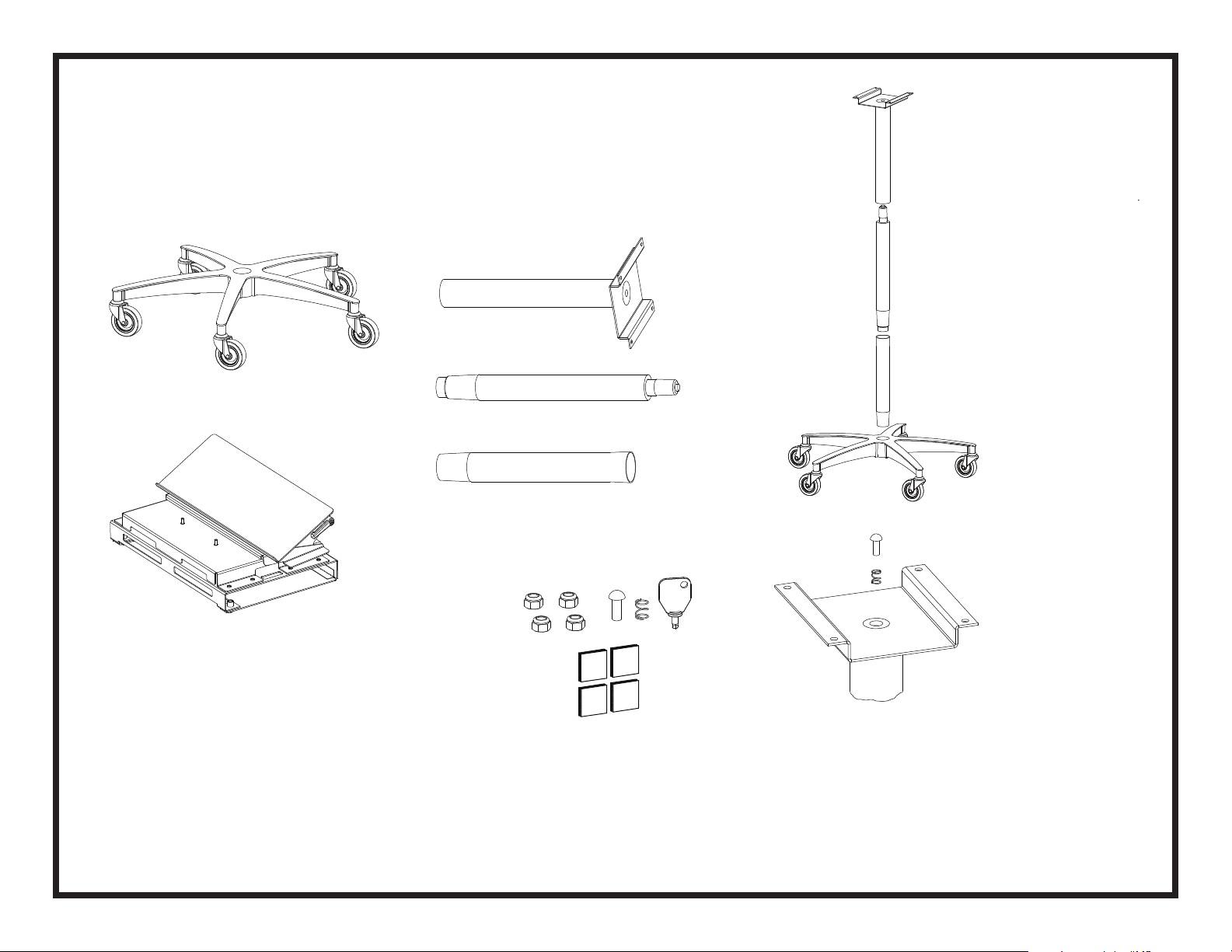
Base
Housing / Keyboard Tray Assembly
Upper Column Assembly
Hub Extension
Small Parts Kit Including:
1/4-20 Nut Qty: 4
Plunger - Qty: 1
Spring - Qty: 1
Security Key - Qty: 1
Dual Lock - Qty: 4
Place the Base on
the floor and
assemble the Hub
Extension, Cylinder and
Upper Column Assembly
Cylinder
Place the Spring and
Plunger into the recess
in the top of the Upper
Column Assembly
Unpack the cartons and check carefully to determine that
all of the above components have been supplied. Note that
a 7/16” wrench is required for assembly.
0211.AS.OMNI
Page 2
Instruction Sheet
Security Laptop Stand #350306 (Keyboard Tray)
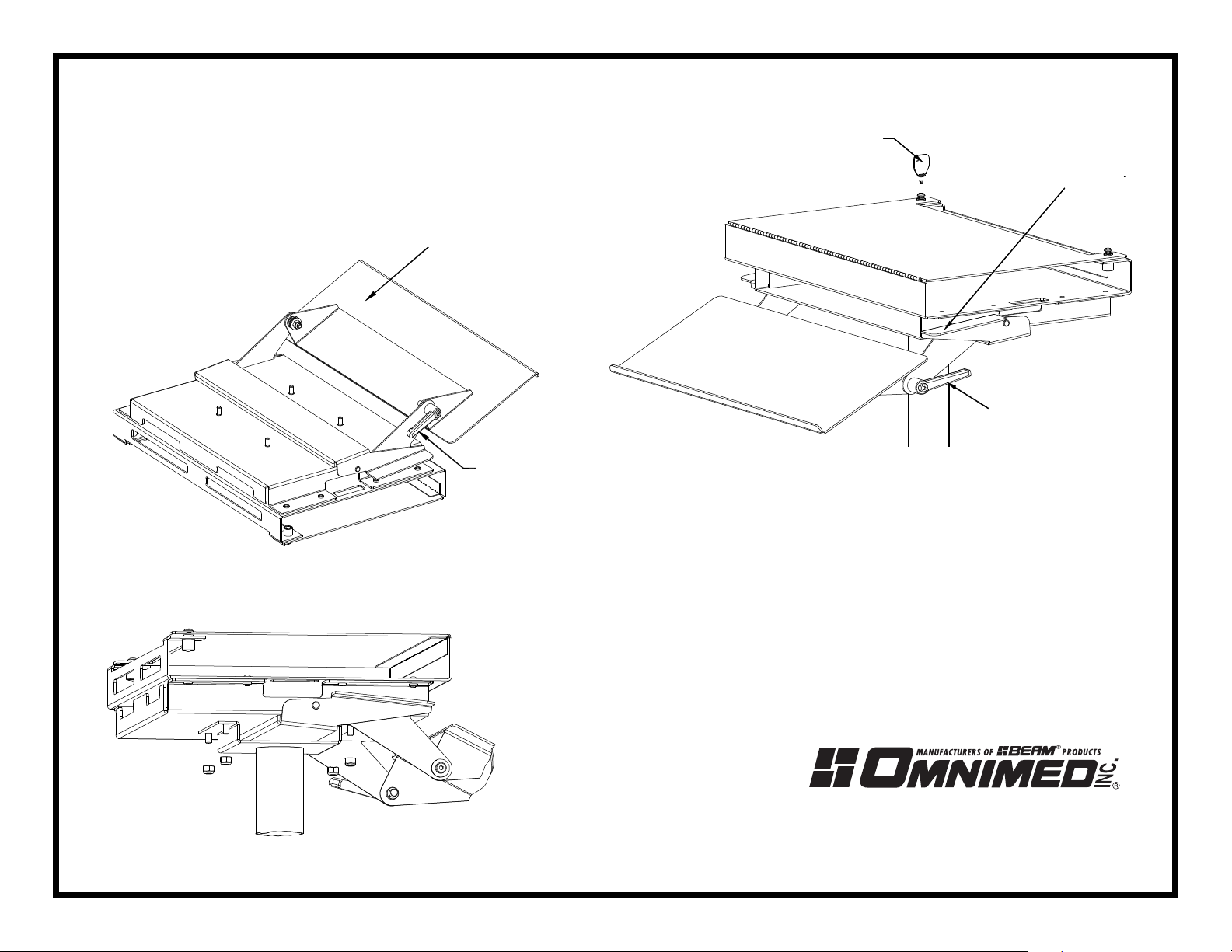
Security Key
Height Adjustment Lever
Loosen the Locking Lever
and unfold the Keyboard
Tray to allow access to
the mounting studs
Keyboard Tray
Keyboard
Tray Locking Lever
Keyboard Tray
Locking Lever
To open the cover and insert your computer, use the Security
Key to turn the fasteners 1/4 turn counter-clockwise. The fastener
should pop up to give a visible indication that it is unlocked.
To refasten, use the key to push the fastener back into it’s
socket and turn clockwise until locked.
0211.AS.OMNI
Place the Housing/Keyboard
Tray Assembly onto the
Upper Column Assembly.
Thread the nuts onto the
mounting a 7/16’ wrench
800 Glen Avenue • Moorestown, N.J. 08057
800.257.2326 • FAX: 856.359.2249
www.omnimedbeam.com
 Loading...