

Page 1
OS836-Series
Material
Emissivity
Material
Emissivity
Aluminum
0.30 Iron 0.70 Asbestos
0.95 Lead
0.50 Asphalt
0.95 Limestone
0.98 Basalt
0.70 Oil 0.94 Brass
0.50 Paint
0.93 Brick
0.90 Paper
0.95 Carbon
0.85 Plastic
0.95 Ceramic
0.95 Rubber
0.95 Concrete
0.95 Sand
0.90 Copper
0.95 Skin 0.98 Dirt 0.94 Snow
0.90 Frozen Food
0.90 Steel
0.80 Hot food
0.93 Textiles
0.94 Glass (plate)
0.85 Water
0.93 Ice 0.98 Wood
0.94
OS-836-301 QUICK Start Guide
Field of view
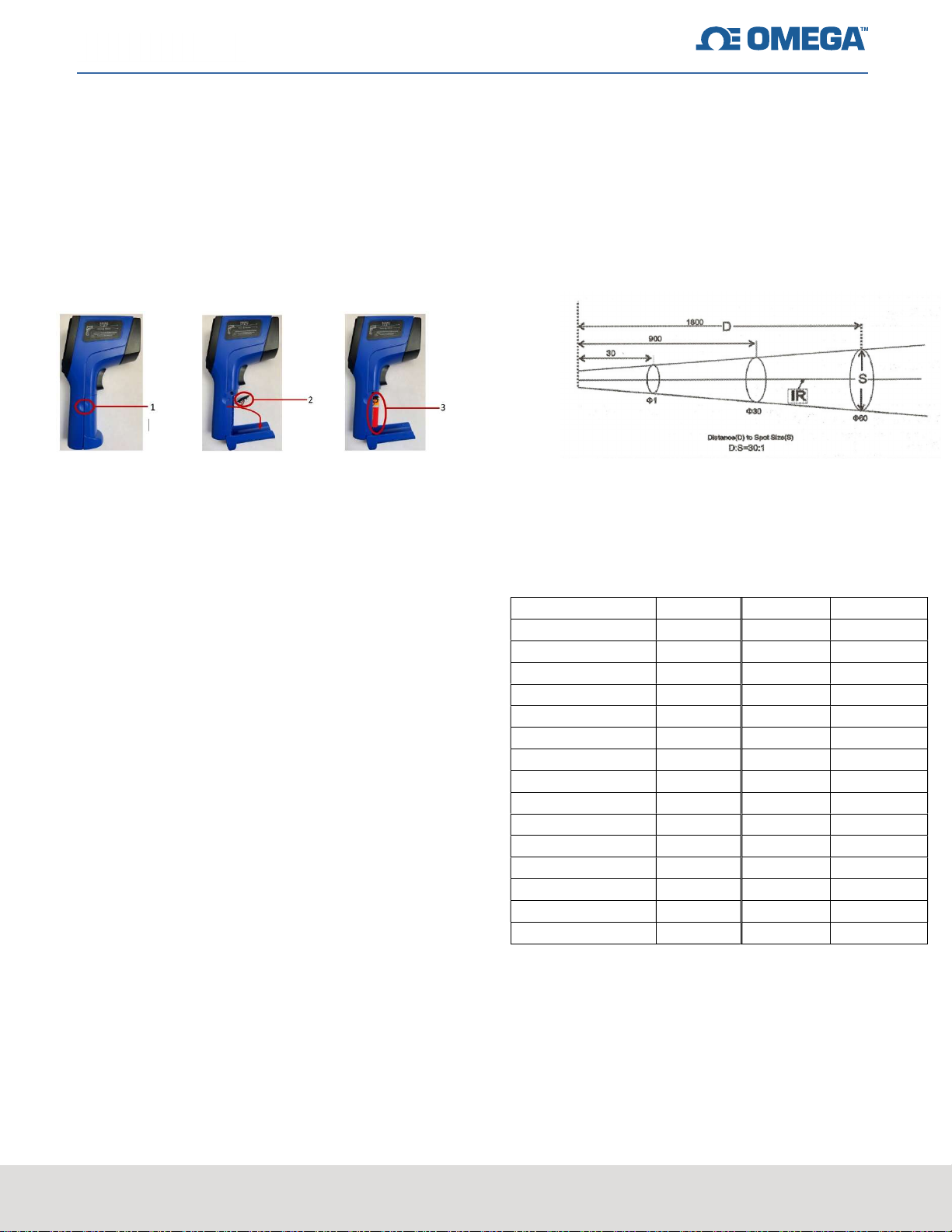
Battery Installation
Pull open the battery compartment (1), connect 9V
battery to the correct positive and negative terminals
(2), place connected battery into battery compartment
and close cover (3).
How to turn on the unit
Press the trigger of device to power on
Switch between Celsius and Fahrenheit
The default setting for the temperature unit is in
Celsius. Please follow the below steps to change
the temperature units to Fahrenheit.
Field of view, or distance to spot ratio, is the
size of an area that can be measured from a
specified distance. As the distance from the
object increases, the spot size of the measuring
area becomes larger. Make sure the target is
larger than the unit’s spot size. Please see field
of view diagram for the OS836-Series below.
Emissivity
This is how well an object can emit IR
energy. The OS-836-301 has adjustable
emissivity from 0.10 to 1.00.
Press the “SET” key to cycle through the
different modes.
In all modes except REC, press the
“UP/DOWN” button to change temperature
units. “UP” is Celsius and “DOWN” is
Fahrenheit.
Contact Information
If you need technical support, please call 1-888826-6342.
CONFIDENTIAL
omega.com
 Loading...