

Page 1
User’s Guide
Shop online at
omega.com
®
e-mail: [email protected]
For latest product manuals:
www.omegamanual.info
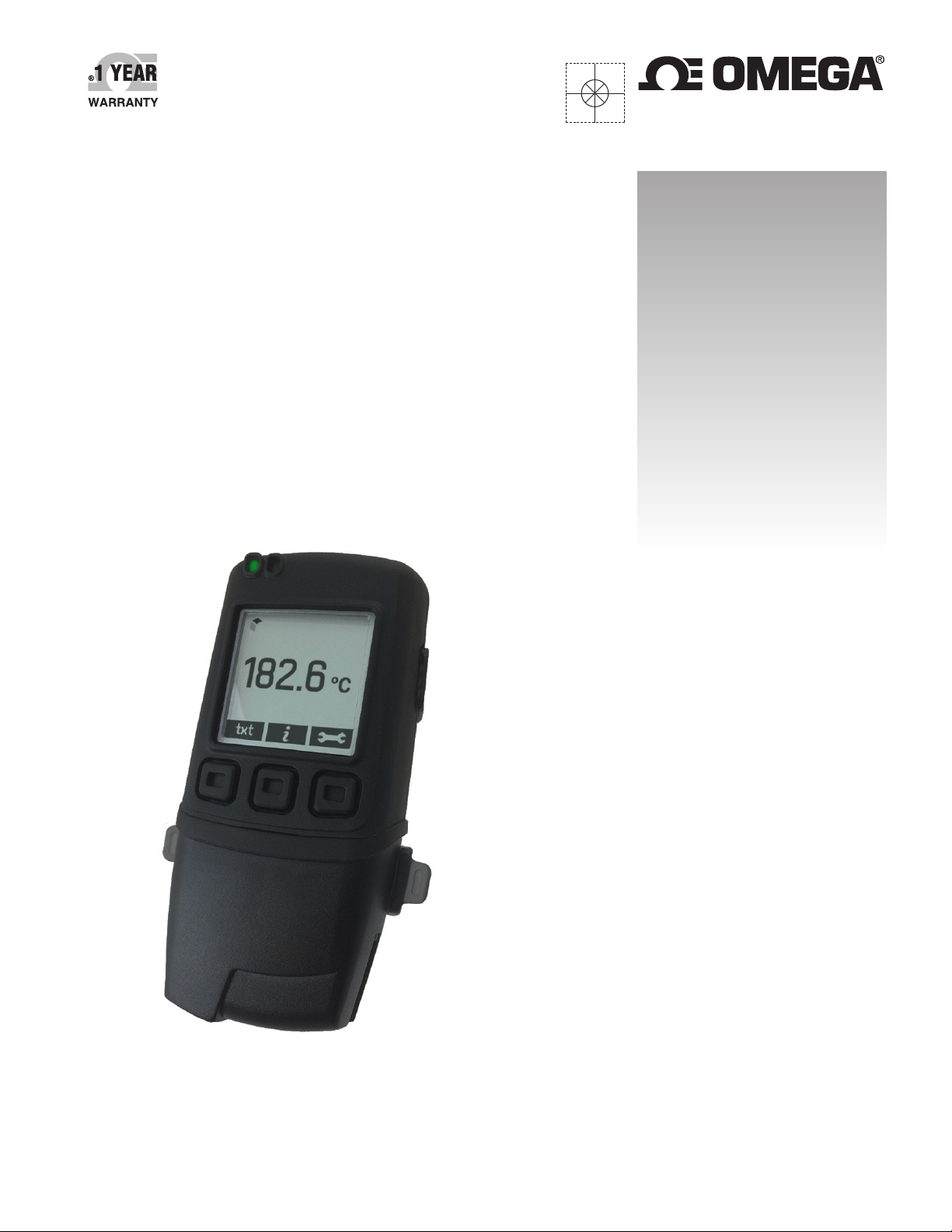
OM-EL-GFX-TC
THERMOCOUPLE DATA LOGGER WITH
GRAPHIC DISPLAY
Page 2

omega.com [email protected]
Servicing North America:
U.S.A.: Omega Engineering, Inc., One Omega Drive, P.O. Box 4047
Stamford, CT 06907-0047 USA
Toll-Free: 1-800-826-6342 (USA & Canada only)
Customer Service: 1-800-622-2378 (USA & Canada only)
Engineering Service: 1-800-872-9436 (USA & Canada only)
Tel: (203) 359-1660 Fax: (203) 359-7700
e-mail: [email protected]
For Other Locations Visit omega.com/worldwide
The information contained in this document is believed to be correct, but OMEGA accepts no liability for any errors it contains, and reserves
the right to alter specifications without notice.
WARNING: These products are not designed for use in, and should not be used for, human applications.
Page 3
OM-EL-GFX-TC
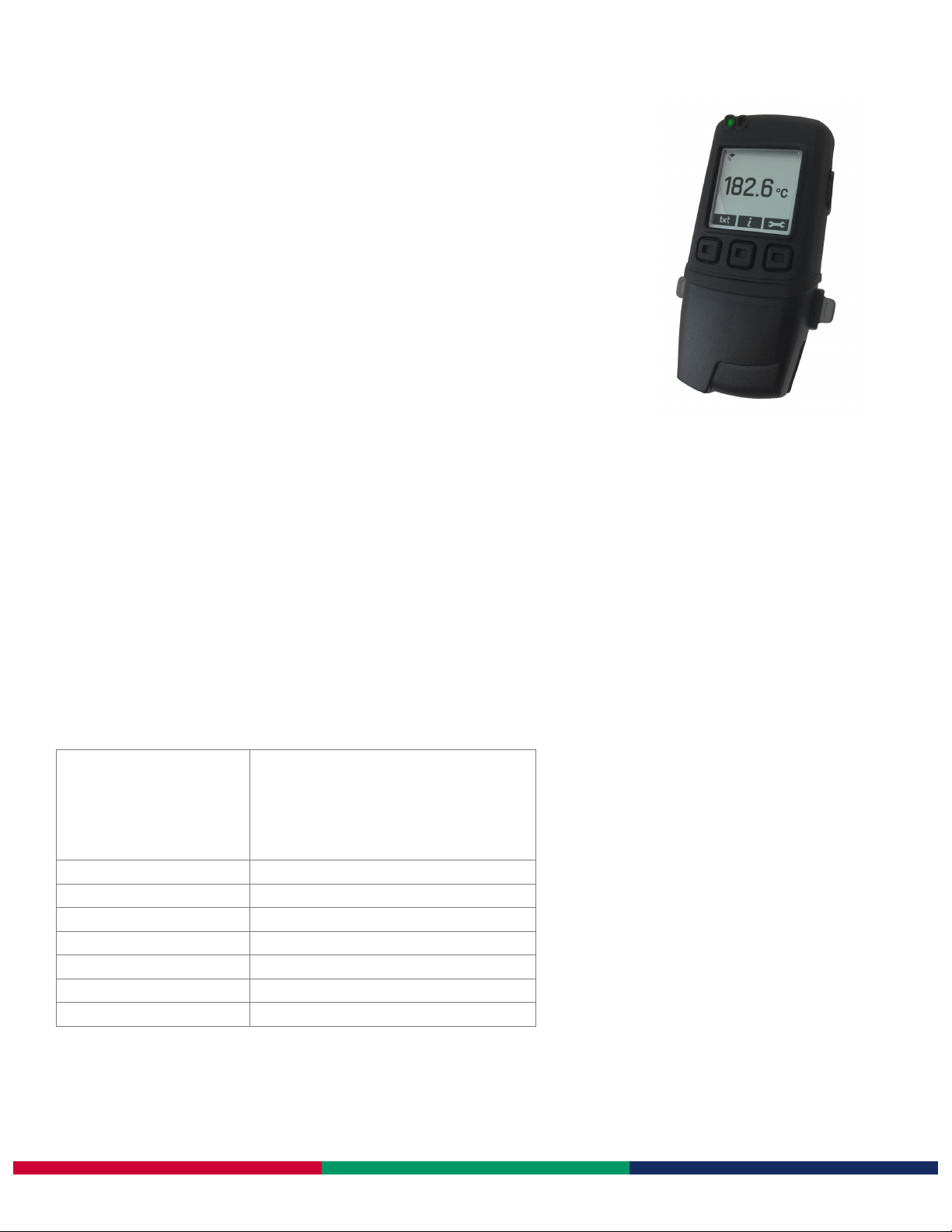
K, J & T-type Thermocouple Data Logger
with Graphic Screen
• Compable with K, J and T-type thermocouples with miniature thermocouple
plug connecon
• Stores over 250,000 readings
• Control soware available as a free download
• Logging rates between 2 seconds and 1 hour
• Supplied with 1.0m K-type thermocouple with -80 to +400°C (-112 to +752°F)
measurement range
• On-screen graphing, and menu opons to start, stop, review and restart the
logger in the eld
• Immediate, delayed, push-buon or temperature triggered start mode
This standalone data logger measures and stores more than 250,000 temperature readings from a K, J or T-type thermocouple at a
resoluon of 0.1°C (0.2°F). It comes supplied with a K-type thermocouple capable of measuring from -80 to +400°C (-112 to +752°F).
Your applicaon will determine which probe is most suitable based on temperature range, accuracy, form and price. A wide variety of
alternave thermocouples are available from distribuon.
The user can easily set up the logger and view downloaded data by plugging the data logger into a PC’s USB port and using the free
conguraon soware. Data can then be graphed, printed and exported to other applicaons for detailed analysis.
The data logger features a high contrast dot-matrix LCD and three buons to navigate through an on-screen menu. This menu provides
the user with access to real-me trend analysis, data summaries and the ability to start, stop and restart the data logger without the
need to connect the data logger to the host PC. Users can reset the maximum / minimum reading using the on-screen menu; this
introduces an ‘event marker’ into the data which can later be viewed in the graphing soware (‘Mark Events’ opon) and the data le
aer download.
The data logger is supplied complete with two lithium metal baeries, which can typically allow logging for up to 1 year.
SPECIFICATIONS
Probe measurement range
K-type (supplied)
K-type
J-type
T-type
Accuracy (logger error) ±0.5°C (±0.9°F)
Internal resoluon 0.1°C (0.1°F)
Logging rate User selectable between 2 seconds & 1 hour
Operang temperature range -10 to +40°C (-14 to +104°F) (data logger only)
Baery Life 1 year (at 25°C, 1 minute logging rate, LCD o)
Readings 252,928
Dimensions 102 x 48.5 x 30.5mm
-80 (-112) to +400°C (+752°F)
-200 (-328) to +1350°C (+2462°F)
-200 (-328) to +1190°C (+2174°F)
-200 (-328) to +390°C (+734°F)
www.omega.com
Issue 2 10/2014 S.L Page 1 of 4
Page 4
OM-EL-GFX-TC
K, J & T-type Thermocouple Data Logger with Graphic Screen
Control Soware
Omega’s control soware is available as a free download from www.omega.com. Easy to install and use, the control soware is
compable with 32-bit and 64-bit versions of Windows XP, Vista, 7 & 8. The soware is used to set up the logger, download, graph and
annotate data or export in Excel, PDF and jpeg formats.
The soware allows the following parameters to be congured:
• Logger name
• Measurement parameter (°C or °F)
• Logging rate (customizable between 1 second and 12 hours)
• High and low alarms
• Immediate and delayed logging start
Download the latest version of the soware free of charge from www.omega.com
MENU BUTTON FUNCTIONS AND LED SCREEN INDICATION
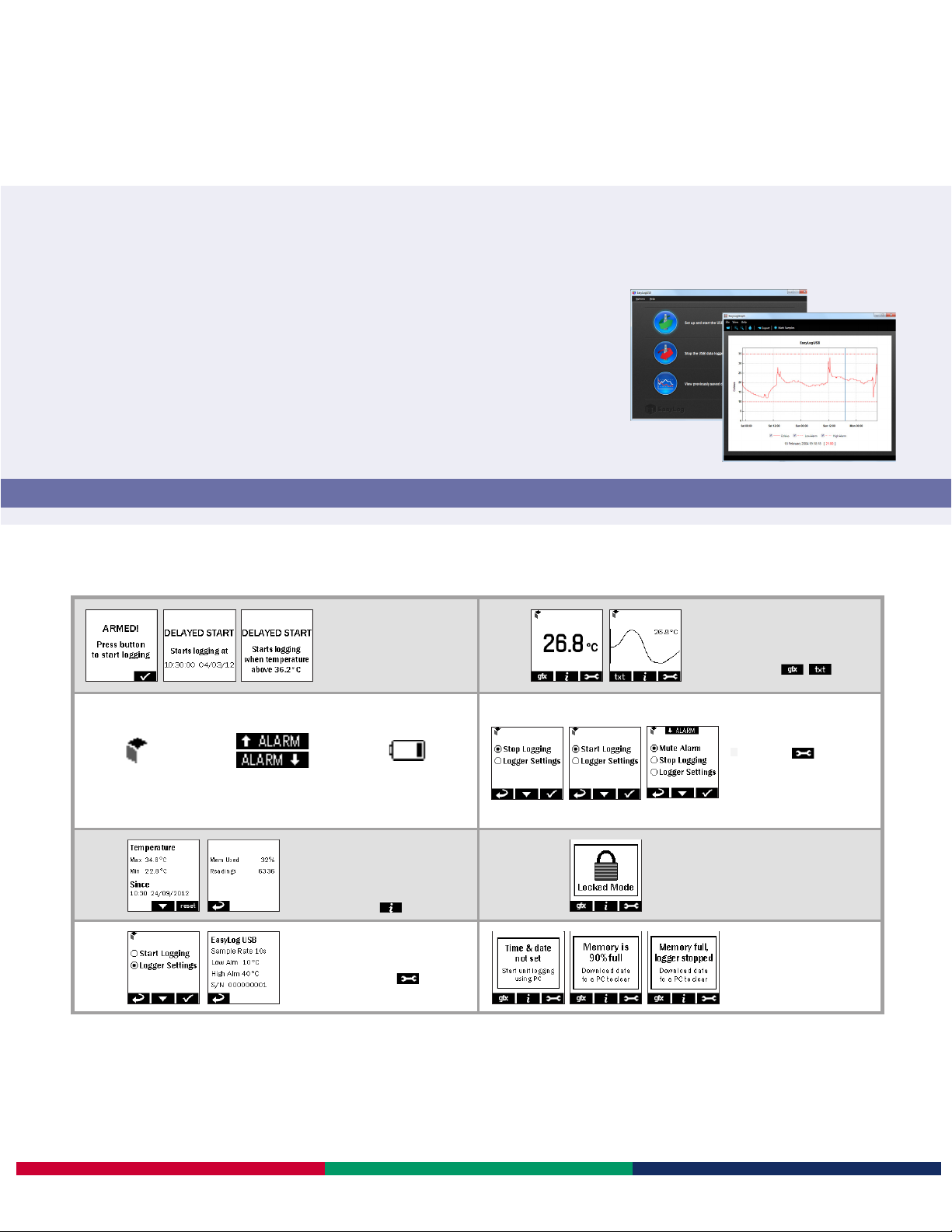
START LOGGER
●
Loggers can be started immediately
on a buon press, delayed to a
specic me or delayed to specic
temperature reading
ON-SCREEN ICONS
●
When the EasyLog cube is
shown in the top-le corner
your logger is logging
●
High/Low Alarm indicators
are displayed at the top of
your screen
This icon indicates that your
●
baery is low and will need
to be replaced soon
SUMMARY DATA
●
Summary screen displays max/min
log and last log. Reset funcon clears
summary if required
●
These screens can be reached by
pressing the buon
LOGGER SETTINGS
●
To view a summary of the logger’s
sengs press the buon, then
click ‘Logger Sengs’
DISPLAY DATA
Data can be displayed on screen in
●
tabular or graphical format
You can switch between these views by
●
pressing the / buons at
the boom-le of your screen
STOP/START LOGGING
& MUTE ALARM
●
By pressing the buon, you can
stop your logger, or view logger sengs.
If you have already stopped logging, this
opon will change to ‘Start Logging’.
The audible alarm can be muted from
this menu if enabled
LOCKED MODE
●
When in locked mode - an opon
during PC set-up - the logger can only
be stopped and re-started using a PC
loaded with the unit’s conguraon
soware
POP-UP MESSAGES
●
A message will overlay the screen - if
there is an issue - the next me a
buon is pressed, e.g. if the logger is
running low on memory
Please note that screens may vary slightly depending on model.
www.omega.com
Issue 2 10/2014 S.L Page 2 of 4
Page 5
OM-EL-GFX-TC
K, J & T-type Thermocouple Data Logger with Graphic Screen
PROBE ISOLATION
The K-Type thermocouple probe supplied with the OM-EL-GFX-TC is not electrically isolated from the thermocouple juncon, to
give a faster response.
Depending upon applicaon it may be necessary to use an electrically isolated thermocouple probe to avoid ground loops, and/or
situaons where the probe may come into contact with conductors that are at dierent electrical potenals.
Where doubt exists Omega recommends that electrically isolated probes are always used.
INTERNAL TEMPERATURE ACCURACY
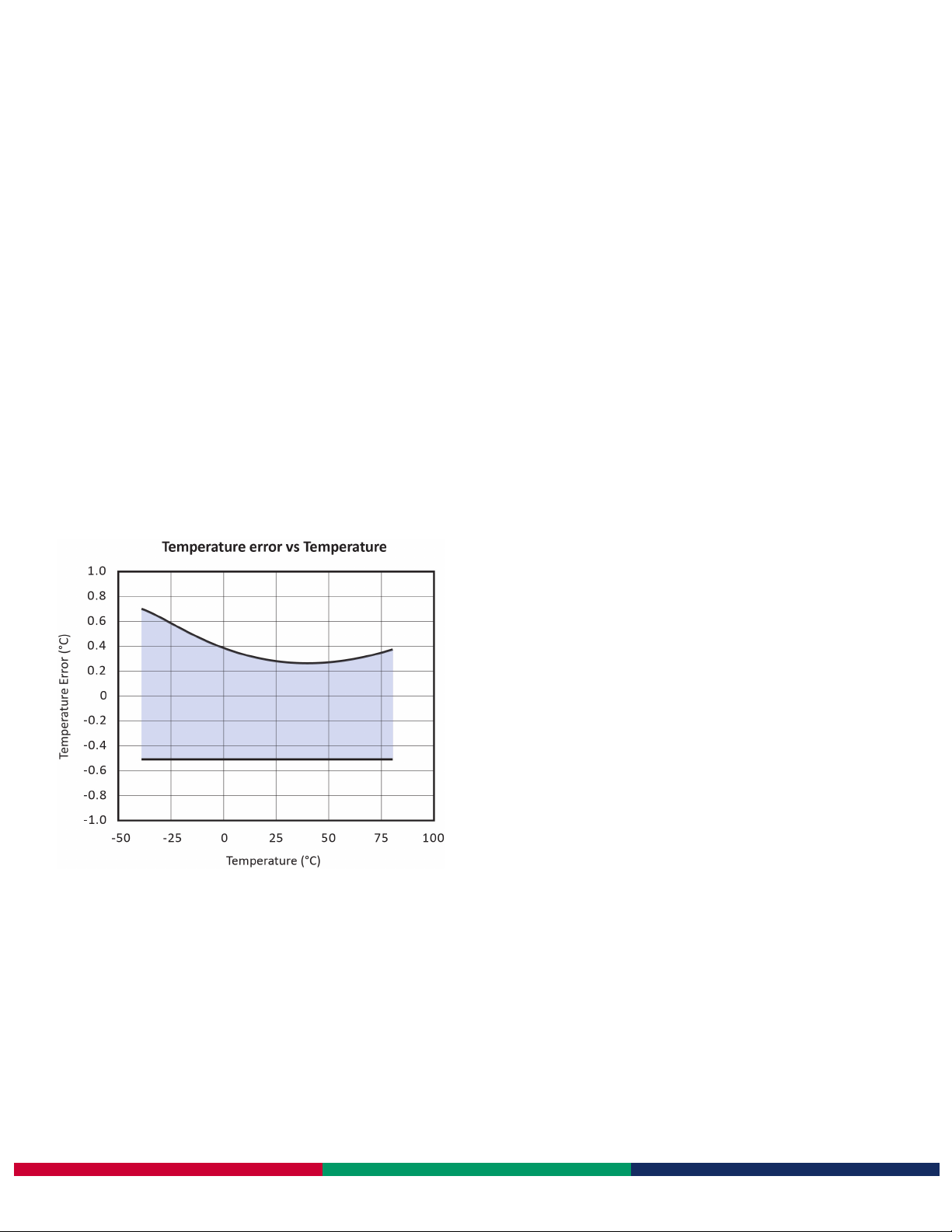
The OM-EL-GFX-TC has the opon to log temperature using an internal sensor. This is selectable using the control soware. The
internal sensor can measure temperature readings over a -30 to +80°C (-22 to +176°F) range, at a resoluon of 0.1°C (0.2°F).
www.omega.com
Issue 2 10/2014 S.L Page 3 of 4
Page 6

OM-EL-GFX-TC
K, J & T-type Thermocouple Data Logger with Graphic Screen
BATTERY INFORMATION
Replacement
We recommend that you replace the baery every year, or prior to logging crical data. Only use 2 x OM-EL-BATT lithium baeries. The
data logger does not lose its stored readings when the baery is discharged or replaced; however, the data logging process will stop
and will not resume unl the baery is replaced and the logger restarted by the control soware.
Before replacing the baery, remove the data logger from the PC. Please note that leaving the data logger plugged into the USB port
for extended periods will cause some of the baery capacity to be lost.
Passivaon
If le unused for extended periods of me, the lithium baeries used in the Omega range of data loggers naturally form a
non-conducve internal layer, prevenng them from self-discharge and eecvely increasing their shelf life. When rst installed in the
data logger, this may cause a momentary drop in the baery voltage (the Transient Minimum Voltage) as the internal layer is broken
down, resulng in the data logger reseng. Inserng the baeries in the data logger and leaving it connected to a PC for about 30
seconds will remove this layer. Aer this, remove and re-install the baeries to reset the data logger. Overall baery life will not be
aected.
WARNING
Handle lithium baeries carefully, observe warnings on baery casing. Dispose of in accordance with local regulaons.
www.omega.com
Issue 2 10/2014 S.L Page 4 of 4
Page 7

WARRANTY/DISCLAIMER
OMEGA ENGINEERING, INC. warrants this unit to be free of defects in materials and workmanship for a
period of 13 months from date of purchase. OMEGA’s WARRANTY adds an additional one (1) month
grace period to the normal one (1) year product warranty to cover handling and shipping time. This
ensures that OMEGA’s customers receive maximum coverage on each product.
If the unit malfunctions, it must be returned to the factory for evaluation. OMEGA’s Customer Service
Department will issue an Authorized Return (AR) number immediately upon phone or written request.
Upon examination by OMEGA, if the unit is found to be defective, it will be repaired or replaced at no
charge. OMEGA’s WARRANTY does not apply to defects resulting from any action of the purchaser,
including but not limited to mishandling, improper interfacing, operation outside of design limits,
improper repair, or unauthorized modification. This WARRANTY is VOID if the unit shows evidence of
having been tampered with or shows evidence of having been damaged as a result of excessive corrosion;
or current, heat, moisture or vibration; improper specification; misapplication; misuse or other operating
conditions outside of OMEGA’s control. Components in which wear is not warranted, include but are not
limited to contact points, fuses, and triacs.
OMEGA is pleased to offer suggestions on the use of its various products. However,
OMEGA neither assumes responsibility for any omissions or errors nor assumes liability for
any damages that result from the use of its products in accordance with information provided
by OMEGA, either verbal or written. OMEGA warrants only that the parts manufactured by the
company will be as specified and free of defects. OMEGA MAKES NO OTHER WARRANTIES OR
REPRESENTATIONS OF ANY KIND WHATSOEVER, EXPRESSED OR IMPLIED, EXCEPT THAT OF
TITLE, AND ALL IMPLIED WARRANTIES INCLUDING ANY WARRANTY OF MERCHANTABILITY
AND FITNESS FOR A PARTICULAR PURPOSE ARE HEREBY DISCLAIMED. LIMITATION OF
LIABILITY: The remedies of purchaser set forth herein are exclusive, and the total liability of
OMEGA with respect to this order, whether based on contract, warranty, negligence,
indemnification, strict liability or otherwise, shall not exceed the purchase price of the
component upon which liability is based. In no event shall OMEGA be liable for
consequential, incidental or special damages.
CONDITIONS: Equipment sold by OMEGA is not intended to be used, nor shall it be used: (1) as a “Basic
Component” under 10 CFR 21 (NRC), used in or with any nuclear installation or activity; or (2) in medical
applications or used on humans. Should any Product(s) be used in or with any nuclear installation or
activity, medical application, used on humans, or misused in any way, OMEGA assumes no responsibility
as set forth in our basic WARRANTY/DISCLAIMER language, and, additionally, purchaser will indemnify
OMEGA and hold OMEGA harmless from any liability or damage whatsoever arising out of the use of the
Product(s) in such a manner.
RETURN REQUESTS/INQUIRIES
Direct all warranty and repair requests/inquiries to the OMEGA Customer Service Department.
BEFORE RETURNING ANY PRODUCT(S) TO OMEGA, PURCHASER MUST OBTAIN AN AUTHORIZED
RETURN (AR) NUMBER FROM OMEGA’S CUSTOMER SERVICE DEPARTMENT (IN ORDER TO AVOID
PROCESSING DELAYS). The assigned AR number should then be marked on the outside of the return
package and on any correspondence.
The purchaser is responsible for shipping charges, freight, insurance and proper packaging to prevent
breakage in transit.
FOR WARRANTY RETURNS, please have the
following information available BEFORE
contacting OMEGA:
1. Purchase Order number under which the product
was PURCHASED,
2. Model and serial number of the product under
warranty, and
3. Repair instructions and/or specific problems
relative to the product.
OMEGA’s policy is to make running changes, not model changes, whenever an improvement is possible. This affords
our customers the latest in technology and engineering.
OMEGA is a registered trademark of OMEGA ENGINEERING, INC.
© Copyright 2014 OMEGA ENGINEERING, INC. All rights reserved. This document may not be copied, photocopied,
reproduced, translated, or reduced to any electronic medium or machine-readable form, in whole or in part, without the
prior written consent of OMEGA ENGINEERING, INC.
FOR NON-WARRANTY REPAIRS,
for current repair charges. Have the following
information available BEFORE contacting OMEGA:
1. Purchase Order number to cover the COST
of the repair,
2. Model and serial number of the product, and
3. Repair instructions and/or specific problems
relative to the product.
consult OMEGA
Page 8

Where Do I Find Everything I Need for
Process Measurement and Control?
OMEGA…Of Course!
Shop online at omega.com
TEMPERATURE
MU
Thermocouple, RTD & Thermistor Probes, Connectors, Panels & Assemblies
MU
Wire: Thermocouple, RTD & Thermistor
MU
Calibrators & Ice Point References
MU
Recorders, Controllers & Process Monitors
MU
Infrared Pyrometers
PRESSURE, STRAIN AND FORCE
MU
Transducers & Strain Gages
MU
Load Cells & Pressure Gages
MU
Displacement Transducers
MU
Instrumentation & Accessories
FLOW/LEVEL
MU
Rotameters, Gas Mass Flowmeters & Flow Computers
MU
Air Velocity Indicators
MU
Turbine/Paddlewheel Systems
MU
Totalizers & Batch Controllers
SM
pH/CONDUCTIVITY
MU
pH Electrodes, Testers & Accessories
MU
Benchtop/Laboratory Meters
MU
Controllers, Calibrators, Simulators & Pumps
MU
Industrial pH & Conductivity Equipment
DATA ACQUISITION
MU
Data Acquisition & Engineering Software
MU
Communications-Based Acquisition Systems
MU
Plug-in Cards for Apple, IBM & Compatibles
MU
Data Logging Systems
MU
Recorders, Printers & Plotters
HEATERS
MU
Heating Cable
MU
Cartridge & Strip Heaters
MU
Immersion & Band Heaters
MU
Flexible Heaters
MU
Laboratory Heaters
ENVIRONMENTAL
MONITORING AND CONTROL
MU
Metering & Control Instrumentation
MU
Refractometers
MU
Pumps & Tubing
MU
Air, Soil & Water Monitors
MU
Industrial Water & Wastewater Treatment
MU
pH, Conductivity & Dissolved Oxygen Instruments
M5448/1114
 Loading...