

Page 1
Extended Warranty
Program
SM
User’s Guide
Shop online at
omega.com
e-mail: [email protected]
For latest product manuals:
omegamanual.info
OM-EL-WiFi-TH
OM-EL-GFX-2
Temperature/ Humidity
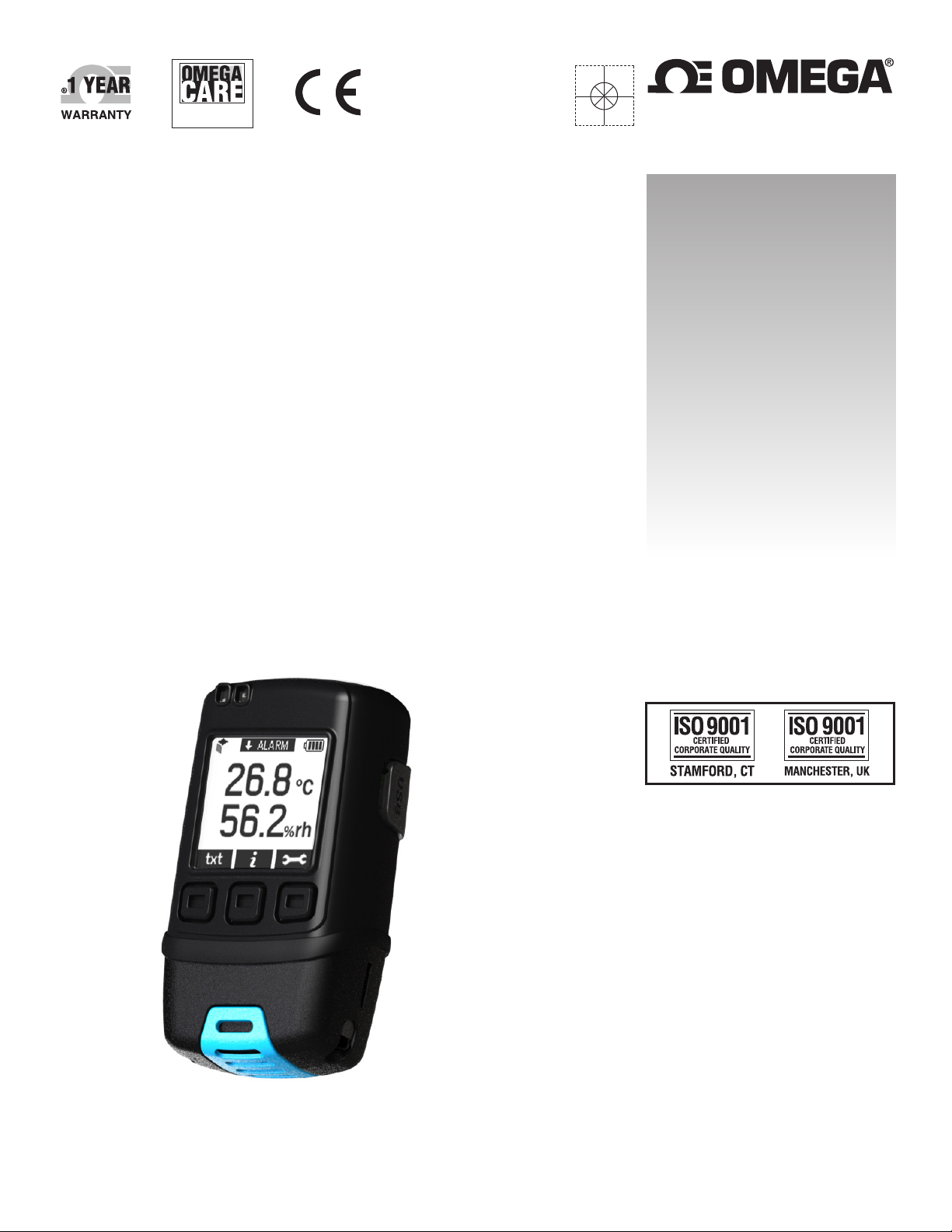
Temperature and Humidity Data Logger
With Graphic Screen
Data Logger
Page 2
Page 3
OM-EL-GFX-2
Temperature and Relative Humidity
Data Logger with Graphic Screen
FEATURES
• Rugged and robust, IP67 construction
• -30 to +80°C (-22 to +176°F) and 0 to 100% RH measurement ranges
• Logging rates between 10 seconds and 1 hour
• Stores over 250,000 readings
• On screen menu and graphing to start, stop, review and restart the logger in the eld
• Micro USB interface for PC based set-up and data download
• Immediate, delayed, push-button or temperature/RH triggered start mode
• User-programmable alarm thresholds
• Graphic LCD shows real-time readings, graph and current status
• Resettable Min/Max readings may be viewed on the LCD
• User set audible alarm
• Highly visible condence/alarm LEDs
• Supplied with user replaceable ½ AA batteries
ORDERING INFORMATION
Standard Data Logger
(Data Logger, 2 x Batteries, USB cover,
Mounting Clip, Micro USB cable)
Replacement Battery
(2 Required)
OM-EL-GFX-2
OM-EL-BATT
The OM-EL-GFX-2 standalone USB data logger measures and stores up to 252,928 temperature and humidity readings over a -30 to +80ºC
(-22 to 176°F) and 0 to 100% RH range at a resolution of 0.1ºC/0.1°F and 0.1% RH. Using the Windows control software (available as a free
download from www.omega.com), users can quickly set up the data logger and view downloaded data by connecting the device to the PC’s
USB port using the supplied cable.
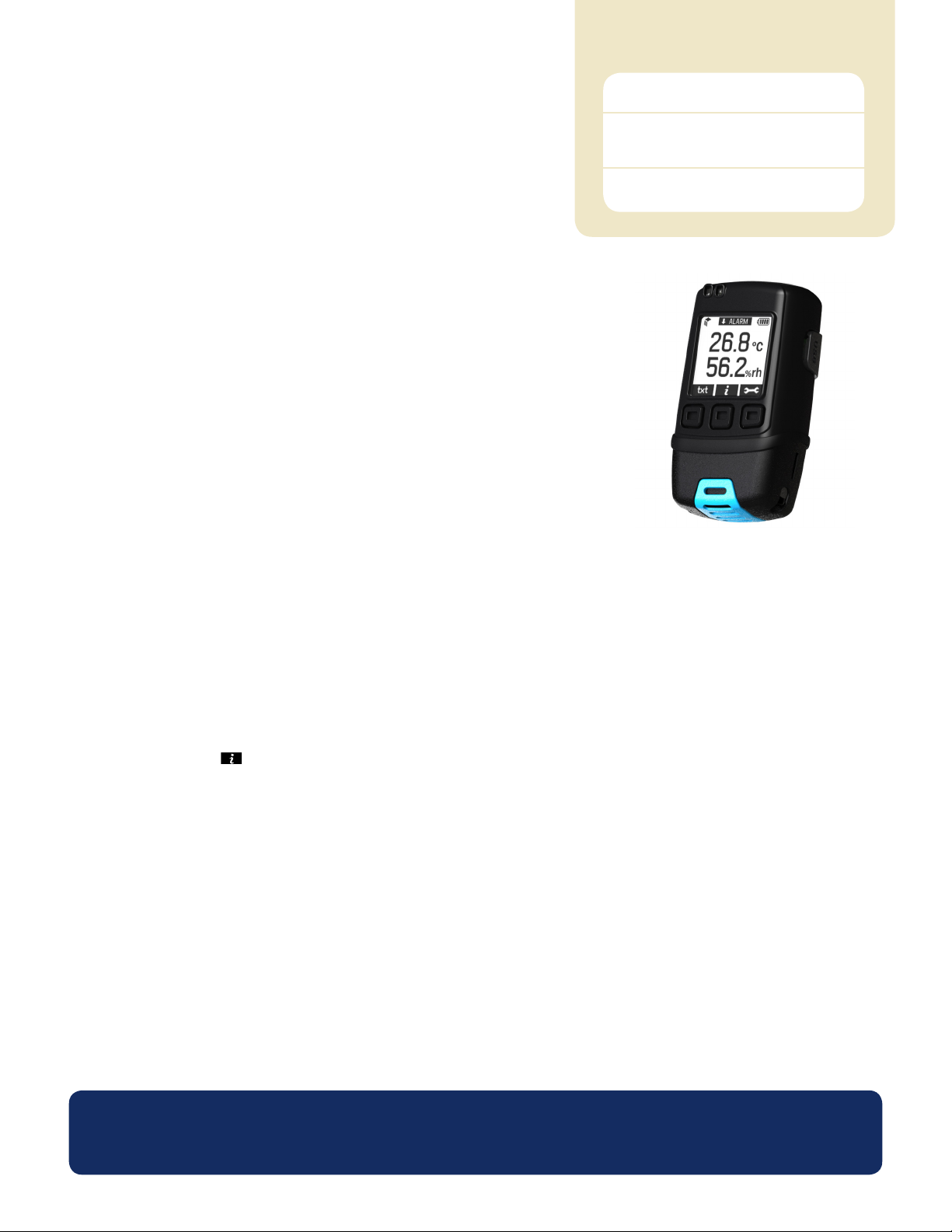
The data logger features a high-contrast graphic LCD and three input buttons. This allows users to start, stop and restart the data logger using
on-screen menus. This menu also provides real-time analysis of data either as a data summary (showing highest & lowest readings and alarm
conditions) or as a graph that updates as new data is added. The Max and Min readings and also the Time and Date they occurred, can be
displayed on the LCD ( info button). If desired, the user can then reset the Max/Min shown on this screen of the LCD. Each time these
maxima and minima are reset while logging, an “Event Marker” is created in the data. When the data has been downloaded to a PC these
Events can be viewed on the graph (Mark Events). They also appear in the data le associated with the corresponding log when the reset took
place. For certain applications where procedures mandate that a regular physical check of the logger / stats have taken place – this can be
useful as an audit / validation tool. Multiple data logging sessions can be stored on the device ready for upload to a PC at a later date.
The data logger’s robust design provides IP67 waterproof protection and the two replaceable ½AA batteries typically allow logging for up to
one year.
www.omega.com
Specications liable to change without prior warning Issue 5 06/2013 S.L Applies to OM-EL-GFX-2 Page 1 of 4
Page 4
OM-EL-GFX-2
Temperature and Relative Humidity Data Logger
with Graphic Screen
Specications Minimum Typical Maximum Unit
Measurement range 0 100 %RH
Internal resolution ±0.1 %RH
Relative Humidity
Temperature
Dew Point Accuracy (overall error) ±1.1 (±2.0)** °C (°F)
Logging Rate Every 10 seconds Every 1 hour Time
Operating Temperature Range*** +30 (-22) +80 (+176) °C (°F)
2 x ½AA 3.6V Lithium Battery Life 1 † Year
* This species the overall error in the logged readings, for relative humidity measurements between 20 and 80%RH.
** This species the overall error in the calculated dew point for relative humidity measurements between 40 and 100%RH at 25°C.
*** At temperatures below -5°C the LCD will exhibit slower response times. The LCD will be disabled at temperatures under -20°C and above 70°C.
† At 25°C and 10 minute logging rate, with no alarm LEDs or sounder and minimal LCD use.
Accuracy (overall error) ±3.0* ±5.0 %RH
Repeatability 0.5 %RH
Long term stability 0.5 %RH/year
Measurement range -30(-22) +80 (+176) °C (°F)
Internal resolution 0.1 (0.1) °C (°F)
Accuracy (overall error) ±0.5 (±1.0) ±2.0 (±4.0) °C (°F)
Repeatability ±0.1 (±0.2) °C (°F)
OM-EL-WIN-USB (CONTROL SOFTWARE)
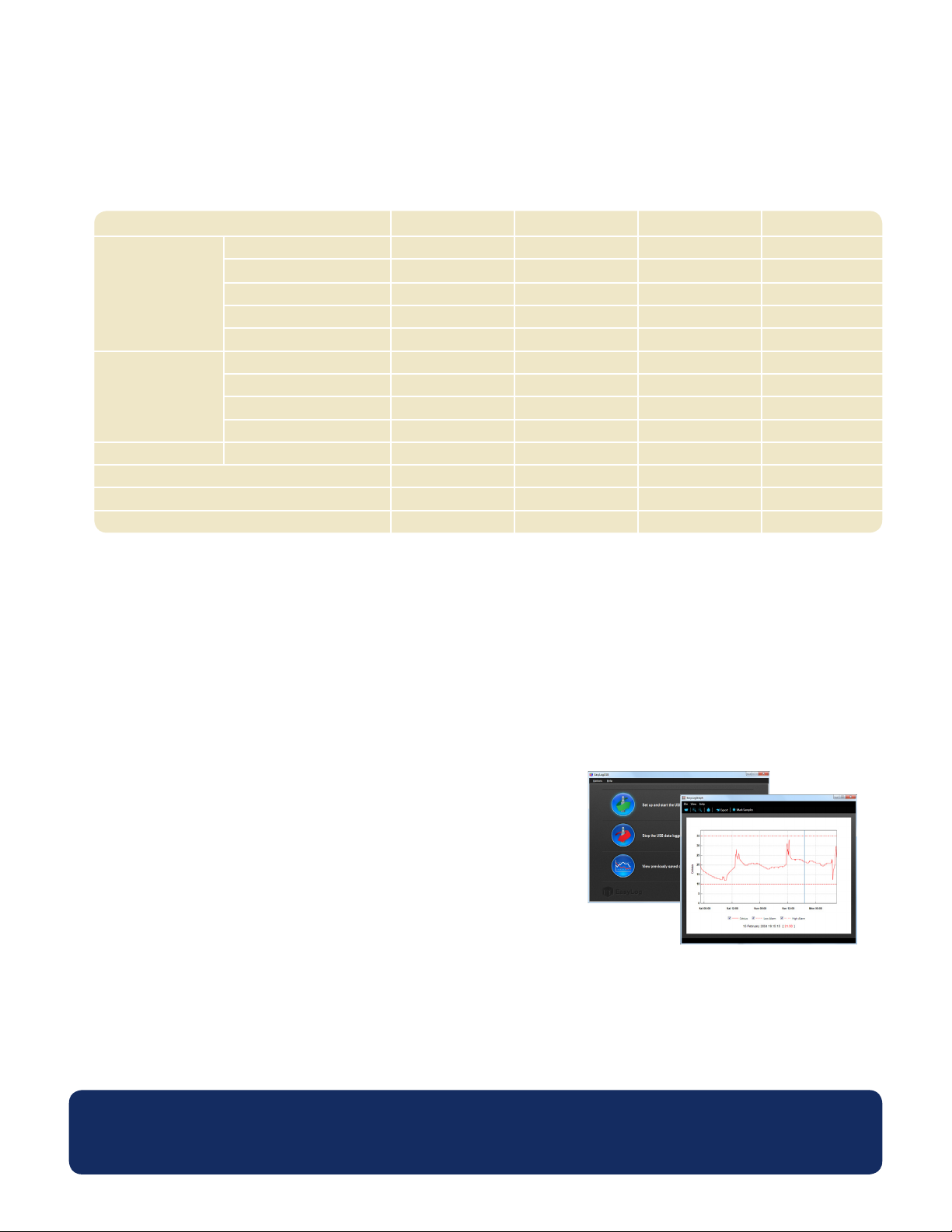
Omega’s USB control software is available to download from www.omega.com. Easy to install and use, the control software runs under
Windows XP, Vista and Windows 7. The software is used to set-up the data logger as well as download, graph and export data to Excel.
Each stored logging session is saved as a separate le.
The software allows the following parameters to be congured:
• Logger name
• Measurement parameter (ºC or ºF)
• Logging Rate (customizable between 10 seconds and 1 hour)
• High and low temperature alarms
• Immediate, delayed, push-button or temperature/humidity triggered start mode
• Disable or enable LEDs and sounder with delayed activation
• Display and backlight behavior after button press
The latest version of the control software may be downloaded free of charge from www.omega.com
www.omega.com
Specications liable to change without prior warning Issue 5 06/2013 S.L Applies to OM-EL-GFX-2 Page 2 of 4
Page 5
OM-EL-GFX-2
Temperature and Relative Humidity Data Logger
with Graphic Screen
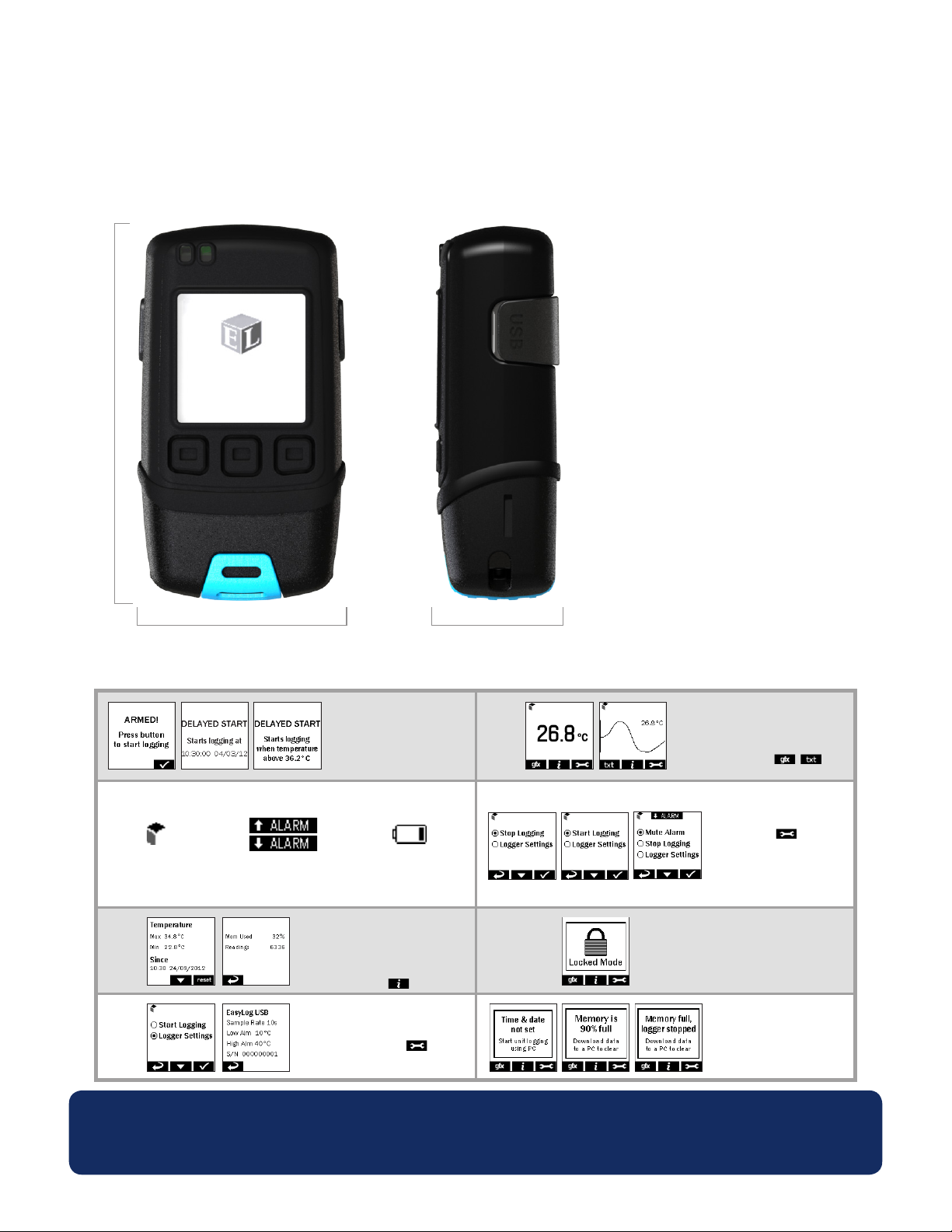
DIMENSIONS
All dimensions in mm (inches)
88.0 (3.46)
48.5 (1.91)
30.5 (1.20)
MENU BUTTON FUNCTIONS AND LED SCREEN INDICATION
START LOGGER
Loggers can be started immediately
●
on a button press, delayed to a
specic time or delayed to specic
temperature reading
ON-SCREEN ICONS
When this EasyLog cube
● High/Low Alarm indicators
is spinning in the top-left
corner your logger is logging
● This icon indicates that your
are displayed at the top of
your screen
●
battery is low and will need
to be replaced soon
SUMMARY DATA
●
Summary screen displays max/
min log and last log. Reset function
clears summary if required
●
These screens can be reached by
pressing the button
LOGGER SETTINGS
●
To view a summary of the logger’s
settings press the button,
then click ‘Logger Settings’
DISPLAY DATA
Data can be displayed on screen in
●
tabular or graphical format
You can switch between these views
●
by pressing the / buttons
at the bottom-left of your screen
STOP/START LOGGING
& MUTE ALARM
●
By pressing the button, you
can stop your logger, or view logger
settings. If you have already stopped
logging, this option will change to
‘Start Logging’. The audible alarm
can be muted from this menu if
enabled
LOCKED MODE
●
When in locked mode - an option
during PC set-up - the logger can
only be stopped and re-started
using a PC loaded with the unit’s
conguration software
POP-UP MESSAGES
●
A message will overlay the screen if there is an issue - the next time a
button is pressed, e.g. if the logger
is running low on memory
www.omega.com
Specications liable to change without prior warning Issue 5 06/2013 S.L Applies to OM-EL-GFX-2 Page 3 of 4
Page 6
OM-EL-GFX-2
Temperature and Relative Humidity Data Logger
with Graphic Screen
BATTERY REPLACEMENT
We recommend that you replace the batteries every 12 months, or prior to logging critical data.
The OM-EL-GFX-2 does not lose its stored readings when the batteries are discharged or when the batteries are replaced; however, the
data logging process will be stopped. If the batteries are changed within a 2 minute window the OM-EL-GFX-2 will retain its settings
(internal clock and logging mode). This will allow logging to be restarted without additional connection to a PC via USB.
Only use 2 x OM-EL-BATT lithium batteries. Do not mix battery types and do not mix new and old batteries. Before replacing the batteries,
unplug the OM-EL-GFX-2 from the PC.
WARNING
Handle lithium batteries carefully, observe warnings on battery casing. Dispose of in accordance with local regulations.
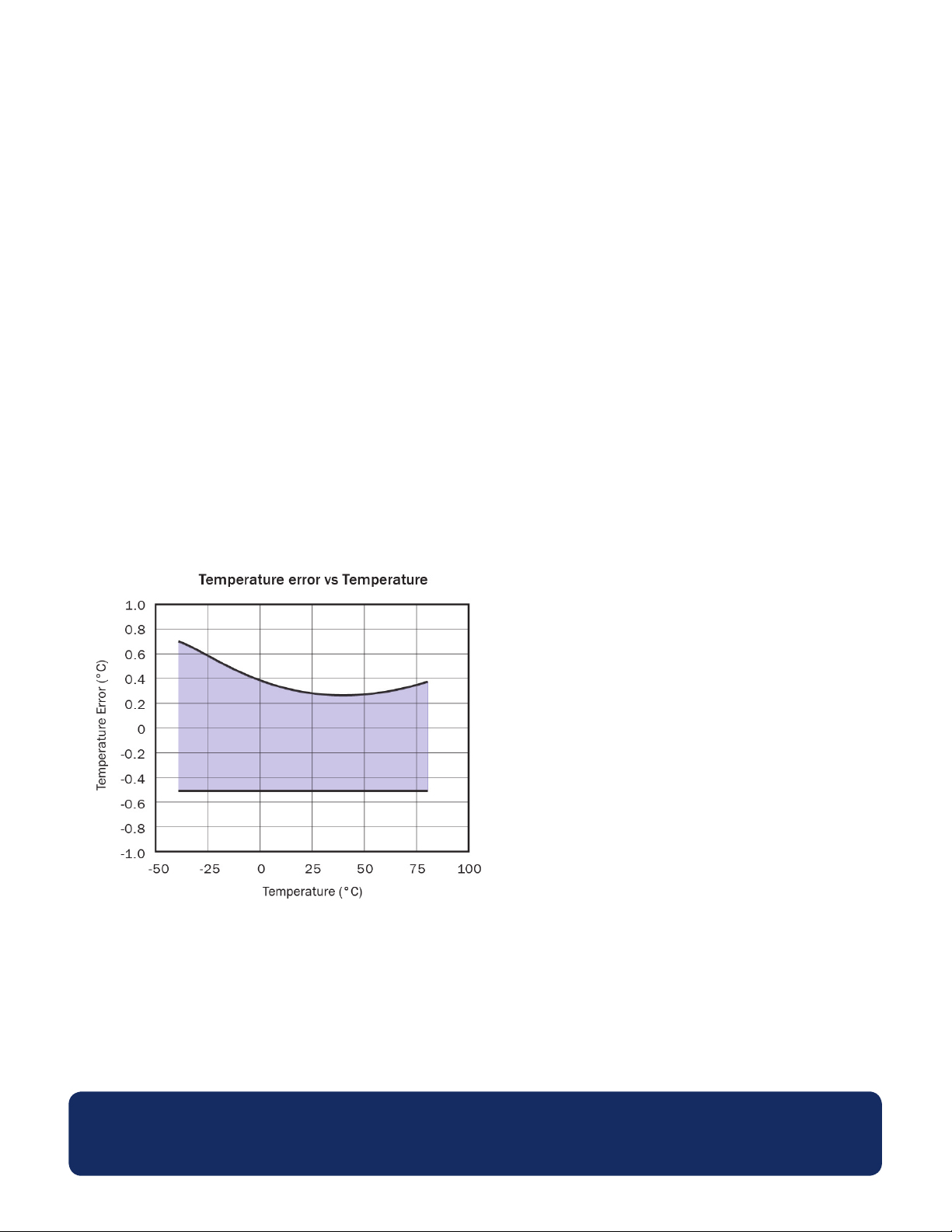
TEMPERATURE ACCURACY
www.omega.com
Specications liable to change without prior warning Issue 5 06/2013 S.L Applies to OM-EL-GFX-2 Page 4 of 4
Page 7
Page 8
M5318/0713
 Loading...