

Page 1
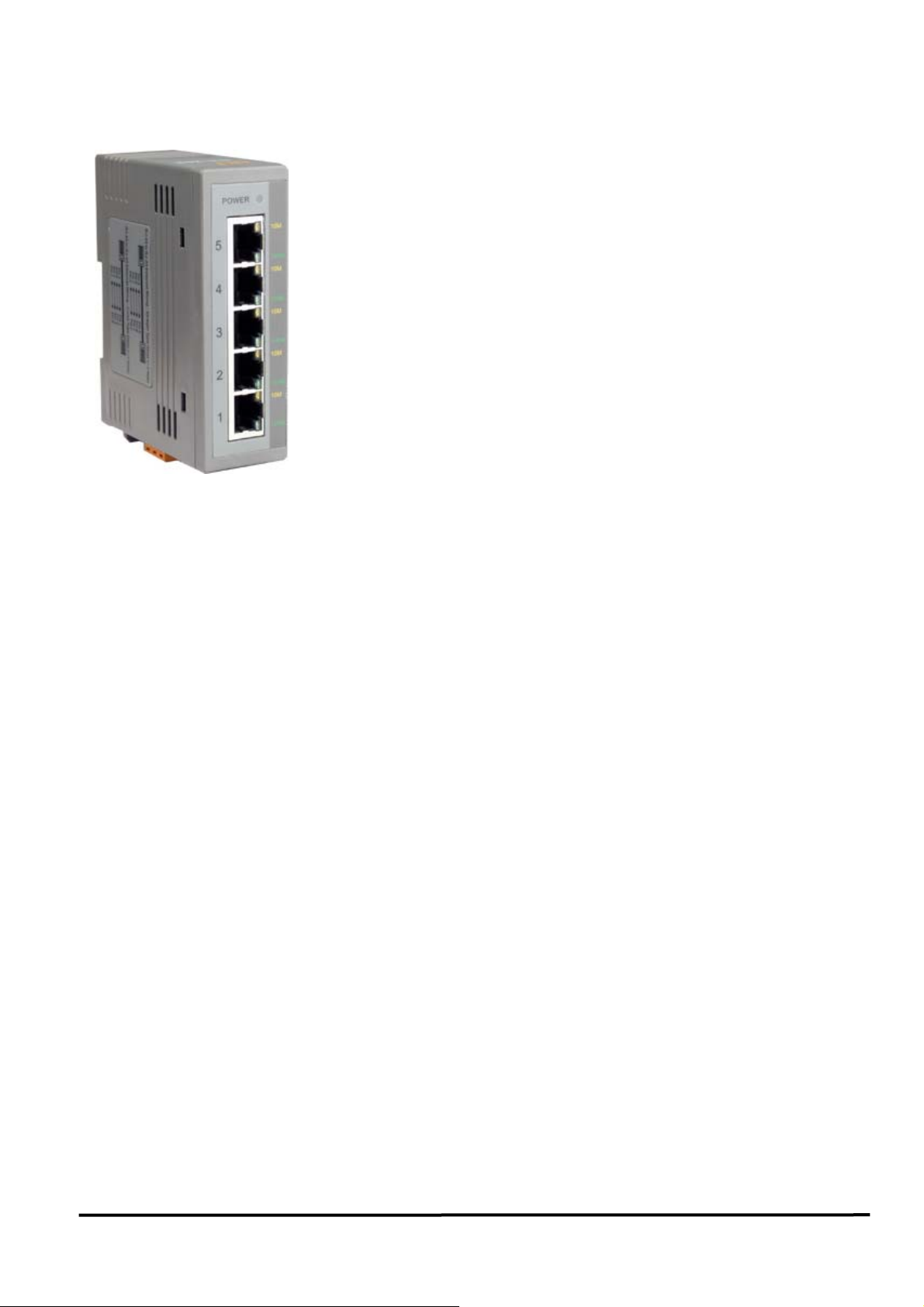
NS-205
5-Port Industrial 10/100 Mbps Ethernet Switch
Features:
• Automatic MDI/MDI-X crossover for plug-and-play
• Each port supports both 10/100 Mbps speed auto negotiation
• Store-and-forward architecture
• Full duplex IEEE 802.3x and half duplex backpressure flow control
• 1.4Gbps high performance memory bandwidth.
Integrated look-up engine with dedicated 1024 unicast MAC addresses.
• Supports +10 ~ +30V DC voltage
• Supports operating temperatures from –40 ~ +75 ℃
• DIN rail mount for industrial usage
• 1.4Gbps high performance memory bandwidth.
Specifications:
• Compatibility:IEEE 802.3, IEEE802.3u, IEEE802.3x
• Interface: 10/100 Base-T(X)
•
Port: 10/100 Mbps x 5 (Shielded RJ-45 Jack)
• Provides LEDs for network and power monitoring
• ESD Protection: 4KV
• Cables:
10 Base-T (Cat.3, 4,5 UTP cable; 100m Max.)
100 Base-TX (Cat.5 UTP cable; 100m Max.)
Introduction:
The NS-205 has 5 Ethernet Switching ports that support
10/100Base-T(X), with a 10/100M auto-negotiation feature
and auto MDI/MDI-X function.
It can connect 5 workstations and automatically switches
the transmission speed (10 Mbps or 100 Mbps) for
corresponding connections. The flow control mechanism is
also negotiated.
LEDs embedded in RJ-45 jacks make for easy monitoring.
Port connectors are shielded RJ-45. A power source for +10
~ +30VDC is required.
• Environment:
Operating temperature: –40 ~ +75 ℃
Storage Temperature: –40 ~ +85 ℃
Relative Humidity: 10% to 90% non-condensing
• Dimensions: 33 mm x 78 mm x 107 mm (W x L x H)
• Power requirements: +10 ~ +30V DC (Removable Terminal Block)
• Power consumption: 0.1A@24VDC, +/- 5% arrowed with 10M Full duplex.
0.09A@24VDC, +/- 5% arrowed with 100M Full duplex.
NS-205 User’s Manual (Version 1.9,Nov/2008) --------------- 1
Page 2
LED functions:
Standard RJ45 female connectors are provided. A standard RJ45 plug cable is all that is
necessary to connect your device to the unit since switch that supports auto crossover.
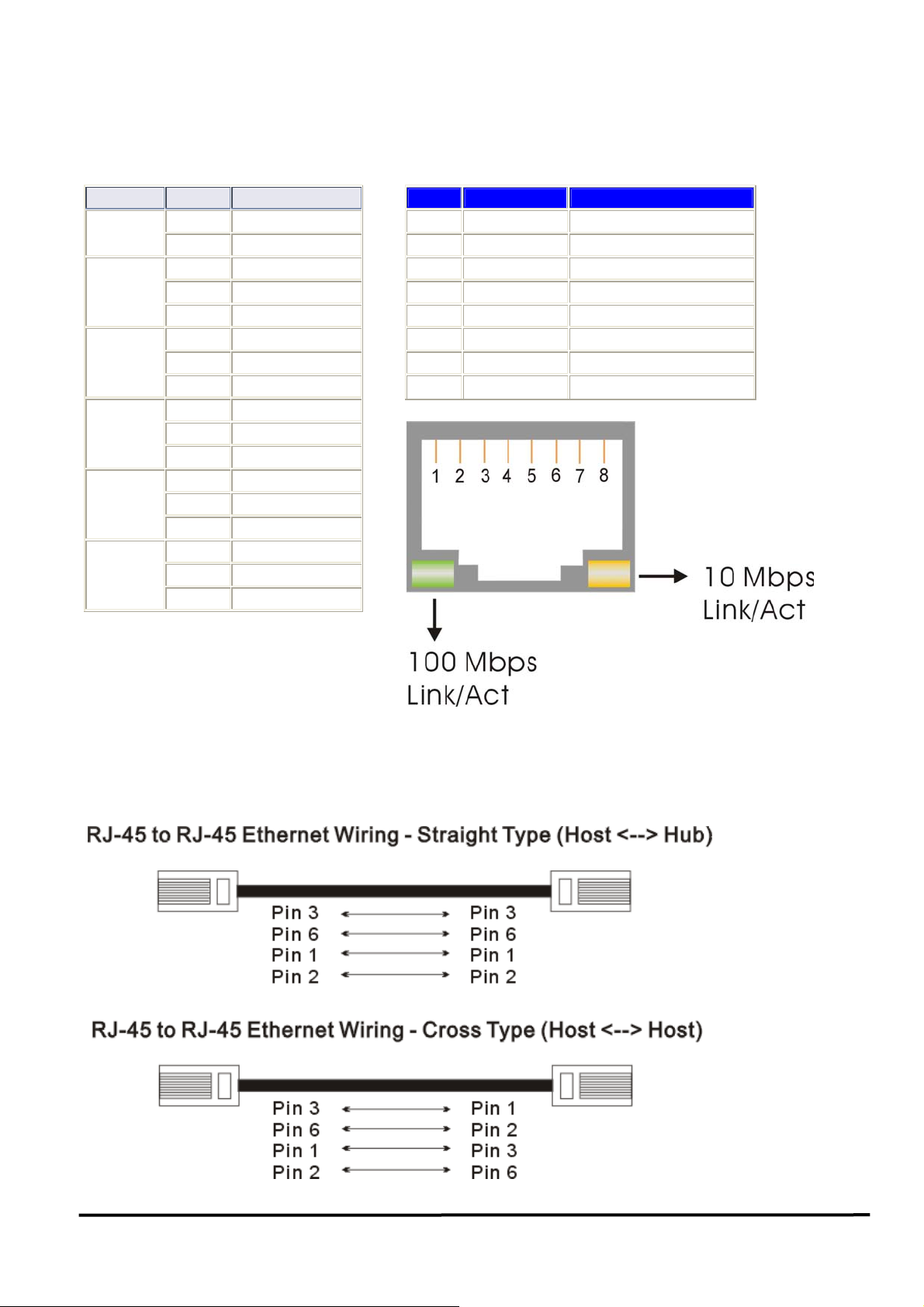
Table 1 shows the LED indicator functions. The module includes an internal.
Table 1
LED Color Description
Power
10/100M
(Port 1)
10/100M
(Port 2)
10/100M
(Port 3)
10/100M
(Port 4)
10/100M
(Port 5)
Red Power is On
Off Power is Off
Yellow Link to 10 Mbps
Green Link to 100 Mbps
Off Not Networking
Yellow Link to 10 Mbps
Green Link to 100 Mbps
Off Not Networking
Yellow Link to 10 Mbps
Green Link to 100 Mbps
Off Not Networking
Yellow Link to 10 Mbps
Green Link to 100 Mbps
Off Not Networking
Yellow Link to 10 Mbps
Green Link to 100 Mbps
Off Not Networking
Pin-Out:
Pin# Signal Name Function
1
2
3
4
5
6
7
8
TD+ Transmit Data
TD- Transmit Data
RD+ Receive Data
NC No Connection
NC No Connection
RD- Receive Data
NC No Connection
NC No Connection
Ethernet Wiring:
When making a connection to another device using straight-through UTP cable, make sure
the MDI-X to MDI connection rule is followed. The following figure illustrates the pin
assignments of a straight-through UTP and a crossover UTP cable:
NS-205 User’s Manual (Version 1.9,Nov/2008) --------------- 2
Page 3
Checking Power:
Since the NS-205 consumes 2.4W, ensure that your power supply is able to meet this
demand. The Input voltage range is +10~+30VDC.
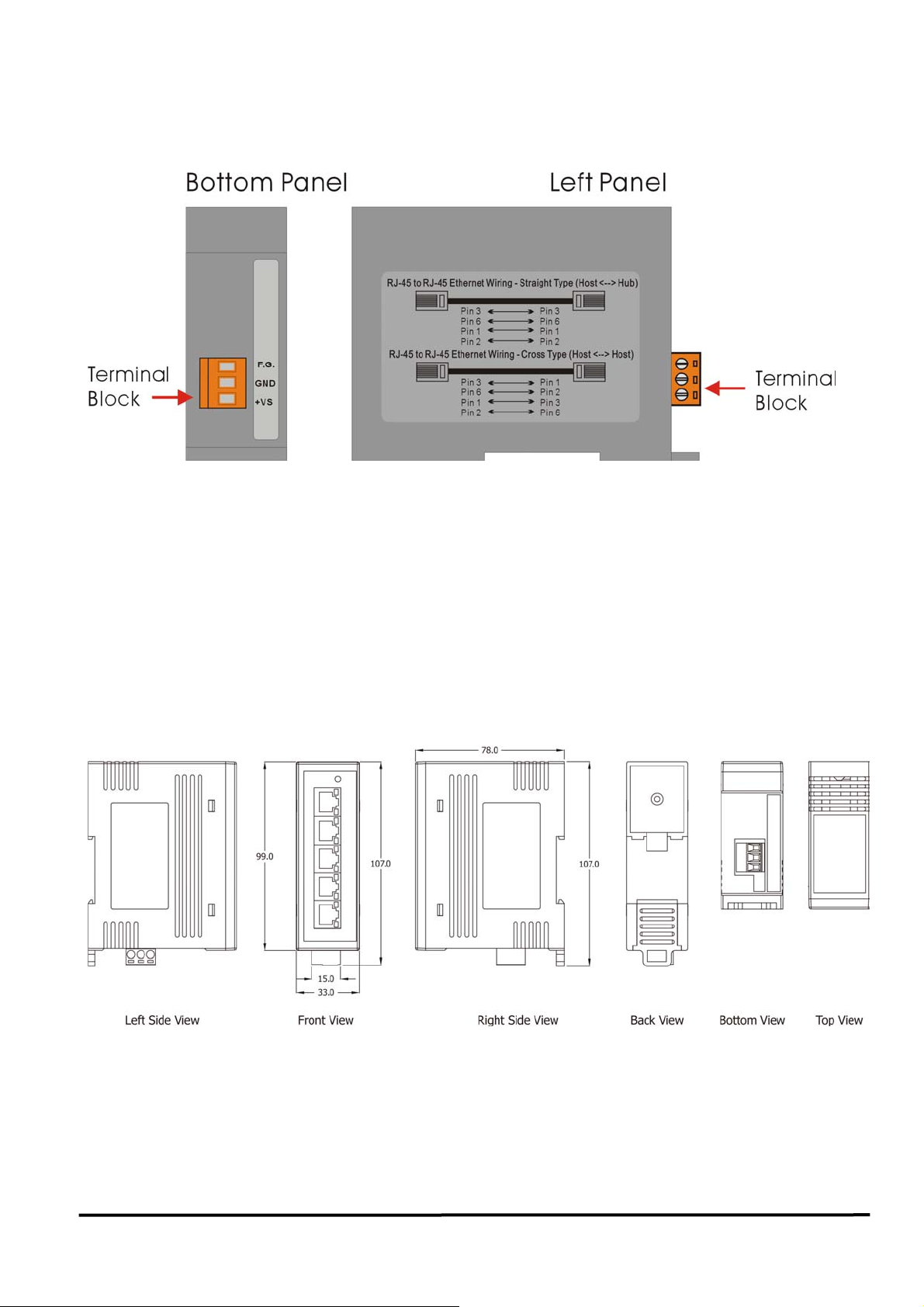
External power supply is connected using the removable terminal block as shown below:
Pin Function For Terminal Block:
External power supply is connected using the removable terminal block:
+Vs : Power input (+10 ~ +30V) and should be connected to the power supply (+)
GND: Ground and should be connected to the power supply (-)
F.G. : F.G. stands for Frame Ground (protective ground). It is optional. If you use this
pin, it can reduce EMI radiation; improve EMI performance and ESD protection.
Dimensions:
The width of the NS-205 is just 33 mm, so it can be used where space is important.
NS-205 User’s Manual (Version 1.9,Nov/2008) --------------- 3
 Loading...