

Page 1
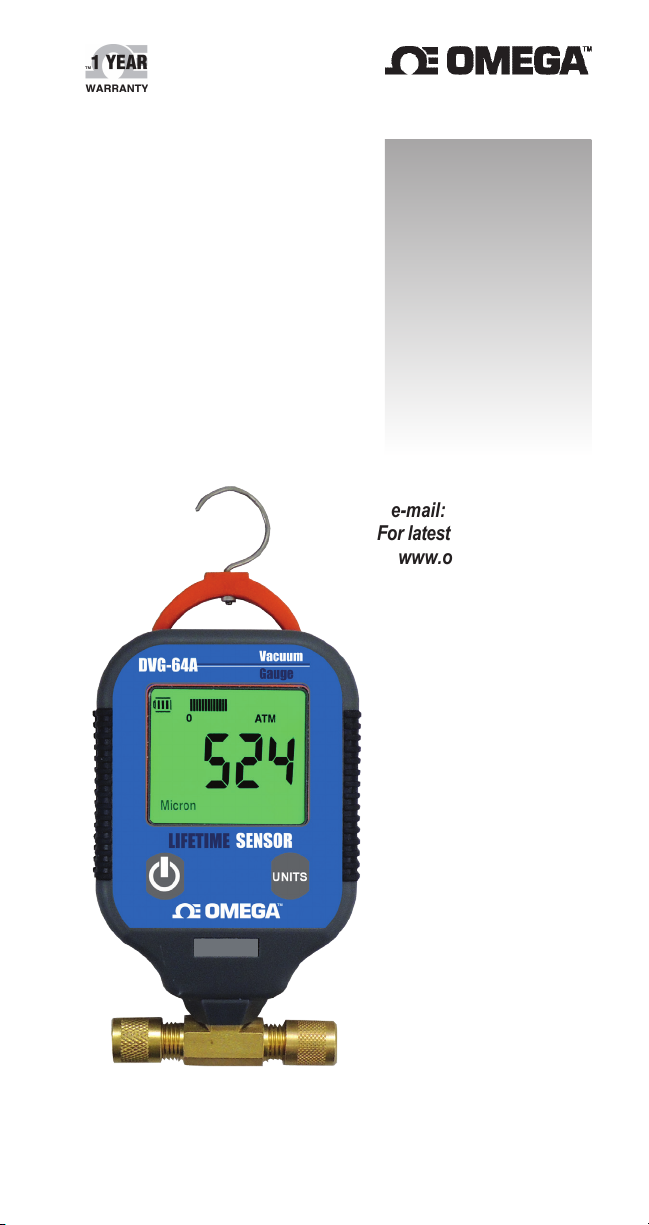
User’s Guide
Shop online at
omega.com
e-mail: [email protected]
For latest product manuals:
www.omegamanual.info
DVG-64A
Digital Vacuum Gauge
Page 2

omega.com [email protected]
Servicing North America:
U.S.A. Omega Engineering, Inc.
Headquarters: Toll-Free: 1-800-826-6342 (USA & Canada only)
Customer Service: 1-800-622-2378 (USA & Canada only)
Engineering Service: 1-800-872-9436 (USA & Canada only)
Tel: (203) 359-1660 Fax: (203) 359-7700
e-mail: [email protected]
For Other Locations Visit omega.com/worldwide
DVG-64A LIFETIME SENSOR
The DVG-64A incorporates a revolutionary new sensor design that is highly resistant
to contamination. Unlike other vacuum gauges currently on the market, the DVG-64A
maintains working accuracy even when the sensor is contaminated with oil or similar contaminants. For many applications, the sensor does not require any cleaning for the life of the
sensor.
A contaminated sensor will decrease the accuracy of the instrument by about 5%.
To achieve optimal performance again, clean the sensor as outlined in the instructions.
Other vacuum gauges on the market today will decrease in accuracy by 500% to 1000%
when contaminated, or not work at all.
If the DVG-64A sensor is flooded with oil or other liquids, the instrument will detect this
condition and display SERR on the display, indicating that sensor cleaning is required. All that
needs to be done if this occurs is to shake the liquid out of the sensor.
DVG-64A INSTRUCTIONS
FEATURES / BENEFITS
• Unmatched Resolution (as low as 0.5 micron) • Auto Shut Off
• ½ Second Response Time (update rate) • Built-in Hanger
• Backlit LCD • Two Year Warranty
• Analog Bar Graph • Battery Life Indicator
OPERATING CONTROLS
To turn the unit ON, press and release the Power Button.
To turn the unit OFF, press and hold the Power button, until the unit turns OFF.
Pressing and releasing the Power button turns on the backlight.
Changing the scale: Press the UNITS button to change the display to the next scale.
The scale order is: Micron, mTorr, Torr, Pascal, mBar. The DVG-64A will keep the
scale settings even if the power is turned OFF.
CONNECTING THE DVG-64A TO THE VACUUM SYSTEM
The DVG-64A should be connected to the vacuum system at the vacuum port.
The “Auxiliary Port” is primarily for cleaning and should normally be closed with the
supplied cap. It is possible to connect the DVG-64A in-line, however it may restrict
flow and increase the evacuation time.
DVG-64A
Page 3

CLEANING THE DVG-64A LIFETIME SENSOR
It is recommended that the DVG-64A sensor be cleaned periodically to maintain unit
accuracy. Oil and other contaminants slightly reduce the accuracy of the DVG-64A unit.
Follow the instructions below for cleaning.
• Use an eyedropper to pour a few drops of ordinary rubbing alcohol into either port.
Keep the other port closed.
• Close the port with the supplied cap.
• Shake the DVG-64A unit for approximately 10 seconds. A slight movement of the
vacuum sensor in the case is normal and does not affect the internal connection
in any way.
• Open the vacuum port. Empty the alcohol and air dry the sensor.
Close the vacuum port with the supplied cap when the DVG-64A is not used.
This prevents contamination of the sensor.
Many of the vacuum gauge warranty returns are due to contaminated sensors. For vacuum
gauges that are heavily contaminated, leave the alcohol in the gauge overnight to clean the
sensor more effectively.
CHECKING HVAC SYSTEMS FOR LEAKS
When checking a system for leaks use only copper tubing and a vacuum proof valve.
Generally, standard hoses will not hold a vacuum. If using the blank-off valve on the vacuum pump check it for leaks periodically.
At the beginning of the test the DVG-64A reading may increase due to system equalization. The vacuum reading should hold after a minimum of 5 minutes. If the reading continues to increase it may indicate a leak in the system.
DISPLAY RESOLUTION
The display resolution depends on the vacuum displayed and is as follows:
Vacuum Range
(Microns)
0 to 140 0.5
140 to 400 1
400 to 800 2
800 to 2000 5
2000 to 6000 20
6000 to 9000 100
9000 to 16000 200
16000 to 19000 1000
Above 19000 --- is displayed
Resolution
(Microns)
Vacuum Range
(Pascal)
0 to 18 0.05
18 to 50 0.1
50 to 100 0.2
100 to 260 0.5
260 to 800 2
800 to 1200 10
1200 to 2100 20
2100 to 2600 100
Above 2600 --- is displayed
Resolution
(Pascal)
LOW POWER MODE AND AUTO SHUTOFF
If no buttons are pushed, the unit will automatically turn OFF to conserve
power, as follows:
• No Vacuum is Showing: 10 Minutes
• Vacuum is Showing: 1 Hour
When vacuum is showing, after 10 minutes of operation, if no button is pressed,
the unit will enter a low power mode. In this mode the unit updates the display
every 7 seconds, instead of every 0.5 seconds. The display will show “POWER
SAVE MODE” while in this state. This extends the battery life about 3 times. To
exit the low power mode at any time, press any button on the unit.
Page 4

DVG-64A SPECIFICATIONS
Sensor Type Thermistor
Connector Type Standard ¼ inch male are tting
Vacuum Range 0 – 19,000 Micron (0 – 2,600 Pascal)
Resolution Measurement Range Resolution
Units Micron, milliBar, Pascal, Torr, milliTorr
Accuracy +/-10% or +/-10 Micron, whichever is larger
Update Rate 0.5 sec.
Operating Temp. Range 0°F to 150°F ( -17°C to 65°C)
Overpressure 800 PSI max (55Bar)
Power Source 3 AA Batteries
Battery Life 600 Hours continuous usage, with battery indicator
Auto Shutoff 10 minutes when vacuum reading is above 19,000 Microns
Weight 6 oz.
Dimensions 5.5” H X 2.75” W X 1.5” D
0 - 140 0.5 Mircon
140 - 400 1 Micron
400 - 800 2 Micron
800 - 2000 5 Micron
2000 - 6000 20 Micron
6000 - 9000 100 Micron
9000 - 16000 200 Micron
16000 - 19000 1000 Micron
(50 to 2000 Microns) at 75°F
1 hour when vacuum reading is below 19,000 Microns
The information contained in this document is believed to be correct, but OMEGA accepts no
liability for any errors it contains, and reserves the right to alter specifications without notice.
Page 5

WARRANTY/DISCLAIMER
OMEGA ENGINEERING, INC. warrants this unit to be free of defects in materials and workmanship
for a period of 13 months from date of purchase. OMEGA’s WARRANTY adds an additional one (1)
month grace period to the normal one (1) year product warranty to cover handling and shipping
time. This ensures that OMEGA’s customers receive maximum coverage on each product.
If the unit malfunctions, it must be returned to the factory for evaluation. OMEGA’s Customer Service
Department will issue an Authorized Return (AR) number immediately upon phone or written request.
Upon examination by OMEGA, if the unit is found to be defective, it will be repaired or replaced at no
charge. OMEGA’s WARRANTY does not apply to defects resulting from any action of the purchaser,
including but not limited to mishandling, improper interfacing, operation outside of design limits,
improper repair, or unauthorized modification. This WARRANTY is VOID if the unit shows evidence
of having been tampered with or shows evidence of having been damaged as a result of excessive
corrosion; or current, heat, moisture or vibration; improper specification; misapplication; misuse or
other operating conditions outside of OMEGA’s control. Components in which wear is not warranted,
include but are not limited to contact points, fuses, and triacs.
OMEGA is pleased to offer suggestions on the use of its various products. However,
OMEGA neither assumes responsibility for any omissions or errors nor assumes liability
for any damages that result from the use of its products in accordance with information
provided by OMEGA, either verbal or written. OMEGA warrants only that the parts
manufactured by the company will be as specified and free of defects. OMEGA MAKES
NO OTHER WARRANTIES OR REPRESENTATIONS OF ANY KIND WHATSOEVER,
EXPRESSED OR IMPLIED, EXCEPT THAT OF TITLE, AND ALL IMPLIED
WARRANTIES INCLUDING ANY WARRANTY OF MERCHANTABILITY AND
FITNESS FOR A PARTICULAR PURPOSE ARE HEREBY DISCLAIMED. LIMITATION
OF LIABILITY: The remedies of purchaser set forth herein are exclusive, and the total
liability of OMEGA with respect to this order, whether based on contract, warranty,
negligence, indemnification, strict liability or otherwise, shall not exceed the purchase
price of the component upon which liability is based. In no event shall OMEGA be liable
for consequential, incidental or special damages.
CONDITIONS: Equipment sold by OMEGA is not intended to be used, nor shall it be used: (1) as a
“Basic Component” under 10 CFR 21 (NRC), used in or with any nuclear installation or activity; or
(2) in medical applications or used on humans. Should any Product(s) be used in or with any nuclear
installation or activity, medical application, used on humans, or misused in any way, OMEGA assumes
no responsibility as set forth in our basic WARRANTY / DISCLAIMER language, and, additionally,
purchaser will indemnify OMEGA and hold OMEGA harmless from any liability or damage whatsoever
arising out of the use of the Product(s) in such a manner.
RETURN REQUESTS/INQUIRIES
Direct all warranty and repair requests/inquiries to the OMEGA Customer Service Department.
BEFORE RETURNING ANY PRODUCT(S) TO OMEGA, PURCHASER MUST OBTAIN AN
AUTHORIZED RETURN (AR) NUMBER FROM OMEGA’S CUSTOMER SERVICE DEPARTMENT (IN
ORDER TO AVOID PROCESSING DELAYS). The assigned AR number should then be marked on the
outside of the return package and on any correspondence.
The purchaser is responsible for shipping charges, freight, insurance and proper packaging to prevent
breakage in transit.
FOR WARRANTY RETURNS, please have the
following information available BEFORE contacting
OMEGA:
1. Purchase Order number under which the
product was PURCHASED,
2. Model and serial number of the product under
warranty, and
3. Repair instructions and/or specific problems
relative to the product.
OMEGA’s policy is to make running changes, not model changes, whenever an improvement is possible.
This affords our customers the latest in technology and engineering.
OMEGA is a trademark of OMEGA ENGINEERING, INC.
© Copyright 2018 OMEGA ENGINEERING, INC. All rights reserved. This document may not be
copied, photocopied, reproduced, translated, or reduced to any electronic medium or machine-readable
form, in whole or in part, without the prior written consent of OMEGA ENGINEERING, INC.
FOR NON-WARRANTY REPAIRS, consult
OMEGA for current repair charges. Have the
following information available BEFORE
contacting OMEGA:
1. Purchase Order number to cover the
COST of the repair,
2. Model and serial number of the product, and
3. Repair instructions and/or specific problems
relative to the product.
Page 6

Where Do I Find Everything I Need for
Process Measurement and Control?
OMEGA…Of Course!
Shop online at omega.com
TEMPERATURE
• Thermocouple, RTD & Thermistor Probes, Connectors, Panels & Assemblies
• Wire: Thermocouple, RTD & Thermistor
• Calibrators & Ice Point References
• Recorders, Controllers & Process Monitors
• Infrared Pyrometers
PRESSURE, STRAIN AND FORCE
• Transducers & Strain Gages
• Load Cells & Pressure Gages
• Displacement Transducers
• Instrumentation & Accessories
FLOW/LEVEL
• Rotameters, Gas Mass Flowmeters & Flow Computers
• Air Velocity Indicators
• Turbine/Paddlewheel Systems
• Totalizers & Batch Controllers
pH/CONDUCTIVITY
• pH Electrodes, Testers & Accessories
• Benchtop/Laboratory Meters
• Controllers, Calibrators, Simulators & Pumps
• Industrial pH & Conductivity Equipment
DATA ACQUISITION
• Communications-Based Acquisition Systems
• Data Logging Systems
• Wireless Sensors, Transmitters, & Receivers
• Signal Conditioners
• Data Acquisition Software
HEATERS
• Heating Cable
• Cartridge & Strip Heaters
• Immersion & Band Heaters
• Flexible Heaters
• Laboratory Heaters
ENVIRONMENTAL
MONITORING AND CONTROL
• Metering & Control Instrumentation
• Refractometers
• Pumps & Tubing
• Air, Soil & Water Monitors
• Industrial Water & Wastewater Treatment
• pH, Conductivity & Dissolved Oxygen Instruments
M-5676/0318
 Loading...