

Page 1

OMBEA ResponsePad™
User Guide
Page 2
OMBEA ResponsePad – User Guide
1 | Version 1.0
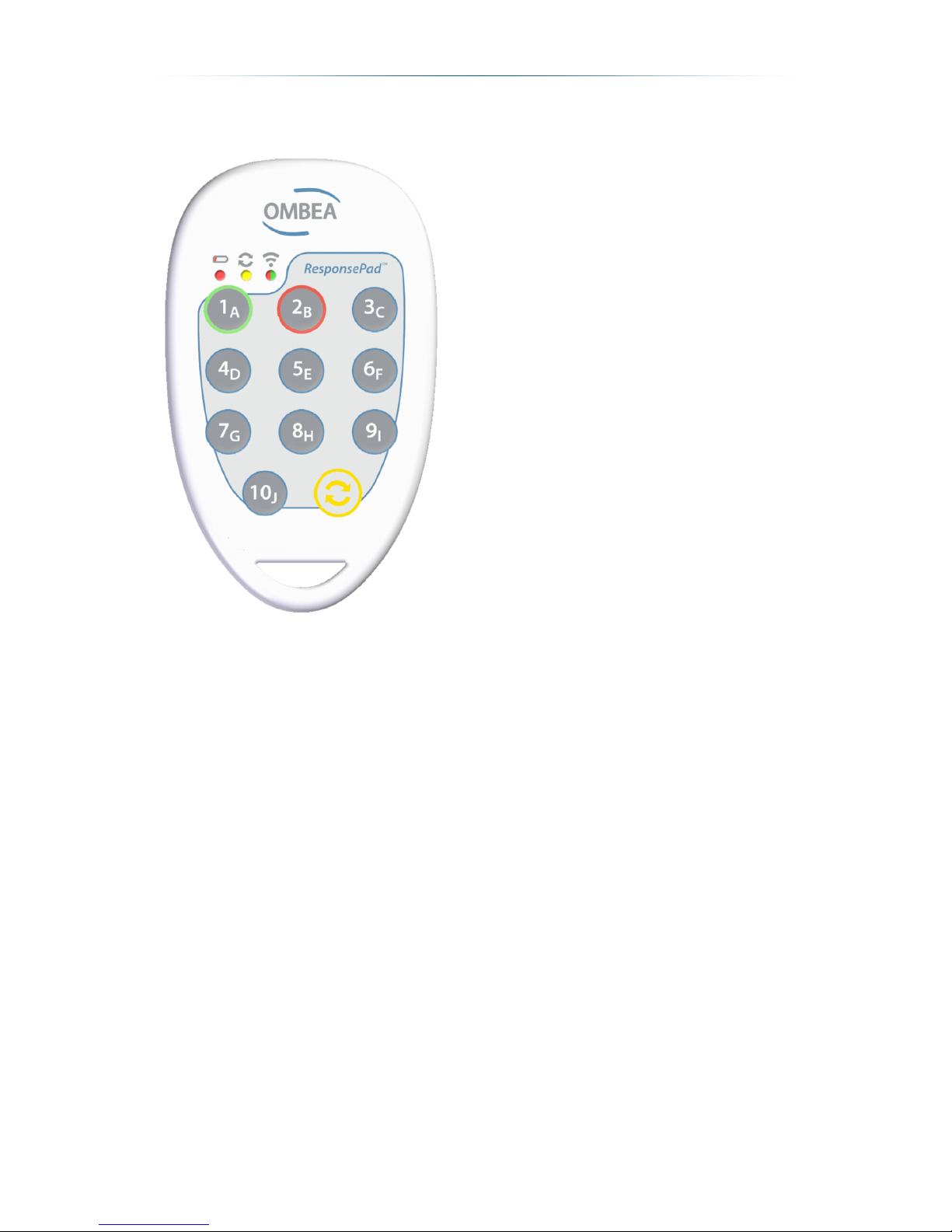
LED and button explanation
Synchronize
Synchronization is only necessary when two systems may interfere. All ResponsePads
have the same factory default channels. When OMBEA Response is in
synchronization mode, press the synchronization button (2) to synchronize the device.
You start the synchronization mode by pressing Configure, selecting Synchronization
Mode and pressing Start.
Note: the synchronization is flashed and will not be resetted after change of battery.
Specifications
Range: approximately 70m.
Dimensions (mm): 82 x 49 x 8.
Channels: 16.
Battery life (approx.): 12 months.
Response Received Confirmation.
Battery Life Indicator.
Battery: 1 pc. CR2450.
Compliance Certifications: CE (EN 300 328, EN 300 328, EN 301 489, EN
60950-1, EN 55022, EN 55024).
1
2 3 4 5
1. Answer button 1-10 / A-J.
2. Synchronization button.
3. Battery life indicator.
4. Ongoing synchronization indicator.
5. Indication received answer / not
received answer.
Page 3
2 | Version 1.0
Certifieringar: CE (EN 300 328, EN 300 328, EN 301 489, EN 60950-1, EN
55022, EN 55024).
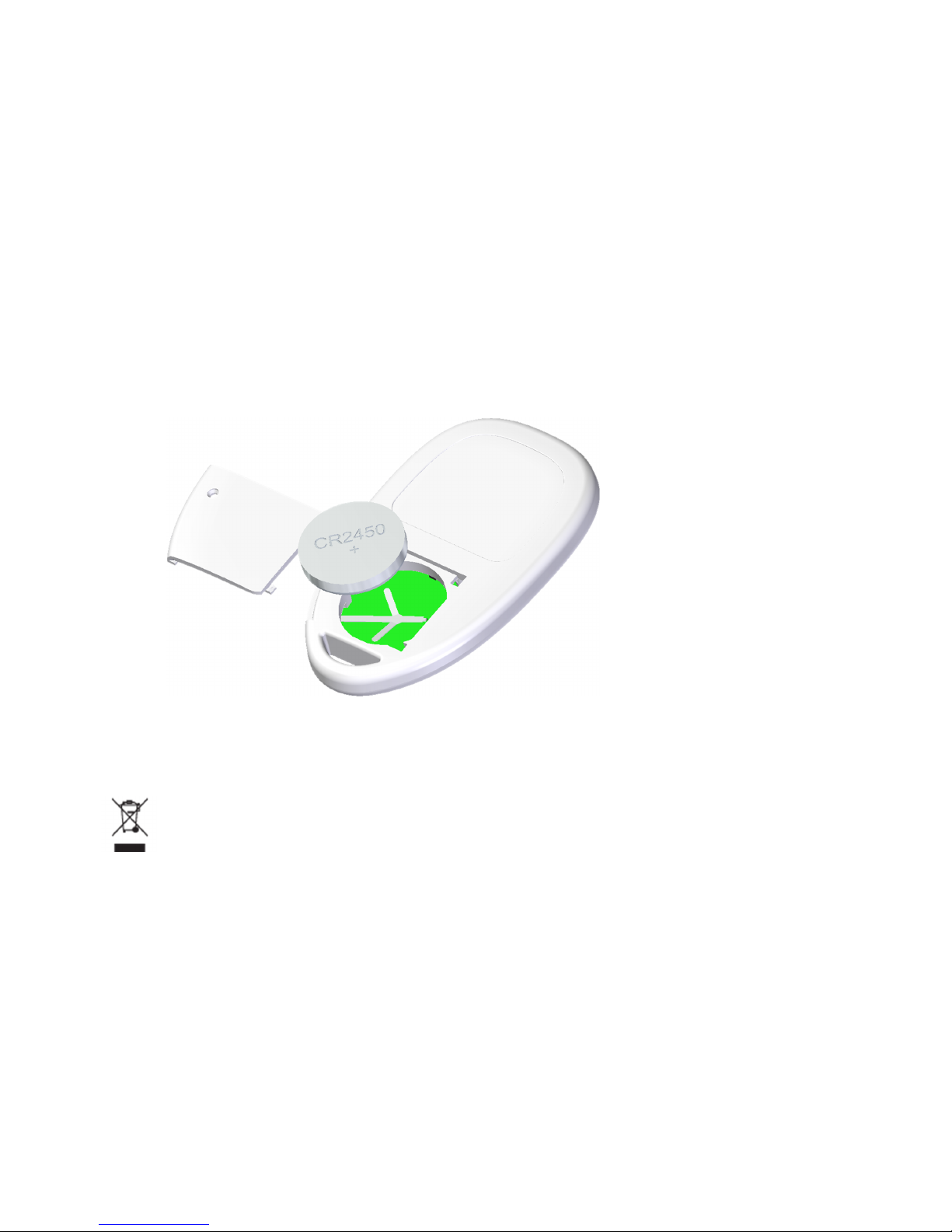
Changing the battery
To change the battery, remove the screw that holds the battery cover with a suitable
screwdriver, for example, PH-0, remove the old battery and replace it with:
CR2450 (not CR2450N)
The battery anode (+) should be facing upwards.
If you are unsure of the installation or require a large number of batteries, contact
OMBEA support.
Disposal of old electric and electronic
equipment
Electronic equipment and batteries should not be disposed with the household waste
but left at an appropriate collection point for recycling. Check local regulations by
contacting your local authorities, local recycling center or contact OMBEA support.
 Loading...