

Page 1
Test Equipment Depot - 800.517.8431 -
5 Commonwealth Ave, MA 01801 - TestEquipmentDepot.com
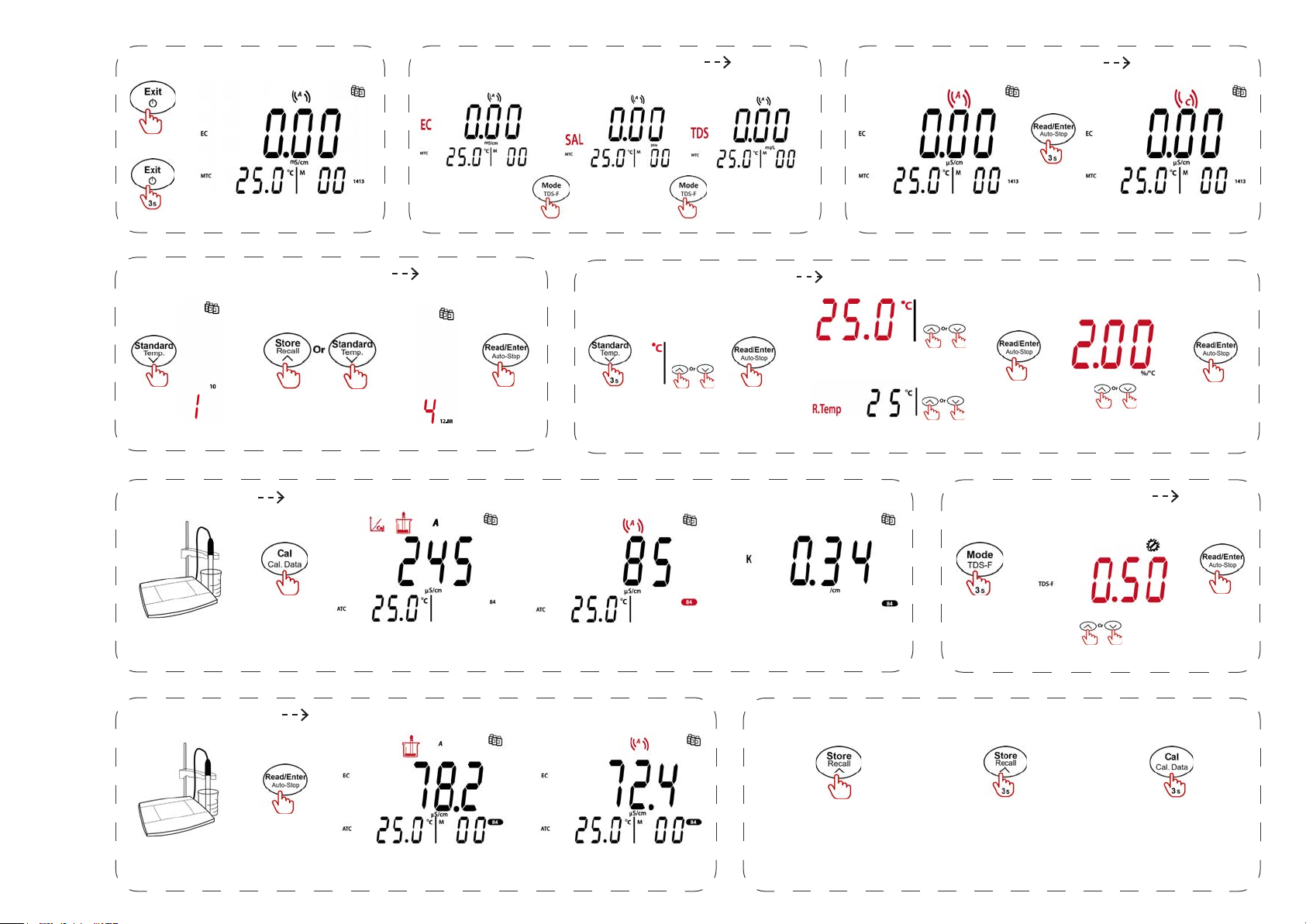
Switch On/O
On
O
Main screen
Switch EC/TDS/SAL Mode
Standard Solution Setup
a-AB23EC Quick Start Guide
Note: Predened standard solution: 10 μS/cm, 84 μS/cm, 1413 μS/cm,12.88 μS/cm
Select the solution group
Calibration
EC
Conrm
SAL
TDS
Temperature Setup
(°C/
°F)
Conrm
Setup reference temperature
Switch Endpoint Mode
Auto end point mode Continuous reading mode
Setup MTC temperature
Conrm
Setup temperature compensation
TDS Factor Setup
Conrm
Insert a probe into the
standard solution.
Measurement
Insert the probe into a sample.
Calibrating
Measuring
Completed
Completed
Calibration result
(shown for 3 seconds)
Store/Recall Data
Store measurement data:
After the measurement is
completed, press the Store
button.
Recall measurement data:
press and hold the Store
button to recall.
Conrm
Recall calibration data:
After the calibration is
completed, press and hold
the Cal button to recall.
Page 2
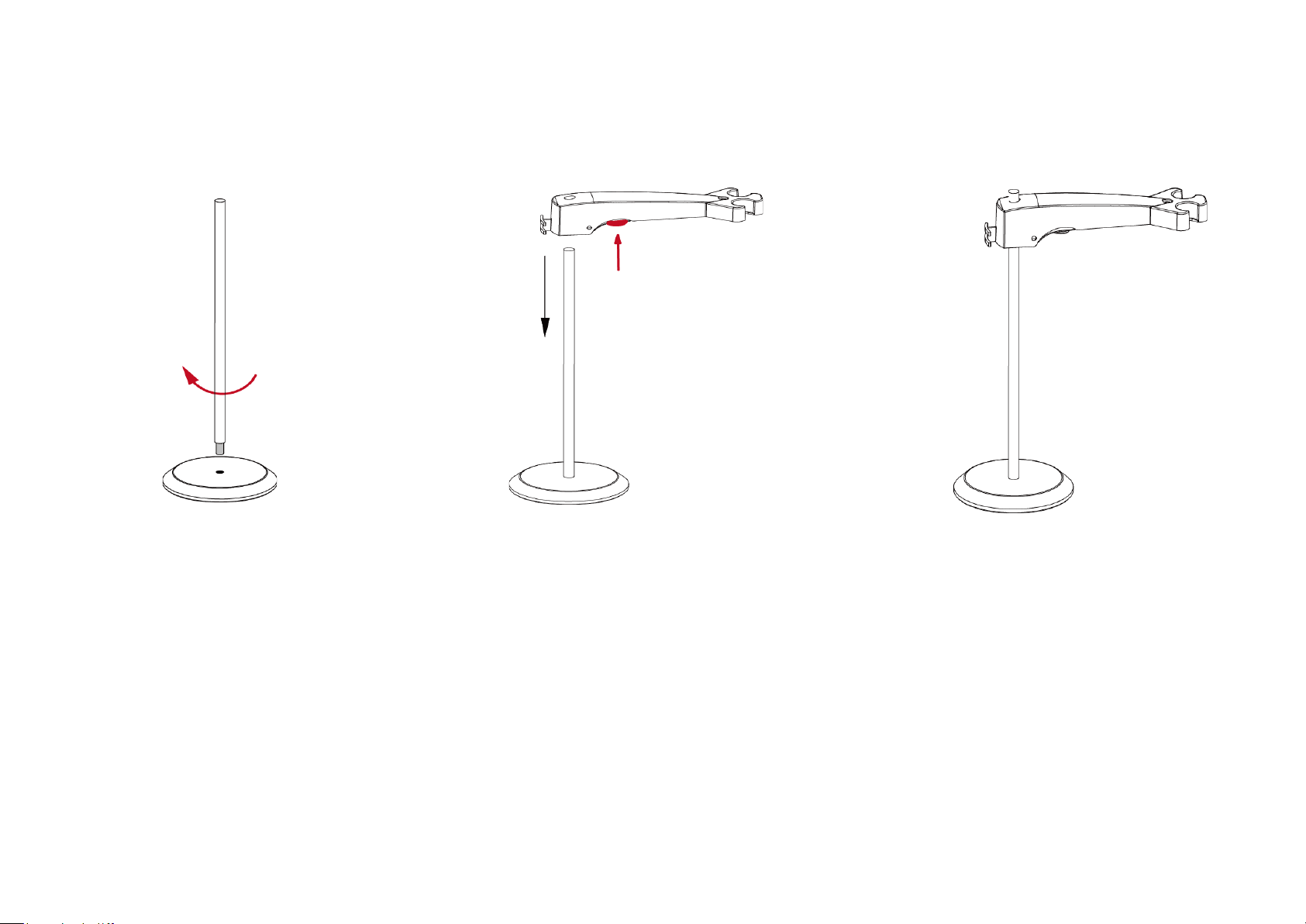
Install the stand-alone electrode holder
1. Screw the metal stick to the base.
2. Hold the button located at the bottom of
the upper electrode arm, and pass the arm
through the metal stick.
3. Release the button at the height you
want to nish the installation.
Version B ©Ohaus Corporation 2021 All rights reserved
 Loading...