

Page 1

English
Contents
Important User Information .................................................................................4
Safety Instructions ................................................................................................5
Installation Environment ......................................................................................7
NX7 Product List ...................................................................................................8
Base Module ...................................................................................................8
Expansion Module .........................................................................................8
Programming Software .................................................................................8
Cables..............................................................................................................8
Hardware Features................................................................................................9
Specifications ......................................................................................................10
General Specifications.................................................................................10
Power Supply Specifications.......................................................................10
Performance Specifications.........................................................................11
Input Specifications......................................................................................12
Output Specifications...................................................................................13
Communication Specifications ...................................................................15
Installing and Wiring...........................................................................................16
Product Dimensions.....................................................................................16
Installation Dimensions ...............................................................................16
Installation Space .........................................................................................17
Terminal Block Dimensions.........................................................................17
Power Supply Wiring ...................................................................................18
Page 2
Important User Information
Solid state equipment has operational characteristics differing from those of
electromechanical equipment. Because of this difference, and also because of
the wide variety of uses for solid state equipment, all persons responsible for
applying this equipment must satisfy themselves that each intended application
of this equipment is acceptable.
In no event will OE Max Controls be responsible or liable for indirect or
consequential damages resulting from the use or application of this equipment.
The examples and diagrams in this manual are included solely for illustrative
purposes. Because of the many variables and requirements associated with
any particular installation, OE Max Controls cannot assume responsibility or
liability for actual use based on the examples and diagrams.
No patent liability is assumed by OE Max Controls with respect to use of
information, circuits, equipment, or software described in this manual.
Reproduction of the contents of this manual, in whole or in part, without written
permission of OE Max Controls is prohibited.
Throughout this manual we use notes to make you aware of safety
considerations.
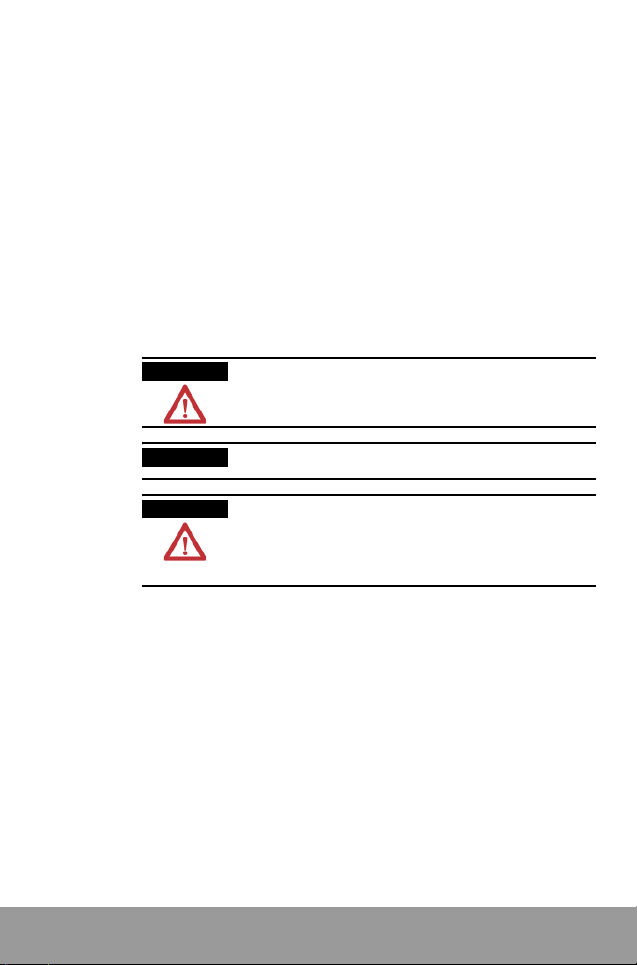
WARNING
Identifies information about practices or
circumstances which may lead to serious personal
injury or death, property damage, or economic loss.
IMPORTANT
ATTENTION
4
Identifies information that is critical for successful
application and understanding of the product.
Identifies information about practices or
circumstances that can lead to minor personal
injury, property damage, economic loss, or product
malfunction. However, depending on situation,
failure to follow the directions accompanying this
symbol may also lead to serious consequences.
Page 3

Safety Instructions
Please read this manual and the related documentation thoroughly and
familiarize yourself with the directions before installing, operating,
performing inspection and preventive maintenance. Make sure to follow
the directions correctly to ensure normal operation of the product and
your safety.
• When designing a system using this product, consider proper
prevention against external environmental fluctuations, power failure
and noise, etc., in accordance with installation requirements. Design
and implement an external circuit that allows your system to operate
continually and safely in any system failure.
• Make sure to disconnect the external power to the product before
performing mounting, wiring, inspection, maintenance and cleaning.
Never touch the power terminal when the power is on. Otherwise, it
may cause an electrical shock.
• Do not connect AC-powered products to a DC I/O terminal. Do not
connect externally- powered products to an internal 24V DC output
terminal.
• If you need to perform a special operation during run, such as program
editing, operation control or forced output, make sure to perform it after
ensuring safety.
• Do not connect an external device or a hand-held programmer (HHP)
that uses internal power to the product when runnig. Make sure to stop
the system and ensure safety before connecting them.
• Make sure to use an external device to PLC when configuring the
protective circuit breakers for emergencies.
• When the self-diagnostics functionality detects an error, such as internal
arithmetic error, watchdog time error, and/or connection failure, power
continues to be provided to the controller’s power supply so that your
system still works. Design and configure the circuits so that your system
runs safely under those conditions.
• The internal 24V DC power supplied to the circuits inside the PLC may
have voltage fluctuations, depending on the volume of load. These
voltage fluctuations may cause malfunction of the PLC or I/O devices
connected. Therefore, use the internal power within the allowed rating.
• Do not apply an impact to the terminal blocks or the product itself when
the power is on. Otherwise, it may cause malfunction and failure of the
product, or electrical shock.
5
Page 4

• Operate and keep the product under the allowed conditions directed in
product specifications. During installation, be sure that all debris (metal
chips, wire stands, etc.) is kept from falling into the product.
Do not expose the product to high temperature, high humidity, dusty
conditions, salt, metal chips, corrosive gas, inflammable gas, solvents,
abrasive oil, and/or direct sunlight.
Avoid vibrations and crashes with other objects. Otherwise, it may
cause a fire, damage, malfunction or aging to the product.
• Fix cables as directed in the wiring instructions. We recommend you do
not connect the line to the terminals marked with the symbol
When wiring with the termi
•
Screw: 3.0 M, Torque: 0.5 N.m (5 kgf.cm)
Terminal width: 6.35 mm or less (0.25 in)
• Input/output and communication cables should be separated from
power cables. Give at least 200 mm space between them. Otherwise,
generated noise may cause product malfunction.
• We recommend installibng an insulation transistor near the front of the
PLC. Make sure to use twisted cables to prevent input noise.
• For frame grounding, perform class 3 grounding at 100Ω or less ground
resistance or independent class D grounding using a 2mm
perform common grounding to high voltage devices.
• Do not disassemble or remodel the product. If you need to repair the
product, contact the service center.
• This manual does not include detailed explanation on all of the
instructions and functions supported by the product. Please refer to
other related manuals for more information.
• Use the product only for the purposes stated on the product or in this
user manual.
• When disposing the product, make sure to follow your local regulations
and guidelines on industrial waste disposal.
nal block, use the following specifications:
'
●
2
. Do not
'
.
6
Page 5
Installation Environment
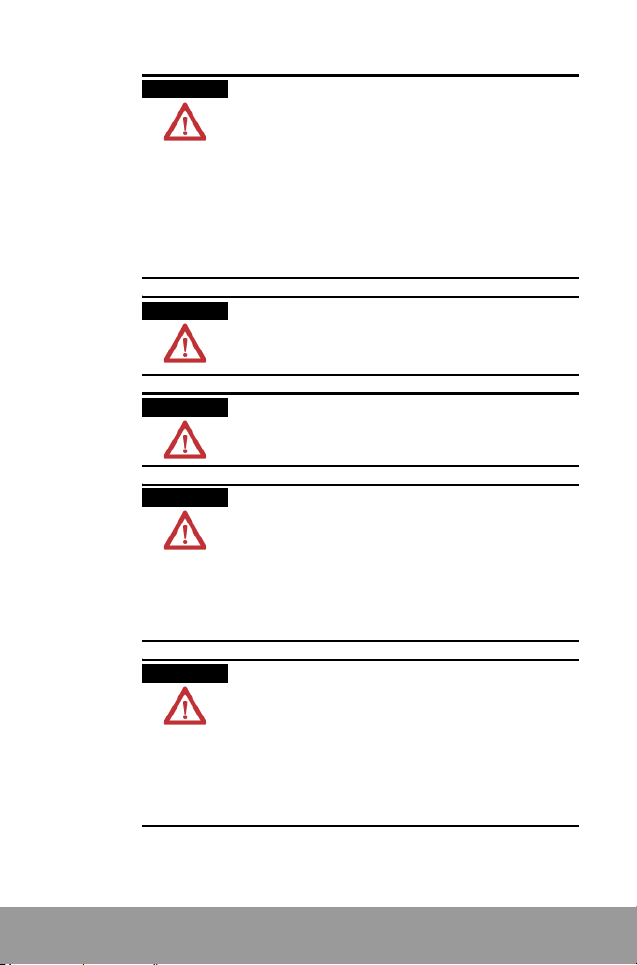
ATTENTION
Do not install your PLC system if any of the following
conditions are present.:
• Ambient temperature outside the range of 0 to 55° C
(32 to 131° F).
• Direct sunlight.
• Humidity outside the range of 30% to 85% (noncondensing)
• Chemicals that may affect electronic parts.
• Excessive or conductive dust, or salinity.
• High voltage, strong magnetic fields, or strong
electromagnetic influences.
• Direct impact and excessive vibration.
ATTENTION
ATTENTION
ATTENTION
ATTENTION
Electrostatic Discharges
Under dry condition, excessive electrostatic discharges
may occur. Make sure to remove electrostatic discharges
by touching a grounded metal piece before touching your
controller system modules.
Cleaning
Never use chemicals such as thinner because they melt,
deform or discolor PCB boards.
Precautions for use of power
• Run your PLC system only after the I/O devices and
motor devices have started. (For example, first power
on in the PROG mode, then change the operation mode
to RUN.)
• Make sure to power off I/O devices after ensuring PLC
operation is stopped.
If you power on/off I/O devices when the PLC system is in
operation, the system may malfunction because input
signal noises may be recognized as normal inputs.
Before powering on
• Make sure to follow these directions before powering
on your PLC system.
• When installing the system, ensure that there are no
metal chips or conductive fragments that stick to wiring
cables.
• Ensure that power supply and I/O wirings and power
supply voltage are all correct.
• Securely fasten installation and terminal screws.
• Set the operation mode switch to PROG mode.
7
Page 6
NX7 Product List
Base Module
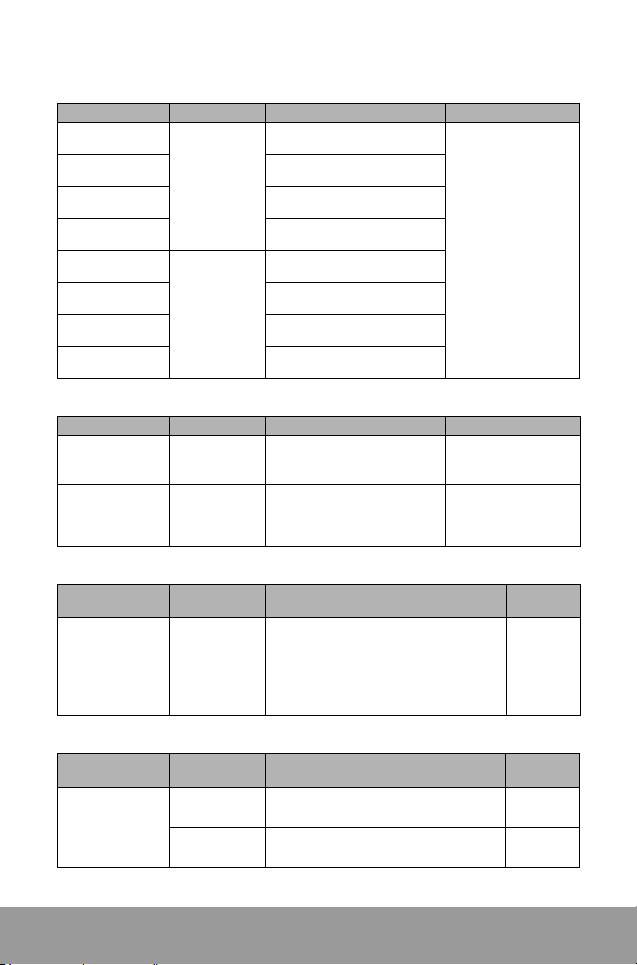
Catalog number Input power I/O specifications Remarks
NX7-28ADR
NX7-28ADT
NX7-48ADR
NX7-48ADT
NX7-28DDR
NX7-28DDT
NX7-48DDR
NX7-48DDT
100 to 220V ac
power supply
24V dc
power supply
Expansion Module
Catalog number Input power I/O specifications Remarks
NX7-28EDR
NX7-28EDT
24V dcb power
supply
24V dc power
supply
Programming Software
Programming
software
WinGPC 3.5
(Windows)
Catalog
number
16-point dc input/12-point relay
output
16-point dc input/12-point
transistor output
28-point dc input/20-point relay
output
28-point dc input/20-point
transistor output
16-point dc input/12-point relay
output
16-point dc input/12-point
transistor output
28-point dc input/20-point relay
output
28-point dc input/20-point
transistor output
16-point dc input/12-point relay
output
16-point dc input/12-point
transistor output
Specifications Remarks
Allows you to perform the following tasks
on a remote computer:
PLC program editing and monitoring, file
-
management, program backup, online
editing, error and status check-up, network
status check-up, I/O mapping, time chart
monitoring
Built-in 9k steps
memory,
Several
µ
s per step
processing speed
Built-in 1 HSC input
channel,
Built-in 2 pulse output
channels built in,
2 communication ports
(NOTE: Some relevant
contacts are unavailable
when HSC input or
pulse output channels
are used.)
16-point 24V dc input
12-point relay output
2A per point
16-point 24V dc input
12-point transistor
output
4A per point
For
Windows
95/98/
2000/NT
Communication
cable for both
RS232 and
RS485
8
Item
Cables
NX_CBLCPU2
NX_CBLCPU5
Catalog
number
Specifications Remarks
PLC to PC communication (WinGPC)
2 m
Same functions with NX _CBLCPU2
5 m
Page 7

Hardware Features
COM1:RS232C/RS485
9pin female D-Sub
24V dc auxiliary output
Panel fixing hole
Battery mounting holder
Input terminal
Expansion unit connector
Status LEDs
LED Description
On when processor is in operation.
RUN
Flashes when processor is pausing.
On when the program can be modified or
PROG
downloaded.
On when processor fault is detected.
ERR
Flashes when the battery is not installed
or needs to be replaced.
On when power is supplied normally.
COM1
Flashes when communication is
COM2
progressing via the port
Operation mode selector switch
Mode Description
Processor is in operation.
RUN
Program editing is not allowed.
Remote control status.
RMT
Run or pause operation, program
editing and downloading are allowed.
Processor is in stop mode.
PROG
Program editing is allowed.
COM2:
RS232C/RS485
8pin female
RJ45
Power supply
connector
DIP switch for COM1
- Selects RS232 or RS485
- Sets termination resistance
Output
terminals
COM1 communication mode DIP switch (SW2)
Open the communication housing case and adjust the DIP switch as follows:
No. Status Description
Off Enables RS-232C communication for COM1
1
2
Enables RS-485 communication for COM1
On
(Used for hand-held programmer and multi-drop
connections, etc.)
Off Disables termination for RS-485 communication
On Enables termination for RS-485 communication
IMPORTANT
The baud rate is automatically detected and adjusted within the range of
4800 to 38400 bps. No separate speed setting is required. Once a speed is
assigned, it is maintained until there is no communication for more than
one minute. Then, the speed is automatically detected and configured
again.
The termination resistance is connected to the end of the communication
line to remove mutual communication interferences or signal distortions
that can occur between connected controllers and peripherals.
Use an external connector for termination for COM2 port.
9
Page 8

Specifications
General Specifications
Item Specifications
Temperature
Humidity Operating 10 to 90% RH (Non-condensing)
Withstand voltage
Allowed momentary power
failure
Noise immunity 1500 Vp-p pulse width 50 ns, 1
Insulation resistance 10 M
Vibration immunity
Dust condition No conductive dust
Chemicals No cutting oil and organic solvents
Corrosive gas No corrosive gas
Shock immunity 98m/S
Grounding Class 3 grounding (100
Case material PC/ABS
Cooling method Natural air cooling
Ambience N o corrosive gas, no excessive dust
Rated voltage 110 to 220V ac, free voltage 24V dc
Allowable voltage range 85 to 264V ac 24V ± 10% dc
Rated current consumption 33 Watts 33 Watts
Input power frequency 47 to 63 Hz -
Inrush current 3A or less 5A or less
Rated output current
Operating 0 to 55° C
Storage -20 to 70° C
1500V ac for 1 minute between external terminal (ac) and frame
ground (FG)
500V ac for 1 minute between external terminal (dc) and frame
ground (FG)
20 ms or less
µ
Ω
10 to 55 Hz /1 min, amplitude 0.75 mm, each direction of X, Y, Z
for 10 min
2
or more, 4 times X, Y, Z each direction
s (generated by noise simulator)
Ω or less)
Power Supply Specifications
Item AC input power DC input power
For internal power: 2.0A at 5V
For external output: 0.4A at 24V
For internal power: 2.0A at 5V
For external output: 0.4A at 24V
AC power circuit configuration
10
85 to 264V ac
Internal
circuit
Page 9

Performance Specifications
Processor 28ADR/DDR/ADT/DDT, 48ADR/DDR/ADT/DDT
Control method Stored program, cyclic operation
External Input/output
Instructions
Processing
speed
Program capacity 9k words
Memory size
Communications
Special functions
Others
Programm ing
Tools
Memory backup Battery backup, Backup using flash ROM
Basic 28 types
Advanced 139 types
Basic Several
Advanced Several to several tens of
I/O (R) R000.00 to R31.15 (512 points, 32 words)
Special internal
contact (R)
Link contact (L) L0 00.00 to L063.15 (1024 points, 64 words)
Internal contact (M) M0 00.00 to M127.15 (2048 points, 128 words)
Keep contact (K) K000.00 to K127.15 (2048 points, 128 words)
Special contact (F) F000.00 to F015.15 (256 points, 16 words)
Timer/Counter
(TC or TIM)
Data register (W) W0000 to W2047 (2048 words)
Special register (SR) SR0 00 to SR511 (512 words)
Speed
Port
Number of ports 2 ports
Supporting functions
High-speed counter
Pulse output 2 channels built-in (TR output model) 5 KHz
Input pulse catch 4 contacts built-in
RTC Built-in
PID Supports 8 loop PID control
Programming S/W Supports WinGPC 3.0 or higher for Windows
Base 28/48 points. 28 expansion points.
Expandable to max. two expansion modules
µ
s per step
R032.00 to R127.15 (1436 points, 96 words)
256 channels (Timer + Counter),
Set value range: 0 to 65535
Timer: 0.01 second: TC000 to TC063 (64 channels)
0.1 second: TC064 to TC255 (192 channels)
Counter: TC000 to TC255 (256 channels)
9600, 19200, 38400, 4800 bps, automatically
selected
Port1: RS232/RS485, 9-pin female D-SUB
Port2: RS232/RS485, 8-pin modular terminal
2 of 4 step communications protocol (Port 1 and 2)
User-defined communications, Modbus slave
(Port 2)
1 channel/32 bits built-in, single phase 8K,
two-phase 4K
µ
s per step
11
Page 10

Input Specifications
Input type DC voltage
Insulation method Photocoupler
Rated input voltage 12 to 24V dc
Voltage range 10.8 to 26.4V
Max. input current 10 mA or less
Min. On voltage/current 10.0V or more/3.0 mA or more
Max. Off voltage/current 5V or less/0.6 mA or less
Input impedance Approx. 3.6 K
Response time
Internal current consumption 50 mA or less at 5V
Polarity None
Common method 8 points per common or 16 points per common
Status display LED
External connection method Terminal block (M3.0), terminal width: 6.4 mm or less
Recommended wire size 0.5 to 1.25 mm
Internal circuit and wiring diagram
Item DC input
Off → On 2 ms or less
On → Off 2 ms or less
- COM wiring (28-point model example)
Sensor Sensor Internal circuitTwo-wire sensor
Note
+ COM wiring (48-point model example)
Sensor Sensor
2
Two-wire sensor
Note
IMPORTANT
12
Use of 2-wire sensor may need an additional circuit configuration so that
total current consumption does not exceed the allowable current
consumption.
Page 11

Output Specifications
Catalog number 28xxR for relay output 48xxR for relay output
Output points 12 points 20 points
Insulation method Relay insulation
Rated input voltage 250V ac, 30V dc
Load voltage range 85 to 264V ac, 10 to 30V dc
Max. load current 2A per point. 6A per common (for 6 points)
Response time
Surge absorber Not applicable
Internal current consumption 300 mA or less at 5V 500 mA or less at 5V
Common method 1, 4 and 6 points per common
Status display LED
External connection method Terminal block (M3.0), terminal width: 6.4 mm or less
Recommended wire size 0.5 to 1.25 mm
Internal circuit and wiring diagram
28 points (12 output points)
48 points (20 output points)
Item Relay output module
Off → On 10 ms or less
On → Off 10 ms or less
2
Internal circuit
Vcc OUT
COM
2A
LOAD
5 to 30V dc
100/200V ac
13
Page 12

Item Transistor output
Catalog number 28xxT for transistor output 48xxT for transistor output
Output points 12 points 20 points
Insulation method Photocoupler
Rated load voltage 12 to 24V dc
Load voltage range 10 to 30V dc
Polarity - common (Sink type, NPN)
Max. load current 0.4A per point, 1.0A per common
Max. inrush current 3A, 10 ms or less
Off state leak current 100 A or less
Respons
e time
Internal current
consumption (5V)
Off → On 1 ms or less
On → Off 1 ms or less
80 mA or less
Common method 1, 4, and 6 points per common
Status display LED
External connection
method
Recommended wire size 0.5 to 1.25 mm
Terminal block (M3.0), terminal width: 6.4 mm or less
2
Internal circuit and wiring diagram
28 points (12 output points)
10 to 30V dc
Internal circuit
24V dc Int’
Power
Int’ OV
60 to
200mA
COM
10 to 30V dc
48 points (20 output points)
14
Page 13

COM1 comm. port
9-pin female
D-Sub
COM2 comm.
port 8-pin
female RJ45
Communication Specifications
Status LED
(Flashes during communication)
COM1 switch settings
RS232/RS485
selector switch
Ter m i na t i on
resistence setting switch
Item Specifications Remarks
Interface
Baud rate
Protocol Half duplex asynchronous polling
Data bit 8 bits
Parity None
Stop bit 1 bit
Communication
distance
Termination
resistance
Transmission cable Twisted pair cable (Shielded cable)
PLC Port1 (CoM1)
(9-pin female D-sub)
IMPORTANT
COM1: RS-232C or RS-485, 9-pin D-Sub DIP switch
COM2: RS-232C or RS-485, 8-pin modular
38400, 19200, 9600, and 4800,
automatically selected
(But, the speed is limited for COM2
user-defined communications)
RS-232: 15 m or less, RS-485: 1.2 Km or
less
COM1: adjusted by the internal DIP switch
COM2: external user wiring
(150 recommended)
1NC
2TXD
3 RXD
4RTS
5 GND
6485-
7 485+
8CTS
9Vcc
Use NX_CBLCPU2 or NX_CBLCPU5 cable from your personal computer's
serial port to COM1 port. See
information about wiring.
The terminals #1 and #3, and
#2 and #4 are connected
internally, respectively
NX7 Controllers User Manual for more
Automatically recognized (wiring
method)
Reset after pausing
communication, for more than
one minute, to change the speed.
PLC Port2 (CoM2)
(8-pin female RJ45)
No Signal
1 485+
2 485-
3 485+
4 485-
5 Reserved
6 Signal GND
7 232C/RXD
8 232C/TXD
15
Page 14

Installing and Wiring
Product Dimensions
* 28 points (base and expansion)
100 mm
90 mm
79.0 mm
35 mm DIN
rail mounting
holder
* 48 points
146 mm
90 mm
Installation Dimensions
* 28 points * 48 points
100 mm
81.0 mm
(31.9 in)
9.5
3.0
87.0 mm
(3.43 in)
126.0 mm
(4.96 in)
3.0
76.6 m m
146.0 mm
Φ 4.2
87.0 mm
(3.43 in)
unit: mm
10.0
16
Page 15

Installation Space
Allow at least 2 inch (50 mm) space on all sides of the controller s ystem for adequate
ventilation, as shown in the figure below.
up
RightLeft
Down
Terminal Block Dimensions
• Use the terminals that comply with the specifications given below.
• Set terminal wiring torque to from 5 to 7kgfcm.
• Use wiring cables of #16 to #22 AWG.
L
w
Solderless terminal Wiring torque
M3.0 0.5 to 0.7 Nm (5 to 7 kgfcm)
ATTENTION
w
Set terminal wiring torque to within the specified range
(0.5 to 0.7 Nm) when wiring with terminal block. Otherwise,
it may cause terminal block damage or contact defects
leading to product damage or personal injury.
L
Terminal size
W = 6.35 mm (0.25 in) or less
L = 6.35 mm (0.25 in) or less
WARNING
Make sure to disconnect power to the controller system
before performing installation, wiring, maintenance and
cleaning. Never touch the power terminals when the power
is on. Otherwise it may cause electrical shock.
Route wires of different signal characteristics by separate
paths. Separate incoming power to the controller by a path
separate from the I/O device wiring. Shield the signal lines
to prevent noises which can cause product malfunction.
17
Page 16

Power Supply Wiring
Make sure to connect to the controller system a stable power that has voltage fluctuations
within 10% deviation from the rated input voltage. The frame ground terminal must be
grounded with Class 3 (100
voltage mixing between the frame ground and the power input terminals.
Ω or less of ground resistance) or Class D grounding to prevent
Ground the frame ground
isolation
Power
transformer
source
* If the secondary side of the isolation transformer and the noise filter is too far from the
controller system and noise becomes excessive, it does not have any significant effect.
Noise
filter
terminal with a dedicated Class 3
(100
Ω or less of ground
resistance) or Class D grounding.
18
Page 17

NX7 Installation Instructions
OE MAX Controls
www.oemax.com
Copyright © 2004 OE MAX Controls
 Loading...