

Page 1
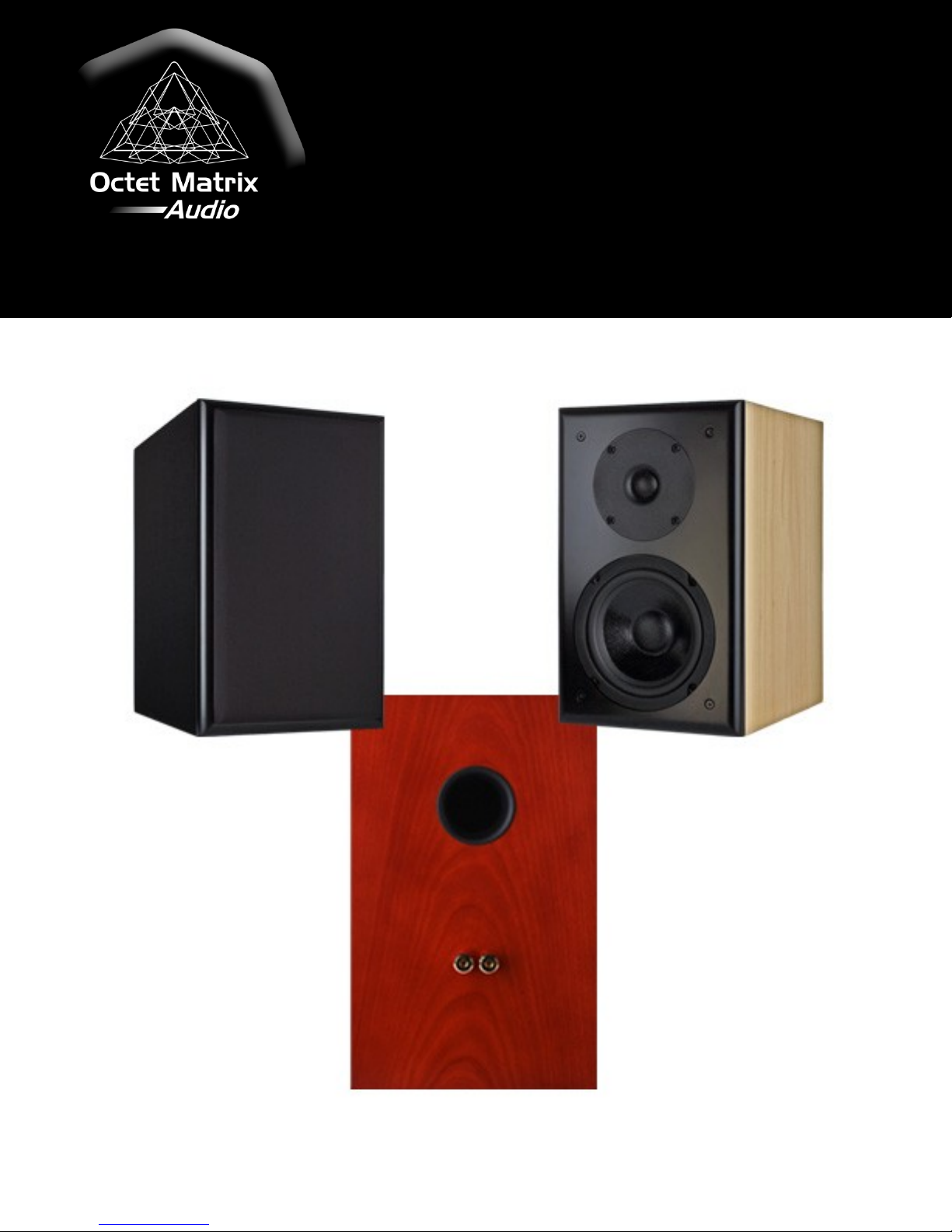
Octet Matrix Audio
DE7 High Definition Bookshelf
Speaker User’s Guide
Page 2

Table of Contents
Introduction ........................................................................................................ 3
Features .............................................................................................................. 3
Specifications ...................................................................................................... 4
DE7 Speaker Placement/Mounting ..................................................................... 6
Final Verification & Optimization ........................................................................ 7
Channel & Phase Verification ............................................................................................. 7
Warranty ............................................................................................................ 8
Resources ............................................................................................................ 9
Copyright© 2011 Octet Matrix Audio
Page 2
Page 3

Introduction
Thank you for purchasing the Octet Matrix Audio DE7 high definition speaker system. The
information in this User’s Guide, along with the audio tracks on the CD, will help you optimize
your new speaker set up so that your will obtain the highest level of performance from them.
Features
Octet Matrix Audio has leveraged decades of practical speaker design, its worldwide supply
chain network, and unconditional commitment to quality to provide high end audio at
affordable prices.
The Octet Matrix Audio DE7 speaker systems offer the following features:
Cabinets are constructed of 3/4” MDF with internal bracing and a 1” MDF baffle to
minimize audio colorations caused by sympathetic cabinet wall vibrations.
Smooth on and off axis frequency response to maintain accurate frequency balance,
even in difficult listening environments.
Gold plated 5-way binding posts accept up to 10 AWG wire.
Magnetically shielded to prevent video interference and magnetic media data damage.
5-1/4” mid bass driver with low resonance pulp cone provides detailed midrange with
low distortion, while the natural rubber surround supplies a highly damped
termination and evenly distributed compliance.
1” doped cloth, ferrofluid damped dome tweeter maintains linear response
characteristics beyond ±45° off axis.
High quality crossover components include metalized polypropylene capacitors and air
core inductors. Inductor windings are placed at 90° angles to minimize mutual
inductance.
Copyright© 2011 Octet Matrix Audio
Page 3
Page 4

Electrical/ Acoustic
Impe dance 8 ohms
Sound Pressure Level 85 dB SPL (2.83 volts, 1 meter)
Continuous Power Rating 75 watts
Crossover 4 kHz, 4th order acoustic slopes
Enclosure Type Tuned Port
Port Tuning Frequency 55 Hz
Frequency Response (anechoic, full space) + 2.6 dB, - 3.2 dB, 100 Hz - 16 kHz
Frequency Response (recommended mounting)
+ 2.1 dB, - 3.8 dB, 75 Hz - 16 kHz
+ 2.1 dB, - 5.4 dB, 75 Hz - 20 kHz
Mechanical
Speaker w eight (ea.) 14 lbs. (6.36 kg)
Speaker dimensions (ea.)
7-1/2" w ide x 12" tall x 11-1/4" deep
(191mm x 305mm x 286mm)
Shipping w eight (pair) 33 lbs. (15.0 kg)
Shipping dimensions (pair)
15" wide x 15-1/2" tall x 22" deep
(381mm x 394mm x 559mm)
Cabinet Ma terial 3/4" MDF
Baffle Material 1" MDF
Cabinet Finish
Available in Piano Black Laquer, Cherry Veneer,
and Maple Veneer finishes
Specifications
Page 4
Copyright© 2011 Octet Matrix Audio
Page 5

Copyright© 2011 Octet Matrix Audio
Page 5
Page 6

Right
X
D2
D1
30.0°
Left
30.0°
DE7 Speaker Placement/Mounting
All components in the DE7 models are mounted symmetrically and centered so each speaker
can be used for either the left or the right channel. The DE7 high definition bookshelf
speakers should be mounted with wall mount brackets or placed on speaker stands so that
the tweeters are at ear level when seated in the primary listening position. The flattest
response is obtained when the rear plane of the speaker is mounted 4” to 8” from the wall
and as far away from side walls as possible. Do not place the rear of the speaker closer than 4”
to the wall, or the air load will detune the port and adversely affect the DE7’s low frequency
performance. When mounting to a wall, make sure that the mounting brackets and the wall
structure (preferably a wooden stud) can support a 15 lb. speaker.
If you will be using the DE7s in a home theater setup, please refer to the Home Theater
Speaker Placement Guide document that is included on the user CD. If you will be using the
DE7s in a two channel music only system, a 60 degree angle between the speakers is
preferred as shown below. A list of D1 and corresponding D2 follows on the next page.
Copyright© 2011 Octet Matrix Audio
Page 6
Page 7

Listening Position to
Front Speakers
(D1)
Distance from Center
Point to Each Speaker
(D2)
6 ft. 6 ft. 11 in.
7 ft. 8 ft. 1 in.
8 ft. 9 ft. 3 in.
9 ft. 10 ft. 5 in.
10 ft. 11 ft. 7 in.
11 ft. 12 ft. 8 in.
12 ft. 13 ft. 10 in.
13 ft. 15 ft. 0 in.
14 ft. 16 ft. 2 in.
15 ft. 17 ft. 4 in.
16 ft. 18 ft. 6 in.
17 ft. 19 ft. 8 in.
18 ft. 20 ft. 9 in.
19 ft. 21 ft. 11 in.
20 ft. 23 ft. 1 in.
Final Verification & Optimization
The Octet Matrix Audio Setup CD contains several audio tracks that will confirm proper leftright channel setup and phasing.
The test tracks on the Octet Matrix Audio Setup CD are:
1) Introduction
2) Left-Right channel identification
3) Left-Right channel phase confirmation
Channel & Phase Verification
1) Before starting these tests, defeat all audio processing functions in the source and/or
receiver. This includes any automated home theater system setups. Make sure all
speaker levels are the same and that the distances are equal. If audio processing is
active, the results of the phase testing may provide confusing or incorrect results.
2) Insert the Octet Matrix Audio set up CD into a CD player, DVD player, or Blu-ray
Copyright© 2011 Octet Matrix Audio
player. If the CD doesn’t start playing automatically, point the player to track 1 and
then hit play. When the Octet Matrix Audio Setup CD introduction starts, adjust the
source, receiver, or amplifier volume to a comfortable listening level.
3) Track 2 is a channel identification track and will alternate between spoken “Left
channel” and “Right channel” routed only to the respective channels. Confirm that
“Left channel” is coming from the left speaker and that “Right channel” is coming from
the right speaker.
Page 7
Page 8

4) If the channels are reversed, check the wiring to the speakers and re-route if
necessary. If the wiring to the speakers is correct, check all other system wiring and fix
any incorrect channel routing.
5) Track 3 is a phase verification track to confirm that speaker to speaker phase is
correct. To use this track effectively, you should be centered between the speakers
and 3' - 5' away. The track alternates several times between the spoken phrase “In
phase” followed by pink noise played in phase, and “out of phase” followed by pink
noise played out of phase. Both the voice introduction and the pink noise will be
either in phase or out of phase.
6) When everything is set up correctly, you should hear:
a. In Phase - the voice and the pink noise will have a clearly defined point of
origin centered between the speakers.
b. Out of Phase - the voice and pink noise will have no clearly defined origin and
may even sound as if the sound originates outside of the speakers.
c. There will also be a distinct difference in bass levels with the pink noise. The
pink noise will sound fuller (more bass) when in phase, and thinner (less bass)
when out of phase.
7) If you hear the opposite effects, check the wiring polarity to each speaker and correct
any incorrect wiring (red to red, black to black, “+” to “+”, “-“ to “-“, “-“ to black, “+” to
red). In some cases, the equipment setup or environment can cause confusing results.
If the wiring seems correct, try moving your listening position towards the speakers
and move slightly to one side of center, listen, and then move slightly to the other side
of center and listen. If you still don’t hear what you think you ought to, try reversing
only the left DWT4416 input wire polarity and perform the phase test again.
Warranty
Octet Matrix Audio products are guaranteed to be free from defects in materials and
workmanship for a period of 2 years from the original date of purchase. Octet Matrix Audio
will repair or replace defective products during this period at no cost to the original end user.
This warranty does not cover damage caused by abuse or misuse of the product. Damage
caused by improper installation is the responsibility of the installer.
To return an Octet Matrix Audio product for repair work under warranty, please email us at
cs@octet-matrix.com to obtain a Return Material Authorization (RMA) number prior to
shipping products to us.
Copyright© 2011 Octet Matrix Audio
Page 8
Page 9

Resources
Free and low cost audio software
Audacity – easy to use and powerful open source audio recording and editing software. You
need this software if you do anything with audio on a computer. Use this to normalize any
song to set DWT4416 levels.
http://audacity.sourceforge.net/
BIP Oscilloscope – Turns your soundcard into a 2 channel oscilloscope.
http://www.electronics-lab.com/downloads/pc/002/index.html
Darkwood Designs – Audio Level Meters by Paul Mitchell – various audio level meters & tools
http://www.darkwood.demon.co.uk/PC/meter.html
ARTA - Audio Measurement and Analysis Software – free to use without saving results. Low
cost, high feature acoustic analysis software.
http://www.fesb.hr/~mateljan/arta/index.htm
Copyright© 2011 Octet Matrix Audio
Page 9
 Loading...