

Page 1
OBD
HOSTPOWER
BT
OBD
H
OST
P
OWER
BT
'Connect'
button
Android Quick Start Guide
OBDLink LX Bluetooth
Android
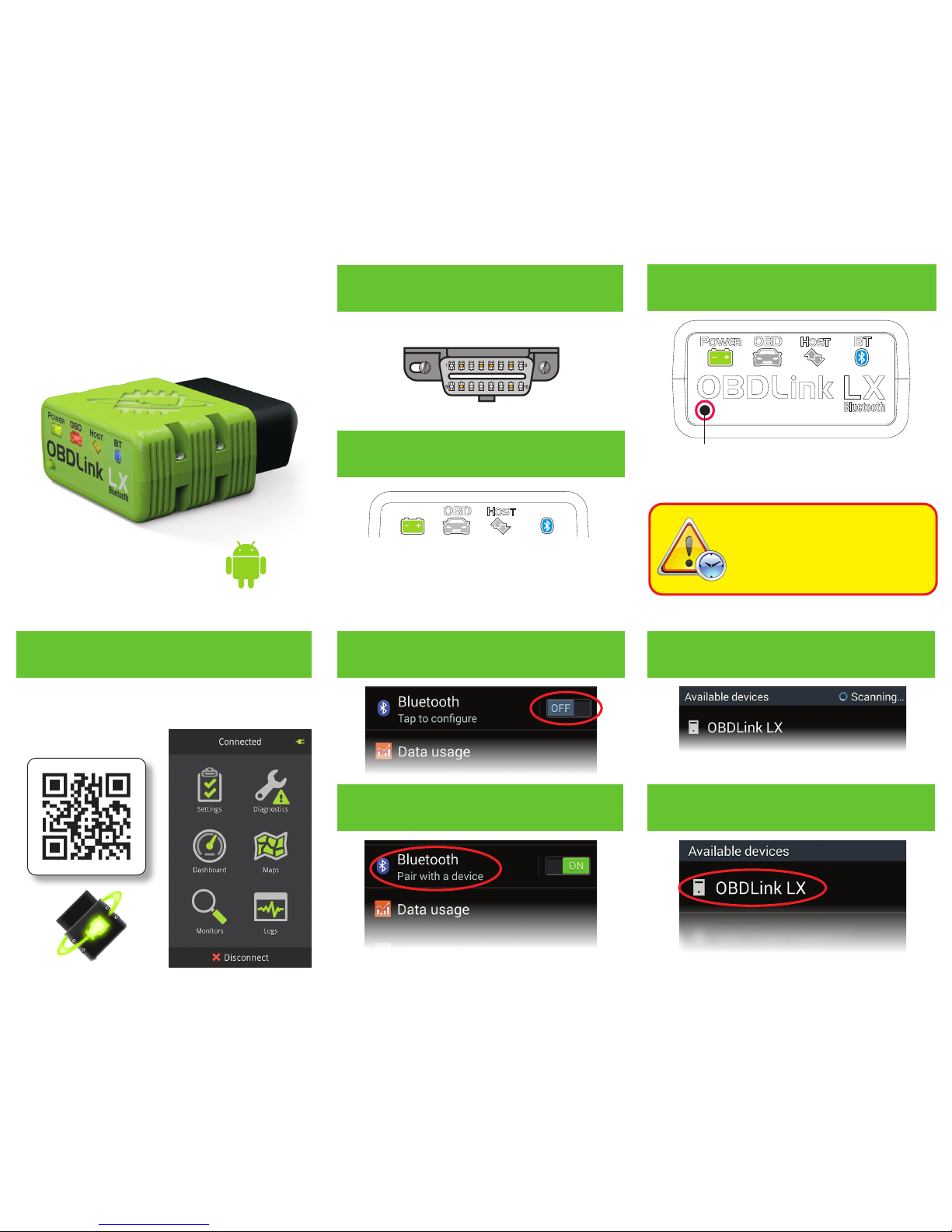
Scan the QR code or visit the URL from your Android
device to download the OBDLink app:
obdlink.com/app
Download & install OBDLink app
The DLC is usually found on the driver’s side, under
the dash.
– Can’t nd your DLC? Visit dlc-locator.com
‘POWER’ LED will turn ON, and the ‘BT’ LED will
start ashing slowly.
You must complete steps 7, 8, and
9 within 2 minutes. If you need
more time, press the button again.
Attention!
The ‘BT’ LED will switch to a fast blink.
Tap ‘Sc an’ if OBDLink LX does not show in ‘Available
devices’.
– LEDs are o? Check vehicle for blown fuses.
[instructions continue on reverse]
Plug LX Bluetooth into the diagnostic link
connector (DLC)
Turn ignition to Key On, Engine O
position
Open ‘Settings’ app, and enable
‘Bluetooth’
Press the ‘Connect’ button on LX
Tap ‘OBDLink LX’ to pair the deviceTap ‘Bluetooth - Pair with a device’
Wait for OBDLink LX to appear on the
‘Available devices’ list
1
2
3
4
6
85
7
Page 2
Thank you for your purchase!
OBD
H
OS
T
POWER BT
If you like OBDLink LX Bluetooth,
please post your review on
10
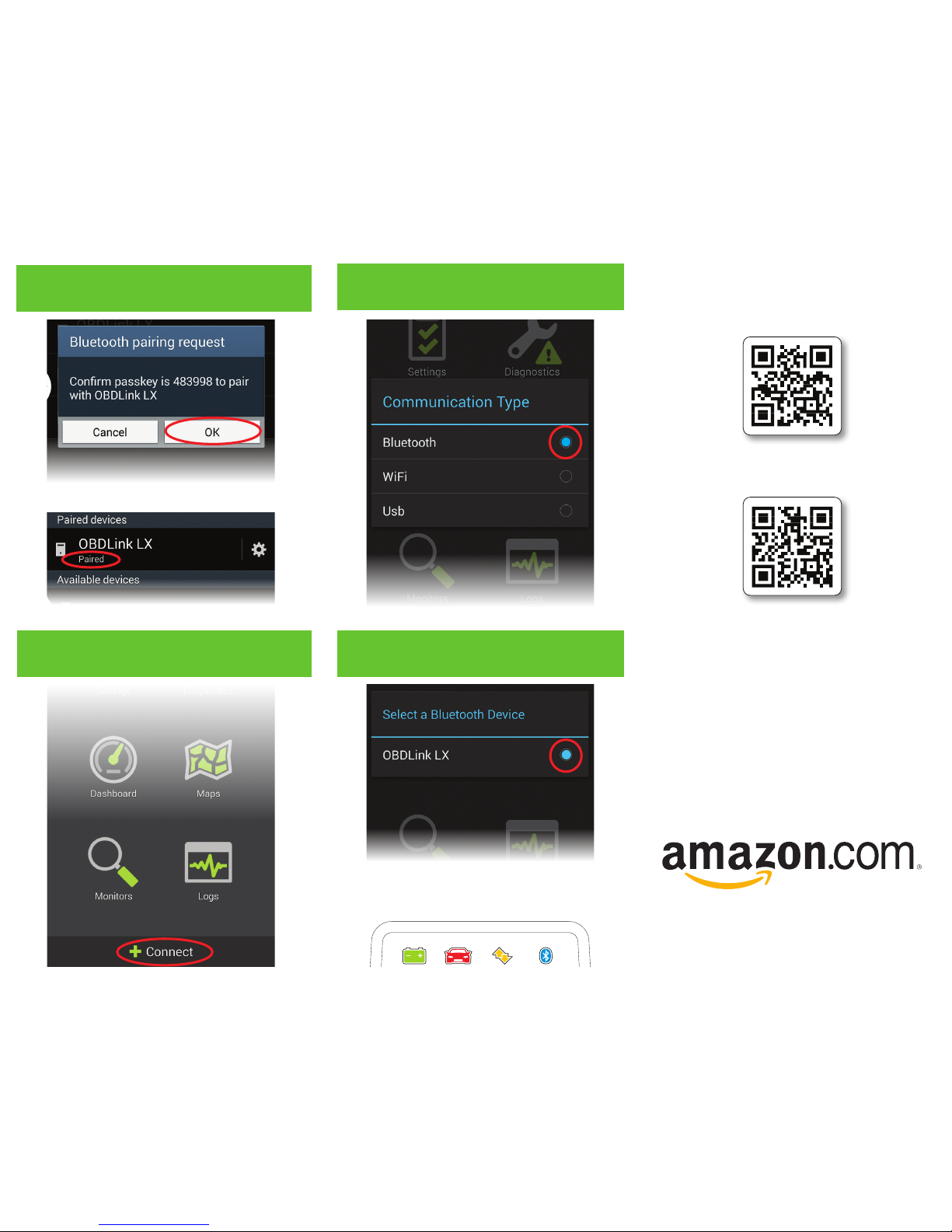
Launch the OBDLink app, and tap
‘Connect’
11
12
Choose ‘Bluetooth’
Choose ‘OBDLink LX’
– Need help? Go to obdlink.com/support
or scan the QR code
– For advanced configurations, go to obdlink.com/setup
or scan the QR code
Once the app establishes a connection with LX, the
‘B T’ LED will turn on solid. Tap ‘Diagnostics’ to start
a scan.
LX will now appear as ‘Paired’:
Tap ‘OK’ in the ‘Bluetooth pairing
request’ dialog
9
 Loading...