

Page 1
User guide
1.1. Description:
Wiimote is for Nintendo WII game console design game controller, completely compatible
original factory Wii remote, may realize original factory Wii remote all functions on the Wii game
main engine.
Use 2.4 G wireless data communication with Wii console. Wireless module frequency coverage:
2402-2480MHz,Channel:79,data modulation mode:FSK. Antenna type:IFA,Antenna gain:
3.3dBi(Max).
In constructs the acceleration sensor and the phantom sensor. Each Wii are most may connect
four handles. The wireless distance may amount to 8-10 mete.
1.2. Use method:
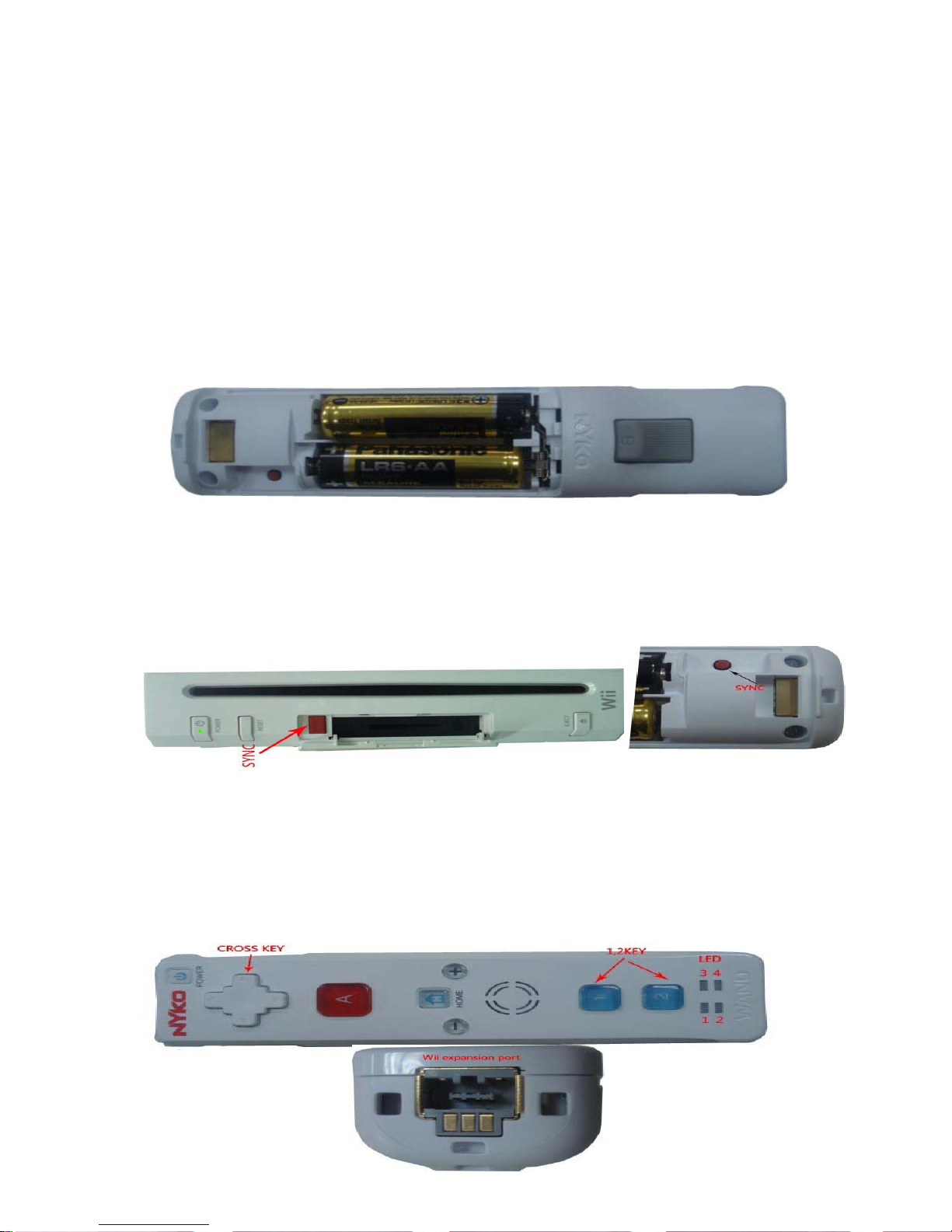
1.2.1. For Wii remote installment battery.
1.2.2. Connects the Wii peripheral component and the television, opens the power source.
1.2.3. Long press SYNC red button on Wii for10-15 second, causes the Wii to enter the search
mode .If this main engine before has connected this handle (remote)so long as then presses
(maybe 1 second) on the main engine SYNC red button to be possible to enter the search mode.
1.2.4. Press the Wiimote SYNC key once,Causes Wiimote to enter the search mode. In not
on-line mode,Wiimote base LED twinkling,same time to show the battery quantity,1 LED
flickering markup the battery power is less than 20%,1-2 LED flickering markup the battery
power is around 60%,1-3 LED flickering markup the battery power is around 80%,1-4 LED
flickering markup the battery power is around 90%。And so on about five seconds Wiimote can
connect the Wii automatically .After connection on the handle base 1-4 LED can demonstrate the
handle and the console company order, indicates in 1 position is the first handle which connects.
Page 2
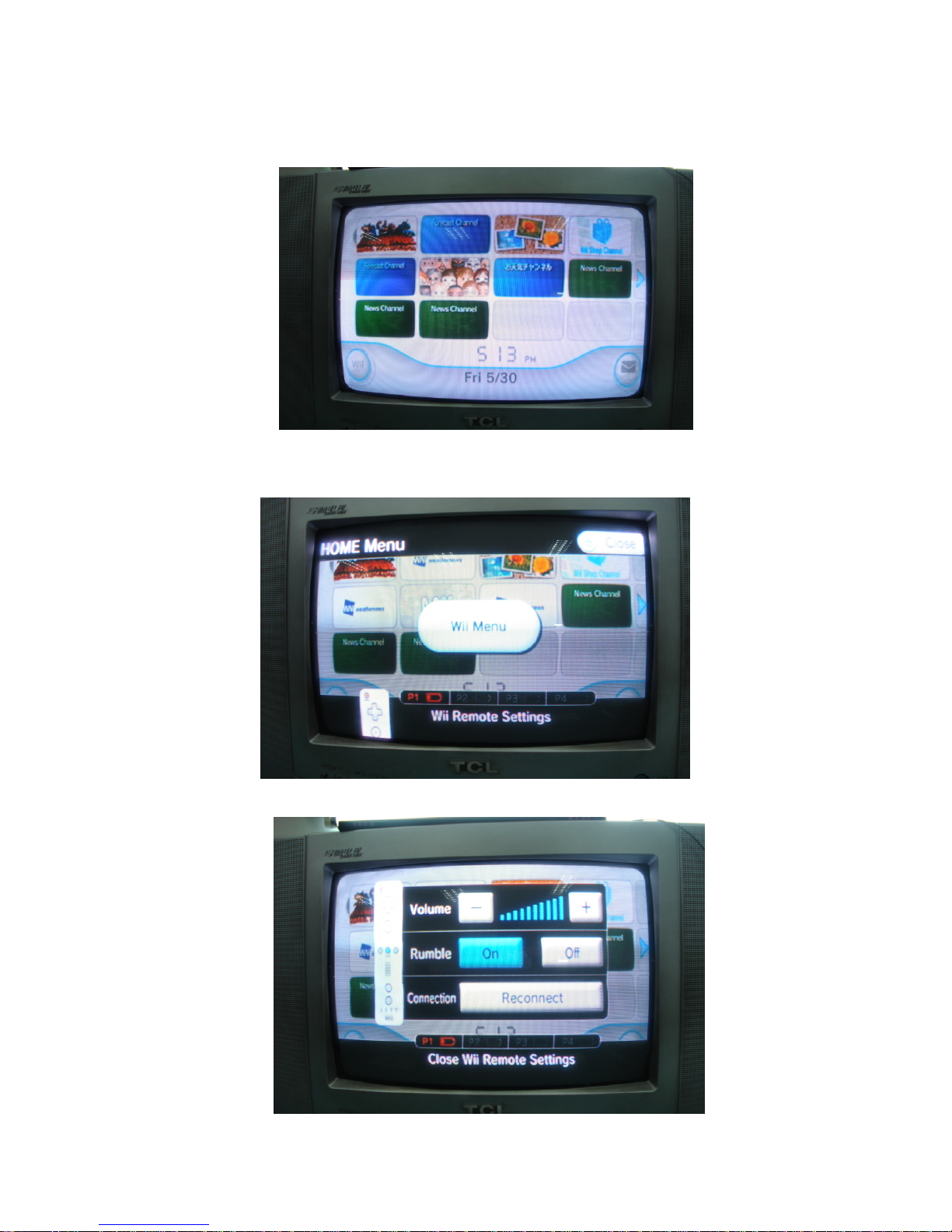
1.2.5. In following picture 1, presses the handle HOME key once enters Wii menu picture
(picture 2), the choice left bottom handle presses the A key to enter the handle the function
establishment picture (picture 3), may test Wiimote the basic function, like vibration, and sound.
Picture 1
Picture 2
Picture 3
Page 3

1.2.6. Other key function reference plays itself explanation in the game.
1.2.7. The game carries on in the situation which or needs to close down, may long press a
key about for three seconds according to handle on POWER, can close the console.
FCC NOTE:
This device complies with Part 15 of the FCC Rules. Operation is subject to the following two
conditions:(1)this device may not cause harmful interference, and (2) this device must accept any
interference received, including interference that may cause undesired operation.
FCC NOTE:
The manufacturer is not responsible for any radio or TV interference caused by unauthorized
modifications to this equipment. Such modifications could void the user's authority to operate the
equipment.
 Loading...