

Page 1

Introduction to NycoCard® READER II
The NycoCard®READER II is a small battery powered
instrument, designed to measure all NycoCard
®
products. The coloured responses of the NycoCard
®
products are measured by spectral reflectance in three
parts of the visible spectrum.
Description of NycoCard® READER II
The NycoCard®READER II kit consists of:
NycoCard
®
READER II 1 unit
Battery charger 1 unit
Batteries (rechargeable) 3 units
Calibration devices 10 units
Pen tips 10 units
Pen rings 10 units
Battery clips 3 units
Pad1 unit
Instruction manual 1 unit
Warranty card 1 unit
The NycoCard
®
READER II consists of two units: the
instrument box (1), which is the operational and calculating unit, and the Reader pen (5), which is the measurement unit. The main components of the instrument
box are the microprocessor, the LCD display (3) and
the push buttons (2) for operation. The key elements of
the Reader pen are the Light Emitting Diodes (LED’s)
(11), a photodiode (12), a light/dark detector (10) and
the functional design. A pen cable (4) connects these
two units together. The penholder (8) is located to the
right of the display on the instrument box. The pen is
placed in the holder to protect it when not in use. In
front of this holder, there is a lid (6), and on the rear
side of the lid a white calibration device (9) is placed.
Basic theory
The Reader pen contains three pairs of LED’s: red,
green and blue. Reflected light from the test sample
is measured, relative to a white sample, by a lightsensitive photodiode circuit. When a specific test from
the NycoCard
®
READER II test menu is chosen, the
required LED’s illuminate the sample to be measured.
The sample will reflect some of the light and give rise
to a constant current in the photodiode, which will
discharge a capacitor linearly from the voltage V
1
to
a lower voltage V
2
.When V2is reached, a signal is
given to the microprocessor. The microprocessor
measures the time (T) it takes to change the voltage
from V
1
to V2.The intensity of reflected light (I) is then
inversely proportional to T, and the microprocessor
converts the time to a concentration value, which will
then be displayed.
When the pen is placed over the sample and the pen
sleeve is pushed down, the light/dark detector registers that the environment has changed from light to
dark and the measurement is automatically started.
The sleeve will ensure that the pen is held stable in
a vertical position, and that external light is excluded
from the sample.
Adjusting
This procedure compensates for the contribution of
reflected light from the inside of the pen tip (14) and
slight electrical current leakage in the electronic circuit.
Adjusting is performed when the pen is placed in the
penholder, i.e. in a dark chamber without any sample
present. It is important to adjust the instrument each
time the instrument is turned on and when the pen tip
is replaced.
W
hite calibration
White calibration adjusts for any differences in
measuring conditions and variation of pen tips. The
white calibration is performed on a special calibration
device, which is stored under the lid, protected from
light and dust. The NycoCard
®
READER II should
be calibrated prior to each series of measurements
(max 20 measurements per series) and prior to each
single, sporadic measurement.
Installation and environment
Check that all components listed in the section
Description of NycoCard
®
READER II are included in
the package and that no components are damaged.
Fill in the Instrument Warranty Card and send it back
to your local distributor.
Make sure that the instrument is acclimatised to room
temperature before use. Recommended ambient
temperature is 18 – 25°C and humidity must not be
condensing. Ensure that the instrument is protected
from dirt and direct sunlight.
Your NycoCard
®
READER II is supplied with 3 rechargeable NiMH batteries (1.2 V) (16). Before using the
new instrument the batteries should be charged for 18
hours. The connection plug of the battery charger (18)
is inserted into the outlet (19) located at the rear side
of the instrument box. The Reader pen has a modular
plug (20). The NycoCard
®
READER II is equipped
with RS 232 port for PC-connection (21).
5
GB
A1
A2
A3
A4
Page 2
Using the instrument
Functions
The instrument is operated by three push buttons:
To switch on the instrument and to screen
the main menus and the sub menus.
To enter and activate the menu selected
by the Select button.
To exit the current menu or function.
T
he menu
Four main menus are available for selection:
Main menu/Calibrate instructs the instrument to
measure the White Calibration Device.
Main menu/Enter test contains sub menus corresponding to each of the NycoCard
®
tests that are available.
Main menu/Options contains two sub menus:
- Enter language: To c hange the language on the display.
- New white:To measure a new value of white when a
message “Error Recalibrate” appears on the display.
The white value will change with ageing, even if pen
tips and calibration devices are replaced.
Main menu/Off followed by “ENTER” will turn off the
instrument. Pressing QUIT and ENTER simultaneously will also turn off the instrument, regardless of the
position in the menu.
Operating procedure
The following three steps must be performed before
the result of a NycoCard
®
test is obtained:
1. Adjusting
Make sure that the pen is placed in
the penholder and turn the Reader on.
The instrument automatically performs
“Adjusting”. Allow the Adjusting procedure to complete without touching the pen. A single
beep will indicate that the Adjusting is completed
correctly. A double beep will indicate errors in the
Adjusting followed by the message “Adjust error”.
(See troubleshooting).
2. White calibration
Press ENTER to activate the menu and
follow the instructions in the display.
When the message “Place pen…” is
displayed, lift the pen out of the holder
and place it on the White Calibration Device. Hold the
pen steady until a single beep indicates that the calibration is finished.
3. Measuring a NycoCard
®
test
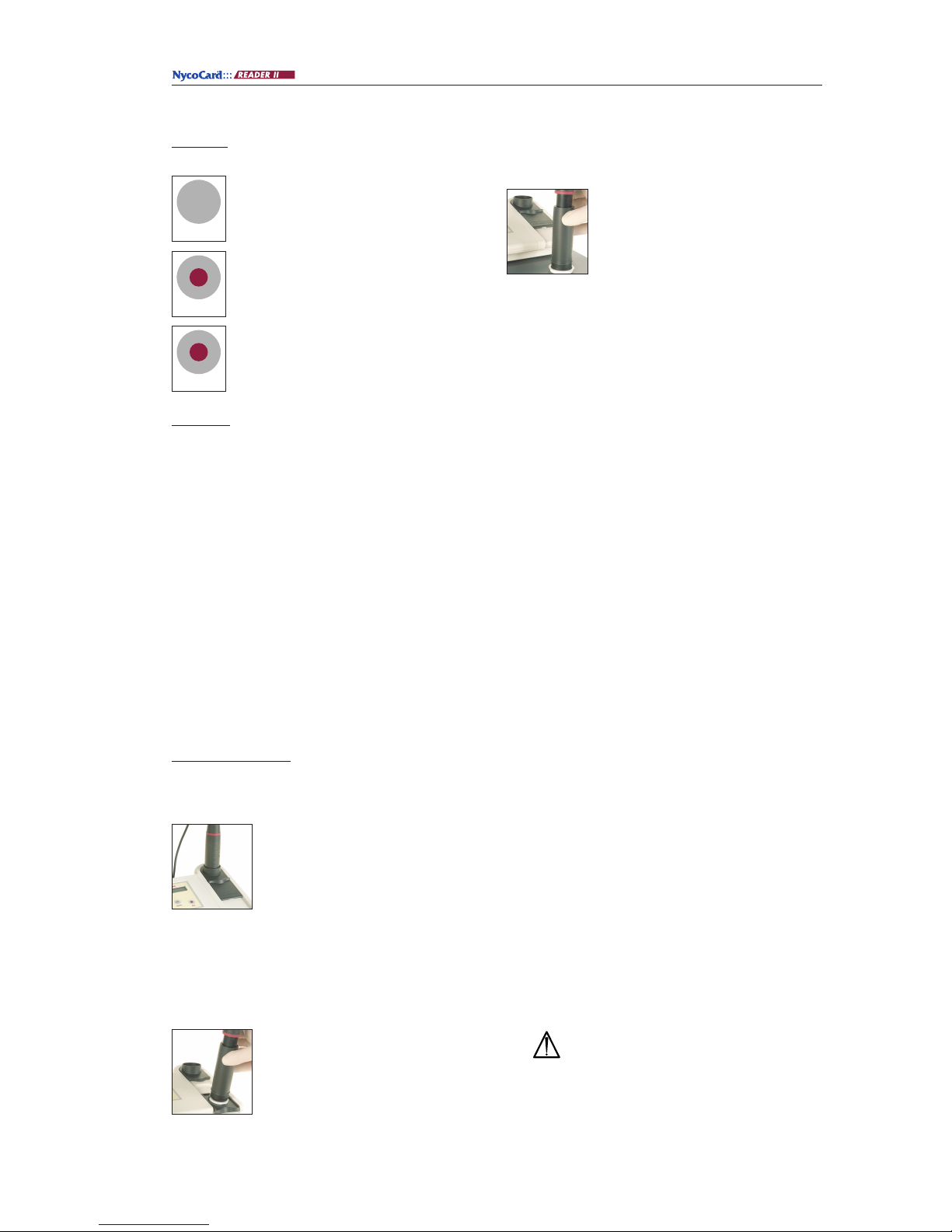
The Reader pad (7) should always be
used during measurements. The requested NycoCard
®
test is chosen from Main
menu / Enter test and the instrument is
ready for the measurement. When the pen tip is placed
into the test hole and the pen sleeve pushed down, the
measurement will start. After a few seconds the test
result will be displayed as a concentration value.
If the instrument is placed on stand-by for about 10
minutes, it will automatically switch-off. When the
instrument is turned on again, the last measured value
will automatically be displayed.
Maintenance
The Reader pen has two replaceable accessories, the
pen tip (14) and the pen ring (13). These two parts will
be in contact with the assay devices that are exposed
to diluted blood/urine. The pen tip must be replaced if
it is dirty, to reduce interference during measurements.
Be careful not to touch the optics of the Reader pen.
It is recommended that the pen tip and white calibration device are inspected regularly. If the calibration
device is damaged or dirty, it should be changed.
•Replacing the pen tip: to remove the pen tip, carefully snap the tip off with your fingers. Replace the
new pen tip.
•Replacing the pen ring: to remove the pen ring,
hold the case shield with one hand and carefully
wriggle the ring off with the other hand. Replace
the new pen ring. Make sure it fits correctly.
•Replacing the calibration device: remove the device
by simultaneously pressing the small handle down
and the opposite side upwards. Place the new calibration device.
•Replacing the batteries:
Step 1.
Use a screwdriver to open the battery lid (15).
Step 2. Remove the old batteries. It is recommen-
ded to use a small screwdriver when
removing the battery clips (17).
Step 3. Replace the batteries with three new
batteries.
Be sure that the batteries are inserted in
the right direction.
Step 4. Replace the battery lid. New batteries
need to be charged before using the
instrument.
6
Enter
Select
ON
Quit
Page 3

Warnings and precautions
IVD… For in vitro diagnostic use only.
• Do not interchange Reader pens between different
instruments.
• Be aware that the pen tip and pen ring will be in
contact with diluted blood/urine.
•Follow general laboratory precautions when handling blood samples.
• Be certain that the outlet voltage has the same
rating as the charger.
• Water or any other liquid should not be in contact
with the instrument.
• Dispose the batteries according to manufacturer’s
recommendations.
• Leaving batteries in the instrument for long
intervals without charging can lead to spilling of
electrolyte and damage the instrument.
• Measuring NycoCard
®
products without using the
pad may lead to wrong results.
7
Troubleshooting
The following conditions or problems may occur when using the NycoCard®READER II.
If your problem still exists after corrective action is taken, please contact your local distributor.
Problem Possible cause Corrective action
“Battery low” appears on the 1. Batteries discharged. 1. Recharge the batteries.
display.
2. Batteries improperly inserted 2. Reinsert batteries.
into the battery holders.
3. One of the batteries has short- 3. Replace all batteries.
circuited and is not recharging.
Display screen is blank or 1. Batteries discharged. (see other 1. Recharge the batteries. Check
unreadable. causes under “Battery low”.) polarity and that the batteries are
of the correct type.
2. Sub-optimal viewing conditions. 2. Increase light level or change light
Light too dim. position.
Display fades out during “Adjusting” 1. Batteries discharged. 1. Recharge batteries.
“Calibrate white/ ERROR! Recalibr.” 1. Calibration device used is dirty, 1. Replace calibration device and
appears on the display. scratched or not totally white recalibrate.
2. Ageing of the instrument has 2. Measurement of new white value.
changed the internal white value.
3. Pen tip is dirty or damaged. 3. Replace the pen tip. Recalibrate.
“Calibrate white Active. 1. Pen cable not properly inserted. 1. Check that the pen cable connector
Wait...” persists on the display screen. plug is properly inserted into the
receptacle of the instrument.
Recalibrate.
Program will not proceed from 1. Room light too strong or unit in 1. Reduce light/avoid sunlight on
device.
“Place pen” to “Active. Wait…” direct sunlight.
“Adjust ERROR” 1. Pen tip is dirty or damaged. 1. Replace Pen tip.
2. Humidity or temperature is too high.
Perform adjusting and white calibration.
“RAM ERROR” / “Test data error” 1. Contact your local distributor.
Page 4

Technical specifications
Instrument
Size, instrument box: 200x170x70 mm
Size, Reader pen: L: 144 mm, D: 29.5 mm
Weight: 540 g (incl. Reader pen and batteries)
Display type: LCD, 2x16 characters
Computer: Intel 80 C32
Memory capacity: Programme memory capacity: 64 Kbytes
Test storage capacity: 2 Kbytes
Power supply: Batteries, battery charger
Measuring conditions
Temperature range: 15-35°C
1)
(The recommended range is 18-25°C)
Relative humidity: 0-90%
Avoid direct sunlight or too dim light
1)
See special instructions for each NycoCard®test
Batteries
Rechargeable NiMH batteries only, size AA,
1.2 V, Recharge 8-18 hours
Battery charger
Mascot type 8311/0901 or equivalent
Output: 9VDC/2.5 W
Plug 3630+ (coaxial type):
Polarity; pos. (+) in centre
Length: 12.0 mm
Inner diameter: 2.1 mm
Outer diameter: 5.5 mm
Ordering information
Product Product no. Quantity
NycoCard
®
READER II 1113117 1 unit
Calibration devices 1047782 1x10 units
Pen tips 1047780 1x10 units
Pen rings 1047781 1x10 units
8
A1
A2
A3
 Loading...