

Page 1
!
!
!
Device Guide!
!
!
!
!
!
!
!
!
!
!
!
!
!
!
Charging!
!
!
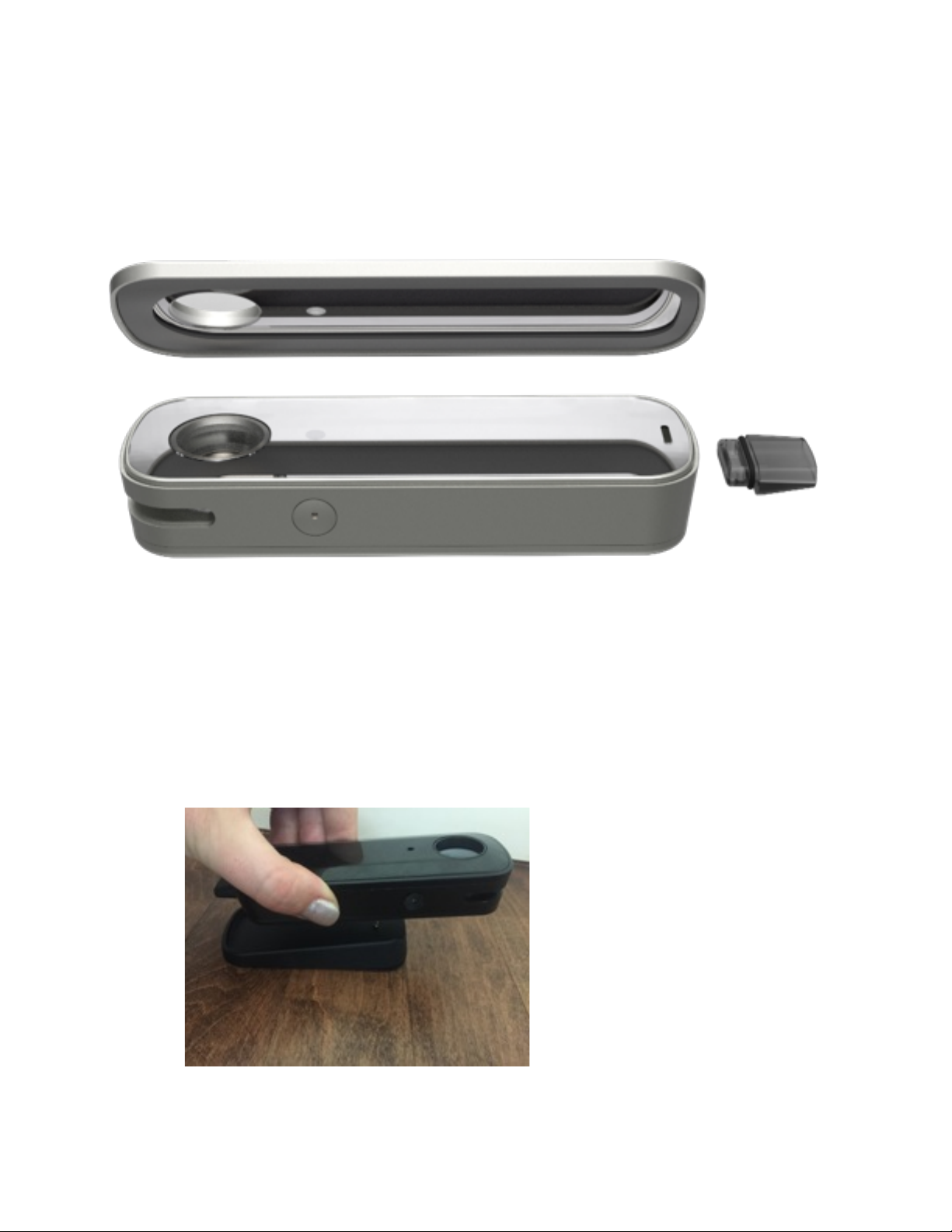
• Use included USB cable to connect charging dock to a USB port.!
•
!
!
Firefly2 User Manual!
Place Firefly2 on the charging dock: the LED light blinks blue when charging and turns solid
blue when fully charged. !
Page 2
•
Leave Firefly2 on charging dock when not in use. !
!
LED Behavior!
!
!
!
!
!
!
Vaping Loose-Leaf!
!
•
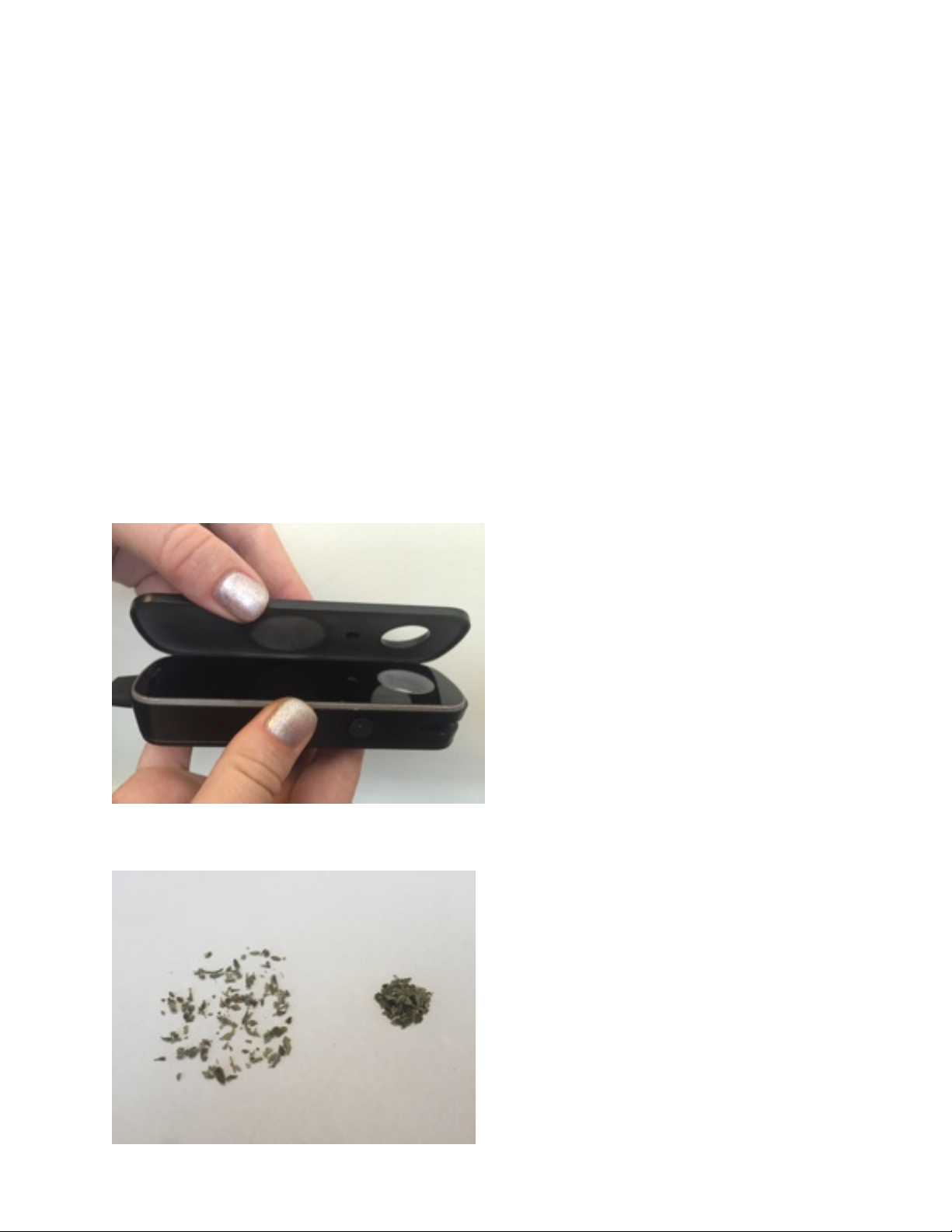
Remove the magnetic lid by lifting up on either side.!
•
Use hand-torn or coarsely-ground material. !
Blinking Green: Firefly2 is heating.!
Solid Green: Firefly2 is ready to use.!
Blinking Blue: Battery is charging.!
Solid Blue: Battery is charged.!
Blinking Red: Battery is low and needs charging.!
Solid Amber: Firefly2 needs to cool down for a few minutes.!
Page 3
•
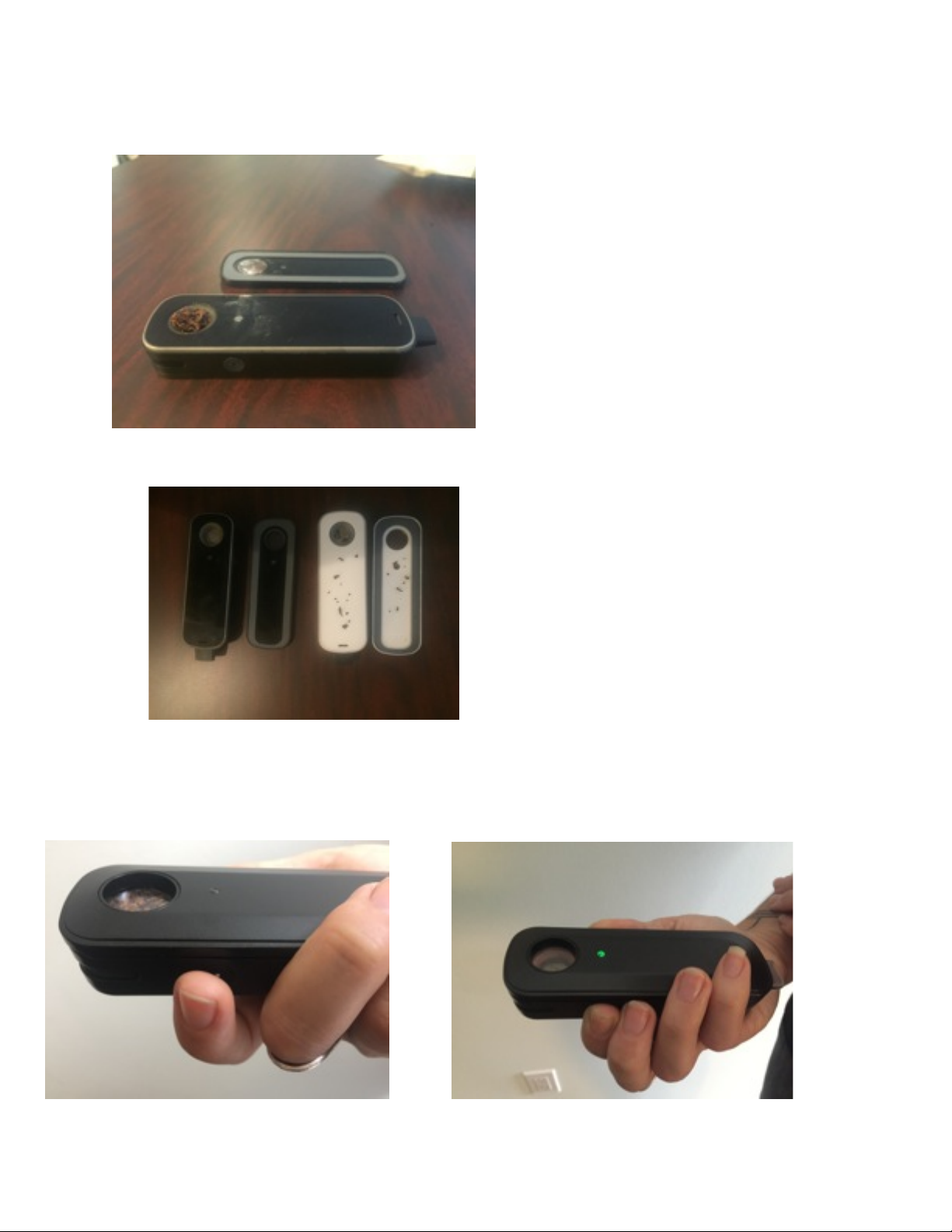
Loosely fill the glass chamber slightly past the rim and tamp down gently. !
•
Ensure the interior surfaces are completely free of debris for a tight seal.!
! ! Yes! ! No!
!
• Replace the lid and make sure it is seated correctly. !
•
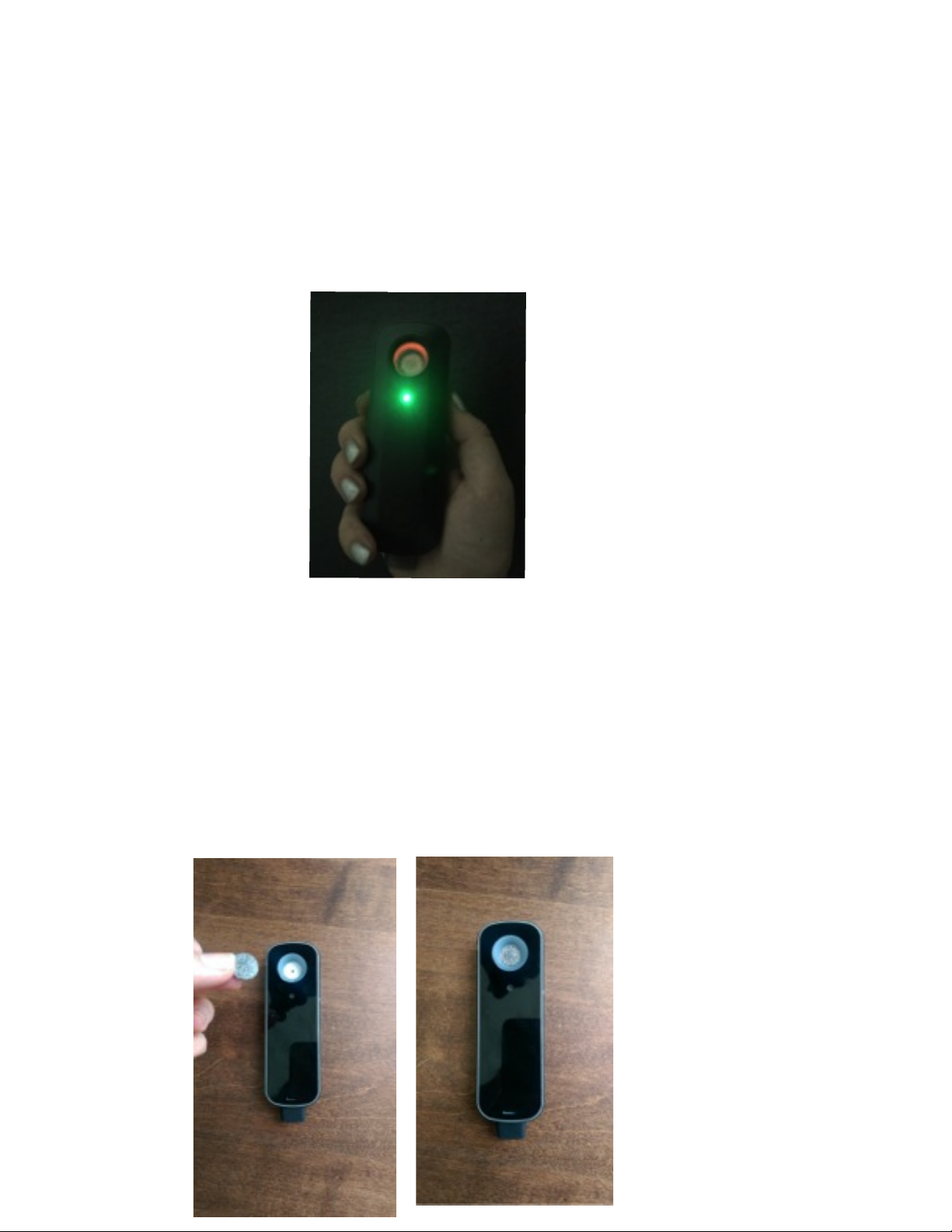
Touch and glow. Place fingers on both touch sensors to start heating. !
Page 4
!
!
•
IMPORTANT: Place fingers lightly on touch sensors (as if you are tapping a smartphone), do
not press down or use excessive force.!
!
• The LED will blink green for a few seconds and turn solid green when it’s ready. Watch for
the glow! (video)!
!
!
• Keep fingers in place and inhale for 5 - 10 seconds. (video) !
• Release touch sensors to stop heating.!
• For a denser vapor, inhale more deeply for a few more seconds. If your vapor is still too
thin, reset the lid.!
!
Vaping Concentrates:!
!
• For optimal concentrate use, download the Firefly app and use the “Concentrates” setting.!
• Place concentrate pad in heating chamber and press firmly into the bottom of the bowl.!
Page 5
!
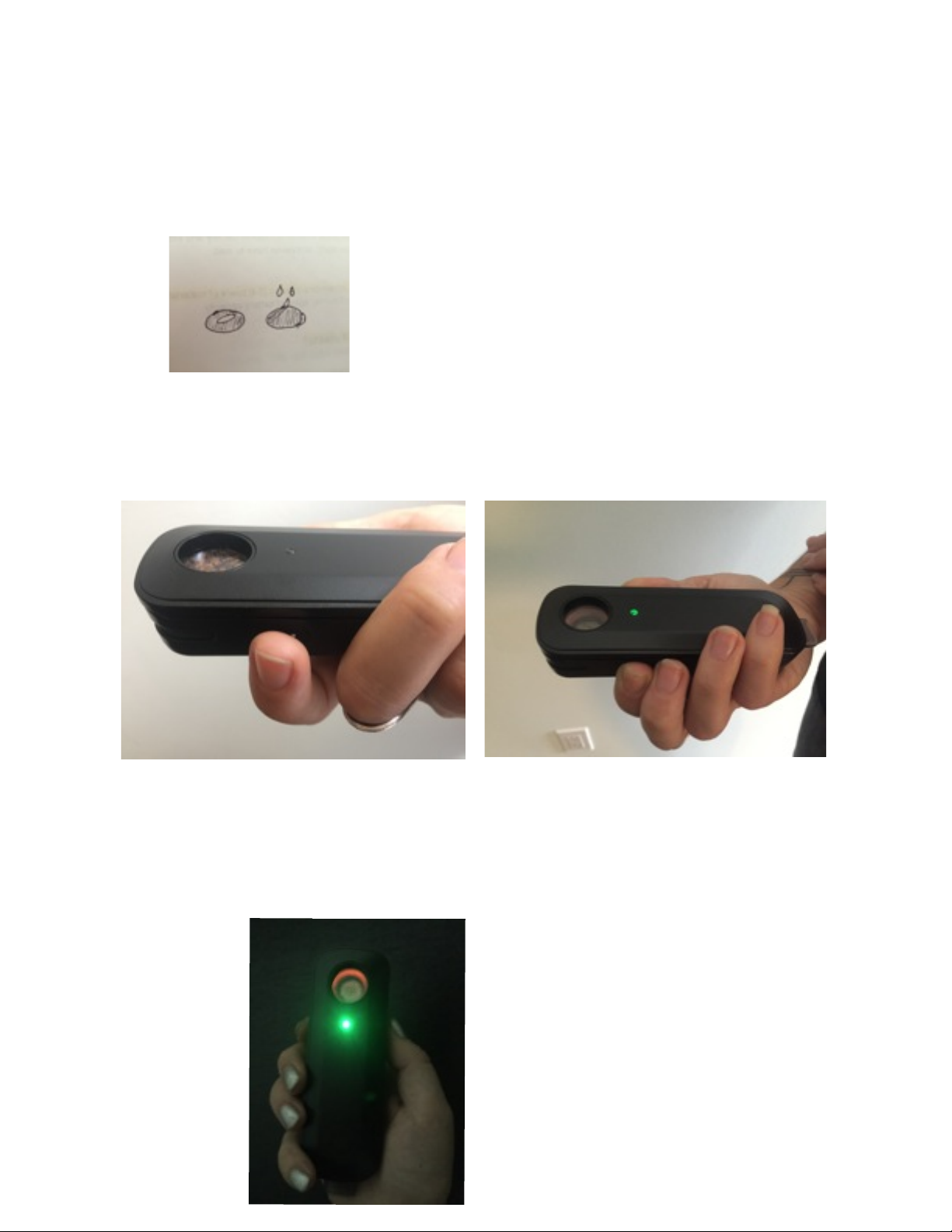
• Place small amount of concentrate material on the center of the pad. A little goes a long
way!!
* Solid: about the size of a grain of rice!
* Liquid: 2-3 drops!
!
• Replace the lid and make sure it is seated correctly.!
!
• Touch and Glow! Place fingers on touch sensors to start heating. !
!
• The LED will blink green for a few seconds and turn solid green when it’s ready.!
!
• Continue to hold the touch sensors while taking 5 to 10 cigar style mouth puffs (video)!
!
Page 6
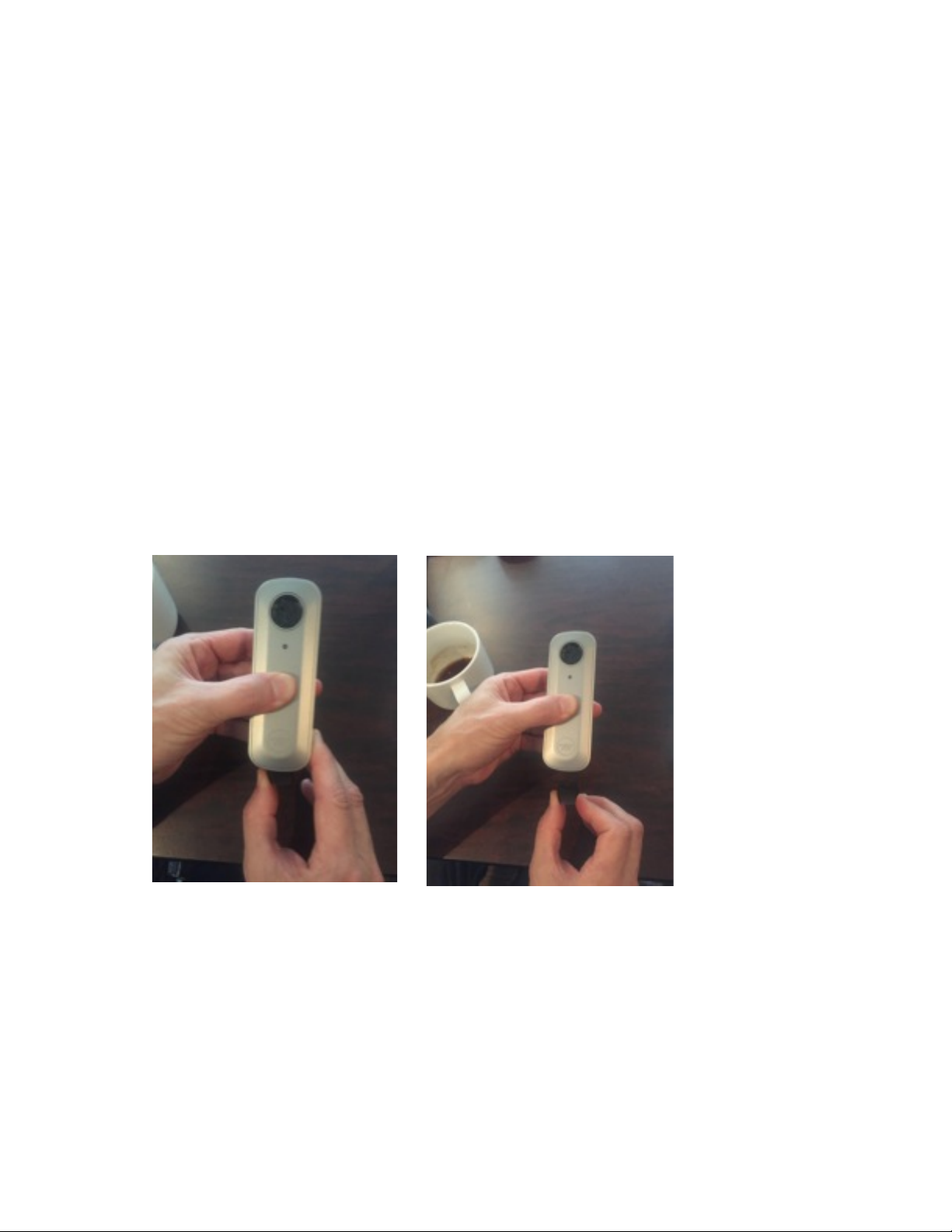
• After initial heating, return to normal inhalations.!
!
!
!
!
!
Cleaning!
!
Bowl:!
• Only clean when cold!
• Use tooth pick to pick out larger particles and swipe clean with alcohol wipe.!
• Allow to dry completely before vaping.!
!
Vapor Path:!
• Wipe down glass vapor path on the body and the lid with alcohol wipes.!
• IMPORTANT: wipe surface of top lid gently to avoid damaging the gasket. !
!
Mouthpiece!
•
!
• Remove particulate with enclosed cleaning pick.!
!
!
Concentrate pad removal: !
• Material in the pad can become sticky. Pre-heat the Firefly for 10-15 seconds to loosen any
extra material and then use the pick from the cleaning kit to pry up the edges of the pad and
remove.!
• Cleaning the concentrate pads is not recommended.!
!
Hold Firefly2 in one hand and push mouthpiece to one side with other hand. Wiggle left
and right until removed.!
Page 7
Battery Swapping!
!
• To check battery level, tap the right touch sensor three times quickly and watch the LED
indicator.!
!
Blinks Red: Battery is low and needs to be charged!
One blue blink: ~10% charge!
Two blue blinks: ~25 % charge!
Three blue blinks: ~50% charge!
Four blue blinks: ~75 % charge!
Five blue blinks: 100% charge!
!
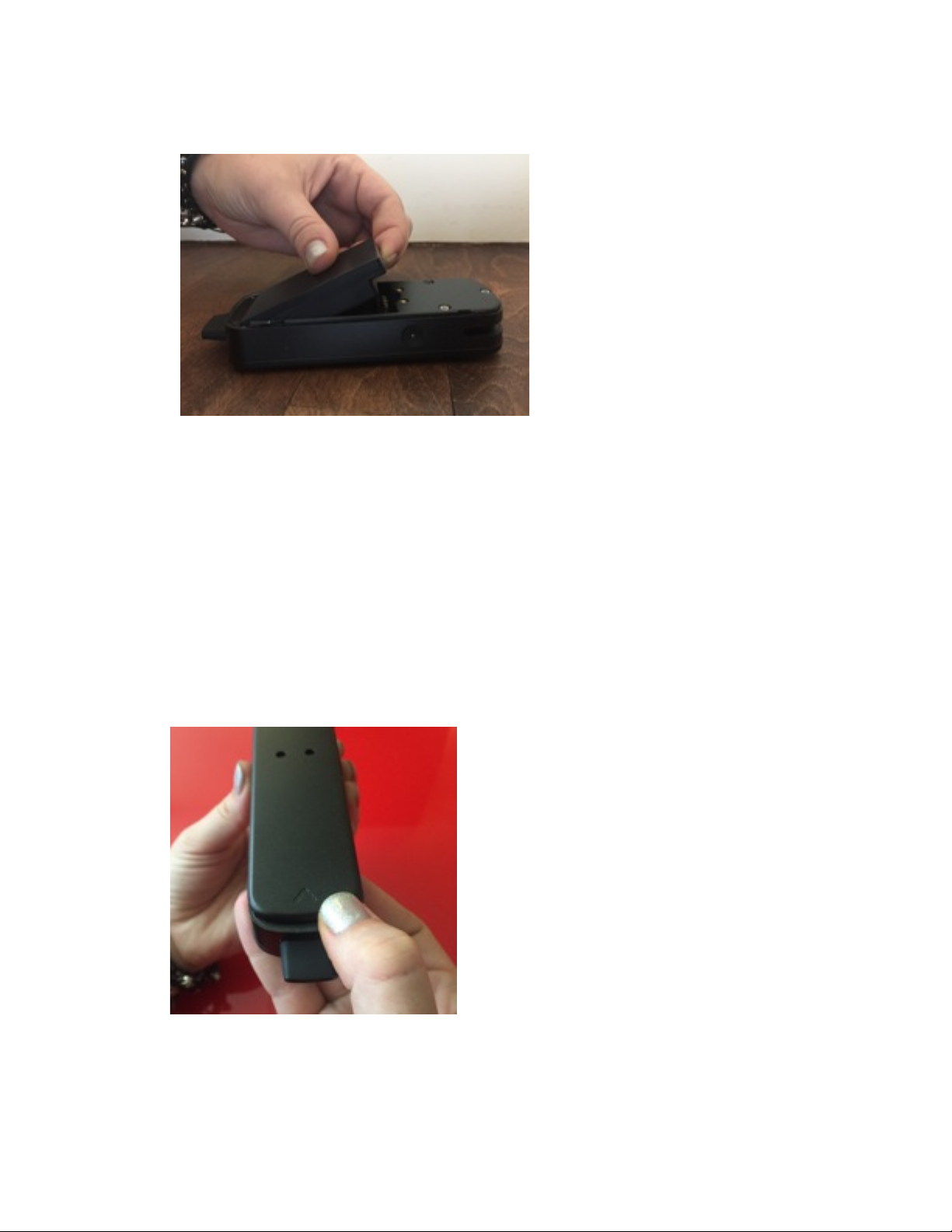
• Remove the battery door by pushing forward at the arrow.!
• Insert battery into compartment and slide cover back into place. !
!
Page 8
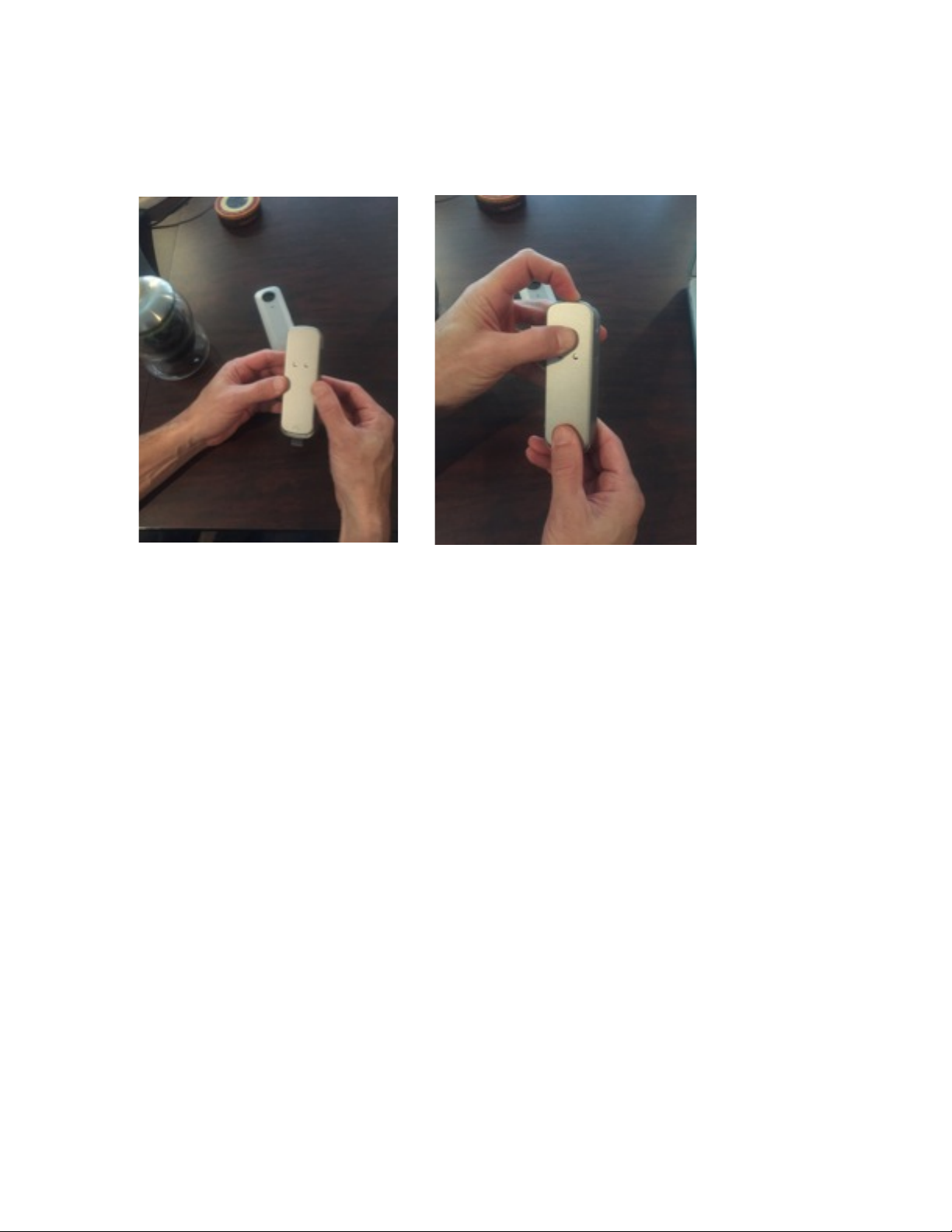
•
Replace battery door: place door on the back side of the Firefly2, with the arrow side
!
!
!
!
!
!
!
!
!
Safety!
!
Use only Firefly cleaning implements!
Never place the Firefly chassis in liquid!
Clean the Firefly only when it is cool!
!
!
!
!
!
!
!
!
!
closest to the mouthpiece, positioned just above the edge of the Firefly2. Press down from
top to click into place.!
Caution: Since the battery cover is removable, Label will be affixed to the inside of
the battery.
We, state that our device has a battery, but the battery will not be placed in the
battery compartment when delivery, it is visible to the users as they purchase the
products and install the battery. The back cover can be moved away, there is not
enough space to print FCC ID label in surface of products, so the label has to be
placed in battery compartment.
Page 9

FCC Caution!
!
This device complies with part 15 of the FCC Rules. Operation is subject to the
following two conditions: (1) This device may not cause harmful interference, and (2)
this device must accept any interference received, including interference that may
cause undesired operation.!
!
Any Changes or modifications not expressly approved by the party responsible for
compliance could void the user's authority to operate the equipment.!
!
This equipment has been tested and found to comply with the limits for a Class B digital
device, pursuant to part 15 of the FCC Rules. These limits are designed to provide
reasonable protection against harmful interference in a residential installation. This
equipment generates uses and can radiate radio frequency energy and, if not installed
and used in accordance with the instructions, may cause harmful interference to radio
communications. However, there is no guarantee that interference will not occur in a
particular installation. If this equipment does cause harmful interference to radio or
television reception, which can be determined by turning the equipment off and on, the
user is encouraged to try to correct the interference by one or more of the following
measures:!
-Reorient or relocate the receiving antenna.!
-Increase the separation between the equipment and receiver.!
-Connect the equipment into an outlet on a circuit different from that to which the
receiver is connected.!
-Consult the dealer or an experienced radio/TV technician for help.!
!
!
!
!
Environmental Conditions:
!
!
!
!
You can help protect the environment!
Please remember to respect the local regulations:
hand in the non-working electrical equipments to
an appropriate waste disposal centre.
Working Temperature 0 ~ 50℃
Working humidity 65+/-20%RH
Hereby, NWT Holdings LLC, declares that Firefly2, is In compliance with the essential
Requirements and other
relevant provisions of Directive 1999/5/EC.
Environment friendly disposal
 Loading...