

Page 1
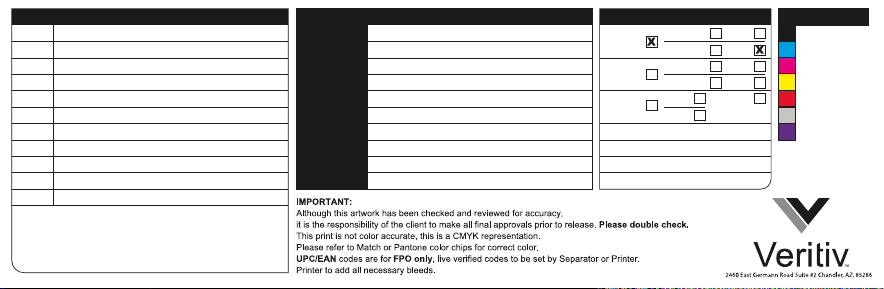
OPERATOR
BZ
11.24.16 Preliminary Release
DESCRIPTION
Project #
Name:
AW Description:
Other:
Veritiv Design P/N:
Veritiv AW P/N:
Customer P/N:
Customer AW P/N:
ECO#:
Printing Method:
PHX-21892050-01-PPR-1
Nuheara IQbuds
QSG
PHX-21892050-01-PPR-1C
PHX-21892050-01-PPR-1C ART-1A
TBD
TBD
CMYK+ PMS 185C + PMS 10102 C + AQ Matte Overall
COATINGS SEPARATIONSREVISION HISTORY PROJECT INFORMATION
GLOSS:
AQUEOUS:
UV:
PPLAM:
SPECIAL: 105G Art Matte Paper
SPOT
MATTE:
SPOT
GLOSS:
SPOT
MATTE:
SPOT
GLOSS: SPECIAL:
MATTE:
OVERALL
OVERALL
OVERALL
OVERALL
SEE SPECIAL
INSTRUCTIONS
BELOW
Process Black
Process Cyan
Process Magenta
Process Yellow
PMS 185 C
PMS 10102C
AQ Matte Overall
Page 2

QUICK START GUIDE
LET’S GET STARTED!
IN THE BOX CHARGE CHARGE INDICATORS
IQbuds – Left & Right
Ear Tips
L
USB Cord
STEP 1 STEP 2Charging/Carrying Case
Place earbuds in case.
NOTE: The left and right earbuds
can go in either slot in the charger.
Close the case lid to charge IQbuds.
Connect the case to a USB power
source to charge case and buds.
Time to fully charge earbuds: 1.5
hours. Time to fully charge case:
2.5 hours.
IQbud charge in progress
Front
Button
IQbud fully charged
Earbuds Charging Case
When you close the lid, the earbud
charge status displays for 5 seconds then
switches o. Pressing the front button
for 2 seconds (“short press”) displays
the earbud charge status for another 5
seconds. Opening the lid displays the
earbud charge status on the inner LEDs
for 5 seconds. Red lights indicate charge
in progress. Two green lights mean they
are fully charged.
100%
75%
50%
25%
With the lid closed and pressing the
front button for longer than 2 seconds
(“long press”) displays the main battery
charge status on the front LEDs for 5
seconds. 4 green lights means the case
is fully charged.
NOTE: “Short press” displays earbud
charging status, “long press” displays
case charging status.
Page 3

FIT GET THE APP CONTROLS
PAIR WITH YOUR DEVICE
STEP 1 STEP 2 STEP 3
Try dierent sizes to
get the best fit. The
ear tip should seal the
ear to deliver the best
music quality and noise
reduction.
Insert bud with tip down.
Rotate bud toward the
back of your head. Bud
should be seated snugly
within the ear at a slight
angle.
STEP 1
Remove IQbuds from charge case.
STEP 2
Put on IQbuds.
STEP 3
Press and hold tap-touch sensor
for 5 seconds. IQbuds will play a
notification sound.
STEP 4
You can now pair with your device.
MUSIC PHONE CALL ENVIRONMENT
Tap
Double
Tap
Long
Tap
5s Very
Long Tap
Left tap-touch sensor
Play/pause
Activate Siri /
Google Now
Activate Pairing
Mode
Answer Call
Reject /
Hang up Call
Tap
Double
Tap
Long
Tap
5s Very
Long Tap
Right tap-touch sensor
RIGHTLEFT
Toggle SINC on/o
Activate Siri/Google
Now
Switch Location
Profile
Activate Pairing
Mode
More Information
SUPPORT
www.nuheara.com/support
WARRANTY
www.nuheara.com/warranty
REGISTER
www.nuheara.com/register
SAFETY INFORMATION
www.nuheara.com/safety
MANUAL
www.nuheara.com/manual
© 2016 Nuheara Inc. All rights reserved. Nuheara, IQbuds™ and SINC™ Technology are trademarks of Nuheara Inc.
DOC1000001 REV01
TERMS & CONDITIONS
www.nuheara.com/terms
RETURN POLICY
www.nuheara.com/return-policy
CONNECT WITH US
Page 4
THIS PAGE DOES NOT PRINT
OPERATOR
BZ
11.18.16 Preliminary Release
BZ
11.28.16 Added French
BZ
12.20.16 Added text
DESCRIPTION
Project #
Name:
AW Description:
Other:
Veritiv Design P/N:
Veritiv AW P/N:
Customer P/N:
Customer AW P/N:
ECO#:
Printing Method:
PHX-21892050-01-PPR-3
Nuheara IQbuds
Regulatory Insert
PHX-21892050-01-PPR-3B
PHX-21892050-01-PPR-3B-ART-1C
DOC1000003 REV02
TBD
TBD
Black
C O A TINGS SEP ARATION SR E V ISION HIST O R Y P R O J E C T INF O RMA TIO N
AQUEOUS:
UV:
PPLAM:
SPECIAL:
GLOSS:
SPOT
MATTE:
SPOT
GLOSS:
SPOT
MATTE:
SPOT
GLOSS: SPECIAL:
SEE SPECIAL
INSTRUCTIONS
MATTE:
BELOW
OVERALL
OVERALL
OVERALL
OVERALL
Process Black
Page 5
Page 6
 Loading...