

Page 1
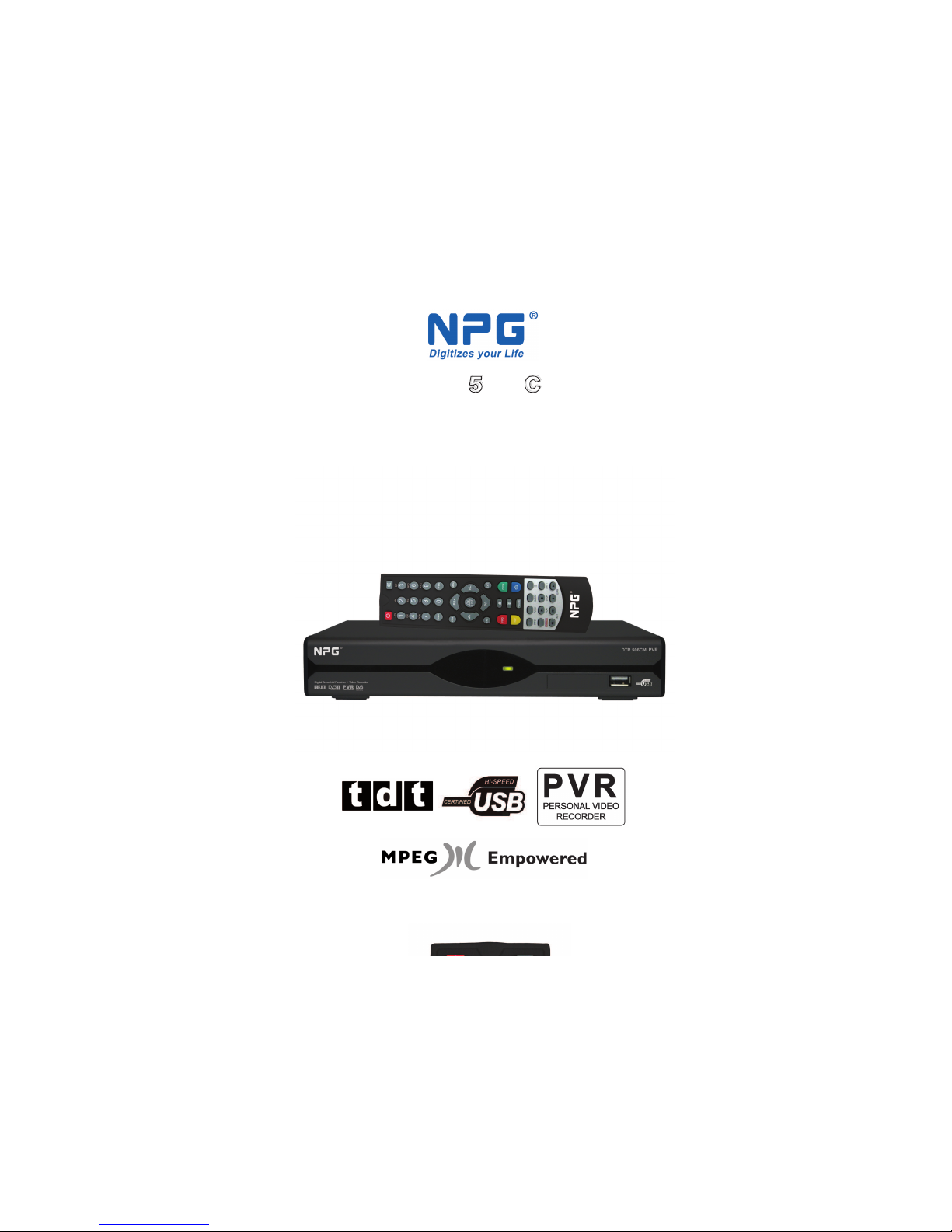
DTR 506 CM
DTR 506 CM
Receptor TDT + Grabador Digital
DVB-T Receiver + Digital Recorder
Page 2
GENERAL INFORMATION 12
INSTALLATION 12
WELCOME PAGE 12
MAIN MENU 12
TROUBLE SHOOTING 12
Main Features 12
For your Safety 12
Unpacking 12
General Operation 12
RCU 12
Front Panel 12
Rear Panel 12
English
2
Contents
TV 12
RADIO 12
MULTIMEDIA 12
GAME 12
SETUP 12
HOT KEY 12
Page 3
This Digital Terrestrial Receiver (
D
TR
) will take you to the new and exciting world of Digital Television. A world
of crystal clear widescreen pictures, digital sound, more information and new services. All this and more on
"Free to Air" Digital Television.
To make full use of your new
D
TR
please take the time to familiarize yourself with the extensive features of
the unit detailed in this User's Guide.
If you need help in setting up please call your dealer or a customer service adviser.
Main Features
English
3
GENERAL INFORMATION
MPEG - 2 digital & fully DVB -T compliant
Automatic PAL /NTSC conversion
1000 channels TV and Radio programmable
8 different favorite groups selection
On Screen Display with multi -language
Fully support to 7 days Electronic Program Guide (EPG)
256 colors On Screen Display
Channel search in automatic, manual and network search
Various channel editing functions (favorite, move, lock, rename and sort)
Parental control for channels
Ease to use Menu System
Software upgrades through Rs 232 port and Receiver to receiver
Subtitle support DVB EN 3 0 0 7 4 3 and EBU
Teletext support DVB ETS 3 0 0 4 7 2 by VBI and OSD
Automatic save for last channel
Support Logic Channel Number (LCN)
One game
PVR function only support external HDD with FAT 32 format.
D
TR 506C PVR:
Page 4
English
4
For Your Safety
GENERAL INFORMATION
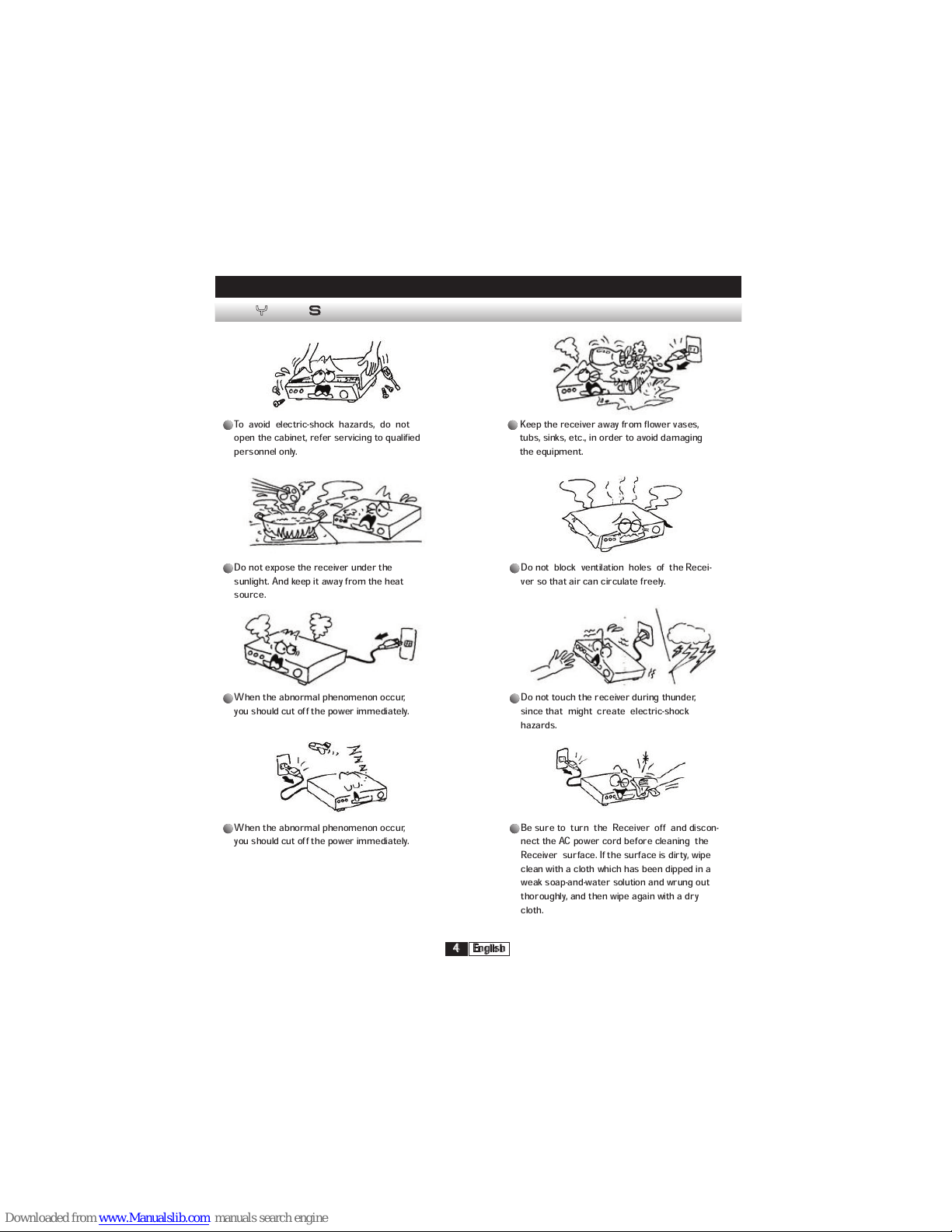
To avoid electric-shock hazards, do not
open the cabinet, refer servicing to qualified
personnel only.
Keep the receiver away from flower vases,
tubs, sinks, etc., in order to avoid damaging
the equipment.
Do not expose the receiver under the
sunlight. And keep it away from the heat
source.
Do not block ventilation holes of the Recei-
ver so that air can circulate freely.
When the abnormal phenomenon occur,
you should cut off the power immediately.
Do not touch the receiver during thunder,
since that might create electric-shock
hazards.
When the abnormal phenomenon occur,
you should cut off the power immediately.
Be sure to turn the Receiver off and discon-
nect the AC power cord before cleaning the
Receiver surface. If the surface is dirty, wipe
clean with a cloth which has been dipped in a
weak soap-and-water solution and wrung out
thoroughly, and then wipe again with a dry
cloth.
Page 5
English
5
Unpacking
Genera l Operation
GENERAL INFORMATION
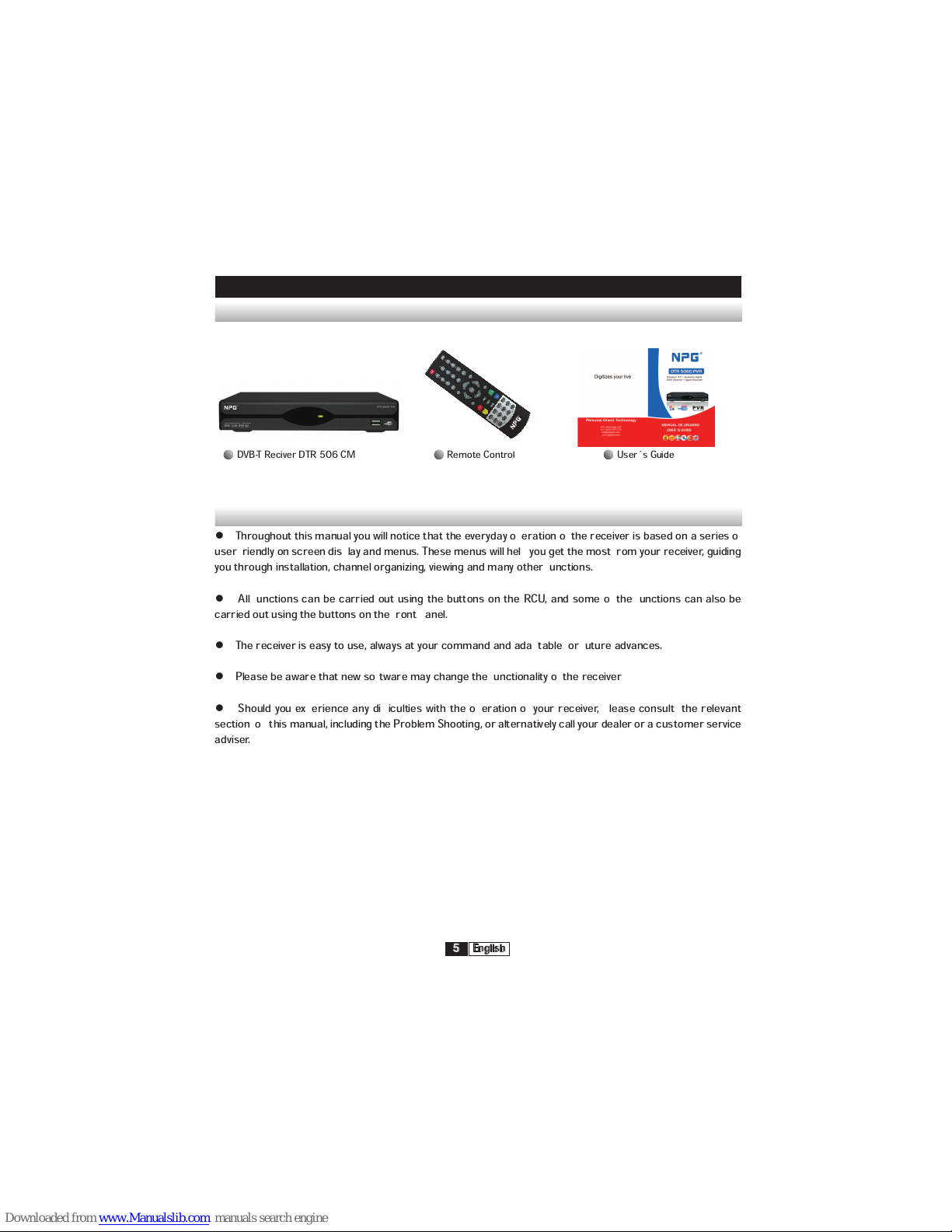
DVB-T Reciver DTR 506 CM Remote Control User´s Guide
Throughout this manual you will notice that the everyday operation of the receiver is based on a series of
user friendly on screen display and menus. These menus will help you get the most from your receiver, guiding
you through installation, channel organizing, viewing and many other functions.
All functions can be carried out using the buttons on the RCU, and some of the functions can also be
carried out using the buttons on the front panel.
The receiver is easy to use, always at your command and adaptable for future advances.
Please be aware that new software may change the functionality of the receiver
Should you experience any difficulties with the operation of your receiver, please consult the relevant
section of this manual, including the Problem Shooting, or alternatively call your dealer or a customer service
adviser.
Page 6
English
6
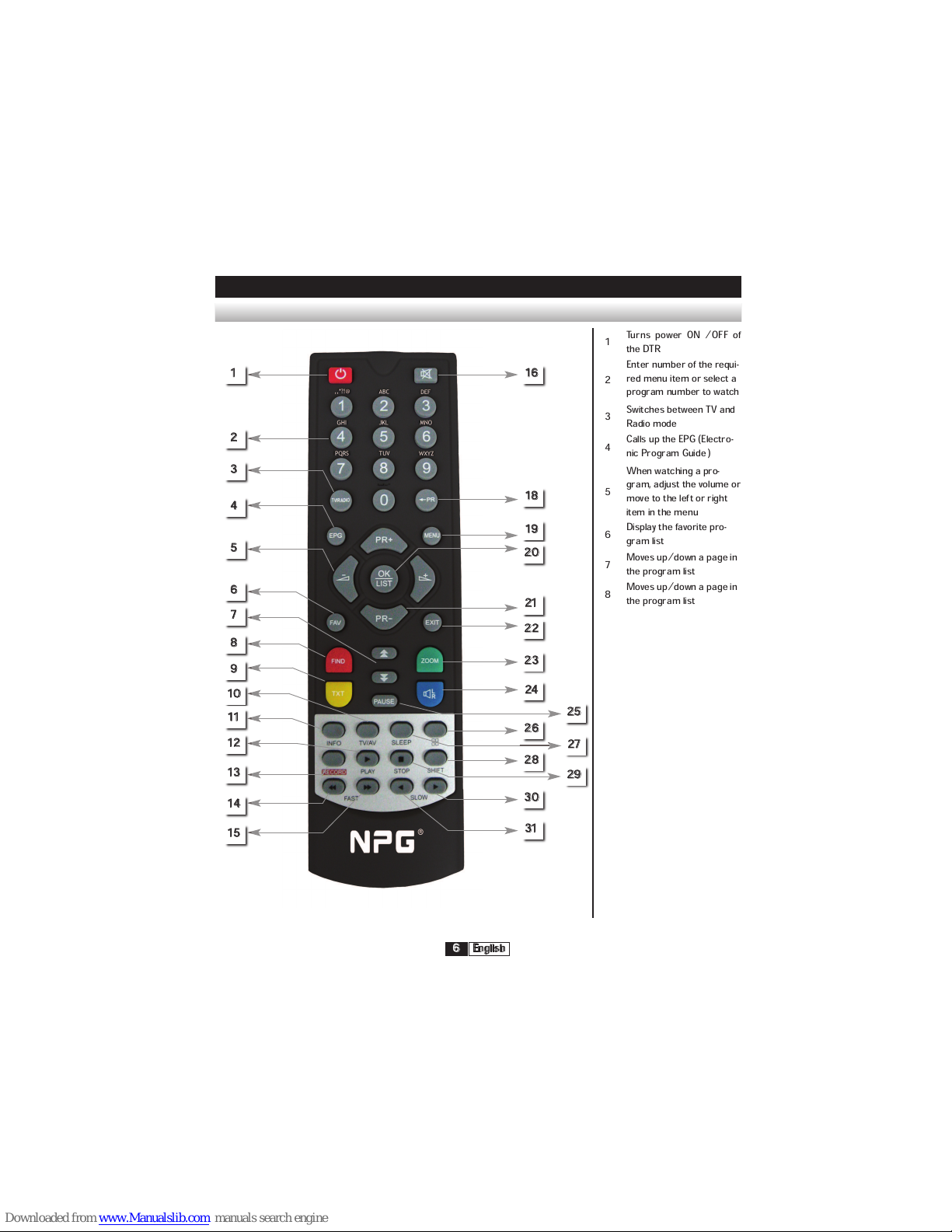
Remote Control
GENERAL INFORMATION
Turns power ON /OFF of
the DTR
1
Enter number of the requi-
red menu item or select a
program number to watch
2
Switches between TV and
Radio mode
3
Calls up the EPG (Electro-
nic Program Guide )
4
When watching a pro-
gram, adjust the volume or
move to the left or right
item in the menu
5
Display the favorite pro-
gram list
Moves up/down a page in
the program list
7
Moves up/down a page in
the program list
8
6
1 16
18
19
20
21
22
23
24
26
28
30
31
25
27
29
2
3
4
5
6
7
8
9
10
11
13
12
14
15
Page 7
English
7
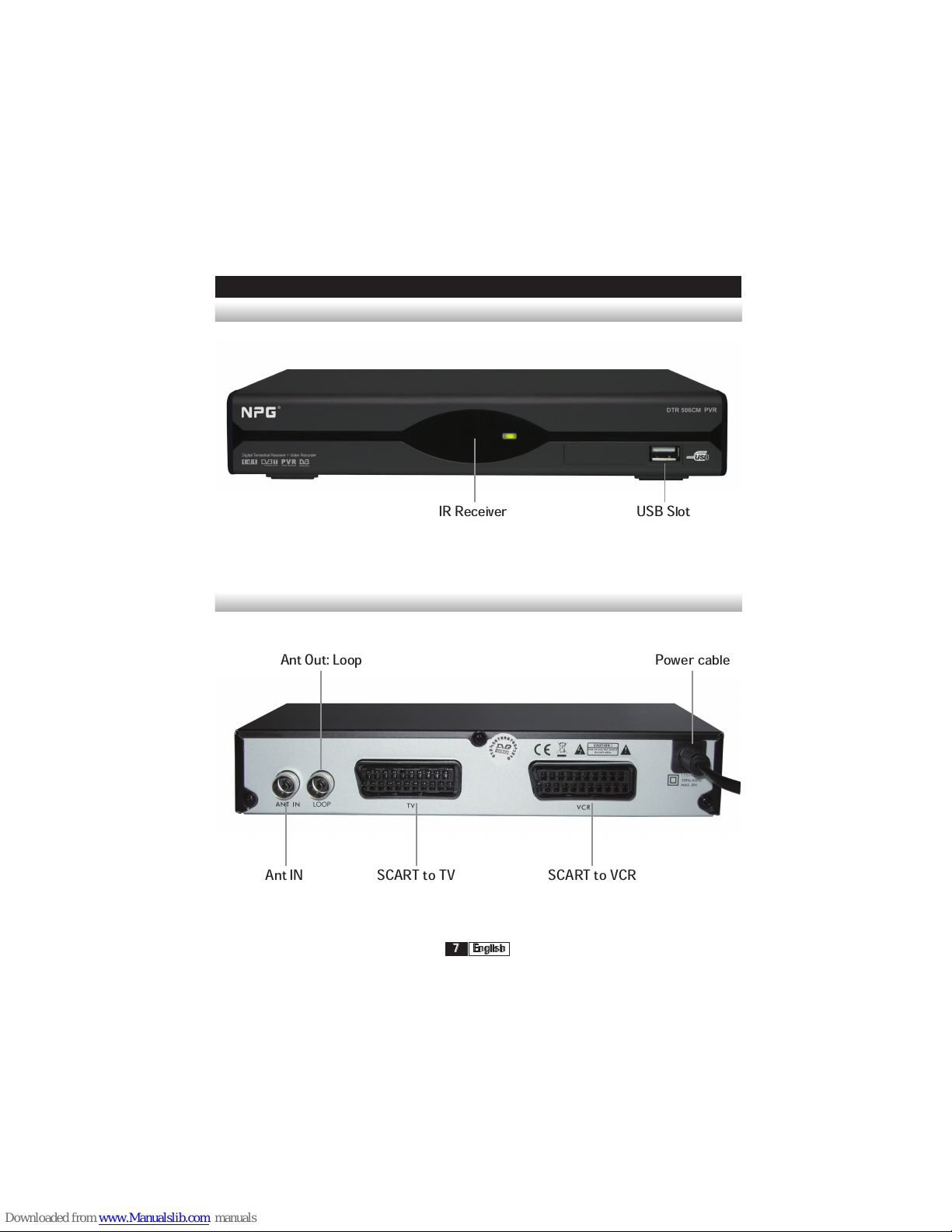
Front Panel
Front Panel
GENERAL INFORMATION
IR Receiver
Ant IN SCART to TV SCART to VCR
Ant Out: Loop Power cable
USB Slot
Page 8
English
8
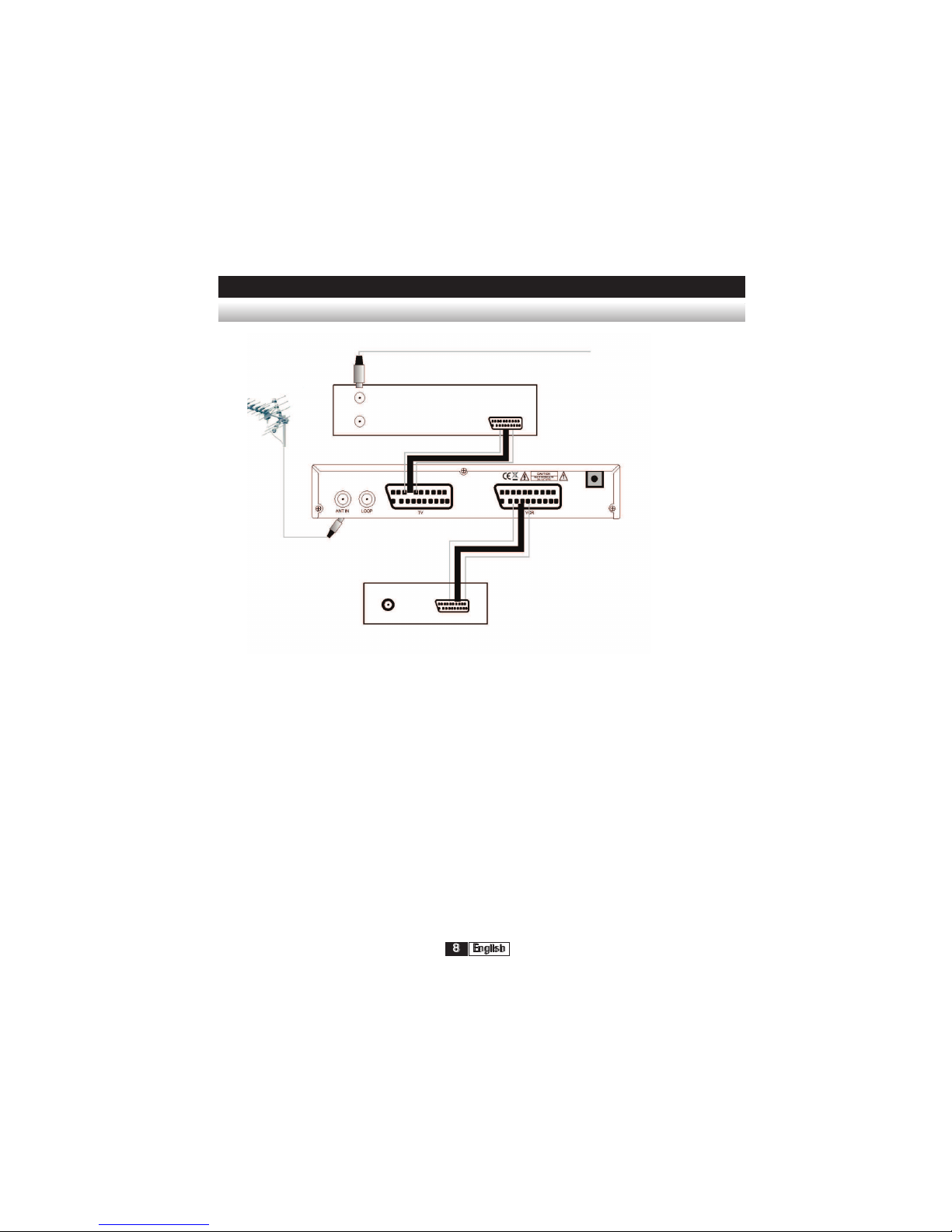
Connecting to TV using SCART support
INSTALLATION
In from ANT
 Loading...