

Page 1
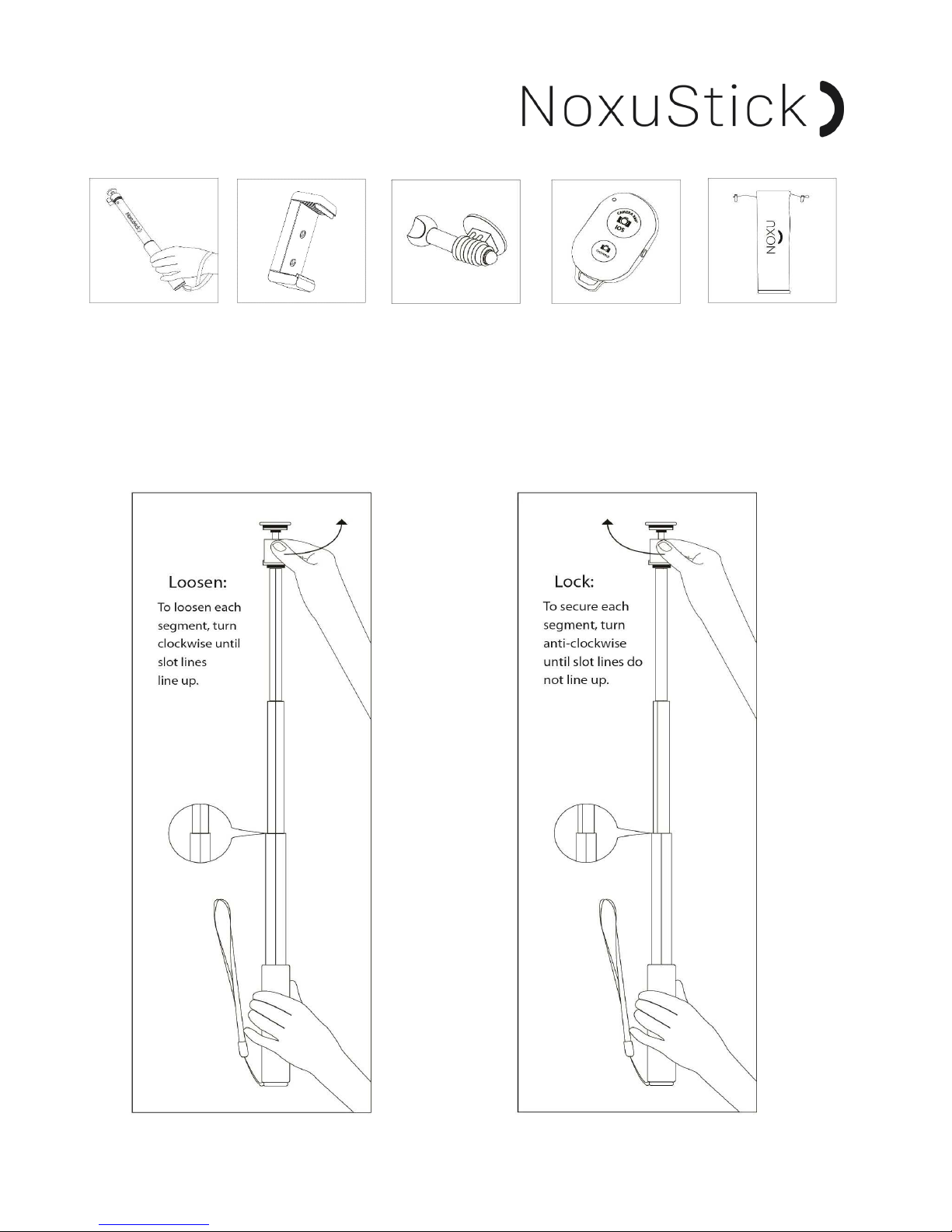
Hold your NoxuStick at the handle with one hand and turn the other end of the stick clockwise until the slot lines line up. The segments can
now move freely to lengthen or shorten the stick. When you want to lock the stick, hold it at the handle with one hand and turn the other
end anti-clockwise until the slot lines do not line up. Do this for each segment to lock it.
B: Extending your NoxuStick and Locking It
A: What is in the box?
1. NoxuStick 2. Phone mount 3. GoPro Attachment 4. Bluetooth Remote 5. Pouch
Compact &
Lightweight
Sturdy & slip-resistant For Hero3, 3+ and 4 Buttons for iPhone or
Android
Free pouch for your
NoxuStick & all its
accessories
Page 2
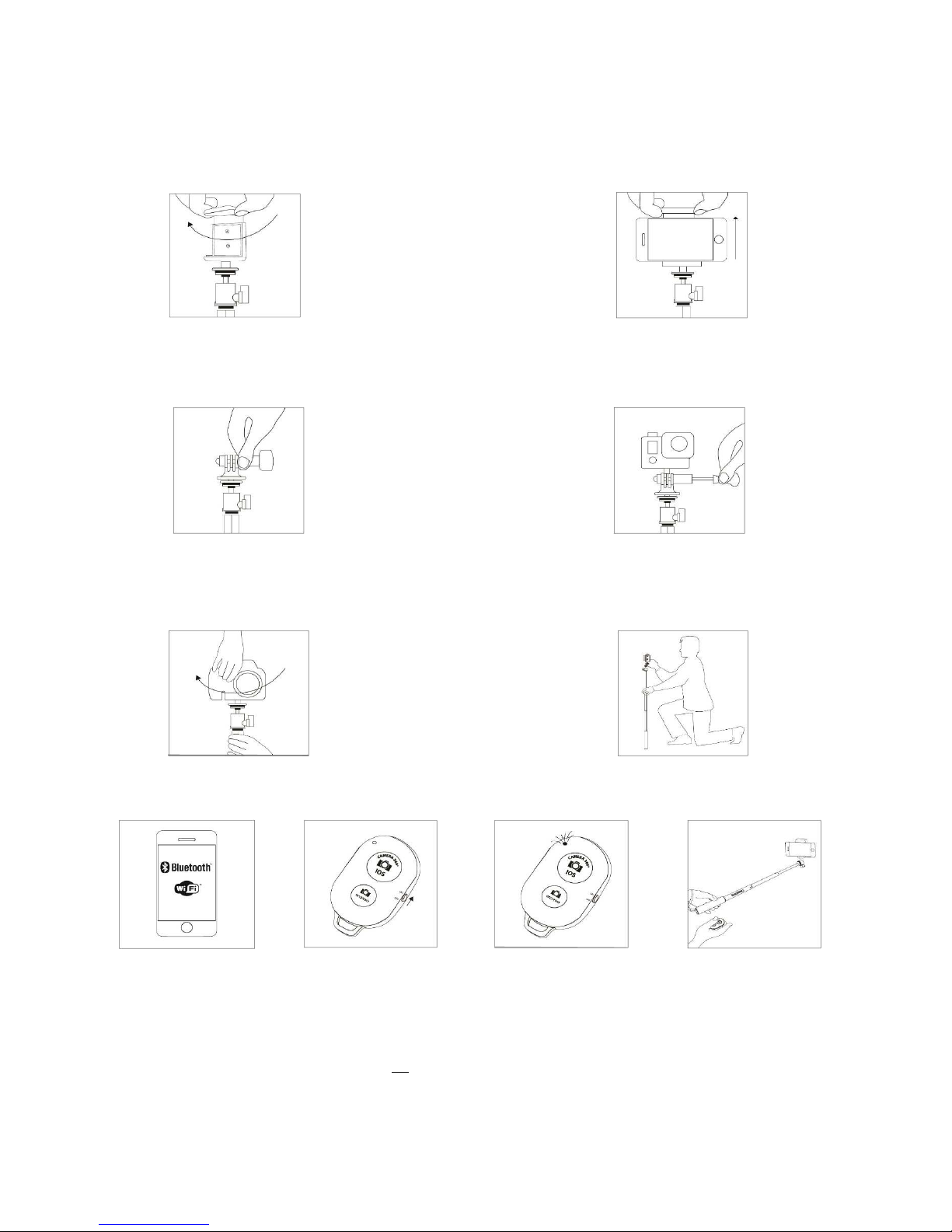
The blue light flashing
on the remote means
it is looking for a
bluetooth device.
Wait till it finds your
phone (it will stop
flashing), then connect
to the shutter option
given by your phone.
Activate your
smartphone's
Bluetooth.
Switch on your
supplied remote
shutter by moving the
on/off switch (located
on the side of the
remote) to the on
position.
Turn your
smartphone's camera
on. Press the Android
or iOS button on the
remote depending on
which phone you have
and enjoy taking as
many selfies as you
want.
Step 1 Step 2
Screw your NoxuStick into the bottom of your camera
which has a ¼ inch screw hole.
Take great photos and videos by using your NoxuStick as
a monopod for great stability.
E: Using your Bluetooth Remote
Step 1 Step2 Step 3 Step 4
D: Using your GoPro
Step 1 Step 2
Simply attach the GoPro attachment to the screw
mount on top of your NoxuStick.
Screw your GoPro camera to the GoPro attachment.
E: Using your digital camera
C: Using your smartphone
Step 1 Step 2
Simply attach the provided adjustable phone mount to
the screw on top of your NoxuStick.
Extend the phone mount and put your smartphone in it.
Get the right angle and tighten the screw on the side.
 Loading...