

Page 1

Part No. 213456-S
October 2005
4655 Great America Parkway
Santa Clara, CA 95054
*213456-S*
Release Notes for Nortel
Switched Firewall 5100 Series
Release 2.3.3
Page 2

2
213456-S
Copyright © Nortel Networks 2002–2005. All rights reserved.
This document is protected by copyright and distributed under licenses restricting its use, copying,
distribution, and decompilation. No part of this document may be reproduced in any form by any means
without prior written authorization of Nortel Networks, Inc. Documentation is provided “as is” without
warranty of any kind, either express or implied, including any kind of implied or express warranty of noninfringement or the implied warranties of merchantability or fitness for a particular purpose.
U.S. Government End Users: This document is provided with a “commercial item” as defined by FAR
2.101 (Oct 1995) and contains “commercial technical data” and “commercial software
documentation” as those terms are used in FAR 12.211-12.212 (Oct 1995). Government End Users
are authorized to use this documentation only in accordance with those rights and restrictions set forth
herein, consistent with FAR 12.211- 12.212 (Oct 1995), DFARS 227.7202 (JUN 1995) and DFARS
252.227-7015 (Nov 1995).
Nortel Networks, Inc. reserves the right to change any products described herein at any time, and
without notice. Nortel Networks, Inc. assumes no responsibility or liability arising from the use of
products described herein, except as expressly agreed to in writing by Nortel Networks, Inc. The use
and purchase of this product does not convey a license under any patent rights, trademark rights, or
any other intellectual property rights of Nortel Networks, Inc.
Nortel, Nortel Networks, the Nortel logo, and the Globemark are trademarks of Nortel Networks.
Check Point, OPSEC, and SmartUpdate are trademarks of Check Point Software Technologies Ltd.
Firewall-1 and VPN-1 are registered trademarks of Check Point Software Technologies Ltd.
Any other trademarks appearing in this manual are owned by their respective companies.
Page 3

3
Release Notes for Nortel Switched Firewall 5100 Series Release 2.3.3
Regulatory Compliance
International regulatory statements of conformity
This is to certify that the Nortel Networks 5100 Series is evaluated to the international regulatory
standards for electromagnetic compliance (EMC) and safety and were found to have met the
requirements for the following international standards:
EMC - Electromagnetic Emissions – CISPR 22, Class A
EMC - Electromagnetic Immunity – CISPR 24
Electrical Safety – IEC 60950, with CB member national deviations
Further, the equipment has been certified as compliant with the national standards as detailed below.
National electromagnetic compliance (EMC) statements of
compliance
FCC statement (USA only)
This equipment has been tested and found to comply with the limits for a Class A digital device,
pursuant to Part 15 of the Federal Communications Commission (FCC) rules. These limits are
designed to provide reasonable protection against harmful interference when the equipment is
operated in a commercial environment. This equipment generates, uses, and can radiate radio
frequency energy. If it is not installed and used in accordance with the instruction manual, it may
cause harmful interference to radio communications. Operation of this equipment in a residential area
is likely to cause harmful interference, in which case users will be required to take whatever measures
may be necessary to correct the interference at their own expense.
ICES statement (Canada only)
Canadian Department of Communications Radio Interference Regulations
This digital apparatus does not exceed the Class A limits for radio-noise emissions from digital
apparatus as set out in the Radio Interference Regulations of the Canadian Department of
Communications.
Règlement sur le brouillage radioélectrique du ministère des
Communications
Cet appareil numérique respecte les limites de bruits radioélectriques visant les appareils numériques
de classe A prescrites dans le Règlement sur le brouillage radioélectrique du ministère des
Communications du Canada.
CE marking statement (Europe only)
EN 55 022 statements
This is to certify that the Nortel Networks equipment are shielded against the generation of radio
interference in accordance with the application of Council Directive 89/336/EEC. Conformity is
declared by the application of EN 55 022 Class A (CISPR 22).
Page 4
4
213456-S
War ni ng : This is a Class A product. In a domestic environment, this product may cause radio
interference, in which case, the user may be required to take appropriate measures.
Achtung: Dieses ist ein Gerät der Funkstörgrenzwertklasse A. In Wohnbereichen können bei Betrieb
dieses Gerätes Rundfunkstörungen auftreten, in welchen Fällen der Benutzer für entsprechende
Gegenmaßnahmen verantwortlich ist.
Attention: Ceci est un produit de Classe A. Dans un environnement domestique, ce produit risque de
créer des interférences radioélectriques, il appartiendra alors à l’utilisateur de prendre les mesures
spécifiques appropriées.
EN 55 024 statement
This is to certify that the Nortel Networks equipment is shielded against the susceptibility to radio
interference in accordance with the application of Council Directive 89/336/EEC. Conformity is
declared by the application of EN 55 024 (CISPR 24).
EC Declaration of Conformity
This product conforms to the provisions of the R&TTE Directive 1999/5/EC.
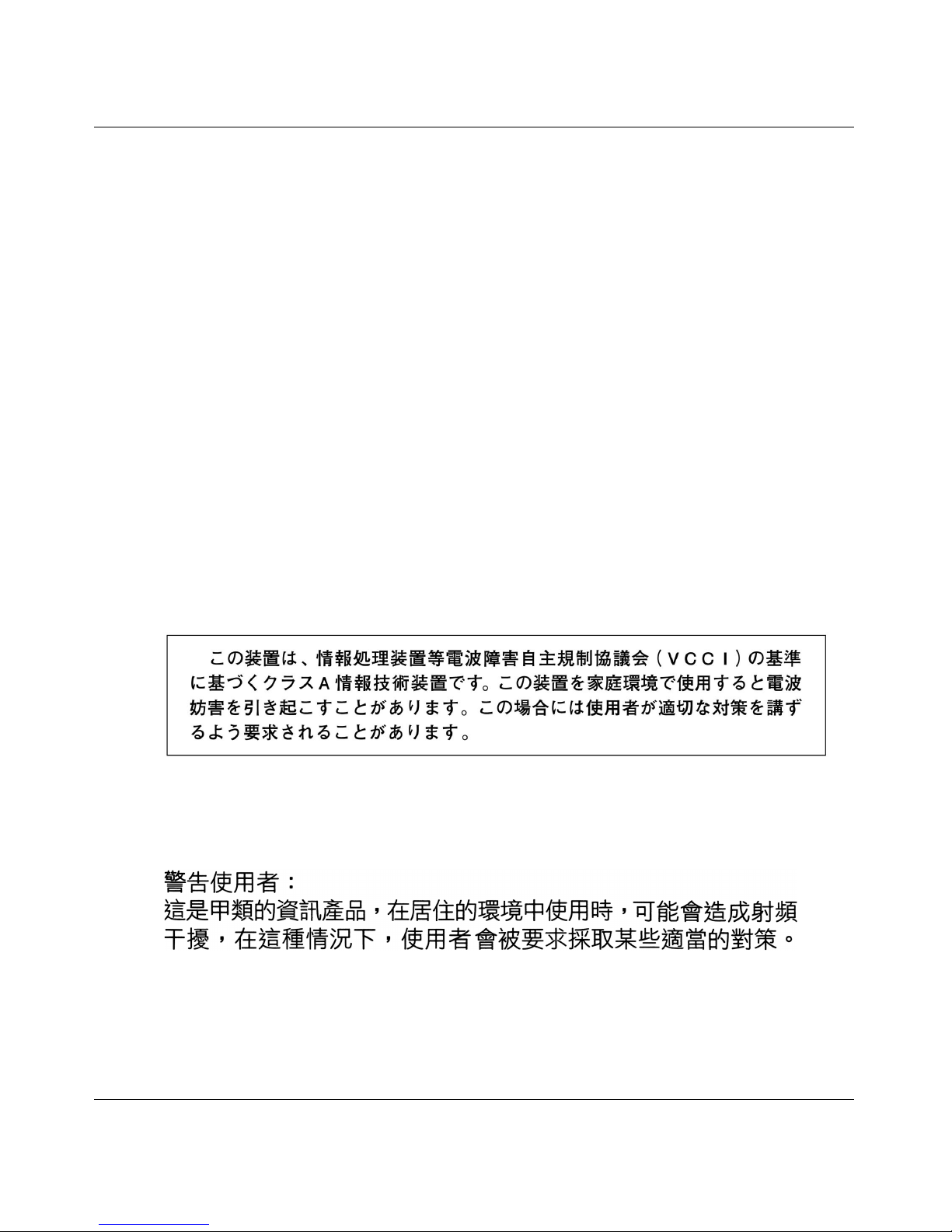
VCCI statement (Japan/Nippon only)
This is a Class A product based on the standard of the Voluntary Control Council for Interference
(VCCI) for information technology equipment. If this equipment is used in a domestic environment,
radio disturbance may arise. When such trouble occurs, the user may be required to take corrective
actions.
BSMI statement (Taiwan only)
This is a Class A product based on the standard of the Bureau of Standards, Metrology and Inspection
(BSMI) CNS 13438, Class A.
MIC notice (Republic of Korea only)
This device has been approved for use in Business applications only per the Class A requirements of
the Republic of Korea Ministry of Information and Communications (MIC). This device may not be
sold for use in a non-business application. Reference Regulatory label on the base of the equipment
for specific Korean approval information.
Page 5

5
Release Notes for Nortel Switched Firewall 5100 Series Release 2.3.3
National Safety Statements of Compliance
CE marking statement (Europe only)
EN 60 950 statement
This is to certify that the Nortel Networks equipment are in compliance with the requirements of EN
60 950 in accordance with the Low Voltage Directive. Additional national differences for all
European Union countries have been evaluated for compliance. Some components installed within
the 8000 Series chassis may use a nickel-metal hydride (NiMH) and/or lithium-ion battery. The
NiMH and lithium-ion batteries are long-life batteries, and it is very possible that you will never need
to replace them. However, should you need to replace them, refer to the individual component manual
for directions on replacement and disposal of the battery.
Lithium Battery Cautions
Caution—This product contains a lithium battery. Batteries are not customer replaceable parts. They
may explode if mishandled. Do not dispose of the battery in fire. Do not disassemble or recharge.
(Norge) ADVARSEL—Litiumbatteri - Eksplosjonsfare. Ved utskifting benyttes kun batteri som
anbefalt av apparatfabrikanten. Brukt batteri returneres apparatleverandøren.
(Sverige) VARNING—Explosionsfara vid felaktigt batteribyte. Använd samma batterityp eller en
ekvivalent typ som rekommenderas av apparattillverkaren. Kassera använt batteri enligt fabrikantens
instruktion.
(Danmark) ADVARSEL! Litiumbatteri - Eksplosionsfare ved fejlagtig håndtering. Udskiftning må
kun ske med batteri af samme fabrikat og type. Levér det brugte batteri tilbage til leverandøren.
(Suomi) VAROITUS—Paristo voi räjähtää, jos se on virheellisesti asennettu. Vaihda paristo
ainoastaan laitevalmistajan suosittelemaan tyyppiin. Hävitä käytetty paristo valmistajan ohjeiden
mukaisesti.
Safety Information
Caution—Nortel Networks products are designed to work with single-phase power systems having a
grounded neutral conductor. To reduce the risk of electric shock, do not plug Nortel Networks
products into any other type of power system. Contact your facilities manager or a qualified
electrician if you are not sure what type of power is supplied to your building.
Caution—Not all power cords have the same ratings. Household extension cords do not have
overload protection and are not meant for use with computer systems. Do not use household extension
cords with your Nortel Networks product.
Caution—Your Nortel Networks product is shipped with a grounding type (three-wire) power cord.
To reduce the risk of electric shock, always plug the cord into a grounded power outlet.
Page 6

6
213456-S
NOM statement (Mexico only)
The following information is provided on the devices described in this document in compliance with
the safety requirements of the Norma Oficial Méxicana (NOM):
Exporter:Nortel Networks, Inc.
4655 Great America Parkway
Santa Clara CA 95054 USA
Importer:Nortel Networks de México, S.A. de C.V.
Avenida Insurgentes Sur #1605
Piso 30, Oficina
Col. San Jose Insurgentes
Deleg-Benito Juarez
México D.F. 03900
Tel:52 5 480 2100
Fax: 52 5 480 2199
Input:100 to 240 VAC, 50 to 60 Hz, 9 A max. per power supply
single supply, or + one redundant supply configurations
Información NOM (unicamente para México)
La información siguiente se proporciona en el dispositivo o en los dispositivos descritos en este
documento, en cumplimiento con los requisitos de la Norma Oficial Méxicana (NOM):
Exportador: Nortel Networks, Inc.
4655 Great America Parkway
Santa Clara, CA 95054 USA
Importador: Nortel Networks de México, S.A. de C.V.
Avenida Insurgentes Sur #1605
Piso 30, Oficina
Col. San Jose Insurgentes
Deleg-Benito Juarez
México D.F. 03900
Tel: 52 5 480 2100
Fax:52 5 480 2199
Embarcar a:100 to 240 V CA, 50 to 60 Hz, 9 A max. por fuente de poder
una fuente o una + configuraciones de una fuente redundante
Page 7

7
Release Notes for Nortel Switched Firewall 5100 Series Release 2.3.3
Introduction
These Release Notes provide the latest information regarding the Nortel Switched
Firewall 5100 Series for Release 2.3.3, and modify information found in the complete
documentation. Keep these Release Notes with your Nortel product manuals.
The following topics are addressed in these Release Notes:
“Late-breaking news and support’’ on page 8
“Documentation’’ on page 8
“New features’’ on page 9
“Upgrading to NSF 2.3.3 software’’ on page 12
“Reinstalling the NSF 2.3.3 software’’ on page 20
“How to get help’’ on page 21
Page 8

8
213456-S
Late-breaking news and support
Before you put your system into commission, check the Nortel Technical Support web site
at www.nortel.com for the latest software and documentation on the Switched Firewall
5100 Series. Review the Readme file for this release.
NOTE: You must authenticate at the Check Point web site to obtain the Firewall
software.
For Check Point Release Notes, go to www.checkpoint.com.
For Check Point User Documentation, go to www.checkpoint.com.
Documentation
The following manuals are supplied on a CD-ROM with new products:
Nortel Switched Firewall 5100 Series Release 2.3.1 User’s Guide and Command
Reference (213455-K)
Nortel Switched Firewall 5100 Series Release 2.3.1 Hardware Installation Guide
(216382-C)
Nortel Switched Firewall 5100 Series 2.3.1 Browser-Based Interface User’s Guide
(216383-C)
The manuals are PDF files that you can read and print.
The following manuals for Release 2.3.3 are available on the Nortel Technical Support
web site:
Nortel Switched Firewall 5100 Series Release 2.3.3 User’s Guide and Command
Reference (213455-L)
Nortel Switched Firewall 5100 Series Release 2.3.3 Hardware Installation Guide
(21632-D)
Nortel Switched Firewall 5100 Series Release 2.3.3 Browser-Based Interface User’s
Guide (216383-D)
Page 9

9
Release Notes for Nortel Switched Firewall 5100 Series Release 2.3.3
New features
The following features have been added to the Nortel Switched Firewall 5100 Series
release 2.3.3 since the last major release:
Software support
Nortel Switched Firewall 5100 Series Release 2.3.3 supports Check Point® Firewall-1®
NGX with the following Application Intelligence software:
For more information about the software features, see Nortel Switched Firewall 5100
Series Release 2.3.3 User’s Guide and Command Reference (213455-L).
Reliability and redundancy
Nortel Switched Firewall 5100 Series (NSF) 2.3.3 provides the following reliability and
redundancy feature:
SecurID, available on the NSF 5100 Series Release 2.3.3 Browser-Based Interface
(BBI), provides a two-factor form of centralized authentication and management. For
more information about SecurID, see Nortel Switched Firewall Series 5100 Release
2.3.3 User’s Guide and Command Reference (213455-L).
Management
Nortel Switched Firewall 5100 Series Release 2.3.3 supports the following management
feature:
Smart Portal web-based management tool
Smart Portal is a web-based management tool that provides a centralized view of
security policies, network and security activity status, and administrator information.
The access to Smart Center also extends the visibility of security policies to groups
outside the IT security team and enables collaborative management of Smart Center
administrators. For more information about Smart Portal, see Nortel Switched
Table 1 Check Point version and corresponding NSF software images
NG Version Hot Fix Accumulator NSF Software Images
R60
HFA-014 NSF5100_2.3.3.0_R60.img/.iso/.pkg
Page 10

10
213456-S
Firewall Series 5100 Release 2.3.3 User’s Guide and Command Reference
(213455-L) and Nortel Switched Firewall 5100 Series 2.3.3 Browser-Based Interface
User’s Guide (216383-D).
Usability enhancements
Nortel Switched Firewall Series 5100 Release 2.3.3 provides the following usability
enhancements:
Monitoring support for current and historical data is available from the Command
Line Interface (CLI) for the following parameters:
CPU use
memory use
disk use
total connections and connections per second—session statistics
throughput statistics
For more information about monitoring support available from the CLI, see Nortel
Switched Firewall Series 5100 Release 2.3.3 User’s Guide and Command Reference
(213455-L).
NSF Ticker is available in the Browser-Based Interface (BBI) to provide the
following:
real-time status of Firewall directors and accelerators
real-time alarms, color coded for status
real-time statistics for the following parameters:
• CPU use
• memory use
• disk use
• session statistics
• throughput statistics
status of the following remote accesses:
• HTTP
• HTTPS
• Telnet
• SSH
• SNMP
Page 11

11
Release Notes for Nortel Switched Firewall 5100 Series Release 2.3.3
For more information about NSF Ticker, see Nortel Switched Firewall 5100 Series
Release 2.3.3 Browser-Based Interface User’s Guide (216383-D).
Simplified upgrade procedure
NSF 2.3.3 supports a simplified upgrade process and you do not have to stop the traffic in
the Firewall. For step-by-step instructions, see “Upgrading to NSF 2.3.3 software’’ on
page 12.
Check Point applications supported
Nortel Switched Firewall 5100 Series 2.3.3 supports the following Check Point
applications. Firewall-1®:
ISP Redundancy
User Authority®
VPN-1®
SmartDefense™
NAT
Authentication
Content Security
ClusterXL®
Policy Server
Floodgate-1®
Management Tools
SmartView Monitor™
SmartCenter™ Server
Smart Portal
The following management tools do not require any configuration within the NSF
2.3.3 software; you configure these tools outside of the NSF 2.3.3 software:
SmartDashboard™
SmartView Tracker™
SmartView Status™
Page 12

12
213456-S
NOTE: To support the Check Point applications on the Nortel Switched Firewall
5100 Series hardware systems, you must configure NSF 2.3.3 and Check Point
software.
Upgrading to NSF 2.3.3 software
To upgrade the software on your Nortel Switched Firewall 5100 Series, you must perform
the following tasks:
1. Backup of the Nortel Switched Firewall 5100 Series configuration.
You can use the backup to restore the configuration (clone) in case the upgrade fails. To
back up, use the following CLI commands:
/cfg/sys/backup if you are running NSF 2.2.7.0
/maint/backup if you are running NSF 2.3.1
For more information on backing up your configuration, see the Nortel Switched Firewall
5100 Series 2.3.3 User’s Guide and Command Reference (213455-L).
2. Upgrade the Check Point software from R55 to NGX R60 on the Management station.
3. Specify the version of the Firewall Object in the SmartDashboard GUI as R55—NG with
Application Intelligence.
4. Establish Secure Internal Communications (SIC).
5. Push the policy to the Firewall.
6. From the Management Server, change the version of the Check Point Gateway object from
R55 to NGX R60.
7. Download the new software upgrade package or install image.
Obtain the NSF5100_2.3.3.0_R60.pkg file and copy it to an FTP/TFTP/SCP/SFTP server
or to a CD-ROM. TIP: The server must allow anonymous login.
NOTE: Ensure that your FTP/TFTP/SCP/SFTP server is on a secure, trusted network.
One way to ensure FTP security is to implement your server on the SmartCenter
Server workstation.
8. Upgrade the Firewalls with the NSF5100_2.3.3.0_R60.pkg image.
See “Loading the new software’’ on page 13 and “Activating the software’’ on page 15.
Page 13

13
Release Notes for Nortel Switched Firewall 5100 Series Release 2.3.3
Loading the new software
To install a minor or major release upgrade on your Nortel Switched Firewall 5100 Series,
you require the following:
Access to the CLI through the local console terminal or through a remote Telnet or
SSH connection (using the Firewall host IP address).
A rule on the Check Point management system that allows you to ping the
FTP/TFTP/SCP/SFTP server and connect to it.
Host name or IP address of the FTP/TFTP/SCP/SFTP server.
TIP: If you choose to specify the host name, you must configure the DNS parameters.
For more information, see the Nortel Switched Firewall 5100 Series 2.3.3 User’s
Guide and Command Reference (213455-L).
Access to the CLI can be accomplished in the following ways:
through the local serial port
through remote Telnet—disabled by default (see Note)
through SSH (Secure Shell) connection —disabled by default (see Note)
NOTE: Telnet and SSH connections are disabled by default. To use Telnet or SSH
access to the CLI, you must manually configure your choice after you have set up the
Firewall.
For more information about enabling Telnet and SSH connections, see the Nortel Switched
Firewall 5100 Series 2.3.3 User’s Guide and Command Reference (213455-L).
Use the following procedure to load the software on your Switched Firewall:
1. Log in to the Firewall, using the admin account, and check the current version of the
software as shown below.
>> Main# /boot/software
-----------------------------------------------------------[Software Management Menu]
cur - Display current software status
activate - Select software version to run
download - Download a new software package via TFTP/FTP
del - Remove downloaded (unpacked) releases
>> Software Management# cur
Version Name Status
------- ---- ------
2.3.1.0_R55 tdo permanent
Page 14
14
213456-S
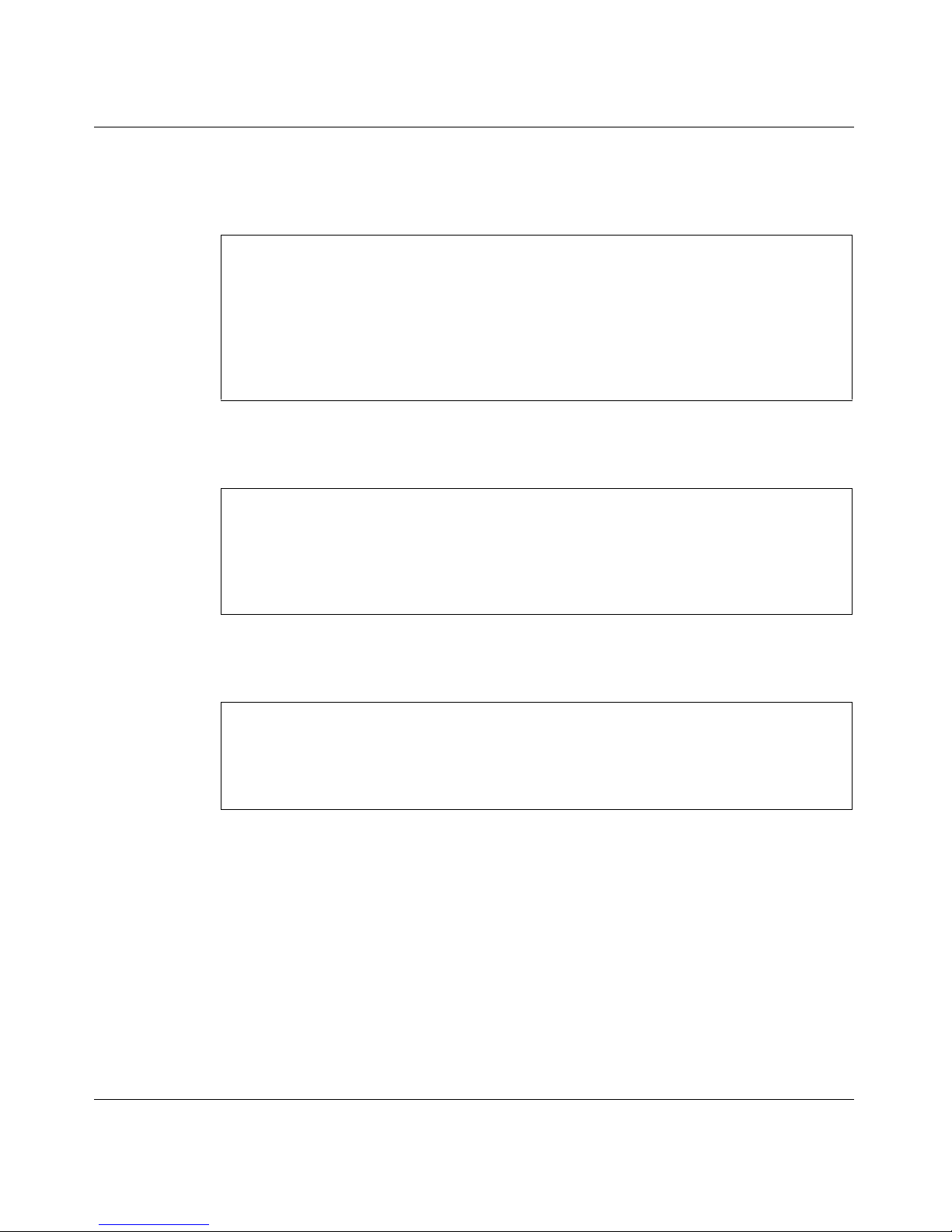
2. FTP or TFTP download: If you downloaded the upgrade image to the
FTP/TFTP/SCP/SFTP server, perform the following step. TIP: Only anonymous FTP is
supported.
3. CD-ROM download: If you downloaded the upgrade image to a CD-ROM, perform the
following step:
4. After the download is complete, check the current versions of the software and ensure that
the status of the version you downloaded is designated as unpacked.
The status of the downloaded software upgrade package is unpacked.
The software versions have one of four status values. The meaning of each of these status
values is as follows:
unpacked means that the software upgrade package has been downloaded and
automatically decompressed.
current means that a software version marked as old or unpacked has been activated.
When the system has performed the necessary health checks, the current status
changes to permanent.
>> Main# /boot/software/download (FTP download)
Select tftp/ftp/scp/sftp [tftp]: ftp
Enter hostname or IP address of server: 172.17.124.46
Enter filename on server: NSF5100_2.3.3.0_R60.pkg
Received 53212760 bytes in 27.2 seconds
Unpacking...
ok
>> Software Management#
>> Main# /boot/software/cdrom (CD-ROM download)
Insert the installation CD-ROM.
press Enter when ready.
Found /mnt/cdrom/isd/images/NSF5100_2.3.3.0_R60.pkg
Software package imported successfully.
>> Software Management#
>> Main# /boot/software/cur
Version Name Status
------- ---- ------
2.3.3.0_R60 tdo unpacked
2.3.1.0_R55 tdo permanent
Page 15

15
Release Notes for Nortel Switched Firewall 5100 Series Release 2.3.3
permanent means that the software is operational and can survive a reboot of the
system.
old means that the software version is not currently operational.
NSF 2.3.3 does not support downgrade from 2.3.3 to previous releases. You cannot
switch back to the old version of the software.
When the upgrade is loaded, activate the software as described in the following section.
Activating the software
The Nortel Switched Firewall 5100 Series can hold up to two versions of the same major
software release simultaneously—for example, version 2.3.1 and version 2.3.3.
To view the current software status, use the /boot/software/cur command.
When a new version of the software is downloaded to the Nortel Switched Firewall 5100
Series, the software package is decompressed automatically and marked as unpacked.
After you activate the unpacked software version—which causes the Nortel Switched
Firewall 5100 Series to reboot—the software version is marked as permanent.
The software version previously marked as permanent then is marked as old.
Refer to the one of the following two sections to upgrade your software:
“Standalone upgrade’’ on page 16
“Cluster upgrade’’ on page 17
Page 16
16
213456-S
Standalone upgrade
Use the following procedure to perform a standalone upgrade.
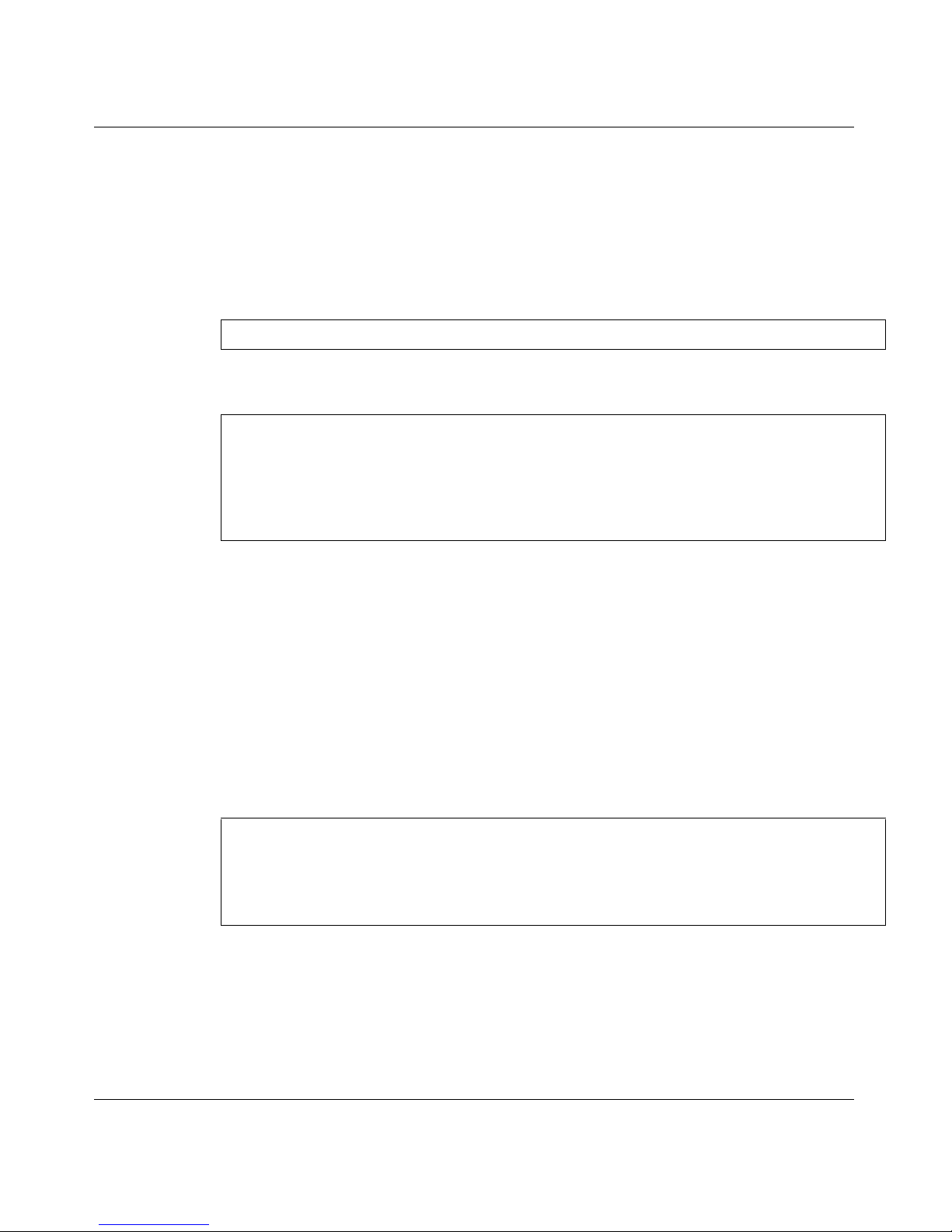
1. After you download the software upgrade package, inspect its status and activate it using
the following commands:
Inspect the status of the software package:
Activate the new (unpacked) software package:
2. Wait until the Firewall restarts and the login prompt reappears—this can take up to two
minutes while the system reboots.
TIP: When you run the activate command, the system reboots and you must log in
again after the reboot because the CLI menus can be upgraded.
3. Wait one to two minutes for the Firewall to initialize all system components.
4. After the Firewall comes up, wait two to three minutes, then check the Firewall status by
running the /info/clu command to ensure that the Firewall is up.
5. Log in again and recheck the software status:
In this example, version 2.3.3 is now operational and survives a restart of the system,
while the software version previously indicated as permanent is now marked as old.
6. Perform a Get Topology operation.
>> Main# /boot/software/cur
>> Main# /boot/software/activate 2.3.3.0_R60
Confirm action 'activate'? [y/n]: y
Activate ok, relogin
Restarting system.
login:
>> Main# /boot/software/cur
Version Name Status
------- ---- ------
2.3.3.0_R60 tdo permanent
2.3.1.0_R55 tdo old
Page 17
17
Release Notes for Nortel Switched Firewall 5100 Series Release 2.3.3
7. If you use centralized Check Point licenses, reattach the NGX license using Smart-
Update.
8. Push the policy to the Firewall.
Cluster upgrade
Use the following procedure to perform a cluster upgrade.
1. After you download the software upgrade package, you can inspect its status and activate
it using the following command.
TIP: Determine which Firewall holds the MIP (the Firewall with the * in the MIP column).
2. Log in to one of the Firewalls with the MIP using the admin account.
3. Upgrade the Check Point software from R55 to NGX R60 on the Management station.
4. In the GUI of the SmartDashboard, select R55—NG with Application Intelligence as the
version of the Cluster Object.
5. Establish Secure Internal Communications (SIC).
6. Push the policy.
7. From the Management Server, change the version of the Check Point Cluster Object from
R55 to NGX R60.
8. Wait two to three minutes for the Check Point applications to reinitialize.
9. Verify that both Firewalls are running. TIP: Use the /info/clu or info/sum CLI command.
10. Check whether access list entries are configured on the Firewalls.
If access lists are configured for networks other than the SSI network, add a new access
list entry for SSI network using the following command. TIP: The 2.3.3.0 upgrade
process must have entries for the SSI network.
>> Main# /info/summary
IP addr type MIP Local cpu(%) mem(%) op
10.10.1.193 master * * 26 42 up
10.10.1.194 master 26 42 up
>> Main# /cfg/sys/accesslist/add <network address_for_SSI network>
Page 18
18
213456-S
11. Check the current version of the software using the following command.
12. Verify that the status of the version you downloaded is unpacked.
13. Activate the new (unpacked) version of the software, using the following command, and
do not disturb the system until it reboots:
Both Firewall Directors reboot. After two to three minutes, the status of the new software
version changes from unpacked to permanent, and the older version changes from
permanent to old:
14. Wait one to two minutes for the Firewalls to initialize all system components.
15. Wait two to three minutes after both Firewalls restart.
16. Perform a Get Topology operation.
17. If you use a centralized Check Point license, reattach the NGX license using Smart-
Update.
18. Push the Policy to both of the Firewalls.
19. Use the /info/sum command and ensure that the op status of both Firewalls is up.
NSF 2.3.3 requires a longer amount of time to start because of the various Check Point
packages being installed.
>> Main# /boot/software/cur
Version Name Status
------- ---- ------
2.3.3.0_R60 tdo unpacked
2.3.1.0_R55 tdo permanent
>> Main# /boot/software
>> Software Management# activate 2.3.3.0_R60
Confirm action 'activate'? [y/n]: y
Activate ok, relogin
Restarting system.
>> Software Management# cur
Version Name Status
------- ---- ------
2.3.3.0_R60 tdo permanent
2.3.1.0_R55 tdo old
Page 19

19
Release Notes for Nortel Switched Firewall 5100 Series Release 2.3.3
20. Verify that the Firewalls are operational.
Use the /info/clu command to check the Firewall status under the CP FW column.
Both Firewalls show the total running time in hours, minutes, and seconds (Xh:Ym:Zs).
21. Use the following commands to verify VRRP status:
High Availability (active-standby)
Active-Active
22. When the reboot is complete, log in using the admin account and verify that
synchronization (sync) is working properly by entering the /maint/fw/sync
command.
Review the command results to ensure that the status of both Firewalls is active.
If the status for both Firewalls is not active, reboot both Firewalls.
>> Main# /info/net/vrrp/status
Host 10.10.1.193
VRRP Backup
Host 10.10.1.194
VRRP Master
>> Main# /info/net/vrrp/status
Host 10.10.1.193
>
> Group1 VRRP Master
> 20.20.20.1
> 30.30.30.1
> Group2 VRRP Backup
> 20.20.20.2
> 30.30.30.2
> Host 10.10.1.194
> Group2 VRRP Master
> 20.20.20.2
> 30.30.30.2
> Group1 VRRP Backup
> 20.20.20.1
> 30.30.30.1
Page 20

20
213456-S
23. Verify that data traffic is forwarding properly.
To view data traffic, do the following:
Open the Check Point SMART Client
Select SmartView Tracker.
The Check Point logs appear.
Watch the Check Point logs.
Table 2 shows the time required to complete an upgrade procedure.
Reinstalling the NSF 2.3.3 software
To reinstall software on the Firewall, you must connect directly to the Firewall serial port
and log in as the boot or root user. When you perform the reinstallation, the new
Firewall resets to the factory default configuration. All previous configuration data and
software is erased, including old software image versions or upgrade packages.
Two methods of reinstalling software on the Firewall are:
Using the .iso image of the software
Log in as root user to perform this type of reinstall.
Nortel recommends this method, which copies the .iso version of the software onto a
CD-ROM and boots from it. This reinstall method removes the current configuration
and reimages the Firewall.
Using the .img image of the software
Log in as boot user to perform this type of reinstall.
Table 2 Upgrade Time in Minutes
Platform Download time in
minutes
Activate and Reboot
time in minutes
Total time in
minutes
5106 5 10 15
5111-NE1 and
5109
24 6
5114-NE1 and
5114
24 6
Page 21

21
Release Notes for Nortel Switched Firewall 5100 Series Release 2.3.3
This method installs the .img version of the software using TFTP or FTP. This
reinstall method overwrites the current configuration.
For more information on these two methods, see the Nortel Switched Firewall 5100 Series
2.3.3 User’s Guide and Command Reference (213455-L).
How to get help
This section explains how to get help for Nortel products and services.
Getting help from the Nortel web site
Technical support for Nortel products is available on the Nortel Technical Support web
site at www.nortel.com/support.
The Nortel Technical Support web site delivers quick access to software, documentation,
bulletins, and tools to provide technical support for Nortel products.
You can use the Nortel Technical Support web site to do the following:
download technical information, including the following items:
software
documentation
product bulletins
search the Technical Support web site and the Nortel Knowledge Base for answers to
technical questions
sign up for automatic notification of new software and documentation for Nortel
equipment
open and manage technical support cases
Getting help over the telephone from a Nortel Solutions
Center
If you do not find the information you require on the Nortel Technical Support web site,
you can get help over the telephone from a Nortel Solutions Center. You must have a
Nortel support contract to use the Nortel Solutions Center.
To reach a Nortel Solutions Center, do one of the following;
Page 22

22
213456-S
In North America, call 1–800–4NORTEL (1–800–466–7835).
Outside North America, go to the following web site to obtain the telephone number
for your region: www.nortel.com/callus.
Using an Express Routing Code to get help from a specialist
You can find Express Routing Codes (ERC) for many Nortel products and services on the
Nortel Technical Support web site. ERCs allow you to connect directly to service and
support organizations based on specific products or services.
To locate the ERC for your product or service, go to www.nortel.com/erc.
Getting help through a Nortel distributor or reseller
If you purchased a service contract for your Nortel product from a distributor or
authorized reseller, contact the technical support staff for that distributor or reseller.
 Loading...