

Page 1
Nortel Ethernet Routing Switch 2500 Series
Regulatory Information for the
Nortel Ethernet Routing Switch
2500 Series
NN47215-100 (323169-B)
.
Page 2

Document status: Standard
Document version: 02.01
Document date: 19 November 2007
Copyright © 2007, Nortel Networks
All Rights Reserved.
The information in this document is subject to change without notice. The statements, configurations, technical
data, and recommendations in this document are believed to be accurate and reliable, but are presented without
express or implied warranty. Users must take full responsibility for their applications of any products specified in this
document. The information in this document is proprietary to Nortel Networks.
The software described in this document is furnished under a license agreement and may be used only in accordance
with the terms of that license. The software license agreement is included in this document.
Trademarks
*Nortel, Nortel Networks, the Nortel logo, and the Globemark are trademarks of Nortel Networks.
Adobe and Adobe Reader are trademarks of Adobe Systems Incorporated.
Microsoft, Windows, and Windows NT are trademarks of Microsoft Corporation.
Trademarks are acknowledged with an asterisk (*) at their first appearance in the document.
All other trademarks are the property of their respective owners.
Restricted rights legend
Use, duplication, or disclosure by the United States Government is subject to restrictions as set forth in subparagraph
(c)(1)(ii) of the Rights in Technical Data and Computer Software clause at DFARS 252.227-7013.
Notwithstanding any other license agreement that may pertain to, or accompany the delivery of, this computer
software, the rights of the United States Government regarding its use, reproduction, and disclosure are as set forth
in the Commercial Computer Software-Restricted Rights clause at FAR 52.227-19.
Statement of conditions
In the interest of improving internal design, operational function, and/or reliability, Nortel Networks reserves the right
to make changes to the products described in this document without notice.
Nortel Networks does not assume any liability that may occur due to the use or application of the product(s) or
circuit layout(s) described herein.
Portions of the code in this software product may be Copyright © 1988, Regents of the University of California. All
rights reserved. Redistribution and use in source and binary forms of such portions are permitted, provided that the
above copyright notice and this paragraph are duplicated in all such forms and that any documentation, advertising
materials, and other materials related to such distribution and use acknowledge that such portions of the software
were developed by the University of California, Berkeley. The name of the University may not be used to endorse or
promote products derived from such portions of the software without specific prior written permission.
SUCH PORTIONS OF THE SOFTWARE ARE PROVIDED " AS IS" AND WITHOUT ANY EXPRESS OR IMPLIED
WARRANTIES, INCLUDING, WITHOUT LIMITATION, THE IMPLIED WARRANTIES OF MERCHANTABILITY AND
FITNESS FOR A PARTICULAR PURPOSE.
In addition, the program and information contained herein are licensed only pursuant to a license agreement that
contains restrictions on use and disclosure (that may incorporate by reference certain limitations and notices
imposed by third parties).
Page 3
International Regulatory Statements of Conformity
This is to certify that the Ethernet Routing Switch 2500 Series equipment was evaluated to the international
regulatory standards for electromagnetic compliance (EMC) and safety and were found to have met the requirements
for the following international standards:
•
EMC – Electromagnetic Emissions – CISPR 22, Class A
•
EMC – Electromagnetic Immunity – CISPR 24
•
Electrical Safety – IEC 60950, with CB member national deviations
Further, the equipment has been certified as compliant with the national standards as detailed below.
National Electromagnetic Compliance (EMC) Statements of
Compliance
FCC statement (USA only)
This equipment has been tested and found to comply with the limits for a Class A digital device, pursuant to Part
15 of the Federal Communications Commission (FCC) rules. These limits are designed to provide reasonable
protection against harmful interference when the equipment is operated in a commercial environment. This
equipment generates, uses, and can radiate radio frequency energy. If it is not installed and used in accordance with
the instruction manual, it may cause harmful interference to radio communications. Operation of this equipment
in a residential area is likely to cause harmful interference, in which case users will be required to take whatever
measures may be necessary to correct the interference at their own expense.
ICES statement (Canada only)
Canadian Department of Communications Radio Interference Regulations
This digital apparatus (Ethernet Routing Switch 2500 Series) does not exceed the Class A limits for radio-noise
emissions from digital apparatus as set out in the Radio Interference Regulations of the Canadian Department of
Communications.
Règlement sur le brouillage radioélectrique du ministère des Communications
Cet appareil numérique (le commutateur ERS 2500 Series) respecte les limites de bruits radioélectriques visant
les appareils numériques de classe A prescrites dans le Règlement sur le brouillage radioélectrique du ministère
des Communications du Canada.
CE marking statement (Europe only)
EN 55022 statement
This is to certify that the Ethernet Routing Switch 2500 Series equipment is shielded against the generation of
radio interference in accordance with the application of Council Directive 89/336/EEC. Conformity is declared
by the application of EN 55022 Class A (CISPR 22).
CAUTION
This device is a Class A product. In a domestic environment, this device can cause radio
interference, in which case the user may be required to take appropriate measures. For
translations of this message, see "Deutsche" (page 23), "Español" (page 31),"Français"
(page 39), and "Português" (page 47)
EN 55024 statement
This is to certify that the Ethernet Routing Switch 2500 Series are shielded against the susceptibility to radio
interference in accordance with the application of Council Directive 89/336/EEC. Conformity is declared by the
application of EN 55024 (CISPR 24).
EN 300386 statement
The Ethernet Routing Switch 2500 Series complies with the requirements of EN 300386 V1.3.1 for emissions and
for immunity for a Class A device intended for use in either Telecommunications centre or locations other than
telecommunications centres given the performance criteria as specified by the manufacturer.
Page 4
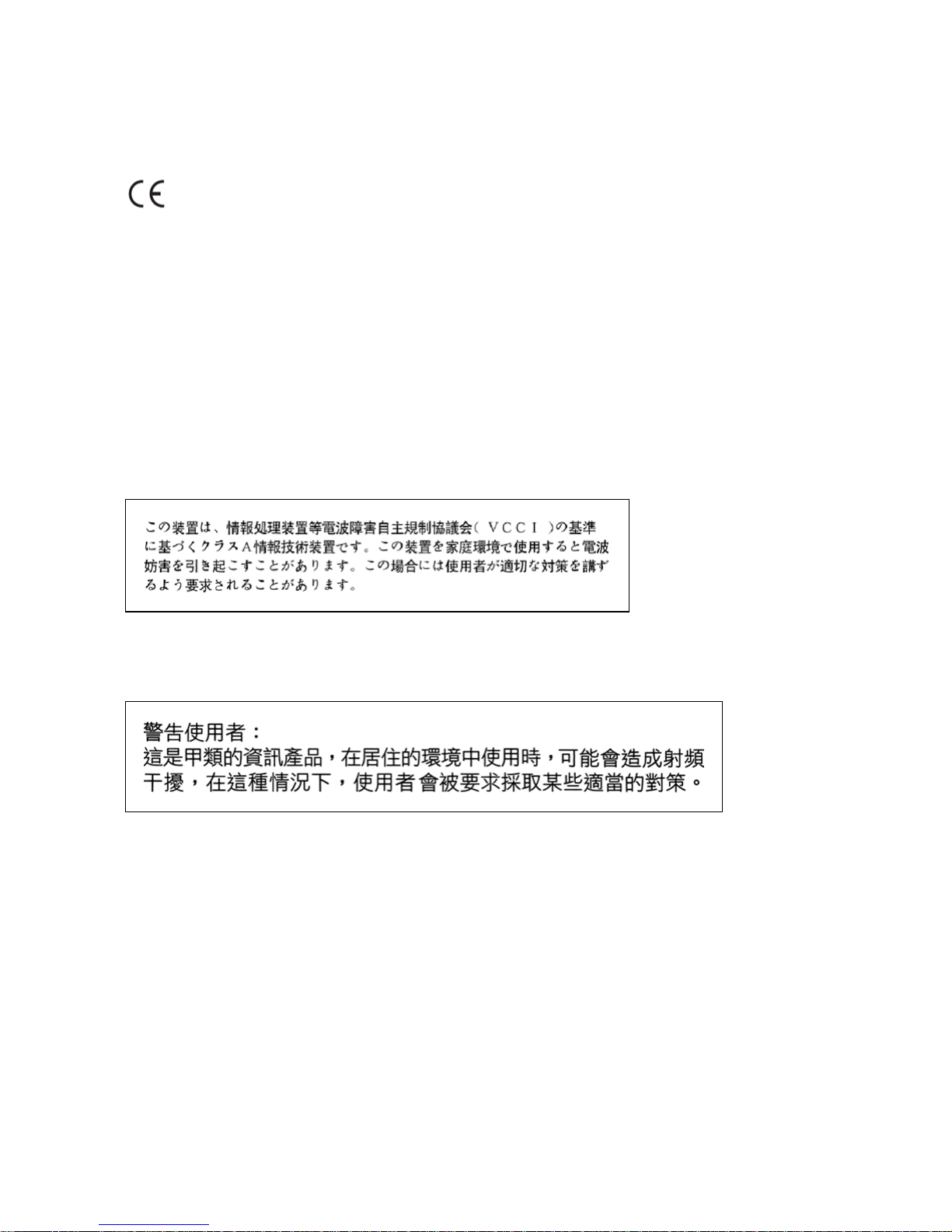
European Union and European Free Trade Association (EFTA) notice
All products labeled with the CE marking comply with R&TTE Directive (1995/5/EEC) which
includes the Electromagnetic Compliance (EMC) Directive (89/336/EEC) and the Low
Voltage Directive (73/336/EEC) issued by the Commission of the European Community.
Compliance with these directives implies conformity to the following European Norms (ENs). The equivalent
international standards are listed in parenthesis.
• EN 55022 (CISPR 22)–Electromagnetic Interference
•
EN 55024 (IEC 61000-4-2, -3, -4, -5, -6, -8, -11)–Electromagnetic Immunity
•
EN 61000-3-2 (IEC 610000-3-2)–Power Line Harmonics
•
EN 61000-3-3 (IEC 610000-3-3)–Power Line Flicker
VCCI statement (Japan/Nippon only)
This is a Class A product based on the standard of the Voluntary Control Council for Interference (VCCI) for
information technology equipment. If this equipment is used in a domestic environment, radio disturbance may arise.
When such trouble occurs, the user may be required to take corrective actions.
BSMI statement (Taiwan only)
This is a Class A product based on the standard of the Bureau of Standards, Metrology and Inspection (BSMI) CNS
13438 and CNS14336 , Class A.
MIC notice (Republic of Korea only)
This device has been approved for use in Business applications only per the Class A requirements of the Republic of
Korea Ministry of Information and Communications (MIC). This device may not be sold for use in a non-business
application.
Observe the Regulatory Marking label on the back or bottom of each switch for specific certification information
pertaining to this model. Each Ethernet Routing Switch 2500 Series model is approved for shipment to/usage in
Korea and is labeled as such, with all appropriate text and the appropriate MIC reference number.
National Safety Statements of Compliance
EN 60950 statement
This is to certify that the Ethernet Routing Switch 2500 Series eqipment is in compliance with the requirements of
EN 60950 in accordance with the Low Voltage Directive. Additional national differences for all European Union
countries have been evaluated for compliance.
NOM statement (Mexico only)
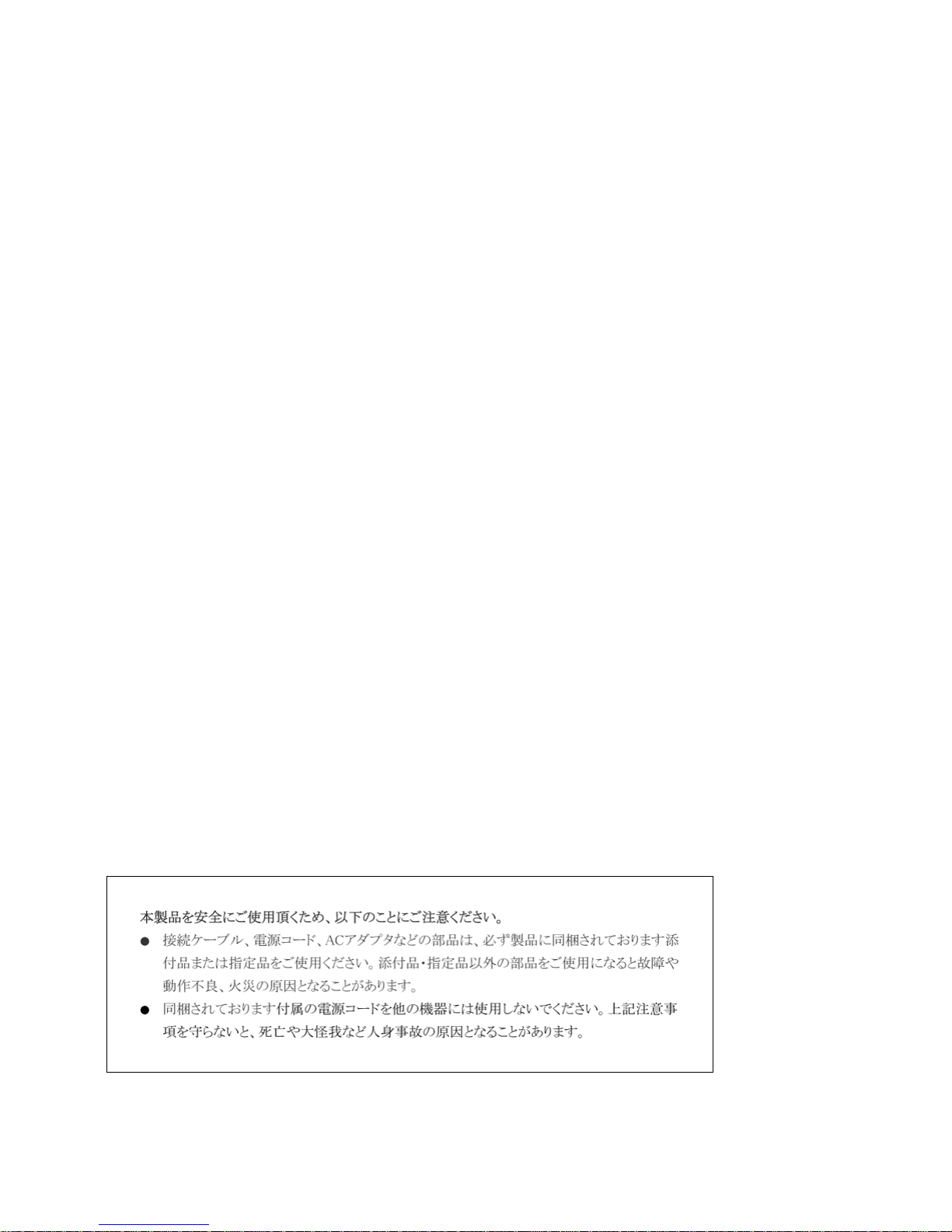
The following information is provided on the devices described in this document in compliance with the safety
requirements of the Norma Oficial Méxicana (NOM):
Page 5
Exporter: Nortel Networks,
4655 Great America Parkway,
Santa Clara, CA 95054 USA.
Importer: Nortel Networks de México, S.A. de C.V.
Avenida Insurgentes Sur #1605
Piso 30, Oficina
Col. San Jose Insurgentes
Deleg-Benito Juarez México D.F. 03900
Tel:
Fax:
52 5 480 2100
52 5 480 2199
Input: Model 2526T and 2550T
100-240 VAC 0.8 A MAX 50-60 Hz
Model 2526T-PWR and 2550T-PWR
100-240 VAC 2.9 A MAX 50-60 Hz
Información NOM (unicamente para México)
La información siguiente se proporciona en el dispositivo o en los dispositivos descritos en este documento, en
cumplimiento con los requisitos de la Norma Oficial Méxicana (NOM):
Exportador: Nortel Networks,
4655 Great America Parkway,
Santa Clara, CA 95054 USA.
Importer: Nortel Networks de México, S.A. de C.V.
Avenida Insurgentes Sur #1605
Piso 30, Oficina
Col. San Jose Insurgentes
Deleg-Benito Juarez México D.F. 03900
Tel:
Fax:
52 5 480 2100
52 5 480 2199
Embarcar a: Modele 2526T, 2550T
100-240 VAC 0,8 A MAX 50-60 Hz
Modele 2526T-PWR, 2550T-PWR
100-240 VAC 2,9 A MAX 50-60 Hz
Denan statement (Japan/Nippon only)
National Environmental Statements of Compliance
The WEEE Directive 2002/96/EC and RoHS (Restriction of Hazardous Substances) Directive 2002/95/EC sets
collection, recycling and recovery targets for various categories of electrical products and their waste.
Page 6
Restriction on Hazardous Substances Directive Compliance
Statement
The Restriction on Hazardous Substances Directive (RoHS) (2002/95/EC), which accompanies the WEEE Directive,
bans the use of heavy metals and brominated flame-retardants in the manufacture of electrical and electronic
equipment. Specifically, restricted materials under the RoHS Directive are Lead (including solder used in PCB’s),
Cadmium, Mercury, Hexavalent Chromium, and Bromine.
Nortel declares compliance with the European Union (EU) RoHS Directive (2002/95/EC).
WEEE Directive Compliance Statement
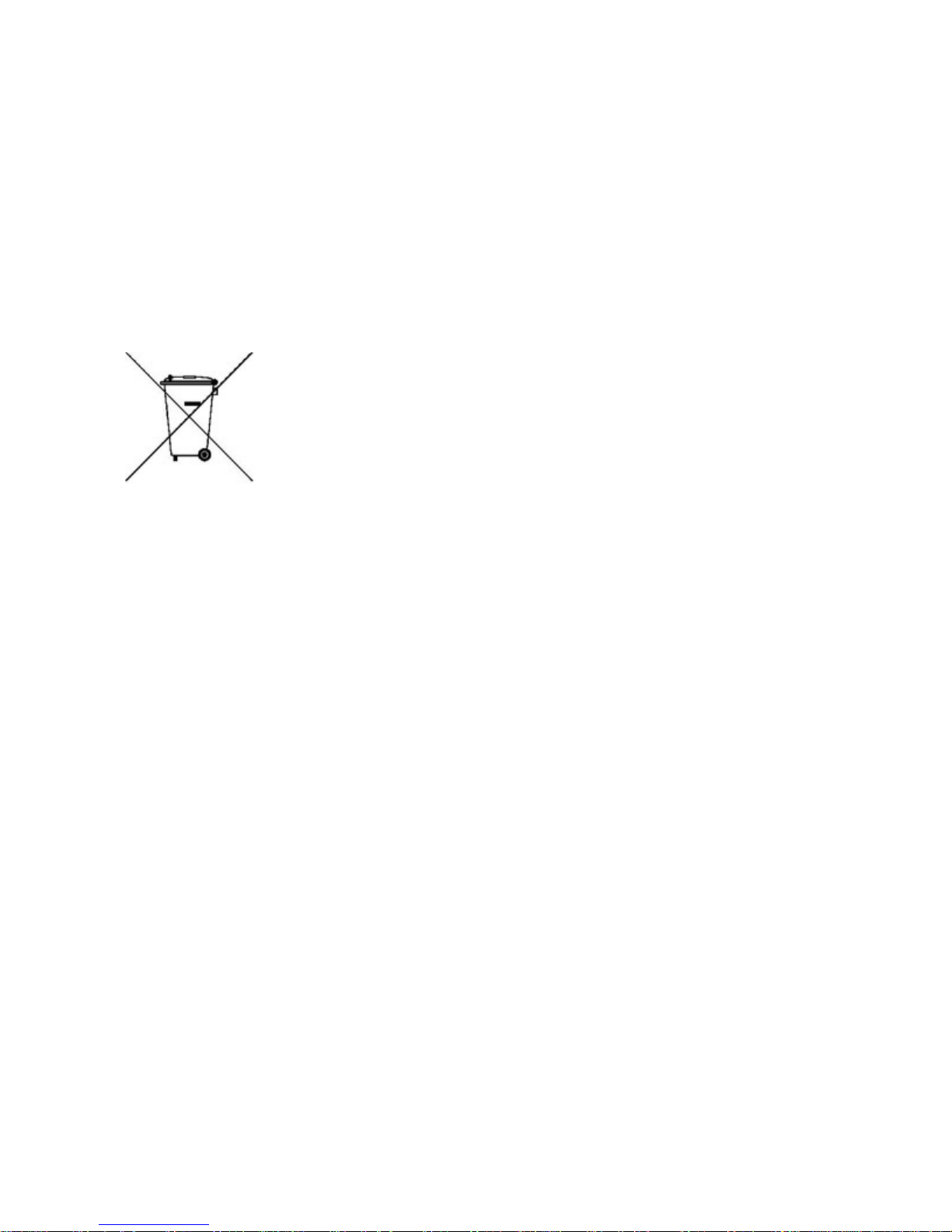
This product at end of life is subject to separate collection and treatment
in the EU Member States, Norway, and Switzerland and therefore is
marked with the symbol shown at the left. Treatment applied at end of
life of these products in these countries shall comply with the applicable
national laws implementing Directive 2002/96/EC on Waste of Electrical
and Electronic Equipment (WEEE).
Nortel declares compliance with the European Union (EU) WEEE
Directive (2002/96/EC).
How to get help
This section explains how to get help for Nortel products and services.
Getting help from the Nortel web site
The best way to get technical support for Nortel products is from the Nortel Technical Support web site:
Page 7
www.nortel.com/support
This site provides quick access to software, documentation, bulletins, and tools to address issues with Nortel
products. From this site, you can:
•
download software, documentation, and product bulletins
•
search the Technical Support Web site and the Nortel Knowledge Base for answers to technical issues
•
sign up for automatic notification of new software and documentation for Nortel equipment
• open and manage technical support cases
Getting help over the phone from a Nortel Solutions Center
If you do not find the information you require on the Nortel Technical Support web site, and have a Nortel support
contract, you can also get help over the phone from a Nortel Solutions Center.
In North America, call 1-800-4NORTEL (1-800-466-7835).
Outside North America, go to the following web site to obtain the phone number for your region:
w
ww.nortel.com/callus
Getting help from a specialist by using an Express Routing Code
An Express Routing Code (ERC) is available for many Nortel products and services. When you use an ERC,
your call is routed to a technical support person who specializes in supporting that product or service. To locate
the ERC for your product or service, go to:
w
ww.nortel.com/erc
Getting help through a Nortel distributor or reseller
If you purchased a service contract for your Nortel product from a distributor or authorized reseller, contact the
technical support staff for that distributor or reseller.
Notices
Notice paragraphs alert you about issues that require your attention. The following paragraphs describe the types of
notices used in this guide.
ATTENTION
Notes provide tips and useful information regarding the installation and operation of Nortel products.
CAUTION
ESD
ESD notices provide information about how to avoid discharge of static electricity and
subsequent damage to Nortel products.
CAUTION
Caution notices provide information about how to avoid possible service disruption
or damage to Nortel products.
Page 8
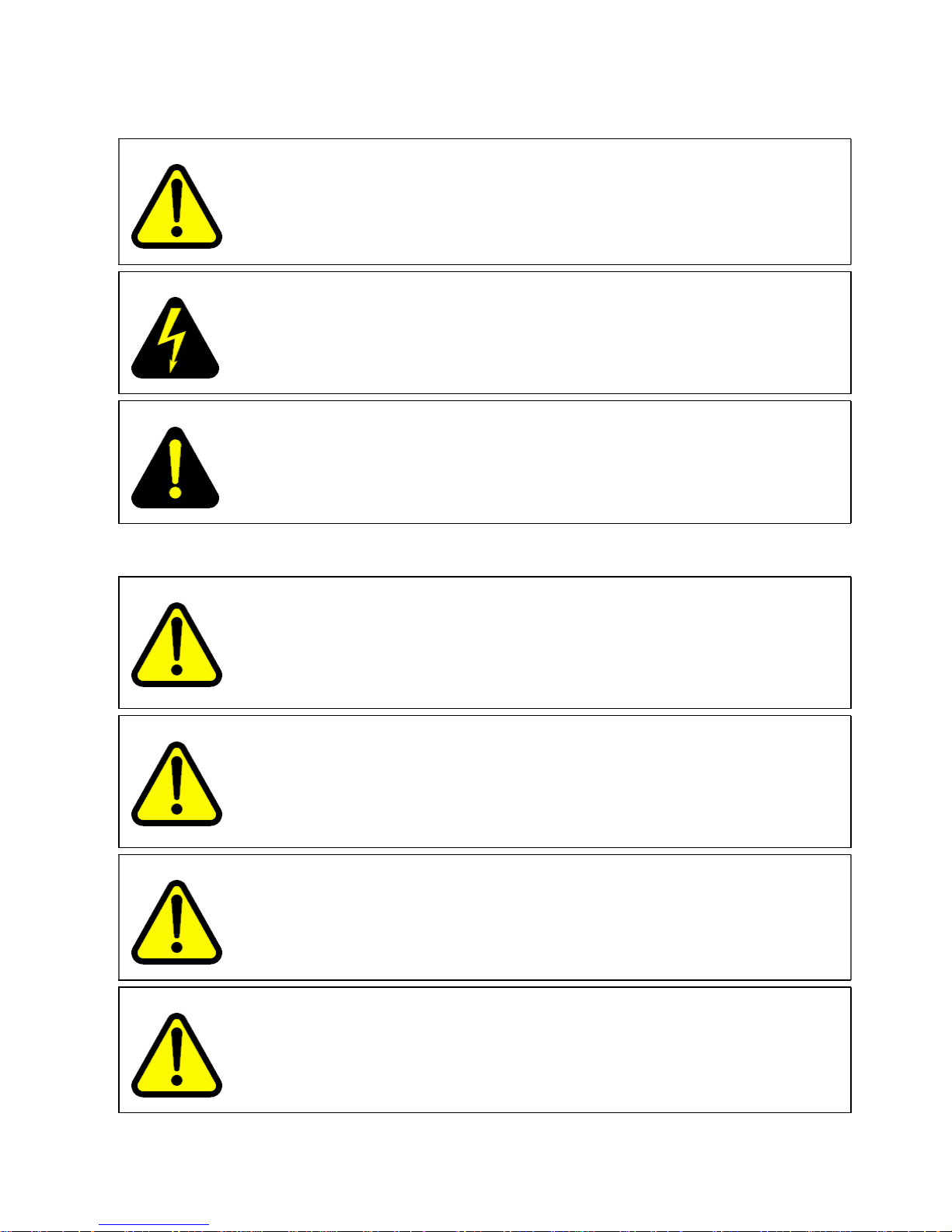
WARNING
Warning notices provide information about how to avoid personal injury when working
with Nortel products.
DANGER
Danger — High Voltage notices provide information about how to avoid a situation or
condition that can cause serious personal injury or death from high voltage or electric
shock.
DANGER
Danger notices provide information about how to avoid a situation or condition that can
cause serious personal injury or death.
Cautions and Warnings
WARNING
Installation must be performed by qualified service personnel only. Read and
follow all warning notices and instructions marked on the product or included in the
documentation. For translations of this statement, see Qualified service personnel
warning statement.
WARNING
This product relies on the building’s installation for overcurrent protection. Ensure that a
fuse or circuit breaker no larger than 120 VAC, 15A U.S. (240 VAC, 10 A international)
is used on the phase conductors. For translations of this statement, see Overcurrent
warning statement.
CAUTION
To reduce the risk of fire, use only number 26 AWG or larger UL Listed or CSA Certified
Telecommunication Line Cord for all network connections.
CAUTION
Risk of explosion if battery is replaced by an incorrect type. Dispose of used batteries
according to the instructions.
Page 9
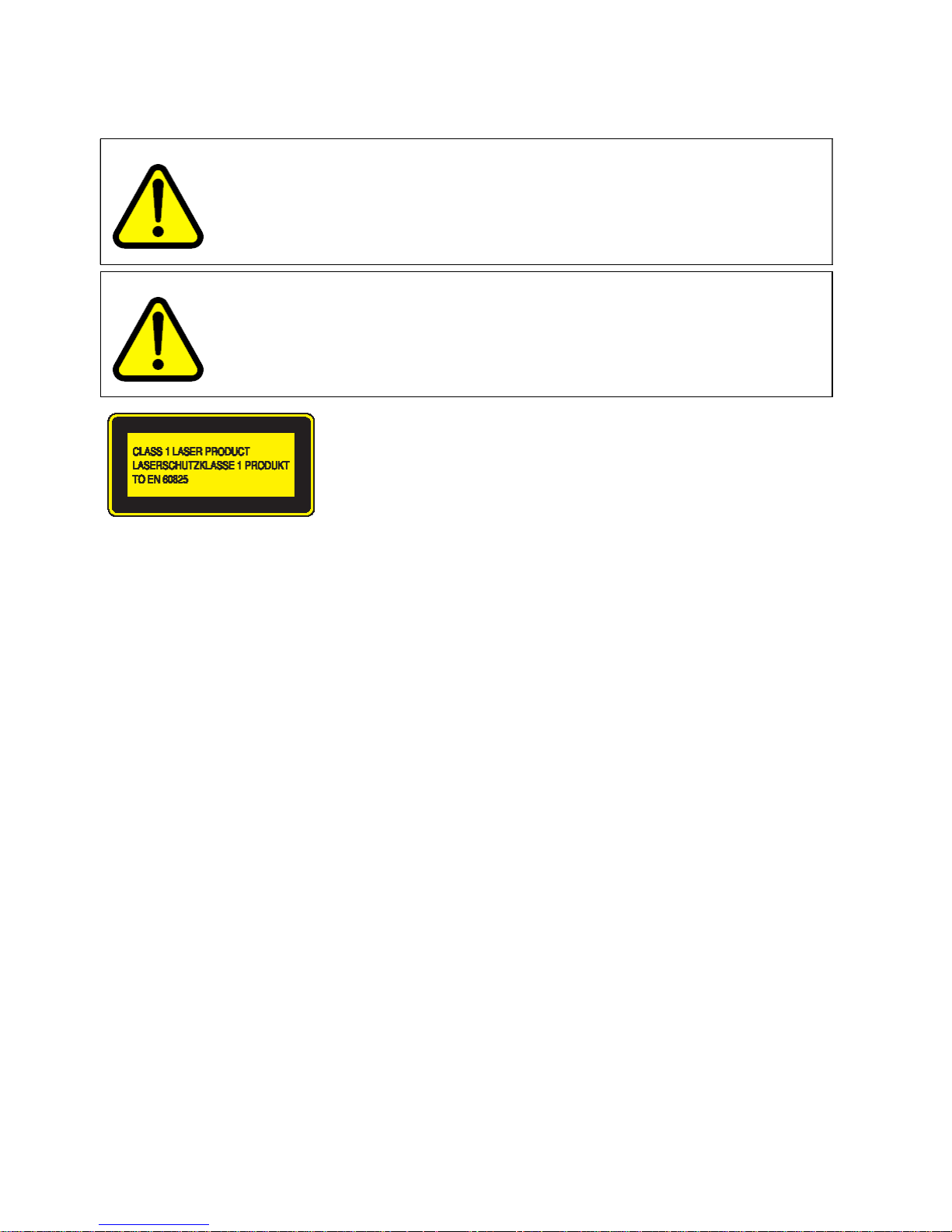
WARNING
Before working on this equipment be aware of good safety practices and the hazards
involved with electrical circuits.
WARNING
Fiber optic equipment can emit laser or infrared light that can injure your eyes. Never
look into an optical fiber or connector port. Always assume that fiber optic cables are
connected to a light source.
Nortel Ethernet Routing Switch 2500 Series
The information presented in this document applies to the following products:
• Nortel Ethernet Routing Switch 2526T
•
Nortel Ethernet Routing Switch 2526T-PWR
•
Nortel Ethernet Routing Switch 2550T
•
Nortel Ethernet Routing Switch 2550T-PWR
Page 10

Page 11

11
Contents
New in this release 13
Before You Begin 15
Before you begin 15
Installing the switch on a table or shelf 15
Installing the switch in an equipment rack 16
Power specifications 18
AC power specifications 18
Deutsche 23
Hinweise zur Verwendung 23
Installation des Switch auf einem Tisch oder Regal 23
Installation des Switch in einem Rack 24
Leistungsdaten 26
Leistungsdaten (Wechselstrom) 26
Wechselstrom-Anschluss 26
Sicherheitsinformationen 28
Español 31
Antes de comenzar 31
Instalación del conmutador en una mesa o estantería 31
Instalación del conmutador en un bastidor para equipos 32
Especificaciones eléctricas 34
Especificaciones eléctricas de CA 34
Conexión a CA 34
Mensajes de seguridad 36
Français 39
Avant de commencer 39
Installation du commutateur sur une table ou sur une étagère 39
Installation du commutateur dans un rack 40
Alimentation: Caractéristiques 42
Alimentation secteur: caractéristiques 42
Alimentation secteur: connexion 42
Messages de sécurité 44
Nortel Ethernet Routing Switch 2500 Series
Regulatory Information for the Nortel Ethernet Routing Switch 2500 Series
NN47215-100 (323169-B) 02.01 Standard
4.1 19 November 2007
Copyright © 2007, Nortel Networks
.
Page 12

12 Contents
Português 47
Antes de você comece 47
Instalando o ERS 2500 Series em uma tabela ou em uma prateleira 47
Instalando o ERS 2500 Series em uma cremalheira de equipamento 48
Especificações do poder 50
Especificações do poder de C.A. 50
Poder de C.A. conectando 50
Mensagens de segurança 52
Nortel Ethernet Routing Switch 2500 Series
Regulatory Information for the Nortel Ethernet Routing Switch 2500 Series
NN47215-100 (323169-B) 02.01 Standard
4.1 19 November 2007
Copyright © 2007, Nortel Networks
.
Page 13

13
New in this release
There have been are no feature updates or other changes to the document
in this release.
Nortel Ethernet Routing Switch 2500 Series
Regulatory Information for the Nortel Ethernet Routing Switch 2500 Series
NN47215-100 (323169-B) 02.01 Standard
4.1 19 November 2007
Copyright © 2007, Nortel Networks
.
Page 14

14 New in this release
Nortel Ethernet Routing Switch 2500 Series
Regulatory Information for the Nortel Ethernet Routing Switch 2500 Series
NN47215-100 (323169-B) 02.01 Standard
4.1 19 November 2007
Copyright © 2007, Nortel Networks
.
Page 15

15
Before You Begin
Before you begin
Ensure the area where you install and use the ERS 2500 Series switch
meets the following environmental requirements:
•
Ambient temperature between 32
and 104
F(0
and 40
C)
•
Relative humidity between 5% and 85% noncondensing
•
No nearby heat sources such as hot air vents or direct sunlight
•
No nearby sources of severe electromagnetic noise
•
No excessive dust
•
Adequate power source within six feet; one 15-Amp circuit required for
each power supply
•
At least 2 inches (5.08 cm) on each side of the switch unit for ventilation
•
Adequate space at the front and rear of the switch for access to cables
If you are installing a single Ethernet Routing Switch 2500 on a table or shelf,
ensure the surface can support at least 15 to 20 pounds (7 to 9 kilograms).
Installing the switch on a table or shelf
You can install a single Ethernet Routing Switch 2500 on any flat surface
that can safely support the weight of the switch and attached cables (15
to 20 pounds or 7 to 9 kilograms).
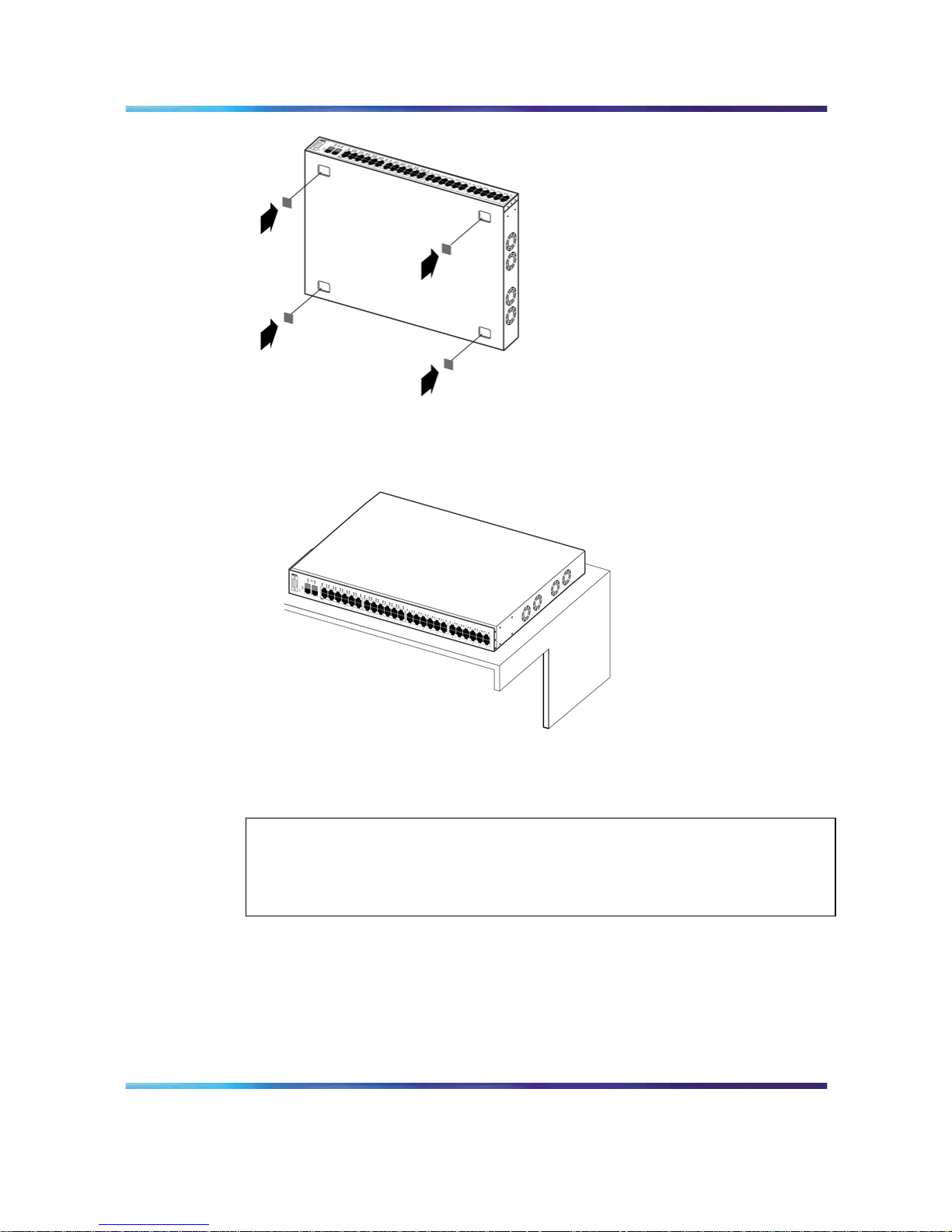
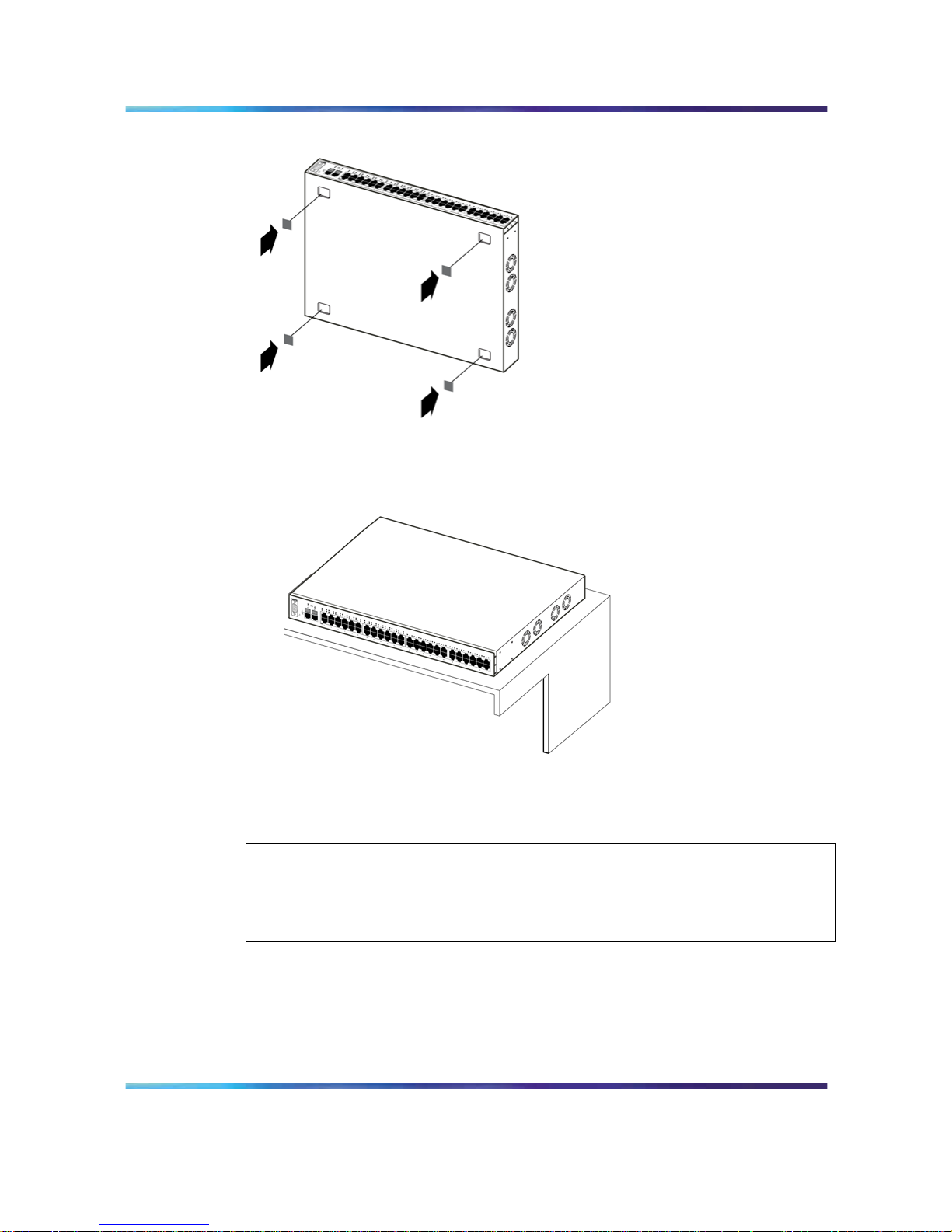
The following figures provide instructions for installing the switch on a table
or shelf.
Nortel Ethernet Routing Switch 2500 Series
Regulatory Information for the Nortel Ethernet Routing Switch 2500 Series
NN47215-100 (323169-B) 02.01 Standard
4.1 19 November 2007
Copyright © 2007, Nortel Networks
.
Page 16
16 Before You Begin
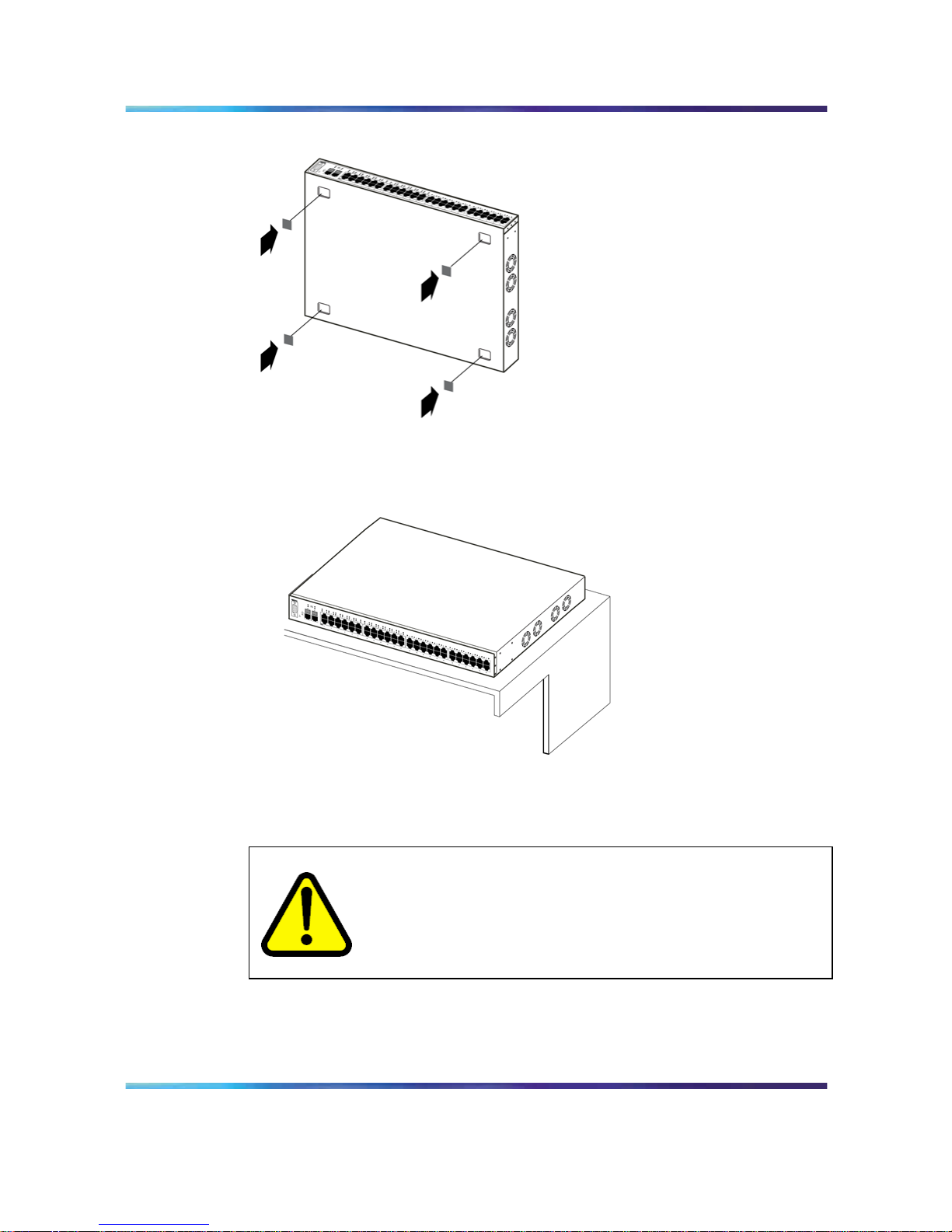
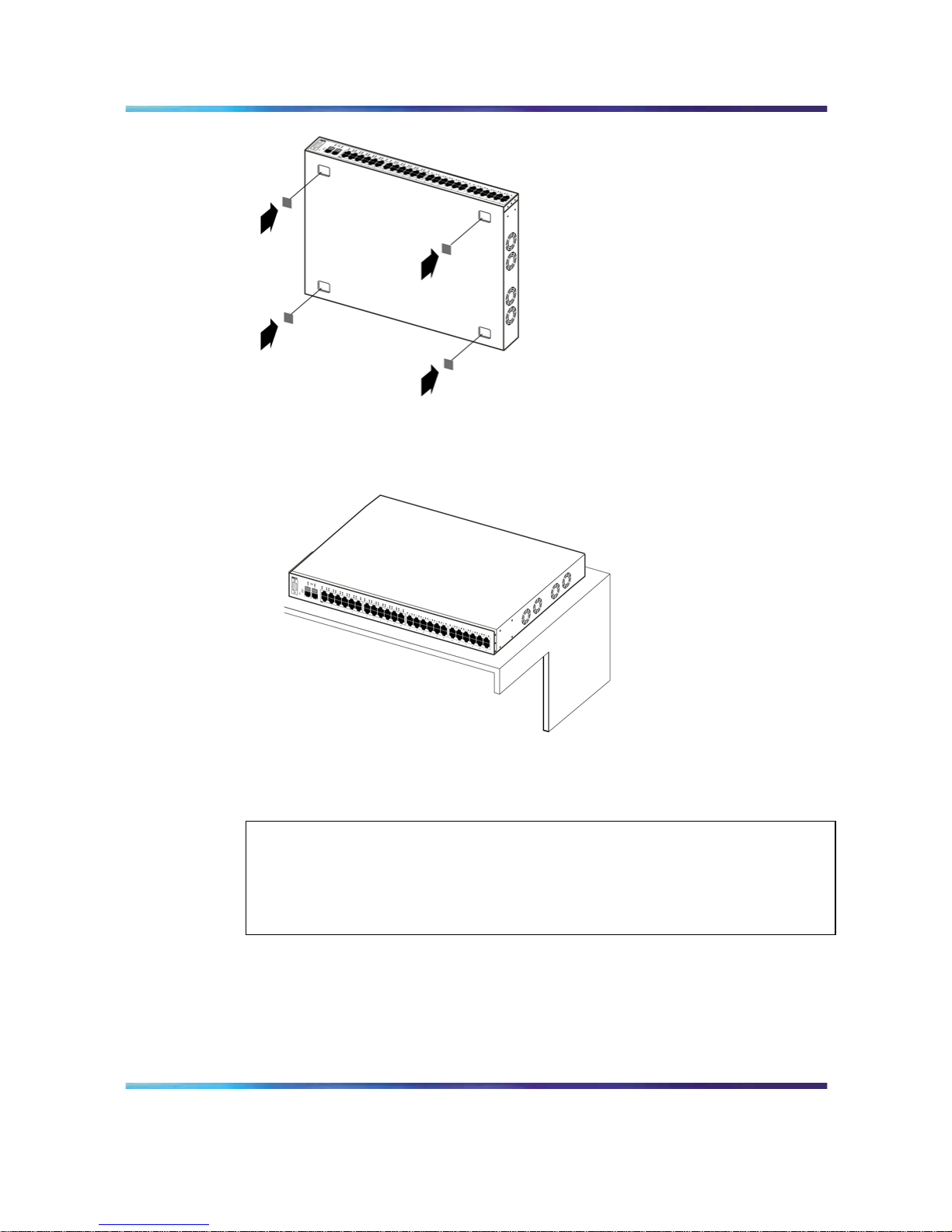
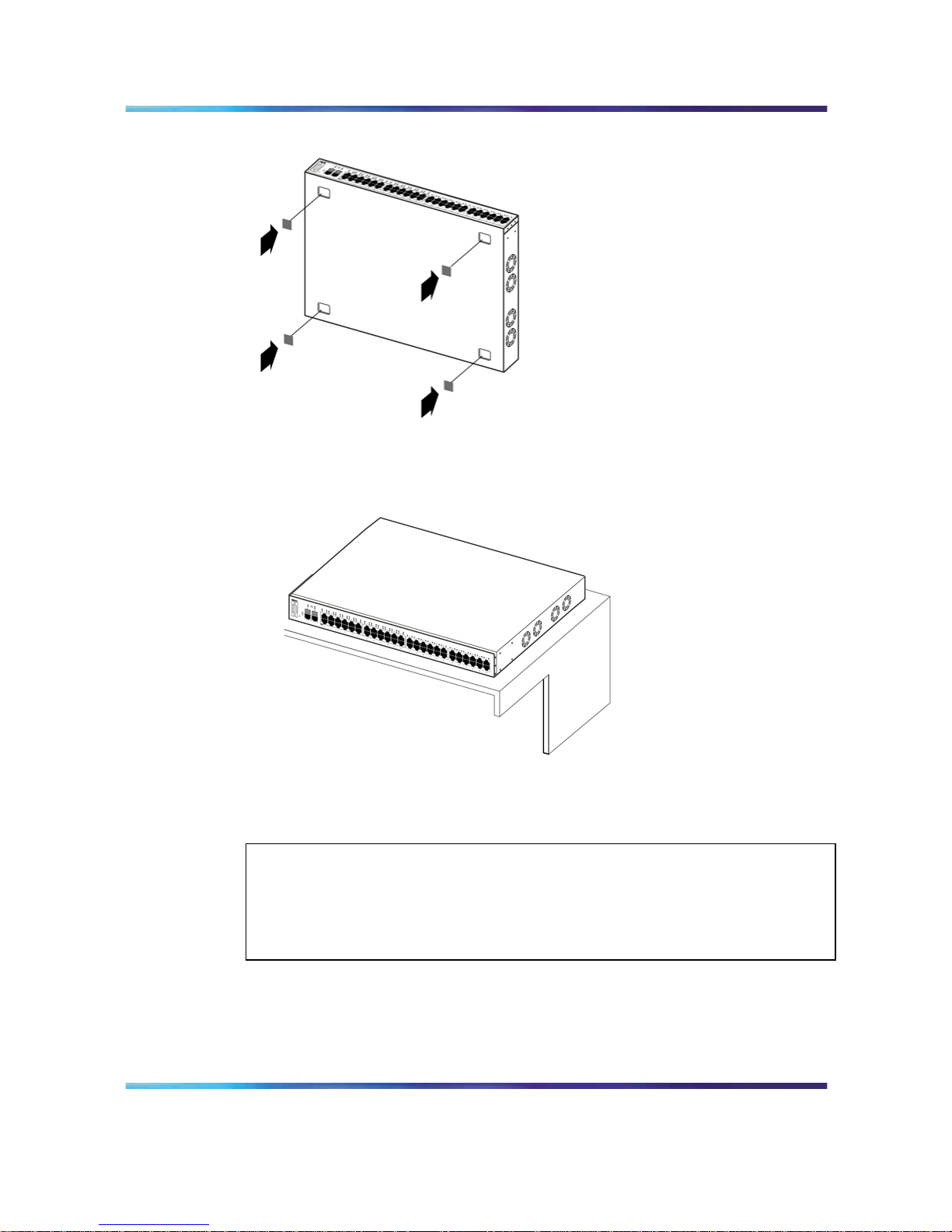
Attach the rubber feet at the marked locations.
Set the switch on a table or shelf.
ATTENTION
Allow at least 2 inches (5.1 cm) on each side for proper ventilation and at least 5
inches (12.7 cm) at the back for power cord clearance.
Installing the switch in an equipment rack
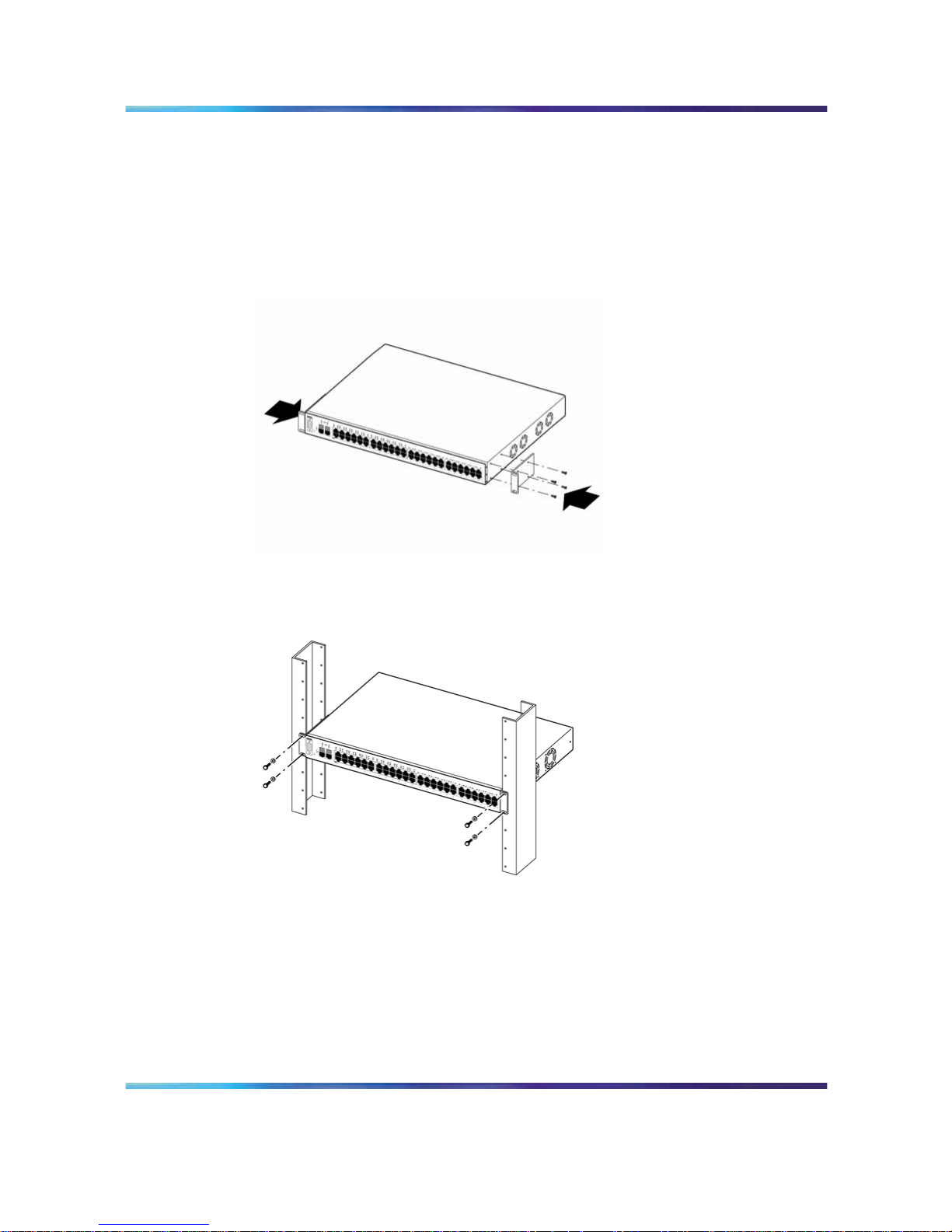
Required tool: Phillips screwdriver for attaching brackets to the switch.
Rack requirements:
• A space of 2.8 inches for each switch in an EIA or IEC standard 19 inch
(48.2 centimeter) equipment rack.
Nortel Ethernet Routing Switch 2500 Series
Regulatory Information for the Nortel Ethernet Routing Switch 2500 Series
NN47215-100 (323169-B) 02.01 Standard
4.1 19 November 2007
Copyright © 2007, Nortel Networks
.
Page 17
Before you begin 17
•
The rack must be bolted to the floor and braced, if necessary.
•
The rack must be grounded to the same grounding electrode used by
the power service in the area. The ground path must be permanent and
must not exceed 1 ohm of resistance from the rack to the grounding
electrode.
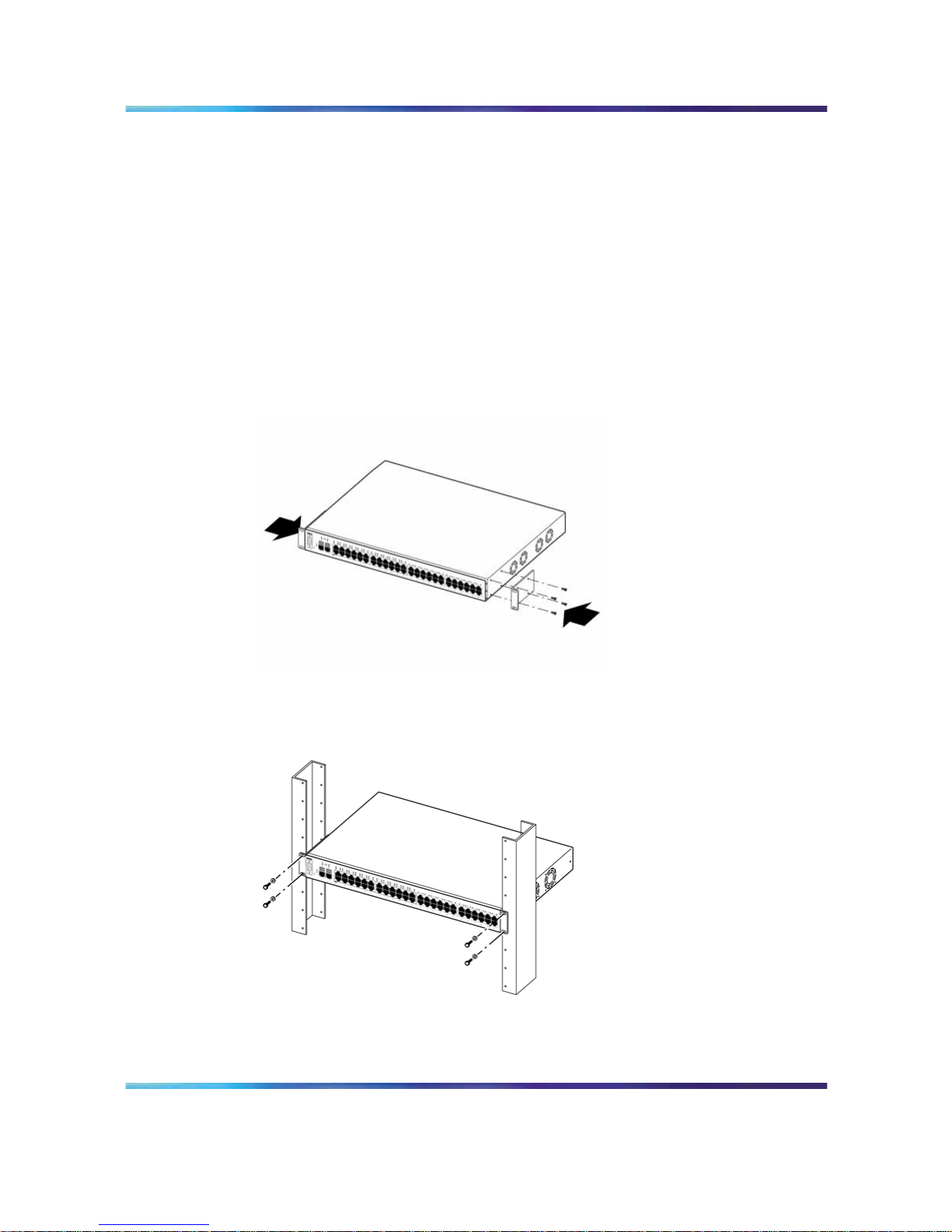
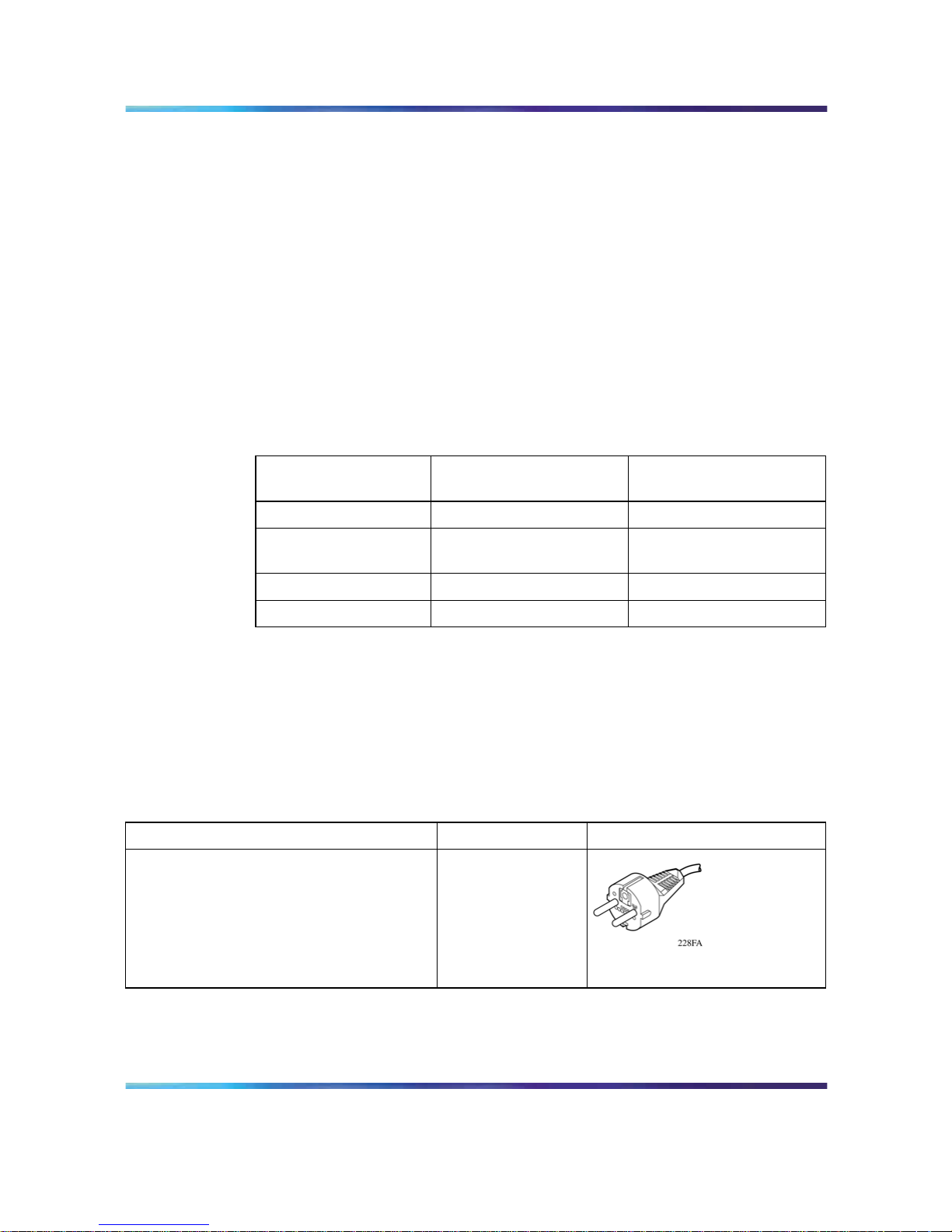
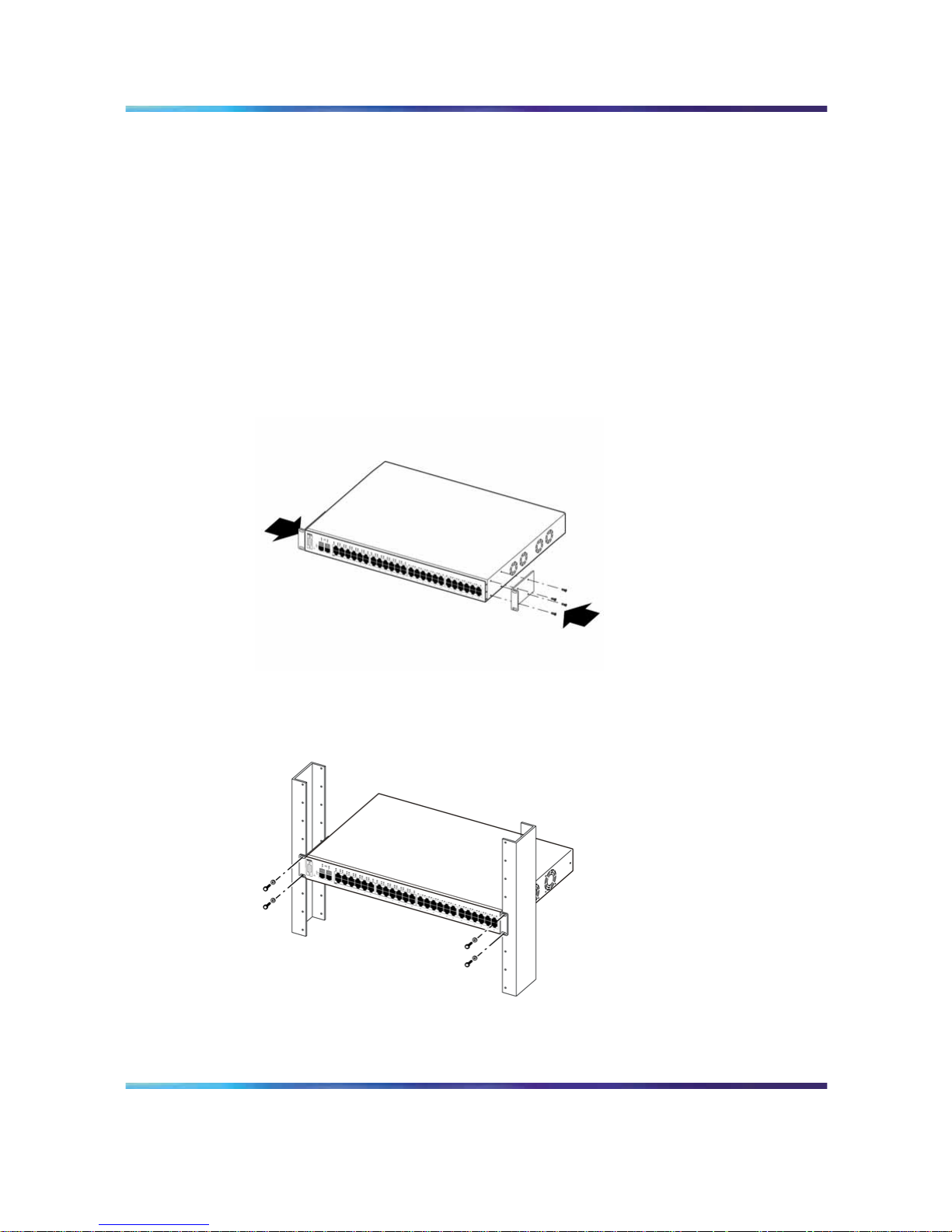
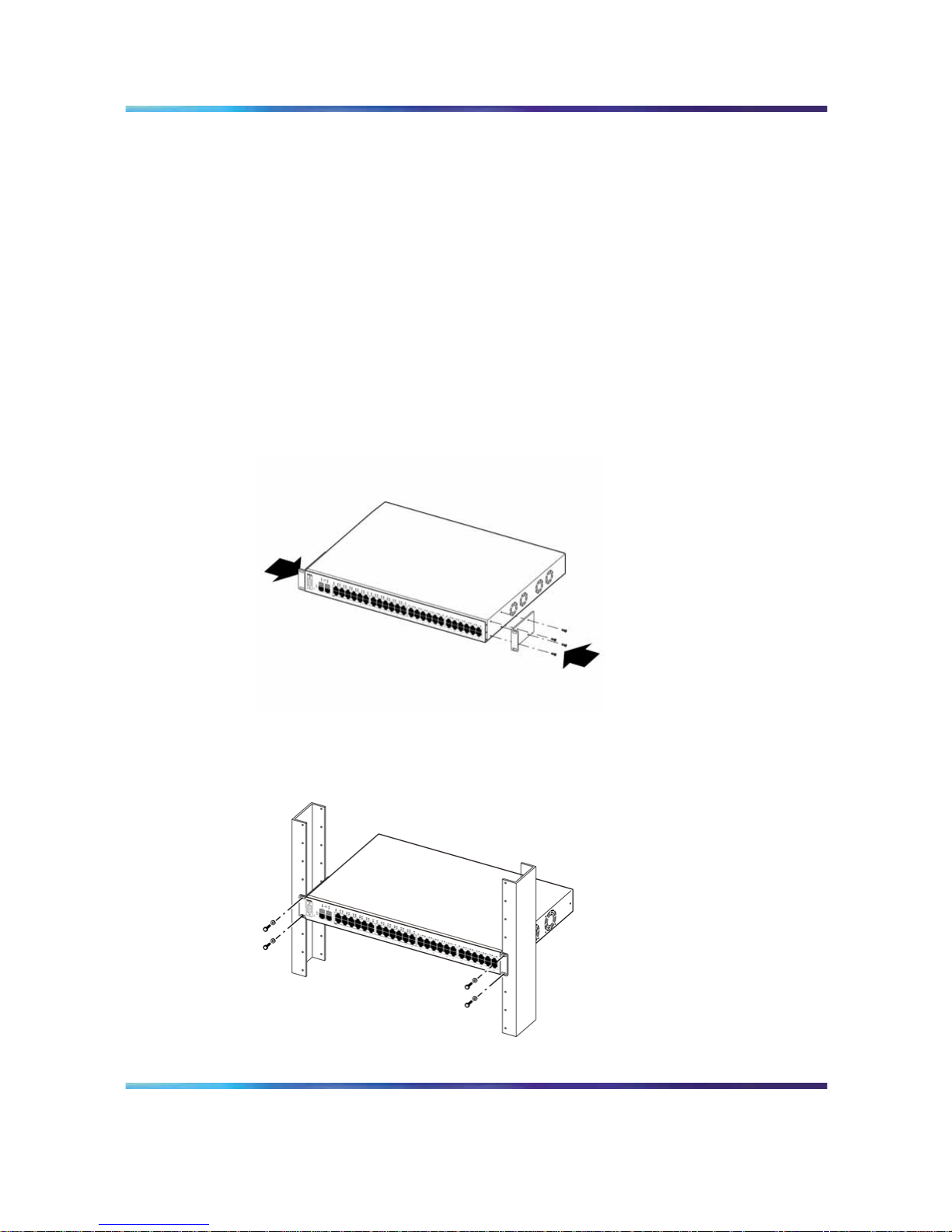
The following figures provide instruction for installing the switch in a rack.
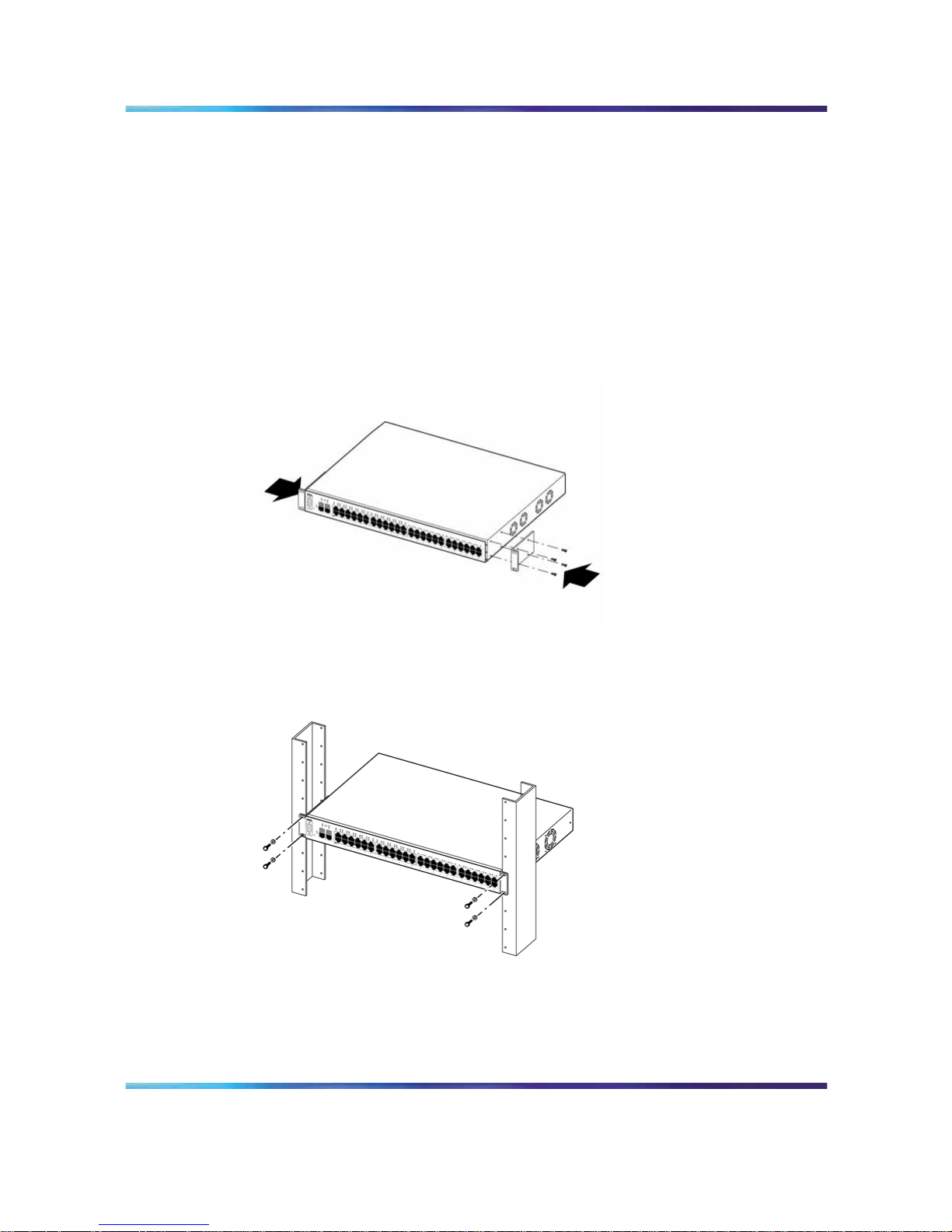
Attach a bracket to each side of the switch.
Slide the switch into the rack. Insert and tighten the rack mount screws.
Nortel Ethernet Routing Switch 2500 Series
Regulatory Information for the Nortel Ethernet Routing Switch 2500 Series
NN47215-100 (323169-B) 02.01 Standard
4.1 19 November 2007
Copyright © 2007, Nortel Networks
.
Page 18
18 Before You Begin
Power specifications
AC power specifications
The following table describes the AC power specifications for the Ethernet
Routing Switch 2500 Series.
Models: 2526T
2550T
2526T-PWR
2550T-PWR
Input current: Maximum 0.8 A Maximum 2.9 A
Input voltage (rms) 100-240 VAC at 50-60 Hz 100-240 VAC at 50-60 Hz
Power consumption: Maximum 96 W Maximum 350 W
Thermal rating: 327 Btu/h maximum 500 Btu/h maximum
Connecting AC power
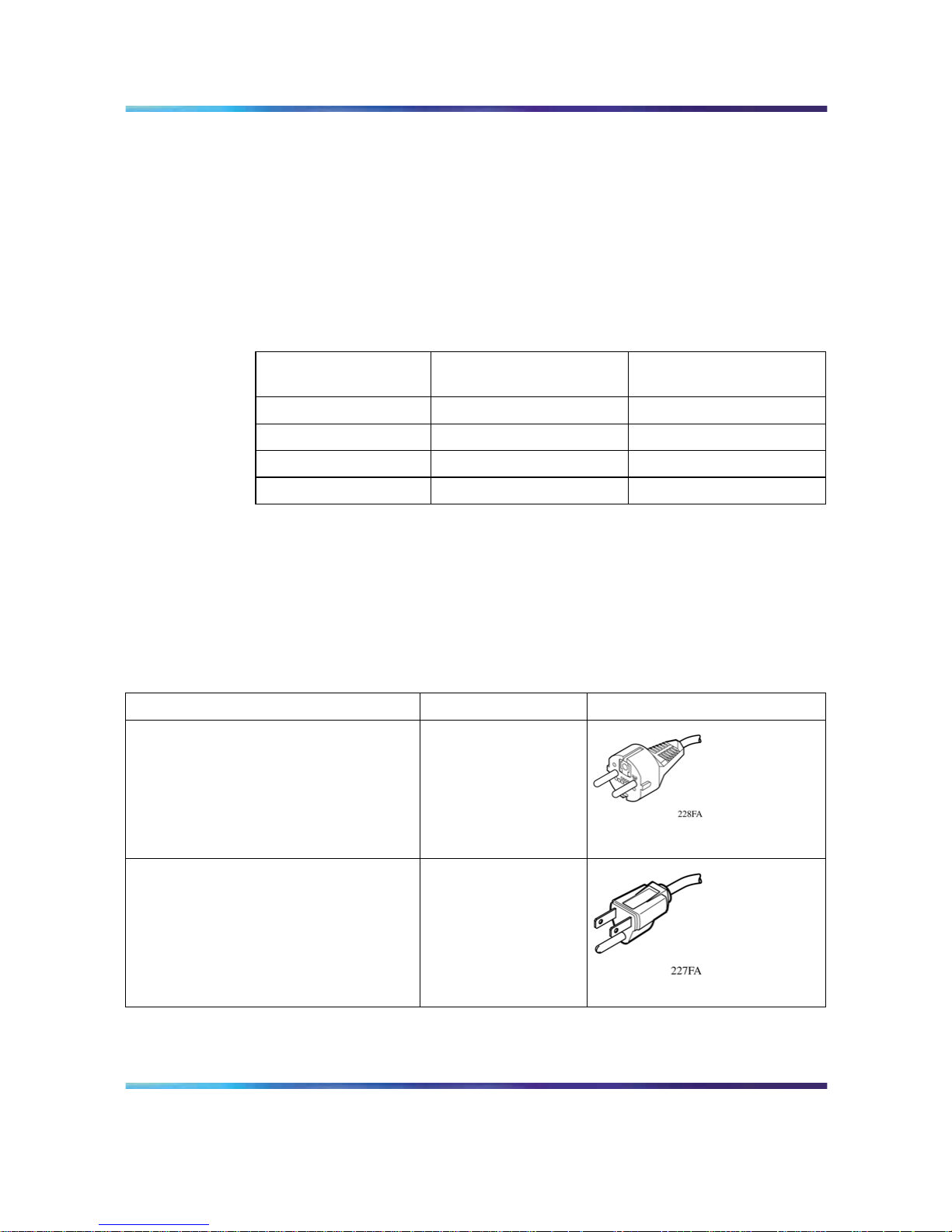
Required cable: AC power cord that meets the requirements of your local
electrical code. Refer to "International power cord specifications" (page
18) for plug specifications.
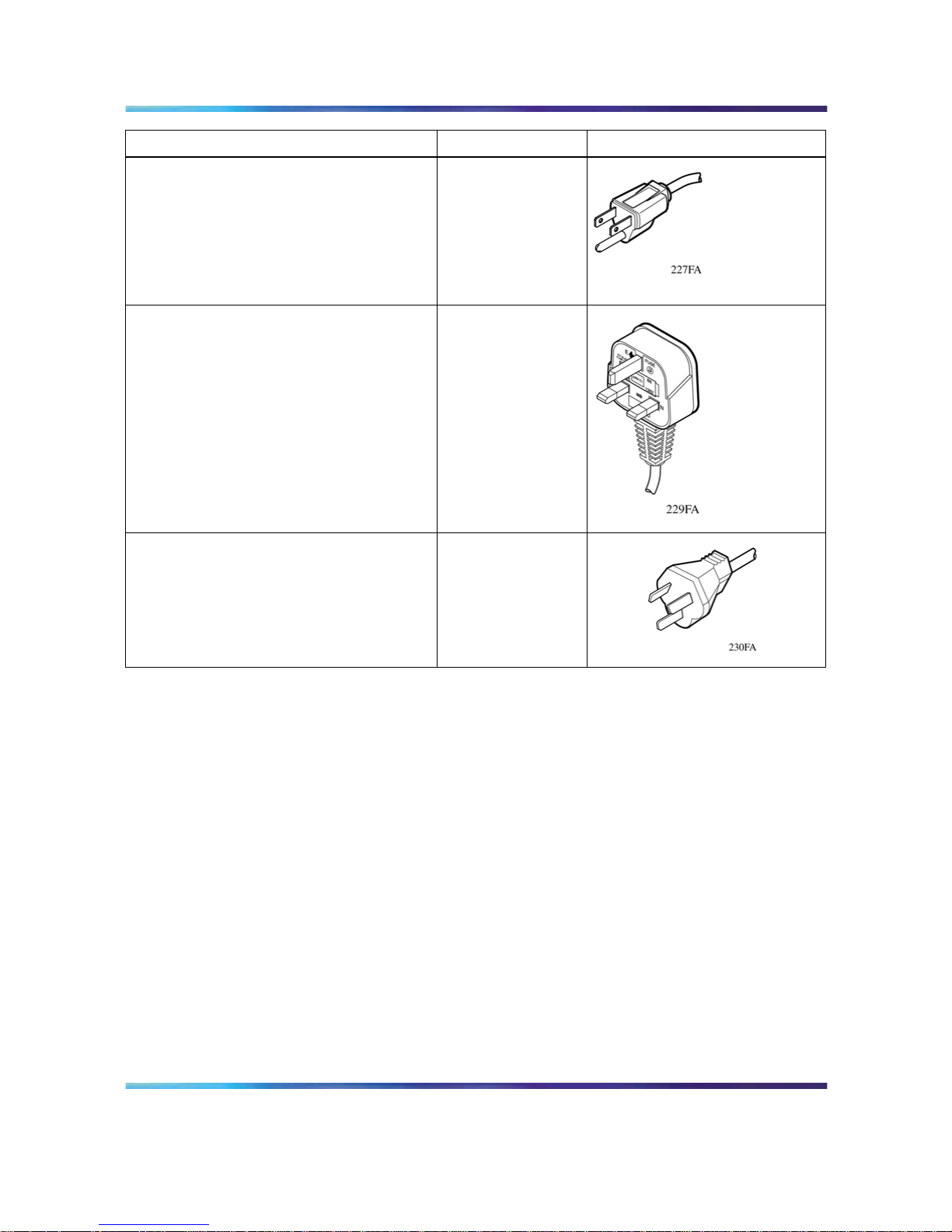
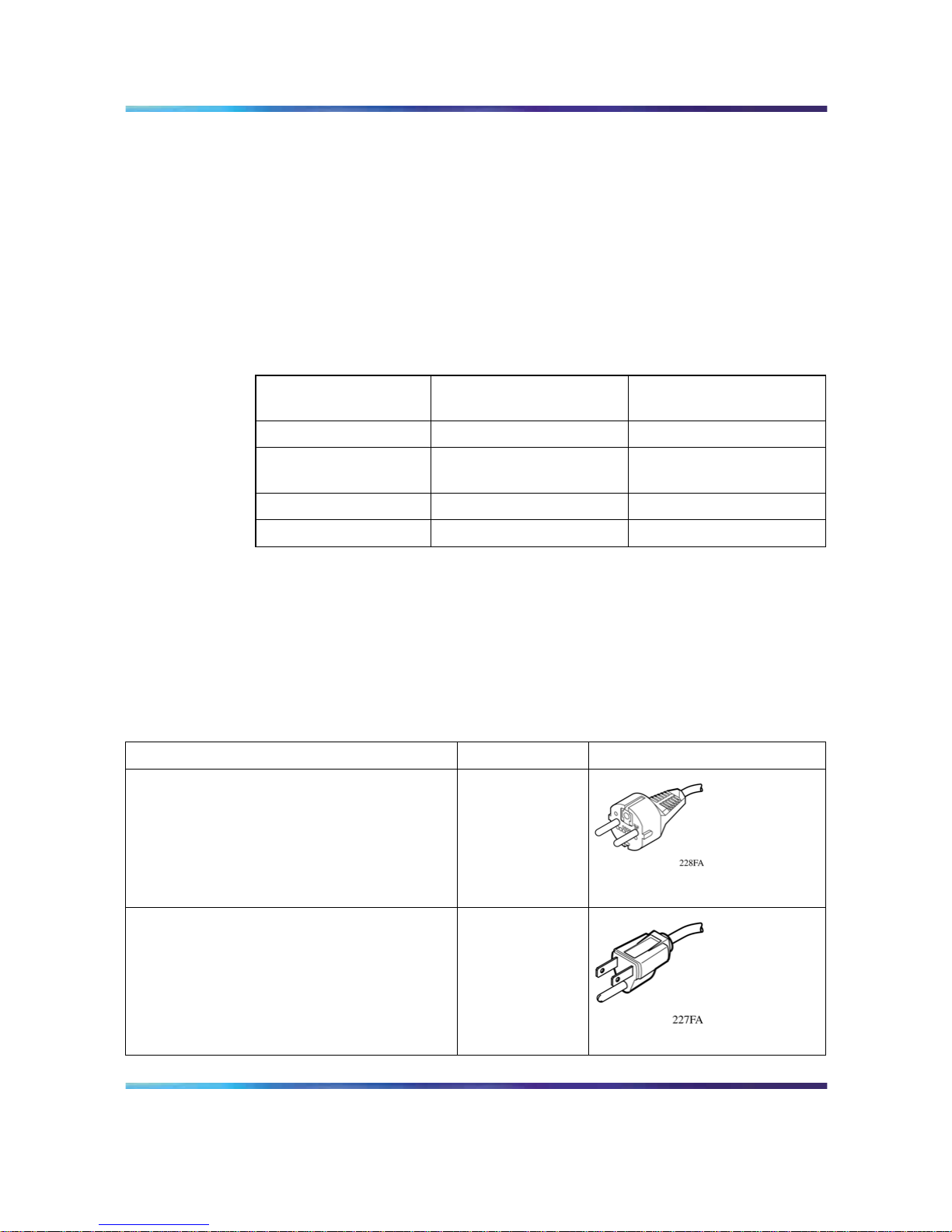
International power cord specifications
Country and plug description Specifications
Typical plug
Continental Europe
• CEE7 standard VII male plug
•
Harmonized cord (HAR marking
on the outside of the cord jacket
to comply with the CENELEC
Harmonized Document HD-21)
220 or 230 VAC
50 Hz
Single phase
U.S./Canada/Japan
•
NEMA5-15P male plug
•
UL-recognized (UL stamped on cord
jacket)
•
CSA-certified (CSA label secured to
the cord)
100 or 120 VAC
50-60 Hz
Single phase
Nortel Ethernet Routing Switch 2500 Series
Regulatory Information for the Nortel Ethernet Routing Switch 2500 Series
NN47215-100 (323169-B) 02.01 Standard
4.1 19 November 2007
Copyright © 2007, Nortel Networks
.
Page 19
Before you begin 19
Country and plug description Specifications
Typical plug
United Kingdom
•
BS1363 male plug with fuse
•
Harmonized cord
240 VAC
50 Hz
Single phase
Australia
AS3112-1981 male plug
240 VAC
50 Hz
Single phase
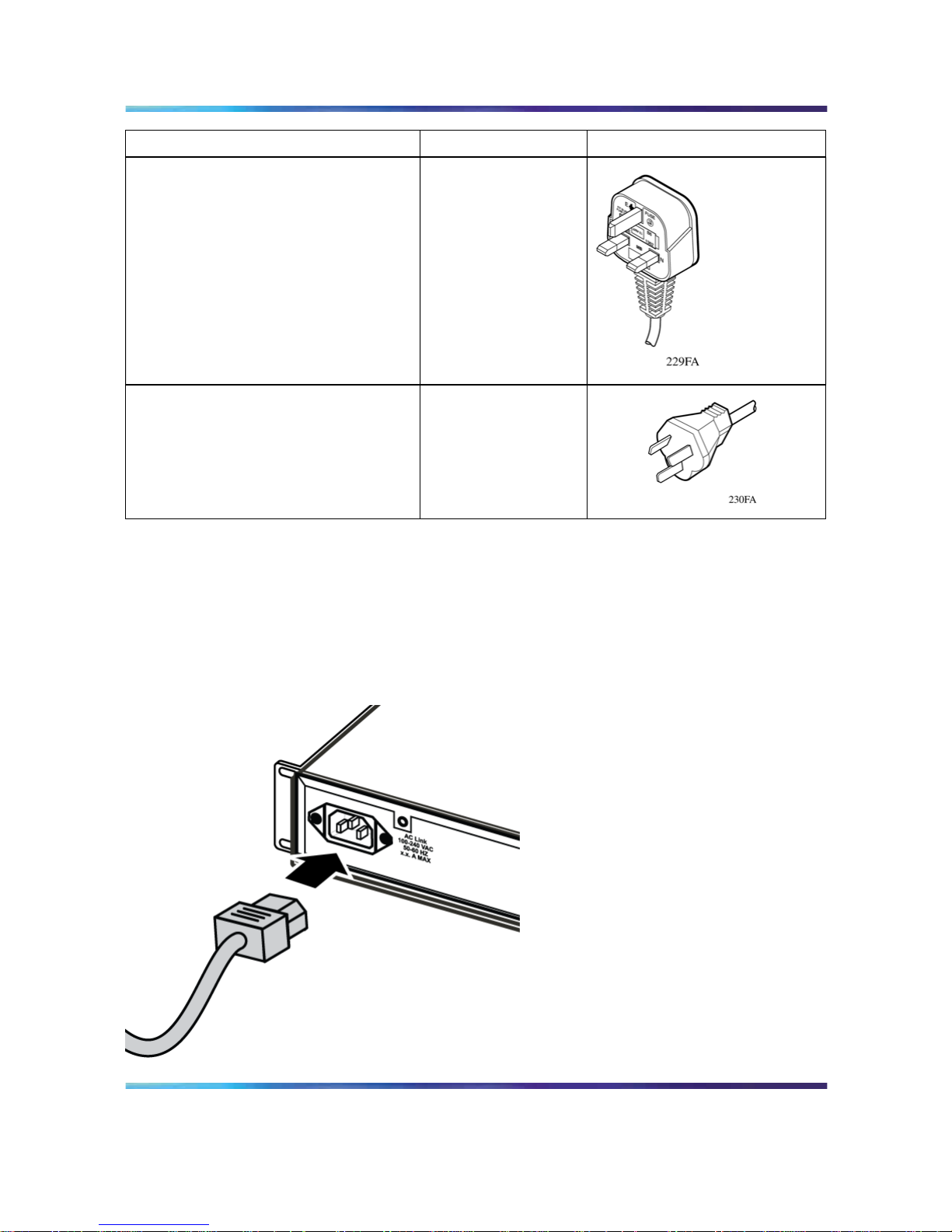
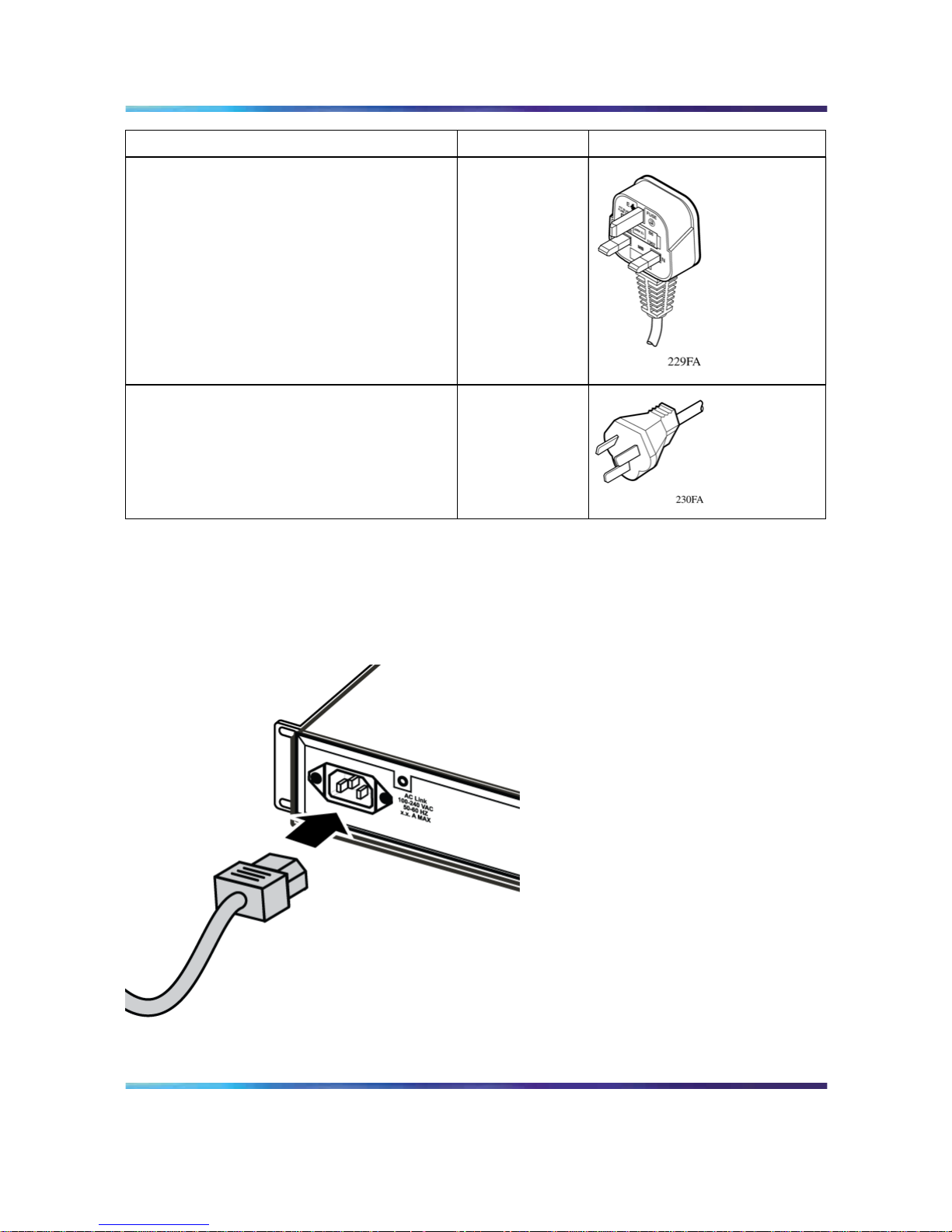
The Ethernet Routing Switch 2500 Series does not have a power switch.
When you connect the AC power cord to a suitable AC power outlet, the
switch powers up immediately.
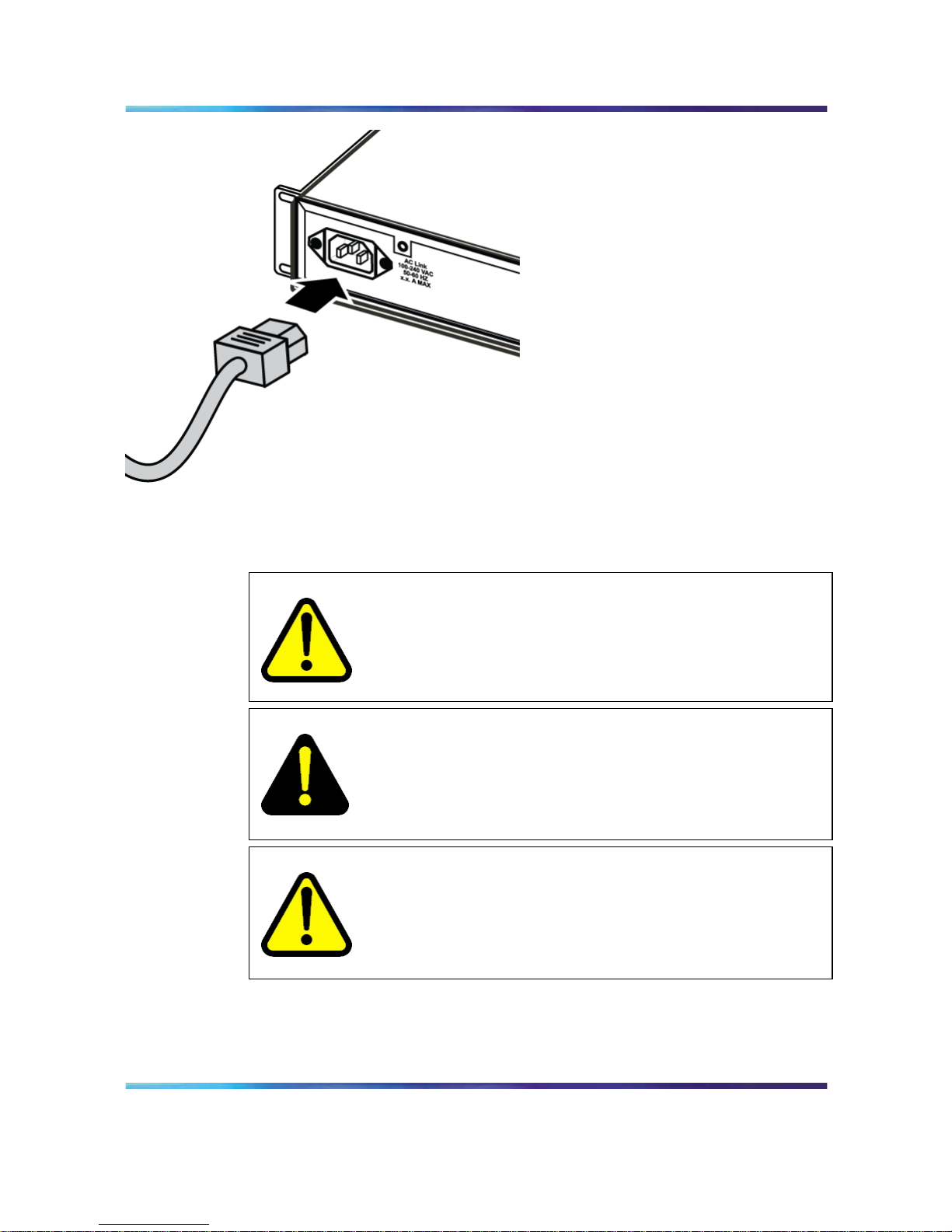
Connect the AC power cord to the back of the switch, and then connect
the cord to a power outlet.
Connecting the AC power cord to the Ethernet Routing Switch 2500 Series
Nortel Ethernet Routing Switch 2500 Series
Regulatory Information for the Nortel Ethernet Routing Switch 2500 Series
NN47215-100 (323169-B) 02.01 Standard
4.1 19 November 2007
Copyright © 2007, Nortel Networks
.
Page 20
20 Before You Begin
Connect the AC power cord to the back of the switch, and then connect
the cord to a power outlet.
Safety messages
WARNING
Installation must be performed by qualified service personnel only.
Read and follow all warning notices and instructions marked on
the product or included in the documentation.
DANGER
This equipment relies on the building’s installation for overcurrent
protection. Ensure that a fuse or circuit breaker no larger than
120 VAC, 15 A U.S. (240 VAC, 16 A International) is used on the
phase conductors.
CAUTION
This device is a Class A product. In a domestic environment, this
device can cause radio interference, in which case the user may
be required to take appropriate measures.
CAUTION
When mounting this device in a rack, do not stack units directly
on top of one another in the rack. Each unit must be secured to
the rack with appropriate mounting brackets. Mounting brackets
are not designed to support multiple units.
DANGER
Use only power cords that have a grounding path. Without a
proper ground, a person who touches the switch is in danger of
receiving an electrical shock. Lack of a grounding path to the
switch can result in excessive emissions.
WARNING
Disconnecting the power cord is the only way to turn off power to
this device. Always connect the power cord in a location that can
be reached quickly and safely in case of an emergency.
Nortel Ethernet Routing Switch 2500 Series
Regulatory Information for the Nortel Ethernet Routing Switch 2500 Series
NN47215-100 (323169-B) 02.01 Standard
4.1 19 November 2007
Copyright © 2007, Nortel Networks
.
Page 21
Before you begin 21
WARNING
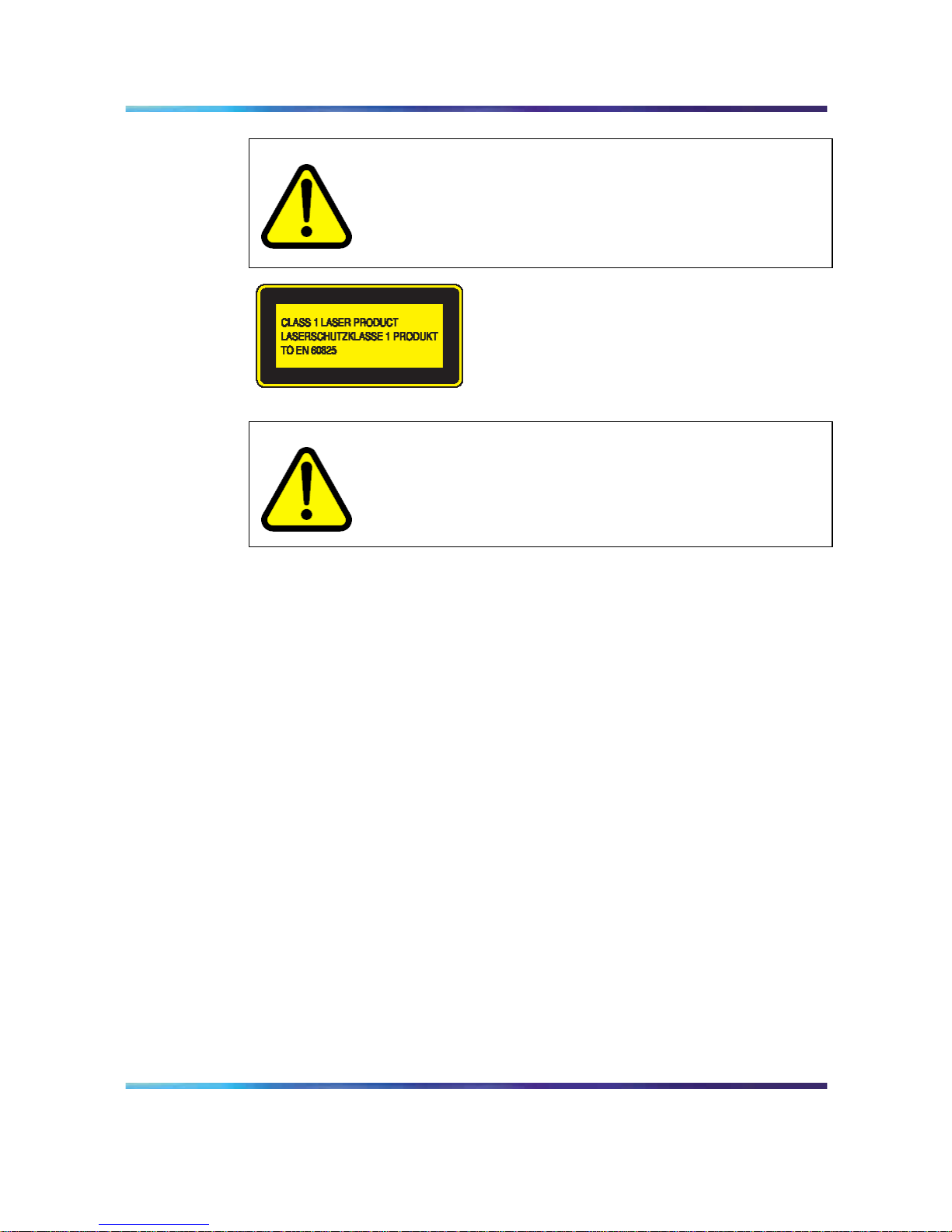
Fiber optic equipment can emit laser or infrared light that can
injure your eyes. Never look into an optical fiber or connector port.
Always assume that fiber optic cables are connected to a light
source.
CAUTION
Risk of explosion if battery is replaced by an incorrect type.
Dispose of used batteries according to the instructions.
Nortel Ethernet Routing Switch 2500 Series
Regulatory Information for the Nortel Ethernet Routing Switch 2500 Series
NN47215-100 (323169-B) 02.01 Standard
4.1 19 November 2007
Copyright © 2007, Nortel Networks
.
Page 22

22 Before You Begin
Nortel Ethernet Routing Switch 2500 Series
Regulatory Information for the Nortel Ethernet Routing Switch 2500 Series
NN47215-100 (323169-B) 02.01 Standard
4.1 19 November 2007
Copyright © 2007, Nortel Networks
.
Page 23

23
Deutsche
Hinweise zur Verwendung
Achten Sie bei der Installation und Verwendung des ERS 2500 Series auf
die folgenden äußeren Bedingungen:
•
Raumtemperatur zwischen 0º und 40º C
•
relative Luftfeuchtigkeit zwischen 5% und 85% (nicht kondensierend)
• keine Hitzequellen, wie z. B. Heizungen oder direktes Sonnenlicht, in
unmittelbarer Nähe
•
keine elektromagnetischen Störungen in unmittelbarer Nähe
•
keine Umgebungen mit starker Staubbildung
•
geeignete Stromversorgung nicht weiter als zwei Meter entfernt; für
jeden Anschluss wird jeweils ein 15-Amp-Stromkreis benötigt
•
mindestens 5 cm Abstand auf beiden Seiten der Schalteinheit für die
Belüftung
•
ausreichend Platz an der Vorder- und Rückseite der Einheit für
Kabelzugriff
Wenn Sie einen einzelnen ERS 2500 Series auf einem Tisch oder Regal
installieren möchten, muss die entsprechende Unterlage über eine
Tragfähigkeit von mindestens 7-9 kg verfügen.
Installation des Switch auf einem Tisch oder Regal
Sie können einen einzelnen ERS 2500 Series auf jeder ebenen Oberfläche
installieren, die das Gewicht des Switch (7-9 kg) und der angeschlossenen
Kabel tragen kann.
Nortel Ethernet Routing Switch 2500 Series
Regulatory Information for the Nortel Ethernet Routing Switch 2500 Series
NN47215-100 (323169-B) 02.01 Standard
4.1 19 November 2007
Copyright © 2007, Nortel Networks
.
Page 24
24 Deutsche
Installation des Switch auf einem Tisch oder Regal
Befestigen Sie die Gummifüße an den angezeigten Stellen.
Stellen Sie den Switch auf einen Tisch oder Regal.
CAUTION
Hinweis: Lassen Sie an den Seiten des Switch jeweils mindestens
5 cm für ausreichende Belüftung frei und auf der Rückseite
mindestens 13 cm, um ausreichend Platz für die Kabel zu
gewährleisten.
Installation des Switch in einem Rack
Benötigtes Werkzeug: Kreuzschraubendreher, um die Winkel am Switch
zu befestigen
Nortel Ethernet Routing Switch 2500 Series
Regulatory Information for the Nortel Ethernet Routing Switch 2500 Series
NN47215-100 (323169-B) 02.01 Standard
4.1 19 November 2007
Copyright © 2007, Nortel Networks
.
Page 25
Installation des Switch in einem Rack 25
Voraussetzungen für die Installation in einem Rack:
•
In einem EIA- oder IEC-Standardrack (19 Zoll) ist für jeden Switch eine
Höhe von ca. 7 cm zu berechnen.
•
Das Rack muss ggf. am Boden und mit Winkeln an den Seiten
verschraubt werden.
•
Das Rack muss zu derselben Erdungselektrode geerdet sein, die auch
von der Stromversorgung in der Umgebung verwendet wird. Die Erdung
muss permanent sein und darf einen Widerstand von 1 Ohm vom Rack
zur Erdungselektrode nicht überschreiten.
Installation des Switch in einem Rack
Bringen Sie auf jeder Seite des Switch einen Winkel an.
Führen Sie den Switch in das Rack ein. Befestigen Sie den Switch mit den
dafür vorgesehenen Schrauben am Rack.
Nortel Ethernet Routing Switch 2500 Series
Regulatory Information for the Nortel Ethernet Routing Switch 2500 Series
NN47215-100 (323169-B) 02.01 Standard
4.1 19 November 2007
Copyright © 2007, Nortel Networks
.
Page 26
26 Deutsche
Leistungsdaten
Leistungsdaten (Wechselstrom)
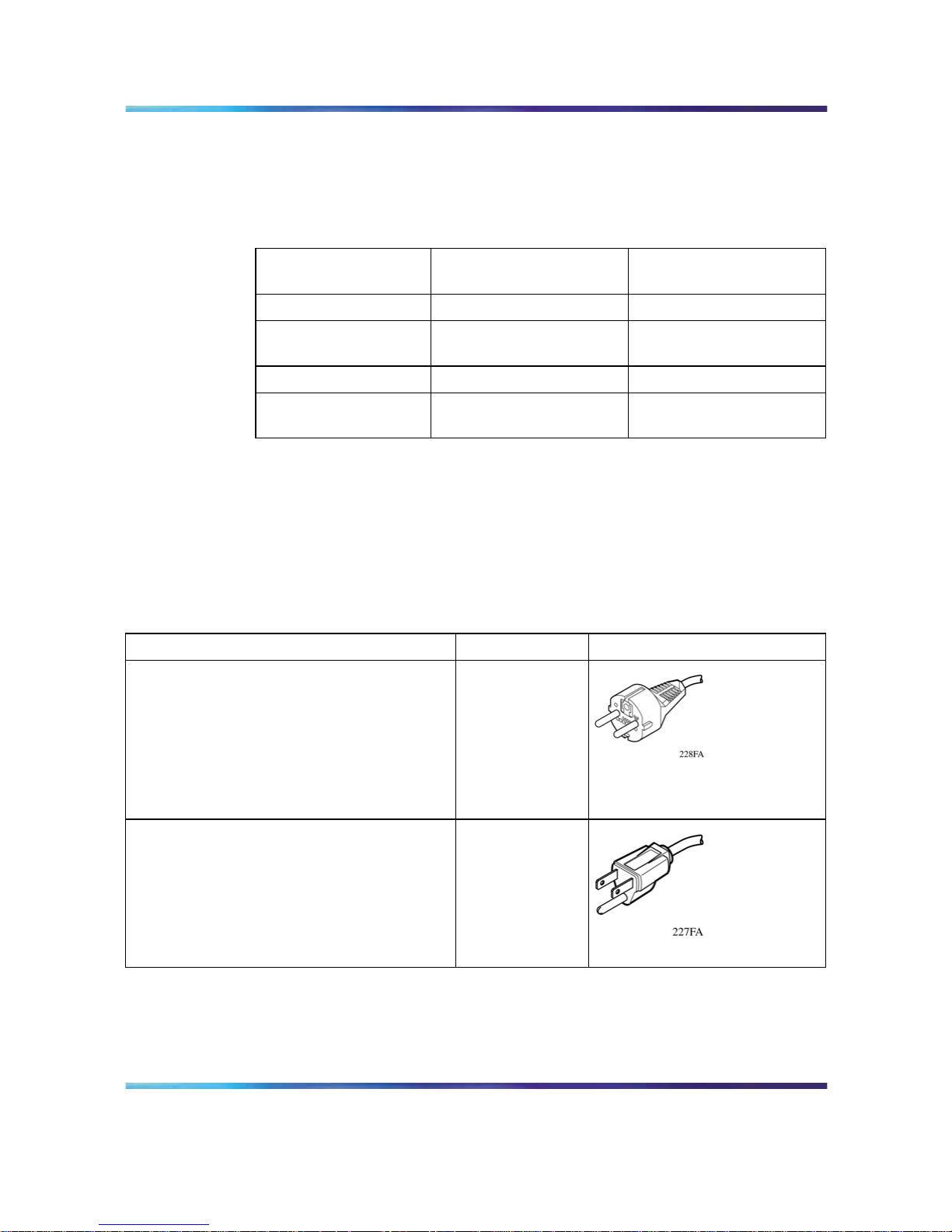
listet die Wechselstrom-Leistungsdaten für den ERS 2500 Series.
2526T
2550T
2526T-PWR
2550T-PWR
Eingangsstrom: max. 0,8 A max. 2,9 A
Eingangsspannung
(Effektivwert):
100-240 V Wechselstrom
bei 50-60 Hz
100-240 V Wechselstrom
bei 50-60 Hz
Energieverbrauch: max. 96 W max. 350 W
Thermische
Belastbarkeit:
max. 327 Btu/h max. 500 Btu/h
Wechselstrom-Anschluss
Erforderliches Kabel: Stromkabel (Wechselstrom), das die örtlichen
elektrischen Sicherheitsvorschriften erfüllt. Angaben zu den einzelnen
Netzsteckern finden Sie in .
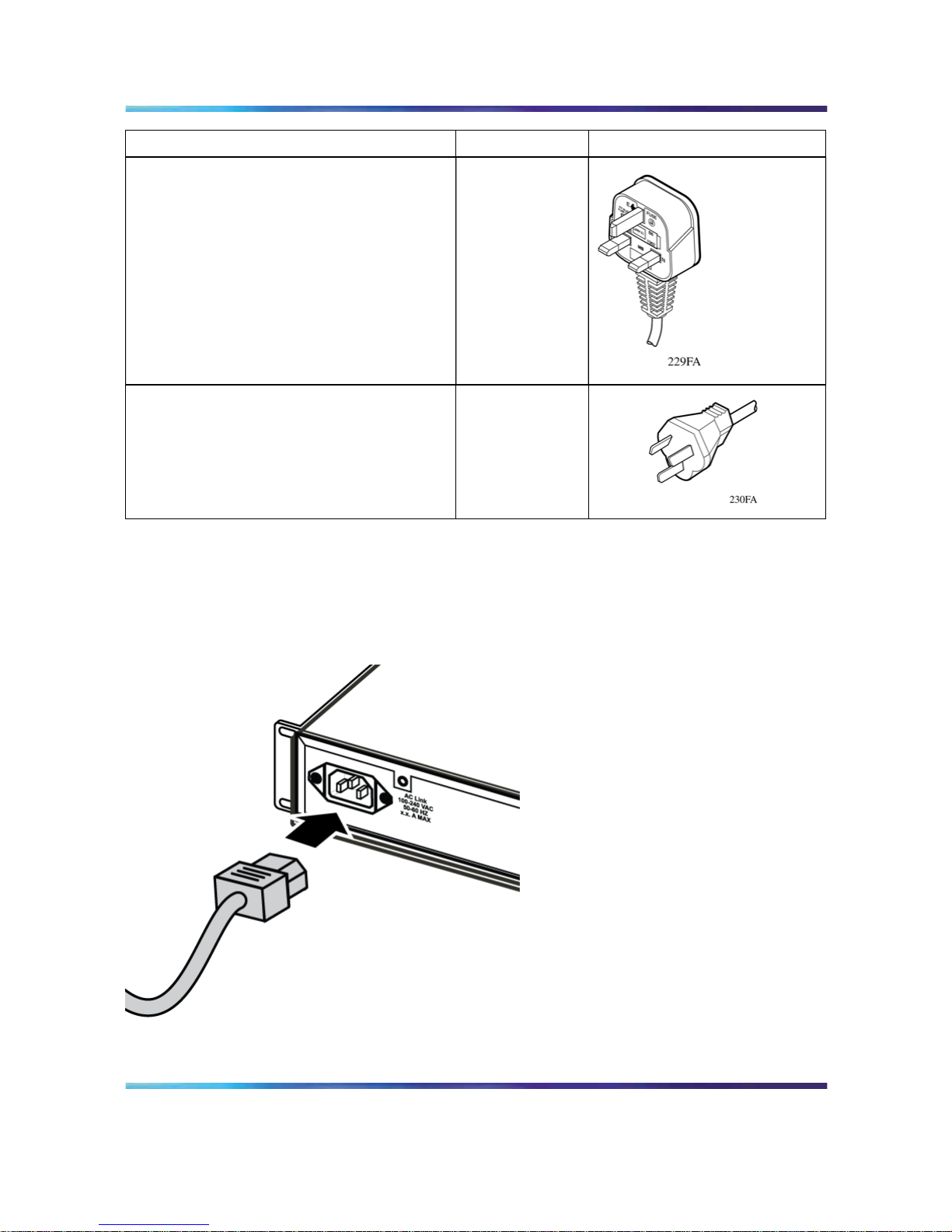
Internationale Angaben zu Stromkabeln
Land/Steckerbeschreibung
Angaben Typischer Netzstecker
Europa (Kontinent):
•
Stecker CEE7 Standard VII
•
abgeglichenes Kabel (Markierung HAR
auf der Außenseite des Kabels nach
CENELEC Harmonized DocumentHD-21)
220 oder 230 V
Wechselstrom
50 Hz
einphasig
USA/Kanada/Japan:
•
Stecker NEMA5-15P UL-geprüft
•
(UL-Stempel auf der Außenseite des
Kabels)
•
CSA-zertifiziert (CSA-Label am Kabel
angebracht)
100 oder 120 V
Wechselstrom
50-60 Hz
einphasig
Nortel Ethernet Routing Switch 2500 Series
Regulatory Information for the Nortel Ethernet Routing Switch 2500 Series
NN47215-100 (323169-B) 02.01 Standard
4.1 19 November 2007
Copyright © 2007, Nortel Networks
.
Page 27
Wechselstrom-Anschluss 27
Land/Steckerbeschreibung
Angaben Typischer Netzstecker
Großbritannien:
•
Stecker BS1363 mit Sicherung
•
abgeglichenes Kabel
240 V Wechsels
trom
50 Hz
einphasig
Australien:
Stecker AS3112-1981
240 V Wechsels
trom
50 Hz
einphasig
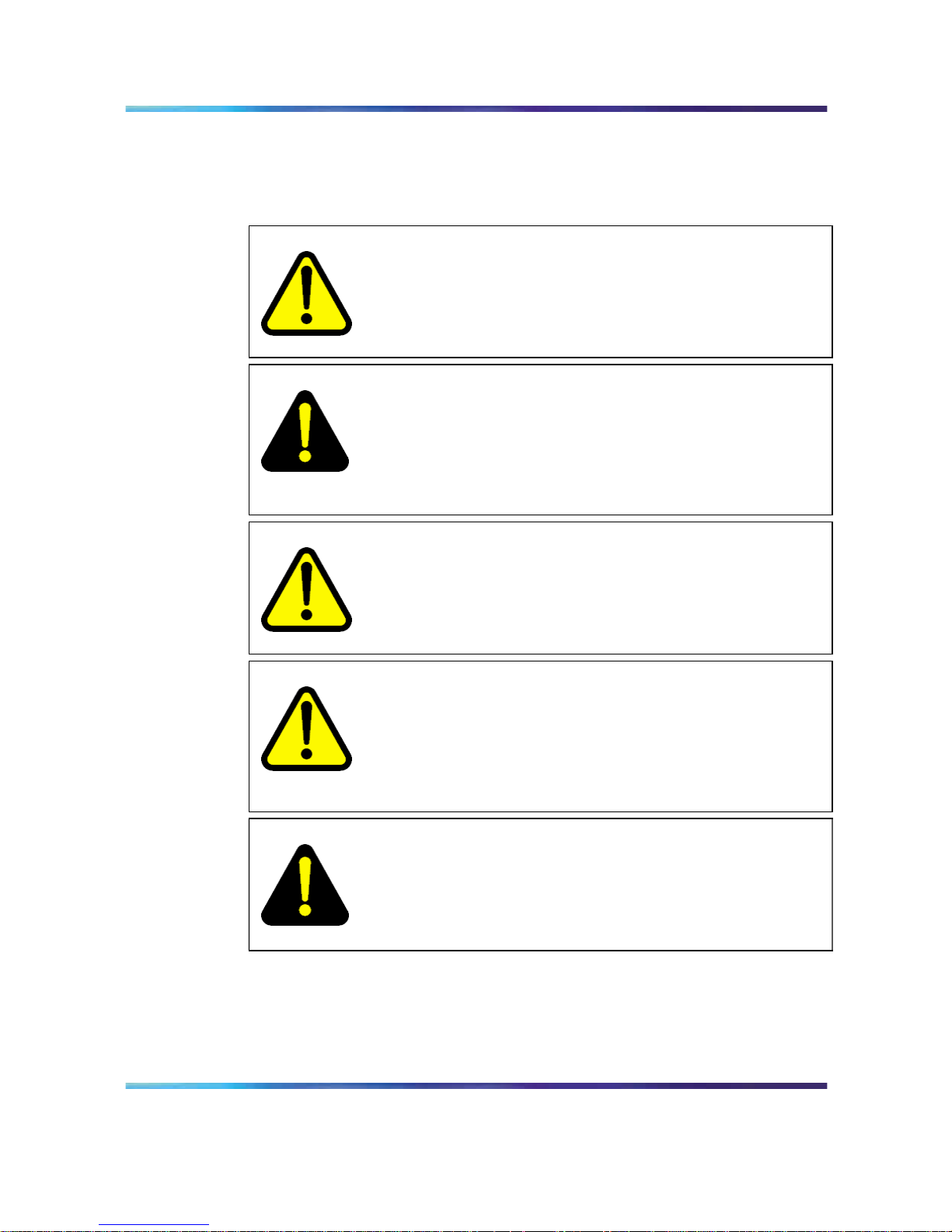
Der ERS 2500 Series hat keinen Netzschalter. Wenn Sie das Stromkabel
an eine geeignete Steckdose anschließen, wird der Switch automatisch
eingeschaltet. Die Abbildung zeigen, wie Sie das Stromkabel am ERS 2500
Series anschließen.
Anschluss des Stromkabels (Wechselstrom) am ERS 2500 Series
Nortel Ethernet Routing Switch 2500 Series
Regulatory Information for the Nortel Ethernet Routing Switch 2500 Series
NN47215-100 (323169-B) 02.01 Standard
4.1 19 November 2007
Copyright © 2007, Nortel Networks
.
Page 28
28 Deutsche
Schließen Sie das Stromkabel an der Rückseite des Switch an, und stecken
Sie das Kabel dann in eine Steckdose.
Sicherheitsinformationen
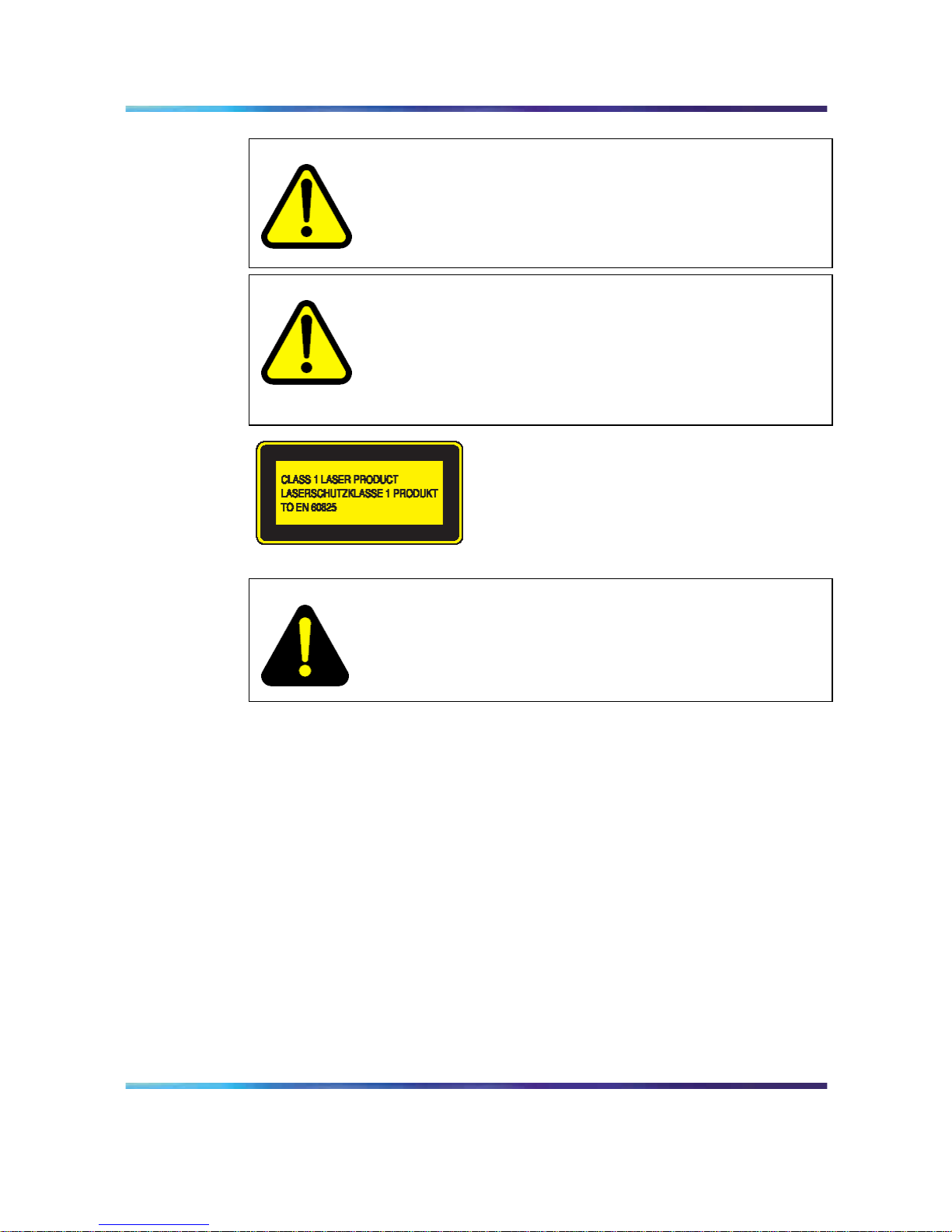
WARNING
Warnung: Die Installation darf nur von qualifiziertem
Servicepersonal durchgeführt werden. Lesen und befolgen
Sie alle Warnhinweise und Anleitungen, die auf dem Produkt
ausgewiesen oder in der Dokumentation enthalten sind.
DANGER
Gefahr: Diese Ausstattung setzt voraus, dass die jeweilige
Einrichtung vor Überstrom geschützt ist. Achten Sie darauf, dass
die Spannung der Sicherung oder des Schutzschalters, die für die
Phasenleiter verwendet wird, nicht mehr als 240 V Wechselstrom,
16 A beträgt.
CAUTION
Achtung: Dieses Gerät ist ein Produkt der Klasse A. In
Wohngebieten kann das Gerät Hochfrequenzstörungen
verursachen. In diesem Fall muss der Benutzer geeignete
Maßnahmen ergreifen.
CAUTION
Achtung: Wenn Sie das Gerät in einem Rack installieren,
platzieren Sie Einheiten im Rack nicht direkt übereinander. Jede
Einheit im Rack muss mit dafür geeigneten Winkeln befestigt
werden. Die Winkel sind nicht dazu geeignet, mehrere Einheiten
zu tragen.
DANGER
Gefahr: Verwenden Sie nur geerdete Stromkabel. Ohne Erdung
besteht die Gefahr, dass eine Person beim Berühren des Switch
einen elektrischen Schlag erhält. Das Fehlen einer Erdung zum
Switch kann übermäßige Emissionen zur Folge haben.
Nortel Ethernet Routing Switch 2500 Series
Regulatory Information for the Nortel Ethernet Routing Switch 2500 Series
NN47215-100 (323169-B) 02.01 Standard
4.1 19 November 2007
Copyright © 2007, Nortel Networks
.
Page 29
Sicherheitsinformationen 29
WARNING
Warnung: Der Strom für dieses Gerät kann nur durch
Herausziehen des Stromkabels abgeschaltet werden. Schließen
Sie das Stromkabel stets an einer Steckdose an, die Sie in einem
Notfall schnell und sicher erreichen können.
WARNING
Warnung: Glasfaser-Ausrüstung kann Laser oder Infrarotlicht
abgeben, die Ihre Augen beschädigen können. Sehen Sie nie
direkt in eine Glasfaser oder einen Verbindungsport. Denken
Sie stets daran, dass Glasfaserkabel an eine Lichtquelle
angeschlossen sein können.
DANGER
Achtung: Gefahr der Explosion, wenn Batterie nach einer
falschen Art ersetzt wird. Entledigen Sie sich benutzte Batterien
entsprechend den Anweisungen.
Nortel Ethernet Routing Switch 2500 Series
Regulatory Information for the Nortel Ethernet Routing Switch 2500 Series
NN47215-100 (323169-B) 02.01 Standard
4.1 19 November 2007
Copyright © 2007, Nortel Networks
.
Page 30

30 Deutsche
Nortel Ethernet Routing Switch 2500 Series
Regulatory Information for the Nortel Ethernet Routing Switch 2500 Series
NN47215-100 (323169-B) 02.01 Standard
4.1 19 November 2007
Copyright © 2007, Nortel Networks
.
Page 31

31
Español
Antes de comenzar
Asegúrese de que el área donde va a instalar y utilizar el ERS 2500 Series
cumple los siguientes requisitos medioambientales:
•
Temperatura ambiente entre 0º y 40º C (32º y 106º F)
•
Humedad relativa entre el 5% y el 85%, sin condensación
•
No estar cerca de fuentes de calor como conductos de aire caliente
ni de la luz directa del sol
•
No estar cerca de fuentes con altos niveles de ruido electromagnético
•
No contener niveles de polvo excesivos
•
Contar con una fuente de alimentación adecuada a menos de 1,8
metros (6 pies); se requiere un circuito de 15 amperios para cada fuente
de alimentación
•
Disponer de al menos 5,08 cm (2 pulgadas) a cada lado de la unidad
del conmutador para ventilación
•
Disponer de espacio suficiente en la parte delantera y posterior del
conmutador para poder acceder a los cables
Si desea instalar un ERS 2500 Series en una mesa o estantería, asegúrese
de que la superficie puede soportar al menos de 7a9kg(de15a20libras).
Instalación del conmutador en una mesa o estantería
Puede instalar un ERS 2500 Series en cualquier superficie plana que
pueda soportar de forma segura el peso del conmutador y de los cables
que lo acompañan (de 7a9kgode15a20libras).
La figura se proporcionan instrucciones sobre cómo instalar el conmutador
en una mesa o estantería.
Nortel Ethernet Routing Switch 2500 Series
Regulatory Information for the Nortel Ethernet Routing Switch 2500 Series
NN47215-100 (323169-B) 02.01 Standard
4.1 19 November 2007
Copyright © 2007, Nortel Networks
.
Page 32
32 Español
Fije las patillas de goma en los lugares marcados.
Coloque el conmutador en una mesa o estantería.
ATTENTION
Nota: deje al menos 5,1 cm (2 pulg.) a cada lado para que el dispositivo pueda
ventilarse de forma correcta y 12,7 cm (5 pulg.) en la parte posterior para el
cable de alimentación.
Instalación del conmutador en un bastidor para equipos
Herramienta necesaria: destornillador Phillips para unir los soportes al
conmutador
Nortel Ethernet Routing Switch 2500 Series
Regulatory Information for the Nortel Ethernet Routing Switch 2500 Series
NN47215-100 (323169-B) 02.01 Standard
4.1 19 November 2007
Copyright © 2007, Nortel Networks
.
Page 33
Antes de comenzar 33
Requisitos del bastidor:
•
Se necesita un espacio de 6 cm (2,8 pulg.) para cada conmutador
en un bastidor para equipos de 48,2 cm (19 pulg.) que cumpla con
la norma EIA o IEC.
•
El bastidor debe estar atornillado al suelo y anclado, si es necesario.
•
El bastidor debe estar conectado a tierra con el mismo electrodo de
conexión a tierra utilizado por el servicio eléctrico de la zona. La
conexión a tierra debe ser permanente y no deberá superar 1 ohmio de
resistencia desde el bastidor hasta el electrodo de conexión a tierra.
En la Figura se proporcionan instrucciones sobre cómo instalar el
conmutador en un bastidor.
Coloque un soporte a cada lado del conmutador.
Nortel Ethernet Routing Switch 2500 Series
Regulatory Information for the Nortel Ethernet Routing Switch 2500 Series
NN47215-100 (323169-B) 02.01 Standard
4.1 19 November 2007
Copyright © 2007, Nortel Networks
.
Page 34
34 Español
Introduzca el conmutador en el bastidor. Introduzca y apriete los tornillos
para el montaje en bastidor.
Especificaciones eléctricas
Especificaciones eléctricas de CA
La tabla se describen las especificaciones eléctricas de CA para el ERS
2500 Series sin fuente de alimentación.
2526T
2550T
2526T-PWR
2550T-PWR
Corriente de entrada: Máximo 0,8 A Máximo 2,9 A
Voltaje de entrada
(rms):
De 100 a 240 V CA a
50-60 Hz
De 100 a 240 V CA a
50-60 Hz
Consumo de energía: Máximo 96 W Máximo 350 W
Nivel térmico: 327 Btu/h máximo 500 Btu/h máximo
Conexión a CA
Cable necesario: cable de alimentación de CA que cumpla los requisitos
del código eléctrico local. Consulte la tabla para obtener información sobre
los enchufes.
Especificaciones internacionales sobre clases de alimentación
País/descripción del enchufe
Especificaciones
Enchufe típico
Europa continental:
•
Enchufe macho CEE7 estándar VII
•
Cable armonizado (marca HAR en el
exterior de la funda para cumplir con
el documento de armonización HD-21
de CENELEC)
220 o 230 V CA
50 Hz
Monofásico
Nortel Ethernet Routing Switch 2500 Series
Regulatory Information for the Nortel Ethernet Routing Switch 2500 Series
NN47215-100 (323169-B) 02.01 Standard
4.1 19 November 2007
Copyright © 2007, Nortel Networks
.
Page 35
Conexión a CA 35
País/descripción del enchufe
Especificaciones
Enchufe típico
EE.UU/Canadá/Japón:
•
Enchufe macho NEMA5-15P
•
Reconocido por UL (UL impreso en la
funda del cable)
•
Certificado por CSA (etiqueta de CSA
en el cable)
100 o 120 V CA
50-60 Hz
Monofásico
Reino Unido:
• Enchufe macho BS1363 con fusible
•
Cable armonizado
240 V CA
50 Hz
Monofásico
Austrailia:
•
Enchufe macho AS3112-1981
240 V CA
50 Hz
Monofásico
El ERS 2500 Series no dispone de un interrupto de alimentación. Al
conectar el cable de alimentación d CA a una torna de CA adecuada,
el conmutador se activa immediatamente. La figure se muestra cómo
conectar el cable de alimentación al ERS 2500 Series.
Nortel Ethernet Routing Switch 2500 Series
Regulatory Information for the Nortel Ethernet Routing Switch 2500 Series
NN47215-100 (323169-B) 02.01 Standard
4.1 19 November 2007
Copyright © 2007, Nortel Networks
.
Page 36
36 Español
Mensajes de seguridad
WARNING
Aviso: sólo el personal de servicio cualificado puede realizar
la instalación. Lea y siga todos los avisos e instruccciones
de advertencia grabados en el producto o incluidos en la
documentación.
DANGER
Peligro: este equipo confía en la instalación del edificio para
la protección contra sobrecargas. Asegúrese de que en los
conductores de fase se utiliza un fusible o un disyuntor de menos
de 240 V CA, 16 A internacional (120 V CA, 15 A en EE.UU.).
CAUTION
Precaución: este dispositivo es un producto de Clase A.
En un entorno doméstico, este dispositivo puede causar
radiointerferencias, en cuyo caso se le puede solicitar al usuario
que tome las medidas apropiadas.
Nortel Ethernet Routing Switch 2500 Series
Regulatory Information for the Nortel Ethernet Routing Switch 2500 Series
NN47215-100 (323169-B) 02.01 Standard
4.1 19 November 2007
Copyright © 2007, Nortel Networks
.
Page 37
Mensajes de seguridad 37
CAUTION
Precaución: al montar este dispositivo en un bastidor, no apile las
unidades directamente una encima de otra. Cada unidad debe
estar fijada al bastidor con los soportes de montaje apropiados.
Los soportes de montaje no están diseñados para soportar varias
unidades.
DANGER
Peligro: utilice sólo cables de alimentación que tengan conexión a
tierra. Sin una toma de tierra adecuada, cualquier persona que
toque el conmutador estará en peligro de recibir una descarga
eléctrica. La no existencia de una conexión a tierra puede dar
lugar a emisiones excesivas.
WARNING
Aviso: el único modo de apagar este dispositivo es desconectando
el cable de alimentación. Conecte siempre el cable de
alimentación en un lugar que sea de acceso rápido y seguro en
caso de emergencia.
WARNING
Aviso: el equipamiento de fibra óptica puede emitir luz láser o
infrarroja que puede dañar los ojos. No mire nunca a través de
un puerto de fibra óptica ni de un puerto conector. Tenga en
cuenta siempre que los cables de fibra óptica están conectados a
una fuente de luz.
CAUTION
Precaución: Riesgo de la explosión si la batería es substituida
por un tipo incorrecto. Disponga de las baterías usadas según
las instrucciones.
Nortel Ethernet Routing Switch 2500 Series
Regulatory Information for the Nortel Ethernet Routing Switch 2500 Series
NN47215-100 (323169-B) 02.01 Standard
4.1 19 November 2007
Copyright © 2007, Nortel Networks
.
Page 38

38 Español
Nortel Ethernet Routing Switch 2500 Series
Regulatory Information for the Nortel Ethernet Routing Switch 2500 Series
NN47215-100 (323169-B) 02.01 Standard
4.1 19 November 2007
Copyright © 2007, Nortel Networks
.
Page 39

39
Français
Avant de commencer
Assurez-vous que l’endroit où vous installez le commutateur ERS
2500 Series et où vous l’utiliserez soit conforme aux conditions
environnementales suivantes:
•
Température ambiante entre 0
et 40
C (32
et 104
F)
•
Humidité relative entre 5 % et 85 % sans condensation
•
Aucune source de chaleur à proximité, comme par exemple une
ventilation chaude ou la lumière directe du soleil
•
Aucune source de bruit électromagnétique à proximité
• Pas de poussière excessive
•
Source d’alimentation à une distance maximale de 180 cm. Circuit 15
Amp nécessaire pour chaque alimentation
•
Distance minimale de 5,08 cm (2 po) de chaque côté de l’unité de
commutation pour la ventilation
•
Espace approprié à l’avant et à l’arrière du commutateur pour faciliter
l’accès aux câbles.
Si vous installez un seul commutateur ERS 2500 Series sur une table ou
sur une étagère, assurez-vous que cette surface puisse supporter un poids
d’au moins 7à9kg(15à20livres).
Installation du commutateur sur une table ou sur une étagère
Vous pouvez installer un commutateur ERS 2500 Series sur toute surface
plane pouvant supporter le poids du commutateur et des câbles reliés 7 à
9 kg (15 à 20 livres). La figure fournit des instructions sur l’installation du
commutateur sur une table ou sur une étagère.
Nortel Ethernet Routing Switch 2500 Series
Regulatory Information for the Nortel Ethernet Routing Switch 2500 Series
NN47215-100 (323169-B) 02.01 Standard
4.1 19 November 2007
Copyright © 2007, Nortel Networks
.
Page 40
40 Français
Installation du commutateur sur une table ou sur une étagère
Fixez les pieds en caoutchouc aux emplacements indiqués.
Installation du commutateur sur une table.
ATTENTION
Remarque: Laissez au moins 5,1 cm (2 po) de chaque côté pour la ventilation et
12,7 cm (5 po) à l’arrière pour le dégagement du cordon d’alimentation.
Installation du commutateur dans un rack
Outil nécessaire: Un tournevis Philips pour attacher les supports au
commutateur.
Nortel Ethernet Routing Switch 2500 Series
Regulatory Information for the Nortel Ethernet Routing Switch 2500 Series
NN47215-100 (323169-B) 02.01 Standard
4.1 19 November 2007
Copyright © 2007, Nortel Networks
.
Page 41
Installation du commutateur dans un rack 41
Configuration pour un rack:
•
Un espace de 8,5 cm (2,8 po) est nécessaire pour chaque commutateur
dans un rack EIA ou IEC standard de 48 cm (19 po).
•
Le rack doit être boulonné au sol et calé si nécessaire.
•
Le rack doit être mis à la terre au même conducteur de terre que celui
utilisé par le service d’alimentation de l’endroit. Le conducteur de terre
doit être permanent et ne doit pas dépasser 1 Ohm de résistance du
rack au conducteur de terre.
La figure fournit des instructions sur l’installation du commutateur dans
un rack.
Installation du commutateur dans un rack
Fixez un support de chaque côté du commutateur.
Nortel Ethernet Routing Switch 2500 Series
Regulatory Information for the Nortel Ethernet Routing Switch 2500 Series
NN47215-100 (323169-B) 02.01 Standard
4.1 19 November 2007
Copyright © 2007, Nortel Networks
.
Page 42
42 Français
Glissez le commutateur dans le rack. Insérez les vis de montage en rack
et serrez-les.
Alimentation: Caractéristiques
Alimentation secteur: caractéristiques
Le tableau décrit les caractéristiques d’alimentation secteur du ERS 2500
Series.
2526T
2550T
2526T-PWR
2550T-PWR
Courant d’entrée: 0,8 A maximum 2,9 A maximum
Voltage d’entrée (rms): 100-240 Vca à 50-60 Hz 100-240 Vca à 50-60 Hz
Consommation
d’énergie:
96 W maximum 350 W maximum
Puissance thermique: 327 Btu/h maximum 500 Btu/h maximum
Alimentation secteur: connexion
Câble requis: Un cordon d’alimentation conforme aux conditions de votre
code électrique local. Reportez-vous au tableau pour les caractéristiques
des prises.
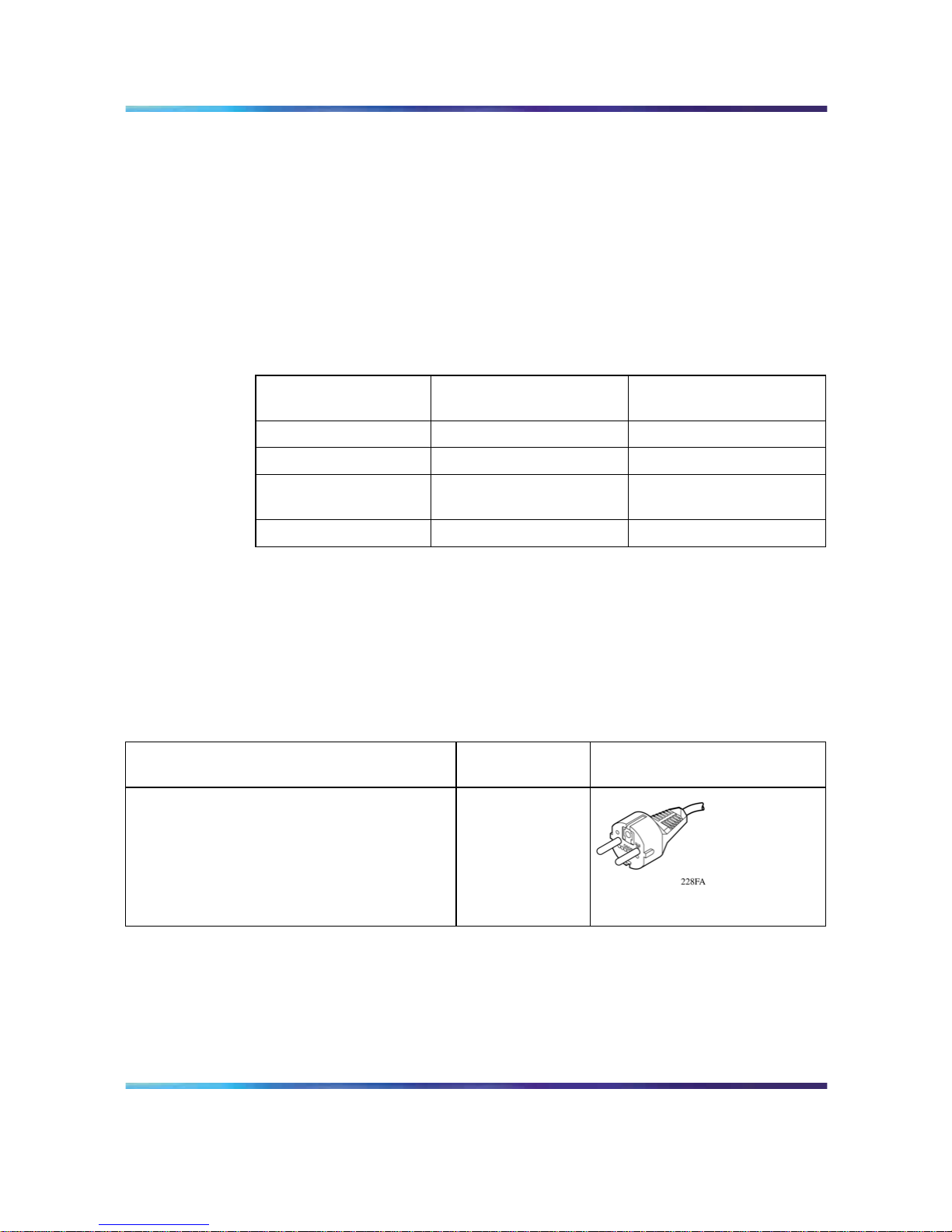
Cordons secteurs internationaux: caractéristiques
Pays/Description de la prise Caractéristique
s
Prise habituelle
Europe continentale:
•
Prise mâle CEE7 standard VII
•
Cordon harmonisé (une marque HAR sur
l’extérieur du cordon montre la conformité
au document harmonisé CENELEC
HD-21)
220 ou 230
Vca 50Hz
Monophasé
Nortel Ethernet Routing Switch 2500 Series
Regulatory Information for the Nortel Ethernet Routing Switch 2500 Series
NN47215-100 (323169-B) 02.01 Standard
4.1 19 November 2007
Copyright © 2007, Nortel Networks
.
Page 43
Alimentation secteur: connexion 43
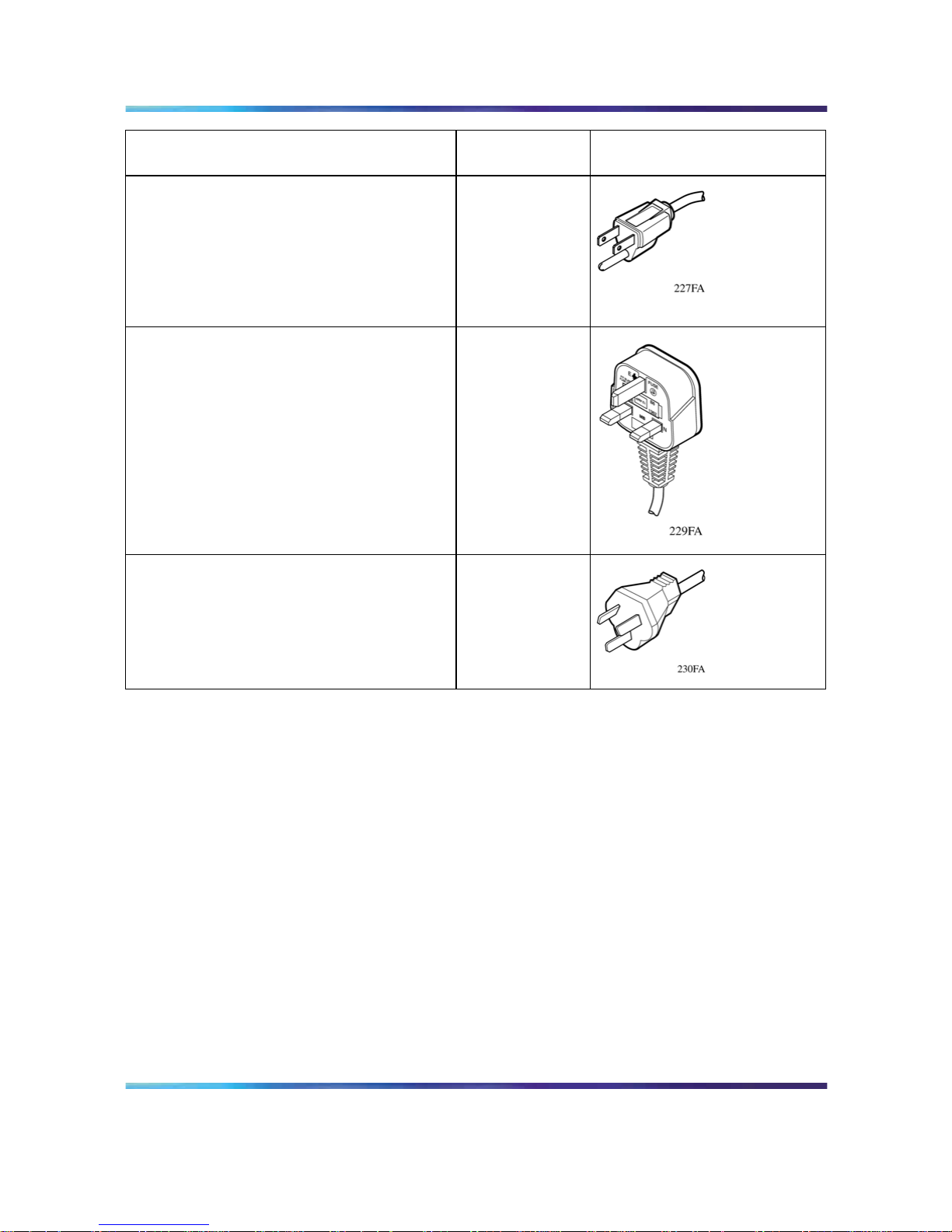
Pays/Description de la prise Caractéristique
s
Prise habituelle
États-Unis/Canada/Japon:
• Prise mâle NEMA5-15P
•
Reconnu par UL (Cachet UL sur le
cordon)
•
Certifié CSA (étiquette CSA fixée sur le
cordon)
100 ou 120
Vca 50-60 Hz
Monophasé
Royaume-Uni:
•
Prise mâle BS1363 avec fusible
• Cordon harmonisé
240 Vca 50 Hz
Monophasé
Australie:
•
Prise mâle AS3112-1981
240 Vca 50 Hz
Monophasé
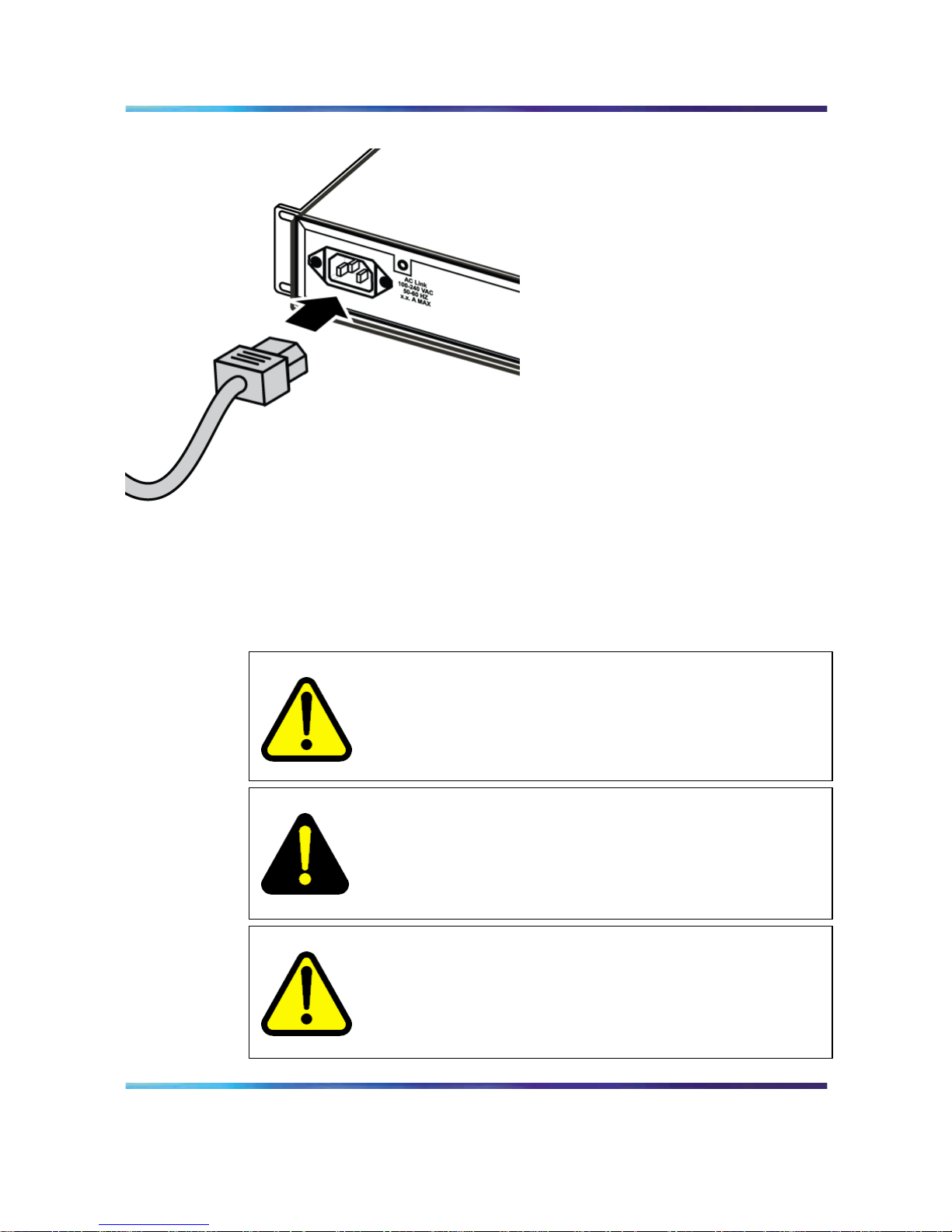
ERS 2500 Series ne possède pas de commutateur d’alimentation. Lorsque
vous connectez le cordon d’alimentation à une sortie d’alimentation secteur
appropriée, le commutateur s’allume immédiatement. La figure décrivent la
manière de connecter le câble d’alimentation au ERS 2500 Series.
Nortel Ethernet Routing Switch 2500 Series
Regulatory Information for the Nortel Ethernet Routing Switch 2500 Series
NN47215-100 (323169-B) 02.01 Standard
4.1 19 November 2007
Copyright © 2007, Nortel Networks
.
Page 44
44 Français
Connexion du cordon secteur au ERS 2500 Series
Connectez le cordon d’alimentation à l’arrière du commutateur, puis à une
source d’alime
Messages de sécurité
WARNING
Avertissement: L’installation ne doit être effectuée que par des
personnes qualifiées. Lisez toutes les notices et instructions
d’avertissement indiquées sur le produit ou dans la documentation
et suivez-les.
DANGER
Cet équipement dépend des installations du bâtiment pour la
protection de surintensité. Assurez-vous de ne pas utiliser un
fusible ou un disjoncteur de plus de 120 Vca, 15 A U.S. (240 Vca,
16 A internationaux) sur les conducteurs de phase.
CAUTION
Avertissement: Le périphérique est un produit de Classe A. Dans
un environnement domestique, ce périphérique est susceptible
de provoquer des interférences radio, auquel cas l’utilisateur doit
prendre les mesures appropriées.
Nortel Ethernet Routing Switch 2500 Series
Regulatory Information for the Nortel Ethernet Routing Switch 2500 Series
NN47215-100 (323169-B) 02.01 Standard
4.1 19 November 2007
Copyright © 2007, Nortel Networks
.
Page 45
Messages de sécurité 45
CAUTION
Avertissement: Si vous montez cet appareil en rack, ne
superposez pas les unités directement les unes sur les autres
dans le rack. Chaque unité doit être fixée au rack à l’aide des
supports de montage appropriés. Les supports de montage ne
sont pas conçus pour supporter plusieurs unités.
DANGER
Utilisez uniquement des cordons d’alimentation possédant un
conducteur de terre. S’il n’y a pas de conducteur de terre, une
personne qui touche le commutateur peut recevoir un choc
électrique. L’absence de conducteur de terre au commutateur
peut provoquer des émissions excessives.
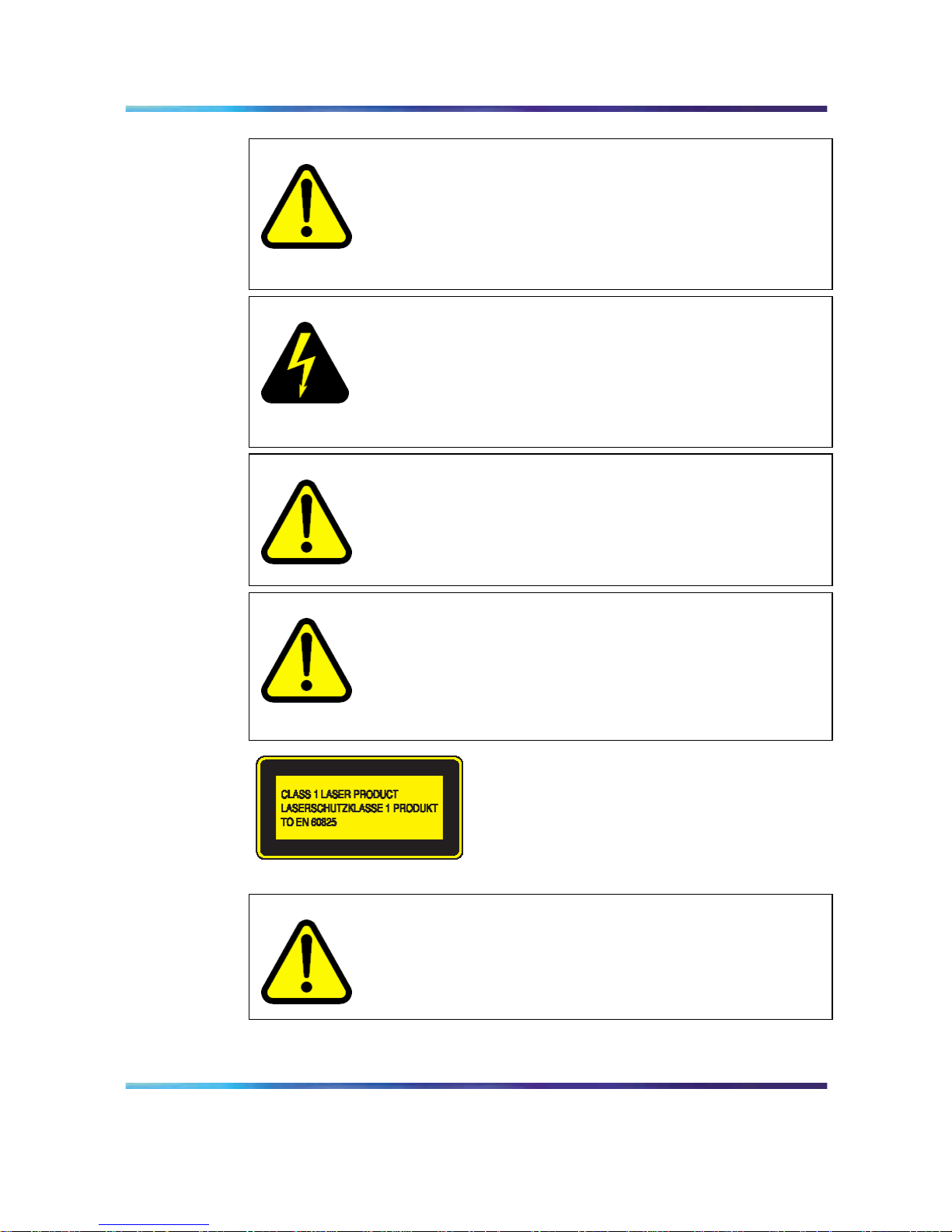
WARNING
Avertissement: La seule manière de couper l’alimentation de
l’appareil est de déconnecter le cordon d’alimentation. Connectez
toujours le cordon d’alimentation à un endroit accessible
rapidement et en toute sécurité en cas d’urgence.
WARNING
Avertissement: L’équipement de fibres optiques peut émettre
une lumière laser ou infrarouge nuisible à vos yeux. Ne regardez
jamais en direction de fibres optiques ou d’un port connecteur.
Supposez toujours que les câbles de fibres optiques sont
connectés à une source de lumière.
CAUTION
Avertissement: Risque d’explosion si la batterie est remplacée
par un type incorrect. Débarassez-vous des batteries utilisées
selon les instructions.
Nortel Ethernet Routing Switch 2500 Series
Regulatory Information for the Nortel Ethernet Routing Switch 2500 Series
NN47215-100 (323169-B) 02.01 Standard
4.1 19 November 2007
Copyright © 2007, Nortel Networks
.
Page 46

46 Français
Nortel Ethernet Routing Switch 2500 Series
Regulatory Information for the Nortel Ethernet Routing Switch 2500 Series
NN47215-100 (323169-B) 02.01 Standard
4.1 19 November 2007
Copyright © 2007, Nortel Networks
.
Page 47

47
Português
Antes de você comece
Assegure a área onde você instala e usa a série de ERS 2500 Series
comuta reuniões as seguintes exigências ambientais:
•
Temperatura ambiental entre 32
e 104
F(0
e40
C)
•
Umidade relativa entre 5% e 85% noncondensing
•
Nenhumas fontes de calor próximas tais como respiradouros de ar
quente ou a luz solar direta
•
Nenhumas fontes próximas do ruído eletromagnético severo
•
Nenhuma poeira excessiva
•
Fonte de poder adequado dentro de seis pés; um circuito 15-Amp
requerido para cada fonte de alimentação
•
Pelo menos 2 polegadas (5.08 cm) em cada lado da unidade do
interruptor para a ventilação
•
Espaço adequado no dianteiro e traseiro do interruptor para o acesso
aos cabos
Instalando o ERS 2500 Series em uma tabela ou em uma prateleira
Você pode instalar um único Ethernet Routing Switch em toda a superfície
plana que puder com segurança suportar o peso do ERS 2500 Series e
dos cabos unidos (15 a 20 libras ou 7 a 9 quilogramas). La figura fornece
instruções em instalar o ERS 2500 Series em uma tabela ou em uma
prateleira.
Nortel Ethernet Routing Switch 2500 Series
Regulatory Information for the Nortel Ethernet Routing Switch 2500 Series
NN47215-100 (323169-B) 02.01 Standard
4.1 19 November 2007
Copyright © 2007, Nortel Networks
.
Page 48
48 Português
Instalando o ERS 2500 Series na tabela ou na prateleira
Una os pés de borracha nas posições marcadas.
Ajuste o ERS 2500 Series em uma tabela ou prateleira.
ATTENTION
Reserve pelo menos 2 polegadas (5.1 cm) em cada lado para a ventilação
apropriada e pelo menos 5 polegadas (12.7 cm) na parte traseira para o
afastamento do cabo de poder.
Instalando o ERS 2500 Series em uma cremalheira de equipamento
Ferramenta requerida: Chave de fenda Phillips para unir os suportes ao B
Nortel Ethernet Routing Switch 2500 Series
Regulatory Information for the Nortel Ethernet Routing Switch 2500 Series
NN47215-100 (323169-B) 02.01 Standard
4.1 19 November 2007
Copyright © 2007, Nortel Networks
.
Page 49
Instalando o ERS 2500 Series em uma cremalheira de equipamento 49
Exigências da cremalheira:
•
Um espaço de 2.8 polegadas é requerido para cada interruptor em um
padrão de EIA ou de IEC cremalheira de equipamento de 19 polegadas
(48.2-centimeter).
•
A cremalheira deve ser aparafusada ao assoalho e ser apoiada, se
necessário.
•
A cremalheira deve ser aterrada ao mesmo elétrodo aterrando usado
pelo serviço de poder na área. O trajeto à terra deve ser permanente
e não deve exceder 1 ohm da resistência da cremalheira ao elétrodo
aterrando.
Da figura fornece instruções em instalar o ERS 2500 Series em uma
cremalheira.
Instalando ERS 2500 Series em uma cremalheira
Una um suporte a cada lado do ERS 2500 Series.
Nortel Ethernet Routing Switch 2500 Series
Regulatory Information for the Nortel Ethernet Routing Switch 2500 Series
NN47215-100 (323169-B) 02.01 Standard
4.1 19 November 2007
Copyright © 2007, Nortel Networks
.
Page 50
50 Português
Deslize o ERS 2500 Series na cremalheira. Introduza e aperte
cremalheira-montam os parafusos.
Especificações do poder
Especificações do poder de C.A.
Da tabela descreve as especificações do poder de C.A. para a série do
Ethernet Routing Switch 2500 Series.
2526T
2550T
2526T-PWR
2550T-PWR
Corrente da entrada: Máximo 0,8 A Máximo 2,9 A
Tensão de entrada
(rms):
100-240 VAC at 50-60 Hz 100-240 VAC at 50-60 Hz
Consumo de potência:: Máximo 96 W Máximo 350 W
Avaliação térmica: 327 Btu/h máximo 500 Btu/h máximo
Poder de C.A. conectando
Cabo requerido:Cabo de poder da C.A. que se encontra com as exigências
de seu código elétrico local. Consulte à tabela para especificações do
plugue.
Especificações internacionais do cabo de poder
Descrição do país/plugue Especificações Plugue típico
Europa continental:
•
CEE7 plugue do macho do padrão VII
•
Cabo Harmonized (marking de HAR na
parte externa do revestimento do cabo
a comply com o original Harmonized
CENELEC HD-21)
220 ou 230
Vca 50Hz Fase
monofásica
ESTADOS UNIDOS/Canadá/Japão:
•
Plugue do macho de NEMA5-15P
• UL-reconhecido (UL carimbados no
revestimento do cabo)
•
CSA-certificado (etiqueta de CSA fixada
ao cabo)
100 ou 120 Vca
50-60 Hz Fase
monofásica
Nortel Ethernet Routing Switch 2500 Series
Regulatory Information for the Nortel Ethernet Routing Switch 2500 Series
NN47215-100 (323169-B) 02.01 Standard
4.1 19 November 2007
Copyright © 2007, Nortel Networks
.
Page 51
Poder de C.A. conectando 51
Descrição do país/plugue Especificações Plugue típico
Reino Unido:
•
Plugue BS1363 masculino com fusível
•
Cabo Harmonized
240 Vca 50
Hz Fase
monofásica
Australia:
•
AS3112-1981 plugue masculino
240 Vca 50
Hz Fase
monofásica
A série de ERS 2500 Series não tem um interruptor de poder. Quando
você conectar o cabo de poder da C.A. a uma tomada de poder apropriada
da C.A., os poders de ERS 2500 Series acima imediatamente. Da figura
mostra como conectar o cabo de poder da C.A. à série de ERS 2500 Series.
Conectando o cabo de poder da C.A. à série de ERS 2500 Series
Nortel Ethernet Routing Switch 2500 Series
Regulatory Information for the Nortel Ethernet Routing Switch 2500 Series
NN47215-100 (323169-B) 02.01 Standard
4.1 19 November 2007
Copyright © 2007, Nortel Networks
.
Page 52
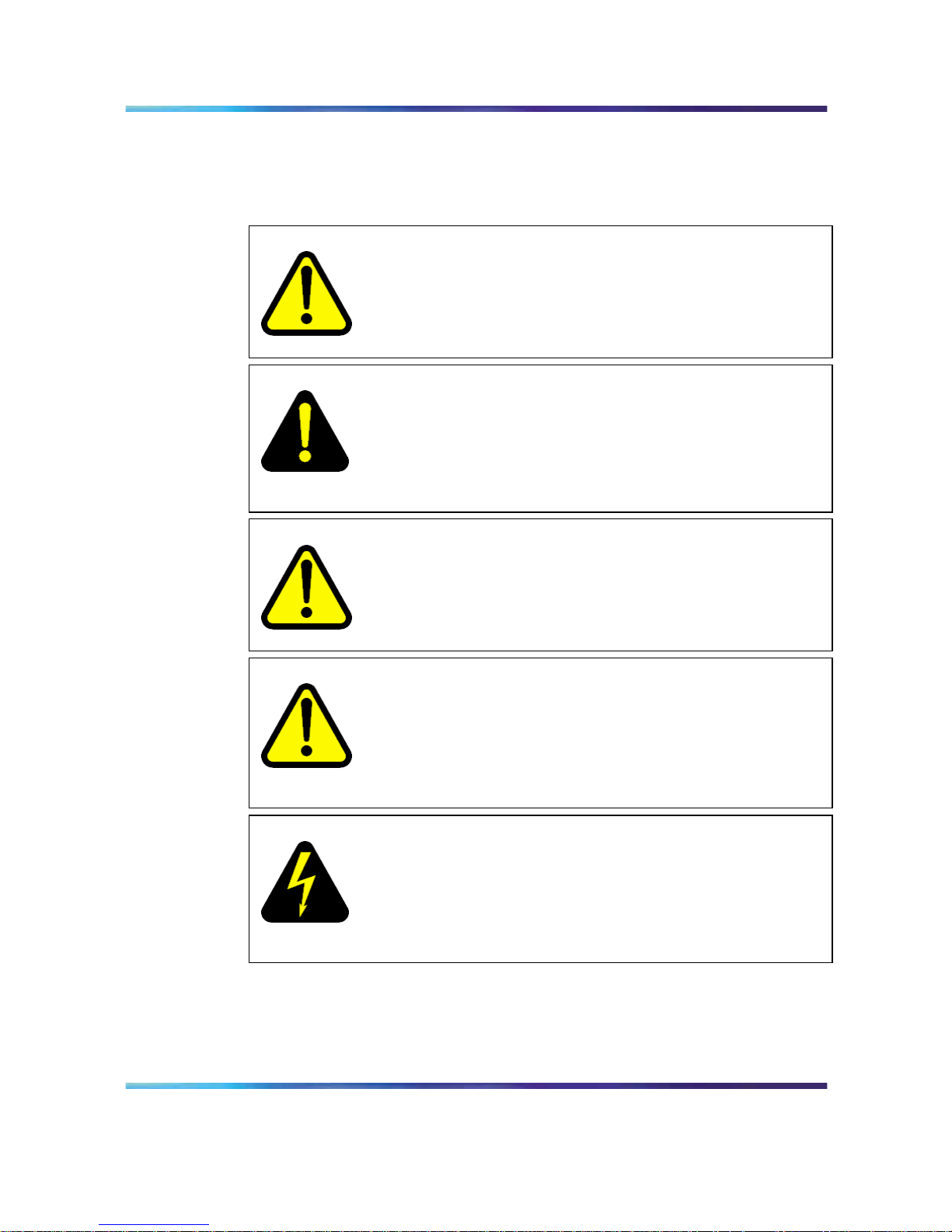
52 Português
Conecte o cabo de poder da C.A. à parte traseira do ERS 2500 Series, e
conecte então o cabo a uma tomada de poder.
Mensagens de segurança
WARNING
Aviso: A instalação deve ser executada pelo pessoal de serviço
qualificado somente. Leia e siga todas as observações de
advertência e instruções marcadas no produto ou incluídas na
documentação.
DANGER
Perigo: Este equipamento confia na instalação do edifício para
a proteção da sobrecarga. Assegure-se de que um disjuntor do
fusível ou de circuito não maior de 120 VAC, 15 UNS ESTADOS
UNIDOS (240 VAC, 16 um internacional) esteja usado nos
condutores da fase.
CAUTION
Cuidado: Este dispositivo é um produto da classe A. Em um
ambiente doméstico, este dispositivo pode causar a interferência
de rádio, que no caso o usuário pode ser requerido fazer exame
de medidas apropriadas.
CAUTION
Cuidado: Ao montar este dispositivo em uma cremalheira, não
empilhe unidades diretamente no alto de um outro na cremalheira.
Cada unidade deve ser fixada à cremalheira com os suportes
de montagem apropriados. Os suportes de montagem não são
projetados suportar unidades múltiplas.
DANGER
Perigo: Use somente os cabos de poder que têm um trajeto
aterrando. Sem uma terra apropriada, uma pessoa que toque o
interruptor está no perigo de receber um choque elétrico. A falta
de um trajeto aterrando ao interruptor pode resultar em emissões
excessivas.
Nortel Ethernet Routing Switch 2500 Series
Regulatory Information for the Nortel Ethernet Routing Switch 2500 Series
NN47215-100 (323169-B) 02.01 Standard
4.1 19 November 2007
Copyright © 2007, Nortel Networks
.
Page 53
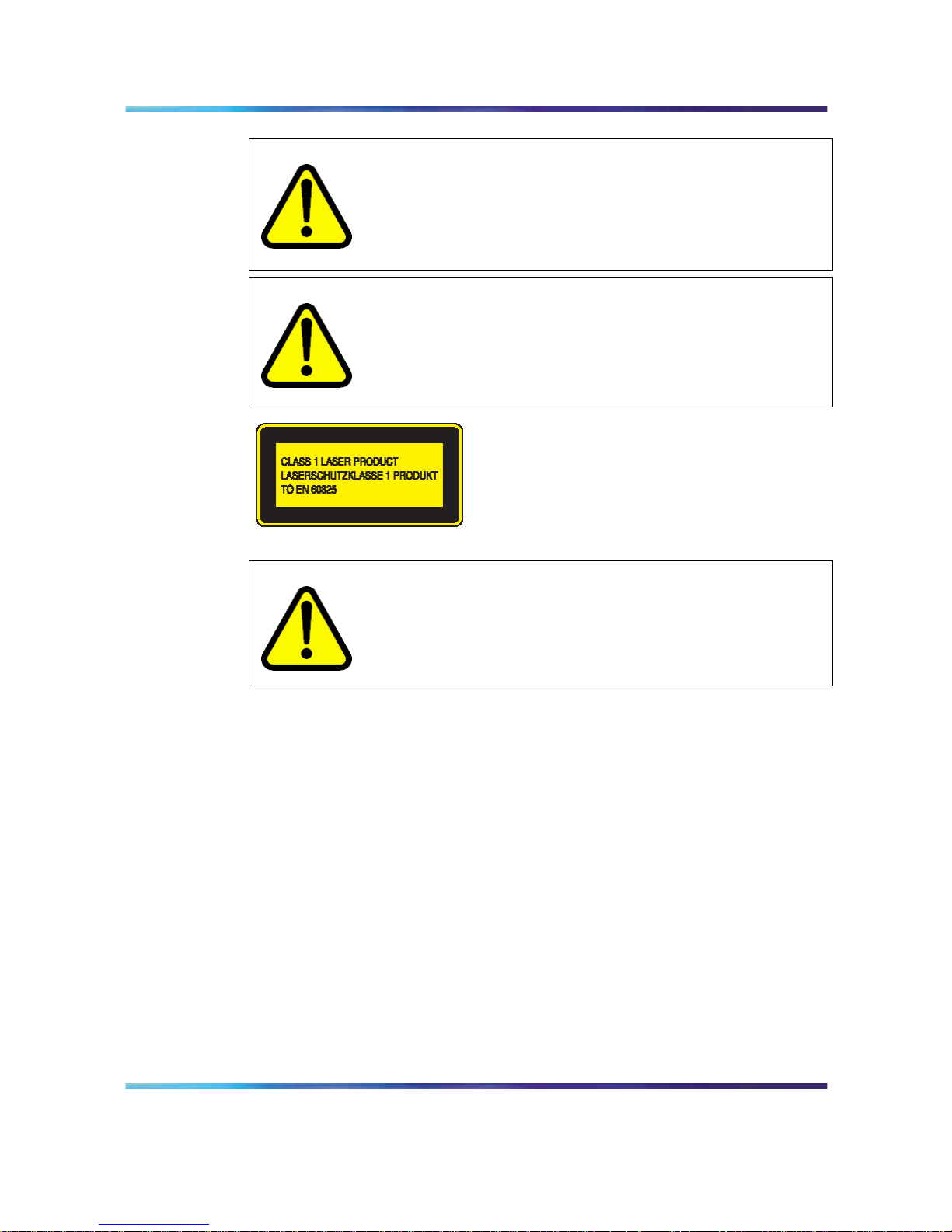
Mensagens de segurança 53
WARNING
Aviso: Desconectar o cabo de poder é a única maneira desligar
o poder para este dispositivo. Conecte sempre o cabo de poder
em uma posição que possa ser alcançada rapidamente e com
segurança em caso de uma emergência.
WARNING
Aviso: O equipamento ótico da fibra pode emitir-se o laser ou a
luz infravermelha que podem ferir seus olhos. Nunca olhe em um
porto de fibra óptica ou do conector. Suponha sempre que os
cabos óticos da fibra estão conectados a uma fonte clara.
CAUTION
Cuidado: Risco da explosão se a bateria for substituída por um
tipo incorreto. Disponha de baterias usadas de acordo com as
instruções.
Nortel Ethernet Routing Switch 2500 Series
Regulatory Information for the Nortel Ethernet Routing Switch 2500 Series
NN47215-100 (323169-B) 02.01 Standard
4.1 19 November 2007
Copyright © 2007, Nortel Networks
.
Page 54

54 Português
Nortel Ethernet Routing Switch 2500 Series
Regulatory Information for the Nortel Ethernet Routing Switch 2500 Series
NN47215-100 (323169-B) 02.01 Standard
4.1 19 November 2007
Copyright © 2007, Nortel Networks
.
Page 55

Page 56

Nortel Ethernet Routing Switch 2500 Series
Regulatory Information for the Nortel Ethernet Routing Switch
2500 Series
Copyright © 2007 , Nortel Networks
All Rights Reserved.
Publication: NN47215-100 (323169-B)
Document status: Standard
Document version: 02.01
Document date: 19 November 2007
To provide feedback or report a problem in this document, go to w
ww.nortel.com/documentfeedback
Sourced in Canada, India, and the United States of America
The information in this document is subject to change without notice. Nortel Networks reserves the right to make changes in design
or components as progress in engineering and manufacturing may warrant.
*Nortel, Nortel Networks, the Nortel logo, the Globemark, are trademarks of Nortel Networks.
Microsoft, MS, MS-DOS, Windows, and Windows NT are registered trademarks of Microsoft Corporation.
Java is a trademark of Sun Microsystems, Inc.
Acrobat and Adobe are trademarks of Adobe Systems, Inc.
Cisco, Aironet, and Catalyst are trademarks of Cisco Systems, Inc.
Trademarks are acknowledged with an asterisk (*) at their first appearance in the document.
 Loading...