

Page 1
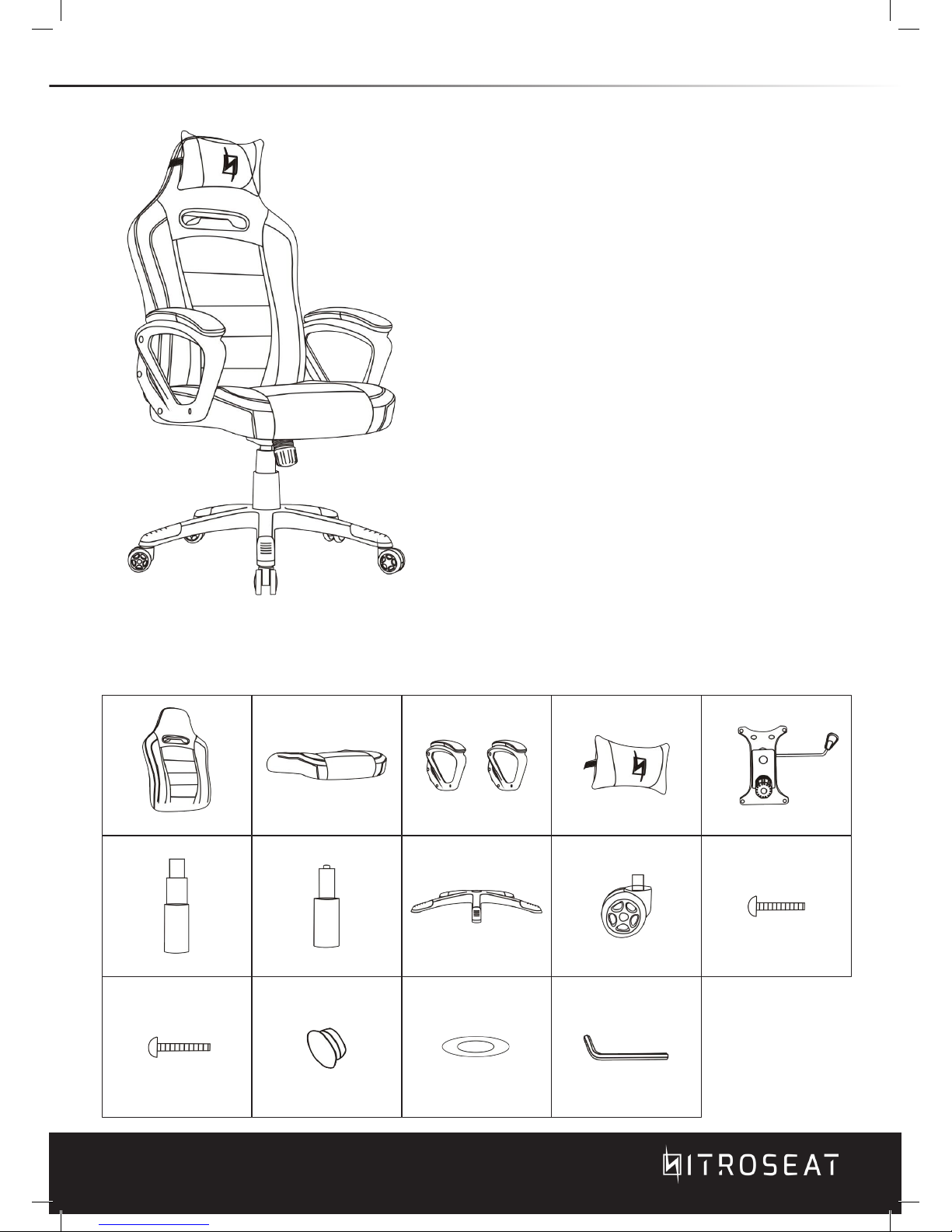
INSTALLATION GUIDE
NitroSeat Gaming Chairs incorporates ergonomic principles
to deliver superior comfort and support. NitroSeat chairs
dramatically improves the user’s gaming experience.
Designed specifically for people who sit for hours at the
computers, NitroSeat gives you the comfort when you need
it most.
1x Backrest
A.
1x Seat
B.
2x Armrest
C.
1x Headrest Pillow
D.
1x Control Unit
E.
1x Plastic Cover
F.
1x Hydraulic Unit
G.
1x Five Star base
H.
5x Casters
I.
4x Screws
J.
8x Screws
K.
8x Cap covers
L.
4x Washers
M.
1x Allen Key
N. .
M6x20mm
M6x25mm
M6
CHAIR ACCESSORIES
*Please check and ensure that the following things are in the package.
Page 2
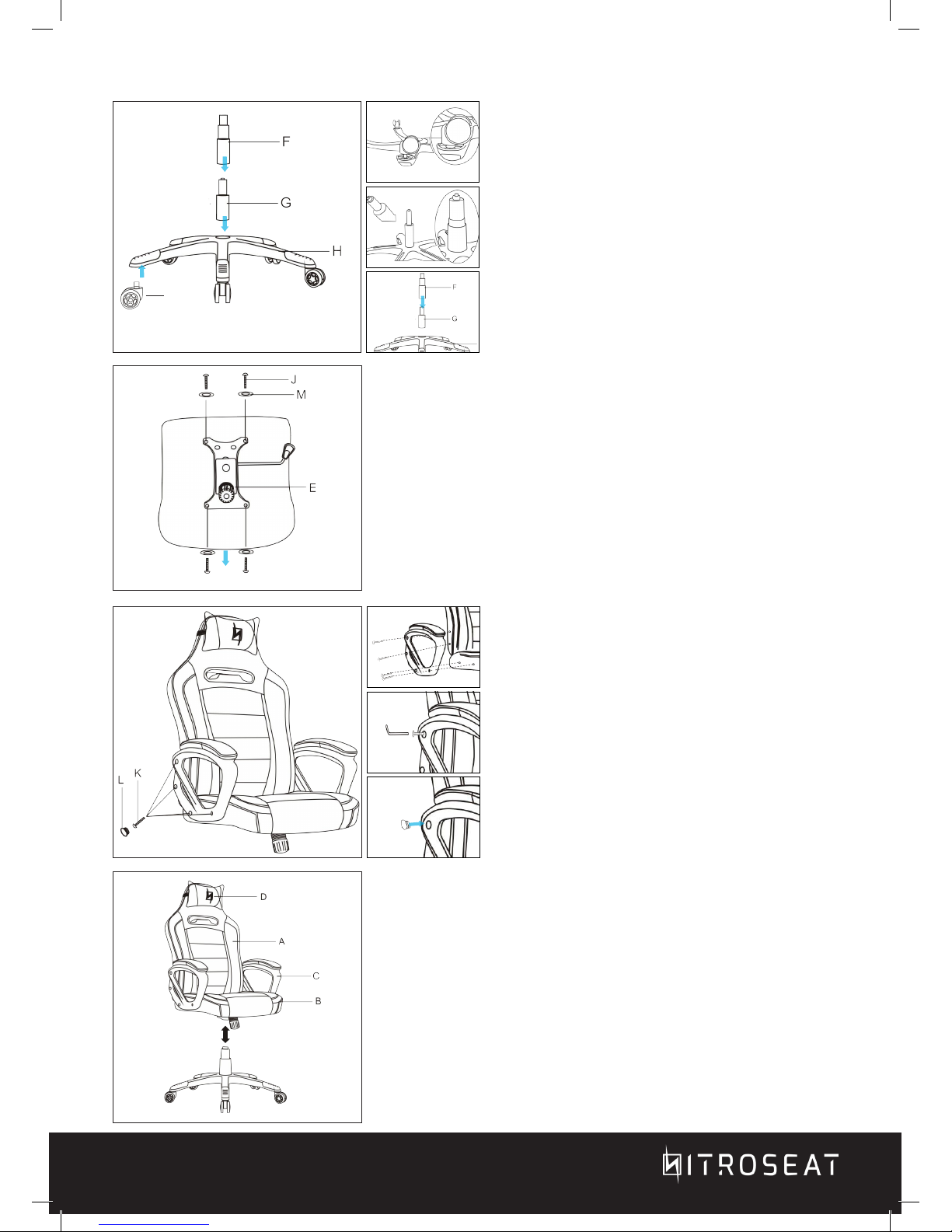
Turn the five star base (H) over and attached
wheels (I). Install the hydraulic unit (G) into the
five star base center hole. Place the hydraulic
plastic cover (F) over the hydraulic unit.
I
CHAIR ASSEMBLY
Use the four M6x20mm (J) and washers (M) provided to fix the
control unit (E)to the base of the seat.
Front
Use the eight M6x25mm (K) screws to attached
the arm rest (C) to the back rest (A) and base
seat (B). Tighten the M6x25mm screws with the
provided M6 allen key (N). When the armrests
are securely fixed, use the provided plastic caps
(L) to cover the holes.
Insert the hydraulic unit (G) into the opening on the control unit
(E).
*Caution: Make sure to take off the plastic cap cover of the hydraulic
unit before inserting it to the control unit. If the plastic cap cover is not
removed control unit may not function correctly.
 Loading...