

Page 1
The New Benchmark in Intelligent Chargers
®
UGP4
Intelligent USB charger for
User Manual
HERO4 batteries
Features
• Simultaneously charges two GoPro AHDBT-201/301/401 batteries and one device
through USB
• Intelligently selects charging mode (CC, CV)
• Priority Mode offers either battery or USB charging based on users’ preferences
• Automatically stops charging upon charging completion
• High definition LCD displays real time charging status
• Features over-charge prevention to protect batteries
• Intelligently distributes charging power
• Automatically switches between charging devices
• Features error alarms
• Rear USB plug dimple
• Constructed from ABS fire retardant materials
• Designed for optimal heat dissipation
• Certified by RoHS, CE, FCC and CEC
• Insured worldwide by Ping An Insurance (Group) Company of China, Ltd.
Specifications
Input voltage: USB DC 5V
Output voltage: 4.2V±1%/4.35V±1%/ 5V
Input current: ≥1A
Output current: 800mA*2, USB 1500mA*1
Compatible with: GoPro AHDBT-201/301/401
Input/output port: USB
Dimensions: 3.30”×1.77”×1.06”( 84mmx 45mmx 27mm )
Weight: 1.95oz (55.3g)
Standard Function
1. Connecting: Draw out the rear USB plug, and connect it to a power supply (USB
adapter, PC, etc.). Upon connection, the UGP4’s LCD will display two power level
indicators and battery percentages (0%) before entering standby mode.
2. Battery Test: After battery installation, the UGP4 will run a quick battery test before
charging. If a problem is detected, the UGP4 will stop charging and display “EE” on
the LCD to remind the user.
3. Charging Progress: The UGP4 will indicate battery status and charging progress
during charging. When batteries are fully charged, 5 power level indicator bars and
“100%” will illuminate steadily on the LCD display.
Advanced Functions
USB Output
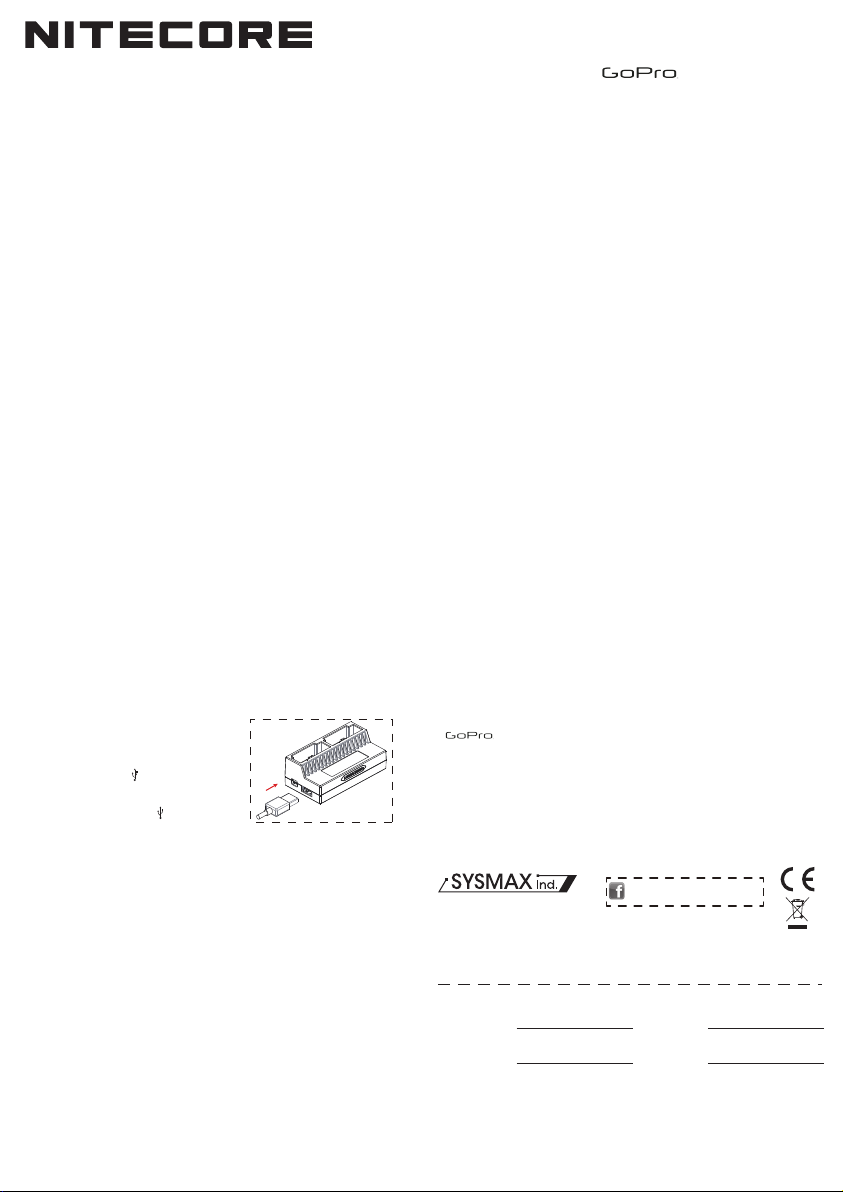
1. As illustrated, plug a USB cable to the
charging port at the bottom.
2. Connect the USB cable with an external device
(cell phone, tablet, etc.) that needs to be
powered /recharged. ( ) will start
flashing on the LCD to indicate that the UGP4
is connected with a USB cable. When the
device is fully charged, the ( ) icon
stops flashing and illuminates steadily.
Priority Mode
When both batteries and an external device are connected to UGP4 simultaneously,
the UGP4 will prioritize the charging of the batteries or the device based on the user’s
preference.
When the side switch is set to BATTERY,
1. The UGP4 will detect input power, and charge the batteries first. The charging
priority ranges from top to last is: right cradle->left cradle->USB device.
2. When the batteries are fully charged or disconnected, the UGP4 will charge the
USB device automatically.
When the side switch is set to USB,
1. The UGP4 will recharge/power the USB device first. The charging priority ranges
from top to last is: USB device->right cradle->left cradle.
2. When the external device is fully charged or disconnected, the UGP4 will charge
the batteries automatically.
Adaptor Output Capacity Detection
1. When the adaptor’s output capacity is not sufficient for battery or USB device,
UGP4 terminates charging, and displays “EE” on LCD together with alarm flickers
to indicate the adaptor’s insufficiency.
2. When an additional device is connected, UGP4 automatically reevaluates the
adaptor’s output capacity. If the output capacity cannot meet the input requirement
of all devices, UGP4 charges devices in customized priority order. If the adaptor’s
maximum output capacity cannot meet the priority device’s input requirement,
UGP4 displays “EE” on LCD to indicate the adaptor’s insufficiency.
NOTE: A small electric current will keep passing through to the connected external
device to maintain the device in its full power state.
Battery Activation
The UGP4 is capable of activating depleted protected Li-ion batteries. After
battery installation, the UGP4 will test and activate the batteries before charging.
Batteries detected as damaged cannot be activated by the UGP4 and “EE” will be
displayed on the LCD to indicate an error.
Precautions
1. The UGP4 is restricted to charging AHDBT-201/301/401 batteries only. Never use
the UGP4 with other types of batteries as this could result in battery explosion,
cracking or leaking, causing property damage and/or personal injury.
3. The UGP4 should only be used indoors or inside a motor vehicle and under no
circumstances should it be exposed to water, high humidity and low or high
ambient temperatures.
4. Do not disassemble or modify the UGP4.
5. Children under the age of 18 should be supervised by an adult when using the
UGP4.
6. The UGP4’s safe operating temperature is between 0-40ºC.
7. Do not use or store the UGP4 near open flames, direct sunlight, heating devices
or other high-temperature environments.
Warranty Service
All NITECORE® products enjoy a comprehensive after sales warranty service. A
malfunctioning NITECORE® UGP4 charger may be exchanged for a replacement by
a local authorized distributor/dealer within the first 15 days of receipt by the end
user. After 15 days and up to 12 months, the UGP4 may be sent to an authorized
distributor/dealer for repair. Beyond 12 months, the warranty covers labor costs and
maintenance with the exclusion of accessories or replacement parts.
The warranty is nullified in any of the following situations:
1. The product(s) is/are broken down, reconstructed and/or modified under
unauthorized conditions.
2. The product(s) is/are damaged through improper use.
3. The product(s) is/are damaged by leakage of batteries.
For further details of Nitecore’s warranty service, please contact a regional
distributor/dealer or send an email to [email protected].
Validation code and QR code on package can be verified on Nitecore website.
* is a registered trademark of GoPro, INC.
※All images, text and statements specified herein this user manual are for
reference purpose only. Should any discrepancy occurs between this manual and
information specified on www.nitecore.com, information on our official website shall
prevail. Sysmax Industry Co., Ltd. reserves the rights to interpret and amend the
content of this document at any time without prior notice.
Please find us on facebook:
SYSMAX Industry Co., Ltd.
TEL: +86-20-83862000
FAX: +86-20-83882723
E-mail: [email protected]
Web: www.nitecore.com
Address: Rm1401-03, Glorious Tower, 850 East Dongfeng Road,
Guangzhou, China 510600
Worldwide Warranty Service
Model number
Date of purchase
This is the certificate of authenticity of this item and we confirm that it has been subjected to the
most exacting quality controls by SYSMAX lndustry Co.,Ltd.
NOTE: Please ensure this warranty card is fully completed by the distributor or retailer when
purchasing the product. Should the product fail to operate correctly during the warranty period, it
may be returned with the completed warranty card and original sales receipt to the retailer or local
distributor for replacement or repair.
NITECORE Flashlights
Serial number
Store Stamp
20150819
 Loading...