

Page 1
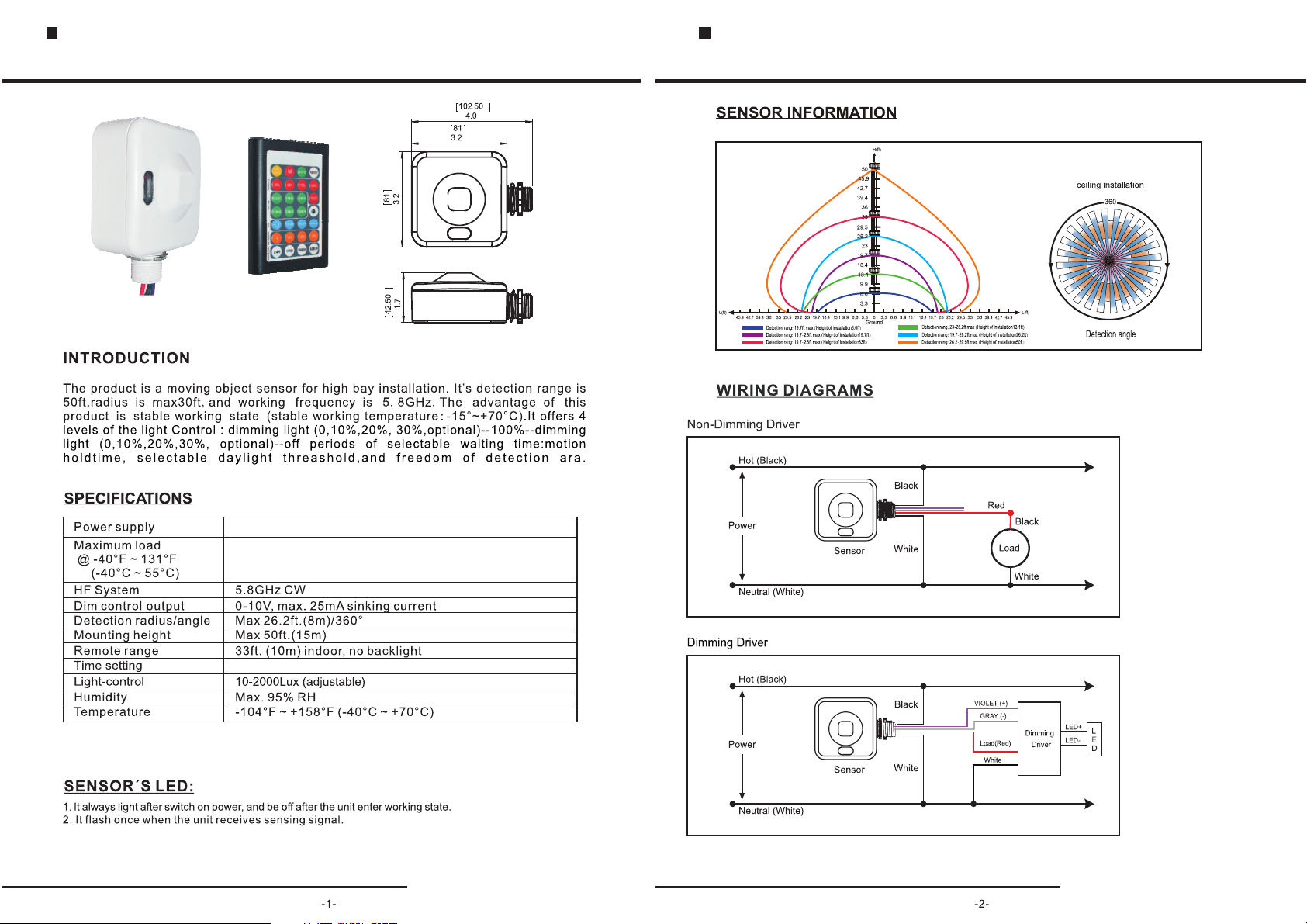
Photoelectric And Microwave Motion Sensor Switches
BRI819 Instruction
Photoelectric And Microwave Motion Sensor Switches
BRI819 Instruction
120-277VAC 50/60Hz
Resistive/Halogen - 800W/1200W@120/277V
Fluorescent Ballast/CFL - 600W/1200W@120/277V
Electronic Ballast (LED) - 600/1200VA@120/277V
10sec.-60min.(adjustable)
Page 2
Photoelectric And Microwave Motion Sensor Switches
BRI819 Instruction
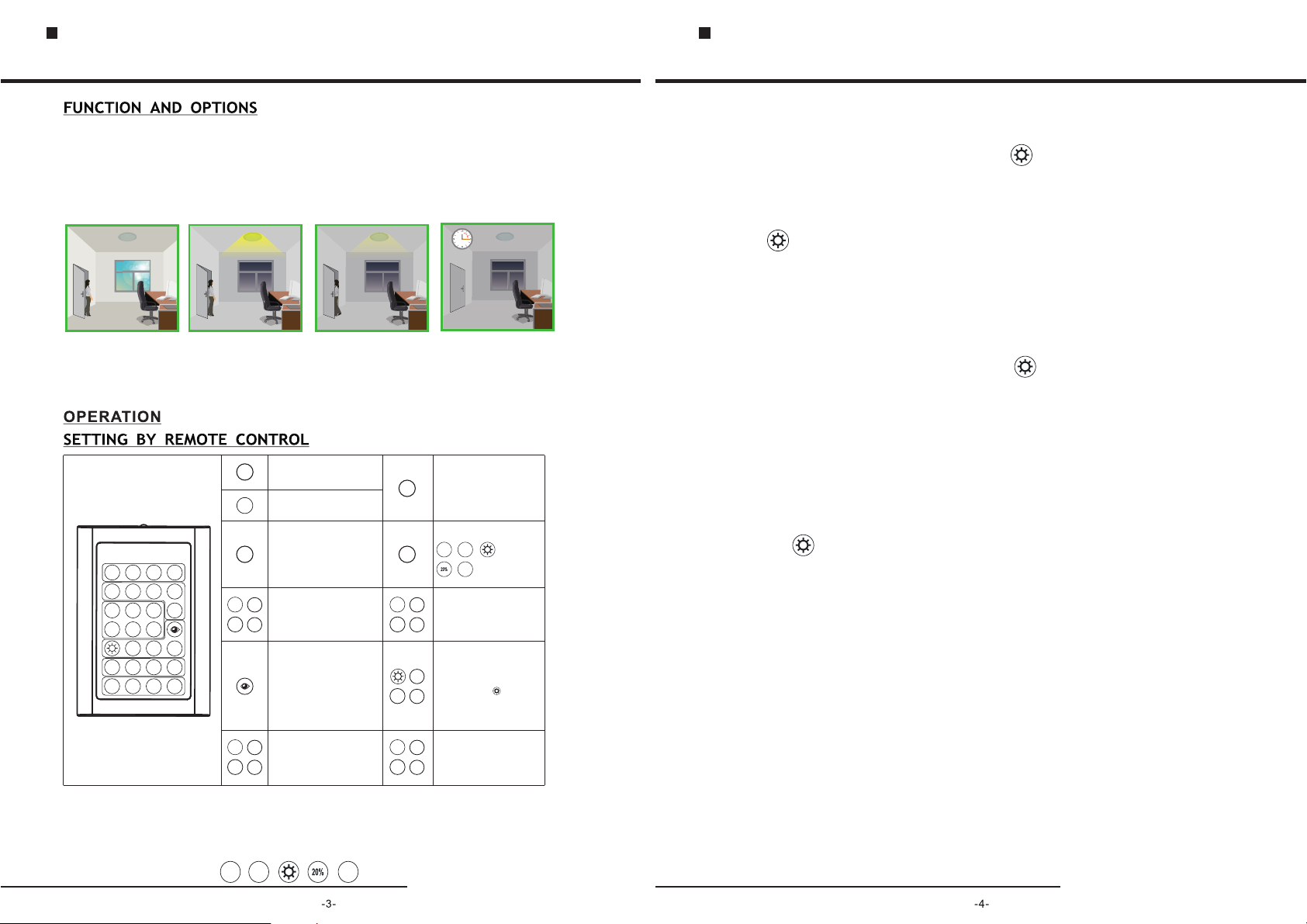
It off ers 4 l ev els o f the lig ht co ntrol dim med l ight 1 0 20 30 opti ona l 100 dimm ed
( %, %, % )- -> :
ligh t 10 20 30 op tiona l off peri ods of se lec table w aitin g tim e m oti on hold tim e and 24
hour s, se lecta ble day lig ht thre shold , and f reedo m of dete cti on area
if nat ral l ight lo wer lig ht- contr ol sett ing (10Lu x,30L ux, 50Lux ),the l igh t will no t autom ati cally o n
(10% ,20 %,30% ).Whe n per son ent er in the r oom ,thel ight wi ll on 1 00%,a fter pe rso n left th e room,
the ro om en ter in se mi brig ht br ightn ess aft er ho ld on tim e.
Wit hs uffc ient na tu ra l lig ht ,
th e li ght d oes no t sw it ch o n
wh en pr esen ce d et ec te d.
ON/
M
OFF
20%
50%
Sensit ivity
10SE C
1MIN
Stand- by time
15MI N
30MI N
Lux
0
10%
Dimmin g level
24H
1MIN
Dimmin g t ime
Wit h ins uf fic ient nat ural lig ht
the s ensor s witch es on the l ight
aut omati cally w hen per son
ent ers the
lev el afte r the
nev er swit ch off wi th pres ence,
eve n the nat ure lig ht is suf ficie nt.
AUTO
RESE T
75%
100%
5MIN
TEST
60MI N
30LU X10LU X
50LU X
20%
30%
30MI N 60MI N
: ( %, %, % )--> %-->
.
Lig ht swit ches of f autom atica lly
aft er the di mming t ime ela psed.
This button test 2s is for testing
prupose only.the sensor goes to
test mode(hold time 2s)
TEST
automatically after commissioning,
meanwhile the stand-by period and
daylight sensor are diabled.
One touch button, the default is
75%
RESE T
10MI N
Hol d-tim e
30MI N
Press the buttons of the daylight
10
Lux
sensor to set daylight threshold at
10lux/30lux/50lux/ ( for daylight
50
Lux
sensor disabled).
1MIN
Sta nd-by p eriod (note :24H is
nev er off)
60MI N
10SE C
24H
( ) ta ndby
opt ions s
roo m.
The l amp
Press the on/off button,the light
ON/
goes to permanent or permanent
OFF
off mode,sensor is disabled.
Memory the paraments
M
Pre ss auto m ode but ton,t he
sen sor sta rts to wo rk and al l
set tings r emain t he same a s
AUTO
the l atest s tatus b efore t he
lig ht was sw itche d on/of f.
20% 50%
Sen sitiv ity
100%
75%
Press this button,the latest
surounding lux value overwrites
previous lux value learned,and is
set as the daylight threshold. This
feture enables the fixture to function
well in any real application
circumstance.
0 10%
Sta nd-by d immin g level
20%
30%
,
Peo ple le ft,l ight st ill dim s to
0/1 0%/20 %/30% op ti ons( )
sta ndby le ve l aft er th e ho ld
tim e.
10SE C
20MI N
30MI N
30
Lux
24H
Operration tips:
1.ON/OFF MODE: Press this button,the light permanent on/off.
2.RESET MODE(ONE TOUCH MODE)
10S EC
75%
24H
。Reset mode is default set:
Photoelectric And Microwave Motion Sensor Switches
BRI819 Instruction
3.AUTO MODE:Press Auto mode button,the sensor starts to work and all paraments remain the same as
latest paraments before you push ON/OFF mode,Rest Mode, M mode. And you can adjust the paraments
in auto mode.
For example: set the parament( sensitivity 50%,hold time 10seconds, lux ,dimming level 20%,dimming
time 1min)
①step : push the auto button,led will flash 1 time as confirm.
②step : push the sensitivity 50% ,led LED light will flash 1 time and Led light off as confirm.
③step : push hold time 10seconds, led .LED light will flash 1 time and Led light off as confirm
④step : push lux , led .LED light will flash 1 time and Led light off as confirm
⑤step : dimming level 20%,led .LED light will flash 1 time and Led light off as confirm
⑥step : dimming time 1min,led .LED light will flash 1 time and Led light off as confirm
⑦step : you move, make the led light on, do not move within 10sec,the led light from 100% to 20%.
Note 1 : if the light can't from 100% to 20%,maybe you move within 10sec or sensitivity is too high.
Note 2 : push any button,the led light will flash 1 time and off as confirm.
4.M MODE:
For example: set the parament( sensitivity 50%,hold time 10seconds, lux ,dimming level 20%,dimming time 1min).
)1 .Clear the memory:Firstly,to check M button keep records of paraments before.if push the M button,the led flash, there
are the paraments recorded in M button. if the led no flash, there is no the parament recorded in M button.
How to clear the memory? push the M button 3 seconds till led light flash all the time.
How to confirm clear the memory of not? Push the M button,the led light no flash. If led light flash, the remote control
still keep the memory.
2 .Record the memory: push the M button 3 seconds till led light on .)
:2-1step push the auto button, led will flash 1 time as confirm.
:2-2step push the sensitivity 50%, led will flash 1 time as confirm.
:2-3step push hold time 10seconds, led will flash 1 time as confirm.
:2-4step push lux , led will flash 1 time as confirm.
:2-5step dimming level 20%, led will flash 1 time as confirm.
:2-6step dimming time 1min, led will flash 1 time as confirm.
:2-7step push the M botton, record the memory note: Step 7 is keep the memory to remote control. If you want to this
light have above the memory,you should push M again as Step 8).
2-8step if you need this light sensor parament is (sensitivity 50%,hold time 10seconds, lux 10lux,dimming level 20%,:
dimming time 1min), just push the M botton again.
If you want anther light sensor are same paraments as this one.just push the M button to anther light.
FCC STATE ME NT
1. This device complies with Part 15 of the FCC Rules. Operation is subject to the following two conditions:
(1) This device may not cause harmful interference.
(2) This device must accept any interference received, including interference that may cause undesired operation.
2. Changes or modifications not expressly approved by the party responsible for compliance could void
the user's authority to operate the equipment.
NOTE: This equipment has been tested and found to comply with the limits for a Class B digital device,
pursuant to Part 15 of the FCC Rules. These limits are designed to provide reasonable protection against harmful
interference in a residential installation. This equipment generates uses and can radiate radio frequency energy
and, if not installed and used in accordance with the instructions, may cause harmful interference to radio
communications. However, there is no guarantee that interference will not occur in a particular installation. If this
equipment does cause harmful interference to radio or television reception, which can be determined by turning the
equipment off and on, the user is encouraged to try to correct the interference by one or more of the following
measures: Reorient or relocate the receiving antenna. Increase the separation between the equipment and receiver.
Connect the equipment into an outlet on a circuit different from that to which the receiver is connected.Consult the
dealer or an experienced radio/TV technician for help.
(
 Loading...