

Page 1
Toucan N Series Quick Start Guide
ging
Step 1: Charging and installing the device
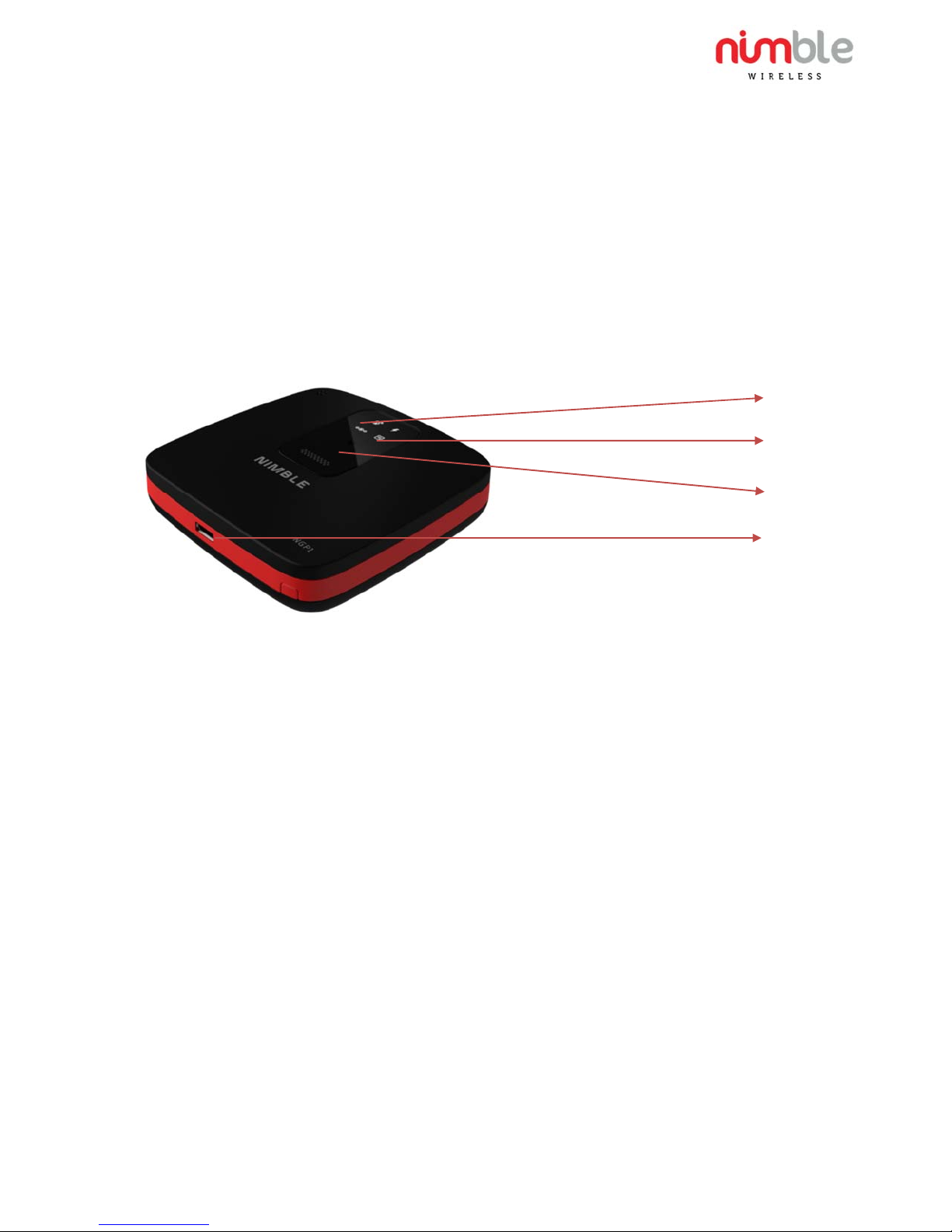
The Toucan N Series is charged through the micro USB port as shown below. Please ensure that the
USB wall adaptor can s our ce 5 V/500mA to meet the power requirements of the Toucan device. The
charging LED indicator will glow while the device is charging. Once charging is complete (approx. 4-5
hours) the LED will turn off indicating that charging is complete. Once the device is charged, it is now
ready for use.
Charging Status
Power on
On-demand SOS
button
Micro USB
Char
Port
Step 2: Activating the devices
If the devices come pre-activated by Nimble, you do not have to do anything and you can proceed to
step 3. If not, please contact your air-time service provider to activate the device by providing the MEID
listed on the device label. Once you get confirmation that the device is activated, please power the unit
using the supplied USB cable and USB wall adaptor and leave it powered for 24 hours. The device will
automatically activate itself over the air without any user intervention. Please place the device such that
the top side of the device is facing open sky.
Step 3: Using IRIS Monitoring application and locating the device
IRIS is Nimble’s web based monitoring application to monitor your assets temperature and locate your
assets/devices. To set up your IRIS account, please contact [email protected]. You
can login into the IRIS application at http://iris.nimblewireless.com and locate/track your assets/devices.
Please refer to the IRIS User guide provided at IRIS set up for further instructions on how to login and use
IRIS application.
More information: Please visit
www.nimblewireless.com
Email: [email protected]
uick Start Guide for Toucan N Series
Q
#QG2000N01 v1.0 Sep 23 2015
Page 2

Devices are listed in IRIS by their MEIDs. If the device is activated, then you should be able to get the latest
location with the right timestamp. If you do not see the device listed on IRIS or the location/time-stamp
please re-try after a few hours. Please contact Nimble if you still have problems with any of these steps or
if you are trying to use your own backend server application instead of IRIS.
FCC Declaration
This device complies with Part 15 of the FCC Rules.
Operation is subject to the following two conditions:
1. This device may not cause harmful interference, and
2. This device must accept any interference received, including interference that may cause undesired
operation.
NOTE: This equipment has been tested and found to comply with the limits for a Class B digital device, pursuant to part 15 of
the FCC Rules. These limits are designed to provide reasonable protection against harmful interference when the equipment
is operated in a commercial environment. This equipment generates, uses and can radiate radio frequency energy and, if not
installed and used in accordance with the instructions, may cause harmful interference to radio communications. However,
there is no guarantee that interference will not occur in a particular installation. If this equipment does cause harmful
interference to radio or television reception, which can be determined by turning the equipment off and on, the user is
encouraged to try to correct the interference by one or more of the following measures:
—Reorient or relocate the receiving antenna.
—Increase the separation between the equipment and receiver.
—Connect the equipment into an outlet on a circuit different from that to which the receiver is connected.
—Consult the dealer or an experienced radio/ TV technician for help.
Changes or modifications not expressly approved by the party responsible for compliance could void the user’s authority to
operate the equipment.
This equipment should be installed and operated with minimum distance 20 cm between the radiator & your body.
More information: Please visit
www.nimblewireless.com
Email: [email protected]
ick Start Guide for Toucan N Series
Qu
#QG2000N01 v1.0 Sep 23 2015
 Loading...