

Page 1
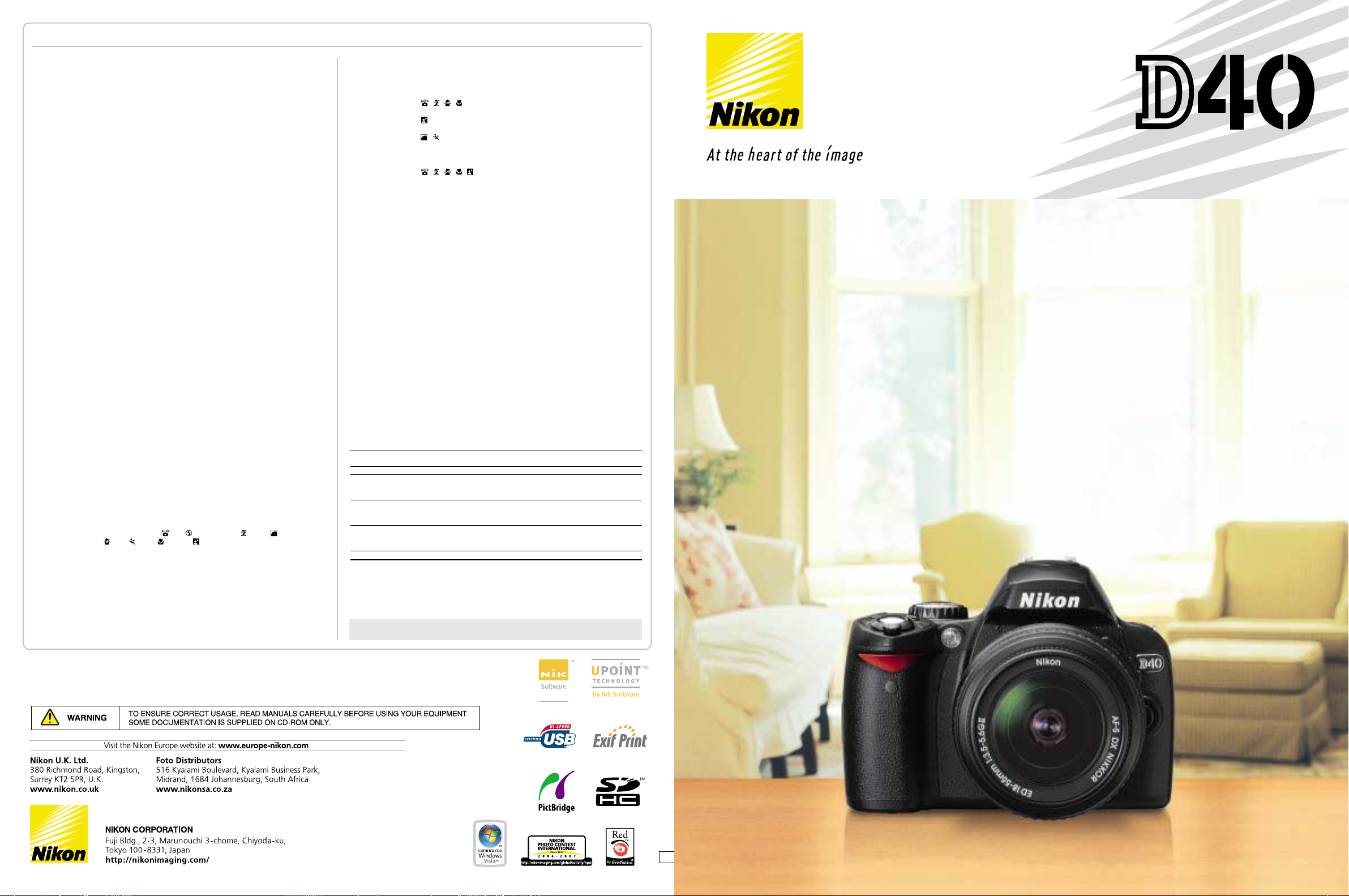
Nikon Digital SLR Camera D40 Specifications
DIGITAL SLR CAMERA
Type of Camera Single-lens reflex digital camera
Effective Pixels 6.1 million
Image Sensor RGB CCD, 23.7 x 15.6 mm; total pixels: 6.24 million
Image Size (pixels) 3,008 x 2,000 [L], 2,256 x 1,496 [M], 1,504 x 1,000 [S]
ISO Sensitivity 200 to 1,600 in steps of 1 EV with additional setting one step over 1600
Storage Media SD memory card, SDHC compliant
Storage System Compressed NEF (RAW): 12-bit compression,
File System Exif 2.21, Compliant DCF 2.0 and DPOF
White Balance Auto (TTL white-balance with 420-pixel RGB sensor), six manual modes with
LCD Monitor 2.5-in., 230,000-dot, low-temperature polysilicon TFT LCD with brightness adjustment
Playback Function 1 frame; Thumbnail (4 or 9 segments); Magnifying playback; Slide show;
Delete Function Card format, All frames delete, Selected frames delete
Video Output NTSC or PAL
Interface Hi-speed USB: Mass Storage and MTP/PTP selectable
Text Input Up to 36 characters of alphanumeric text input available with LCD monitor and
Lens Mount Nikon F mount with AF contacts
Compatible Lenses*
Picture Angle Equivalent in 35mm [135] format is approx. 1.5 times lens focal length
Viewfinder Fixed-eyelevel penta-Dach mirror type; built-in diopter adjustment (-1.7 to +0.5m
Eyepoint 18mm (-1.0m
Focusing Screen Type B BriteView Clear Matte screen Mark V with superimposed focus brackets
Viewfinder Frame Coverage
Viewfinder Magnification
Viewfinder Information
Autofocus TTL phase detection by Nikon Multi-CAM 530 autofocus module with AF-assist
Lens Servo 1) Autofocus (AF): Instant single-servo AF (AF-S); continuous servo AF (AF-C); auto
Focus Area Can be selected from 3 focus areas
AF Area Modes 1) Single Area AF, 2) Dynamic Area AF, 3) Dynamic Area AF with Closest Subject Priority
Focus Lock Focus can be locked by pressing shutter-release button halfway (single-servo AF)
Exposure Metering System
Exposure Metering Range
Exposure Modes Digital Vari-Program ( Auto, Auto [Flash Off], Portrait, Landscape,
Exposure Compensation
Exposure Lock Exposure locked at detected value with AE-L/AF-L button
Shooting Modes 1) Single frame shooting mode, 2) Continuous shooting mode: approx. 2.5 frames
Shutter Combined mechanical and CCD electronic shutter, 30 to 1/4000 s. in steps of 1/3,
Sync Contact X-contact only; flash synchronization at up to 1/500 s.
JPEG: JPEG baseline-compliant
fine-tuning and preset white balance
Histogram indication; Highlight point display;Auto image rotation
multi selector; stored in Exif header
1
Type G or D AF Nikkor
1) AF-S,AF-I: All functions supported, 2) Other Type G or D AF Nikkor:All functions
supported except autofocus, 3) PC Micro-Nikkor 85mm f/2.8D: Can only be used in
mode M; all other functions supported except autofocus, 4) Other AF Nikkor*
Nikkor: All functions supported except autofocus and 3D Color Matrix Metering II,
5): Non-CPU: Can be used in mode M, but exposure meter does not function;
electronic range finder can be used if maximum aperture is f/5.6 or faster
*1. IX Nikkor lenses can not be used
*2. Excluding lenses for F3AF
-1
)
Approx. 95% (vertical/horizontal)
Approx. 0.8x with 50mm lens at infinity; -1.0m
Focus indications,AE lock indicator, Shutter speed, Aperture value, Exposure/
Exposure compensation indicator, Exposure mode, Flash output level compensation,
Exposure compensation, Number of remaining exposures, Flash-ready indicator
(range approximately 0.5-3.0m/1ft. 8in.-9ft. 10in.); Detection range: -1 to +19 EV
(ISO 100 at 20°C/68°F)
AF-S/AF-C selection (AF-A); predictive focus tracking automatically activated
according to subject status, 2) Manual focus (M)
or by pressing AE-L/AF-L button
TTL full-aperture exposure metering system
1) 3D Color Matrix Metering II (type G and D lenses); Color Matrix Metering II
(other CPU lenses); metering performed by 420-segment RGB sensor
2) Center-weighted: Weight of 75% given to 8mm circle in center of frame
3) Spot: Meters 3.5mm circle (about 2.5% of frame) centered on active focus area
1) 0 to 20 EV (3D Color Matrix or center-weighted metering), 2) 2 to 20 EV (spot
metering)
Child, Sports, Close Up, Night Portrait)
Programmed Auto (P) with flexible program; Shutter-Priority Auto (S); AperturePriority Auto (A); Manual (M)
±5 EV in increments of 1/3 EV
per second, 3) Self-timer mode, 4) Delayed remote mode: 2 s. delay,
5) Quick-response remote mode
-1
bulb
2
/AI-P
-1
)
Flash Control 1) TTL: TTL flash control by 420-segment RGB sensor.i-TTL balanced fill-flash for
Flash Sync Modes , , , : Auto, auto with red-eye reduction; fill-flash and red-eye
Built-in Flash , , , , : Auto flash with auto pop-up
Flash Compensation -3 to +1 EV in increments of 1/3 EV
Accessory Shoe Standard ISO hot-shoe contact with sync,signal, and ground contacts and safety lock
Self-timer Electronically controlled timer with duration of 2, 5, 10 or 20 s.
Remote Control Via Wireless Remote Control ML-L3 (optional)
Power Source One Rechargeable Li-ion Battery EN-EL9; charging voltage (Quick Charger MH-23):
Tripod Socket 1/4 in. (ISO1222)
Dimensions
Weight Approx. 475g (1lb. 1oz.) without battery, memory card or body cap
Supplied Accessories* Rechargeable Li-ion Battery EN-EL9, Quick Charger MH-23, USB Cable UC-E4,
Optional Accessories Wireless Remote Control ML-L3, Capture NX, Camera Control Pro, AC Adapter
*Supplied accessories may differ depending on country or area.
The following SD memory cards have been tested and approved for use in the D40:
• SanDisk 64MB, 128MB, 256MB, 512MB, 1GB, 2GB*
• Toshiba 64MB, 128MB, 256MB, 512MB, 1GB, 2GB*
• Panasonic 64MB, 128MB, 256MB, 512MB, 1GB, 2GB*1, 4GB*
• Lexar 128MB, 256MB, 512MB, 1GB, 2GB*
*1. If card will be used with card reader or other device, check that device supports 2GB and 4GB cards.
*2. SDHC compliant. If card will be used with card reader or other device, check that device supports SDHC.
Memory Card Capacity and Image Quality/Size
The following table shows the approximate number of pictures that can be stored on a 512MB Panasonic
Pro HIGH SPEED memory card at different image quality and size settings.
Image quality Image size File size*
RAW – 5.0MB 65 5
FINE M 1.6MB 235 100
NORMAL M 0.8MB 444 100
BASIC M 0.4MB 755 100
RAW+BASIC –/L 5.8MB*
*1. All figures are approximate and assume average file size; actual file size and memory card capacity may
vary with scene recorded and make of memory card.
*2. Maximum number of frames that can be taken before shooting stops. Actual number of photos that can be
taken before buffer fills may vary with make of memory card.Additional photographs can be taken as soon
as enough memory is available in buffer.
*3. Total file size of NEF (RAW) and JPEG images.
http://www.nikondigitutor.com/index_eng.html
digital SLR and standard i-TTL fill-flash for digital SLR available when CPU lens is
used with Built-in Flash, SB-800, SB-600, and SB-400, 2) Auto aperture:Available
with SB-800 with CPU lens, 3) Non-TTL Auto: Available with Speedlights such as SB800, 80DX, 28DX, 28, 27, and 22s, 4) Range-priority manual available with SB-800
reduction available with optional Speedlight
: Auto, auto slow sync, auto slow sync with red-eye reduction; slow sync and
slow sync with red-eye reduction available with optional Speedlight
, : Fill-flash and red-eye reduction available with optional Speedlight
P, A: Fill-flash, rear-curtain with slow sync, slow sync, slow sync with red-eye
reduction, red-eye reduction
S, M: Fill-flash, rear-curtain sync, red-eye reduction
P/S/A/M: Manual pop-up with button release
Guide number (ISO 200/ISO 100, m [ft.]): approx.17 [55]/12 [39] (manual full 18
[59]/13 [42])
7.4V DC, AC Adapter EH-5 (available separately; requires optional AC Adapter
Connector EP-5)
(W x D x H)
Approx. 126 x 64 x 94mm (5.0 x 2.5 x 3.7 in.)
PictureProject, Rubber Eyecup DK-16, Camera Strap, Body Cap BF-1A, Eyepiece
Cap DK-5, Accessory Shoe Cap BS-1
Connector EP-5, AC Adapter EH-5, Video Cable EG-D100, Semi-Soft Case CF-DC1,
Speedlight SB-800/SB-600/SB-400/R1C1
1
1,2
, 4GB*
1
1
1
1,2
Number of Number of consecutive
available shots*1shots available*
L 2.9MB 137 100
S 0.8MB 503 100
L 1.5MB 260 100
S 0.4MB 839 100
L 0.8MB 503 100
S 0.2MB 1200 100
3
58 4
Online Video Tutorial - Digitutor
1,2
Celebrate Every Moment
● Macintosh®, Mac OS, and QuickTime are trademarks of Apple Computer, Inc.. ● Microsoft®and Windows®are registered trademarks of Microsoft Corporation. ● The SD logo is a
trademark of the SD Card Association. ● The SDHC logo is a trademark. ● Adobe, Acrobat and Adobe Reader are registered trademarks of Adobe Systems Inc.. ● PictBridge is a trademark.
● All other products and brand names are trademarks or registered trademarks of their respective companies. ● Images on LCDs and monitors shown in this brochure are simulated.
Specifications and equipment are subject to change without any notice or obligation on the part of the manufacturer. November 2006
©2006 NIKON CORPORATION
Printed in Holland Code No. 6CE60200 (0703B)K
En
Page 2
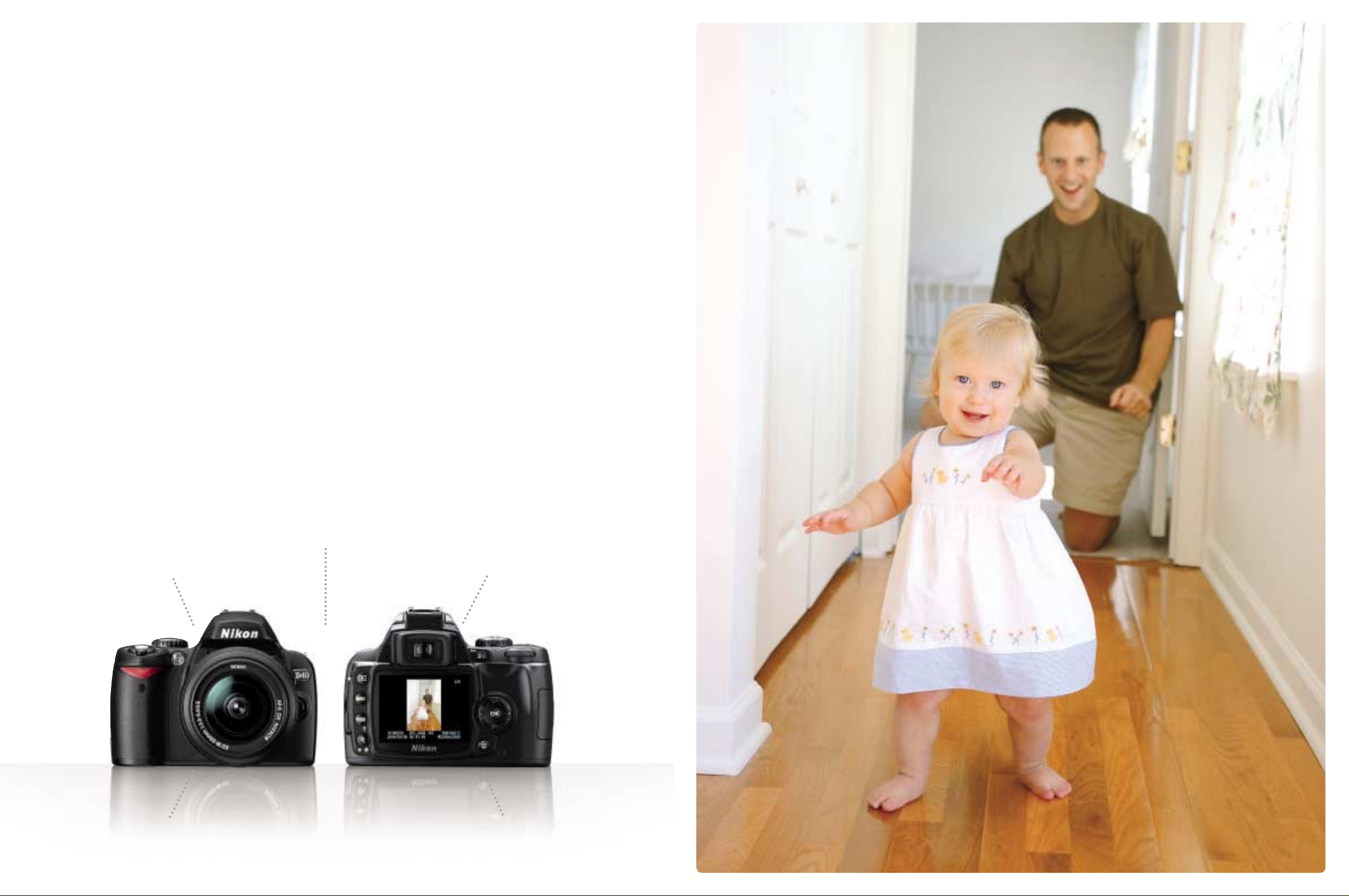
Isn’t it time you switched from simple snapshots
to great pictures? If so, then get to know the fun,
easy-to-use Nikon D40. Now you can capture
spectacular pictures using the type of digital and
optical technologies that professionals use, but
without the complications and calculations that
SLR photography once required. Let Nikon’s
cutting-edge technology do all the work for you. Just
look through the viewfinder and press a button
for wonderful pictures you’ll be proud of. It’s never
been easier to capture the moments of your life so
beautifully, and that is certainly worth celebrating.
Less Complication,
More Celebration
Shoot with ease:
Simple, user-friendly operation
Be ready: Fast response
See it clearly: Bright viewfinder
Keep moving: Compact, lightweight
• Autofocus is supported only with AF-S and AF-I CPU lenses, which are equipped with an autofocus motor.
Stay charged:
Strong, long-lasting battery
•Lens: AF-S DX Zoom-Nikkor 17-55mm f/2.8G IF-ED •Exposure mode: [A] 1/250 second, f/2.8 •White balance: Auto •Sensitivity: ISO-equiv. 200
32
Page 3
Less Science Fiction,
More Magic
It’s never been easier to take amazing pictures
Great pictures have
never been easier
Great pictures used to require complicated
and cumbersome equipment along with years
of experience. Not any more. The D40 is
compact, lightweight and designed specifi-
cally for ease of use, yet contains all the top-
quality, high-performance technologies that
you expect from a Nikon digital SLR. And
with world-famous Nikkor lenses, you know
you have the sharpest and most reliable
optical performance available. All in a camera
light enough to carry with you
everywhere. Beautiful
photography has
never been easier.
The large, bright
2.5-inch LCD
monitor lets you see
your images clearly,
while simple help menus
are always easy to navigate.
:
e
g
a
m
i
r
u
o
y
s
o
t
e
l
a
i
c
u
r
C
i
N
A fundamental rule of photography:
great images come from great
lenses. When it comes to quality,
Nikkor lenses stand alone in terms of
color, clarity and sharpness. Try the
D40 with a compact telephoto
Zoom-Nikkor lens for
family sporting events
and beautiful nature
photography. And
wide-angle Zoom-
Nikkor lenses are ideal
for everything from
everyday picture-taking to
capturing breathtaking landscape
shots during your vacation.
s
n
e
l
r
o
k
k
4
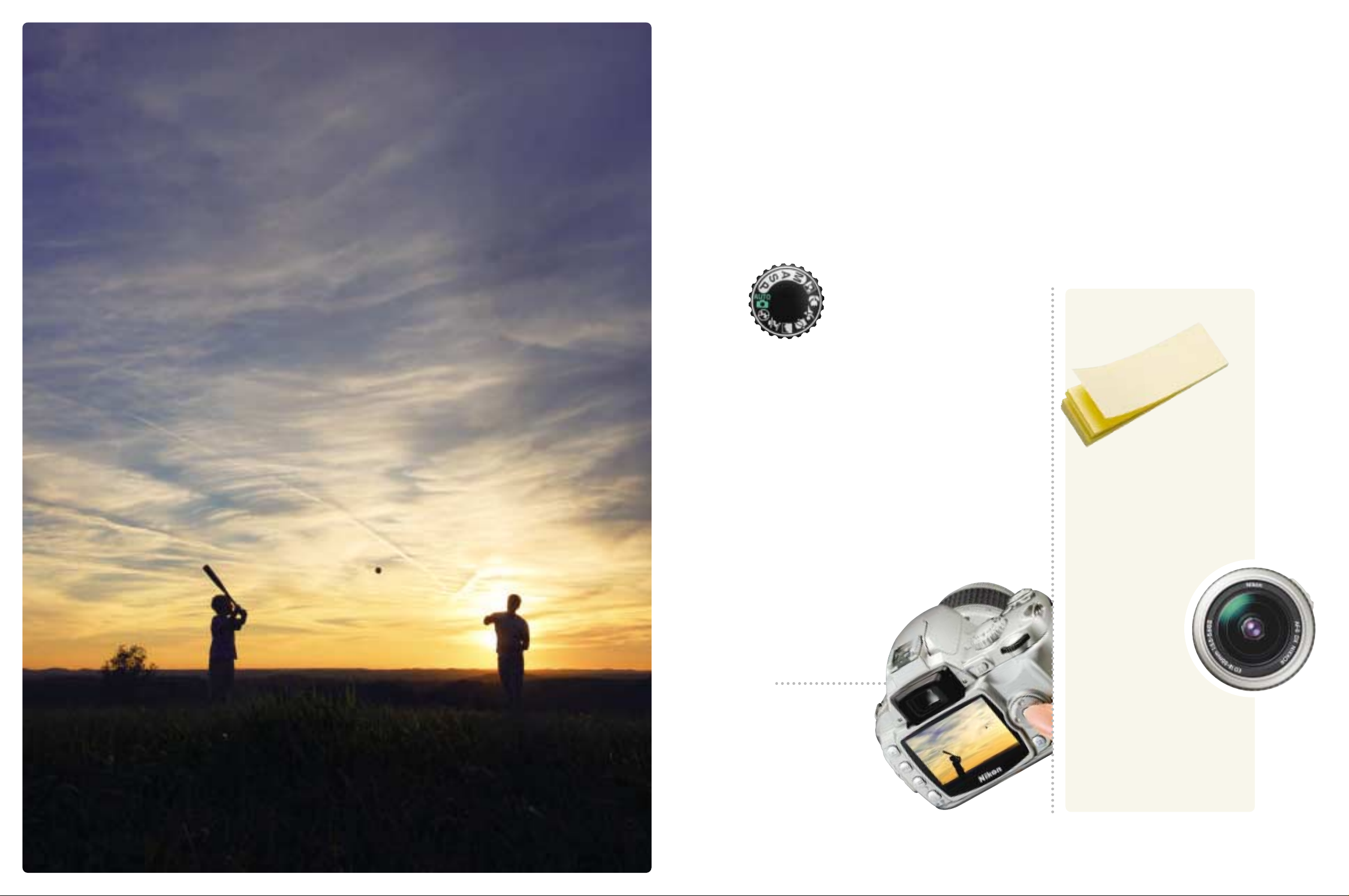
•Lens: AF-S DX Zoom-Nikkor 12-24mm f/4G IF-ED •Exposure mode: [AUTO] 1/320 second, f/9 •White balance: Auto •Sensitivity: ISO-equiv. 200
5
Page 4
Less Waiting,
More Wonder
Speed and accuracy to act on the moment
A fraction of a second
can last forever
Some of life’s most powerful moments are
also the shortest: your daughter after her
first ballet lesson; your son as he scores the
winning goal; your dog catching that first
Frisbee. Did you capture the decisive
moment? Missing it can be frustrating, but
with the D40 those days are over. Just turn
it on for a near-instant response (0.18
seconds) and a fast, razor-sharp autofocus.
Shoot and voila! Your special moments are
saved perfectly.
s
u
c
o
f
o
t
,
r
u
a
a
e
l
d
e
c
c
d
n
n
a
v
a
d
a
p
r
s
’
n
o
k
i
N
y
s
i
Now you can enjoy consistently fast
and accurate autofocus in nearly any
situation. Whether it’s the beach, the
soccer field or an amusement park,
the D40’s advanced technology gives
you sharp, clear focusing — even
after sundown. It’s all because of
Nikon’s exclusive focusing system
called the 3-area Multi-CAM 530 AF
Sensor Module. You don’t need to
remember the name, but isn’t it nice
to know it’s there?
a
t
h
u
S
:
m
e
t
s
o
d
n
o
d
n
a
s
r
o
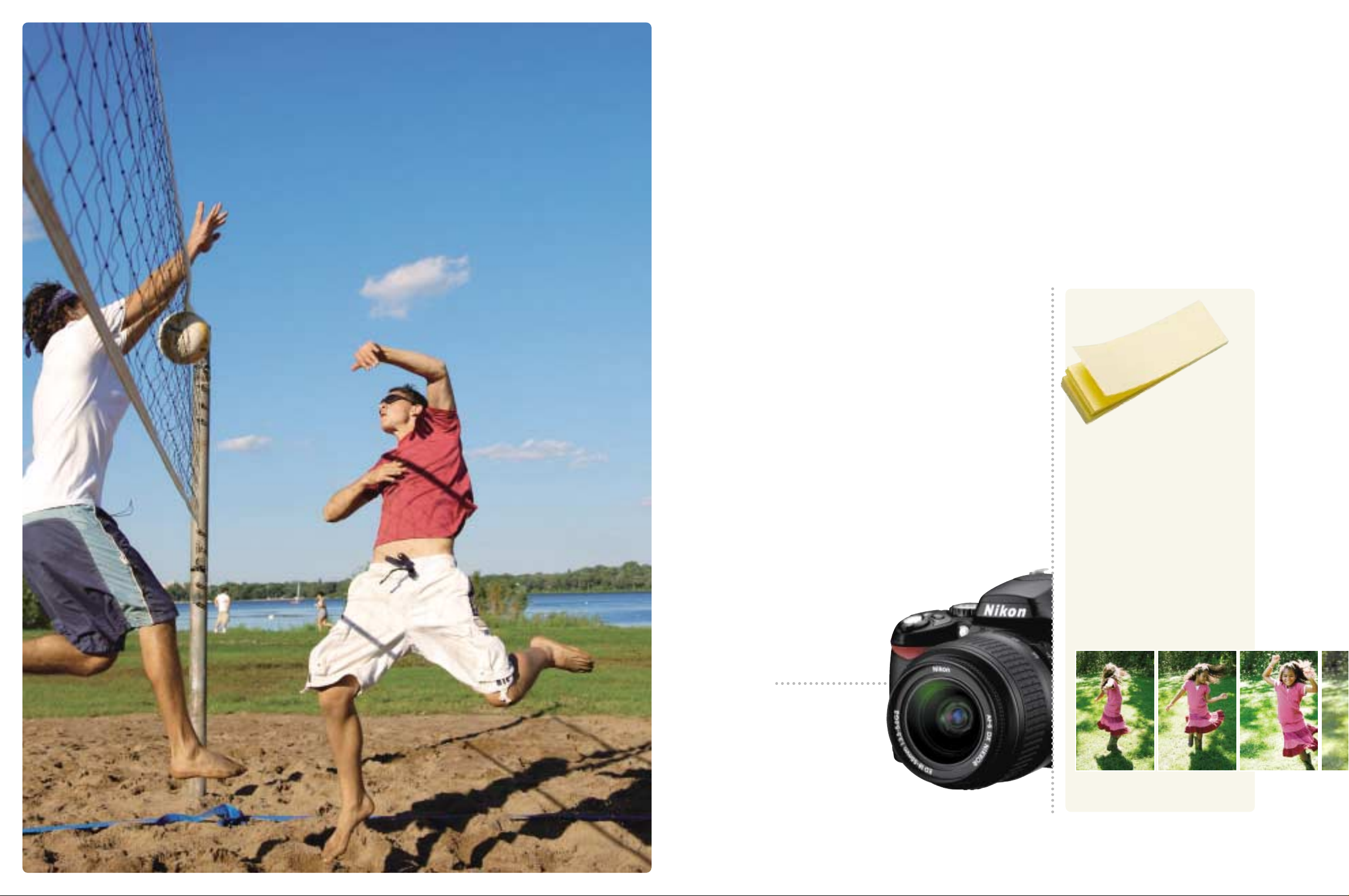
•Lens: AF-S DX Zoom-Nikkor 17-55mm f/2.8G IF-ED •Exposure mode: [A] 1/1600 second, f/5 •White balance: Auto •Sensitivity: ISO-equiv. 200
Adjust the focus automatically or manually.
It’s also possible to
select a focus area and
use focus lock, which lets
you recompose a picture.
Take up to 100 action shots at approx. 2.5 frames
per second using Continuous Shooting Mode.
76
Page 5
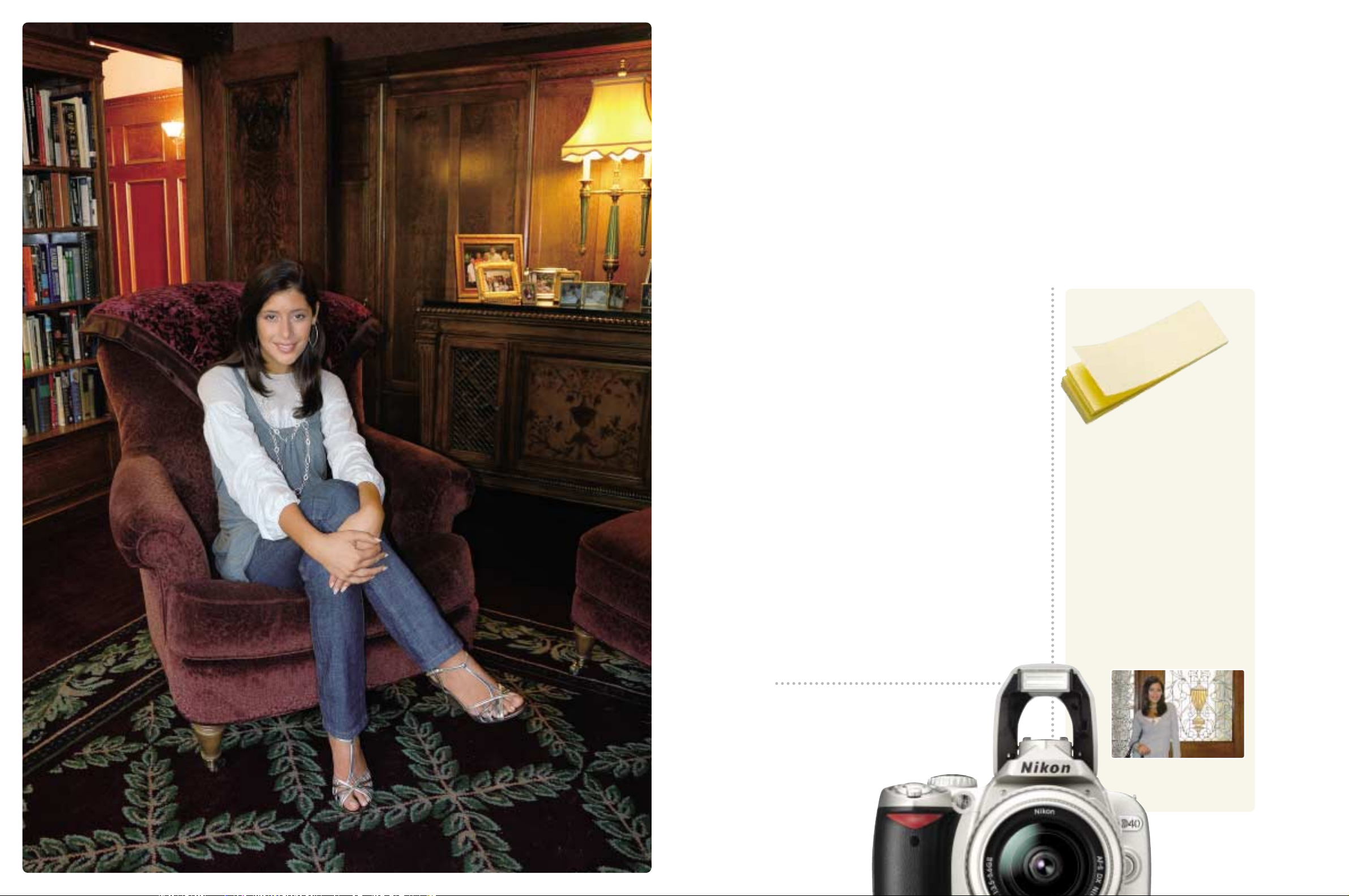
Less Night,
More Light
Let Nikon flash technology illuminate your images
Simply brilliant: Nikon
flash technology
Light is essential to great pictures. That’s
why the D40 comes with Nikon’s
unmatched flash technology. Forget about
washed-out, unnatural color. The D40
provides the right light — even in low-light
or backlit situations. Just use Auto mode
and Nikon will do the calculations for you.
The result: subtle, superb images.
For more sophisticated flash photography,
try Nikon’s external Speedlights. When
combined with the D40, the advanced
Creative Lighting System turns the darkest
situations into dazzling photo opportunities.
:
y
g
o
l
o
n
e
h
c
m
i
e
t
t
t
y
h
r
g
e
i
l
v
d
e
e
,
e
t
p
S
L
T
T
-
i
e
h
T
The D40 offers the most consistent
flash exposures because Nikon’s
industry-leading i-TTL (Through The
Lens) technology is built right in.
Before each shot, the camera
evaluates the scene to calculate ideal
lighting. With every picture comes a
new calculation and ideal exposure.
Instantly. No extra buttons, no
complicated procedures. Just point
and shoot and the D40 does all the
work. Flash photography has never
been easier or more accurate.
h
g
i
l
t
h
g
i
r
•Lens: AF-S VR DX Zoom-Nikkor 18-200mm f/3.5-5.6G IF-ED •Exposure mode: [M] 1/2 second, f/6.3 •White balance: Auto •Sensitivity: ISO-equiv. 200 •Built-in Flash: TTL
Four flash modes are available: Auto flash,
Red-eye reduction, Slow sync and Rear
curtain sync.
Nikon’s exclusive i-TTL flash control
works accurately even with reflective
objects in the background.
98
Page 6

Less Uncertainty, More Opportunity
Creative photography simply by rotating the mode dial
1
12
6
89
7
4
•Lens: AF-S DX Zoom-Nikkor 17-55mm f/2.8G IF-ED •Exposure mode: Digital Vari-Program [Close Up] 1/60 second, f/4.5 •White balance: Auto •Sensitivity: ISO-
equiv. 400
Auto •Sensitivity: ISO-equiv. 400
balance: Auto •Sensitivity: ISO-equiv. 400
•Sensitivity: ISO-equiv. 400
balance: Auto •Sensitivity: ISO-equiv. 200 •Built-in Flash: TTL
[Landscape] 8 seconds, f/4.2 •White balance: Auto •Sensitivity: ISO-equiv. 200 *All photos taken with image quality mode: RAW (NEF)
34
5
•Lens: AF-S DX Zoom-Nikkor 18-55mm f/3.5-5.6G ED II •Exposure mode: Digital Vari-Program [AUTO (Flash Off)] 1/40 second, f/5.3 •White balance:
•Lens: AF-S DX Zoom-Nikkor 18-55mm f/3.5-5.6G ED II •Exposure mode: Digital Vari-Program [Child] 1/320 second, f/6.3
•White balance: Auto •Sensitivity: ISO-equiv. 200
5
mode: Digital Vari-Program [Portrait] 1/100 second, f/5.3 •White balance: Auto •Sensitivity: ISO-equiv. 400
Zoom-Nikkor 17-55mm f/2.8G IF-ED •Exposure mode: [AUTO] 1/60 second, f/4 •White balance: Auto •Sensitivity: ISO-equiv. 400
6
•Lens: AF-S DX Zoom-Nikkor 17-55mm f/2.8G IF-ED •Exposure mode: Digital Vari-Program [Sports] 1/800 second, f/3.2 •White
7
8
•Lens: AF-S DX Zoom-Nikkor 17-55mm f/2.8G IF-ED •Exposure mode: Digital Vari-Program [Night Portrait] 1/10 second, f/2.8 •White
•Lens: AF-S DX Zoom-Nikkor 17-55mm f/2.8G IF-ED •Exposure mode: [AUTO] 1/30 second, f/2.8 •White balance: Auto
9
•Lens: AF-S VR DX Zoom-Nikkor 18-200mm f/3.5-5.6G IF-ED •Exposure mode: Digital Vari-Program
2
•Lens: AF-S DX Zoom-Nikkor 18-135mm f/3.5-5.6G IF-ED •Exposure
3
•Lens: AF-S DX
Get better shots in almost any situation. Each of the eight Digital Vari-Program
modes is designed to calculate the best settings for your scene automatically.
Simply choose one, or select AUTO and let the D40 do all the work.
AUTO: This automatic “point-and-shoot” mode lets you
concentrate on getting the shot. Settings are controlled
automatically to match shooting conditions.
Auto (Flash Off): Captures low-light situations without the Built-in
Flash by using available light and boosting light sensitivity.
Whether it’s a museum, concert or school play, you’re ready
whenever flash photography is not allowed.
Portrait: Select this mode when you want a sophisticated,
professional-looking portrait with your subject sharply focused
and the background stylishly softened.
Landscape: This mode ensures beautiful pictures of landscapes,
buildings and other large-scale subjects. It’s also ideal for
shooting groups of friends and family with a backdrop of
beautiful scenery.
Child: Capture beautifully expressive images of children with
Child mode. Your pictures will feature natural skin tones while
clearly and vividly rendering clothing and background details.
Sports: High shutter speeds freeze motion for dynamic action shots
where the main subject stands out clearly. The camera tracks your
subject, adjusting the focus with split-second response.
Close Up: Discover the hidden beauty in flowers, coins, insects
and other small treasures. Close Up mode renders every detail
of the foreground, while a softened background helps your
subject stand out. Use a tripod to get the sharpest results.
Night Portrait: This mode focuses on the closest subject in a lowlight situation and then calculates a balanced exposure for both
the foreground and the background. For the sharpest pictures, a
tripod is recommended.
1110
Page 7
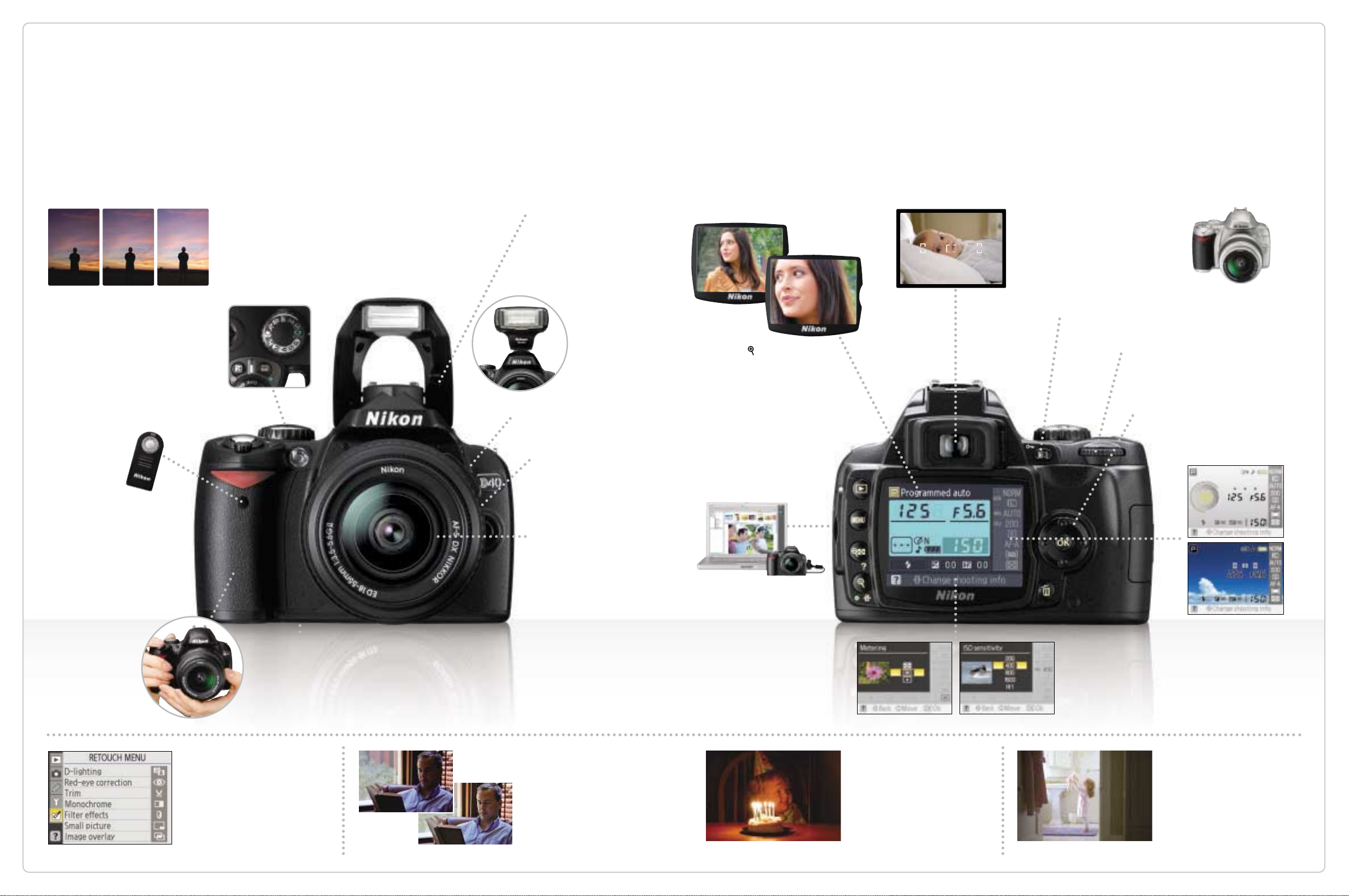
Less Complicated, More Capable
Nikon digital SLR versatility and picture quality in a camera easy enough for everyone
-1 EV 0 +1 EV
Exposure compensation
Exposure compensation
lets you raise or lower the
exposure value from +5 to
-5 EV. This means better-
exposed pictures in
unusual lighting conditions
such as dimly lit theaters,
sunsets and more.
Infrared receiver
Use the optional
Wireless Remote
Control ML-L3 as
a remote shutter
release for self-portraits or
to prevent camera shake
caused when releasing the
shutter.
Sure and comfortable
ergonomics
Weighing only 475g, this
light, compact camera
body fits your hand
perfectly, with a well-
balanced design and
grip to ensure easy
access to controls.
ML-L3
Exposure mode dial
All you need is right here. Now great pictures are a
snap in every shooting situation. For more control
over shutter speed and aperture, choose P
(Program Auto), S (Shutter-Priority Auto), A
(Aperture-Priority Auto) or M (Manual) mode.
Long-lasting battery
The newly developed Rechargeable Li-ion Battery EN-EL9 lets you take
up to 470 shots in single-frame shooting mode (CIPA standards, with
Built-in Flash used for 50% of the shots). The optional AC Adapter
EH-5 can be used to power the camera for even longer periods (an AC
Adapter Connector EP-5 is required, available separately).
Built-in Flash
The auto pop-up Flash gives
just the right light to make
the scene look both beauti-
ful and natural. To extend
your flash shooting range
Flash mode button
Self-timer/Function button
Nikkor lens*
All AF-S/AF-I Nikkor lenses
work seamlessly with the
D40. Each lens features
the world’s finest optics
and precision mechanisms
and provides optimized
performance for sharp,
consistent results.
*Autofocus is supported only
with AF-S and AF-I CPU lenses,
which are equipped with an
autofocus motor.
and creativity, just add
an optional Nikon
Speedlight like
the new SB-400.
SB-400 attached to
the D40
Detail enlarge-
ment function
Press the button and you
can zoom in on your picture
as close as approx. 19x (large
images). The extra-large,
2.5-inch LCD color monitor is
perfect for viewing sharpness
or just showing recently
captured pictures to friends
and family.
USB connection
Connect easily to your
computer using the
supplied USB cable. The
supplied PictureProject
software can then be used
to load photographs to your
computer where they can
be organized, retouched
and printed.
Easy-to-use viewfinder
The D40’s optical viewfinder is
bright, clear and magnified to
ensure an ideal view for precise
composition.
AE-L/AF-L button
Command dial
Multi selector
Easy setting changes with assist images
The D40 offers handy "assist images" for
main camera features when you change
camera settings. These images are readily
available to help you select the right
settings for your pictures.
Also available in silver
Black and silver versions
are available depending on
country or area.
Information display formats
Choose your view: Classic
format or the new Graphic
and Wallpaper formats for
Digital Vari-Program modes
and P/S/A/M modes.
Retouch Menu
The D40 lets you edit and enhance
your pictures easily in the camera
with several color filter effects, or
use black-and-white or sepia tone.
Simply apply to your images with
even more interesting options in the
menu. It’s easy, convenient, and fun!
12 13
Before
After
D-Lighting
Does part of an image seem
dark with too little detail?
No problem. D-lighting lets
you enhance brightness or
contrast in-camera after the
shot is taken.
ISO 800
Broad ISO sensitivity range
Your D40’s ISO sensitivity can be
set from 200 all the way to 1600,
enabling beautiful images in
many challenging low-light
situations without using a flash.
Spot Metering
Metering system options
Nikon’s exclusive 3D Color Matrix
Metering II instantly evaluates the
brightness, contrast and colors of
any shooting scenario. In addition,
Center-weighted and Spot
metering are also available to
meet specialized applications.
Page 8
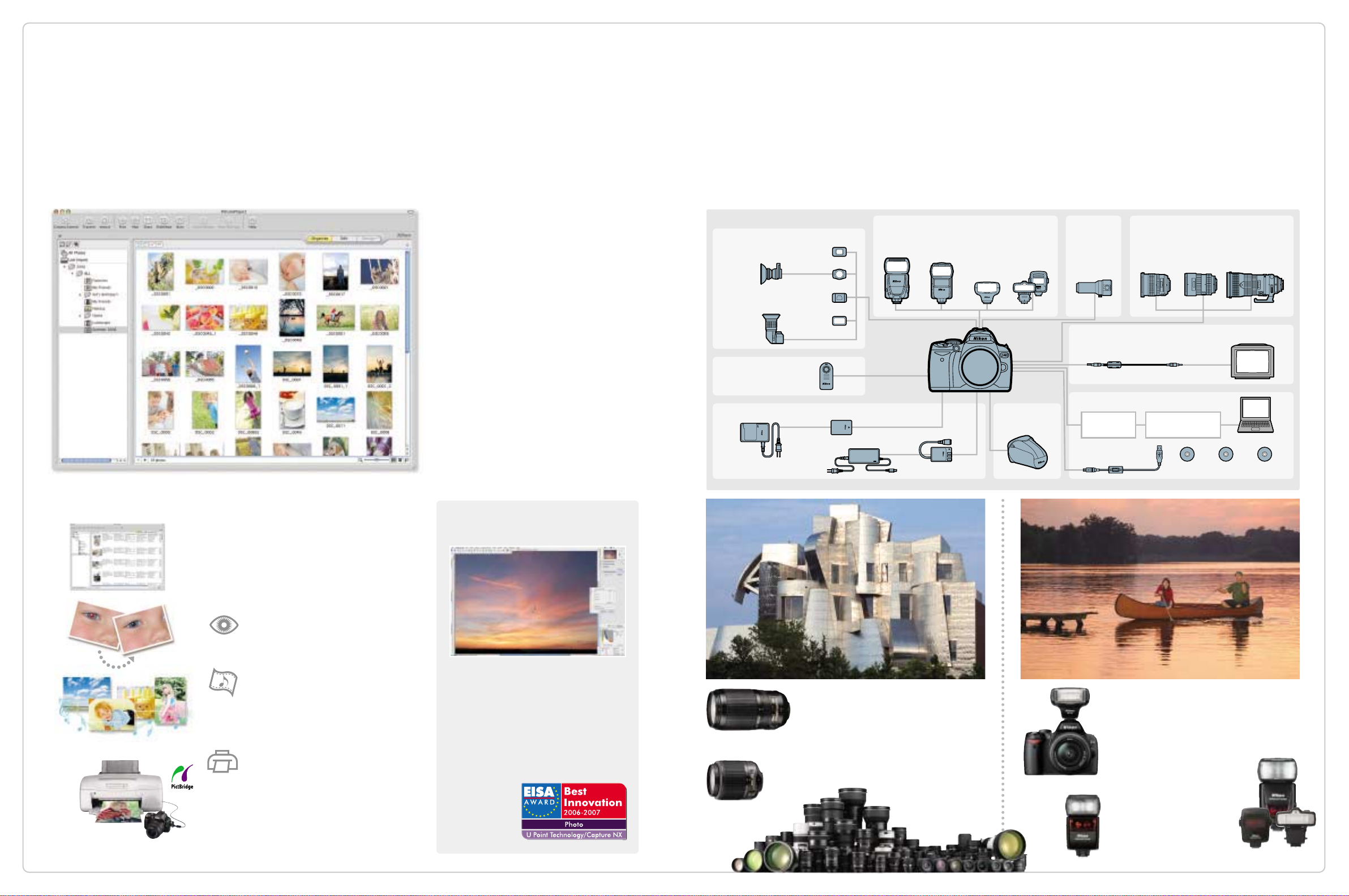
Less Hassle, More Potential
Software and accessories to expand your possibilities
✚ ENJOY THESE FUN, EASY FUNCTIONS✚
Connect your camera to a computer and your
images are automatically imported, with
thumbnail previews that make it easy to
select and organize your favorites.
SHOW OFF YOUR IMAGES WITH
PICTUREPROJECT
Supplied with the D40 and designed as a
simple, intuitive and seamless experi-
ence, PictureProject is for digital photo-
graphers of any skill level. Its powerful
tools let you truly explore digital imaging
without having to study for it. It greatly
simplifies image transfer and sharing,
while giving you basic post-production
enhancements on a personal computer.
Data in your memory card can easily be
uploaded to your computer, and images
can be quickly printed, e-mailed or
uploaded to an online photo community.
PROCESS LIKE A PRO: THE EASY,
INTUITIVE CAPTURE NX
SYSTEM CHART
VIEWFINDER ACCESSORIES
Diopter Adjustment Viewfinder
Lenses (-5 to +3m
Eyepiece
Magnifier
DG-2
Angle Finder
DR-6
REMOTE CONTROL
Wireless Remote Control ML-L3
Quick Charger
MH-23*
-1
) DK-20C
Eyepiece Adapter DK-22
Eyepiece Cap DK-5*
Rubber Eyecup DK-16*
Rechargeable Li-ion Battery EN-EL9*
AC Adapter EH-5
SPEEDLIGHTS LENSESDIGISCOPING
Speedlight
SB-800
Speedlight
SB-600
Speedlight
SB-400
Close-up
Speedlight
Commander Kit
R1C1
ACCESSORY
Fieldscope Digital
SLR Camera
Attachment FSA-L1
TV ACCESSORIES
Video Cable EG-D100
COMPUTER RELATED ACCESSORIES
CASEAC ADAPTERS, BATTERIES AND BATTERY PACKS
AC Adapter Connector EP-5
Semi-Soft Case
CF-DC1
SD memory card**
USB Cable UC-E4*
Autofocus is supported only with AF-S and AF-I CPU lenses,
which are equipped with an autofocus motor.
TV Monitor**
PC card adapter**
SD memory card reader**
Capture NX
*Supplied accessories **Non-Nikon products
Personal Computer**
Camera
Control Pro
PictureProject*
Red-eye corrections, brightness and
color can be fixed with ease.
It’s easy to create slideshows using
your favorite music. A variety of
effects, including Slide, Wipe and Cross
Fade, are also at your disposal.
Photo printing made simple. Handy
templates and easy-to-select functions such as borderless print offer you a
variety of layout options. PictBridge is the
quick and fun way to print pictures directly
from your camera. Simply connect to any
compatible printer using the supported USB.
14
Nikon’s revolutionary new software
gives you an unprecedented degree of
control over your images. Thanks to
TM
exclusive U Point
Technology, by Nik
Software, Capture NX does all the
calculations for you, making it the first
truly usable editing imaging software
for all levels of
photographers.
AF-S VR Zoom-Nikkor
70-300mm f/4-5.6G IF-ED
AF-S DX Zoom-Nikkor
55-200mm f/4-5.6G ED
With a high 4.3x zooming power, this
compact, lightweight telephoto lens
zooms further towards your subject
while the VR (Nikon’s exclusive
Vibration Reduction) system eliminates
blur caused by hand-shake.
*The number of F-mount
Nikkor lenses has reached
36 million, as of July 2006.
SB-400 attached to the D40
SB-600
For enhanced twilight shots or an added
impact to daylight images. Ideal for
entry-level users, the new SB-400 is
compact, lightweight and offers many
of Nikon's creative features. For even
more versatility, creativity and
performance from wireless
flash photography, try the
SB-600, which offers
professional-level results
in an easy-to-use format.
Nikon Speedlights
15
 Loading...