

Page 1
Tower Pro 10K - User manual
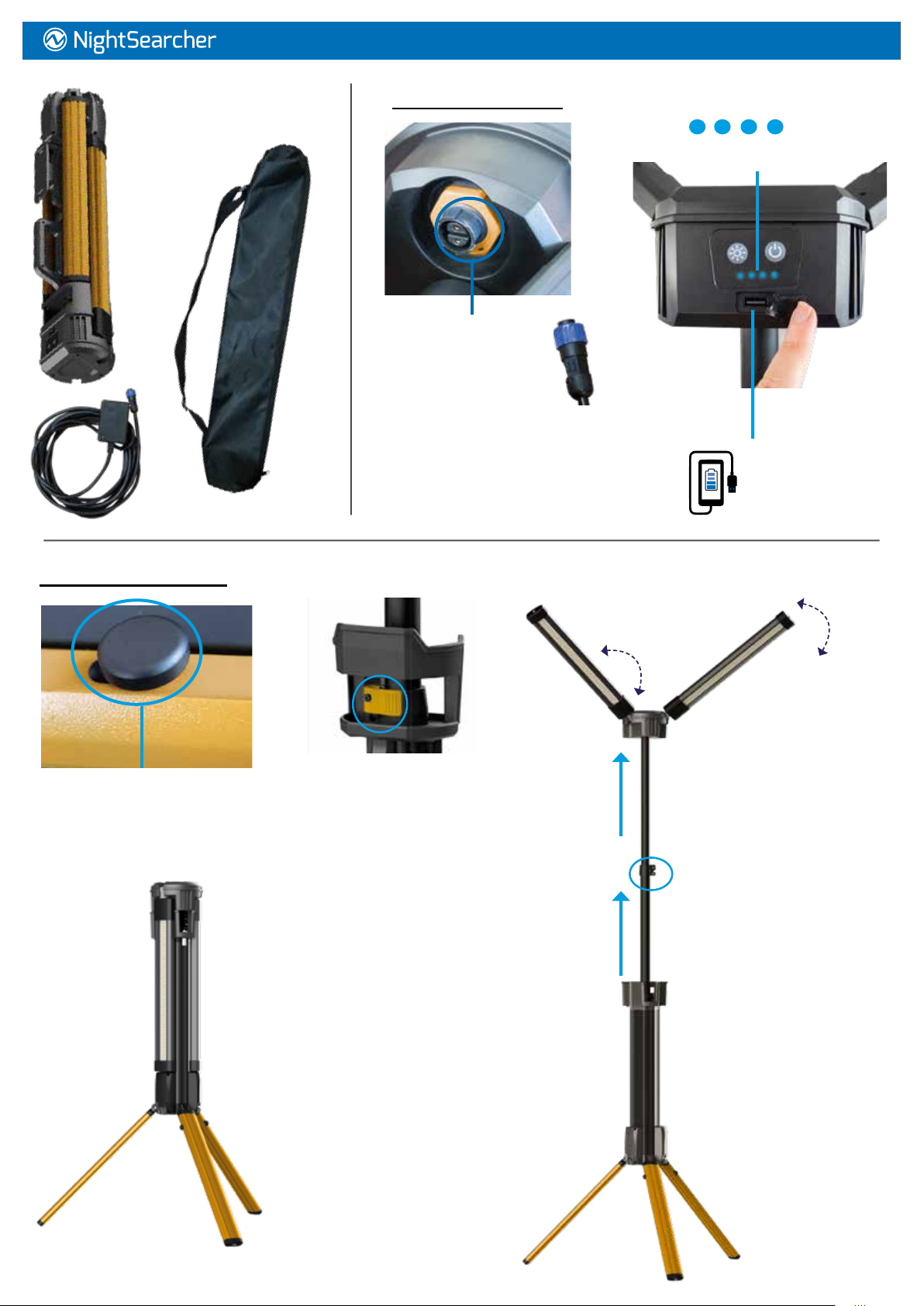
Supplied with: Tower light,
carry bag and AC charger.
Charging the oodlight
Charging Socket
Insert plug into socket
and tighten hand wheel.
The light can be used continuously
when plugged into AC mains but it will
only operate on medium mode.
Battery Charging
and Status Indicators
4.5 hours charging time.
Power bank
to charge
your phone
Setting up the Tower Pro:
1. Slide button and lift leg to
unlock each leg.
2. Unfold each leg out into position.
4. Pull out the light heads and
rotate swivel to desired angle.
360°
90°
3. Unlock
extending clamp
and extend both
poles to desired
height and lock
clamps.
Page 2
Tower Pro 10K - User manual
5. Setting up the Tower Pro Continued...
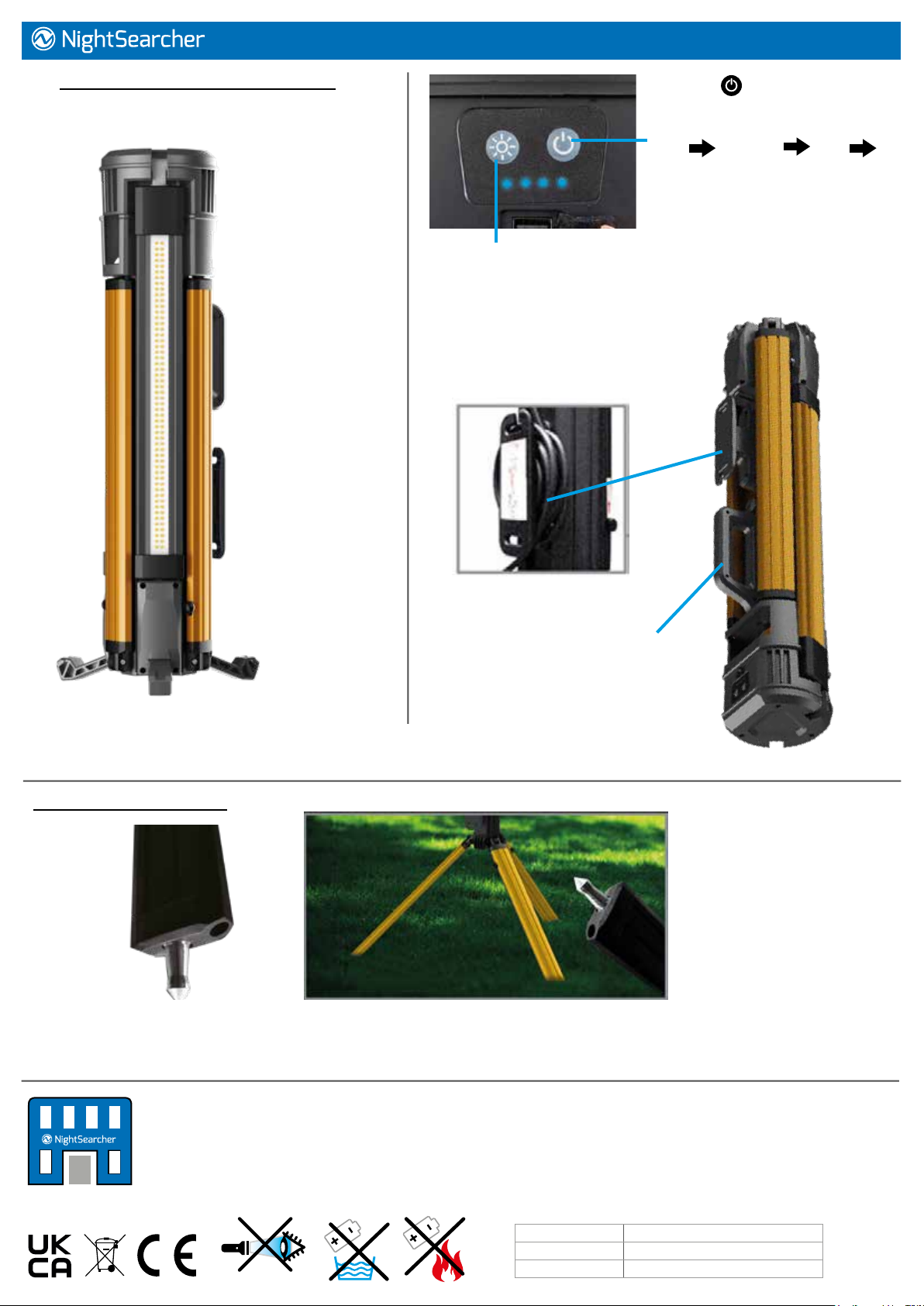
The Tower Pro 10K can also be used as oor light.
Rotate the light heads
so they face outwards.
5. Press button to turn
the light ON/OFF again to
change light modes:
Low Medium High Off
6. Use this button to change the light beam from
cool white to warm white.
Built-in cable and charger
wrapping system for tidy storage.
Carry handle
Drop down retractable feet.
Reversible ground spikes:
The Tower Pro comes with ground spikes, ideal for using on uneven ground. To release these
unscrew using a screw driver, pull out the spike and rotate and push back into hole to secure into place.
NightSearcher Limited
Unit 4 Applied House, Fitzherbert Spur, Farlington,
Portsmouth, Hampshire, PO6 1TT, UK
T: +44 (0)23 9238 9774
All NightSearcher products have a 3-year standard warranty
on all manufacturing defects and 1-year warranty on all
rechargeable batteries from the date of purchase.
For extended 5 year warranty please visit
https://nightsearcher.co.uk/en/extended-warranty.html
proof of purchase is required
Product weight 6.49kg
Product size (mm) 150x647mm
NS Part No. NSTOWERPRO-10K
 Loading...