

Page 1
GALAXY-PRO 6K - User manual
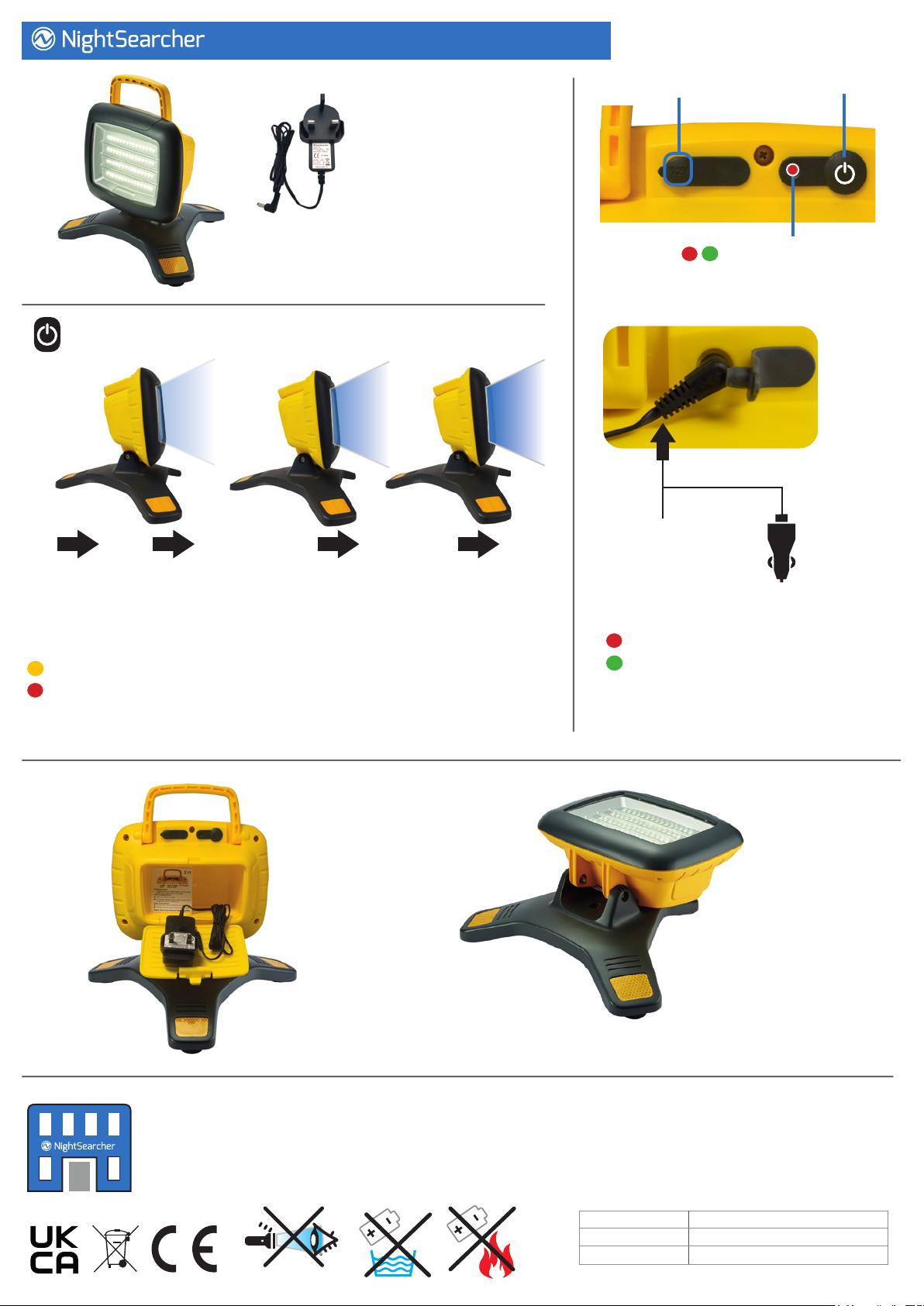
Charging Socket
Power/Light
Levels Switch
Supplied with:
AC Mains Charger
Power/light levels switch:
OFF OFF
Low
8 hrs
Medium
4 hrs
High
2.25 hrs
To dim the light, switch the light level to High and hold the power switch for
3 seconds and release at the desired light level. (Lowest level operates for 60 hrs).
Battery status indicator:
Flashing amber (steady ash) when battery level is low.
Flashing red when the unit needs charging.
Battery Status and
Charging Indicator
Charging Options:
AC Mains
Charger
(Supplied)
Vehicle
Charger
(Optional
Accessory)
Battery charging indicator:
Red light while charging
Green light when charged
Recharge is approximately 8 hours.
The Galaxy Pro can also run from its AC Charger on Low light level
(indoor use only).
Handy storage
compartment
for chargers.
NightSearcher Limited
Unit 4 Applied House, Fitzherbert Spur, Farlington,
Portsmouth, Hampshire, PO6 1TT, UK
T: +44 (0)23 9238 9774
E: [email protected]
The oodlight
and handle will fold
at for compact storage
Hi-Vis reective feet
All NightSearcher products have a 3-year standard warranty on all
manufacturing defects and 1-year warranty on all rechargeable
batteries from the date of purchase.
For extended 5 year warranty please visit www.nightsearcher.co.uk
proof of purchase is required.
Product weight (g) 1.52kg
Product size (mm) 310x350x285mm
NS Part No. NSGALAXYPRO-6K
Page 2
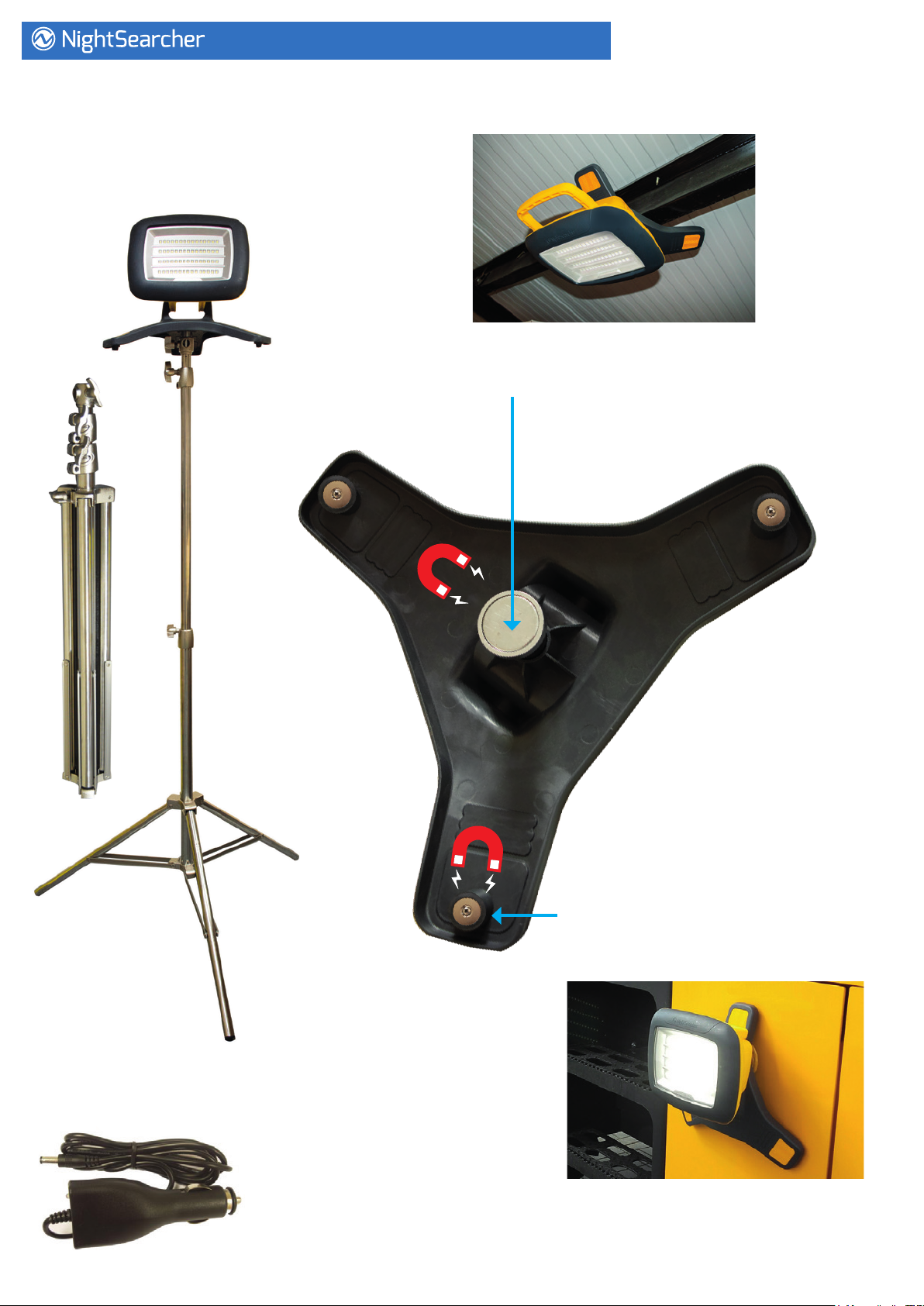
Optional Accessories:
2m Stainless Steel Tripod:
Extends from 0.8 to 2 metres
Product code: SPTRIPODSS2M
GALAXY-PRO 6K - User manual
Two Magnetic Mount Choices:
Large centre magnet for
narrow beam mounting
Product code: SPGALAXYMAGMOUNT
Vehicle Charger:
Product code: CHIC8.4-LI-ION
OR
Set of 3 magnets for wider area,
best stability mounting
Product code: SPGALAXYPROMAG
 Loading...